Zen Brush 3
Zen Brush 3
ダウンロード: App Store

このページはアプリまたはその開発者の公式ページではなく、情報提供および論評を目的として作成された独立した編集出版物です。明示的に別段の記載がない限り、アプリおよびその開発者は、MWM、Apple、Google Play、アプリのパブリッシャー、またはアプリの開発者と提携、承認、後援、認可、またはその他の公式的な関係はなく、このページのいかなる内容も、アプリがMWMのサービスを使用して開発されたことを意味するものではありません。すべての商標、ロゴ、スクリーンショット、その他のコンテンツはそれぞれの所有者の財産です。

ロゴ: Zen Brush 3
ダウンロード: App Store

Zen Brush 3

iPadで東アジアの墨絵の魂を体験してください。マインドフルネスと芸術的なエレガンスのためにデザインされたリアルな3Dブラシシミュレーションで、書道と鮮やかな水彩画の芸術をマスターしてください。

主要数値

ダウンロード

199K+

ユーザー評価

4.0/5

評価数

300

開発元

P SOFTHOUSE Co., Ltd.

カテゴリ

Graphics & Design

対応言語

5

最新バージョン

1.18

サイズ

226.0 MB

リリース日

2020年9月29日
機能

一筆一筆にあなたの禅を見つけよう

伝統的な筆遣いの魂を再現する3D描画システムで、東アジアの書道と墨絵の瞑想的な力を体験してください。

本格的な3Dブラシストローク

Apple Pencilの筆圧と傾きに正確に反応するブラシシミュレーションで、伝統的な書道の魂を感じてください。

流動性の魔法

調整可能な水分量と30色の伝統的な日本の色で、「滲み」と「ぼかし」の芸術をマスターしてください。

以下のスクリーンショットと説明は、アプリの公式ストアリスティングから直接取得されたものであり、アプリ開発者の所有物です。

アプリストア

スクリーンショット
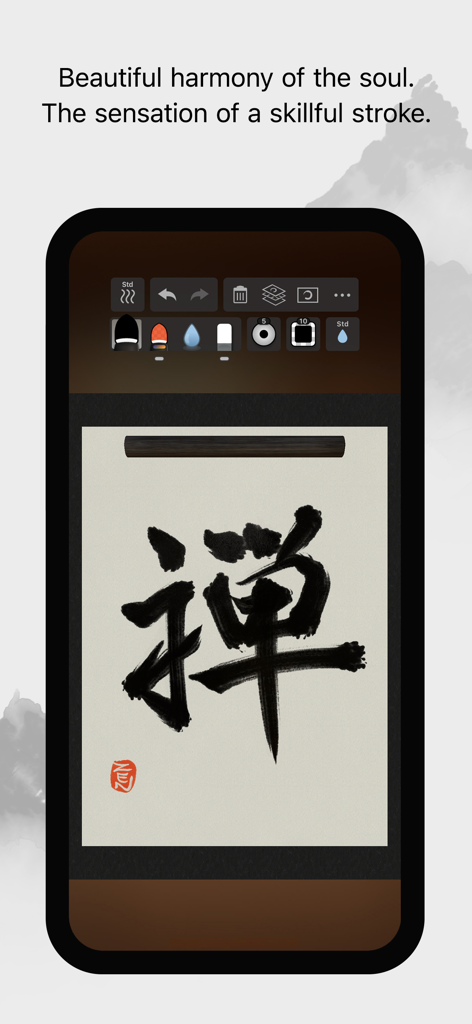
Zen Brush 3 - Zen Brush 3モバイルアプリのインターフェース。スクロールの背景に黒い墨の書道文字が表示されています。
Zen Brush 3モバイルアプリのインターフェース。スクロールの背景に黒い墨の書道文字が表示されています。

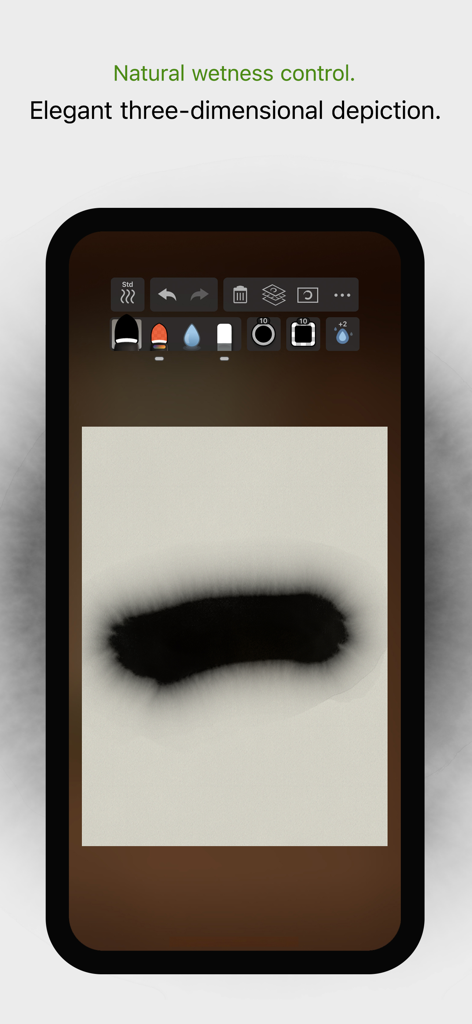
Zen Brush 3 - Zen Brush 3のリアルな滲みとウェットネスコントロールを示すデジタルインクストローク。
Zen Brush 3のリアルな滲みとウェットネスコントロールを示すデジタルインクストローク。

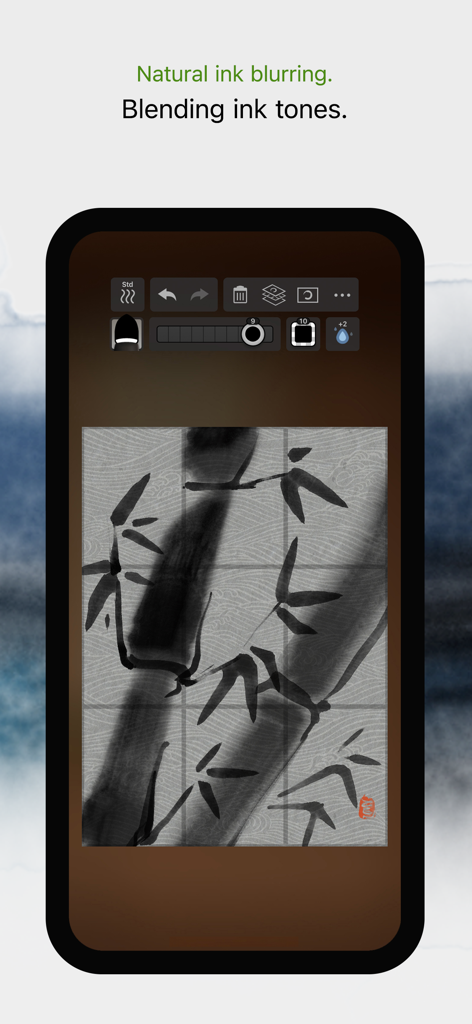
Zen Brush 3 - 自然なインクのぼかしとブレンド効果を示す竹のデジタル墨絵。

自然なインクのぼかしとブレンド効果を示す竹のデジタル墨絵。

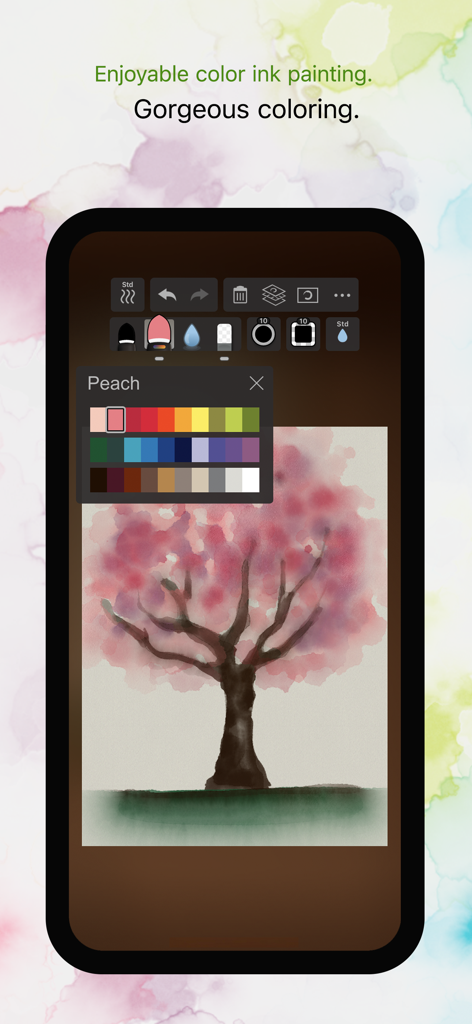
Zen Brush 3 - Zen Brush 3アプリのインターフェースにカラーパレットと桜の木のデジタル墨絵が表示されています。
Zen Brush 3アプリのインターフェースにカラーパレットと桜の木のデジタル墨絵が表示されています。

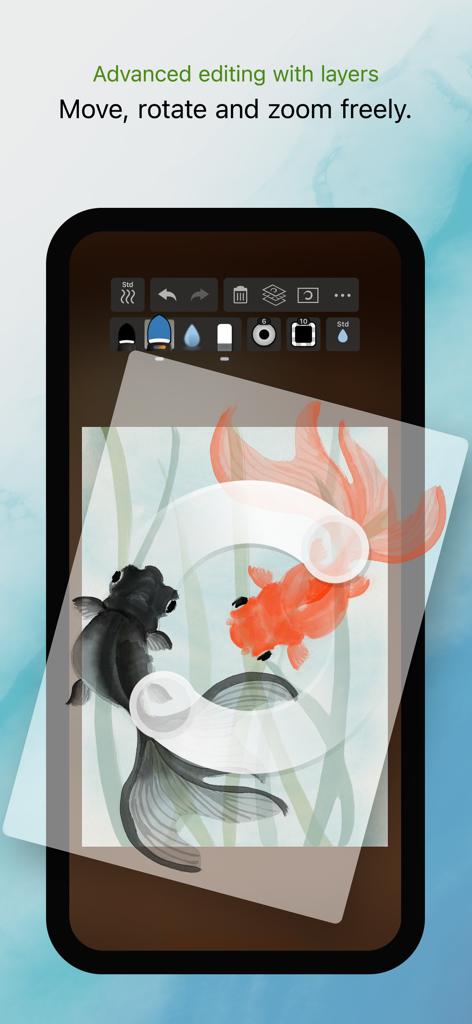
Zen Brush 3 - Zen Brush 3アプリのインターフェースが、2匹の金魚のデジタル墨絵でレイヤー編集機能を示しています。
Zen Brush 3アプリのインターフェースが、2匹の金魚のデジタル墨絵でレイヤー編集機能を示しています。

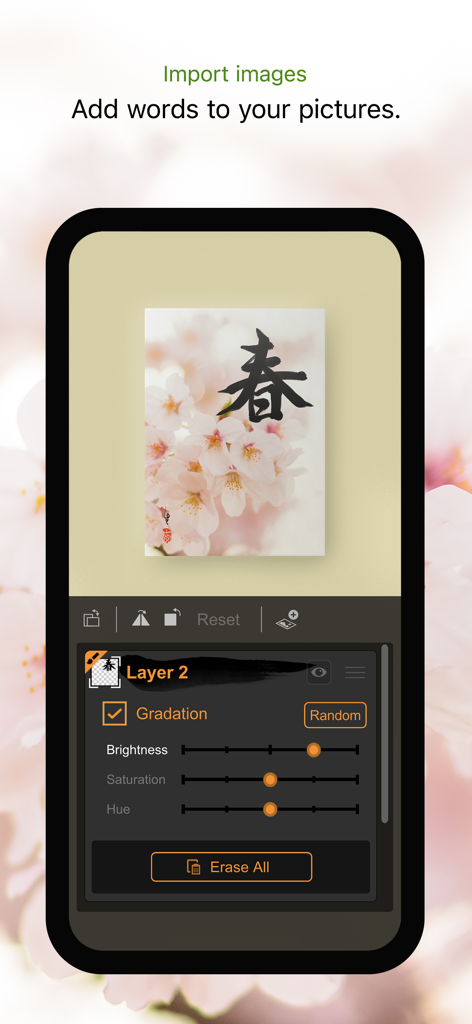
Zen Brush 3 - Zen Brush 3アプリのインターフェースに、明るさと彩度のレイヤー調整設定を備えたインポートされた写真に書道が表示されています。
Zen Brush 3アプリのインターフェースに、明るさと彩度のレイヤー調整設定を備えたインポートされた写真に書道が表示されています。

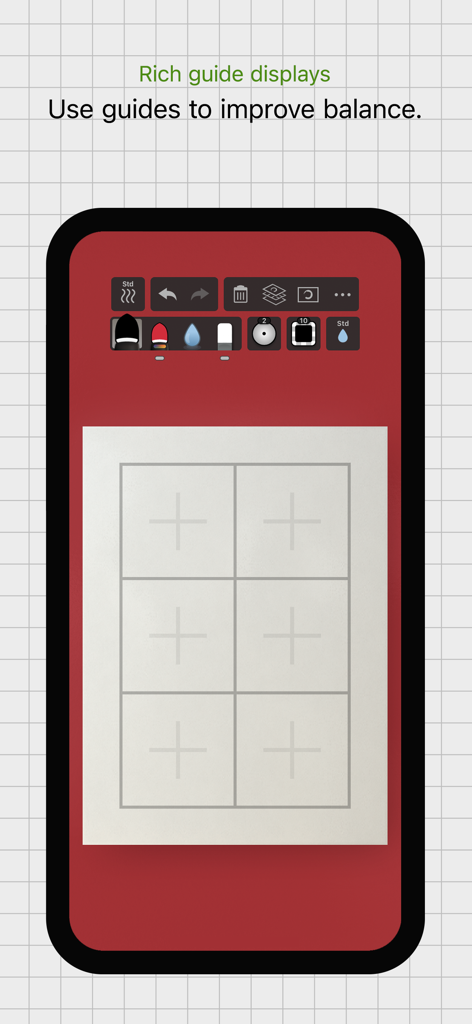
Zen Brush 3 - 白いキャンバスにグリッドガイドが表示されているZen Brush 3アプリのインターフェースを示すスマートフォン。構図とバランスの改善に役立ちます。
白いキャンバスにグリッドガイドが表示されているZen Brush 3アプリのインターフェースを示すスマートフォン。構図とバランスの改善に役立ちます。

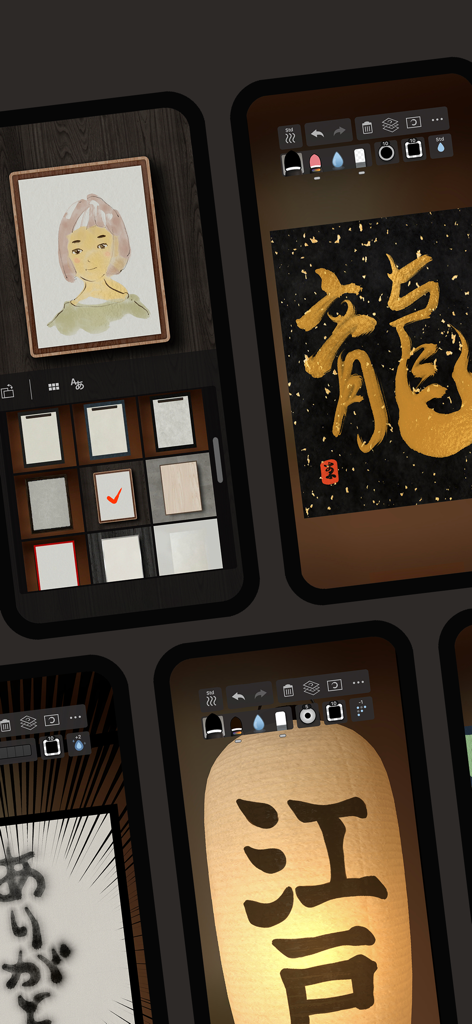
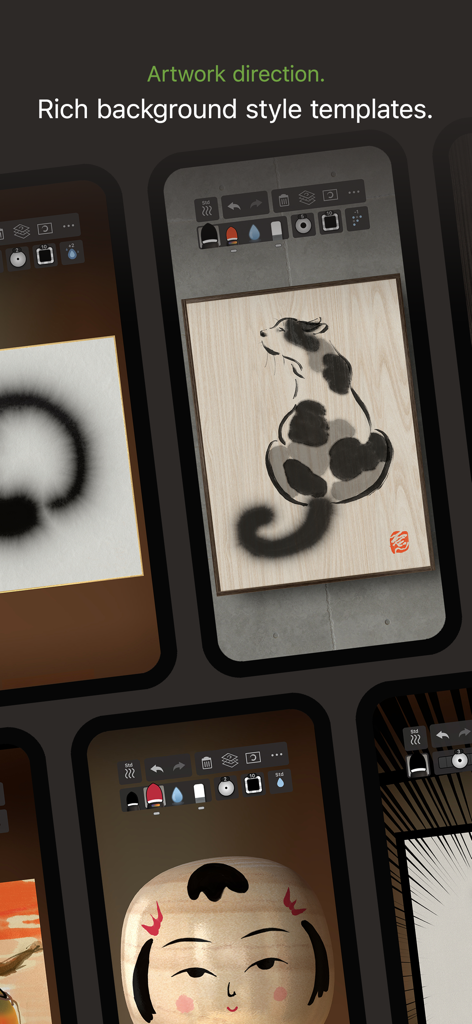
Zen Brush 3 - 墨絵のさまざまな背景スタイルテンプレートを表示する画面のコレクション。

墨絵のさまざまな背景スタイルテンプレートを表示する画面のコレクション。

Zen Brush 3 - Zen Brush 3アプリのスクリーンショット。デジタル墨絵と書道機能を示しています。
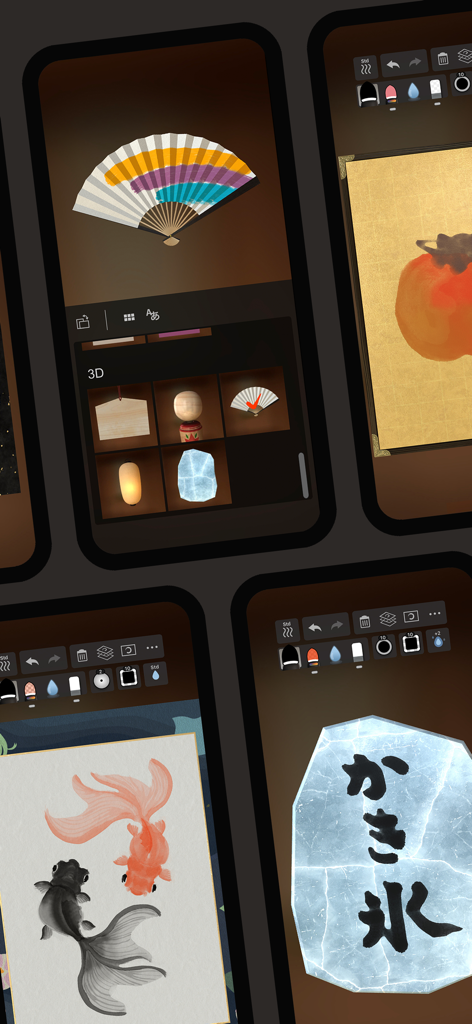
Zen Brush 3アプリのスクリーンショット。デジタル墨絵と書道機能を示しています。

Zen Brush 3 - Zen Brush 3アプリのスクリーンショット。デジタル書道と墨絵を示しています。

Zen Brush 3アプリのスクリーンショット。デジタル書道と墨絵を示しています。

説明

Zen Brush 3 is a drawing app focused on the strong yet beautiful feel of the East Asian ink brush which can be used to perform calligraphy, ink painting and more. The drawing system that brings to life a feeling of silky fluent and delicate painting now allows an even wider range of expression thanks to the addition of "water" and "color". Providing a new simple and intuitive user interface, this app is designed to be optimal for performing Zen art. Simply start the app and you are immediately ready to draw. Anyone, anywhere, can create superb Zen art with this app’s uniquely rich expressiveness. You can also easily share and edit your calligraphy and images with other apps using the Export functionality. Skillfully use the rich background style templates to create and share atmospheric artwork. - The drawing system simulates a 3D model of an East Asian ink brush to enable varied and natural styles of brush handling. - The adjustable amount of water makes it possible to create expressions ranging from powerful edge effects to "nijimi" (bleeding) and "bokashi" (blurring) where colors mix. - You can also enjoy creating colored-ink paintings as well as watercolor paintings by making use of 30 selected traditional Japanese colors. - The layer functionality allows more flexible editing. - Import photos to add text to them or use them as background images for tracing. - Create fascinating artwork with a rich assortment of background style templates. - Traditional Japanese paper templates provide an authentic feel. Features: - 5 main tools (ink brush, color brush, water brush, eraser, blotting paper). - 10 levels of thickness. - 5 levels of water (not applicable to blotting paper). - 10 levels of ink tone (not applicable to water brush and blotting paper). - Color palette with 30 colors. - 89 background style templates. - Drying functionality (fast dry, instant dry, adjustable natural dry). - Layers functionality (import image / color adjustment / move / rotate / scale / reverse left and right / white transparency / gradation effect). - Guide display (character guides / partition guides / grid guides). - Movable toolbar (top / bottom / left / right). - Canvas zoom (zoom in and out with pinch gestures). - Undo / redo (5 levels). - Export functionality (formats: JPEG, PNG, transparent PNG (no background)). - Support for Apple Pencil (1st and 2nd generation). - Support for 3D Touch (where available: iPhone 6S - XS). - Drawing tool selection (finger and stylus / stylus only). - Adjustable brush pressure sensitivity (5 levels, with supported stylus only). - Adjustable tilt sensitivity (5 levels, with supported stylus only). - Gesture functionality (pinch zoom and drag, zoom toggle with 2-finger tap). - 3D brush display (enable / disable). - Pointer display (enable / disable). - 5 levels of canvas resolution with a maximum of 3072 x 4096 pixels (the higher resolutions do not work on devices with lower specs).

Download

ダウンロード: App Store

このページはアプリまたはその開発者の公式ページではなく、情報提供および論評を目的として作成された独立した編集出版物です。明示的に別段の記載がない限り、アプリおよびその開発者は、MWM、Apple、Google Play、アプリのパブリッシャー、またはアプリの開発者と提携、承認、後援、認可、またはその他の公式的な関係はなく、このページのいかなる内容も、アプリがMWMのサービスを使用して開発されたことを意味するものではありません。すべての商標、ロゴ、スクリーンショット、その他のコンテンツはそれぞれの所有者の財産です。