Zoho Assist - Remote Desktop

Zoho Assist - Remote Desktop

ダウンロード: App Storeダウンロード: Google Play
ロゴ: Zoho Assist - Remote Desktop

Zoho Assist - リモートデスクトップ:どこからでも安全なITサポートを実現

無人アクセス、5GBのファイル転送、シームレスなリモート再起動機能でモバイルワークフローを強化しましょう。すべてエンタープライズグレードの生体認証セキュリティで保護されています。

開発元

Zoho Corporation

カテゴリ

Business

ダウンロード

22K+

ユーザー評価

4.7/5

評価数

1K+

対応言語

14

ワークフローをコマンド

このインターフェースを利用する 22K+ 人のユーザー.

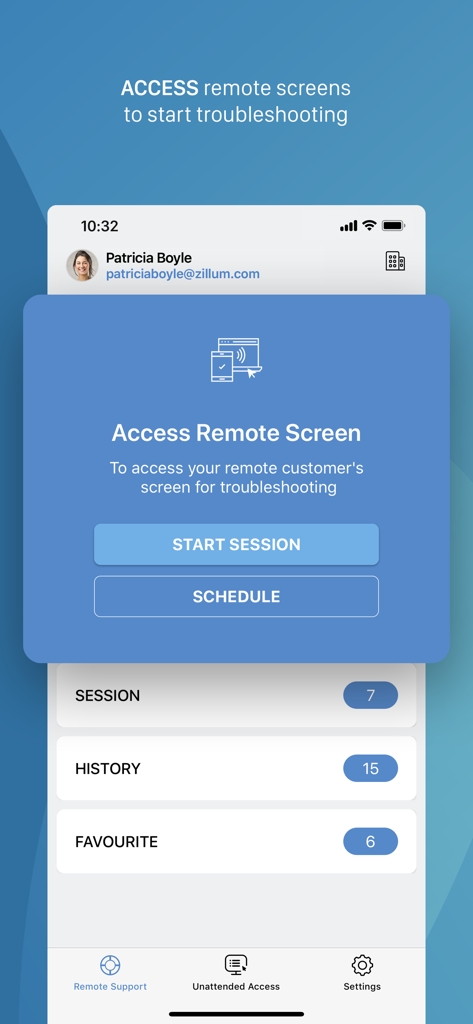
Zoho Assistアプリのインターフェイスに、リモートトラブルシューティングのセッション開始とスケジュールオプションが表示されています
Zoho Assistアプリのインターフェイスに、リモートトラブルシューティングのセッション開始とスケジュールオプションが表示されています

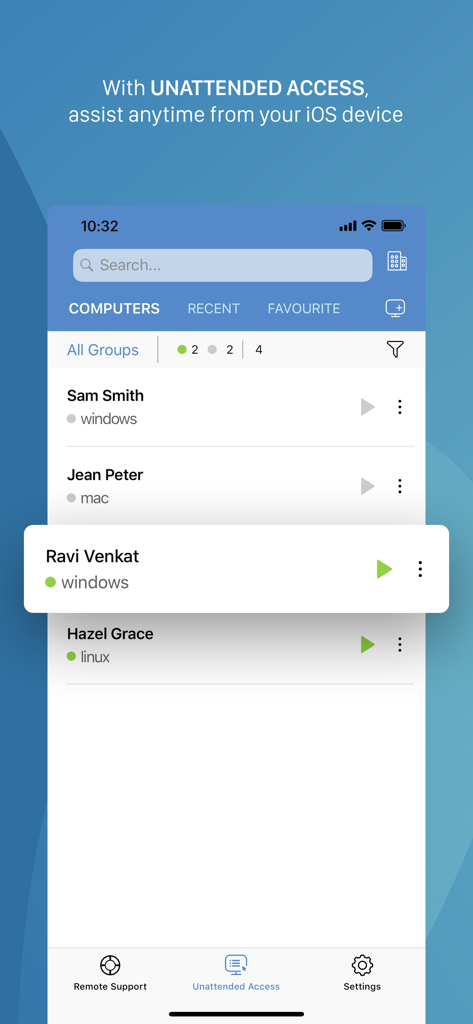
Zoho Assistモバイルインターフェイスに、無人アクセス用のリモートコンピュータのリストが表示されています
Zoho Assistモバイルインターフェイスに、無人アクセス用のリモートコンピュータのリストが表示されています

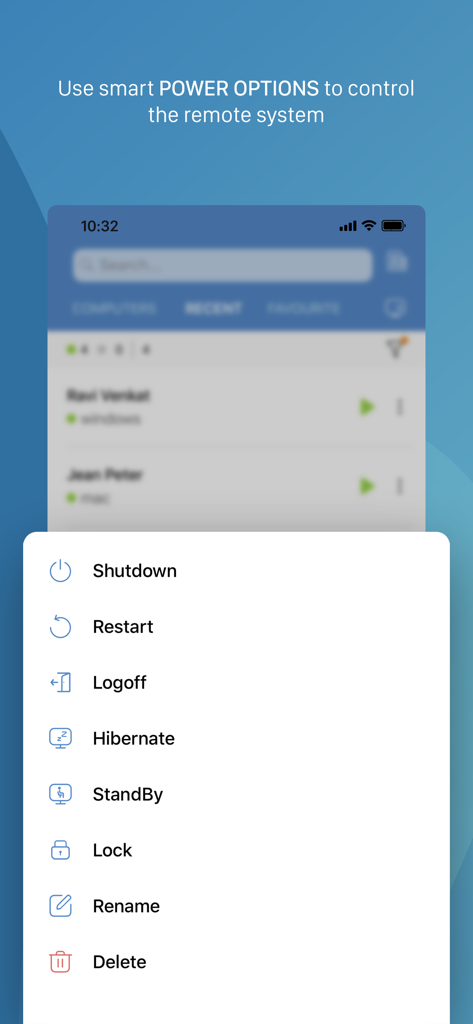
Zoho Assistモバイルアプリに、シャットダウンや再起動などのリモートシステムの電源オプションが表示されています
Zoho Assistモバイルアプリに、シャットダウンや再起動などのリモートシステムの電源オプションが表示されています

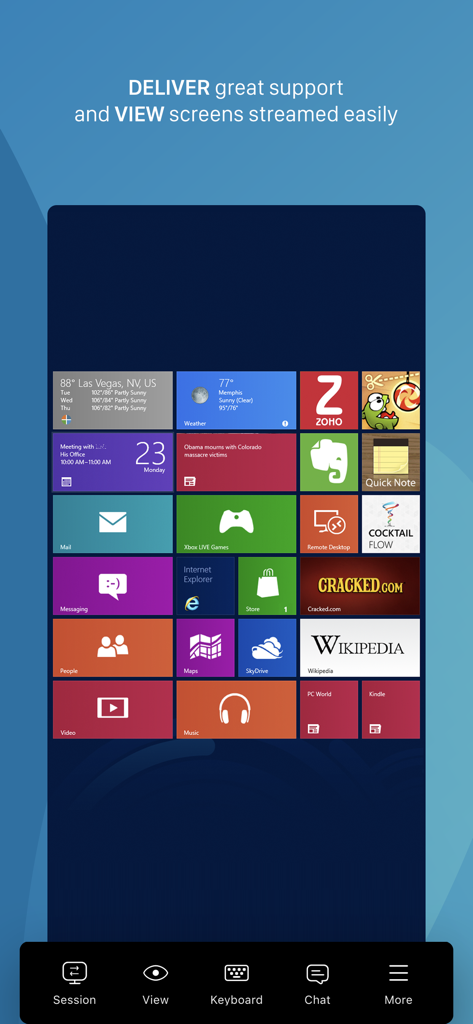
Zoho Assistアプリ経由でリモートWindowsデスクトップインターフェイスを表示する携帯電話の画面
Zoho Assistアプリ経由でリモートWindowsデスクトップインターフェイスを表示する携帯電話の画面

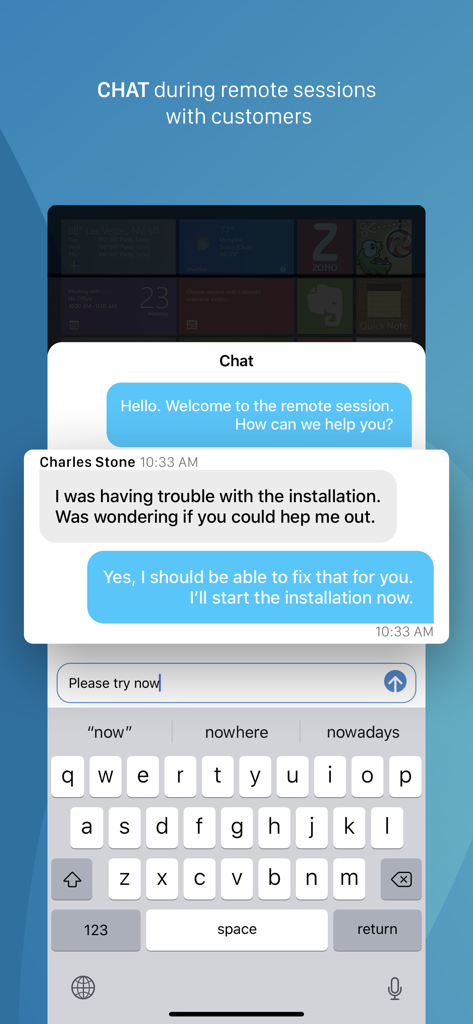
リモートITサポートセッション中のリアルタイム通信用のモバイルチャットインターフェイス
リモートITサポートセッション中のリアルタイム通信用のモバイルチャットインターフェイス

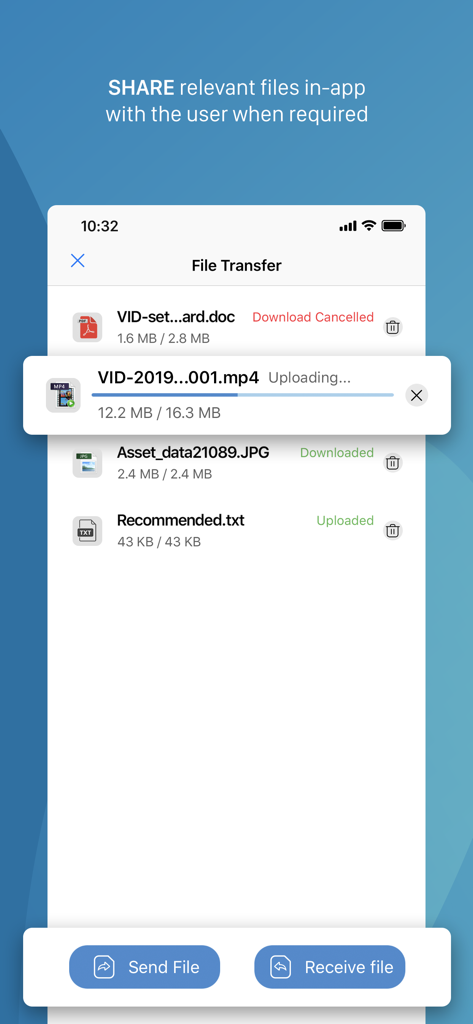
Zoho Assistアプリのインターフェイスに、さまざまなドキュメントやメディアがアップロードおよびダウンロードされているファイル転送機能が表示されています
Zoho Assistアプリのインターフェイスに、さまざまなドキュメントやメディアがアップロードおよびダウンロードされているファイル転送機能が表示されています

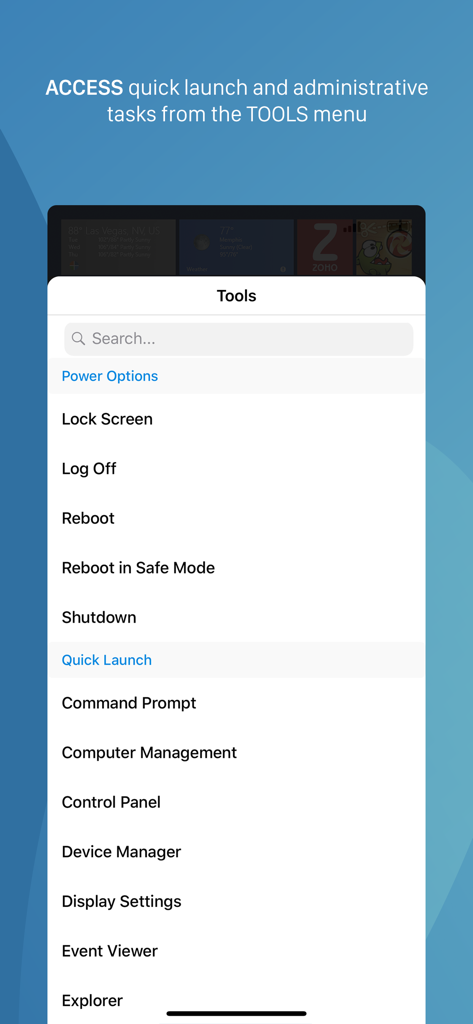
Zoho Assistモバイルアプリのツールメニューに、リモート電源オプションとクイック起動管理タスクが表示されています
Zoho Assistモバイルアプリのツールメニューに、リモート電源オプションとクイック起動管理タスクが表示されています

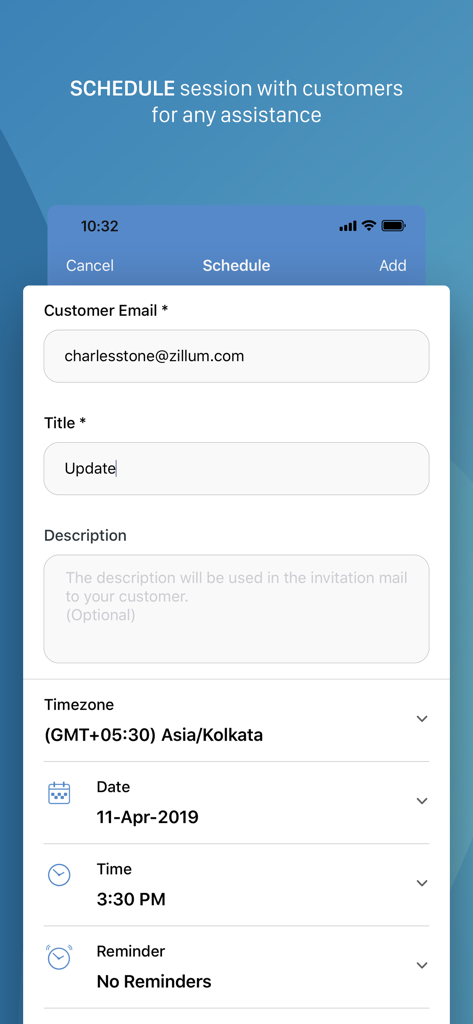
Zoho Assistアプリでお客様とのリモートデスクトップサポートセッションをスケジュールするためのインターフェイス

Zoho Assistアプリでお客様とのリモートデスクトップサポートセッションをスケジュールするためのインターフェイス

デスクトップグレードのパワー、ポケットサイズの利便性

このアプリを際立たせるツール、 22K+ 人のユーザーが選択.

インスタントリモートトラブルシューティング

iPhoneから安全なサポートセッションを即座に開始できます。通勤中にリアルタイムで緊急チケットを解決し、クライアントのダウンタイムをゼロにします。

🔄

無人再起動と再接続

エンドユーザーの介入なしに重要なメンテナンスを実行できます。リモートサーバーを再起動し、自動的に再接続して、どこからでも作業を完了します。

🛡️

プログレードのセキュリティとファイル同期

生体認証アプリロック保護により、最大5GBの診断ツールを転送し、外出先でのエンタープライズグレードのデータ整合性とHIPAA準拠を保証します。

アプリについて

について知っておくべきこと Zoho Assist - Remote Desktop.

説明

Zoho Assist is a reliable remote desktop app that allows you to easily and securely connect to remote PCs from any location at anytime. One of the best aspects of Assist is that it works seamlessly across all major platforms. Technicians can use Zoho Assist to launch a remote support, screen sharing, or unattended access session to support customers and fix issues in real time. Key Features Siri shortcuts: Start sessions, search for and connect to distant machines, and more using voice commands. iOS widgets: With the iOS widgets feature, you may save your favorite URS device and access it directly from the home screen. App lock: App lock provides a biometric lock to secure unattended remote support device. Dark Mode: Choose between dark and bright modes based on your preferences. Power options at the remote end: - Log off - Reboot - Shut down Schedule a remote session with a specific time, date, and other details. Use Assist's text chat option to communicate effectively with your customer during an active remote support session. Multi-monitor navigation: Technicians can access and control multiple monitors during a support session. File transfer: Send and receive files (up to 5 GB) from technician device to customer device during a remote session. Session Notes: Take contextual session notes during a session without needing to switch between apps. Screenshots sync: Screenshots captured during a session may now be synced up to the cloud. In-App purchases allow users to subscribe to Zoho Assist which enables these features for them: -File Transfer -Send Ctrl+Alt+Del -Reboot and Reconnect -Schedule Sessions -Session Notes Quick guide: Install Zoho Assist Technician app. Install the Zoho Assist customer app on the device you need to connect to. Initiate a remote support session on your device and then prompt the customer to join the session using the customer app. Privacy Policy and Terms & Conditions: -https://www.zoho.com/privacy.html -https://www.zoho.com/terms.html

最新バージョン

3.7.3

サイズ

42.5 MB

リリース日

2012年12月16日

ITサポートを強化 - デスク不要。

インスタントで安全なリモートアシスタンスを提供する22,000人以上のITプロフェッショナルに加わりましょう。Zoho Assistをダウンロードして、手のひらからサポートワークフローを完全に制御しましょう。

ダウンロード: App Storeダウンロード: Google Play

App information, icons, screenshots, and descriptions displayed on this page are sourced from the Apple App Store and are the property of their respective developers. Download estimates and rankings are based on MWM's proprietary models and may not reflect actual figures. This page is provided for informational and analytical purposes only.

Believe this page infringes your intellectual property? File a dispute