
이 페이지는 앱이나 개발자의 공식 페이지가 아니며, 정보 제공 및 논평을 목적으로 작성된 독립 편집 간행물입니다. 명시적으로 달리 언급되지 않는 한, 해당 앱이나 개발자는 MWM, Apple, Google Play, 앱 퍼블리셔 또는 앱 개발자와 제휴, 보증, 후원, 승인 또는 공식적으로 연결되어 있지 않으며, 이 페이지의 어떤 내용도 해당 앱이 MWM의 서비스를 사용하여 개발되었음을 의미하지 않습니다. 모든 상표, 로고, 스크린샷 및 기타 콘텐츠는 해당 소유자의 자산입니다.

3D GO | 3D Printing Models
탭 전환은 이제 그만. 주요 3D 모델 라이브러리를 모두 검색하고, 3D로 파일을 미리 보고, Bambu, Prusa 또는 Creality 프린터용 G-code를 생성하세요. 이 모든 것을 하나의 강력한 앱에서 할 수 있습니다.
다운로드
147K+사용자 평점
총 평가 수
3K+개발사
카테고리
Utilities지원 언어
1최신 버전
1.3.10크기
50.8 MB출시일
2023년 10월 9일현대 메이커를 위한 최고의 툴킷
탭 전환은 이제 그만. 세계 최대 라이브러리의 수천 개 모델을 하나의 원활한 모바일 경험에서 검색, 보기, 슬라이스하세요.
통합 모델 검색
Thingiverse, Printables, Cults3D 등에서 동시에 검색하세요. 번거로움 없이 몇 초 만에 다음 프로젝트에 맞는 완벽한 STL을 찾으세요.
모바일 슬라이싱 및 G-code
데스크톱에서 벗어나세요. 휴대폰에서 직접 프린트 준비된 G-code로 모델을 변환하고 이동 중에 PLA, PETG 또는 ABS용 파일을 준비하세요.
자주 묻는 질문
에 대해 알아야 할 모든 것 3D GO | 3D Printing Models
3D GO란 무엇인가요?
3D GO는 3D 모델을 찾고, 미리 보고, 구성하고, 슬라이스하는 올인원 3D 프린팅 앱입니다. 여러 웹사이트와 슬라이서 애플리케이션에 분산된 기능을 중앙 집중화합니다.
3D GO는 어떤 3D 모델 사이트를 지원하나요?
3D GO는 Thingiverse, Printables, Cults3D, MakerWorld, MyMiniFactory를 동시에 검색할 수 있습니다. 이러한 주요 3D 모델 저장소를 통합합니다.
3D GO에서 STL 파일을 미리 볼 수 있나요?
예, 3D GO에는 전체 3D 미리보기 및 STL 뷰어가 포함되어 있습니다. 사용자는 다운로드하거나 앱 내에서 직접 슬라이스하기 전에 모델을 회전, 확대/축소 및 검사할 수 있습니다.
3D GO에는 3D 모델을 위한 내장 슬라이서가 포함되어 있나요?
예, 3D GO에는 내장 3D 슬라이서가 있습니다. STL 파일을 PLA, PETG, ABS, TPU와 같은 재료를 지원하는 인쇄 준비 G-code로 변환하여 다양한 프린터에서 사용할 수 있습니다.
3D GO와 호환되는 3D 프린터 유형은 무엇인가요?
3D GO는 Bambu Lab, Prusa, Creality, Anycubic, Flashforge, Ultimaker를 포함한 모든 주요 3D 프린터와 호환됩니다. 기존 워크플로와 통합됩니다.
3D GO에서 3D 모델을 구성할 수 있나요?
예, 3D GO를 사용하면 사용자는 모든 사이트에서 모델을 저장하고 사용자 지정 컬렉션으로 구성할 수 있습니다. 이를 통해 대규모 STL 라이브러리를 효과적으로 관리할 수 있습니다.
3D GO는 개인정보처리방침을 제공하나요?
예, 3D GO는 개인정보처리방침을 제공합니다. 사용자는 제공된 URL(https://3dgo.app/privacy)에서 전체 세부 정보를 확인할 수 있습니다.
3D GO는 새로운 3D 모델을 발견하는 데 어떻게 도움이 되나요?
3D GO를 사용하면 사용자는 인기 있는 3D 모델을 탐색하고 디자인 콘테스트를 발견할 수 있습니다. 3D 프린팅 세계 전체의 콘텐츠를 중앙 집중화합니다.
3D GO에서 내 기기의 STL 파일을 열 수 있나요?
예, 3D GO를 사용하면 사용자가 기기에서 직접 STL 파일을 열 수 있습니다. 애플리케이션 내에서 즉시 보기 기능을 제공합니다.
다음 스크린샷과 설명은 앱의 공식 스토어 목록에서 직접 가져온 것이며 앱 개발자의 자산입니다.
앱 스토어
스크린샷
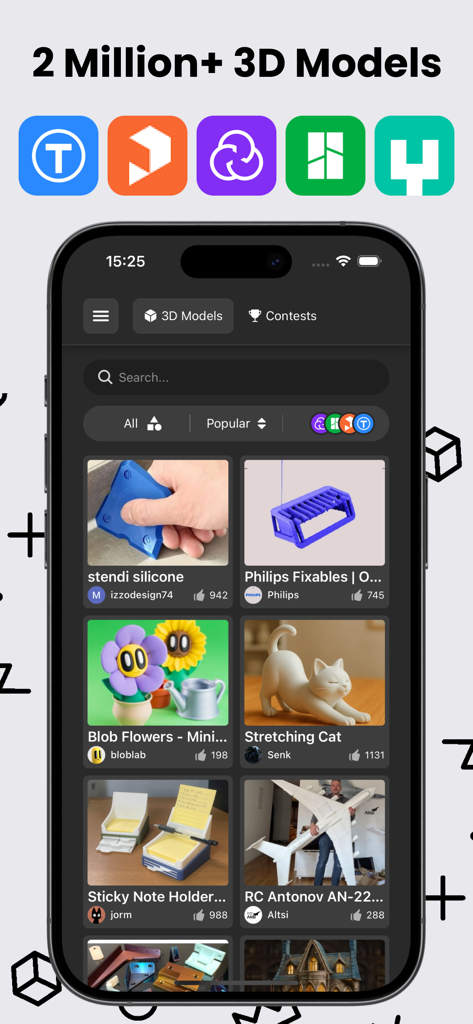
Thingiverse 및 Printables와 같은 지원 플랫폼 아이콘이 있는 다양한 3D 프린팅 모델 갤러리를 표시하는 3D GO의 모바일 앱 인터페이스
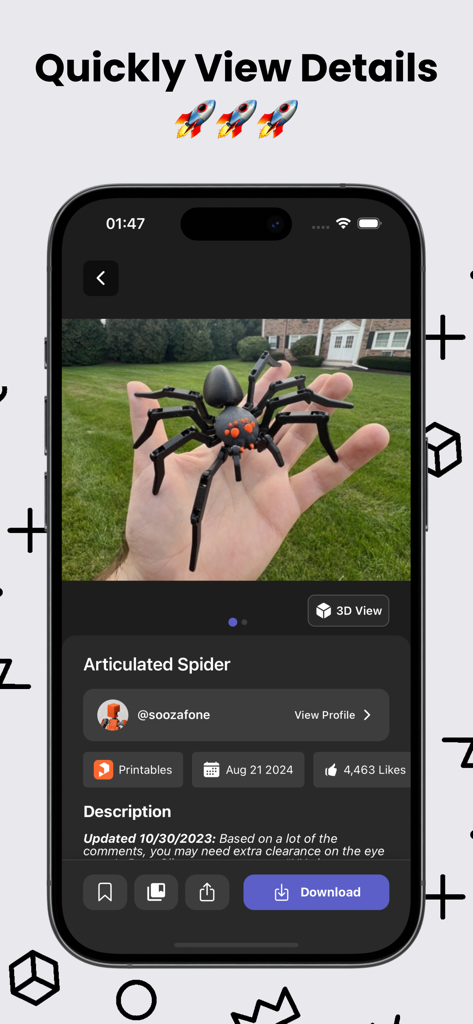
3D GO 앱 인터페이스에 관절 거미 3D 프린팅 모델의 세부 정보와 사진이 표시됨
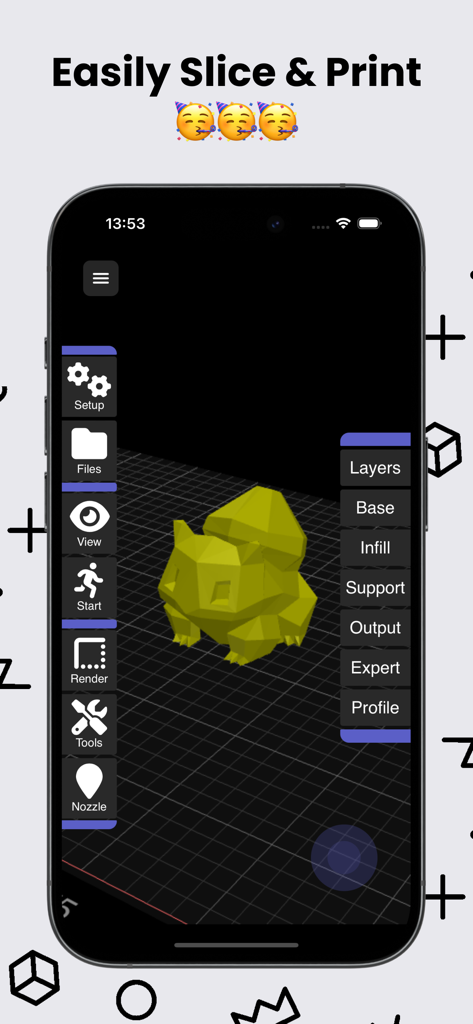
3D GO 앱 인터페이스에 슬라이싱 그리드 위의 3D 모델과 레이어 및 채우기 설정이 표시됨
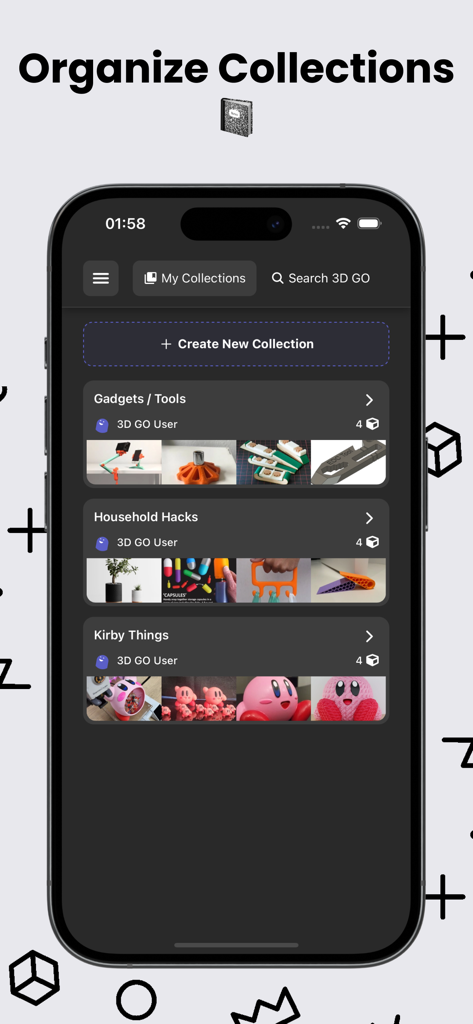
가젯 및 가정용품과 같은 정리된 3D 모델 컬렉션을 보여주는 3D GO 앱의 모바일 인터페이스
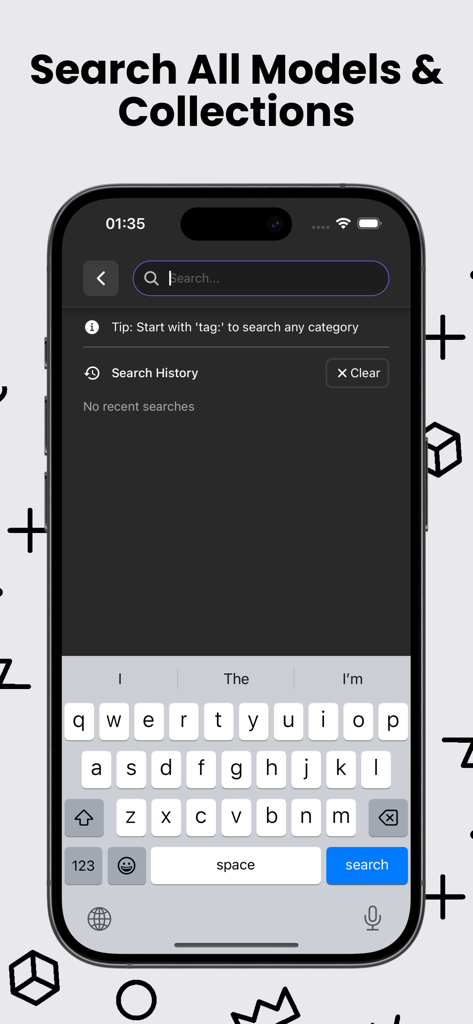
여러 플랫폼에서 3D 프린팅 모델 및 STL 컬렉션을 찾기 위한 모바일 검색 인터페이스
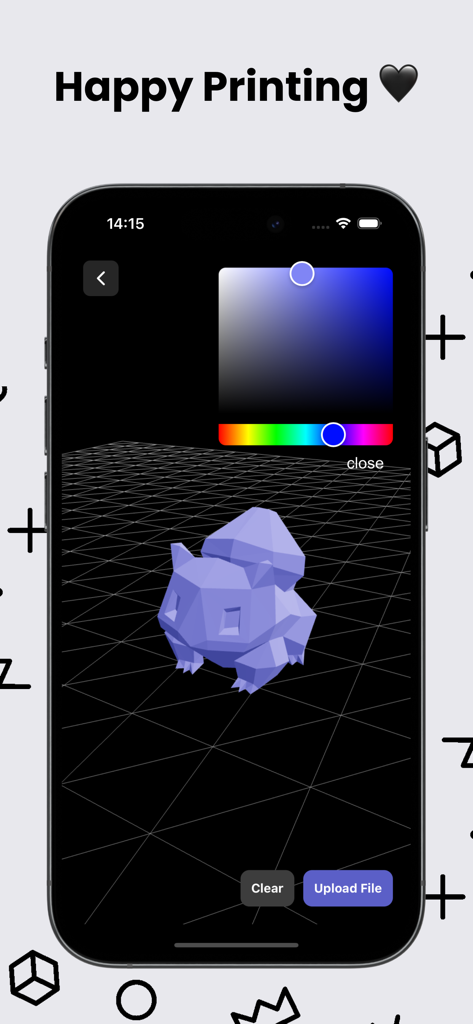
색상 선택기 도구가 있는 3D GO 모바일 앱 내부의 3D 모델 미리 보기

3D 큐브 아이콘과 지금 다운로드 버튼이 특징인 3D GO 앱 다운로드 화면
설명
Download
비슷한 앱
유사한 기능과 사용자 경험을 가진 앱

Hypelist: Create & Share Lists
Hypelist, Limited Liability Company

Pinterest, Inc.

InSave : Story, Reels, Video
Veselin Ilianov

Cosmos: Search & Discover
Cosmos Entity, INC.

Milanote
Milanote Pty Ltd

Albo: Save & Organize
Sortd:Do the thing Limited

Pearltrees
Broceliand

3Drop: 3D Printing Models STL
WU FU-HUNG

Are.na
When It Changed Inc.
이 페이지는 앱이나 개발자의 공식 페이지가 아니며, 정보 제공 및 논평을 목적으로 작성된 독립 편집 간행물입니다. 명시적으로 달리 언급되지 않는 한, 해당 앱이나 개발자는 MWM, Apple, Google Play, 앱 퍼블리셔 또는 앱 개발자와 제휴, 보증, 후원, 승인 또는 공식적으로 연결되어 있지 않으며, 이 페이지의 어떤 내용도 해당 앱이 MWM의 서비스를 사용하여 개발되었음을 의미하지 않습니다. 모든 상표, 로고, 스크린샷 및 기타 콘텐츠는 해당 소유자의 자산입니다.