
이 페이지는 앱이나 개발자의 공식 페이지가 아니며, 정보 제공 및 논평을 목적으로 작성된 독립 편집 간행물입니다. 명시적으로 달리 언급되지 않는 한, 해당 앱이나 개발자는 MWM, Apple, Google Play, 앱 퍼블리셔 또는 앱 개발자와 제휴, 보증, 후원, 승인 또는 공식적으로 연결되어 있지 않으며, 이 페이지의 어떤 내용도 해당 앱이 MWM의 서비스를 사용하여 개발되었음을 의미하지 않습니다. 모든 상표, 로고, 스크린샷 및 기타 콘텐츠는 해당 소유자의 자산입니다.


Ableton Note
영감이 떠오르는 순간을 포착하세요. 엄선된 사운드로 아이디어를 형성하고, 주변 환경에서 샘플을 녹음하고, 프로젝트를 Ableton Live와 원활하게 동기화하여 트랙을 완성하세요.
다운로드
391K+사용자 평점
총 평가 수
600개발사
카테고리
Music지원 언어
5최신 버전
1.7.3크기
907.5 MB출시일
2022년 10월 18일창의적인 불꽃을 포착하세요
Ableton Note는 즉흥적인 음악 아이디어를 다음 히트곡의 기반으로 바꿔주는 전문적인 모바일 스케치북입니다.
주변 환경 샘플링
주변의 모든 소리를 독특한 악기로 바꾸세요. 휴대폰의 내장 마이크를 사용하여 텍스처를 녹음, 자르고 모양을 만들어 맞춤형 사운드 팔레트를 만드세요.
모든 분위기 포착
멜로디를 다시는 놓치지 마세요. '캡처' 기술은 연주한 후에도 최고의 즉흥 연주를 복구하여 창의적인 흐름을 유지합니다.
자주 묻는 질문
에 대해 알아야 할 모든 것 Ableton Note
Ableton Note는 무엇인가요?
Ableton Note는 이동 중에 새로운 음악 아이디어를 생성하기 위한 앱입니다. 사용자는 비트와 멜로디를 만들고, 사운드를 샘플링하고, Ableton Live에서 트랙을 추가로 개발할 수 있습니다.
Ableton Note 프로젝트를 Ableton Live로 전송할 수 있나요?
예, Ableton Cloud를 사용하여 Ableton Note 프로젝트를 Ableton Live로 전송할 수 있습니다. 이를 통해 여러 장치에서 아이디어 작업을 원활하게 계속할 수 있습니다.
Ableton Note에 Ableton Live Lite의 무료 라이선스가 포함되어 있나요?
예, Ableton Note 사용자는 Ableton Live Lite의 무료 라이선스를 받습니다. 이 소프트웨어는 음악가, 프로듀서 및 DJ가 음악을 작곡, 녹음 및 공연하는 데 사용됩니다.
Ableton Note에서 비트를 어떻게 만드나요?
Ableton Note는 76개의 Drum Sampler 키트를 사용하여 비트 생성을 용이하게 합니다. 16패드 그리드에서 비트를 탭하거나 MIDI Editor로 시퀀싱한 다음 노트의 양자화 또는 조정을 할 수 있습니다.
Ableton Note에서 멜로디를 어떻게 만드나요?
Ableton Note는 멜로디 생성을 위해 317개의 신디사이저 사운드와 60개의 Melodic Sampler 악기를 제공합니다. 사용자는 25패드 그리드, 피아노 롤 또는 MIDI Editor로 멜로디와 코드 진행을 프로그래밍할 수 있습니다.
Ableton Note로 제 샘플을 녹음할 수 있나요?
예, Ableton Note를 사용하면 휴대폰의 내장 마이크를 사용하여 타악기 또는 음색 사운드를 녹음하여 사용자 정의 키트 또는 악기를 만들 수 있습니다. 기존 샘플을 가져올 수도 있습니다.
Ableton Note는 외부 MIDI 하드웨어를 지원하나요?
예, Ableton Note는 외부 MIDI 하드웨어 연결을 지원합니다. 이를 통해 사용자는 키보드를 연주하고 악기 사운드를 변경하여 앱 내에서 즉흥 연주 및 제작 프로세스를 향상시킬 수 있습니다.
Ableton Note에서 음악을 어떻게 내보내나요?
Ableton Note에서 작업을 오디오 파일로 내보낼 수 있습니다. 이를 통해 음악 아이디어와 작곡을 듣고 다른 사람과 공유할 수 있습니다.
Ableton Note는 Ableton Move와 함께 작동하나요?
예, Ableton Note를 사용하면 휴대폰에서 직접 Set 작업을 계속할 수 있습니다. 이 기능은 Ableton Move와의 통합을 위해 특별히 설계되었습니다.
Ableton Note의 Session View는 무엇인가요?
Ableton Note는 그리드 기반 Session View 레이아웃을 제공합니다. 이를 통해 사용자는 루프를 두 배로 만들고, 클립을 복제하고, 최대 8개의 트랙과 8개의 클립을 8개의 장면에서 배열하여 변형 및 노래 구조를 만들 수 있습니다.
다음 스크린샷과 설명은 앱의 공식 스토어 목록에서 직접 가져온 것이며 앱 개발자의 자산입니다.
앱 스토어
스크린샷
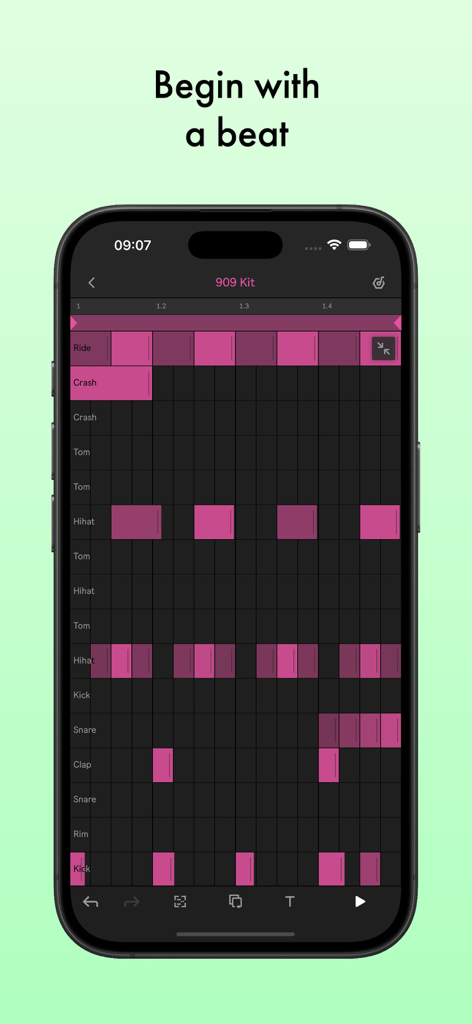
Ableton Note 앱이 표시된 스마트폰으로, 분홍색 드럼 시퀀서 그리드와 '비트로 시작'이라는 텍스트가 표시됩니다.
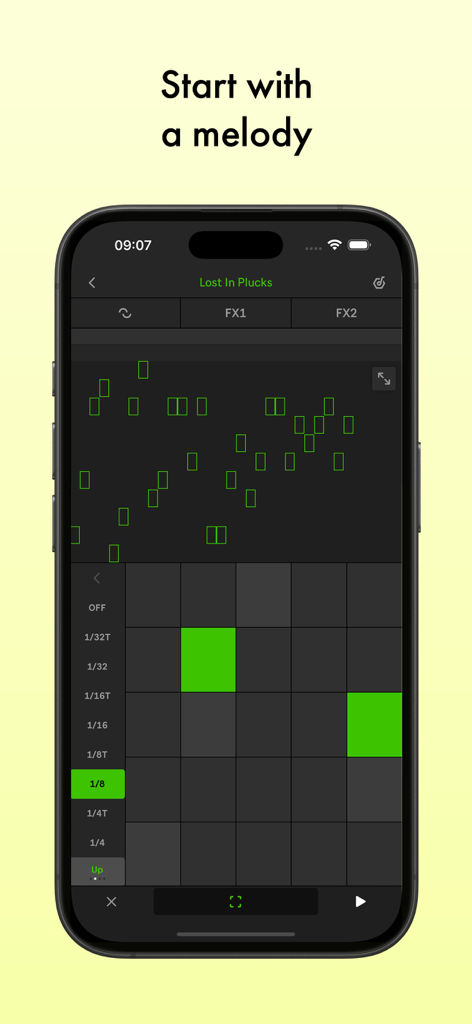
스마트폰 화면에 녹색 MIDI 그리드가 있는 멜로디 편집기를 보여주는 Ableton Note 모바일 앱 인터페이스.
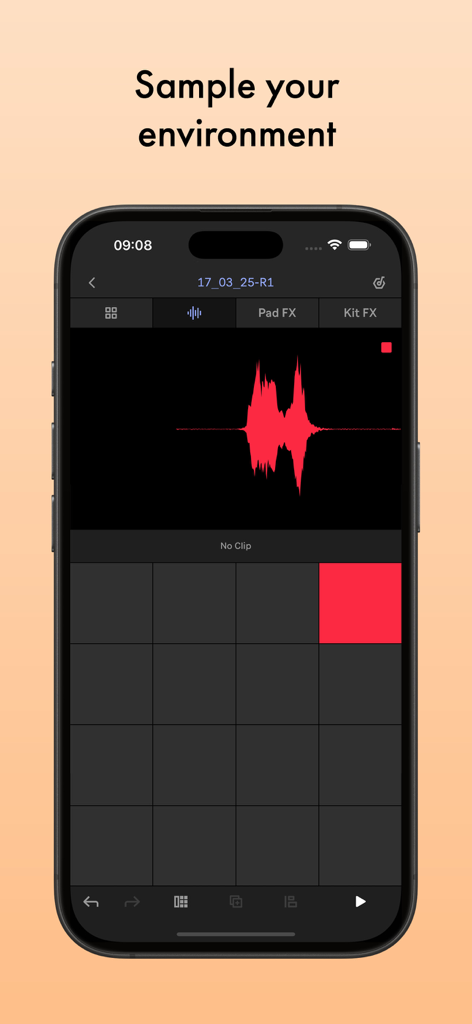
오디오 파형과 샘플링 사운드를 위한 드럼 패드를 보여주는 Ableton Note 앱 인터페이스
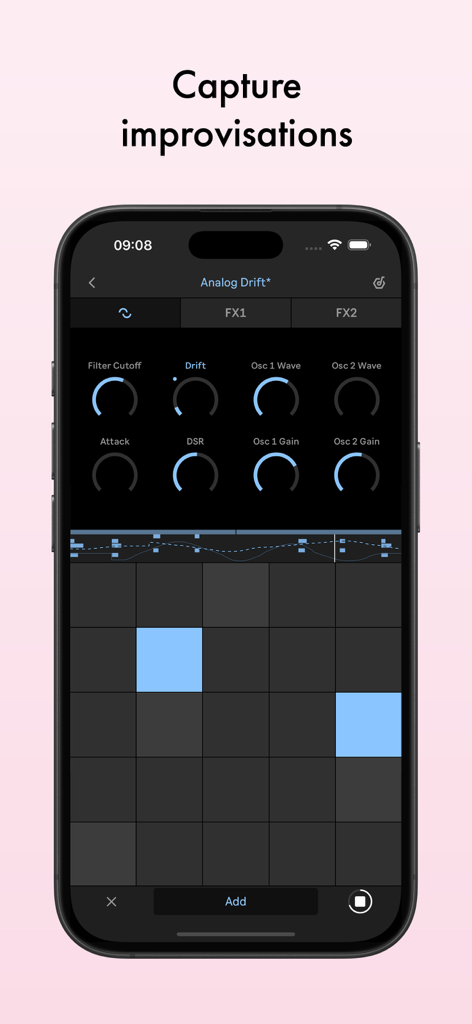
스마트폰에서 음악적 즉흥 연주를 캡처하기 위한 신디사이저 매개변수와 MIDI 그리드를 보여주는 Ableton Note 앱 인터페이스
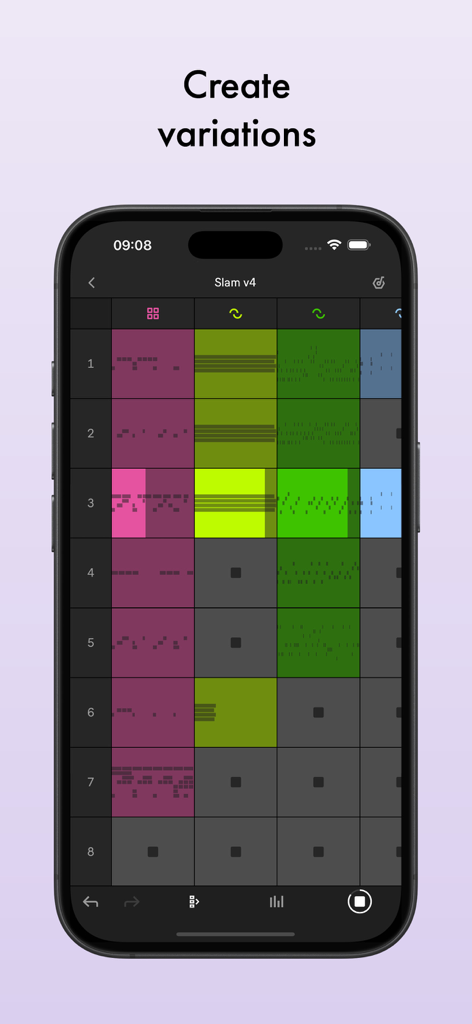
음악 클립의 다채로운 그리드를 보여주는 iPhone의 Ableton Note 세션 보기로, 노래 변형을 만들 수 있습니다.
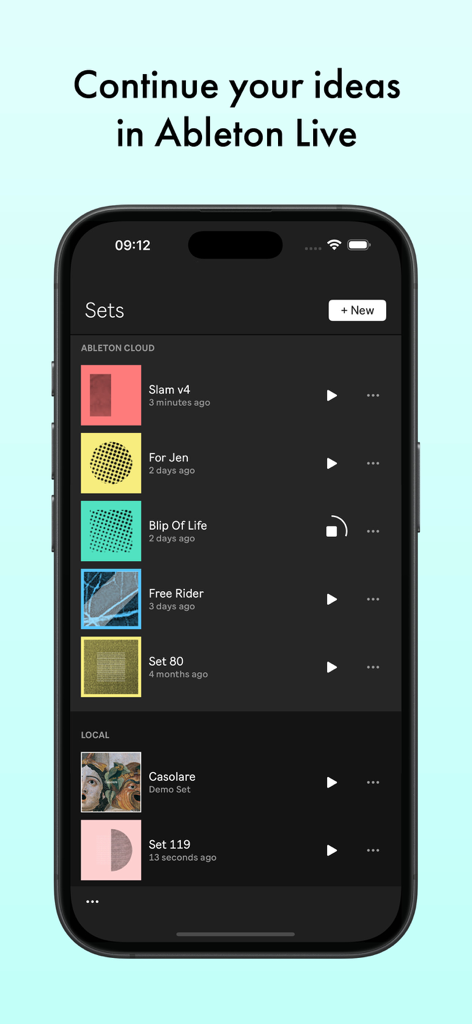
음악 세트 목록과 클라우드 동기화 옵션을 보여주는 Ableton Note 앱이 있는 스마트폰 화면.
설명
Download




이 페이지는 앱이나 개발자의 공식 페이지가 아니며, 정보 제공 및 논평을 목적으로 작성된 독립 편집 간행물입니다. 명시적으로 달리 언급되지 않는 한, 해당 앱이나 개발자는 MWM, Apple, Google Play, 앱 퍼블리셔 또는 앱 개발자와 제휴, 보증, 후원, 승인 또는 공식적으로 연결되어 있지 않으며, 이 페이지의 어떤 내용도 해당 앱이 MWM의 서비스를 사용하여 개발되었음을 의미하지 않습니다. 모든 상표, 로고, 스크린샷 및 기타 콘텐츠는 해당 소유자의 자산입니다.