Acronis Cyber Files
Acronis Cyber Files
다운로드: App Store

이 페이지는 앱이나 개발자의 공식 페이지가 아니며, 정보 제공 및 논평을 목적으로 작성된 독립 편집 간행물입니다. 명시적으로 달리 언급되지 않는 한, 해당 앱이나 개발자는 MWM, Apple, Google Play, 앱 퍼블리셔 또는 앱 개발자와 제휴, 보증, 후원, 승인 또는 공식적으로 연결되어 있지 않으며, 이 페이지의 어떤 내용도 해당 앱이 MWM의 서비스를 사용하여 개발되었음을 의미하지 않습니다. 모든 상표, 로고, 스크린샷 및 기타 콘텐츠는 해당 소유자의 자산입니다.


로고: Acronis Cyber Files
다운로드: App Store

Acronis Cyber Files

어떤 iOS 기기에서든 FIPS 140-2 인증 보안으로 안전하고 즉각적인 기업 파일 서버 및 SharePoint 액세스를 통해 모바일 인력을 지원하세요. 문서를 편집하고, 주석을 달고, 공동 작업할 수 있습니다.

주요 수치

다운로드

121K+

사용자 평점

3.6/5

총 평가 수

0

개발사

Group Logic, Inc.

카테고리

Business

지원 언어

12

최신 버전

25.200

크기

254.7 MB

출시일

2011년 5월 22일
기능

사무실과 모바일의 격차를 안전하게 해소하세요

FIPS 인증 보안과 높은 생산성을 결합하여 기업 서버 및 SharePoint에 즉시 액세스하여 모바일 인력을 지원하세요.

통합 서버 액세스

안전하지 않은 퍼블릭 클라우드를 사용할 필요 없이 어디서든 회사 Windows 파일 서버 및 NAS에 원활하게 연결하세요.

통합 문서 편집

앱 내에서 MS Office 파일 및 PDF를 직접 보고, 편집하고, 주석을 달 수 있어 민감한 작업이 보안 환경을 벗어나지 않습니다.

다음 스크린샷과 설명은 앱의 공식 스토어 목록에서 직접 가져온 것이며 앱 개발자의 자산입니다.

앱 스토어

스크린샷
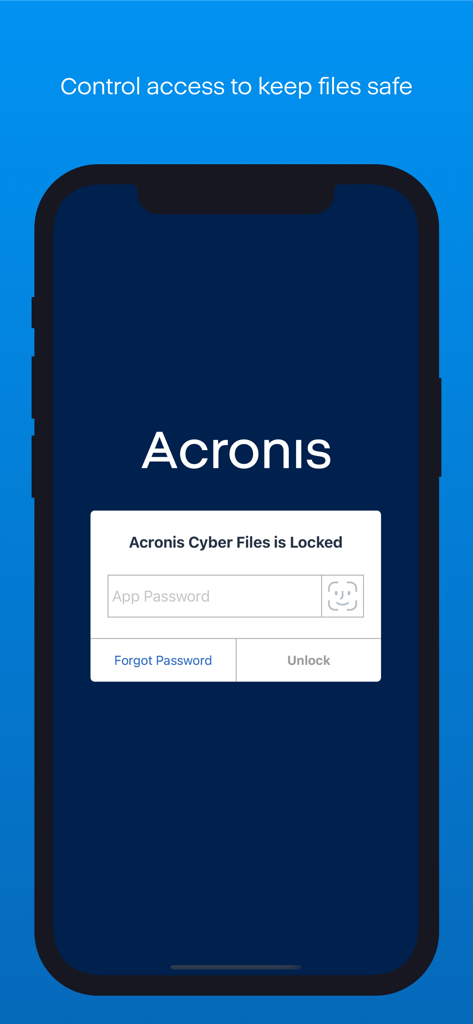
Acronis Cyber Files - Acronis Cyber Files 앱에 암호 입력 및 Face ID 인증 옵션이 있는 보안 잠금 화면이 표시됩니다.
Acronis Cyber Files 앱에 암호 입력 및 Face ID 인증 옵션이 있는 보안 잠금 화면이 표시됩니다.

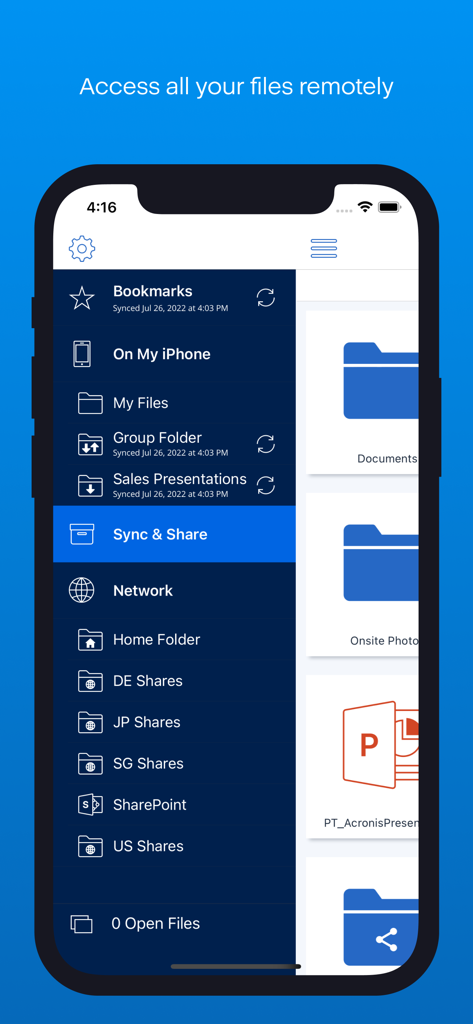
Acronis Cyber Files - Acronis Cyber Files 앱 사이드바 메뉴에 iPhone에서 원격 파일 액세스 옵션이 표시됩니다.
Acronis Cyber Files 앱 사이드바 메뉴에 iPhone에서 원격 파일 액세스 옵션이 표시됩니다.

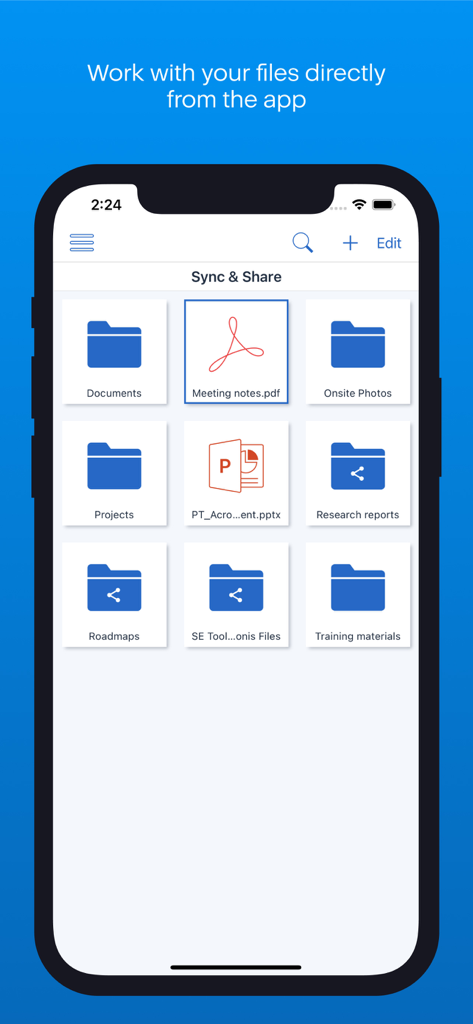
Acronis Cyber Files - Acronis Cyber Files 앱 화면에 안전한 엔터프라이즈 동기화 및 공유를 위한 정리된 폴더와 문서가 표시됩니다.
Acronis Cyber Files 앱 화면에 안전한 엔터프라이즈 동기화 및 공유를 위한 정리된 폴더와 문서가 표시됩니다.

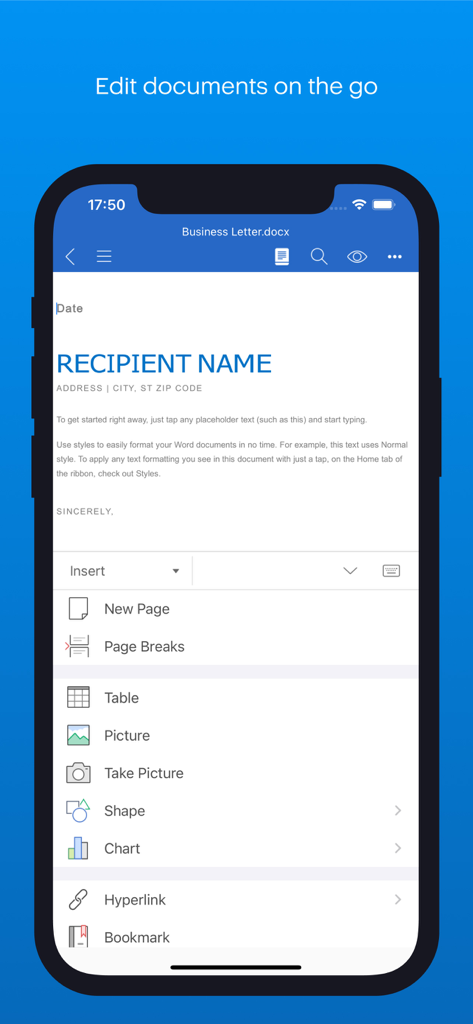
Acronis Cyber Files - Acronis Cyber Files 모바일 앱에서 문서를 안전하게 편집하기 위한 인터페이스
Acronis Cyber Files 모바일 앱에서 문서를 안전하게 편집하기 위한 인터페이스

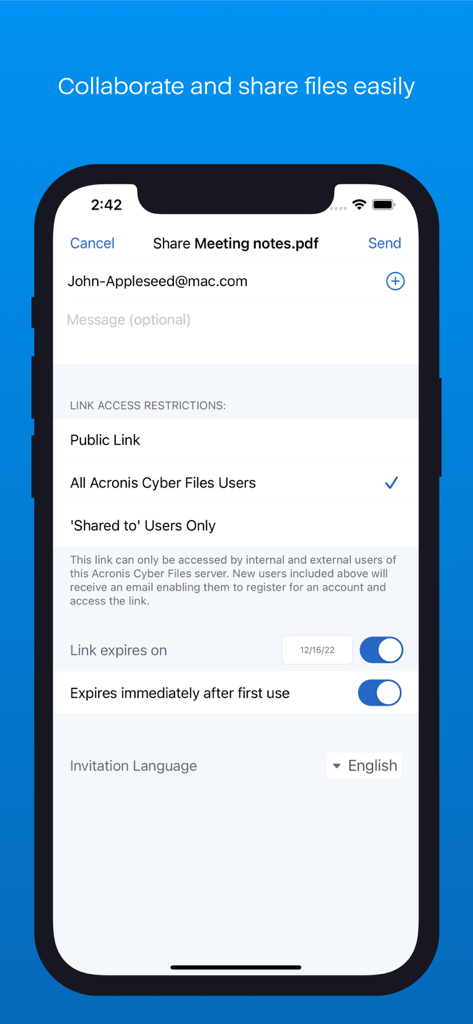
Acronis Cyber Files - Acronis Cyber Files의 안전한 파일 공유 인터페이스에 링크 액세스 제한 및 만료 옵션 표시
Acronis Cyber Files의 안전한 파일 공유 인터페이스에 링크 액세스 제한 및 만료 옵션 표시

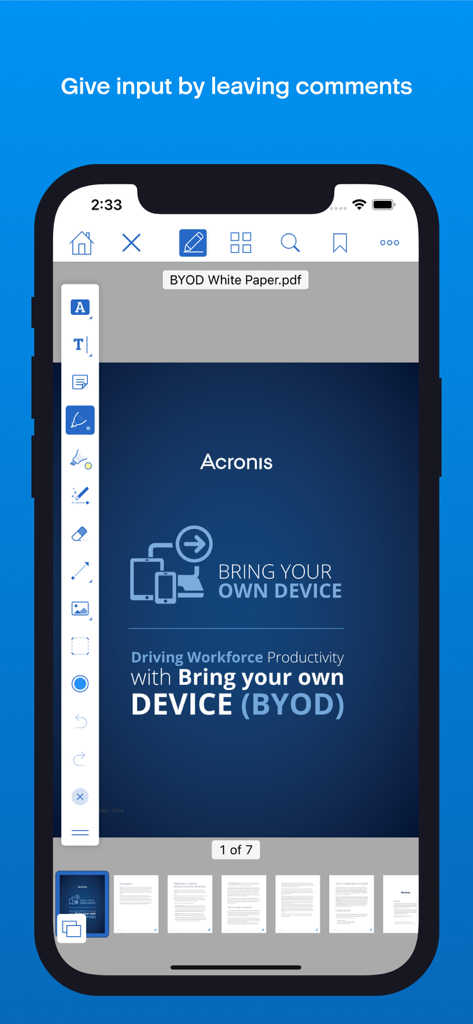
Acronis Cyber Files - Acronis Cyber Files 앱에 iPhone에서 PDF 주석 및 문서 편집 기능이 표시됩니다.

Acronis Cyber Files 앱에 iPhone에서 PDF 주석 및 문서 편집 기능이 표시됩니다.

설명

With Acronis Cyber Files you can safely access your business files from anywhere and any device. You can easily share documents with colleagues, customers and vendors, keeping files and data secure and private, where only you and your organization can touch them. The app is designed for extreme ease of use, combined with incomparable security, privacy and management capabilities. When working with Acronis Cyber Files servers, files can be stored on your company’s Windows File Servers, SharePoint and NAS devices. NOTE: The Acronis Cyber Files app is free and used with both Cyber Files or Files Cloud servers. For further details about the app setup, please contact your system administrator. Acronis Cyber Files enables iPad and iPhone users to: • Find and preview files, located in Files Cloud or on company servers: File, SharePoint and NAS • Create and edit Microsoft Office documents and text files • Annotate PDF files • Search for files by their name or contents • Store files and folders locally on mobile devices for anytime, anywhere access • Automatically use 1- or 2-way sync for files and folders from server to device • Receive files from other apps to save on a server or local storage • Copy and capture photos from the device storage or camera to Files Cloud or local storage • Share and collaborate on files and folders, with fully centralized audit trail and sharing policy restrictions available • Create, rename and delete files and folders • … plus many more exciting features! How exactly Acronis Cyber Files secures the files of your organization: - All files, stored by the Acronis Cyber Files app, are encrypted with FIPS 140-2 certified in-app file encryption - The entire network communication with the secure HTTPS protocol is also encrypted - Support for HTTPS Reverse Proxy password and certificate authentication NOTE: When Acronis Cyber Files works with a Cyber Files server, it can function as a MobileIron AppConnect-enabled app and can also be part of the AppConnect ecosystem, providing additional mobile device management capabilities. Find more details in our online documentation. IMPORTANT NOTE: This application is specifically designed to work with Acronis Cyber Files and Acronis Files Cloud, and does not provide any access to files in Cyber Backup or Acronis True Image.

Download

다운로드: App Store

이 페이지는 앱이나 개발자의 공식 페이지가 아니며, 정보 제공 및 논평을 목적으로 작성된 독립 편집 간행물입니다. 명시적으로 달리 언급되지 않는 한, 해당 앱이나 개발자는 MWM, Apple, Google Play, 앱 퍼블리셔 또는 앱 개발자와 제휴, 보증, 후원, 승인 또는 공식적으로 연결되어 있지 않으며, 이 페이지의 어떤 내용도 해당 앱이 MWM의 서비스를 사용하여 개발되었음을 의미하지 않습니다. 모든 상표, 로고, 스크린샷 및 기타 콘텐츠는 해당 소유자의 자산입니다.








