AcuSketch
AcuSketch
다운로드: App Store

이 페이지는 앱이나 개발자의 공식 페이지가 아니며, 정보 제공 및 논평을 목적으로 작성된 독립 편집 간행물입니다. 명시적으로 달리 언급되지 않는 한, 해당 앱이나 개발자는 MWM, Apple, Google Play, 앱 퍼블리셔 또는 앱 개발자와 제휴, 보증, 후원, 승인 또는 공식적으로 연결되어 있지 않으며, 이 페이지의 어떤 내용도 해당 앱이 MWM의 서비스를 사용하여 개발되었음을 의미하지 않습니다. 모든 상표, 로고, 스크린샷 및 기타 콘텐츠는 해당 소유자의 자산입니다.

로고: AcuSketch
다운로드: App Store

AcuSketch

손바느질의 독특한 매력을 퀼팅 프로젝트에 담아보세요. iPad에서 손쉽게 디자인하고 Wi-Fi를 통해 Janome 재봉기로 바로 전송하세요.

주요 수치

다운로드

7K+

사용자 평점

2.9/5

총 평가 수

0

개발사

JANOME Corporation

카테고리

Lifestyle

지원 언어

2

최신 버전

2.31

크기

27.4 MB

출시일

2017년 8월 6일
기능

스케치에서 스티치까지 단 몇 초 만에

복잡한 컴퓨터 소프트웨어 없이 손으로 그린 아이디어를 아름다운 자수 디자인으로 변환하세요. 창의성과 단순성을 중시하는 Janome 장인을 위해 특별히 제작되었습니다.

직관적인 손그림 그리기

손가락이나 스타일러스로 iPad에서 바로 그리거나 스케치하세요. 그림은 자동으로 스티치로 변환되어 기술적인 골치거리 없이 자유롭게 창작할 수 있습니다.

즉각적인 무선 전송

USB 스틱과 케이블은 잊으세요. 탭 한 번으로 완성된 디자인을 Wi-Fi 지원 Janome 재봉기로 직접 보내 즉시 스티칭을 시작하세요.

다음 스크린샷과 설명은 앱의 공식 스토어 목록에서 직접 가져온 것이며 앱 개발자의 자산입니다.

앱 스토어

스크린샷
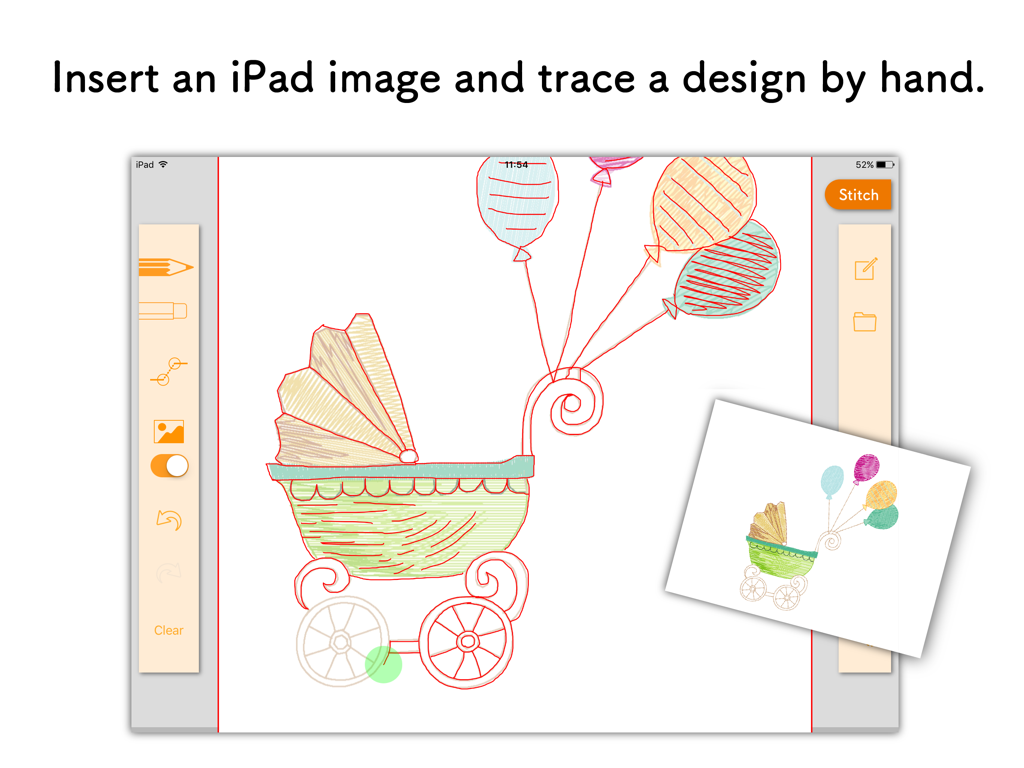
AcuSketch - iPad의 Janome AcuSketch 앱에서 손으로 그린 아기 유모차를 따라 그리기
iPad의 Janome AcuSketch 앱에서 손으로 그린 아기 유모차를 따라 그리기

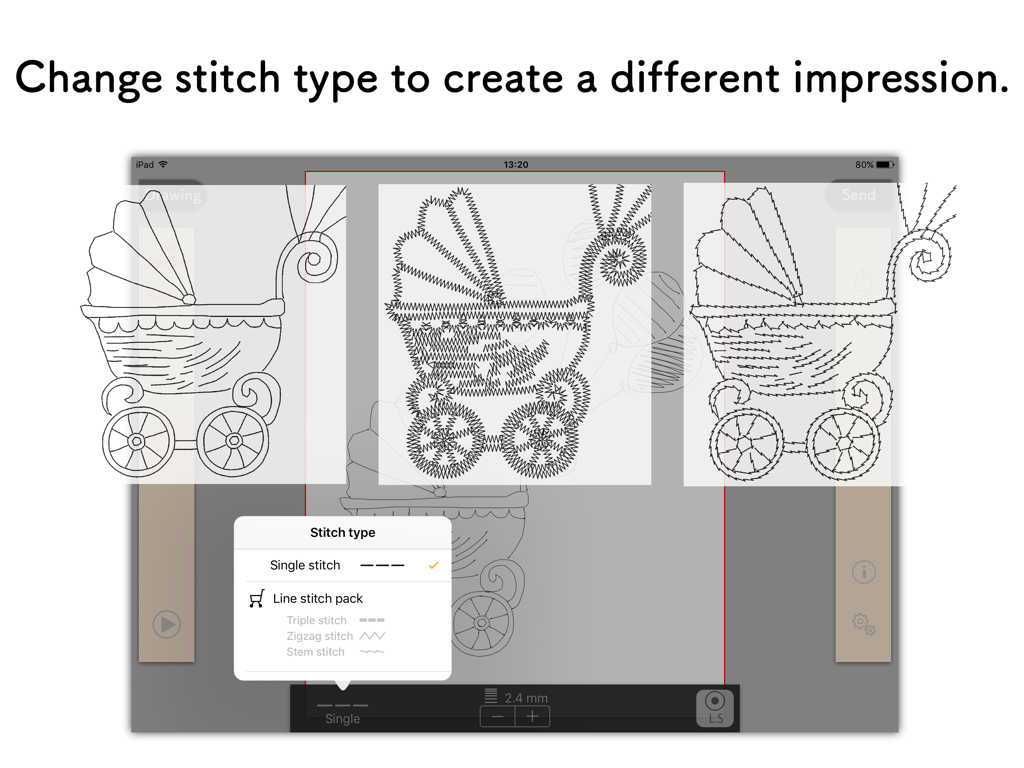
AcuSketch - AcuSketch 인터페이스에 그림에 대한 다양한 자수 스티치 옵션이 표시됨
AcuSketch 인터페이스에 그림에 대한 다양한 자수 스티치 옵션이 표시됨

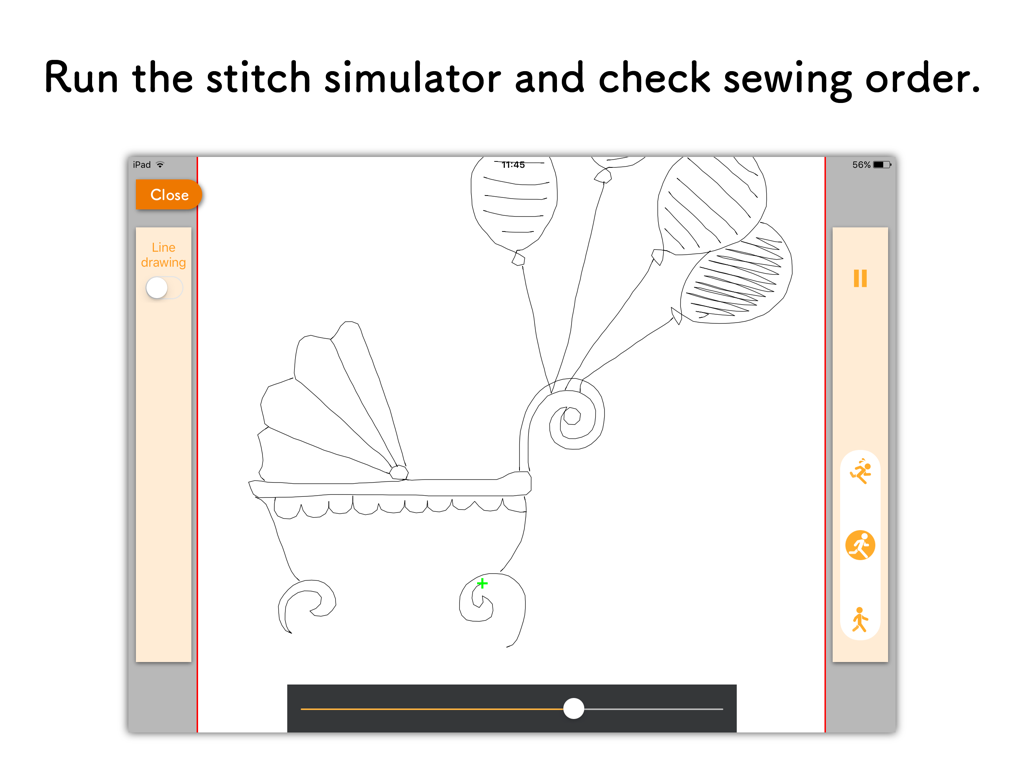
AcuSketch - AcuSketch 스티치 시뮬레이터 인터페이스에 풍선과 함께 스케치된 아기 마차가 표시됨
AcuSketch 스티치 시뮬레이터 인터페이스에 풍선과 함께 스케치된 아기 마차가 표시됨

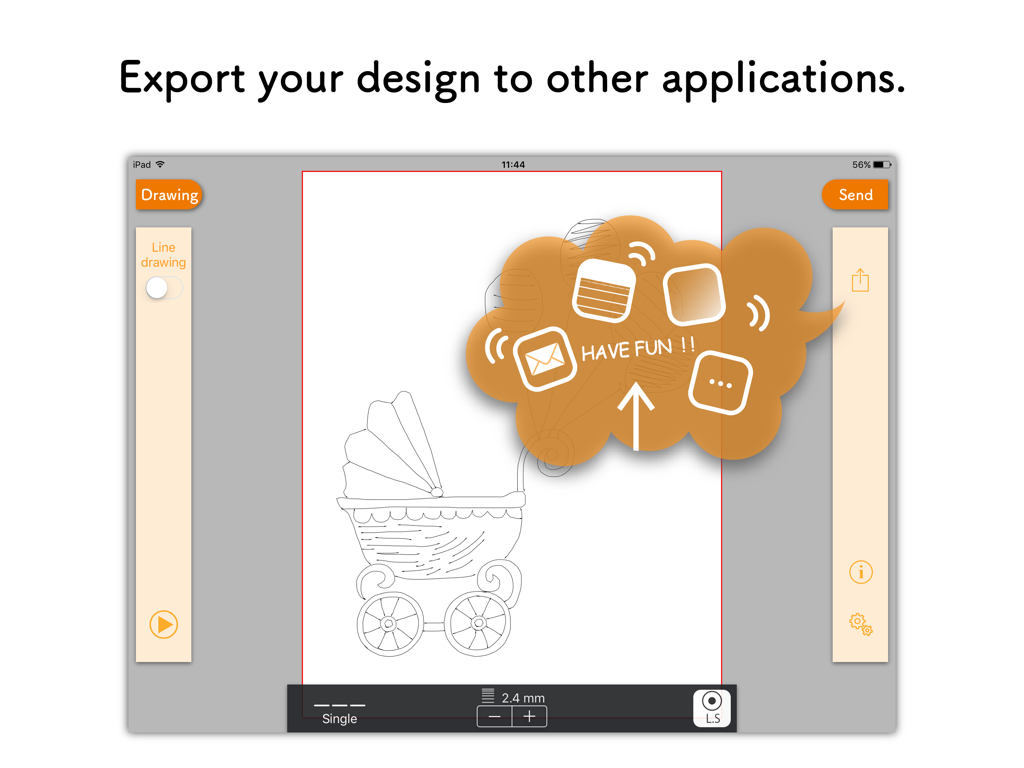
AcuSketch - iPad의 AcuSketch 앱 인터페이스에 손으로 그린 아기 마차 자수 디자인에 대한 내보내기 기능이 표시됨.
iPad의 AcuSketch 앱 인터페이스에 손으로 그린 아기 마차 자수 디자인에 대한 내보내기 기능이 표시됨.

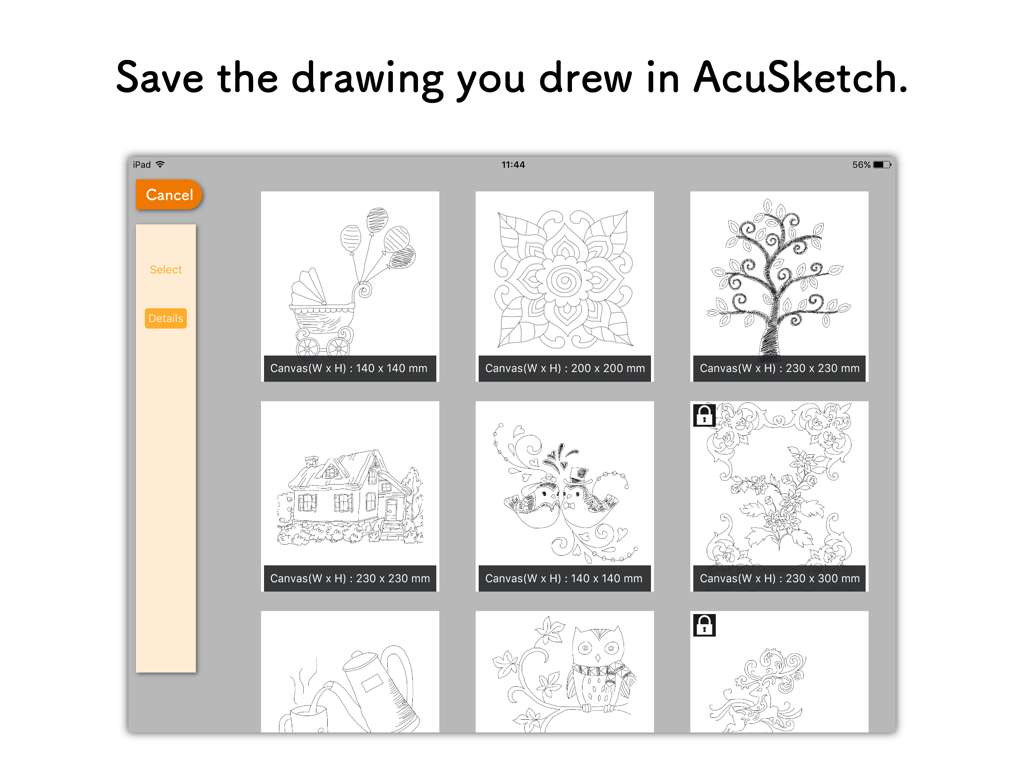
AcuSketch - AcuSketch iPad 앱의 저장된 손그림 자수 스케치 갤러리

AcuSketch iPad 앱의 저장된 손그림 자수 스케치 갤러리

설명

The AcuSketch app allows you to create an embroidery design by tracing on the canvas displayed on the iPad screen with your finger or a stylus. You can send the embroidery design that you have created to Wireless LAN capable JANOME sewing machines or export the design to other applications as a jef+ file. AcuSketch Features: * Make handmade-looking work using stitches created from lines drawn freehand. * Make free-motion-quilting-like patterns and enjoy machine quilting. * As the lines drawn with your finger or a stylus become stitches, even people who are not good with computers or digitizing software can create designs and make embroidery data. * Simple to use and fun. Stitches: * Various stitch types. Basic stitch Single run stitches Line stitch pack (In-App Purchase) Triple stitch Zigzag stitch Stem stitch * Choose whether to add Locking stitches. * Adjust the length of the stitches. * Set the width of the stitches (only stitches with adjustable width). * Flip the stitches over (only stitches with adjustable width). * The stitches are sewn in order of drawing. Other Features: * Additional functionality when drawing lines. By starting to draw from the end of an existing line, you can extend lines. When you finish drawing a line, you can connect the end of the line with another one. * A function to insert images for tracing. * Save function for drawings. * Export function for embroidery designs. * Stitch simulator. Send embroidery design: * AcuSketch is compatible with the following sewing machine models: Please check the following web page: https://www7.janome.co.jp/global/softupdate/acusketch/ * Conditions: The iPad is connected to Wi-Fi. The sewing machine is connected to the same Wireless LAN access point as the iPad. * For iOS 14 or above, please allow the app access to find and connect to devices on your local network.

Download

다운로드: App Store

이 페이지는 앱이나 개발자의 공식 페이지가 아니며, 정보 제공 및 논평을 목적으로 작성된 독립 편집 간행물입니다. 명시적으로 달리 언급되지 않는 한, 해당 앱이나 개발자는 MWM, Apple, Google Play, 앱 퍼블리셔 또는 앱 개발자와 제휴, 보증, 후원, 승인 또는 공식적으로 연결되어 있지 않으며, 이 페이지의 어떤 내용도 해당 앱이 MWM의 서비스를 사용하여 개발되었음을 의미하지 않습니다. 모든 상표, 로고, 스크린샷 및 기타 콘텐츠는 해당 소유자의 자산입니다.








