Add Watermark to PDF

Add Watermark to PDF

다운로드: App Store
로고: Add Watermark to PDF

PDF에 워터마크 추가: 문서를 즉시 보호하고 브랜딩하세요

프리랜서 및 사업주를 위한 전문가 선택. 사용자 정의 워터마크와 전문적인 브랜딩으로 지적 재산권을 보호하세요. 완전한 개인 정보 보호를 위해 기기에서 로컬로 처리됩니다.

다운로드: App Store

개발사

健生 任

카테고리

Business

다운로드

100

사용자 평점

1.0/5

총 평가 수

0

지원 언어

1

몇 초 만에 전문성 확보

이 인터페이스를 사용하는 100 명의 사용자.

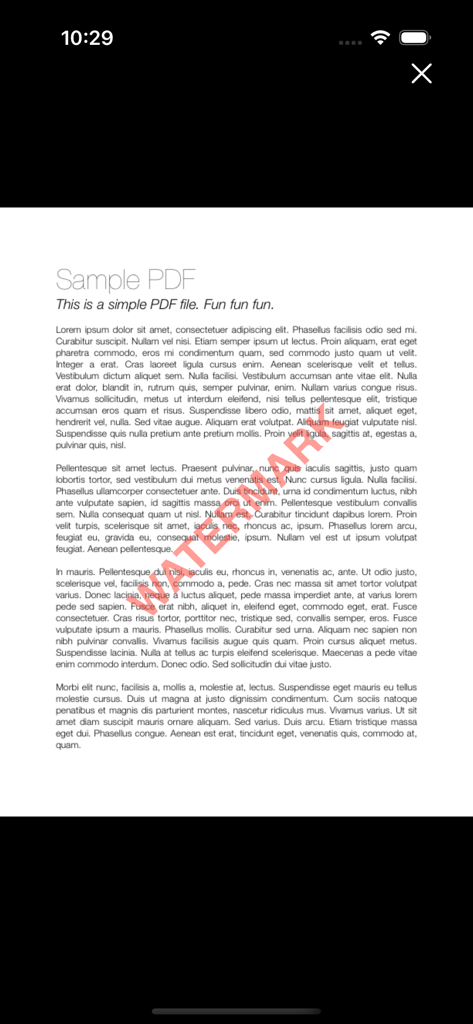
보호를 위해 빨간색 대각선 워터마크 텍스트 오버레이가 표시된 샘플 PDF 문서입니다.
보호를 위해 빨간색 대각선 워터마크 텍스트 오버레이가 표시된 샘플 PDF 문서입니다.

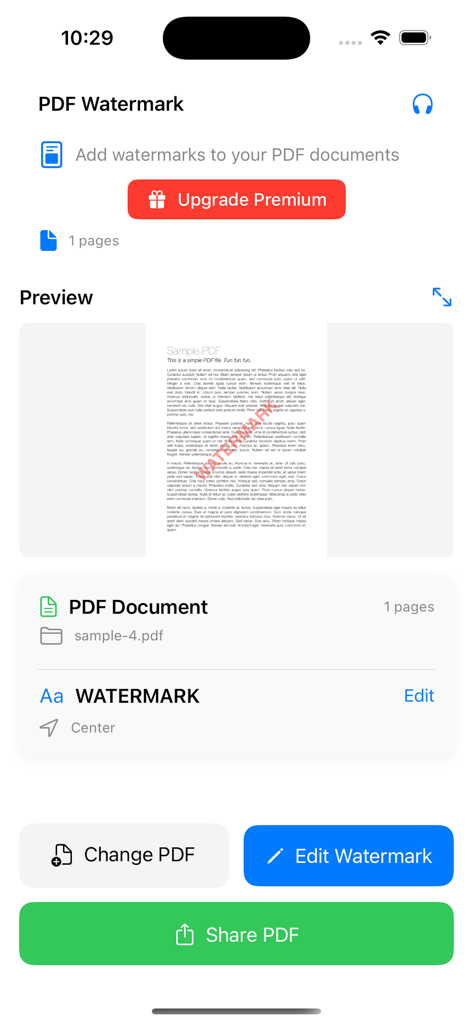
빨간색 텍스트 워터마크가 있는 문서 미리 보기를 보여주는 PDF 워터마크 추가 앱 인터페이스입니다.
빨간색 텍스트 워터마크가 있는 문서 미리 보기를 보여주는 PDF 워터마크 추가 앱 인터페이스입니다.

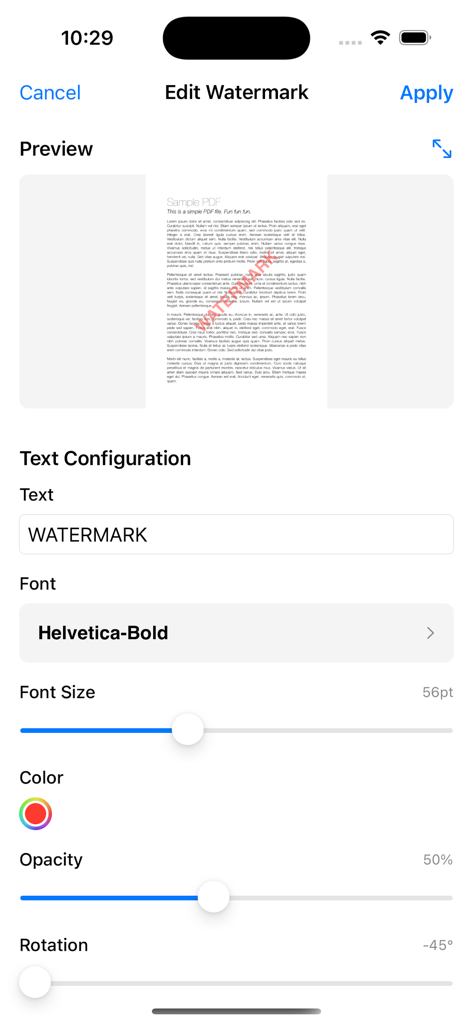
PDF 문서에 텍스트 워터마크 설정을 구성하기 위한 모바일 인터페이스

PDF 문서에 텍스트 워터마크 설정을 구성하기 위한 모바일 인터페이스

문서를 즉시 보호하고 브랜딩하세요

이 앱을 돋보이게 하는 도구, 100 명의 사용자가 선택.

🔒

100% 로컬 개인 정보 보호

민감한 파일은 기기를 절대 벗어나지 않습니다. 모든 워터마킹은 로컬에서 처리되어 비즈니스 데이터가 비공개로 유지됩니다.

고속 워크플로

마이크로 생산성을 위해 제작되었습니다. 전문적인 워터마크를 추가하고, 변경 사항을 미리 보고, 60초 이내에 PDF를 공유하세요.

🎨

완벽한 브랜드 맞춤 설정

사용자 정의 글꼴, 브랜드 일치 색상, 모든 문서에 대한 정확한 배치를 통해 전문적인 모양을 유지하세요.

앱 소개

에 대해 알아야 할 모든 것 Add Watermark to PDF.

설명

PDF Watermark - Add Text Watermarks to Your Documents Transform your PDF documents with professional watermarks in seconds. Whether you're protecting intellectual property, branding documents, or adding copyright notices, PDF Watermark makes it simple and fast. KEY FEATURES: • Add custom text watermarks to any PDF document • Real-time preview before applying changes • Adjustable font size - completely free to customize • Simple, intuitive interface designed for everyone • High-quality output maintains document integrity • Instant sharing capabilities PREMIUM FEATURES: • Custom colors beyond the default red • Multiple font styles and typefaces • Adjustable transparency and opacity • Custom rotation angles for perfect positioning • Flexible positioning (9 preset locations) • Custom margins and spacing • Batch processing for multiple pages • Advanced page range selection PERFECT FOR: - Business professionals protecting documents - Content creators adding copyright notices - Legal professionals marking confidential files - Students watermarking academic work - Freelancers branding their portfolios - Anyone needing document security SIMPLE WORKFLOW: 1. Select your PDF document 2. Customize your watermark text and size 3. Preview changes in real-time 4. Apply and share your watermarked PDF WHY CHOOSE PDF WATERMARK: * No complicated setup - works immediately * Professional results every time * Respects your document formatting * Privacy-focused - all processing done locally * Regular updates and improvements * Responsive customer support Start protecting and branding your documents today. Download PDF Watermark and see how easy professional document marking can be. Premium subscription unlocks all advanced customization options for the ultimate watermarking experience. ==================================== Auto Renewable Subscription Terms: - Weekly subscription for US $4.99 - Yearly subscription for US $17.99 * Payment will be charged to your iTunes Account at confirmation of purchase. * Subscriptions automatically renew unless auto-renew is turned off at least 24-hours before the end of the current period. * Accounts will be charged for renewal within 24-hours prior to the end of the current period, and will identify the cost of the renewal. * Subscriptions may be managed by you and auto-renewal may be turned off by going to your Account Settings after purchase. * Privacy Policy: https://coolappbox.com/privacy * Terms of Service: https://coolappbox.com/terms

최신 버전

1.0

크기

2.7 MB

출시일

2025년 7월 21일

문서를 몇 초 만에 안전하게 보호하고 브랜딩하세요

이동 중에도 비공개, 로컬, 전문 등급 문서 보호를 위해 PDF 워터마크를 신뢰하는 수천 명의 전문가와 함께하세요.

다운로드: App Store

App information, icons, screenshots, and descriptions displayed on this page are sourced from the Apple App Store and are the property of their respective developers. Download estimates and rankings are based on MWM's proprietary models and may not reflect actual figures. This page is provided for informational and analytical purposes only.

Believe this page infringes your intellectual property? File a dispute