Adobe Connect

Adobe Connect

다운로드: App Store
로고: Adobe Connect

Adobe Connect: 무제한 전문 협업

모바일 장치에서 완전한 상호작용성으로 영향력 있는 가상 교실 및 보안 기업 회의를 주도할 수 있도록 지원합니다.

개발사

Adobe Inc.

카테고리

Business

다운로드

1M+

사용자 평점

3.2/5

총 평가 수

300

지원 언어

3

모바일 회의실

이 인터페이스를 사용하는 1M+ 명의 사용자.

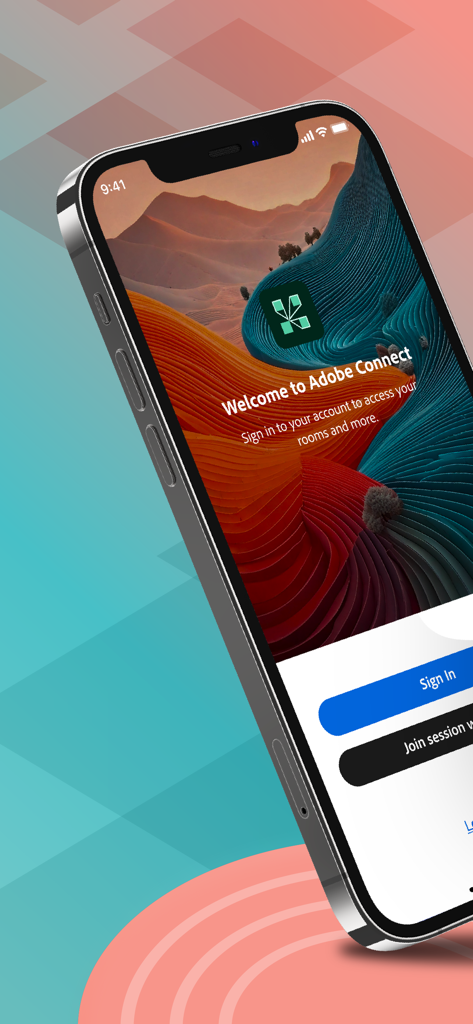
Adobe Connect 앱 환영 화면, 로그인 및 세션 참여 버튼 포함

Adobe Connect 앱 환영 화면, 로그인 및 세션 참여 버튼 포함

Adobe Connect 모바일 앱 화면, 가상 회의 및 교실 접속용

Adobe Connect 모바일 앱 화면, 가상 회의 및 교실 접속용

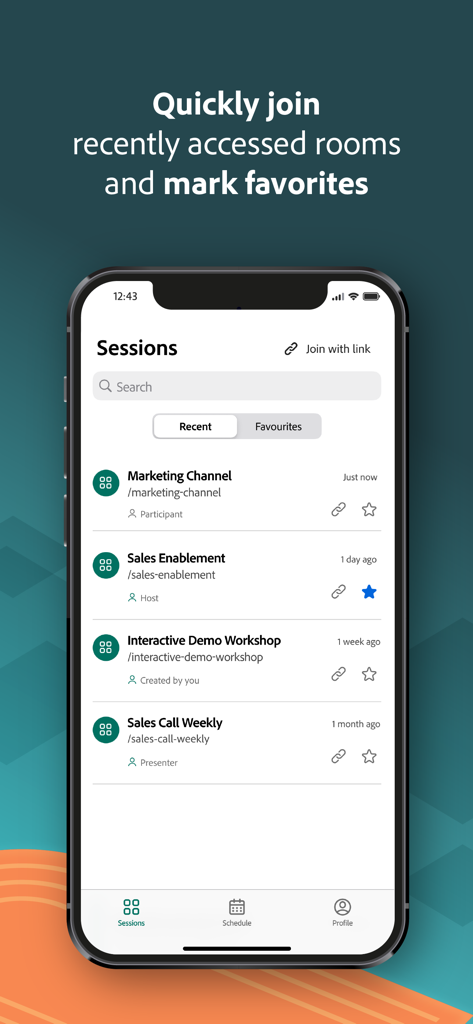
Adobe Connect 모바일 앱 인터페이스, iPhone 화면에 최근 및 즐겨찾는 회의 세션 목록 표시

Adobe Connect 모바일 앱 인터페이스, iPhone 화면에 최근 및 즐겨찾는 회의 세션 목록 표시

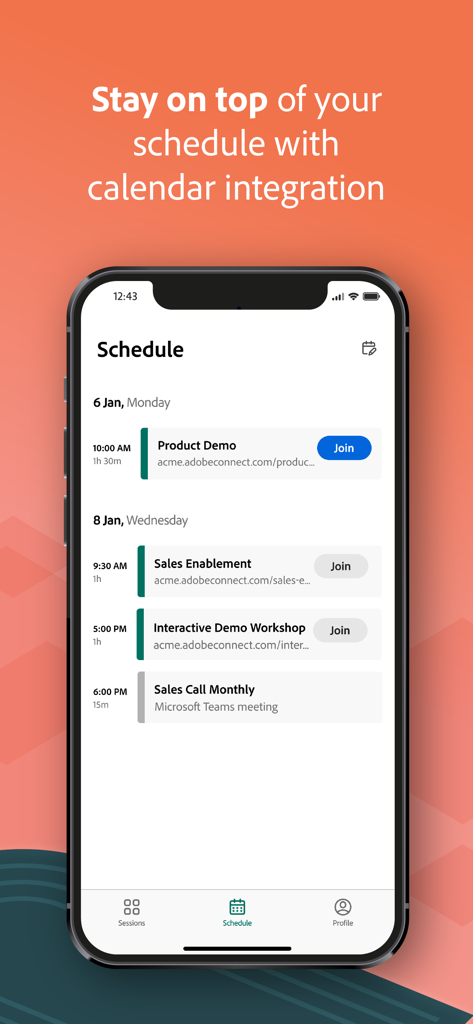
Adobe Connect 앱 일정 화면, 예정된 회의 및 캘린더 통합 표시

Adobe Connect 앱 일정 화면, 예정된 회의 및 캘린더 통합 표시

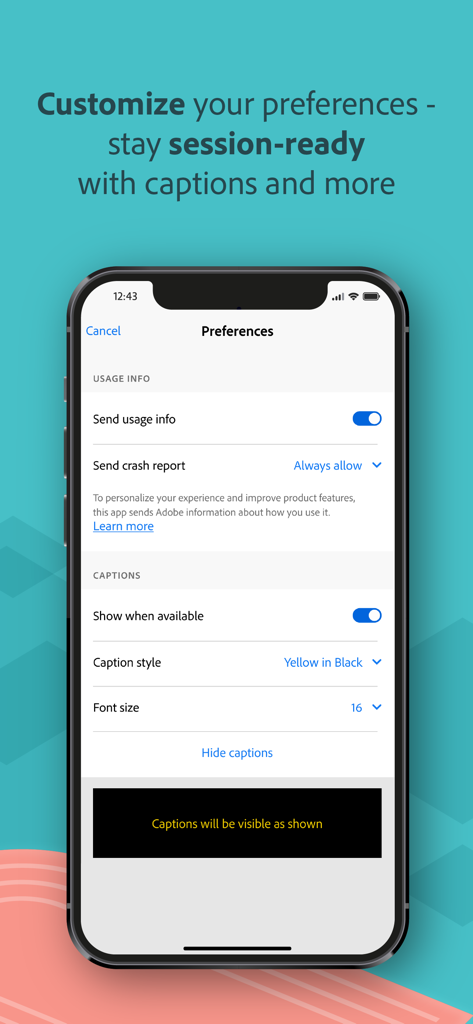
Adobe Connect 앱 환경설정 화면, 사용 정보 및 자막 사용자 지정 설정 표시

Adobe Connect 앱 환경설정 화면, 사용 정보 및 자막 사용자 지정 설정 표시

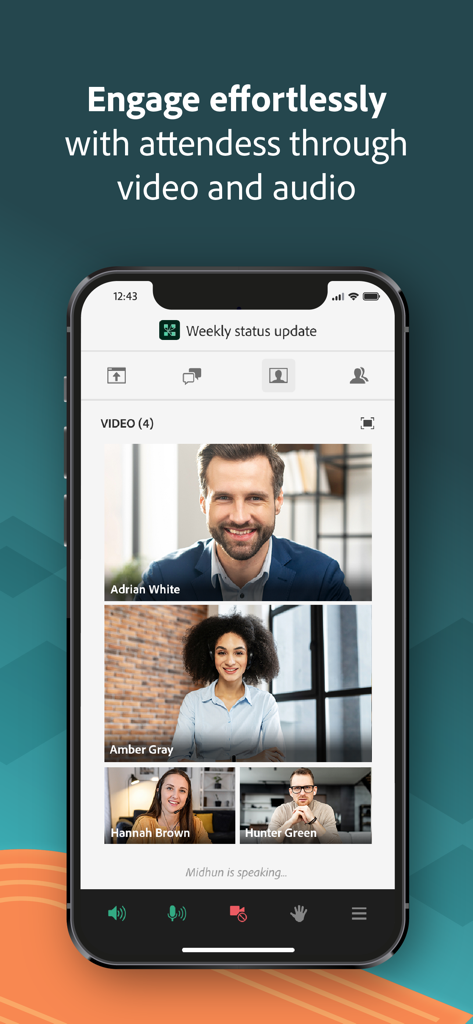
Adobe Connect 모바일 인터페이스, 4명의 참가자가 있는 화상 회의 표시

Adobe Connect 모바일 인터페이스, 4명의 참가자가 있는 화상 회의 표시

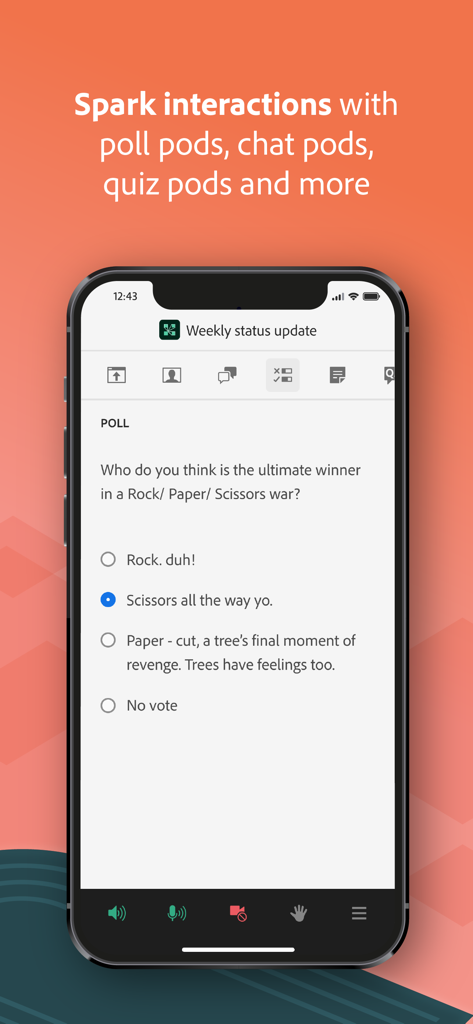
Adobe Connect 모바일 앱, 가상 회의 중 상호작용 설문조사 질문 표시

Adobe Connect 모바일 앱, 가상 회의 중 상호작용 설문조사 질문 표시

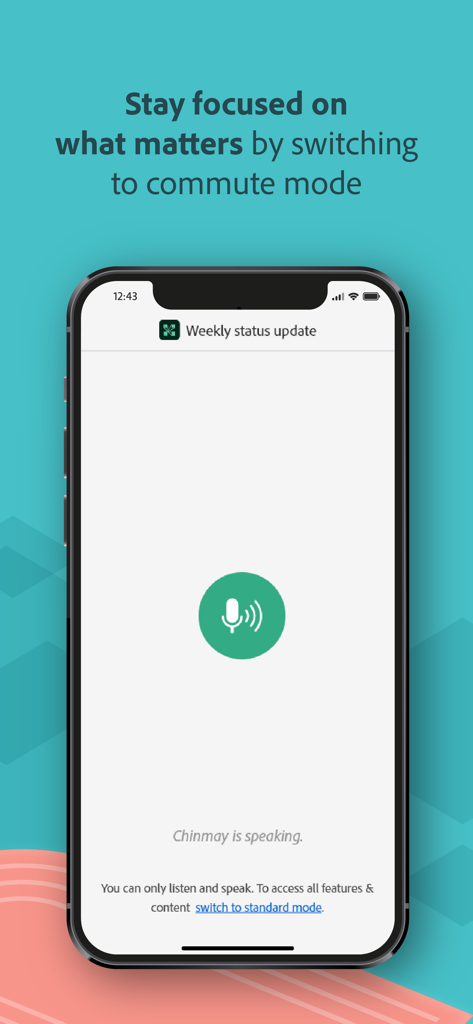
Adobe Connect 모바일 앱, 이동 중 전문 회의를 위한 출퇴근 모드 표시

Adobe Connect 모바일 앱, 이동 중 전문 회의를 위한 출퇴근 모드 표시

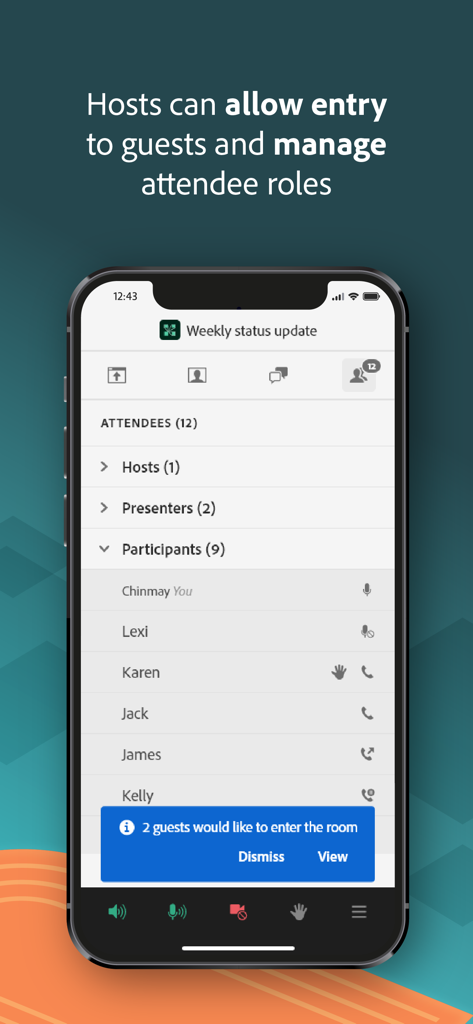
Adobe Connect 모바일 앱 인터페이스, 참가자 목록 및 게스트 입장 알림 표시

Adobe Connect 모바일 앱 인터페이스, 참가자 목록 및 게스트 입장 알림 표시

제한 없는 전문 협업

이 앱을 돋보이게 하는 도구, 1M+ 명의 사용자가 선택.

🤝

진정한 상호작용 참여

수동적인 청취를 넘어서세요. 브레이크아웃 룸, 라이브 설문조사, 다지선다형 퀴즈에 참여하여 모든 세션 동안 생산성을 유지하고 학점을 획득하세요.

📈

고화질 콘텐츠

모바일 디스플레이에 최적화된 PowerPoint 슬라이드, 고해상도 PDF, 라이브 화면 공유를 위한 크리스탈처럼 선명한 지원으로 모든 세부 정보를 확인하세요.

🛡️

기업급 보안

안전한 Single Sign-On(SSO) 및 다단계 인증 덕분에 민감한 기업 또는 정부 회의에 안심하고 참여하세요.

리뷰 분석

사용자 리뷰 인사이트.

감정 점수

29%
부정적

요약

The mobile app garners predominantly negative feedback, with users frequently reporting significant functional and stability issues. While a few users appreciate its ease of use, improved performance, and smoother interface compared to previous versions, the overall experience is often frustrating. Major complaints span chronic audio problems, frequent crashes, disconnections, and difficulties viewing shared content such as PDFs and slides, alongside limited host functionality. Version-specific bugs include non-functionality on iOS 26, audio output problems on iPhone 14 Pro, and constant crashing on iOS 16 for iPhone 14 Plus, with iPad users also noting lag and display issues.

주요 테마

User Interface(3)
Ease of Use(2)
Performance(2)
Reliability(1)
Feature Set(1)
General Functionality(1)

앱 소개

에 대해 알아야 할 모든 것 Adobe Connect.

설명

Attend meetings, webinars, and virtual classrooms with Adobe Connect. Adobe Connect for iOS brings critical meeting capabilities to your mobile device, enabling you to attend meetings directly from your iPhone or iPad. The Adobe Connect application delivers a modern user interface, supports high resolution camera broadcast, and supports both landscape and portrait viewing. Join any Standard View or Enhanced Audio/Video Experience enabled meetings. Use your built-in microphone and speakers, a connected headset, or a Bluetooth device such as Apple AirPods to join meeting audio. Or join a telephone conference if included with the meeting. Participate in video conferencing using your device’s cameras. View high quality PowerPoint® presentations, videos, PDF documents, images, GIF animations, or desktop computer screens being shared. Participate in chat, vote in polls, read notes, download files, click links, ask questions, raise your hand, agree/disagree, or let the host know you have stepped away. FEATURES: • Talk and listen using your microphone and speakers (VoIP) or another device • View cameras being shared and share your camera if allowed • View PowerPoint slides being shared • View screen sharing being shared • View whiteboards or annotations on content • View MP4 videos, JPG and PNG images, and animated GIFs being shared • View PDF documents being shared • Listen to MP3 audio being shared • View and participate with custom pods • Participate in chat, including selecting colors and private chats in chat pods and chat panel • Participate in polls, including multiple-choice, multiple-answer, and short answer • View notes including formatting and hyperlinks • Ask questions and see other questions and responses in Q&A • Download files directly to your device • Click on links to visit websites with your mobile browser • Change your status: including Raise Hand, Agree / Disagree, and Stepped Away • Participate in breakout rooms with audio, cameras, and chat • Support for Single Sign-On requiring two-factor authentication • As a host, login, accept guests, and promote others • Participant can access and participate in Quiz • Participant can see Closed Captions if enabled by host for the room. Support for additional meeting activities will be coming soon. This application does not yet support drawing on whiteboards, or note taking. These activities can be accessed by joining the meeting using a standard mobile browser. Note: This application is NOT for watching recordings. Adobe Connect recordings can be viewed using a standard mobile browser while online. Requirements: iOS 13.0 or higher. Devices supported: iPhone 6s or higher, iPad 5th generation or higher. Requires WiFi or a standard 4G/5G mobile connection.

최신 버전

4.2

크기

145.3 MB

출시일

2021년 6월 3일

전문 작업 공간을 어디든 휴대하세요

iOS용 Adobe Connect를 다운로드하고 iPhone 또는 iPad에서 전문적인 보안 및 중요한 회의, 가상 교실에 완전한 상호작용 기능으로 참여하세요.

다운로드: App Store
FAQ

자주 묻는 질문

에 대해 알아야 할 모든 것 Adobe Connect

Adobe Connect 앱이란 무엇인가요?

Adobe Connect 앱을 사용하면 iPhone 또는 iPad에서 직접 회의, 웨비나, 가상 교실에 참여할 수 있습니다. 현대적인 사용자 인터페이스를 제공하며 고해상도 방송을 지원합니다.

Adobe Connect 앱의 iOS 요구 사항은 무엇인가요?

Adobe Connect 앱은 작동을 위해 iOS 13.0 이상이 필요합니다. iPhone 6s 이상 및 iPad 5세대 이상의 장치와 호환됩니다.

Adobe Connect 앱에서 회의 오디오에 어떻게 참여할 수 있나요?

예, 사용자는 장치의 내장 마이크와 스피커, 연결된 헤드셋, Apple AirPods와 같은 Bluetooth 장치 또는 포함된 경우 전화 회의를 사용하여 회의 오디오에 참여할 수 있습니다.

iOS에서 Adobe Connect 회의에 카메라를 공유할 수 있나요?

예, 사용자는 장치의 카메라를 공유하여 화상 회의에 참여할 수 있습니다. 또한 허용된 경우 Adobe Connect 앱에서 다른 참가자가 공유하는 카메라를 볼 수 있습니다.

모바일에서 Adobe Connect 회의에서 어떤 콘텐츠를 볼 수 있나요?

PowerPoint 프레젠테이션, 비디오, PDF 문서, 이미지, GIF 애니메이션 및 공유 데스크톱 컴퓨터 화면을 볼 수 있습니다. Adobe Connect 회의 중에 MP3 오디오 파일도 들을 수 있습니다.

Adobe Connect 앱은 어떤 대화형 기능을 제공하나요?

이 앱은 채팅, 설문 조사, 메모, 파일 다운로드, 클릭 가능한 링크, Q&A 및 '손 들기' 또는 '자리 비움'과 같은 상태 변경을 제공합니다. 브레이크아웃 룸도 상호 작용을 위해 지원됩니다.

호스트는 Adobe Connect iOS 앱을 사용하여 참석자를 관리할 수 있나요?

예, 호스트는 Adobe Connect iOS 앱에서 직접 로그인, 게스트 수락, 다른 사람 승격 및 참석자 역할 관리를 수행할 수 있습니다.

iOS 앱에서 Adobe Connect 녹화를 직접 시청할 수 있나요?

아니요, Adobe Connect 앱은 녹화 시청을 지원하지 않습니다. 녹화는 온라인 상태에서 표준 모바일 브라우저를 사용하여 시청해야 합니다.

Adobe Connect 앱은 화이트보드에 그리거나 메모하는 것을 지원하나요?

아니요, Adobe Connect 앱은 아직 화이트보드에 그리거나 메모하는 것을 지원하지 않습니다. 이러한 활동은 표준 모바일 브라우저를 통해 회의에 참여하여 액세스할 수 있습니다.

Adobe Connect 앱은 Single Sign-On을 지원하나요?

예, Adobe Connect 앱은 Single Sign-On(SSO)을 지원하며 안전한 액세스를 위해 2단계 인증이 필요할 수 있습니다.

Adobe Connect for iOS는 내 캘린더와 통합되나요?

예, Adobe Connect 앱은 회의 일정을 놓치지 않도록 캘린더 통합 기능을 제공합니다.

Adobe Connect 앱은 회의에 대한 자막을 지원하나요?

예, 호스트가 회의실에 대해 활성화한 경우 참가자는 자막을 볼 수 있습니다. 사용자는 앱 내에서 자막 표시 설정을 사용자 지정할 수도 있습니다.

Adobe Connect 앱에 '통근 모드'가 있나요?

예, Adobe Connect 앱에는 사용자가 회의 중에 집중할 수 있도록 돕는 '통근 모드'가 포함되어 있습니다. 이 모드에서는 사용자가 듣고 말할 수 있습니다.

링크를 사용하여 Adobe Connect 세션에 참여할 수 있나요?

예, 사용자는 앱 내 링크를 통해 Adobe Connect 세션에 직접 참여할 수 있습니다. 이 기능은 '링크로 참여' 옵션으로 명확하게 표시됩니다.

App information, icons, screenshots, and descriptions displayed on this page are sourced from the Apple App Store and are the property of their respective developers. Download estimates and rankings are based on MWM's proprietary models and may not reflect actual figures. This page is provided for informational and analytical purposes only.

Believe this page infringes your intellectual property? File a dispute