
이 페이지는 앱이나 개발자의 공식 페이지가 아니며, 정보 제공 및 논평을 목적으로 작성된 독립 편집 간행물입니다. 명시적으로 달리 언급되지 않는 한, 해당 앱이나 개발자는 MWM, Apple, Google Play, 앱 퍼블리셔 또는 앱 개발자와 제휴, 보증, 후원, 승인 또는 공식적으로 연결되어 있지 않으며, 이 페이지의 어떤 내용도 해당 앱이 MWM의 서비스를 사용하여 개발되었음을 의미하지 않습니다. 모든 상표, 로고, 스크린샷 및 기타 콘텐츠는 해당 소유자의 자산입니다.

Agenda: Notes meets Calendar
여러분의 활동과 활동 시간을 연결하는 Apple Design Award 수상 앱. 노트를 캘린더 이벤트와 원활하게 연결하여 프로젝트를 진행하고 모든 회의를 완벽하게 준비하세요.
다운로드
2M+사용자 평점
총 평가 수
12K+개발사
카테고리
Productivity지원 언어
15최신 버전
21.1크기
106.7 MB출시일
2018년 5월 29일일정에 맞춰 작성된 노트
캘린더와 노트 사이를 오가는 것을 멈추세요. Agenda는 생각을 타임라인과 원활하게 연결하여 모든 회의와 프로젝트 마감일을 준비할 수 있도록 도와줍니다.
날짜 연결된 맥락
노트를 캘린더 이벤트에 직접 연결하세요. 회의록, 프로젝트 개요, 실행 항목을 정확한 위치, 즉 일정에 보관하세요.
프로젝트 추진력
과거 결정부터 미래 목표까지 작업의 진화를 추적하세요. 고유한 타임라인 보기는 진행 상황에 대한 빵 부스러기 흔적을 제공합니다.
자주 묻는 질문
에 대해 알아야 할 모든 것 Agenda: Notes meets Calendar
Agenda: Notes meets Calendar란 무엇인가요?
Agenda는 노트 필기와 캘린더 이벤트를 결합한 Apple Design Award 수상 앱입니다. 노트를 이벤트에 직접 연결하여 프로젝트를 계획하고, 회의를 준비하고, 일상 업무를 정리하는 데 도움을 줍니다.
Agenda 앱이 캘린더 통합을 지원하나요?
네, Agenda는 노트 필기에 캘린더 이벤트를 원활하게 통합합니다. 사용자는 개별 노트를 캘린더의 이벤트에 직접 연결하여 예정된 모든 것에 대한 완전한 준비를 할 수 있습니다.
Agenda: Notes meets Calendar에서 날짜별로 노트를 정리할 수 있나요?
네, Agenda를 사용하면 개별 노트에 날짜를 첨부할 수 있습니다. 또한 과거, 현재, 미래의 노트를 정리하는 고유한 타임라인 접근 방식이 특징이며, 사용자는 특별 상태에 대해 노트를 'Agenda에 올리기' 할 수 있습니다.
Agenda 노트에서 어떤 텍스트 서식 옵션을 사용할 수 있나요?
Agenda의 텍스트 편집기는 제목, 목록, 표, 들여쓰기된 블록, 미리 서식이 지정된 텍스트를 포함한 다양한 스타일을 지원합니다. 이를 통해 사용자는 앱이 모양을 처리하는 동안 콘텐츠에 집중할 수 있습니다.
Agenda: Notes meets Calendar에서 파일 첨부를 허용하나요?
네, Agenda는 노트에 파일 첨부를 지원합니다. 이러한 첨부 파일은 모든 장치에서 동기화되며, 파일은 미리 볼 수 있고 이미지는 썸네일 또는 전체 크기로 표시됩니다.
Agenda를 여러 Apple 기기에서 사용할 수 있나요?
네, Agenda는 Mac, iPad, iPhone용 전용 앱을 갖추고 있습니다. iCloud 또는 Dropbox를 통해 모든 장치에서 노트와 데이터가 동기화되어 데이터가 분리되지 않도록 합니다.
Agenda: Notes meets Calendar는 무료로 사용할 수 있나요?
네, Agenda는 시간 제한 없이 무료로 사용할 수 있습니다. 앱 내 구매를 통해 연간 구독 또는 일회성 평생 구매를 통해 잠금 해제할 수 있는 추가 프리미엄 기능을 제공합니다.
Agenda: Notes meets Calendar의 프리미엄 기능은 어떻게 작동하나요?
Agenda의 프리미엄 기능은 인앱 구매를 통해 잠금 해제됩니다. 연간 구독은 모든 장치에서 액세스 권한을 부여하며, 구독 중에 잠금 해제된 기능은 영구적으로 유지됩니다. 일회성 평생 구매도 가능합니다.
Agenda에서 다른 사람과 노트를 공유하며 공동 작업할 수 있나요?
네, Agenda를 사용하면 사용자는 다른 사람과 공유된 노트에 대해 공동 작업할 수 있습니다. 참여하는 사람은 누구나 노트를 편집하는 데 도움을 줄 수 있으며, 이는 가족 쇼핑 목록이나 팀 회의에 유용합니다.
Agenda는 프로젝트 계획에 어떻게 도움이 되나요?
Agenda는 사용자가 예정된 회의에 대한 노트를 설정하고, 캘린더 이벤트에 연결하고, 프로젝트를 범주로 구성할 수 있도록 하여 프로젝트 계획을 돕습니다. 과거의 결정을 보존하여 프로젝트를 앞으로 나아가게 합니다.
Agenda를 사용하면 노트 내에서 작업 관리가 가능한가요?
네, Agenda는 작업 관리를 지원합니다. 사용자는 노트 내에 체크리스트가 있는 작업 목록을 만들 수 있습니다. 앱을 사용하면 노트 인터페이스에서 직접 특정 작업에 대한 미리 알림을 추가할 수도 있습니다.
다음 스크린샷과 설명은 앱의 공식 스토어 목록에서 직접 가져온 것이며 앱 개발자의 자산입니다.
앱 스토어
스크린샷
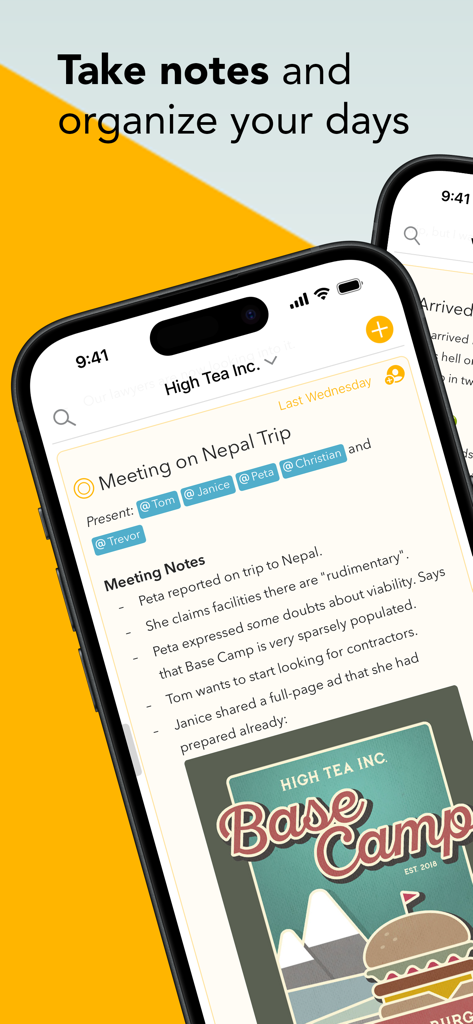
프로젝트 회의 노트와 태그된 참석자, 날짜 연결 타임라인을 표시하는 Agenda 앱의 iPhone 스크린샷
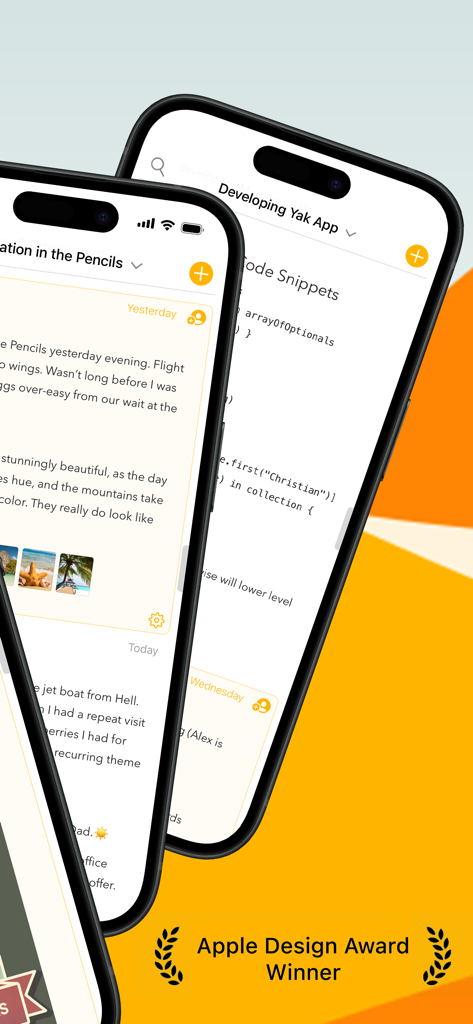
노트와 코드 조각 옆에 Apple Design Award 배지가 있는 Agenda 앱 인터페이스를 표시하는 두 대의 iPhone
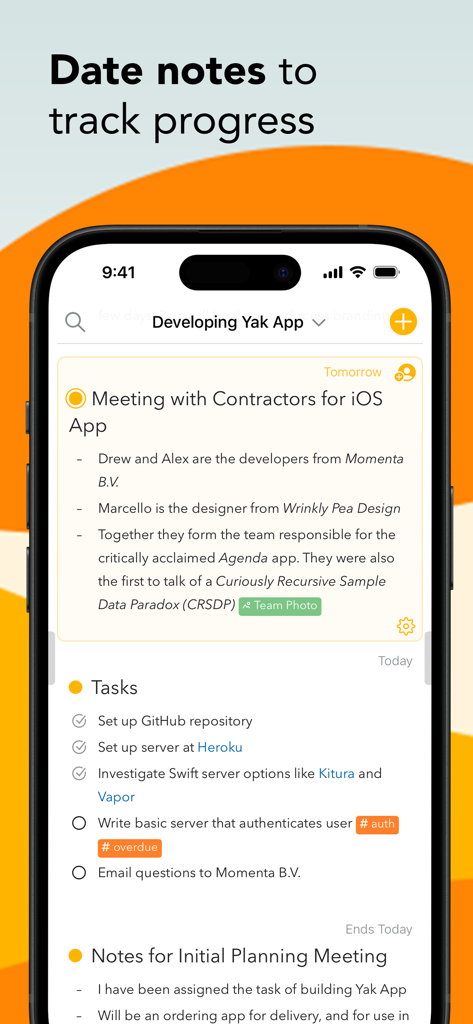
프로젝트 진행 상황을 추적하기 위해 날짜별로 구성된 노트와 작업을 보여주는 Agenda 앱 인터페이스
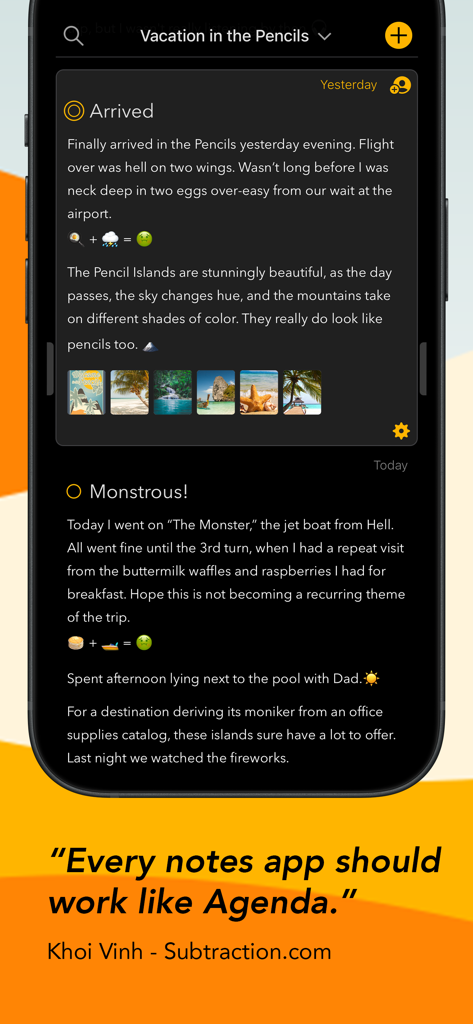
내장된 이미지와 Khoi Vinh의 추천사가 있는 어두운 모드 노트가 있는 Agenda 앱 인터페이스 (iPhone)
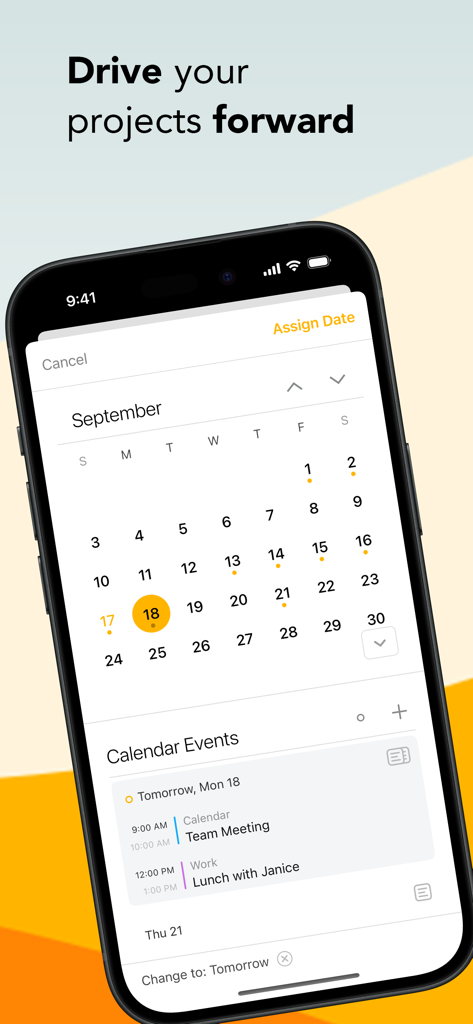
프로젝트 계획 및 일일 이벤트 예약을 위한 캘린더를 보여주는 Agenda 앱 인터페이스 (iPhone)
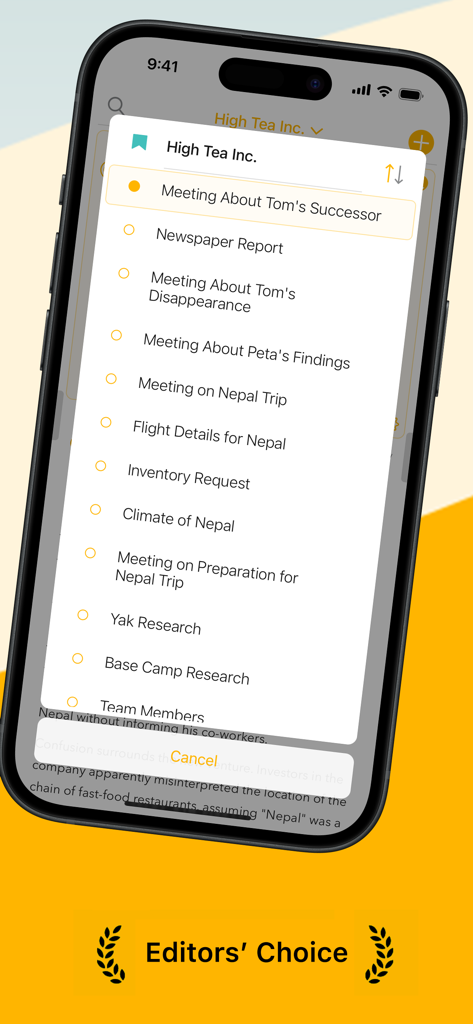
프로젝트 회의 및 노트 목록을 표시하는 Agenda 앱 인터페이스 (iPhone)
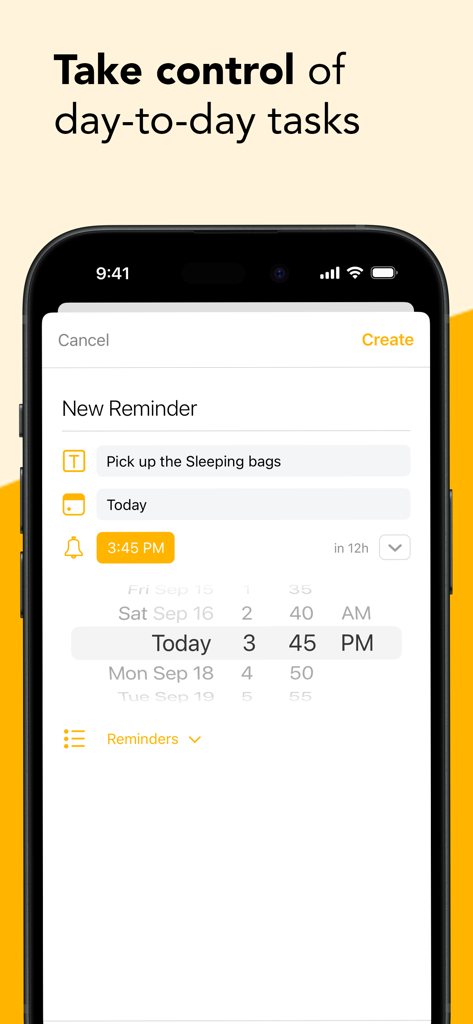
시간 및 날짜 선택기로 새 작업 알림을 만드는 Agenda 앱의 스마트폰 화면
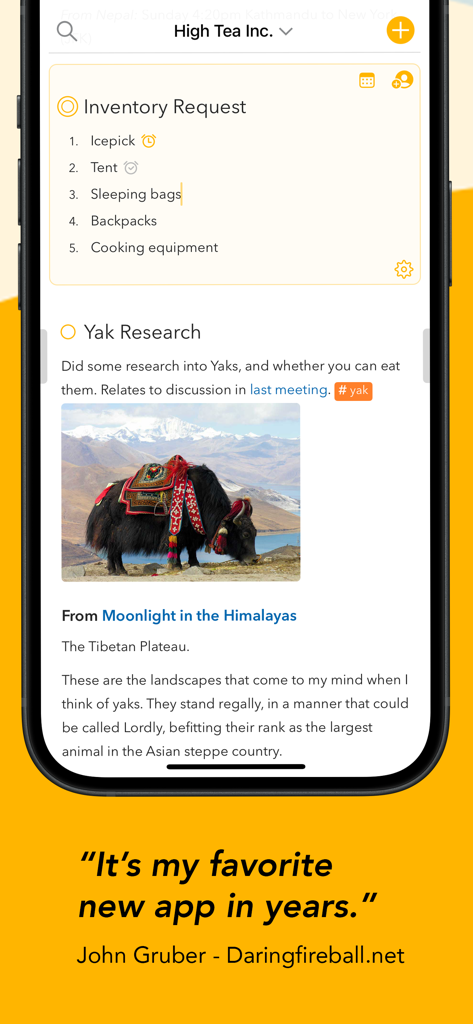
체크리스트와 이미지가 포함된 정리된 프로젝트 노트를 표시하는 Agenda 앱 인터페이스 (iPhone)
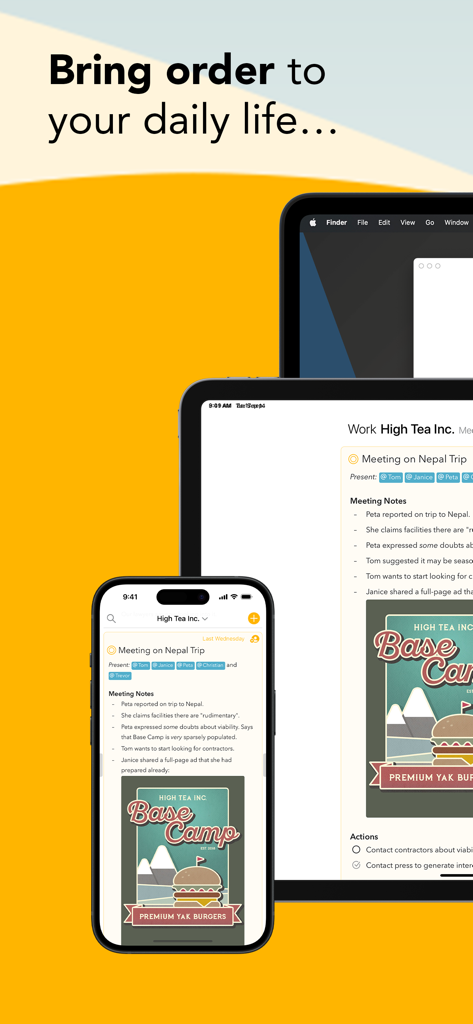
iPhone, iPad, Mac 기기에서 Agenda 노트 및 캘린더 앱 인터페이스
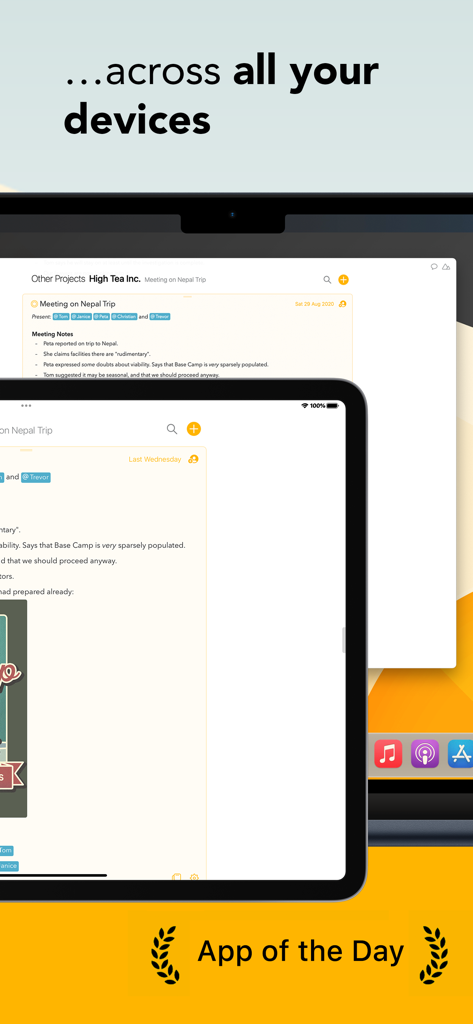
App of the Day 배지가 있는 Mac 및 iPad 전반에 동기화된 프로젝트 노트를 보여주는 Agenda 노트 앱
설명
Download
비슷한 앱
유사한 기능과 사용자 경험을 가진 앱

Notion: Notes, Tasks, AI
Notion Labs, Incorporated

Freenotes®: AI Notes Taking
Hangzhou Free Notes Technology Co., Ltd

Structured - Daily Planner
unorderly GmbH

Google Tasks: Get Things Done
Google LLC

TickTick:To-Do List & Calendar
Appest Limited

Noteful: Notes & PDF Markup
Noteful Technologies Ltd

Todoist: To Do List & Calendar
Doist Inc.

To do list MinimaList & Widget
Inner Grow Limited

monday.com - Work Platform
monday.com Ltd.
이 페이지는 앱이나 개발자의 공식 페이지가 아니며, 정보 제공 및 논평을 목적으로 작성된 독립 편집 간행물입니다. 명시적으로 달리 언급되지 않는 한, 해당 앱이나 개발자는 MWM, Apple, Google Play, 앱 퍼블리셔 또는 앱 개발자와 제휴, 보증, 후원, 승인 또는 공식적으로 연결되어 있지 않으며, 이 페이지의 어떤 내용도 해당 앱이 MWM의 서비스를 사용하여 개발되었음을 의미하지 않습니다. 모든 상표, 로고, 스크린샷 및 기타 콘텐츠는 해당 소유자의 자산입니다.