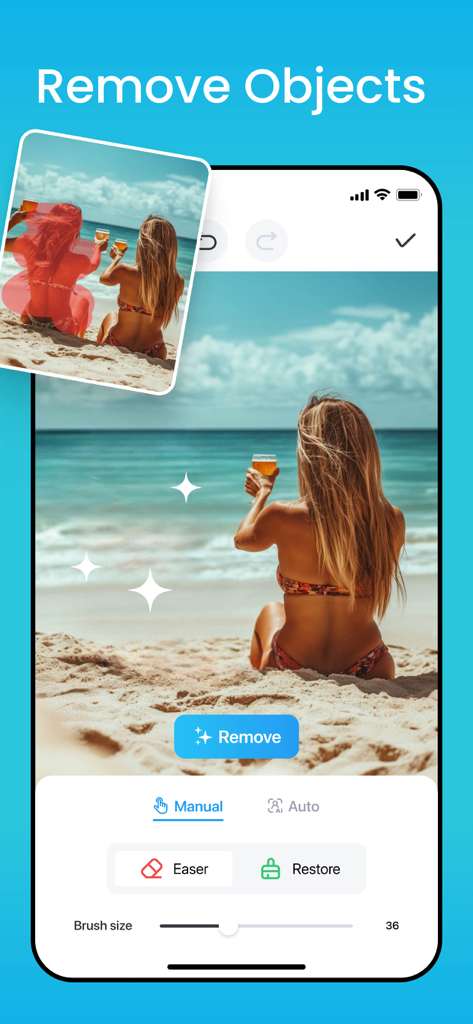
AI 개체 제거 도구를 사용하여 해변 사진에서 사람을 제거하는 방법을 보여주는 모바일 앱 인터페이스.
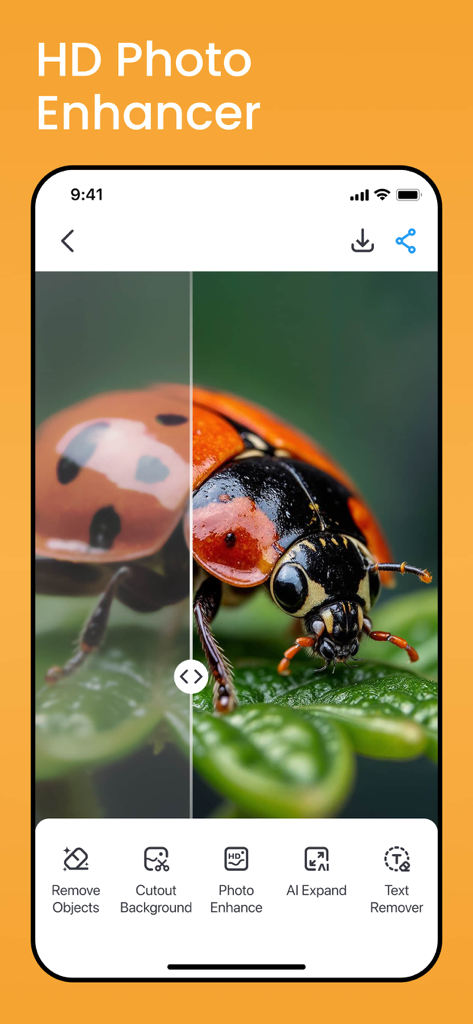
선명한 무당벌레를 보여주는 HD 사진 향상 기능의 분할 화면 데모
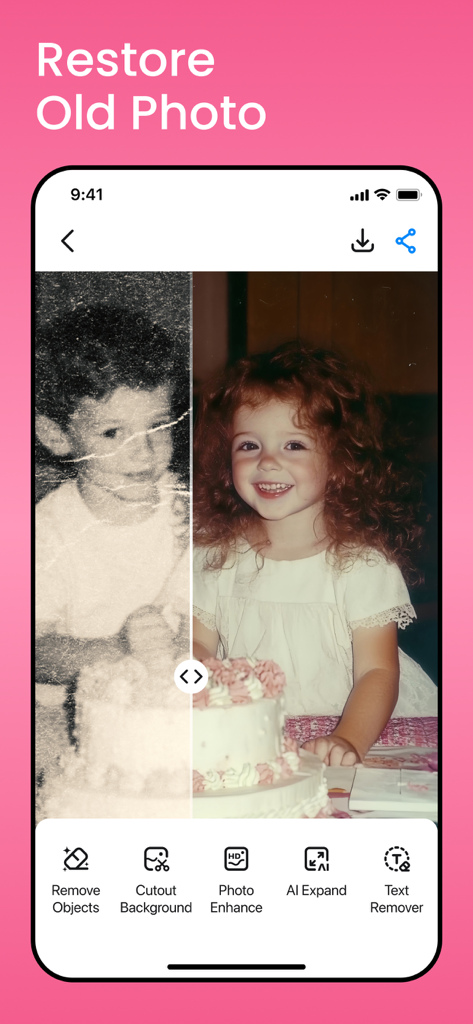
AI 기술로 복원된 오래된 사진의 전후 비교
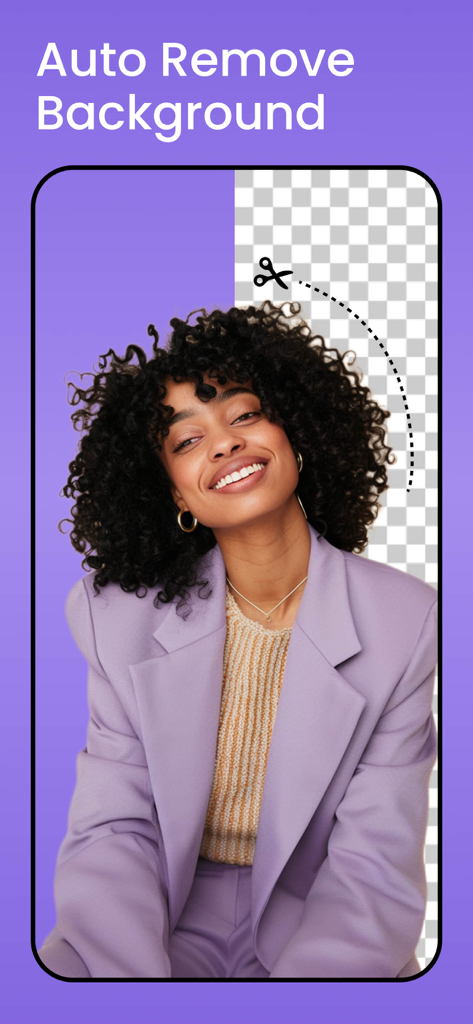
웃는 여성의 초상화로 자동 배경 제거 기능을 보여주는 스크린샷
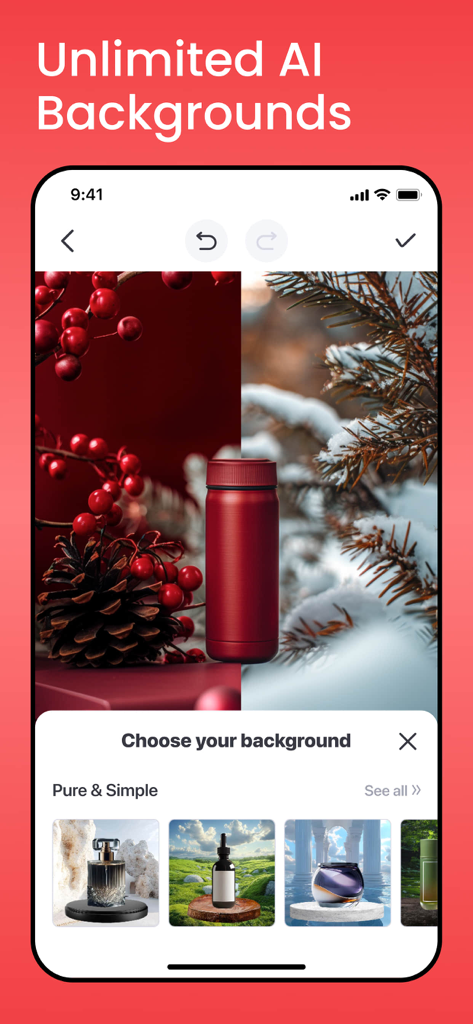
전문 제품 사진을 위한 다양한 AI 생성 배경에 놓인 빨간색 병을 보여주는 모바일 앱 화면
프로필 사진 및 제품 사진 템플릿 카테고리를 보여주는 AI 사진 편집기 앱 홈 화면
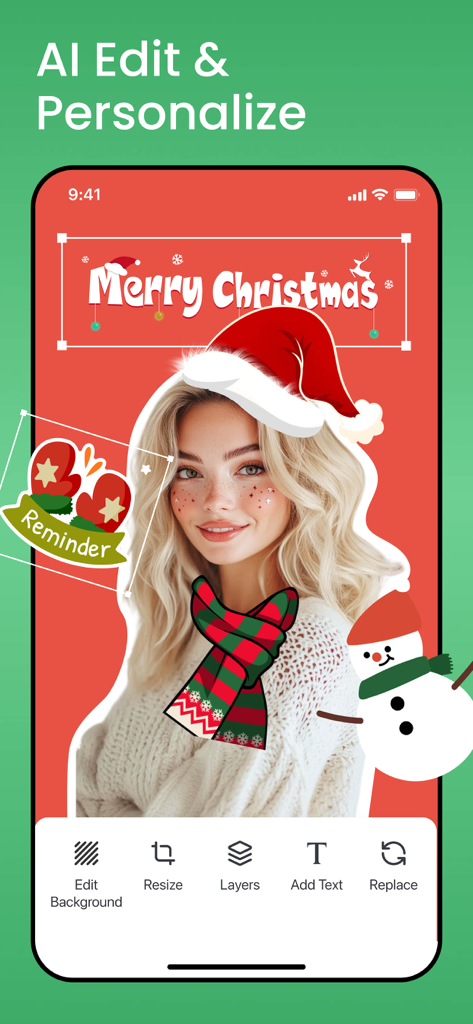
홀리데이 스티커와 텍스트가 있는 초상화를 보여주는 AI 사진 편집기 앱 인터페이스
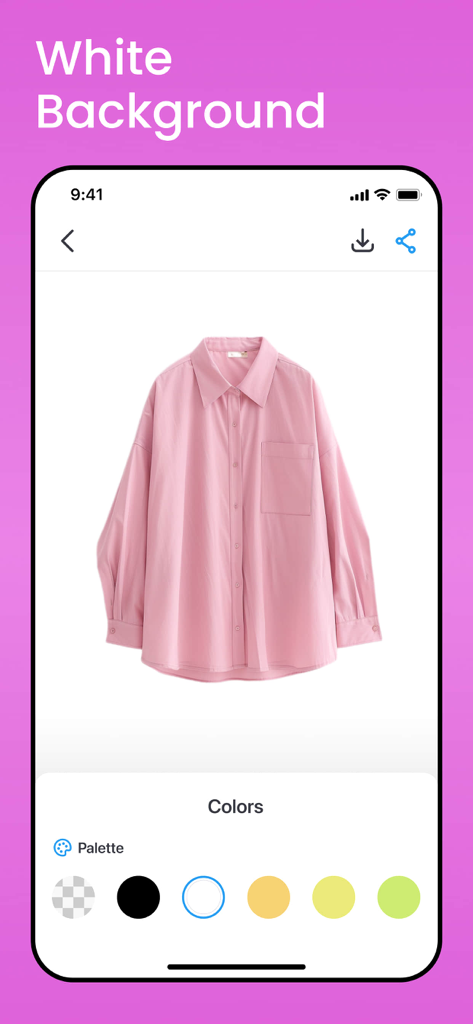
AI 사진 편집 도구를 사용하여 만든 깔끔한 흰색 배경의 분홍색 셔츠
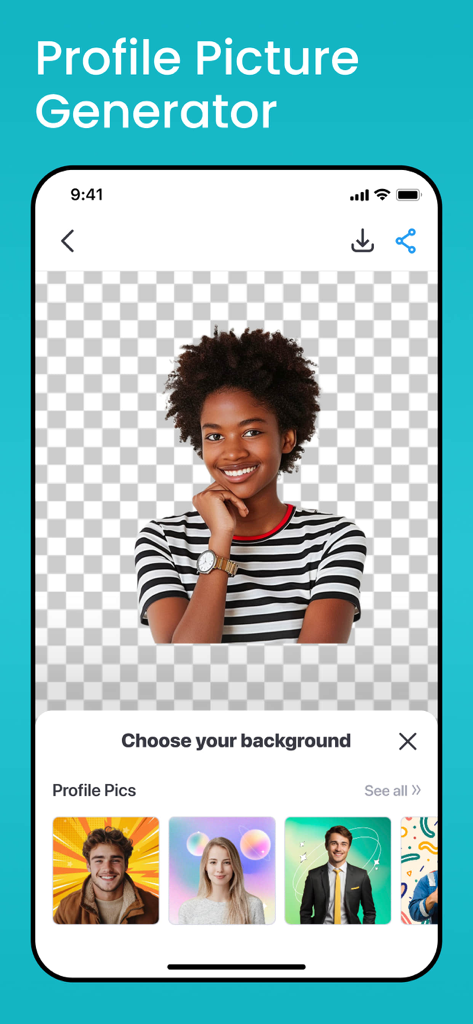
투명한 배경의 여성과 아래의 다양한 전문 배경 템플릿을 보여주는 프로필 사진 생성용 모바일 인터페이스
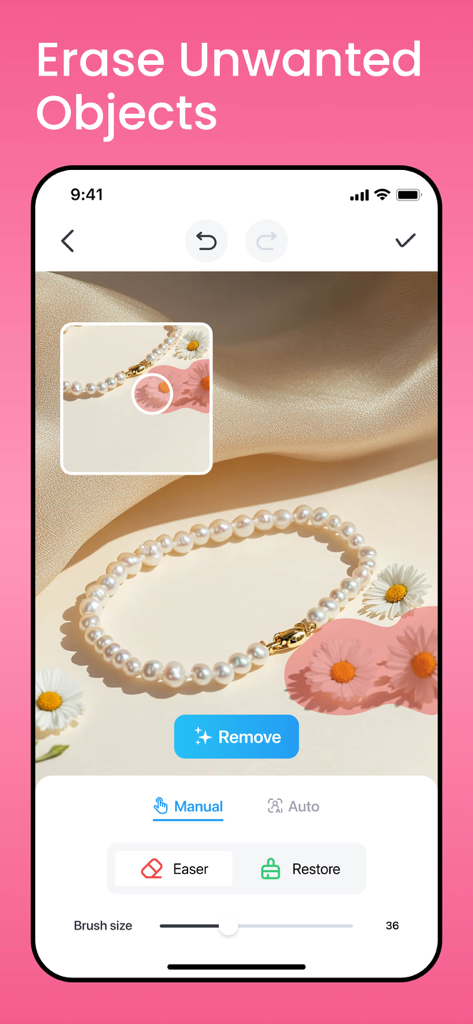
펄 목걸이 제품 사진에서 원치 않는 꽃을 지우는 AI 사진 편집기 인터페이스
AI 기반 정밀도로 브랜드를 향상시키세요
이 앱을 돋보이게 하는 도구, 1M+ 명의 사용자가 선택.
🖼️
즉석 스튜디오 배경
한 번의 탭으로 복잡함을 제거하세요. Etsy, Amazon 및 Poshmark에서 판매를 촉진하도록 디자인된 전문적인 흰색 배경이나 트렌디한 템플릿으로 어수선한 방을 교체하세요.
✨
스마트 개체 지우개
산만함을 제거하세요. 완벽한 사람, 전선 또는 원치 않는 아티팩트를 쉽게 제거하여 잠재 고객이 가장 중요한 것에 집중하도록 유지하세요.
🚀
HD 향상 및 선명도
저해상도 휴대폰 사진을 고화질 걸작으로 만드세요. 세부 사항과 생생한 색상을 즉시 선명하게 하여 콘텐츠에 프리미엄, 높은 전환율의 모습을 부여하세요.
앱 소개
에 대해 알아야 할 모든 것 AI Photo Editor, Remove Object.
설명
All-in-one photo editor and design app that helps you create polished, pro-quality images with ease.
No design skills? No problem. AI Photo Editor - BgMaster creates pro-quality product photos in seconds. Remove or change backgrounds, erase unwanted objects, and add custom text or graphics in just a few taps. Whether you’re selling on Etsy, Amazon, or Shopify, AI Photo Editor - BgMaster helps your images stand out and drive more sales.Perfect for e-commerce sellers and creators who want polished, high-converting visuals—without the hassle.
You Can Create:
- Product photos for eCommerce and marketplaces like Amazon, Etsy, eBay, Shopify, Depop, or Vinted
- Portraits and profile photos for LinkedIn, dating apps, or social media
- Standout resumes, slides, invitations, and digital designs for work, school, or social media
- Content for Instagram Reels, Facebook ads, or posts
Key Features:
► HD Photo Enhancer
Instantly boost photo clarity! Turn blurry shots sharp, make details pop, and colors vibrant. Fix low - quality images in one tap for stunning results.
► Restore Old Photo
Bring old photos back to life! Erase scratches, fade, and damage. Revive faded memories with sharp details and vivid colors. Rediscover your precious moments.
► Background Remover
Easily remove backgrounds from photos with one tap. BgMaster’s AI-powered background remover instantly detects people or products and erases backgrounds with precision. Perfect for clean profile pics, product images, or social media posts—no manual editing needed.
► Remove Objects
Easily remove unwanted objects, people from photos with our AI object remover. BgMaster’s eraser tool gives you clean, professional-looking images in seconds—ideal for e-commerce sellers, photographers, and anyone editing pictures on the go.
► Custom BG Templates & Colors
Design stunning photos with AI background tools. Remove backgrounds, add white backgrounds, or blur them for clean edits. Great for YouTube thumbnails, podcast covers, Instagram posts, and product photos for Depop, Poshmark, and Vinted. Choose from trendy templates or solid color backdrops.
► Smart Resize & Crop
Easily resize photos for Instagram, Facebook, YouTube, Etsy, Depop, and more. Use smart crop presets for stories, reels, profile pics, product listings, and thumbnails. Keep your images perfectly sized and platform-ready in seconds.
► Export & Share Photos
Easily export and share edited photos to your gallery, WhatsApp, Messages, Instagram, Facebook, and more with one tap. The easy way to quickly share social media posts and personal photos.
◆ SUBSCRIPTION TERMS ◆
One Week Subscription: $4.99/ Week
One Year Subscription: $59.99/ Year
Lifetime Purchase: $99.99
Payment will be charged to your iTunes account when you confirm the purchase.
• Your subscription will automatically renew unless you turn off auto-renew at least 24 hours before the current period ends.
• Your account will be charged for renewal within 24 hours before the subscription expires, and you will see the renewal price.
• You can manage your subscription and turn off auto-renew anytime in your iTunes account settings after purchase.
• If you have a free trial, any unused portion will be forfeited once you buy a subscription.
• To avoid renewal charges, cancel your subscription or free trial at least 24 hours before it ends by turning off auto-renew in your iTunes settings. Cancellation takes effect the day after your current period ends, and you’ll be downgraded to the free version.
If you have any questions or need assistance, please email us at coolsummerdev@icloud.com. We’re here to help!
For more information, please read our:
Privacy Policy: https://coolsummerdev.com/artgenerator-privacy-policy
Terms of Use: https://coolsummerdev.com/artgenerator-terms-of-use
Community Guidelines: https://coolsummerdev.com/community-guidelines
최신 버전
1.2.8
크기
110.5 MB
출시일
2024년 5월 1일
사진을 가장 강력한 판매 도구로 바꾸세요
BgMaster를 사용하여 배경을 제거하고, 산만함을 지우고, 스튜디오 품질의 이미지를 즉시 만드는 1백만 명 이상의 1인 기업가 및 크리에이터와 함께하세요. 지금 다운로드하고 돋보이기 시작하세요.
FAQ
자주 묻는 질문
에 대해 알아야 할 모든 것 AI Photo Editor, Remove Object
AI Photo Editor, Remove Object 앱은 무엇인가요?
AI Photo Editor, Remove Object 앱은 올인원 사진 편집 및 디자인 도구입니다. 사용자가 전자 상거래 및 소셜 미디어에 최적화된 전문적인 품질의 이미지를 쉽게 만들 수 있도록 도와줍니다.
AI Photo Editor, Remove Object 앱은 원치 않는 객체를 어떻게 제거하나요?
AI Photo Editor, Remove Object 앱은 AI 객체 제거 도구를 사용하여 사진에서 원치 않는 객체나 사람을 정확하게 지웁니다. 이를 통해 깨끗하고 전문적으로 보이는 이미지를 빠르게 얻을 수 있습니다.
AI Photo Editor, Remove Object는 사진 배경을 자동으로 제거할 수 있나요?
예, AI Photo Editor, Remove Object는 사진에서 배경을 자동으로 제거합니다. AI 기반 도구를 통해 사람이나 제품을 즉시 감지하고 수동 편집 없이 배경을 정확하게 지웁니다.
AI Photo Editor, Remove Object는 오래되거나 손상된 사진을 복원하나요?
예, AI Photo Editor, Remove Object는 오래된 사진을 복원합니다. 흠집, 색 바램, 손상을 지우고 한 번의 탭으로 선명한 디테일과 생생한 색상으로 추억을 되살립니다.
AI Photo Editor, Remove Object의 구독 옵션은 무엇인가요?
AI Photo Editor, Remove Object는 주간 구독(4.99달러), 연간 구독(59.99달러), 평생 구매(99.99달러)를 제공합니다.
AI Photo Editor, Remove Object는 사진 품질을 어떻게 향상시키나요?
AI Photo Editor, Remove Object는 HD 사진 향상 기능을 사용하여 선명도를 즉시 높이고, 흐릿한 사진을 선명하게 만들고, 디테일을 돋보이게 하고, 색상을 생생하게 만듭니다. 한 번의 탭으로 저품질 이미지를 수정합니다.
AI Photo Editor, Remove Object를 사용하여 사진에 사용자 정의 배경을 추가할 수 있나요?
예, AI Photo Editor, Remove Object를 사용하면 AI 배경 도구로 사진을 디자인할 수 있습니다. 사용자 정의 배경 템플릿, 단색 배경, 흰색 또는 흐릿한 배경을 추가하는 옵션을 제공합니다.
AI Photo Editor, Remove Object의 구독을 관리하거나 취소하려면 어떻게 해야 하나요?
구매 후 iTunes 계정 설정에서 구독을 관리하고 자동 갱신을 해제할 수 있습니다. 취소하려면 현재 기간이 종료되기 최소 24시간 전에 자동 갱신을 해제해야 합니다.
AI Photo Editor, Remove Object는 전자 상거래 제품 사진 제작에 적합한가요?
예, AI Photo Editor, Remove Object는 몇 초 만에 전문적인 품질의 제품 사진을 만듭니다. Amazon, Etsy, eBay, Shopify, Depop 또는 Vinted와 같은 플랫폼의 전자 상거래 판매자에게 이상적입니다.
AI Photo Editor, Remove Object는 소셜 미디어용 스마트 크기 조정 옵션을 제공하나요?
예, AI Photo Editor, Remove Object는 스마트 크기 조정 및 자르기 기능을 제공합니다. Instagram, Facebook, YouTube, Etsy, Depop과 같은 플랫폼의 사전 설정을 제공하여 이미지가 완벽한 크기로 조정되도록 합니다.
App information, icons, screenshots, and descriptions displayed on this page are sourced from the Apple App Store and are the property of their respective developers. Download estimates and rankings are based on MWM's proprietary models and may not reflect actual figures. This page is provided for informational and analytical purposes only.
Believe this page infringes your intellectual property? File a dispute