
이 페이지는 앱이나 개발자의 공식 페이지가 아니며, 정보 제공 및 논평을 목적으로 작성된 독립 편집 간행물입니다. 명시적으로 달리 언급되지 않는 한, 해당 앱이나 개발자는 MWM, Apple, Google Play, 앱 퍼블리셔 또는 앱 개발자와 제휴, 보증, 후원, 승인 또는 공식적으로 연결되어 있지 않으며, 이 페이지의 어떤 내용도 해당 앱이 MWM의 서비스를 사용하여 개발되었음을 의미하지 않습니다. 모든 상표, 로고, 스크린샷 및 기타 콘텐츠는 해당 소유자의 자산입니다.


Magic Eraser Background Editor
콘텐츠 크리에이터와 비즈니스 오너는 더 이상 전문 편집 기술에 얽매이지 않습니다. 이 앱은 누구나 시각적 우위를 점하게 하는 비대칭적 힘을 부여함이 확인됩니다.
다운로드
12.5M+사용자 평점
총 평가 수
305.2K개발사
카테고리
Business지원 언어
16최신 버전
3.12.0크기
269.8 MB출시일
2015년 5월 24일"Magic Eraser Background Editor" 앱 분석
AI 기반 이미지 편집 도구의 주요 기능 평가
워터마크 없는 결과물
이 앱은 무료 버전에서도 최종 이미지에 워터마크를 남기지 않아 사용자가 전문적인 결과물을 제작하고 자신의 브랜드를 효과적으로 홍보할 수 있도록 돕습니다.
원탭 배경 및 객체 제거
이 도구는 한 번의 탭으로 이미지에서 배경이나 원치 않는 객체를 즉시 제거하여 사용자가 빠르고 효율적으로 시각적 콘텐츠를 준비할 수 있게 해줍니다.
플랫폼별 캔버스 프리셋
이 앱은 Instagram, Shopify, Pinterest, LinkedIn 등 다양한 플랫폼에 최적화된 캔버스 프리셋을 제공하여 사용자가 각 플랫폼에 맞는 이미지 크기를 손쉽게 설정하고 시간을 절약할 수 있도록 지원합니다.
AI 기반 정밀 편집 기능
이 앱은 AI 기술을 활용한 정밀 편집 기능을 통해 사용자가 미세한 부분까지 정확하게 수정하여 고품질의 편집 결과물을 얻을 수 있도록 돕습니다.
고해상도 이미지 저장
이 앱은 편집된 이미지를 워터마크 없이 고해상도 PNG 또는 JPG 파일로 저장할 수 있게 하여 사용자가 제품 목록이나 마케팅 자료에 활용할 수 있는 선명하고 깨끗한 이미지를 확보하도록 합니다.
유연한 배경 선택
이 도구는 단색, 그라데이션, 또는 Pixabay 및 Unsplash의 사용자 지정 이미지 등 다채로운 배경 옵션을 제공하여 사용자가 자신의 제품이나 콘텐츠에 가장 적합한 시각적 환경을 연출할 수 있도록 합니다.
종합적인 이미지 편집
이 앱은 밝기, 대비, 채도 등 기본적인 이미지 조정 기능을 포함한 전체 이미지 편집기를 제공하여 사용자가 제거된 객체 외에도 이미지 전체의 시각적 품질을 미세 조정할 수 있도록 합니다.
현실적인 그림자 구현
이 앱은 조절 가능한 색상, 블러, 3D 그림자 효과를 통해 사용자가 편집된 객체에 사실적인 깊이감을 부여하여 더욱 전문적이고 생동감 있는 이미지를 제작할 수 있게 해줍니다.
맞춤형 브러시 도구
이 도구는 삼각형, 원, 사각형 등 다양한 모양의 사용자 정의 브러시를 제공하며 오프셋 조정을 지원하여 사용자가 더욱 세밀하고 정교한 편집 작업을 수행할 수 있도록 돕습니다.
이미지 콜라주 제작
이 앱은 여러 개의 잘라낸 이미지를 하나의 게시물로 결합하는 콜라주 기능을 갖추고 있어 사용자가 창의적인 시각 콘텐츠를 만들고 소셜 미디어 마케팅에 활용할 수 있도록 합니다.
자주 묻는 질문
에 대해 알아야 할 모든 것 Magic Eraser Background Editor
What is Magic Eraser Background Editor?
Magic Eraser Background Editor is an AI-powered app that instantly removes backgrounds and unwanted objects from photos. It allows users to fine-tune images, add new backgrounds, and save in high-resolution without watermarks.
Does Magic Eraser Background Editor remove watermarks?
Yes, Magic Eraser Background Editor can remove watermarks. The app description specifically states, 'BONUS: It can even remove watermarks like magic :)', indicating this capability.
Is Magic Eraser Background Editor free to use?
Yes, Magic Eraser Background Editor offers a free version. It allows users to remove backgrounds and objects without watermarks and includes some extra features available at an affordable price.
How can I remove the background from a photo using Magic Eraser?
Magic Eraser Background Editor provides one-tap background removal using AI. Users select an image, and the app automatically removes the background, allowing for further editing and saving.
Can I save high-resolution images with Magic Eraser?
Yes, Magic Eraser Background Editor allows users to save images in high resolution, including PNG or JPG formats. It supports various resize options up to 4096x4096 pixels.
What editing features does Magic Eraser Background Editor offer?
Magic Eraser offers custom brushes, collages, various background options (color, gradient, stock images), realistic shadows, outlines, and canvas presets. It also includes a full image editor for adjustments like brightness and contrast.
Does Magic Eraser Background Editor support custom image sizes for social media?
Yes, Magic Eraser Background Editor provides canvas presets tailored for platforms like Instagram, Shopify, Pinterest, and LinkedIn. It also offers specific resize options such as 'Insta Story' dimensions.
How does the subscription work for Magic Eraser Background Editor?
A subscription to Magic Eraser Background Editor provides unlimited access to all features, including all brush shapes and an ad-free experience. It renews automatically unless canceled at least 24 hours before the current period ends.
Can I replace objects in my photos using Magic Eraser?
Yes, Magic Eraser Background Editor allows users to replace objects. The app features tools to erase unwanted elements and seamlessly integrate new ones into images, as demonstrated by the 'Replace Objects' functionality.
Are there different background options available in Magic Eraser?
Magic Eraser provides various background options, including white, solid colors, gradients, and custom images from Pixabay & Unsplash. Users can also replace backgrounds using AI features.
다음 스크린샷과 설명은 앱의 공식 스토어 목록에서 직접 가져온 것이며 앱 개발자의 자산입니다.
앱 스토어
스크린샷
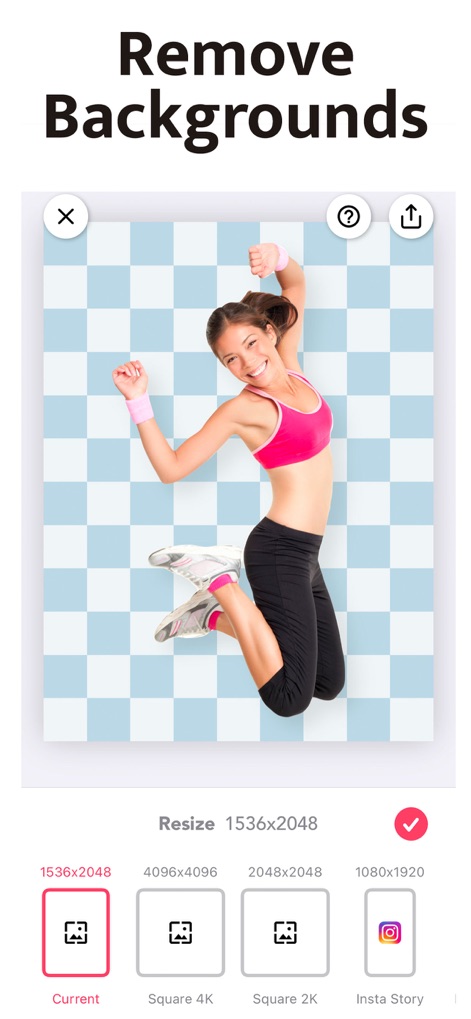
배경 제거 및 크기 조절
이 앱은 이미지 배경을 투명하게 제거하고, 사용자가 인스타그램 스토리와 같은 다양한 소셜 미디어 플랫폼에 최적화된 크기 옵션으로 최종 이미지를 내보낼 수 있도록 합니다.
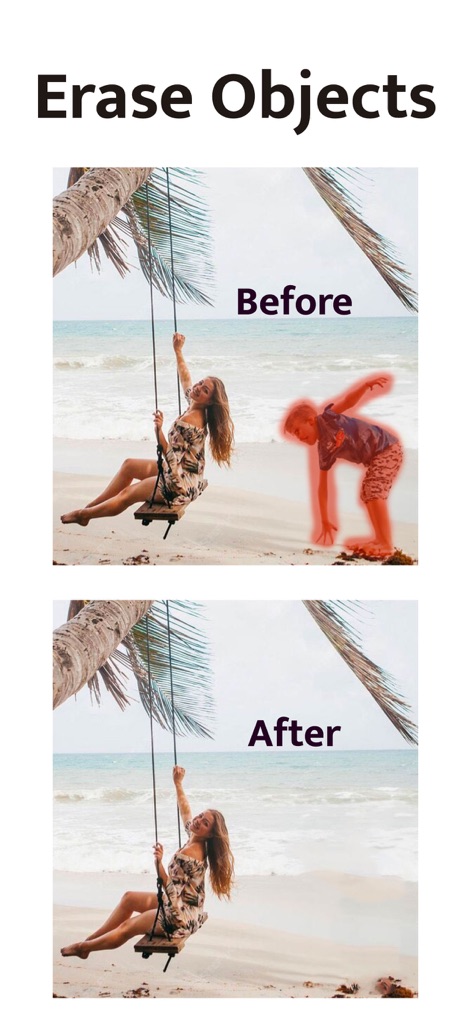
불필요한 객체 지우기
이 도구는 이미지에서 원치 않는 객체를 정밀하게 지워내어, ‘Before’와 ‘After’ 화면을 통해 제거 전후의 깔끔하고 완벽한 변화를 시각적으로 보여줍니다.

AI 배경 교체
사용자는 배경이 제거된 객체에 새로운 배경을 추가할 수 있으며, 내 사진 보관함과 Pixabay 및 Unsplash에서 제공하는 스톡 사진을 활용하여 풍부한 배경 선택지를 얻을 수 있습니다.
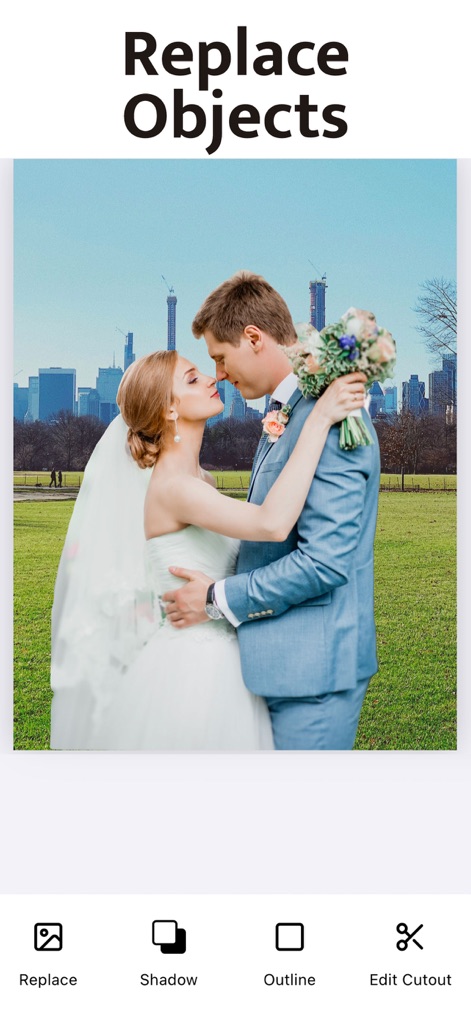
객체에 깊이 추가
이 앱은 이미지의 주요 객체에 사실적인 그림자를 추가하고 매력적인 윤곽선을 적용하여, 평범한 사진을 더욱 입체적이고 돋보이게 만듭니다.
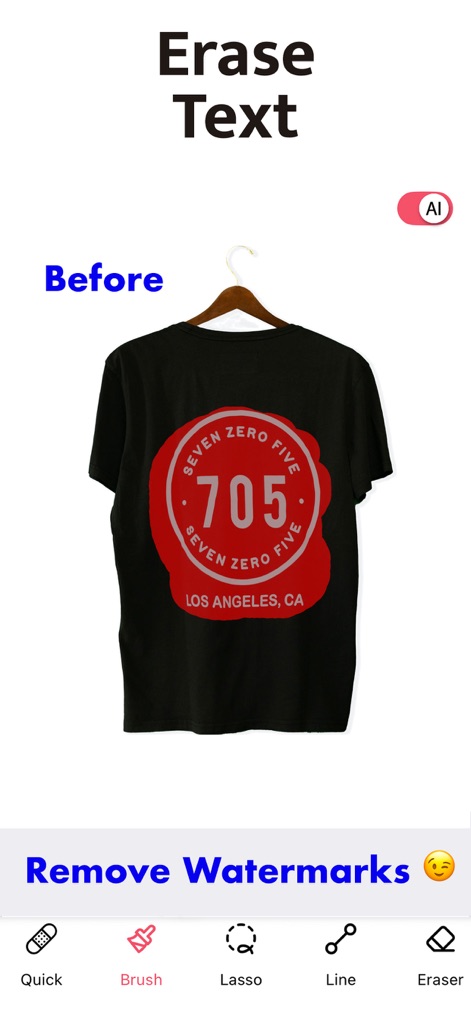
텍스트와 로고 지우기
AI 기반 기술로 이미지 속 텍스트를 손쉽게 제거할 수 있으며, 사용자는 브러시 도구와 올가미 도구를 활용하여 정교한 선택 및 제거 작업을 수행할 수 있습니다.
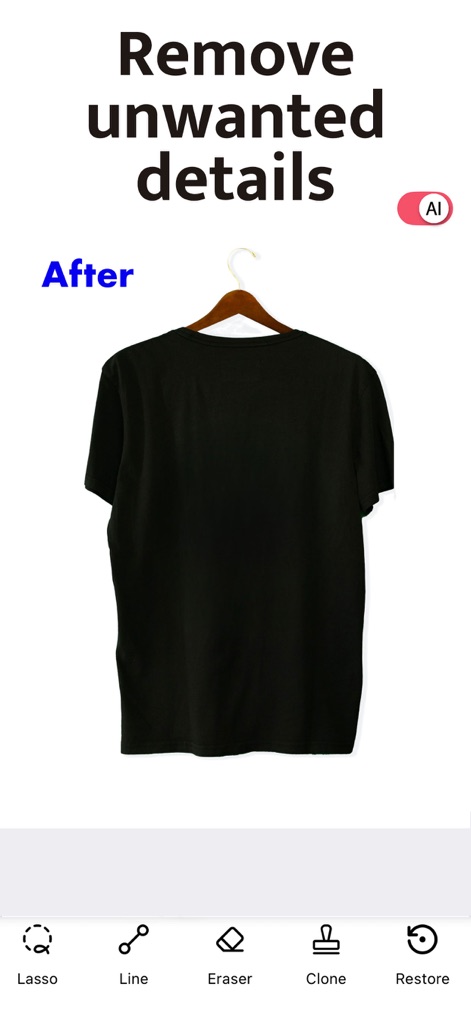
불필요한 세부 요소 제거
이 앱은 AI 기술을 통해 이미지에서 원치 않는 세부 요소를 완벽하게 제거하며, 지우개와 복원 기능을 사용하여 최종 결과물의 정밀도를 높일 수 있습니다.
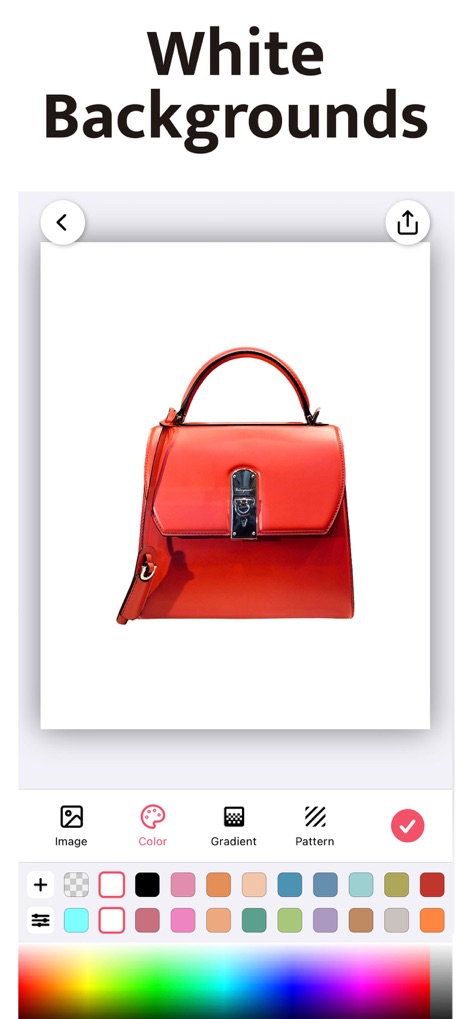
배경색상 맞춤 설정
사용자는 이미지 배경을 단색으로 손쉽게 변경할 수 있으며, 다양한 색상 팔레트 또는 전체 스펙트럼 색상 선택기를 사용하여 원하는 배경색을 정확하게 적용할 수 있습니다.
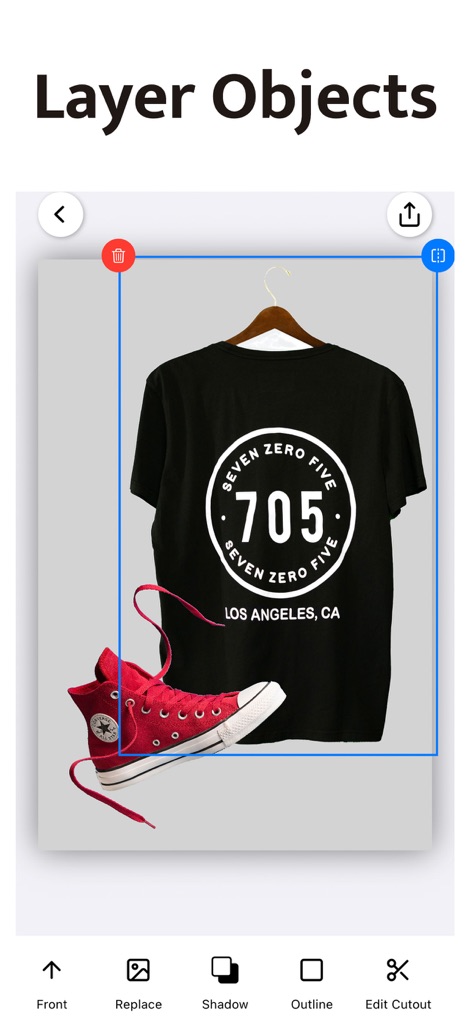
객체 레이어 편집
이 앱은 여러 객체를 레이어 단위로 관리하여 사용자가 객체의 전면 및 후면 순서를 자유롭게 조정할 수 있게 하며, 각 객체에 그림자나 윤곽선을 추가하여 시각적 효과를 극대화할 수 있습니다.
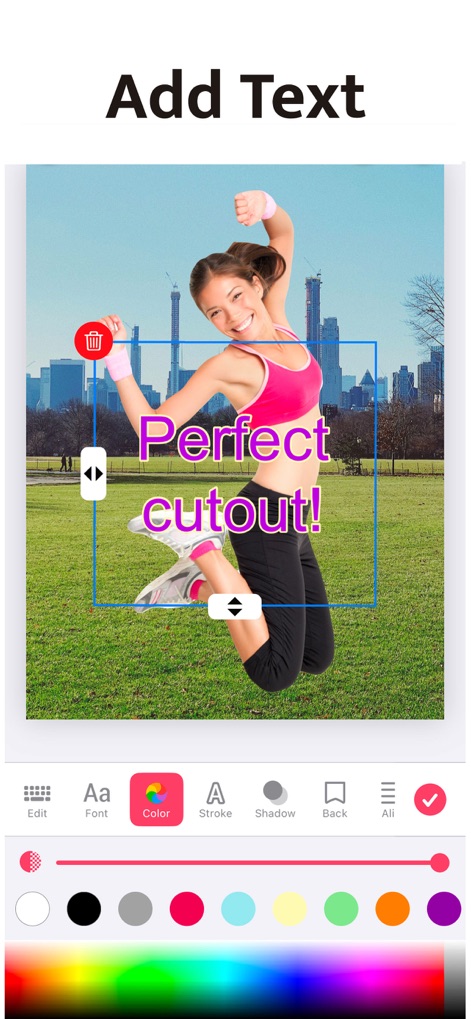
텍스트 추가 및 스타일링
사용자는 이미지에 텍스트를 삽입하고 다양한 글꼴과 색상으로 스타일을 지정할 수 있으며, 그림자 효과를 적용하여 텍스트의 시인성을 높이고 개성을 표현할 수 있습니다.
설명
Download
비슷한 앱
유사한 기능과 사용자 경험을 가진 앱

EPIK - AI Photo & Video Editor
SNOW Corporation

Citrus: AI 1 Tap Perfect Photo
Wemagine.ai LLP

SnapEdit: Photo Editor AI
SilverAI Joint Stock Company

Background Eraser 〜 Stickers
handyCloset Inc.

PhotoScan by Google Photos
Google LLC

Magic Eraser - Remove Object
Creatix Technology Global Limited

ProKnockOut-Cut Paste Photos
Shenzhen Qianhai Happy Tour Network Technology Co., Ltd.

Background Eraser - Remove BG*
SHANTANU PTE. LTD.

Renew - Restore Old Photos AI
Olena Dorohan
이 페이지는 앱이나 개발자의 공식 페이지가 아니며, 정보 제공 및 논평을 목적으로 작성된 독립 편집 간행물입니다. 명시적으로 달리 언급되지 않는 한, 해당 앱이나 개발자는 MWM, Apple, Google Play, 앱 퍼블리셔 또는 앱 개발자와 제휴, 보증, 후원, 승인 또는 공식적으로 연결되어 있지 않으며, 이 페이지의 어떤 내용도 해당 앱이 MWM의 서비스를 사용하여 개발되었음을 의미하지 않습니다. 모든 상표, 로고, 스크린샷 및 기타 콘텐츠는 해당 소유자의 자산입니다.