
이 페이지는 앱이나 개발자의 공식 페이지가 아니며, 정보 제공 및 논평을 목적으로 작성된 독립 편집 간행물입니다. 명시적으로 달리 언급되지 않는 한, 해당 앱이나 개발자는 MWM, Apple, Google Play, 앱 퍼블리셔 또는 앱 개발자와 제휴, 보증, 후원, 승인 또는 공식적으로 연결되어 있지 않으며, 이 페이지의 어떤 내용도 해당 앱이 MWM의 서비스를 사용하여 개발되었음을 의미하지 않습니다. 모든 상표, 로고, 스크린샷 및 기타 콘텐츠는 해당 소유자의 자산입니다.


EPIK - AI Photo & Video Editor
주목하라: 이 앱은 사용자에게 현실을 조작하는 디지털 권능을 부여한다. AI를 통해 당신의 이미지는 더 이상 '진실'이 아니다.
다운로드
25M+사용자 평점
총 평가 수
537.6K개발사
카테고리
Photo & Video지원 언어
12최신 버전
7.0.130크기
296.5 MB출시일
2021년 8월 14일EPIK - AI Photo & Video Editor 주요 기능 분석
EPIK은 AI 기술과 전문 편집 도구를 결합하여 시각적 콘텐츠 제작의 새로운 지평을 엽니다.
원터치 뷰티 '룩스'
이 앱은 한 번의 탭으로 피부 보정, 메이크업, 얼굴 튜너 및 필터 효과를 한 번에 적용하여 완벽한 인물 사진을 완성할 수 있도록 돕습니다.
AI 스킨 및 잡티 제거
AI 기술로 피부의 잡티를 보정하고 주름을 제거하여 매끄럽고 깨끗한 피부를 표현할 수 있습니다.
정교한 얼굴 및 바디 보정
얼굴 형태, 3D 얼굴 보정, 좌우 개별 조정 및 바디 라인, 길이 조절을 통해 자연스럽고 디테일한 인물 보정이 가능합니다.
동영상 얼굴 보정
동영상에서도 인물의 얼굴을 자연스럽게 보정하여 언제나 최상의 모습을 담아낼 수 있는 기능을 제공합니다.
수천 가지 맞춤형 템플릿
수천 가지의 맞춤형 템플릿을 제공하여 트렌디하고 개성 있는 콘텐츠를 손쉽게 제작할 수 있습니다.
AI 인핸스
AI를 활용하여 사진의 선명도와 해상도를 개선하고, 고품질의 사진으로 업그레이드할 수 있습니다.
스마트 AI 잘라내기
AI가 인물, 사물, 심지어 동물까지 정교하게 분리하여 원하는 부분만 추출할 수 있도록 돕습니다.
AI 필터
AI 필터를 통해 다양한 스타일의 독특한 캐릭터를 생성하고 사진에 새로운 분위기를 더할 수 있습니다.
자주 묻는 질문
에 대해 알아야 할 모든 것 EPIK - AI Photo & Video Editor
What is EPIK - AI Photo & Video Editor?
EPIK - AI Photo & Video Editor is an application offering professional editing tools and powerful AI technology to edit photos and videos easily and conveniently.
Can EPIK enhance photo clarity and resolution?
Yes, EPIK includes an AI tool called 'Enhance' which improves clarity and resolution, creating high-quality photos. The 'HD Enhance' feature also offers high-quality restoration.
Does EPIK use AI for skin retouching?
Yes, EPIK utilizes AI Skin technology to perfect skin by correcting blemishes. It also features 'Erase wrinkles' and 'Blemishes' for smooth skin in portraits.
How does EPIK remove unwanted objects from photos?
EPIK provides a 'Remove' AI tool to easily remove unwanted parts from photos. The feature includes an 'AI Remove' option for efficient object removal, as shown in Screenshot #10.
Does EPIK offer AI filters for photo editing?
Yes, EPIK provides an 'AI filter' feature. Users can create characters in different styles, with options like Avatar, Anime, and Japanese Anime, as depicted in Screenshot #2.
Does EPIK include professional color adjustment tools?
Yes, EPIK features professional photo editing tools such as HSL, Curves, Split Tone, and Selective for precise color adjustments. Screenshot #3 demonstrates the 'Curves' tool.
Can EPIK edit multiple photos simultaneously?
Yes, EPIK includes a 'Batch' feature under its professional photo editing tools. This allows users to edit multiple photos at once, streamlining the editing workflow.
What portrait editing features are available in EPIK?
EPIK offers extensive portrait editing, including 'Looks' for one-tap beauty, 'Erase wrinkles', 'AI Skin', 'Reshape', '3D Face', 'Hair Color', and 'Hairstyle' to perfect portraits.
Does EPIK - AI Photo & Video Editor support video editing?
Yes, EPIK includes a 'Movie feature'. It offers video mosaic with automatic figure tracking, Retro Clip creation, and Video Face Edit for natural retouching in videos.
How can I create collages in EPIK?
EPIK provides an 'AI Collage' tool for unique collages. It also offers 'Layout' to combine photos in various cool arrangements, as shown in Screenshot #8.
How can I contact support for EPIK - AI Photo & Video Editor regarding subscriptions?
You can contact support for EPIK regarding subscriptions by navigating to 'EPIK > Profile > Settings > Contact' within the application for assistance.
Where can I find the privacy policy for EPIK - AI Photo & Video Editor?
The privacy policy for EPIK is available online at 'https://terms.snow.me/EPIK/privacy'. This document details how user data is handled and protected.
다음 스크린샷과 설명은 앱의 공식 스토어 목록에서 직접 가져온 것이며 앱 개발자의 자산입니다.
앱 스토어
스크린샷
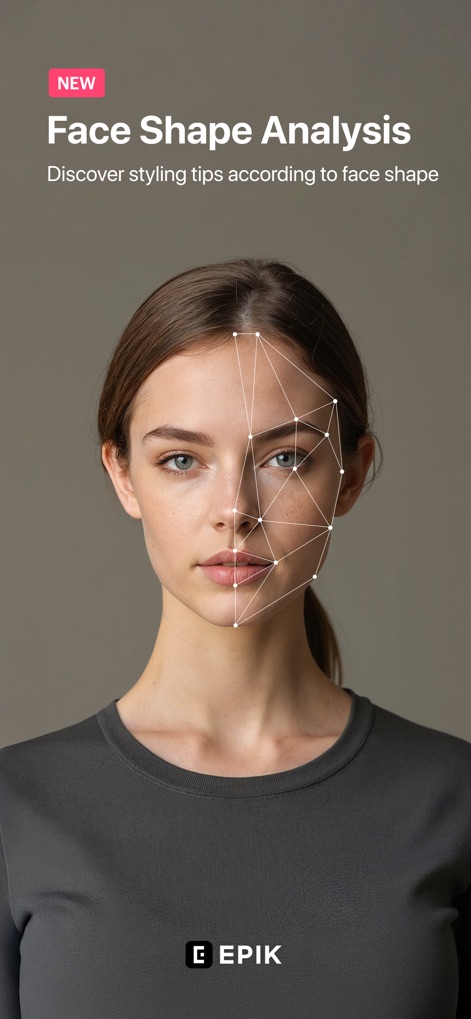
얼굴형 분석
이 앱은 AI를 활용한 정밀한 얼굴형 분석과 그에 따른 맞춤형 스타일링 팁을 제공합니다.

AI 필터 변신
사용자는 다양한 AI 필터를 적용하여 원본 사진을 매력적인 애니메이션 스타일로 변환하고 독창적인 캐릭터를 만들 수 있습니다.

정교한 색상 보정
이 도구는 '곡선(Curves)'과 같은 전문적인 색상 보정 기능을 제공하여 사진의 명암과 색조를 세밀하게 조정합니다.
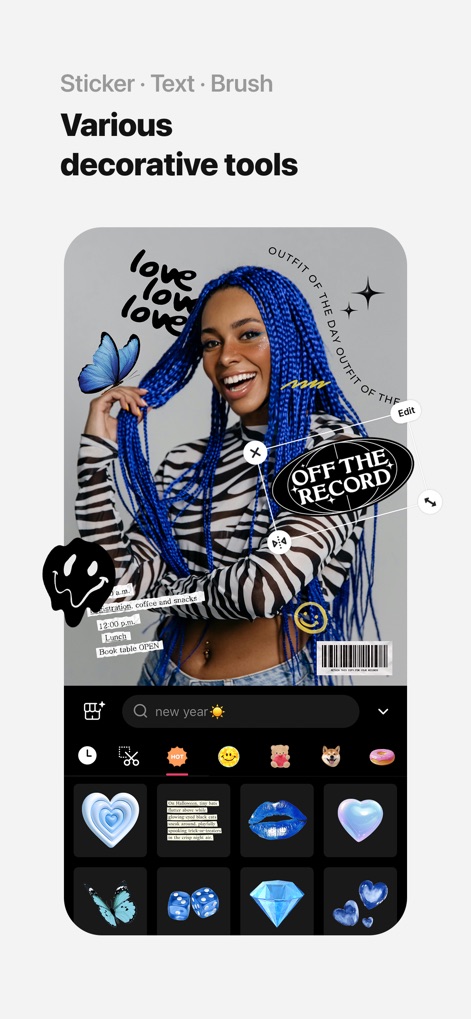
다채로운 꾸미기
사용자는 사진에 개성을 더하기 위해 다양한 스티커와 감각적인 텍스트를 활용하여 창의적인 연출을 할 수 있습니다.
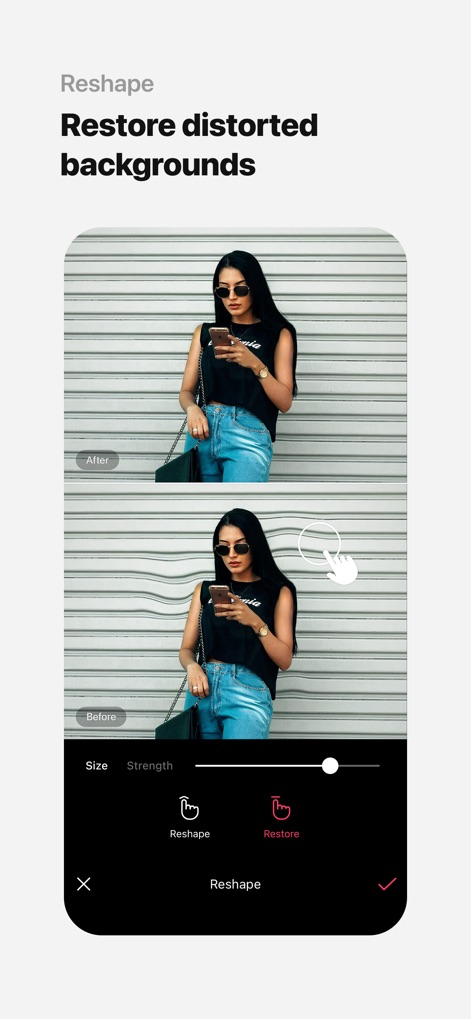
배경 왜곡 보정
이 앱은 왜곡된 배경을 자연스럽게 복원하며, '재구성(Reshape)' 도구를 통해 이미지의 균형을 완벽하게 맞출 수 있습니다.
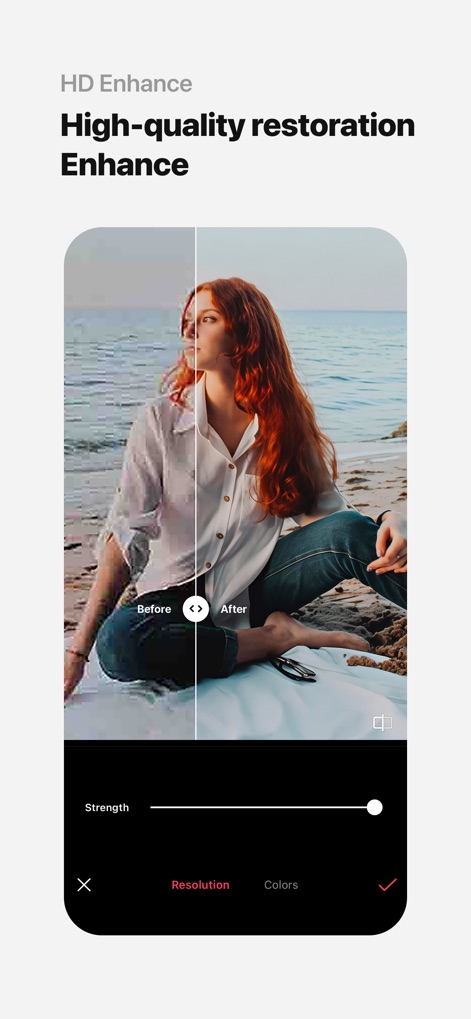
선명한 화질 개선
사진의 저해상도 부분을 'HD 향상(Enhance)' 기능으로 보정하여 흐릿한 이미지를 선명하고 깨끗하게 복원할 수 있습니다.
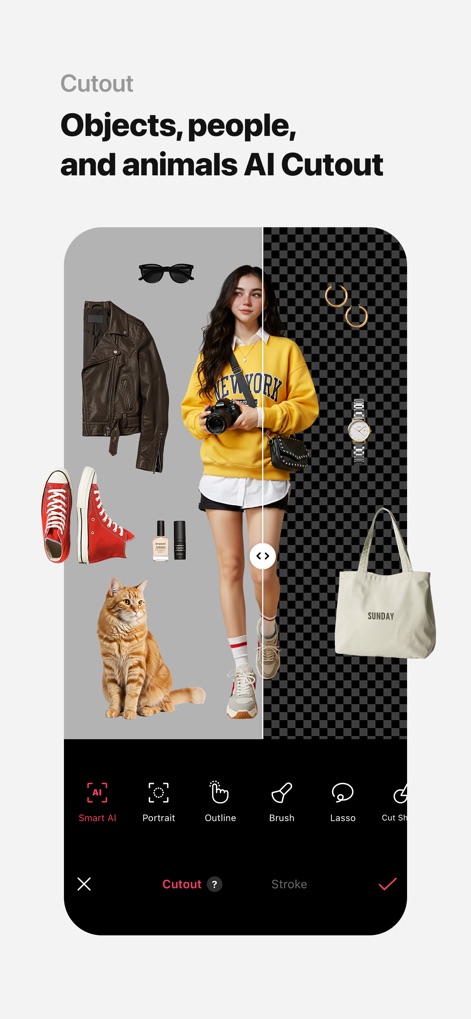
스마트 AI 오려내기
이 앱은 '스마트 AI 오려내기' 기능을 통해 인물, 사물, 심지어 동물을 배경으로부터 정교하게 분리할 수 있습니다.
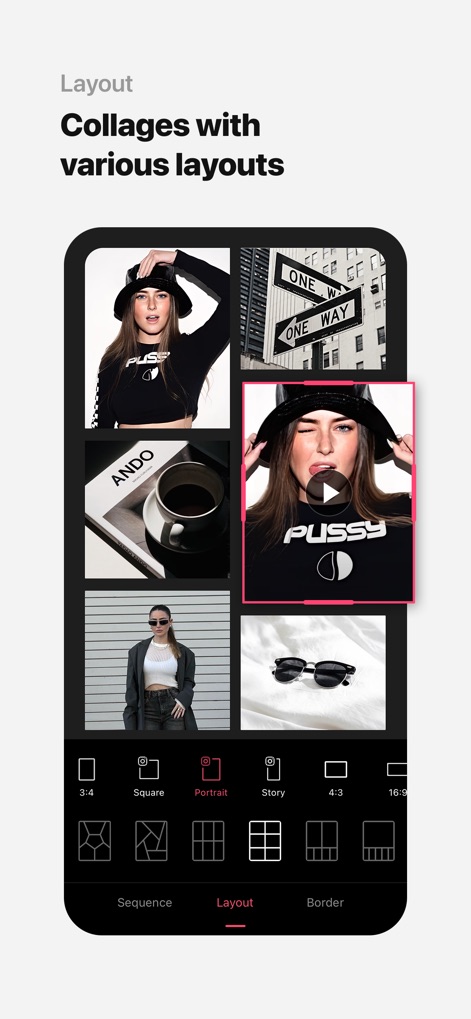
개성 있는 콜라주
사용자는 여러 장의 사진을 다양한 레이아웃 옵션으로 조합하여 독창적인 콜라주를 손쉽게 만들 수 있습니다.
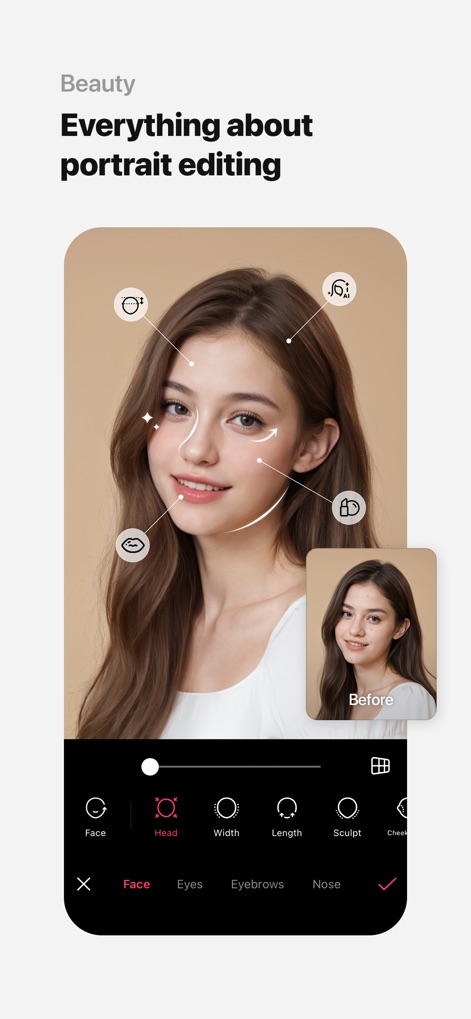
완벽한 인물 보정
이 앱은 3D 얼굴, 눈, 코, 턱 등 세밀한 인물 보정 기능을 제공하여 사용자가 원하는 자연스러운 얼굴형을 완성할 수 있도록 돕습니다.
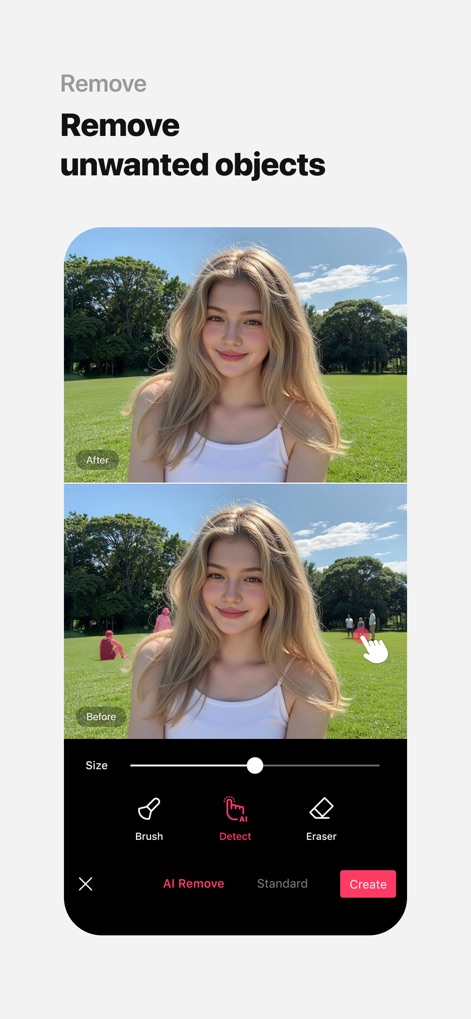
불필요한 요소 제거
이 도구는 'AI 감지(AI Detect)'와 브러시를 사용하여 사진 속 불필요한 인물이나 사물을 깔끔하게 제거합니다.
설명
Download
비슷한 앱
유사한 기능과 사용자 경험을 가진 앱

Citrus: AI 1 Tap Perfect Photo
Wemagine.ai LLP

SnapEdit: Photo Editor AI
SilverAI Joint Stock Company

Background Eraser 〜 Stickers
handyCloset Inc.

PhotoScan by Google Photos
Google LLC

Magic Eraser - Remove Object
Creatix Technology Global Limited

Magic Eraser Background Editor
Honk Honk Punch Pty Ltd

ProKnockOut-Cut Paste Photos
Shenzhen Qianhai Happy Tour Network Technology Co., Ltd.

Background Eraser - Remove BG*
SHANTANU PTE. LTD.

Renew - Restore Old Photos AI
Olena Dorohan
이 페이지는 앱이나 개발자의 공식 페이지가 아니며, 정보 제공 및 논평을 목적으로 작성된 독립 편집 간행물입니다. 명시적으로 달리 언급되지 않는 한, 해당 앱이나 개발자는 MWM, Apple, Google Play, 앱 퍼블리셔 또는 앱 개발자와 제휴, 보증, 후원, 승인 또는 공식적으로 연결되어 있지 않으며, 이 페이지의 어떤 내용도 해당 앱이 MWM의 서비스를 사용하여 개발되었음을 의미하지 않습니다. 모든 상표, 로고, 스크린샷 및 기타 콘텐츠는 해당 소유자의 자산입니다.