
이 페이지는 앱이나 개발자의 공식 페이지가 아니며, 정보 제공 및 논평을 목적으로 작성된 독립 편집 간행물입니다. 명시적으로 달리 언급되지 않는 한, 해당 앱이나 개발자는 MWM, Apple, Google Play, 앱 퍼블리셔 또는 앱 개발자와 제휴, 보증, 후원, 승인 또는 공식적으로 연결되어 있지 않으며, 이 페이지의 어떤 내용도 해당 앱이 MWM의 서비스를 사용하여 개발되었음을 의미하지 않습니다. 모든 상표, 로고, 스크린샷 및 기타 콘텐츠는 해당 소유자의 자산입니다.


ProKnockOut-Cut Paste Photos
전문가 흉내조차 불가능하다고 믿었나? 이 앱은 그 환상을 조각내며, 당신의 손에 디지털 사진의 운명을 뒤바꿀 통제력을 쥐여준다.
다운로드
12.5M+사용자 평점
총 평가 수
877.1K개발사
카테고리
Photo & Video지원 언어
9최신 버전
7.85크기
204.9 MB출시일
2014년 12월 4일'ProKnockOut-Cut Paste Photos' 주요 기능 분석
사진 편집의 경계를 허무는 강력한 도구
증명사진 제작
이 앱은 다양한 규격의 증명사진을 카메라 촬영부터 자동 누끼, 배경색 변경, 정장 합성, 보정 기능까지 한 번에 처리하여 전문 스튜디오급 결과물을 쉽게 만듭니다.
원클릭 및 일괄 누끼 따기
이 도구는 자동 누끼 따기 기능으로 복잡한 배경에서 인물, 사물 등을 한 번의 클릭으로 쉽게 분리할 수 있으며, 일괄 처리로 작업 효율성을 극대화합니다. 정교한 수동 도구와 머리카락/가장자리 개선 기능도 제공합니다.
마법 지우개
사용자가 사진 속 불필요한 행인이나 객체를 원클릭으로 깔끔하게 제거하고 배경을 지능적으로 복구하여 완벽한 사진을 만들 수 있게 해줍니다.
투명 PNG 및 배경색 JPG 지원
이 앱은 투명 배경의 PNG 파일과 다양한 색상 배경의 JPG 파일을 지원하여, 누끼 딴 이미지를 다른 디자인 프로젝트나 온라인 상점 제품 이미지에 유연하게 활용할 수 있게 합니다.
다중 레이어 합성
이 도구는 여러 이미지를 자연스럽게 결합하고 합성하여 사용자가 창의적이고 예술적인 결과물을 만들어낼 수 있도록 돕습니다.
템플릿 및 스티커 라이브러리
이 앱은 풍부한 템플릿과 스티커를 통해 사용자가 전문적인 디자인 지식 없이도 빠르고 쉽게 개성 있는 콘텐츠를 제작할 수 있도록 지원합니다.
자주 묻는 질문
에 대해 알아야 할 모든 것 ProKnockOut-Cut Paste Photos
What is ProKnockOut-Cut Paste Photos?
ProKnockOut-Cut Paste Photos is a professional photo editing tool. It offers features like one-click cutouts, multi-layer synthesis, ID photo creation, unwanted object removal, and various filters and effects.
How does ProKnockOut-Cut Paste Photos perform object cutouts?
ProKnockOut-Cut Paste Photos performs object cutouts using one-click AI, batch processing, and manual selection tools like Lasso and eraser. It also includes "Hair Refine" and "Edge Refine" for precise detail.
Can ProKnockOut-Cut Paste Photos erase unwanted objects or passers-by from photos?
Yes, ProKnockOut-Cut Paste Photos features a "MagicEraser" tool. This tool allows users to erase unwanted passers-by or objects with one click and intelligently repairs the background.
Does ProKnockOut-Cut Paste Photos offer ID photo creation?
Yes, ProKnockOut-Cut Paste Photos provides a "Smart ID Photo Maker" feature. It includes an ID camera, multiple ID photo sizes, automatic cutout, background color modification, and formal wear options.
How do I manage my Knockout Plus subscription for ProKnockOut-Cut Paste Photos?
Users manage their Knockout Plus subscription through iTunes Account Settings after purchase. Auto-renewal can be turned off here at least 24-hours before the current period ends to avoid charges.
How many filters are available in ProKnockOut-Cut Paste Photos?
ProKnockOut-Cut Paste Photos offers over 100 filters and effects. These options make photos unique and are designed to enhance various aspects of an image.
Can ProKnockOut-Cut Paste Photos blend multiple photos?
Yes, ProKnockOut-Cut Paste Photos has a powerful multi-layer composition function. It seamlessly synthesizes multiple pictures to achieve stunning effects.
다음 스크린샷과 설명은 앱의 공식 스토어 목록에서 직접 가져온 것이며 앱 개발자의 자산입니다.
앱 스토어
스크린샷
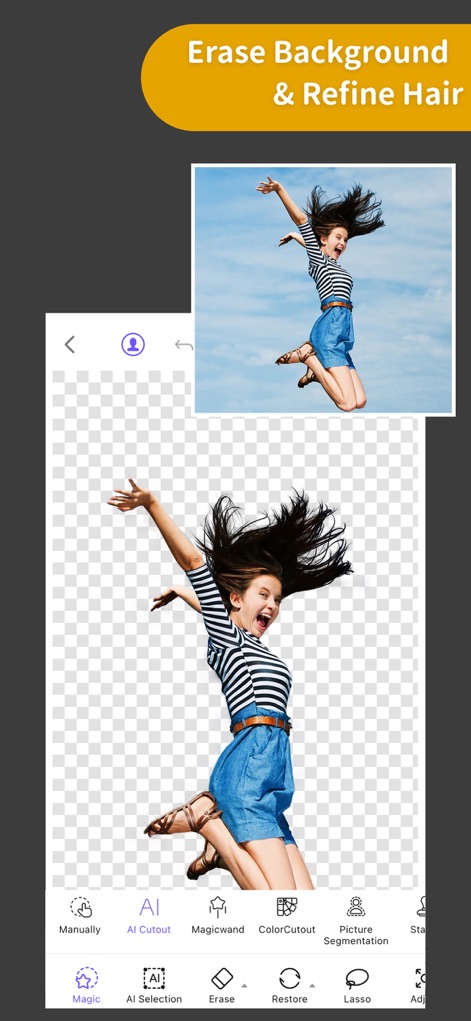
배경 지우기 & 헤어 보정
이 앱은 자동 AI 컷아웃 기능으로 복잡한 배경을 손쉽게 제거하고, 미세한 헤어 보정 도구를 사용하여 디테일을 살립니다.
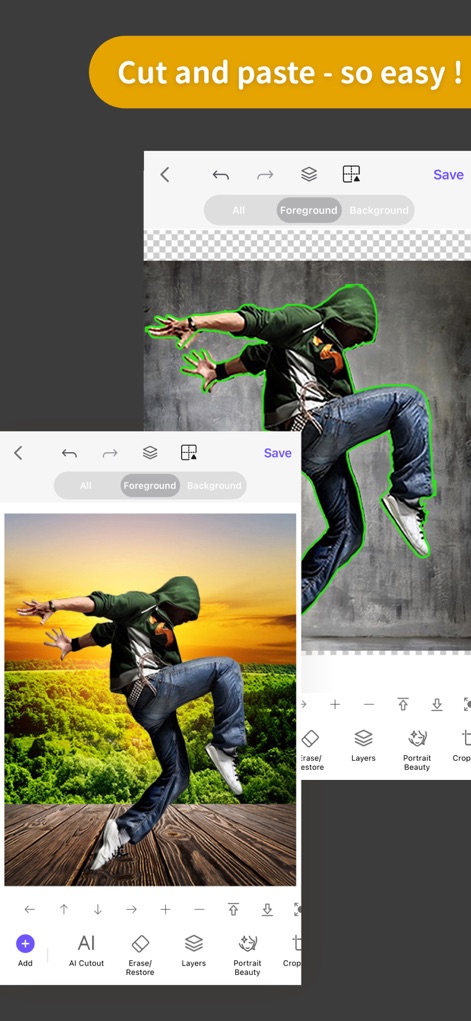
손쉬운 누끼 & 합성
사용자는 간편한 컷아웃 기능을 통해 인물을 정확하게 분리하고, 새로운 배경과 자연스럽게 합성하여 창의적인 이미지를 만들 수 있습니다.
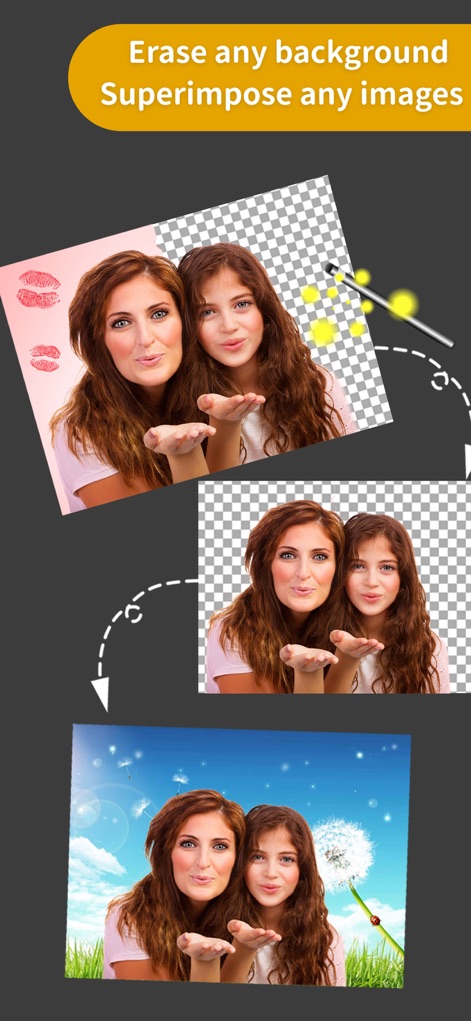
배경 제거 & 이미지 합성
어떤 복잡한 배경이든 마법처럼 제거하고, 다양한 이미지를 자연스럽게 합성하여 전문가 수준의 결과물을 얻을 수 있습니다.
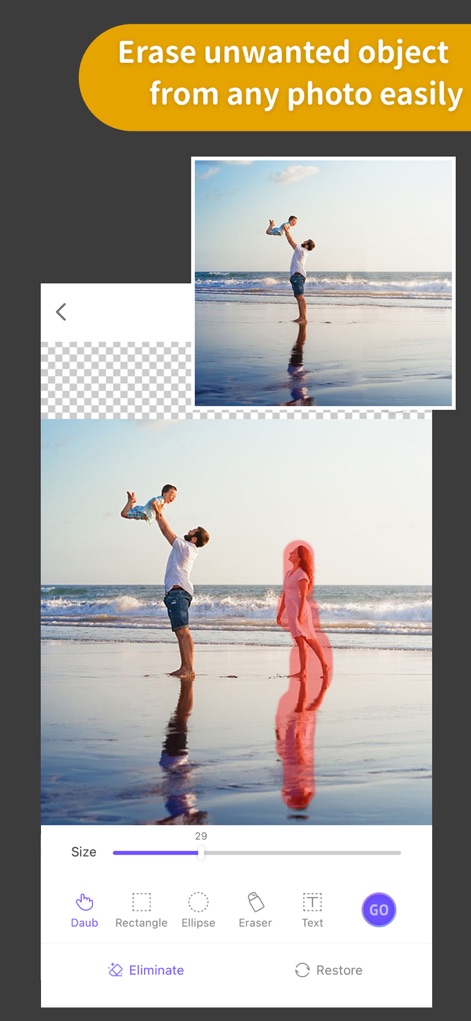
불필요한 객체 제거
사용자는 '매직 지우개' 기능을 활용하여 사진 속 불필요한 사물을 손쉽게 제거하고, 지능적인 배경 복원 기능으로 깔끔한 이미지를 완성할 수 있습니다.
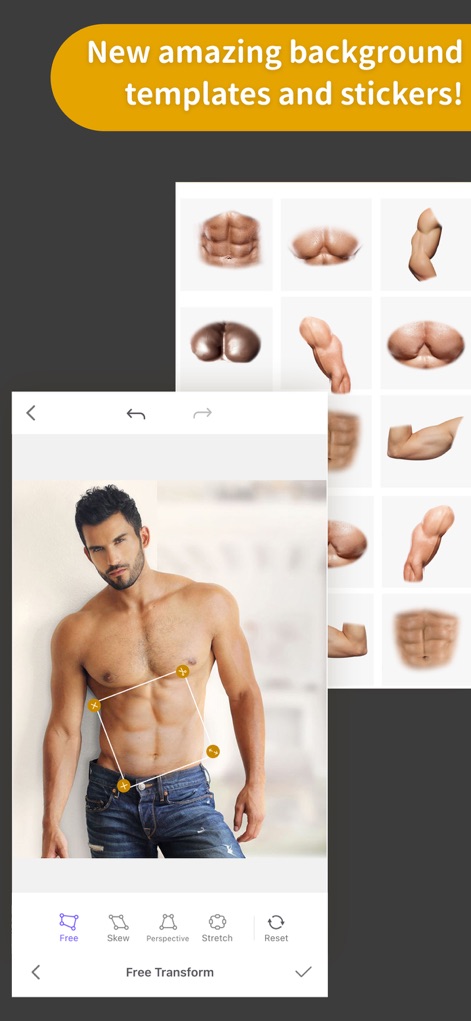
다채로운 스티커 & 템플릿
이 앱은 풍부한 스티커 컬렉션으로 사진에 재미를 더하고, 다양한 배경 템플릿을 활용하여 독창적인 이미지를 손쉽게 연출할 수 있도록 돕습니다.
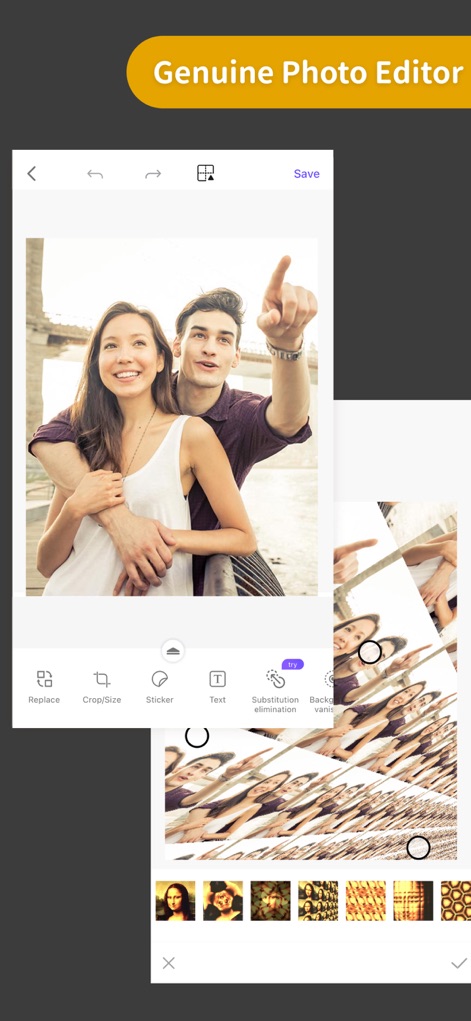
강력한 사진 편집기
이 도구는 기본 크롭 및 스티커 기능과 더불어, 다양한 블렌드 모드와 필터를 제공하여 사진을 예술적으로 변모시킬 수 있습니다.
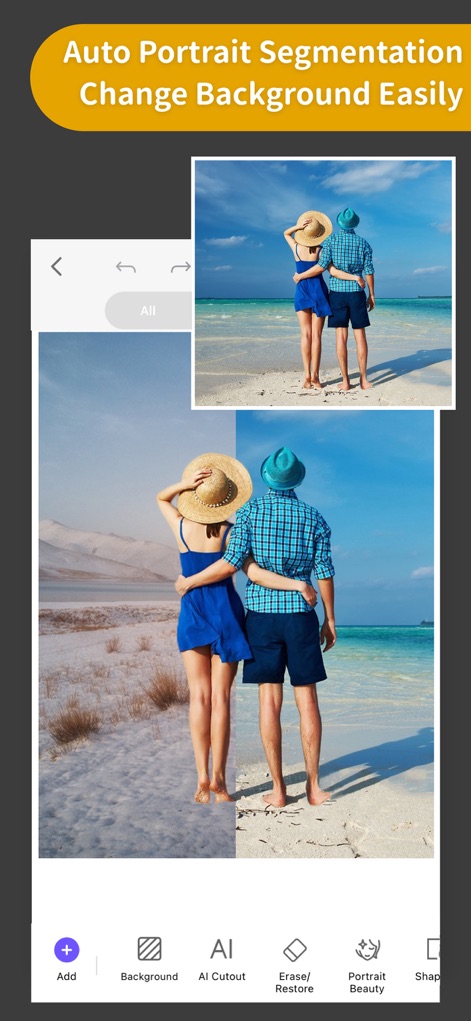
배경 자동 변경
인물 자동 분할 기술을 통해 사진 속 인물을 정확하게 인식하고, 단 몇 번의 탭으로 배경을 손쉽게 다른 이미지로 교체할 수 있습니다.
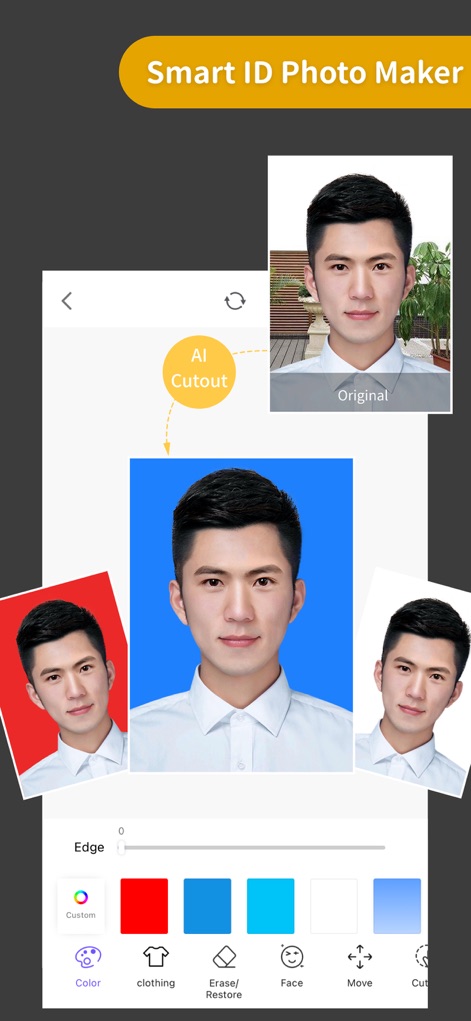
스마트 증명사진 제작
이 앱은 AI 컷아웃 기능으로 증명사진의 인물 배경을 자동으로 제거하고, 다양한 배경 색상 및 의상 옵션을 제공하여 손쉽게 완벽한 증명사진을 제작합니다.
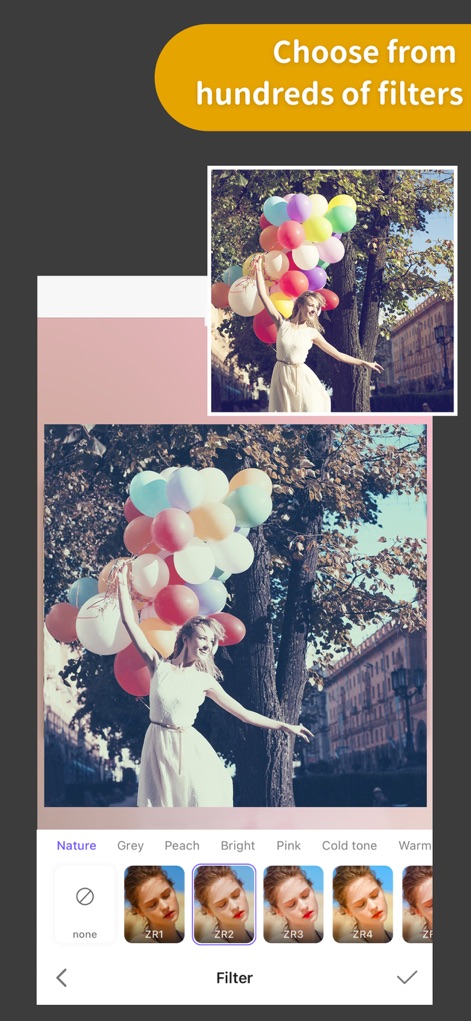
다채로운 필터 효과
100가지가 넘는 풍부한 필터 컬렉션을 탐색하여 사진에 독특한 분위기를 더하고, 한 번의 탭으로 시각적인 효과를 극대화할 수 있습니다.
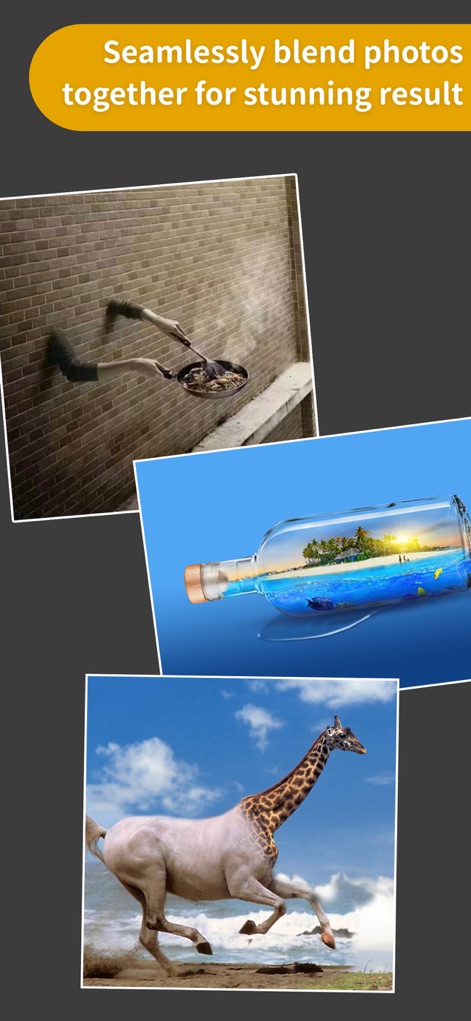
완벽한 사진 합성
이 도구는 여러 이미지를 매끄럽게 블렌딩하여 환상적인 시각적 효과를 창출하고, 레이어 합성 기능을 통해 무한한 창의력을 발휘할 수 있도록 지원합니다.
설명
Download
비슷한 앱
유사한 기능과 사용자 경험을 가진 앱

EPIK - AI Photo & Video Editor
SNOW Corporation

Citrus: AI 1 Tap Perfect Photo
Wemagine.ai LLP

SnapEdit: Photo Editor AI
SilverAI Joint Stock Company

Background Eraser 〜 Stickers
handyCloset Inc.

PhotoScan by Google Photos
Google LLC

Magic Eraser - Remove Object
Creatix Technology Global Limited

Magic Eraser Background Editor
Honk Honk Punch Pty Ltd

Background Eraser - Remove BG*
SHANTANU PTE. LTD.

Renew - Restore Old Photos AI
Olena Dorohan
이 페이지는 앱이나 개발자의 공식 페이지가 아니며, 정보 제공 및 논평을 목적으로 작성된 독립 편집 간행물입니다. 명시적으로 달리 언급되지 않는 한, 해당 앱이나 개발자는 MWM, Apple, Google Play, 앱 퍼블리셔 또는 앱 개발자와 제휴, 보증, 후원, 승인 또는 공식적으로 연결되어 있지 않으며, 이 페이지의 어떤 내용도 해당 앱이 MWM의 서비스를 사용하여 개발되었음을 의미하지 않습니다. 모든 상표, 로고, 스크린샷 및 기타 콘텐츠는 해당 소유자의 자산입니다.