Air Mirror: Smart TV & Console
다운로드: App Store

이 페이지는 앱이나 개발자의 공식 페이지가 아니며, 정보 제공 및 논평을 목적으로 작성된 독립 편집 간행물입니다. 명시적으로 달리 언급되지 않는 한, 해당 앱이나 개발자는 MWM, Apple, Google Play, 앱 퍼블리셔 또는 앱 개발자와 제휴, 보증, 후원, 승인 또는 공식적으로 연결되어 있지 않으며, 이 페이지의 어떤 내용도 해당 앱이 MWM의 서비스를 사용하여 개발되었음을 의미하지 않습니다. 모든 상표, 로고, 스크린샷 및 기타 콘텐츠는 해당 소유자의 자산입니다.


로고: Air Mirror: Smart TV & Console
다운로드: App Store

Air Mirror: Smart TV & Console

iPhone 또는 iPad 화면을 스마트 TV, PC 및 게임 콘솔로 동시에 스트리밍하세요. 케이블이나 독점 하드웨어 없이 지연 시간이 0초이고 전문적인 품질을 즐기세요.

주요 수치

다운로드

575K+

사용자 평점

4.3/5

총 평가 수

15K+

개발사

Best App Limited

카테고리

Entertainment

지원 언어

1

최신 버전

3.1.4

크기

30.3 MB

출시일

2018년 10월 12일
기능

모든 장치에서 화면을 자유롭게 사용하세요

Apple 생태계에서 벗어나세요. 케이블이나 어댑터 없이 웹 브라우저만 사용하여 iPhone 또는 iPad를 스마트 TV, PC 또는 게임 콘솔로 쉽게 미러링하세요.

범용 브라우저 기반 캐스팅

비싼 어댑터를 건너뛰세요. Windows PC, Xbox 또는 스마트 TV 등 웹 브라우저만 있으면 즉시 화면을 미러링할 수 있습니다.

무지연 성능

속도를 요구하는 게이머와 전문가를 위해 설계되었습니다. 지연 없이 실시간 미러링을 경험하고 선명한 디스플레이를 위해 사용자 정의 가능한 품질 설정을 사용하세요.

다음 스크린샷과 설명은 앱의 공식 스토어 목록에서 직접 가져온 것이며 앱 개발자의 자산입니다.

앱 스토어

스크린샷
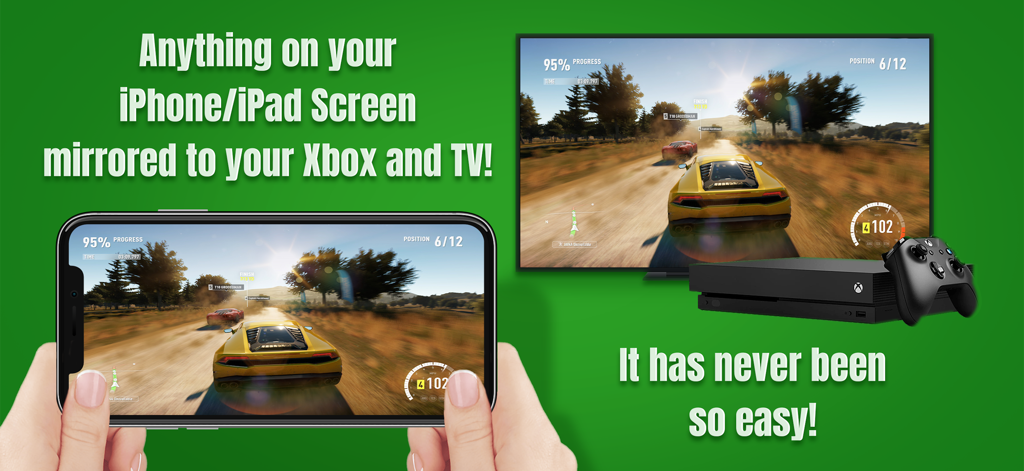
Air Mirror: Smart TV & Console - 자동차 경주 게임을 TV 및 Xbox 콘솔로 미러링하는 iPhone 화면
자동차 경주 게임을 TV 및 Xbox 콘솔로 미러링하는 iPhone 화면

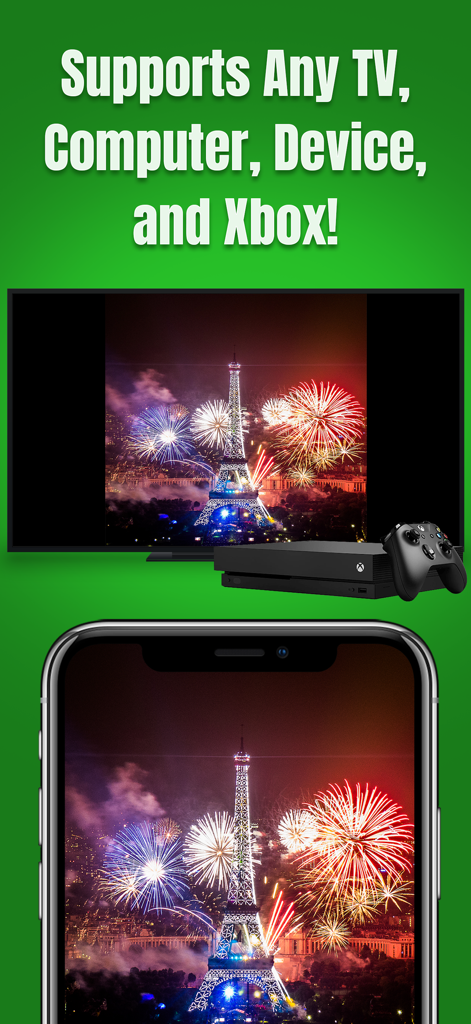
Air Mirror: Smart TV & Console - iPhone이 불꽃놀이를 스마트 TV 및 Xbox 콘솔로 미러링

iPhone이 불꽃놀이를 스마트 TV 및 Xbox 콘솔로 미러링

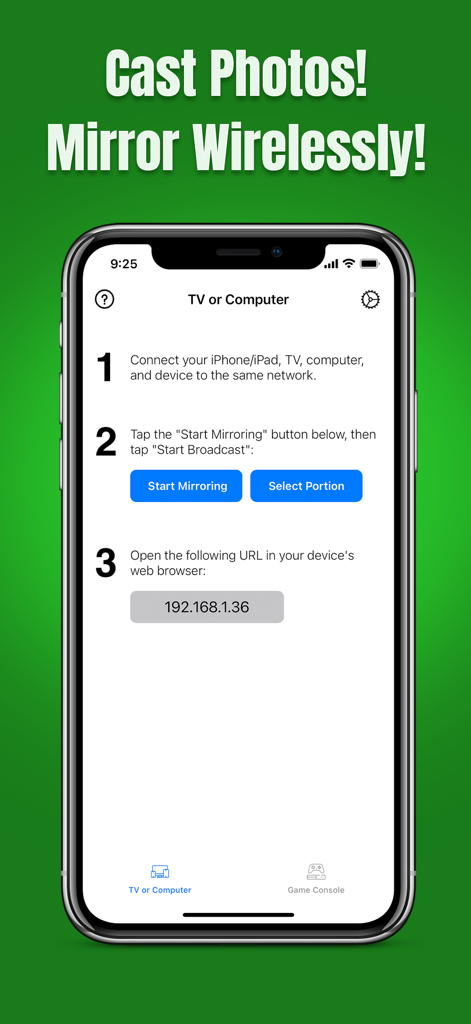
Air Mirror: Smart TV & Console - TV 또는 컴퓨터로 무선 연결 및 미러링 단계 표시 TV 또는 컴퓨터에 대한 Air Mirror 앱 인터페이스

TV 또는 컴퓨터로 무선 연결 및 미러링 단계 표시 TV 또는 컴퓨터에 대한 Air Mirror 앱 인터페이스

설명

SCREEN MIRROR TO MULTIPLE SMART TVS, COMPUTERS, AND DEVICES SIMULTANEOUSLY * Wirelessly mirror your iPhone/iPad screen to Smart TVs, Computers, Smart Phones, Tablets, or Game Consoles, via your home network! * No Wires or Adapters Required! Just open a web browser on your device to view the screen mirror! * Zero-Second Delay! KEY FEATURES: • Mirror Anything and Any App on your iPhone/iPad screen to a number of devices simultaneously. • Supports Any Smart TV, Mac, PC, Smart Phone, Tablet, Game Console, etc. Basically, any device that has a web browser. • Mirror the Full Screen or a Selected Portion of it. • Zero-second delay. • Adjust the screen mirroring quality and color (i.e., brightness, contrast, and saturation). • Cast photos from your iPhone/iPad. • Supports both portrait and landscape orientations for screen mirroring. • Never worry about compatibility issues again. Share your screen to any device. No TV app needed! HELP: • Please make sure all your iPhones/iPads and receivers/devices are connected to the same network. • If you mirror to several devices simultaneously, the screen mirroring performance will depend on your iPhone/iPad; higher-grade models provide better performance. Also, a high-speed and stable Wi-Fi connection is recommended. • For other problems, please contact our technical support directly. AUTO-RENEWABLE SUBSCRIPTION: • Payment will be charged to your iTunes account when your purchase is confirmed. • Your subscription automatically renews unless auto-renew is turned off at least 24 hours before the end of the current billing period. • Your account will be charged for renewal within 24 hours of the end of the current billing period. The fee will depend on the plan you selected. • Subscriptions may be managed by the user. Auto-renewal may be turned off in Account Settings after purchase. Privacy Policy: http://www.9bestapp.com/resources/privacy-policy.html Terms: http://www.9bestapp.com/terms/

Download

다운로드: App Store

이 페이지는 앱이나 개발자의 공식 페이지가 아니며, 정보 제공 및 논평을 목적으로 작성된 독립 편집 간행물입니다. 명시적으로 달리 언급되지 않는 한, 해당 앱이나 개발자는 MWM, Apple, Google Play, 앱 퍼블리셔 또는 앱 개발자와 제휴, 보증, 후원, 승인 또는 공식적으로 연결되어 있지 않으며, 이 페이지의 어떤 내용도 해당 앱이 MWM의 서비스를 사용하여 개발되었음을 의미하지 않습니다. 모든 상표, 로고, 스크린샷 및 기타 콘텐츠는 해당 소유자의 자산입니다.