AirTrack Classic
AirTrack Classic
다운로드: App Store

이 페이지는 앱이나 개발자의 공식 페이지가 아니며, 정보 제공 및 논평을 목적으로 작성된 독립 편집 간행물입니다. 명시적으로 달리 언급되지 않는 한, 해당 앱이나 개발자는 MWM, Apple, Google Play, 앱 퍼블리셔 또는 앱 개발자와 제휴, 보증, 후원, 승인 또는 공식적으로 연결되어 있지 않으며, 이 페이지의 어떤 내용도 해당 앱이 MWM의 서비스를 사용하여 개발되었음을 의미하지 않습니다. 모든 상표, 로고, 스크린샷 및 기타 콘텐츠는 해당 소유자의 자산입니다.

로고: AirTrack Classic
다운로드: App Store

AirTrack Classic

모바일 장치에서 전문가 수준의 MFD, PFD 및 FMC로 시뮬레이터를 생생하게 구현하세요. 장거리 비행을 원격으로 모니터링하고, 자동 조종 장치를 제어하고, MSFS, X-Plane 및 Navigraph와 원활하게 통합하세요.

주요 수치

다운로드

262K+

사용자 평점

4.2/5

총 평가 수

400

개발사

Haversine Ltd

카테고리

Navigation

지원 언어

1

최신 버전

3.21

크기

188.6 MB

출시일

2010년 8월 3일
기능

전문가용 비행 데크 통합

모바일 장치를 고충실도 항공 전자 장비 제품군으로 변환하세요. 실제 조종석의 정밀도로 가상 비행을 제어, 모니터링 및 탐색하세요.

무선 비행 모니터링

제어력을 잃지 않고 책상에서 벗어나세요. 실시간 WiFi 동기화를 통해 집 안 어디에서든 고도, 속도 및 도착 예정 시간을 모니터링하세요.

원격 자동 조종 장치 및 FMC

전용 FMC 인터페이스를 통해 MCP를 조정하고, 라디오를 튜닝하고, 비행 계획을 관리하여 iPad를 기능적인 터치스크린 조종석 패널로 바꾸세요.

다음 스크린샷과 설명은 앱의 공식 스토어 목록에서 직접 가져온 것이며 앱 개발자의 자산입니다.

앱 스토어

스크린샷
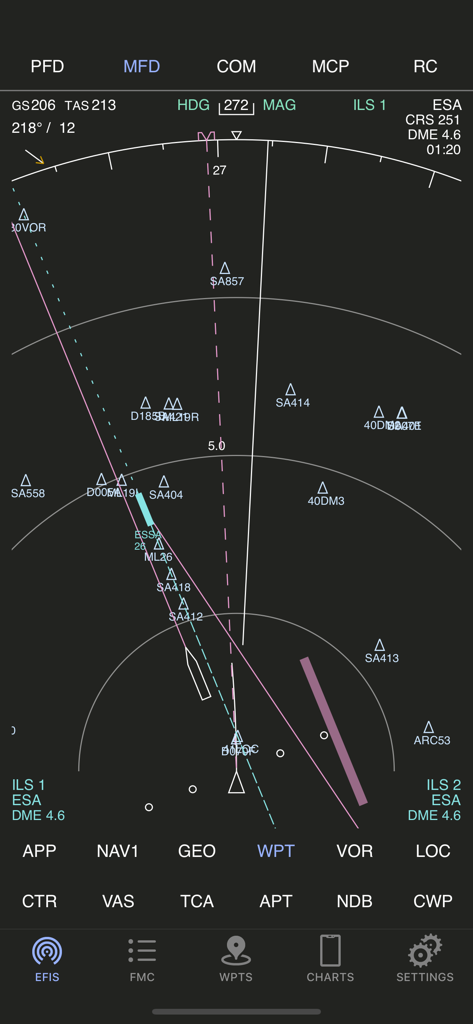
AirTrack Classic - AirTrack Classic 앱 다기능 디스플레이에 비행 내비게이션 및 웨이포인트 표시
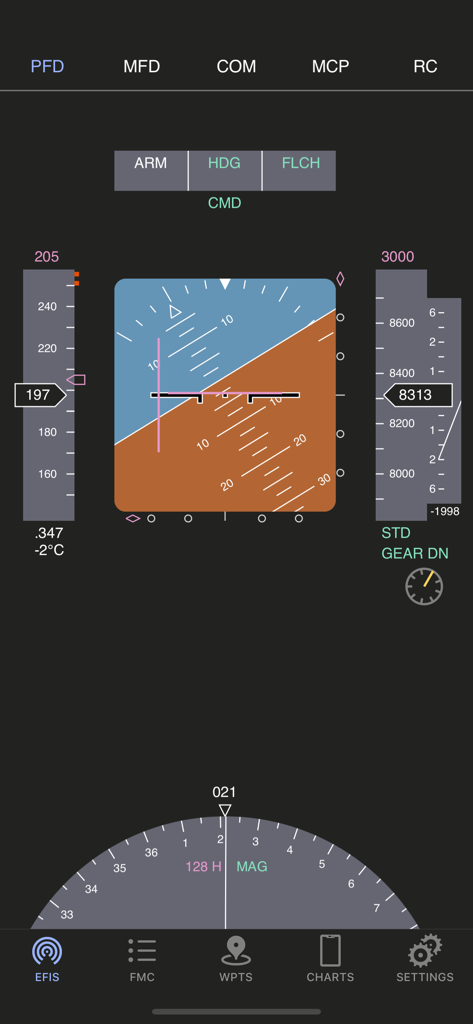
AirTrack Classic 앱 다기능 디스플레이에 비행 내비게이션 및 웨이포인트 표시

AirTrack Classic - AirTrack Classic 기본 비행 디스플레이 인터페이스에 비행 계기 표시
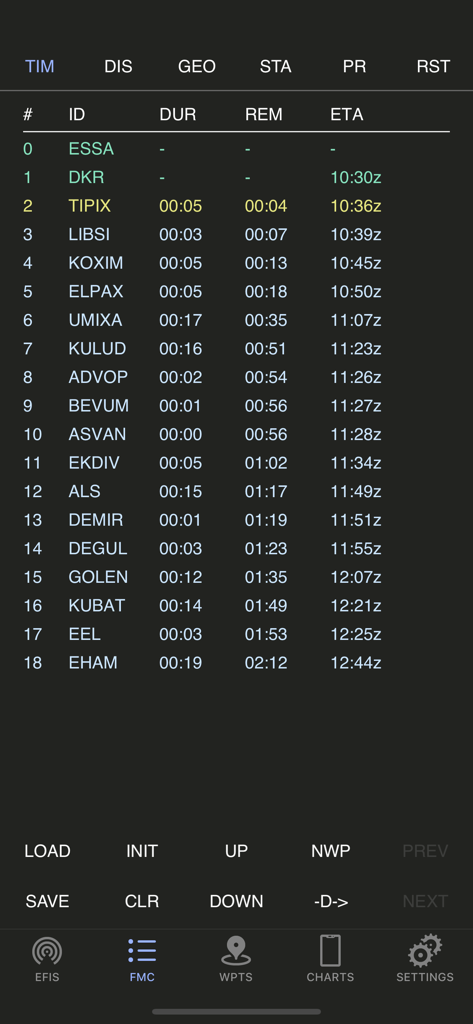
AirTrack Classic 기본 비행 디스플레이 인터페이스에 비행 계기 표시

AirTrack Classic - AirTrack Classic 앱에 비행 관리 컴퓨터 경로 플래너 화면 표시
AirTrack Classic 앱에 비행 관리 컴퓨터 경로 플래너 화면 표시

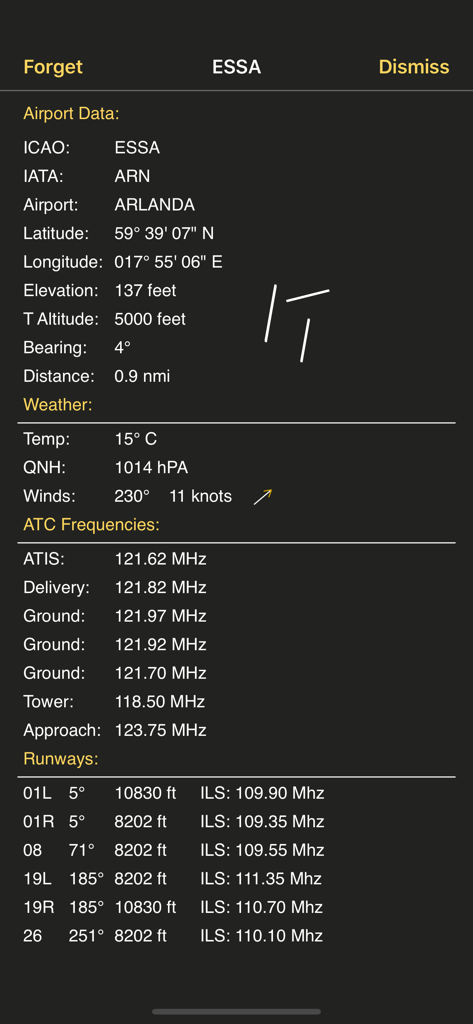
AirTrack Classic - AirTrack Classic 스크린샷에 ESSA Arlanda 공항에 대한 자세한 공항 데이터(날씨, ATC 주파수, 활주로 정보 포함) 표시
AirTrack Classic 스크린샷에 ESSA Arlanda 공항에 대한 자세한 공항 데이터(날씨, ATC 주파수, 활주로 정보 포함) 표시

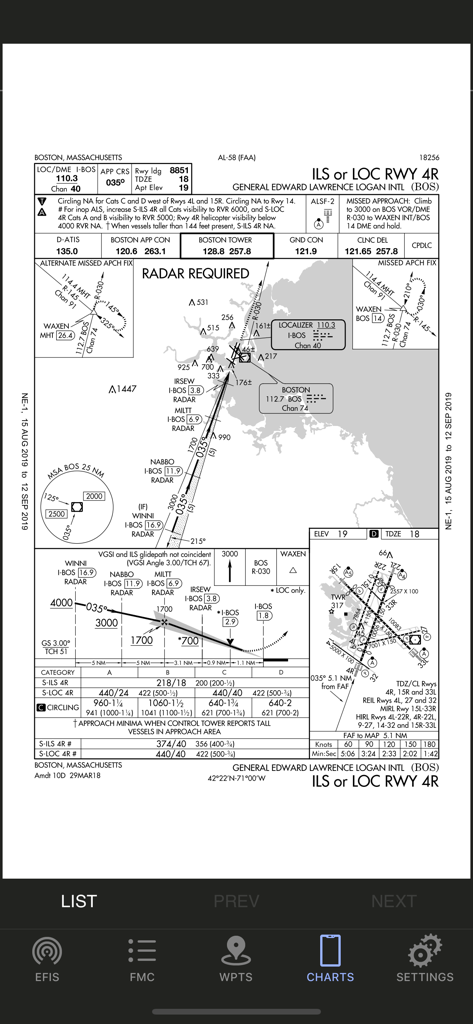
AirTrack Classic - AirTrack Classic 앱에 표시된 보스턴 로건 국제공항 계기 접근 차트.

AirTrack Classic 앱에 표시된 보스턴 로건 국제공항 계기 접근 차트.

설명

AirTrack integrates with multiple data sources in order to report flight and navigation data wirelessly and in real time. Designed to be used with a Flight Simulator, with the aid of a plugin this application allows you to track your virtual flights in real-time in the palm of your hand, as well as to remotely control your simulated flights. You no longer need to stay glued to the computer in order to know if you're still flying at 39,000 feet, if you're still heading to the right waypoint, how long you've got left or what the weather is going to be like at your destination airport; you can now relax and do it in the garden or anywhere within WiFi reach really and control your flight with your thumb. But if this isn't enough, AirTrack can also use your device's built-in GPS, Accelerometer and Gyro to determine your current movements and attitude and the Internet to download real weather to simulate an aircraft's sensors. Turn your car trip into a flight experience by getting information about your instant position, heading and surrounding waypoints. See yourself in an EFIS style navigation display / primary flight display or plan your multi-leg trip with the built in route planner FMC which gives you real-time information about your waypoints, how far they are and how long it will take you to reach them. With its built-in database of FIX, VOR, NDB and Airports, AirTrack can also be used as a flight simulator companion allowing you to plan and monitor your trip, target a VOR or even perform a full IFR approach without ever needing to look at the screen. The AirTrack features include: - A full Primary Flight Display with speed, altitude, vertical speed, barometric pressure - Also in the PFD, compass, AI with roll/pitch, auto-pilot status and settings. - Instant GS, IAS, MACH, TAS and VS when available. - An MFD with APP, VOR, MAP and PLN mode with centered and expanded views. - The whole world as a map of geo contours in the MFD. - NAV / ADF and ILS / Approach guidance in the PFD and MFD. - An MCP panel to control the Aircraft's Auto-Pilot. - Wind speed and direction indicators. - Next waypoint reporting on the MFD. - Electronic Flight Bag style interface for iPad, - An advanced multimode navigation display. - A multi-leg FMC style route planner. - Enroute Airways decoder. - SID, STAR and Approach procedures decoder. - Bi-directional radio stack. - AutoTransponder Mode. - Customizable waypoints. - Saved waypoints and Nearby waypoints. - Real-Time weather information for airports. - Detailed airport information including runways. - A database of localities worldwide. - Built-in database of intersections, VORs and NDBs. - Support for NAVIGRAPH FMS AIRAC cycles. - Tracking of VATSIM / IVAO/ PilotEdge surrounding air traffic on the MFD. - Tracking of which controllers are online in VATSIM/IVAO. - Auto-tuning of ATC frequencies to COM1/COM2. - Automatic position report generation for oceanic. - Enhanced graphics with high-res Retina Display. - Remote Yoke/Joystick/Rudder for flight simulator. - Support for X-Plane - Support for Flight Simulator 2020 - Support for FS9 and FSX(*) - Cloud Services flight plan and waypoint sync. - Cloud based auto-sync advanced flight planner - Cloud based Approach plate / charts viewer with user charts. - And much more ... (*) Support for the old FS9 and FSX simulators is limited and provided by a third party plugin which is no longer actively maintained.

Download

다운로드: App Store

이 페이지는 앱이나 개발자의 공식 페이지가 아니며, 정보 제공 및 논평을 목적으로 작성된 독립 편집 간행물입니다. 명시적으로 달리 언급되지 않는 한, 해당 앱이나 개발자는 MWM, Apple, Google Play, 앱 퍼블리셔 또는 앱 개발자와 제휴, 보증, 후원, 승인 또는 공식적으로 연결되어 있지 않으며, 이 페이지의 어떤 내용도 해당 앱이 MWM의 서비스를 사용하여 개발되었음을 의미하지 않습니다. 모든 상표, 로고, 스크린샷 및 기타 콘텐츠는 해당 소유자의 자산입니다.