
이 페이지는 앱이나 개발자의 공식 페이지가 아니며, 정보 제공 및 논평을 목적으로 작성된 독립 편집 간행물입니다. 명시적으로 달리 언급되지 않는 한, 해당 앱이나 개발자는 MWM, Apple, Google Play, 앱 퍼블리셔 또는 앱 개발자와 제휴, 보증, 후원, 승인 또는 공식적으로 연결되어 있지 않으며, 이 페이지의 어떤 내용도 해당 앱이 MWM의 서비스를 사용하여 개발되었음을 의미하지 않습니다. 모든 상표, 로고, 스크린샷 및 기타 콘텐츠는 해당 소유자의 자산입니다.

Alook Browser - 8x Speed
iOS에서 데스크톱급 기능을 잠금 해제하세요. 16배 비디오 재생 및 전체 광고 차단부터 전문가 수준의 파일 관리 및 개인 iCloud 동기화까지, 소음 없이 더 빠른 웹을 경험해 보세요.
다운로드
2M+사용자 평점
총 평가 수
164K+개발사
카테고리
Utilities지원 언어
17최신 버전
21.8크기
26.5 MB출시일
2017년 7월 29일모바일 브라우징을 위한 궁극의 파워 툴
최대 생산성과 방해 없는 경험을 원하는 사람들을 위해 설계된 미니멀리스트, 번개처럼 빠른 브라우저로 모바일의 제약을 벗어나세요.
극도의 미디어 제어
백그라운드 재생, Picture-in-Picture 및 0.5배에서 최대 16.0배까지 조절 가능한 비디오 속도로 콘텐츠를 마스터하세요.
데스크톱급 파일 관리
RAR/7z 파일을 다운로드하고 압축 해제하며 전자책(EPUB/PDF)을 직접 읽으세요. 모바일 장치를 고성능 워크스테이션으로 바꾸세요.
자주 묻는 질문
에 대해 알아야 할 모든 것 Alook Browser - 8x Speed
Alook Browser의 핵심 기능은 무엇인가요?
Alook Browser는 번개처럼 빠른 브라우징, 고급 오디오/비디오 재생, 포괄적인 파일 관리, 전자책 리더, 광고 차단 및 웹사이트 번역 기능을 제공합니다.
Alook Browser는 백그라운드 재생과 같은 고급 비디오 재생 기능을 지원하나요?
네, Alook Browser는 플로팅 재생, 속도 조절, 백그라운드 재생, AirPlay 캐스팅, DLNA 캐스팅 및 picture-in-picture를 포함한 고급 비디오 기능을 지원합니다.
Alook Browser는 사용자에게 어떤 파일 관리 기능을 제공하나요?
Alook Browser는 수동 다운로드, 압축 해제/압축 (zip, rar, 7z), 파일 생성/편집 및 Wi-Fi 전송을 지원하는 강력한 파일 관리를 제공합니다. 암호화된 아카이브도 처리합니다.
Alook Browser에 통합 광고 차단기가 포함되어 있나요?
네, Alook Browser에는 Adblock Plus가 내장되어 있습니다. 다국어 규칙, 타사 규칙 및 맞춤 광고 표시를 지원하여 방해가 되는 광고를 차단합니다.
Alook Browser는 어떤 전자책 형식을 읽을 수 있나요?
Alook Browser는 내장 전자책 리더를 위해 txt, pdf, epub, kindle, mobi, azw, azw3, azw4, prc 및 pdb를 포함한 다양한 전자책 형식을 지원합니다.
Alook Browser는 사용자 개인 정보 보호 및 데이터 보안을 어떻게 보호하나요?
Alook Browser는 계정, 비밀번호 또는 활동 데이터를 업로드하지 않음으로써 사용자 개인 정보를 보호합니다. 북마크와 데이터는 개발자 데이터베이스가 아닌 사용자의 iCloud 개인 데이터베이스에 안전하게 저장됩니다.
Alook Browser에 개인 브라우징 또는 시크릿 모드가 포함되어 있나요?
네, Alook Browser는 개인 모드 또는 시크릿 브라우징을 제공합니다. 이 모드는 브라우징 기록, 캐시 및 쿠키가 저장되지 않도록 합니다.
Alook Browser는 iPad 장치 및 해당 기능과 호환되나요?
네, Alook Browser는 iPad 장치와 완벽하게 호환됩니다. 분할 화면 기능을 완벽하게 지원하며 iOS 11 드래그 앤 드롭 작업을 지원하여 사용 편의성을 향상시킵니다.
Alook Browser로 웹페이지를 번역할 수 있나요?
네, Alook Browser에는 번역 기능이 내장되어 있습니다. 14개 언어에 대한 전체 페이지 번역 및 단어 번역을 지원합니다.
Alook Browser에서 웹사이트를 데스크톱 및 모바일 보기로 전환할 수 있나요?
네, Alook Browser는 데스크톱 또는 모바일 웹사이트 보기 전환을 지원합니다. 사용자는 특정 웹사이트 렌더링을 위해 사용자 에이전트를 사용자 정의할 수도 있습니다.
Alook Browser에 야간 모드 또는 다크 테마가 있나요?
네, Alook Browser에는 야간 모드가 있습니다. OLED 순수 검은색 모드와 눈 보호 웹 색상을 지원하여 저조도 브라우징 시 편안함을 향상시킵니다.
Alook Browser에 다운로드 관리자가 있나요?
네, Alook Browser에는 수동 다운로드를 지원하는 강력한 파일 관리 기능이 포함되어 있습니다. 사용자는 다운로드한 파일을 앱 내에서 직접 관리, 읽기 및 재생할 수 있습니다.
Alook Browser는 외부 암호 관리자와의 통합을 지원하나요?
네, Alook Browser는 1Password, LastPass, Avast Passwords와 같은 인기 있는 암호 관리자를 지원하여 안전하고 편리한 로그인 관리를 가능하게 합니다.
Alook Browser는 무료 앱인가요?
아니요, Alook Browser는 무료 앱이 아닙니다. 사용자 리뷰에 따르면 유료 앱이며, 12달러 가격이 언급되었습니다.
다음 스크린샷과 설명은 앱의 공식 스토어 목록에서 직접 가져온 것이며 앱 개발자의 자산입니다.
앱 스토어
스크린샷
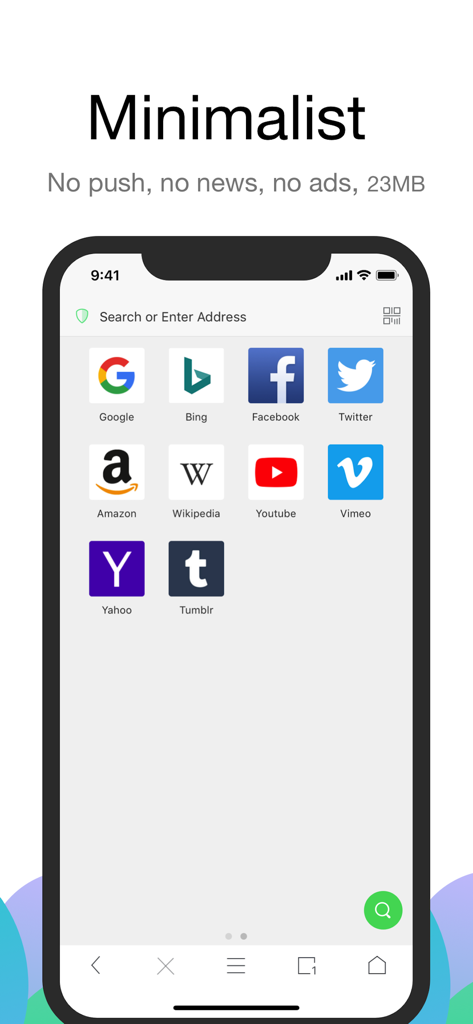
Alook Browser 미니멀리스트 홈 화면으로 검색창과 인기 웹사이트 아이콘이 있는 깔끔한 인터페이스를 보여줍니다.
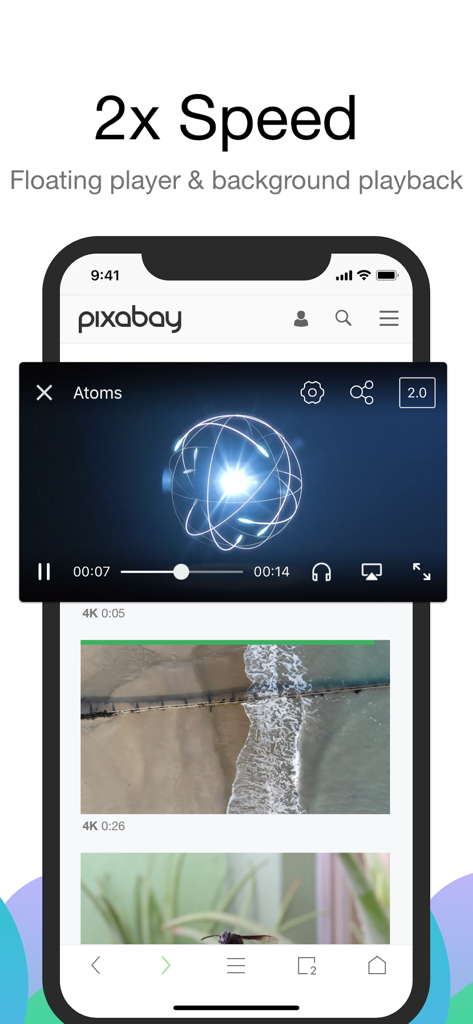
Alook Browser 인터페이스로 모바일 장치에서 2배 속도로 재생되는 플로팅 비디오 플레이어를 보여줍니다.
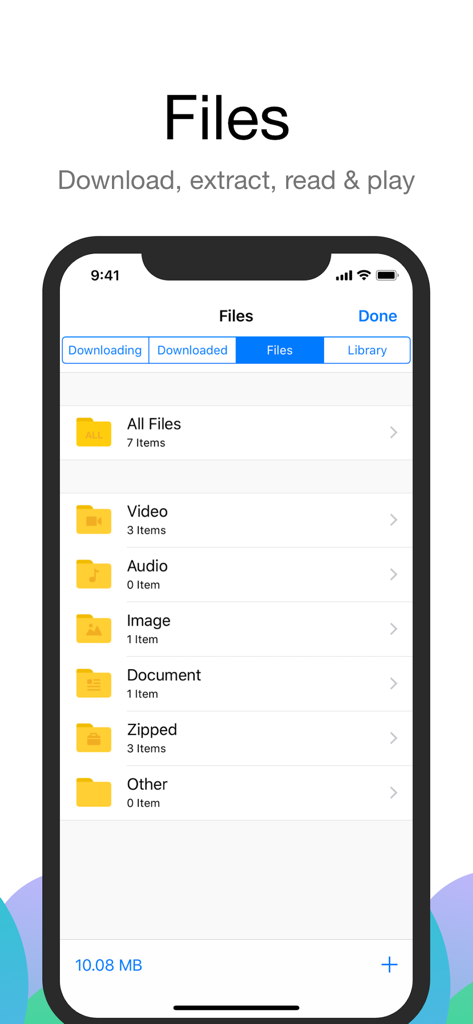
Alook Browser 파일 관리 화면으로 비디오, 오디오, 문서 및 압축 파일 폴더를 보여줍니다.
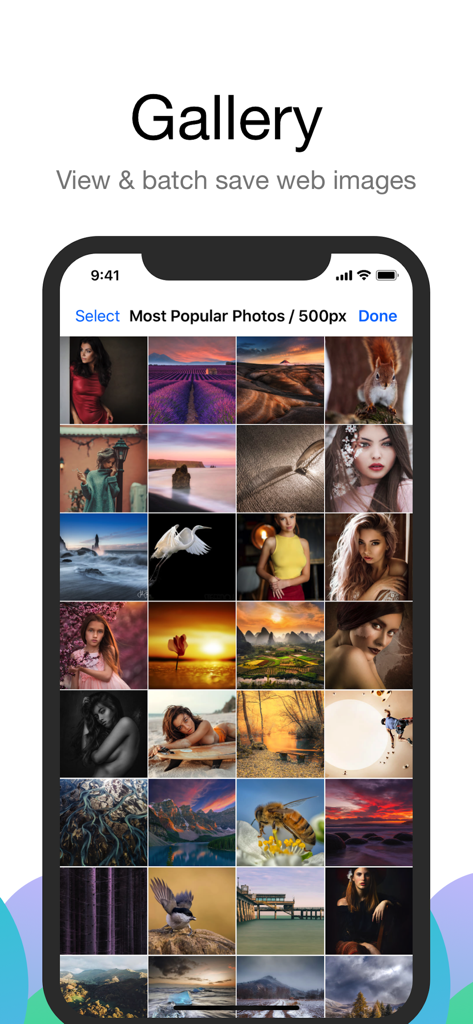
Alook Browser 갤러리 인터페이스로 일괄 저장을 위해 사용 가능한 웹 이미지 그리드를 보여줍니다.
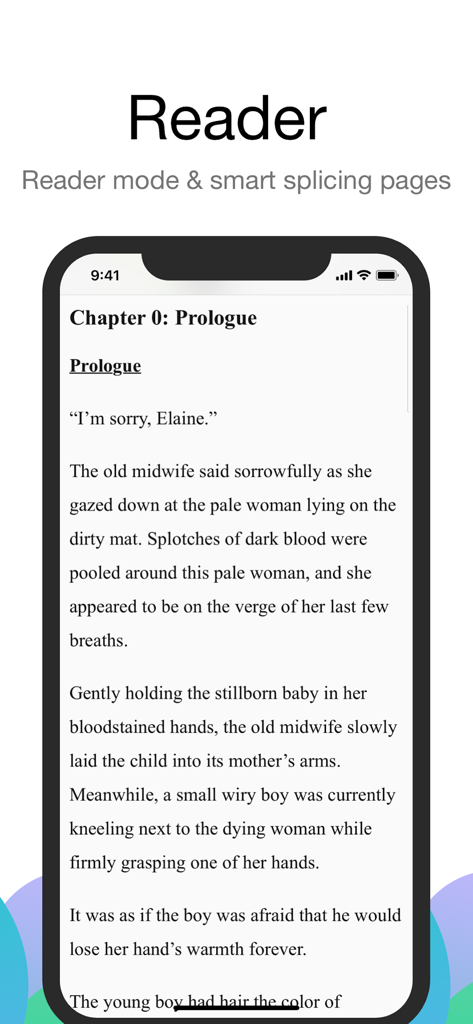
iPhone 화면으로 깔끔하고 방해 없는 독서 경험을 위한 Alook Browser 리더 모드를 보여줍니다.
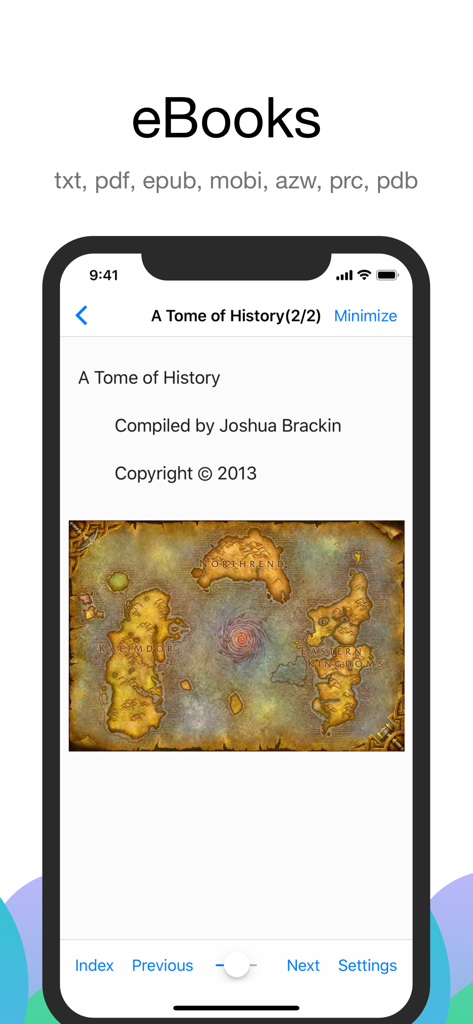
Alook Browser 인터페이스로 다양한 파일 형식 지원을 보여주는 eBook 리더 모드를 보여줍니다.
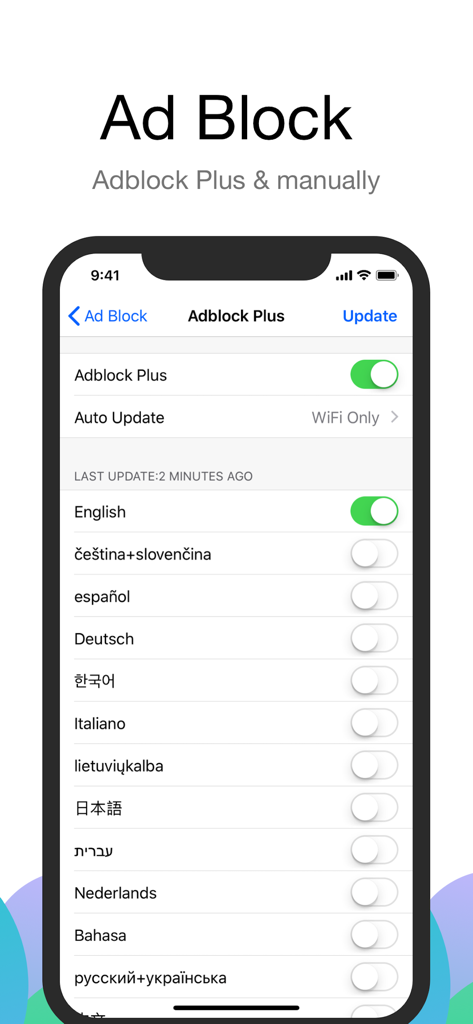
Alook Browser의 인터페이스로 다양한 언어 필터 옵션이 있는 Adblock Plus 설정을 보여줍니다.
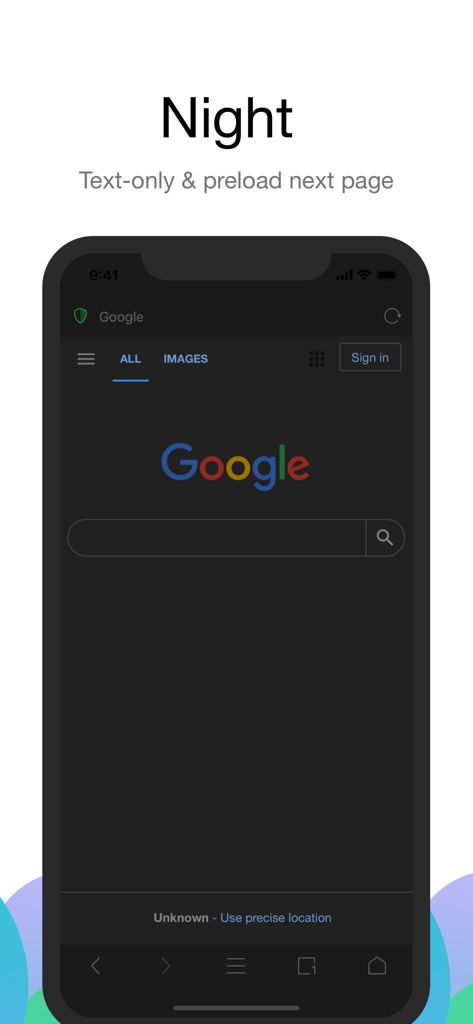
Alook Browser 인터페이스가 야간 모드에서 다크 테마와 텍스트 전용 브라우징을 제공합니다.
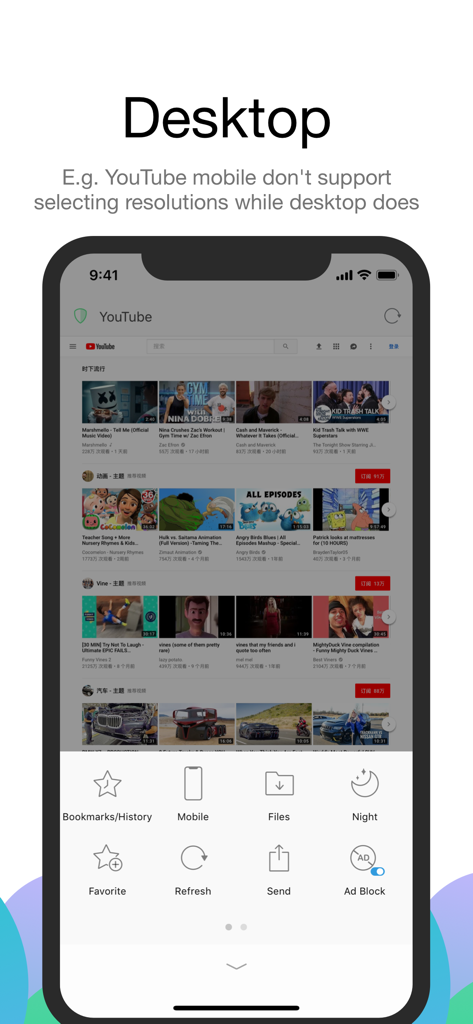
Alook Browser가 iPhone에서 YouTube를 데스크톱 모드로 보여주며 광고 차단 및 파일 관리와 같은 기능을 제공합니다.
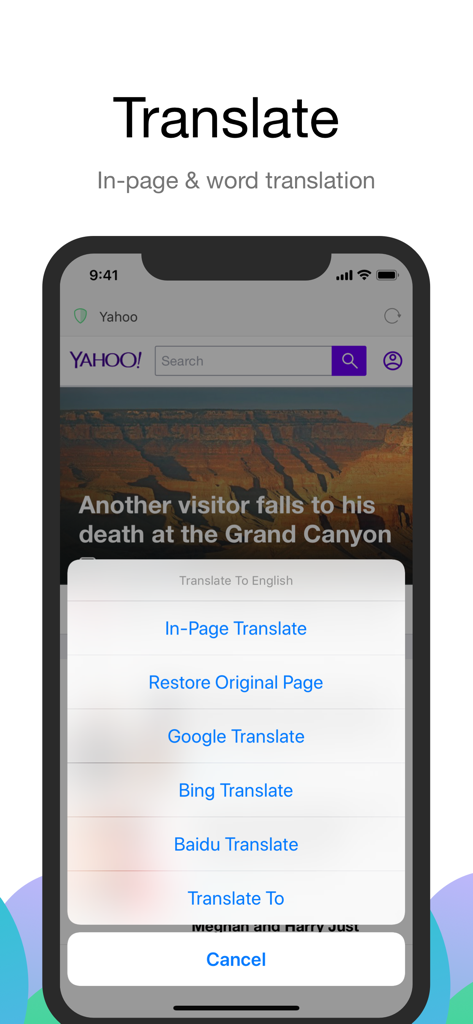
Alook Browser 인페이지 및 단어 번역 옵션이 모바일 장치에서 제공됩니다.
설명
Download
비슷한 앱
유사한 기능과 사용자 경험을 가진 앱

Stay for Safari
寅 沈

Via Browser
亚锋 涂

Desktop Browser • Zoomable
Actowise LLC
Web Messenger for Dual Chat
ATA KAGAN DURAKER

拦截100-浏览器广告拦截油猴脚本
UU Momentum Network Technology Co., Ltd.

雨见浏览器
键 金

Userscripts
Justin Wasack
1DM: Browser & Downloader
Abhijith Jishankar

iCab Mobile (Web Browser)
Alexander Clauss
이 페이지는 앱이나 개발자의 공식 페이지가 아니며, 정보 제공 및 논평을 목적으로 작성된 독립 편집 간행물입니다. 명시적으로 달리 언급되지 않는 한, 해당 앱이나 개발자는 MWM, Apple, Google Play, 앱 퍼블리셔 또는 앱 개발자와 제휴, 보증, 후원, 승인 또는 공식적으로 연결되어 있지 않으며, 이 페이지의 어떤 내용도 해당 앱이 MWM의 서비스를 사용하여 개발되었음을 의미하지 않습니다. 모든 상표, 로고, 스크린샷 및 기타 콘텐츠는 해당 소유자의 자산입니다.