Amplenote
Amplenote
다운로드: App Store

이 페이지는 앱이나 개발자의 공식 페이지가 아니며, 정보 제공 및 논평을 목적으로 작성된 독립 편집 간행물입니다. 명시적으로 달리 언급되지 않는 한, 해당 앱이나 개발자는 MWM, Apple, Google Play, 앱 퍼블리셔 또는 앱 개발자와 제휴, 보증, 후원, 승인 또는 공식적으로 연결되어 있지 않으며, 이 페이지의 어떤 내용도 해당 앱이 MWM의 서비스를 사용하여 개발되었음을 의미하지 않습니다. 모든 상표, 로고, 스크린샷 및 기타 콘텐츠는 해당 소유자의 자산입니다.


로고: Amplenote
다운로드: App Store

Amplenote

앱 전환은 이제 그만. 금고급 암호화, 양방향 링크, 궁극적인 생산성 최적화를 위한 고성능 작업 시스템으로 두 번째 뇌를 구축하세요.

주요 수치

다운로드

6K+

사용자 평점

4.6/5

총 평가 수

700

개발사

Alloy.dev, Inc.

카테고리

Productivity

지원 언어

1

최신 버전

3.154

크기

48.9 MB

출시일

2019년 8월 31일
기능

파워 유저를 위한 통합 시스템

단순한 메모 작성을 넘어, 생각, 작업, 캘린더를 하나의 안전한 흐름으로 동기화하도록 설계된 고성능 워크스페이스를 경험하세요.

통합 메모 및 작업

할 일 목록과 메모를 병합하여 앱 피로를 해소하세요. 유연한 반복 및 우선순위 점수화를 통해 생각을 실행 가능한 작업으로 전환하세요.

양방향 사고

양방향 링크와 중첩 태그를 사용하여 개인 지식 관리 시스템을 구축하고 두 번째 뇌처럼 아이디어를 탐색하세요.

다음 스크린샷과 설명은 앱의 공식 스토어 목록에서 직접 가져온 것이며 앱 개발자의 자산입니다.

앱 스토어

스크린샷
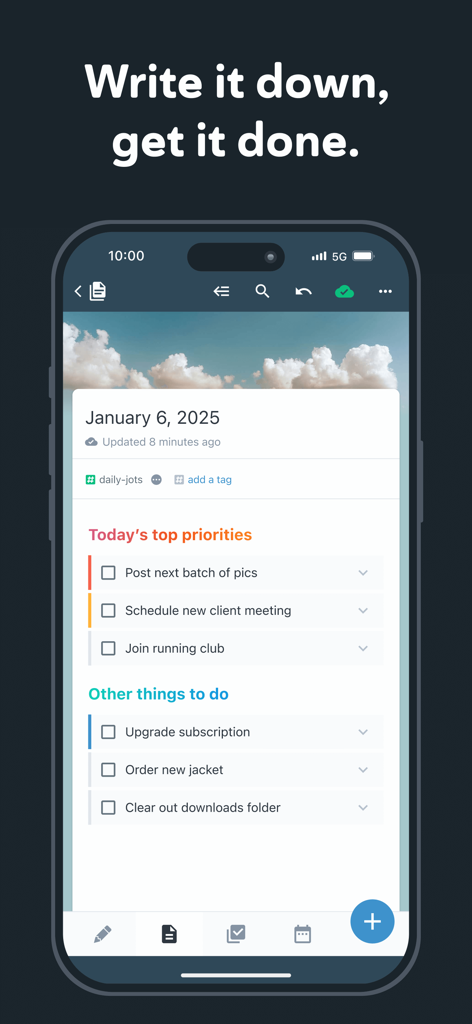
Amplenote - Amplenote 모바일 애플리케이션 인터페이스에 일일 우선순위 작업 및 할 일 목록 표시
Amplenote 모바일 애플리케이션 인터페이스에 일일 우선순위 작업 및 할 일 목록 표시

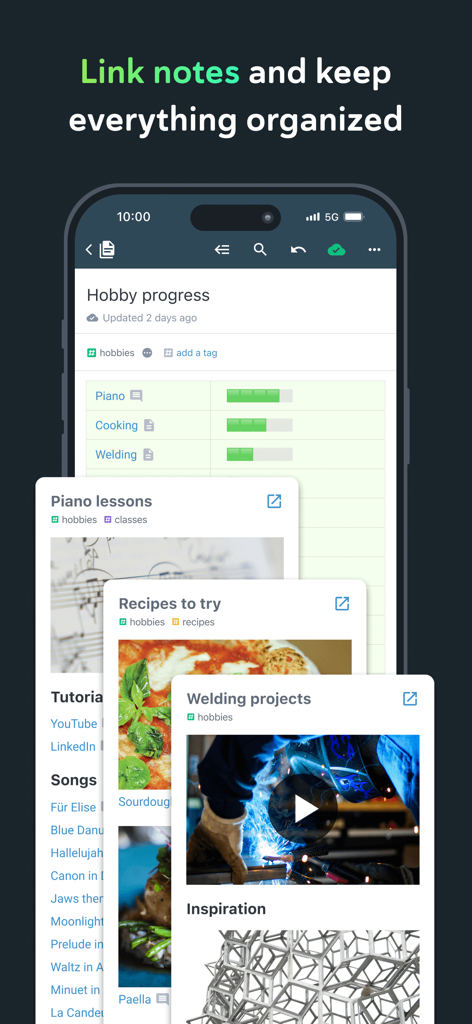
Amplenote - Amplenote 앱에 양방향 링크 및 태그가 있는 정리된 취미 메모 표시
Amplenote 앱에 양방향 링크 및 태그가 있는 정리된 취미 메모 표시

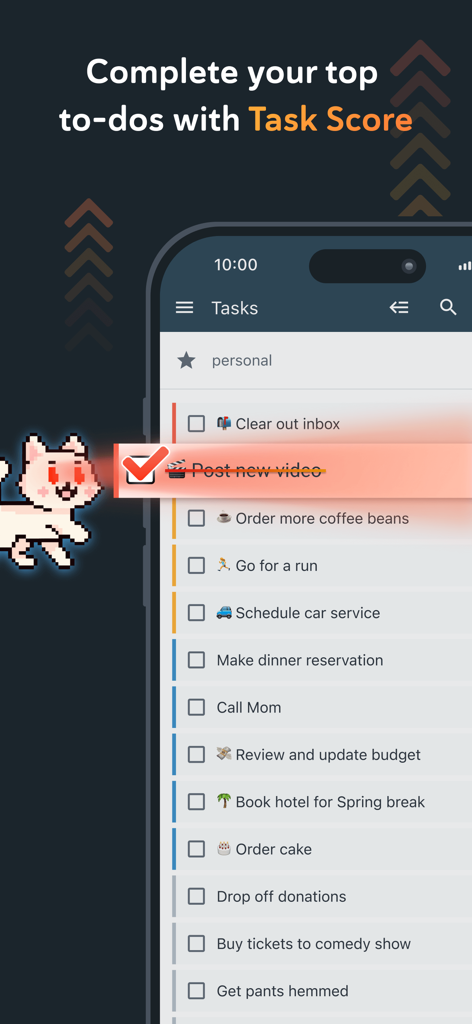
Amplenote - Amplenote 모바일 앱에 완료된 항목 및 예정된 개인 할 일 작업이 있는 작업 목록 표시
Amplenote 모바일 앱에 완료된 항목 및 예정된 개인 할 일 작업이 있는 작업 목록 표시

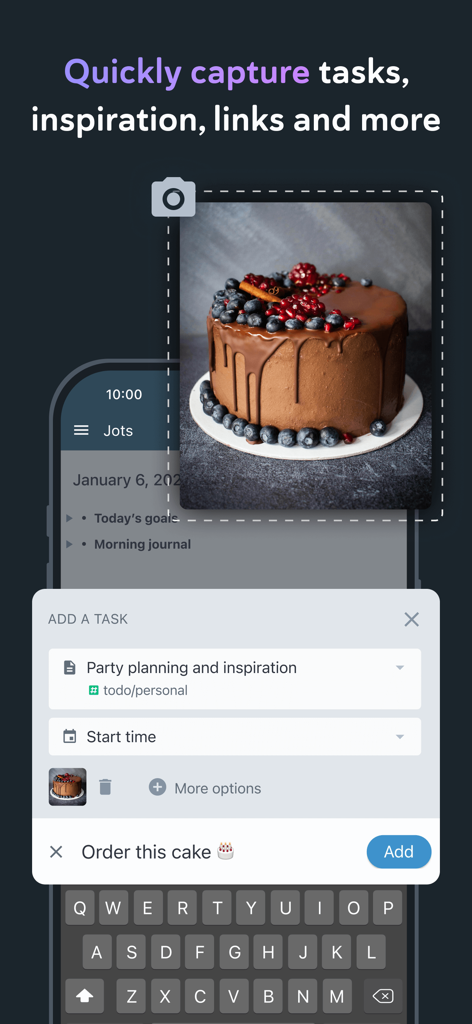
Amplenote - 사진에서 작업 및 영감을 캡처하기 위한 Amplenote의 모바일 앱 인터페이스
사진에서 작업 및 영감을 캡처하기 위한 Amplenote의 모바일 앱 인터페이스

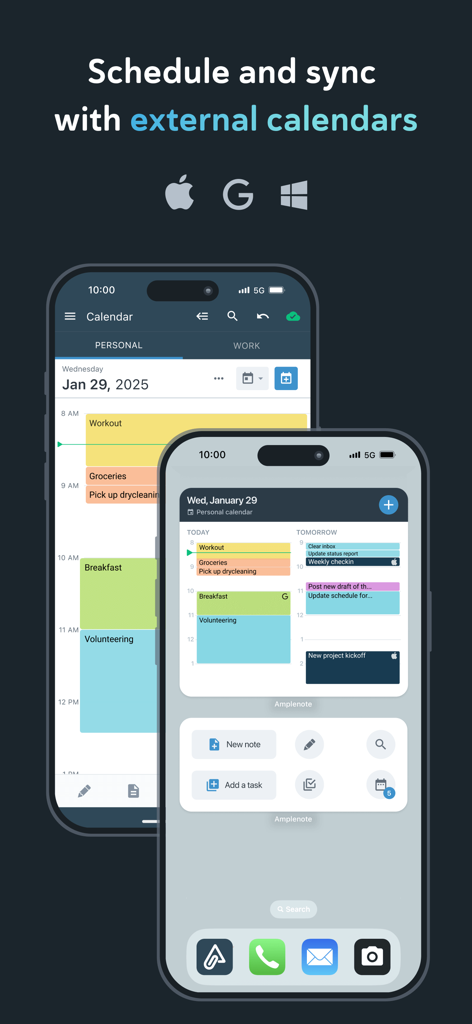
Amplenote - Amplenote 캘린더 인터페이스와 Apple, Google, Outlook 캘린더와의 동기화 기능을 보여주는 두 대의 iPhone
Amplenote 캘린더 인터페이스와 Apple, Google, Outlook 캘린더와의 동기화 기능을 보여주는 두 대의 iPhone

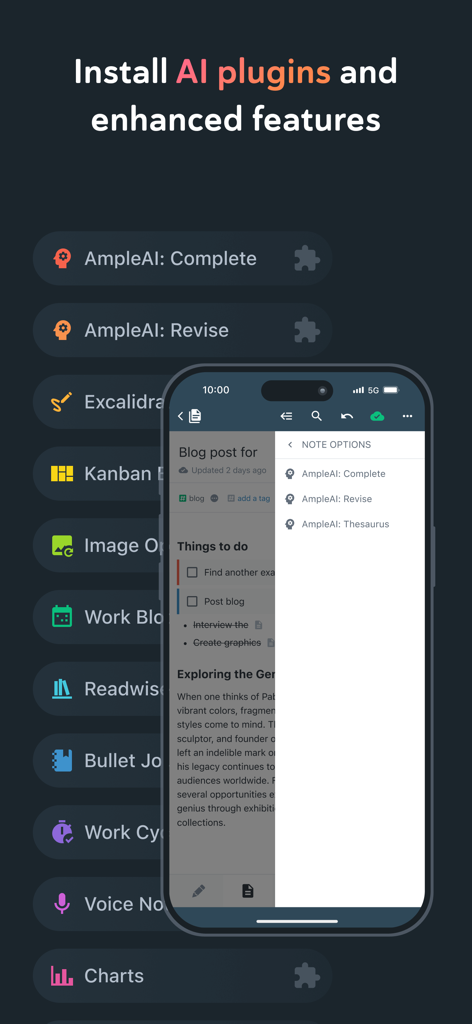
Amplenote - 모바일에서 AI 플러그인 목록과 향상된 메모 작성 기능을 보여주는 Amplenote 인터페이스
모바일에서 AI 플러그인 목록과 향상된 메모 작성 기능을 보여주는 Amplenote 인터페이스

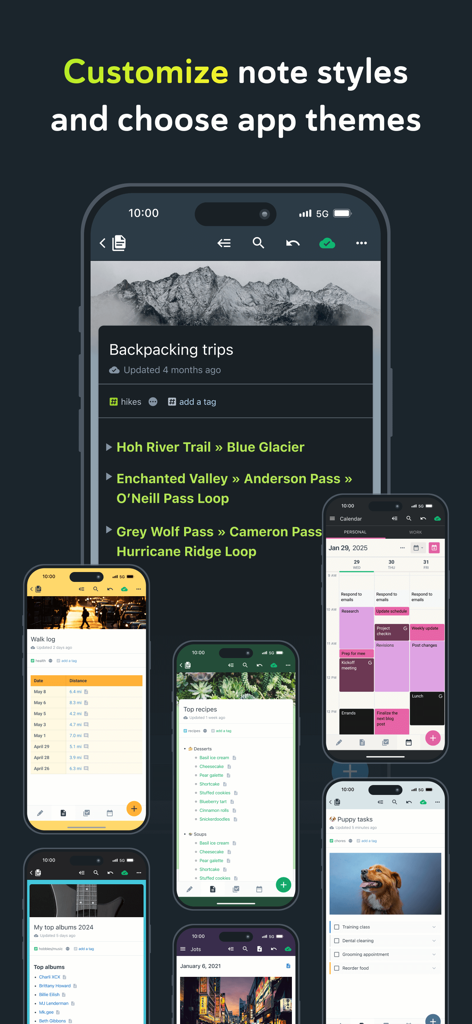
Amplenote - 여러 모바일 화면에 걸쳐 Amplenote 메모 스타일 및 앱 테마 쇼케이스
여러 모바일 화면에 걸쳐 Amplenote 메모 스타일 및 앱 테마 쇼케이스

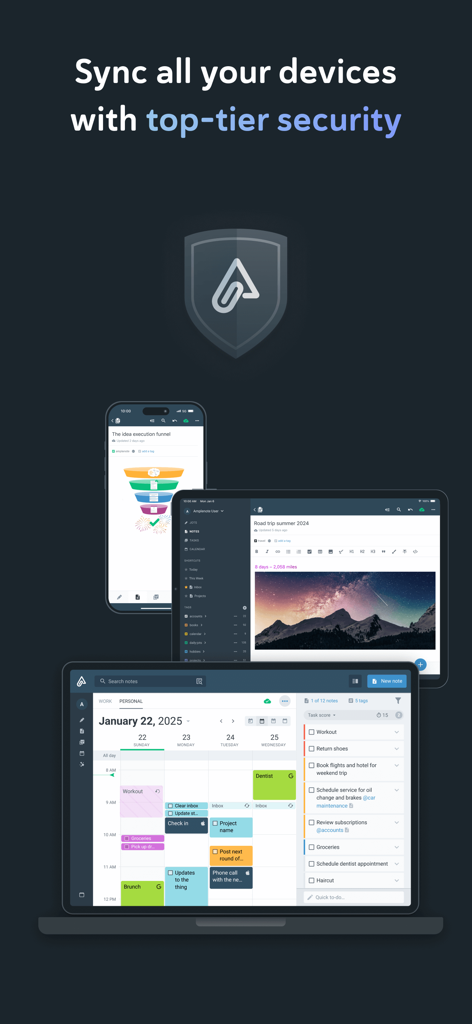
Amplenote - 스마트폰, 태블릿, 노트북의 Amplenote 앱 인터페이스와 보안 방패 아이콘
스마트폰, 태블릿, 노트북의 Amplenote 앱 인터페이스와 보안 방패 아이콘

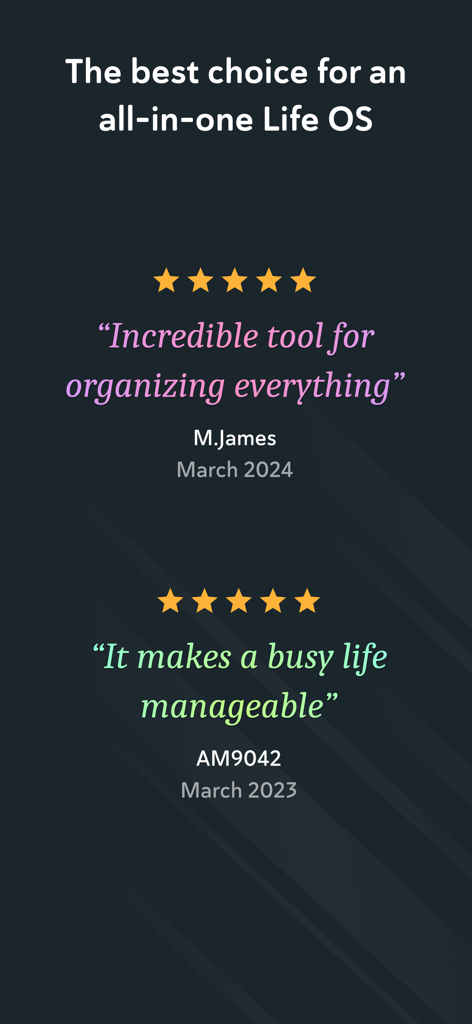
Amplenote - Amplenote 생산성 앱에 대한 긍정적인 사용자 리뷰 및 별점 5개 스크린샷

Amplenote 생산성 앱에 대한 긍정적인 사용자 리뷰 및 별점 5개 스크린샷

설명

*** Your security is our priority *** - Data security differentiates us from popular to-do list apps - All note contents are encrypted at rest on our servers - Notes can be Vault Encrypted with a password that's never sent to our servers - Your note content is available for download at any time *** Built on seamless syncing *** - Along with data security, accurate syncing is at our core - Designed for heavy users who often switch between the same notes on mobile and desktop - Our sync is fully compatible with Vault Notes (even though we can't decrypt their content) ***Expression is our cornerstone *** - Rich Footnotes that hold text, code, images, or all the above is our flagship feature - Easily insert images into notes, or even into text within notes - A range of the finest markdown stylings at your disposal *** Notes and tasks: better together *** - Text, code, to-do tasks, and images all live inside the same note - Tasks can be customized to recur at flexible intervals or hidden until later - Tasks are automatically removed from your to-do list when completed *** As organized as you are *** - Connect notes with bi-directional linking - Note tags allow multi-level taxonomy to organize notes - Browse these taxonomies like directories - Recreate OneNote browsing hierarchies seamlessly *** Flair for sharing *** - Any note can be instantly shared and edited by multiple parties - Publish notes (including their Rich Footnotes!) to the web with one tap - Shared to-do lists can help a team stay on top of shared responsibilities *** Built for personal productivity *** - Set up any task to repeat relative to when you last got it done - Track how much you're getting done over time with our automatic task graph - Designate tasks as "Urgent" or "Important" to use proven priority techniques *** More than ample enough for power users *** - Simplified, clean UI is efficiently functional - Contextual keyboard toolbar puts the relevant actions at your fingertips - Quick opener allows opening any recently used note in ~3 taps - *** No internet? No problem *** - Continue working offline within new or cached notes - All work will automatically sync once back online *** Ample: no more, no less *** - We won't settle for becoming bloated with non-essential features - We work across mobile and web. *** Get started instantly *** - Use our Evernote Importer to bring your notes from the olden times *** Account required *** - An active Amplenote account is required to use Amplenote. - New accounts automatically receive a 14-day free trial of the Pro plan. - At the end of the trial period, you may choose between the free plan (Personal) or one of the paid plans. - You may purchase an auto-renewing subscription through an In-App Purchase. - 1 month and 1 year durations are available for Basic, Pro, and Founder subscription levels. - Your subscription will be charged to your iTunes account at confirmation of purchase and will automatically renew (at the duration selected) unless auto-renew is turned off at least 24 hours before the end of the current period. - Current subscriptions may not be cancelled during the active subscription period; however, you can manage your subscription and/or turn off auto-renewal by visiting your iTunes Account Settings after purchase - Privacy policy: https://www.amplenote.com/privacy_policy - Terms of use: https://www.amplenote.com/terms_of_service

Download

다운로드: App Store

이 페이지는 앱이나 개발자의 공식 페이지가 아니며, 정보 제공 및 논평을 목적으로 작성된 독립 편집 간행물입니다. 명시적으로 달리 언급되지 않는 한, 해당 앱이나 개발자는 MWM, Apple, Google Play, 앱 퍼블리셔 또는 앱 개발자와 제휴, 보증, 후원, 승인 또는 공식적으로 연결되어 있지 않으며, 이 페이지의 어떤 내용도 해당 앱이 MWM의 서비스를 사용하여 개발되었음을 의미하지 않습니다. 모든 상표, 로고, 스크린샷 및 기타 콘텐츠는 해당 소유자의 자산입니다.








