
이 페이지는 앱이나 개발자의 공식 페이지가 아니며, 정보 제공 및 논평을 목적으로 작성된 독립 편집 간행물입니다. 명시적으로 달리 언급되지 않는 한, 해당 앱이나 개발자는 MWM, Apple, Google Play, 앱 퍼블리셔 또는 앱 개발자와 제휴, 보증, 후원, 승인 또는 공식적으로 연결되어 있지 않으며, 이 페이지의 어떤 내용도 해당 앱이 MWM의 서비스를 사용하여 개발되었음을 의미하지 않습니다. 모든 상표, 로고, 스크린샷 및 기타 콘텐츠는 해당 소유자의 자산입니다.

Animal Typing - Lite
키보드 연습을 야생 경주로 바꾸세요! 달팽이부터 치타까지, 아이들은 속도와 평생의 정확도를 구축하도록 설계된 매력적인 레슨을 통해 올바른 손가락 배치를 배우게 될 것입니다.
다운로드
455K+사용자 평점
총 평가 수
21K+개발사
카테고리
Education지원 언어
17최신 버전
3.32크기
58.3 MB출시일
2014년 10월 15일타이핑 연습을 야생 모험으로 바꾸세요
애니멀 타이핑은 게임화된 경주와 전문적인 손가락 배치 가이드를 결합하여 아이들이 속도와 정확성으로 터치 타이핑을 마스터하도록 돕습니다.
속도와 보상의 만남
빠르고 정확하게 타이핑할수록 동물이 더 빨리 움직입니다. 치타 레벨에 도달할 수 있나요?
시각적 손가락 가이드
화면상의 애니메이션 손가락이 올바른 배치를 가르쳐 아이들이 건강한 습관과 인체 공학적 기술을 조기에 배우도록 합니다.
자주 묻는 질문
에 대해 알아야 할 모든 것 Animal Typing - Lite
What is Animal Typing - Lite?
Animal Typing - Lite는 간단하고 재미있는 방법으로 모든 연령대의 사람들이 터치 타이핑을 배울 수 있도록 설계된 애플리케이션입니다. 입력 속도와 정확도에 따라 동물이 결정됩니다.
How does Animal Typing - Lite reward typing skills?
Animal Typing - Lite는 속도와 정확도를 기반으로 동물을 할당하여 타이핑 기술을 보상합니다. 더 빠르고 정확한 타이핑은 치타와 같은 더 빠른 동물을 얻게 됩니다.
Can I use a hardware keyboard with Animal Typing - Lite?
네, Animal Typing - Lite는 가상 키보드와 하드웨어 블루투스 키보드 모두를 지원합니다. 최고의 경험을 위해서는 하드웨어 블루투스 키보드가 권장됩니다.
How many lessons are included in Animal Typing - Lite?
Animal Typing - Lite에는 키보드 키를 배우기 위한 28개의 레슨이 포함되어 있습니다. 또한 12세 미만 어린이를 위해 특별히 고안된 32개의 레슨 두 세트가 특징입니다.
Does Animal Typing - Lite offer lessons for children?
네, Animal Typing - Lite에는 12세 미만 어린이를 위해 맞춤 제작된 32개의 레슨 두 세트가 포함되어 있습니다. 이 레슨은 Qwerty 및 Dvorak 레이아웃용으로 설계되었습니다.
Can users import custom lessons into Animal Typing - Lite?
네, 사용자는 iCloud Drive를 사용하여 사용자 지정 레슨을 추가하여 Animal Typing - Lite에 가져올 수 있습니다. 이를 통해 개인화된 타이핑 연습 콘텐츠를 사용할 수 있습니다.
Does Animal Typing - Lite show correct finger placement?
네, Animal Typing - Lite에는 올바른 타이핑 기술을 보여주는 애니메이션 손가락이 포함되어 있습니다. 이 기능을 통해 사용자는 올바른 손과 손가락 위치를 배울 수 있습니다.
What keyboard layouts does Animal Typing - Lite support?
Animal Typing - Lite는 Qwerty(미국/영국), Dvorak, Colemak, Workman, Qwertz(독일/스위스), Azerty(프랑스)를 포함한 여러 키보드 레이아웃을 지원합니다.
Does Animal Typing - Lite support multiple users?
네, Animal Typing - Lite에는 로컬 사용자 로그인 시스템이 있습니다. 이를 통해 여러 사용자가 개별 프로필 간에 전환하고 진행 상황을 별도로 추적할 수 있습니다.
Can I customize finger typing zones in Animal Typing - Lite?
네, Animal Typing - Lite는 손가락 타이핑 영역을 사용자 지정할 수 있는 기능을 제공합니다. 이를 통해 사용자는 연습 중에 특정 손가락에 지정된 영역을 조정할 수 있습니다.
Does Animal Typing - Lite include a dictation mode?
네, Animal Typing - Lite에는 받아쓰기 모드가 포함되어 있습니다. 이 기능은 입력해야 하는 단어를 철자하여 학습에 도움이 되는 청각 보조 기능을 제공합니다.
Are there advanced lessons for special characters in Animal Typing - Lite?
네, Animal Typing - Lite에는 숫자(1234...) 및 기호(#$%[]...)와 같은 특수 문자를 위한 고급 레슨이 포함되어 있습니다.
다음 스크린샷과 설명은 앱의 공식 스토어 목록에서 직접 가져온 것이며 앱 개발자의 자산입니다.
앱 스토어
스크린샷
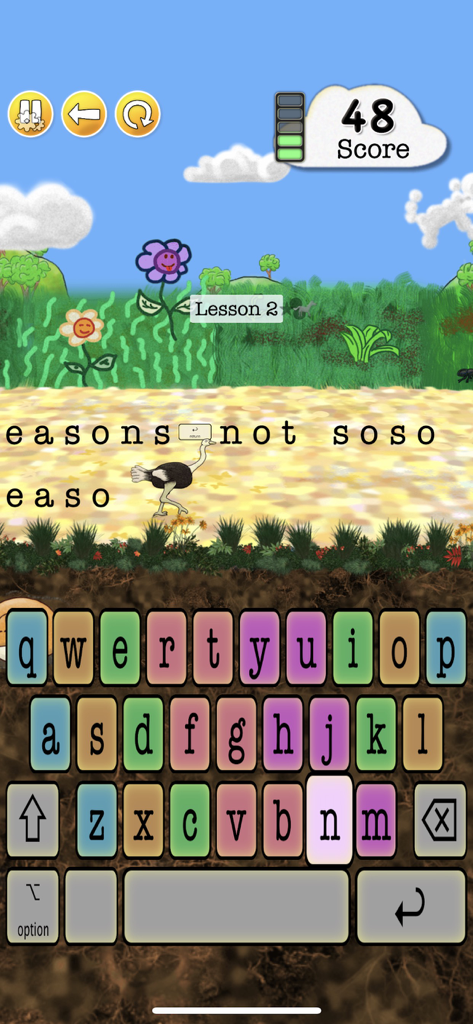
애니멀 타이핑 게임 플레이 인터페이스, 타조 캐릭터와 타이핑 연습을 위한 다채로운 키보드가 특징입니다.
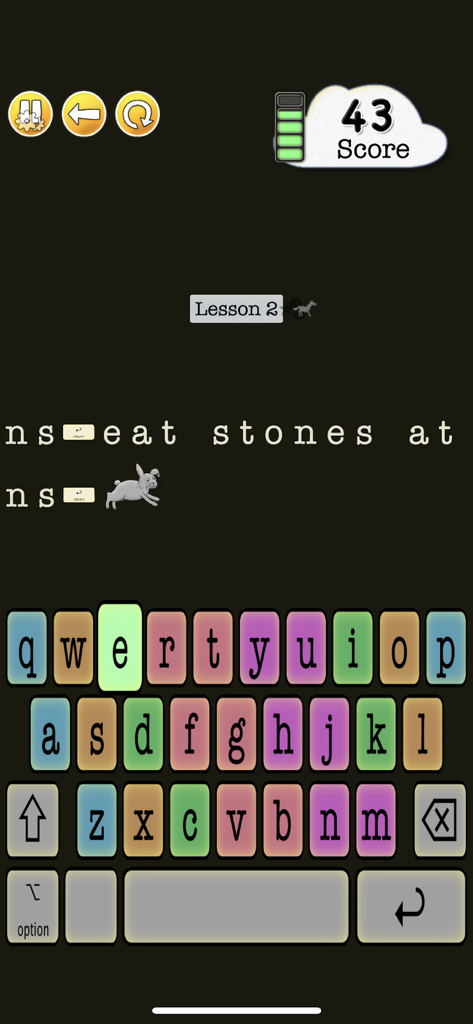
토끼 캐릭터와 다채로운 키보드가 특징인 애니멀 타이핑 라이트의 터치 타이핑 레슨
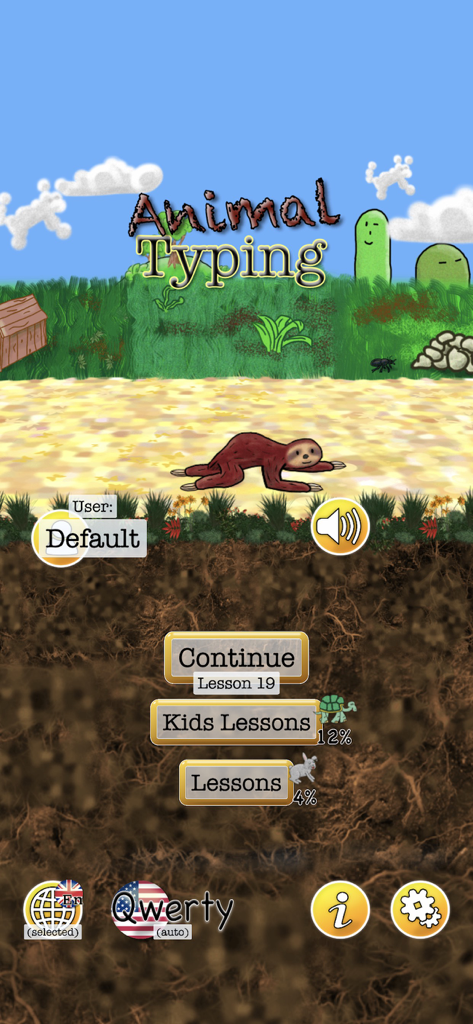
나무늘보 캐릭터와 어린이 레슨 옵션이 표시된 애니멀 타이핑 라이트 앱의 메인 메뉴
설명
Download


이 페이지는 앱이나 개발자의 공식 페이지가 아니며, 정보 제공 및 논평을 목적으로 작성된 독립 편집 간행물입니다. 명시적으로 달리 언급되지 않는 한, 해당 앱이나 개발자는 MWM, Apple, Google Play, 앱 퍼블리셔 또는 앱 개발자와 제휴, 보증, 후원, 승인 또는 공식적으로 연결되어 있지 않으며, 이 페이지의 어떤 내용도 해당 앱이 MWM의 서비스를 사용하여 개발되었음을 의미하지 않습니다. 모든 상표, 로고, 스크린샷 및 기타 콘텐츠는 해당 소유자의 자산입니다.