App Icon: Resize for all OS
다운로드: App Store

이 페이지는 앱이나 개발자의 공식 페이지가 아니며, 정보 제공 및 논평을 목적으로 작성된 독립 편집 간행물입니다. 명시적으로 달리 언급되지 않는 한, 해당 앱이나 개발자는 MWM, Apple, Google Play, 앱 퍼블리셔 또는 앱 개발자와 제휴, 보증, 후원, 승인 또는 공식적으로 연결되어 있지 않으며, 이 페이지의 어떤 내용도 해당 앱이 MWM의 서비스를 사용하여 개발되었음을 의미하지 않습니다. 모든 상표, 로고, 스크린샷 및 기타 콘텐츠는 해당 소유자의 자산입니다.


로고: App Icon: Resize for all OS
다운로드: App Store

App Icon: Resize for all OS

인디 개발자 및 디자이너가 iOS, macOS 및 watchOS용으로 완벽한 픽셀의 아이콘을 내보내는 가장 효율적인 방법입니다. 수동 크기 조절을 중단하고 전문적인 워크플로우로 앱을 더 빠르게 출시하세요.

주요 수치

다운로드

37K+

사용자 평점

1.0/5

총 평가 수

0

개발사

Ashvin Ajadiya

카테고리

Developer Tools

지원 언어

1

최신 버전

1.2.8

크기

12.8 MB

출시일

2019년 10월 20일
기능

자동화된 에셋으로 더 빠르게 출시

수동 크기 조절에 시간을 낭비하지 마세요. 몇 초 만에 전체 Apple 생태계에 맞는 전문적이고 바로 사용할 수 있는 xcasset 카탈로그를 생성합니다.

모든 플랫폼 지원

하나의 내보내기로 iOS, iPadOS, watchOS 및 macOS의 모든 아이콘 크기를 생성하며 최신 하드웨어에 맞춰 완벽하게 업데이트됩니다.

Xcode 호환 xcassets

수동 매핑을 건너뛰세요. 저희 도구는 xcasset 형식으로 직접 내보내므로 드래그 앤 드롭하여 코딩으로 돌아갈 수 있습니다.

다음 스크린샷과 설명은 앱의 공식 스토어 목록에서 직접 가져온 것이며 앱 개발자의 자산입니다.

앱 스토어

스크린샷
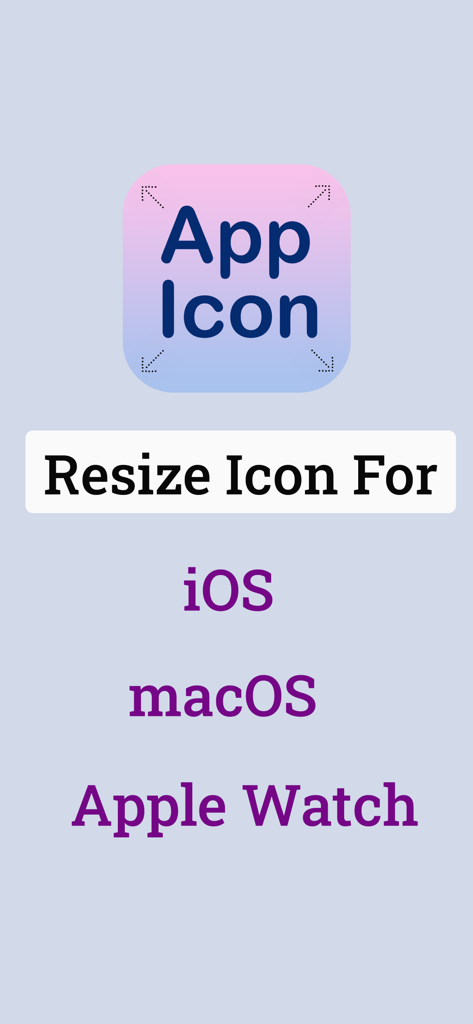
App Icon: Resize for all OS - iOS macOS 및 Apple Watch 플랫폼에 대한 앱 아이콘 크기 조절 옵션을 보여주는 스크린샷
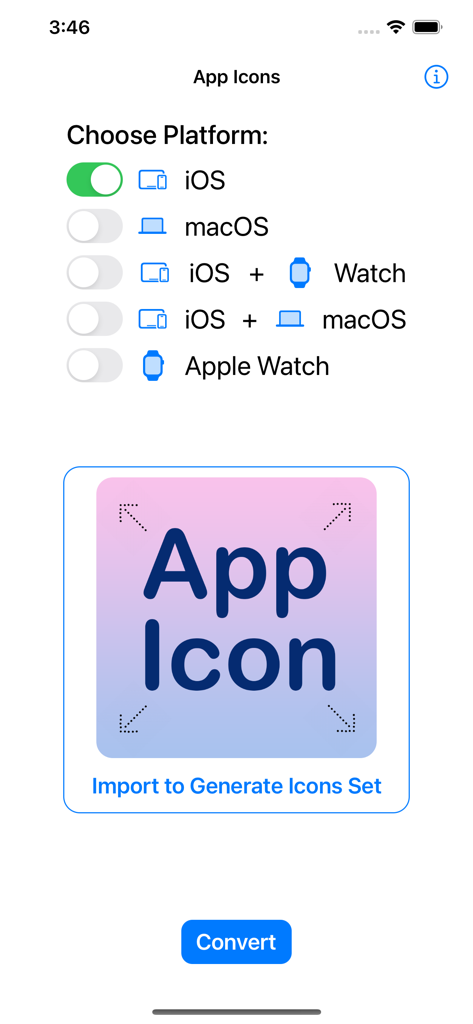
iOS macOS 및 Apple Watch 플랫폼에 대한 앱 아이콘 크기 조절 옵션을 보여주는 스크린샷

App Icon: Resize for all OS - 아이콘 세트를 생성하기 위해 iOS 및 macOS와 같은 플랫폼을 선택하는 앱 인터페이스
아이콘 세트를 생성하기 위해 iOS 및 macOS와 같은 플랫폼을 선택하는 앱 인터페이스

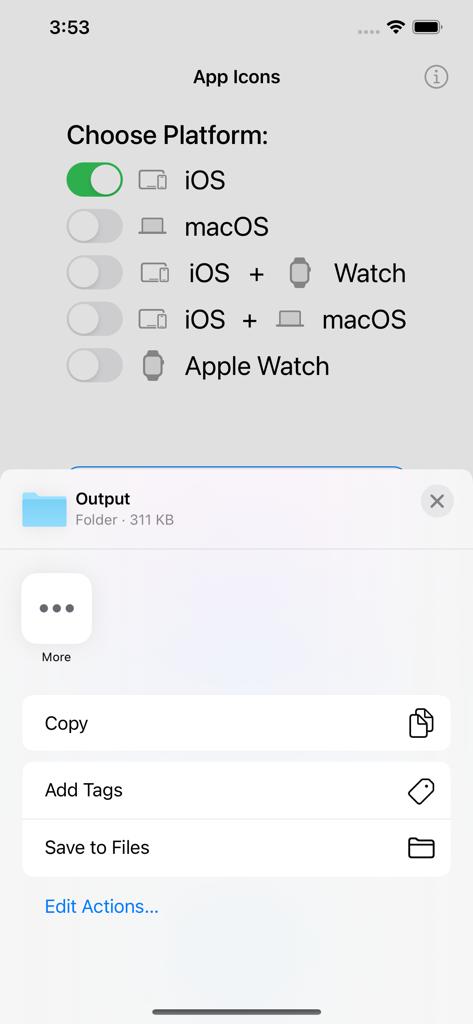
App Icon: Resize for all OS - 출력 폴더를 저장하는 옵션과 함께 앱 아이콘을 생성하기 위해 Apple 플랫폼을 선택하는 인터페이스

출력 폴더를 저장하는 옵션과 함께 앱 아이콘을 생성하기 위해 Apple 플랫폼을 선택하는 인터페이스

설명

App Icon: Resizer for all OS App help to import any image & convert it into a complete & ready-to-use app icon. It supports every type of icon you'll ever need for any of Apple's platforms; iOS, iPadOS, watchOS, tvOS and macOS. It uses the xcasset catalog format & it's always updated for the very latest devices & software. It can make any icon within your app; converting your image into all the required 1x, 2x(retina) & 3x formats & image set. App Icon Resizer tool is designed to be quick & easy to use & fit seamlessly into your workflow. All you need to do is import an image, select the app platform(iOS, macOS or Apple Watch) then generate a complete set of icons & export based on your choices. Best Asset catalog creator, universal icon creator *****SUPPORTED ASSET PLATFORMS***** # Apple: iOS, macOS, watchOS *****FEATURES***** # Updated for all the latest devices iOS 16 with iPhone 14, Apple Watch Series 8, iPad Pro icons, Ventura Catalina etc. # Platform combinations to convert and export in a single attempt - iOS & Apple Watch, iOS & macOS # Batch exporting (Multiple platform selection & export) # Auto image naming & renaming # Export icons for all selected platforms ***** CUSTOMER SUPPORT ***** We're working hard & smart to make an App as simple and efficient as possible for you to use. We would love to hear your thoughts via email and make any improvements to future versions of this app. We intend to have an active development cycle powered by your feedback, love and support! # If you have any questions or suggestions, please contact us at macd.developer@gmail.com

Download

다운로드: App Store

이 페이지는 앱이나 개발자의 공식 페이지가 아니며, 정보 제공 및 논평을 목적으로 작성된 독립 편집 간행물입니다. 명시적으로 달리 언급되지 않는 한, 해당 앱이나 개발자는 MWM, Apple, Google Play, 앱 퍼블리셔 또는 앱 개발자와 제휴, 보증, 후원, 승인 또는 공식적으로 연결되어 있지 않으며, 이 페이지의 어떤 내용도 해당 앱이 MWM의 서비스를 사용하여 개발되었음을 의미하지 않습니다. 모든 상표, 로고, 스크린샷 및 기타 콘텐츠는 해당 소유자의 자산입니다.







