App Lock-Lock Apps, App Locker
다운로드: App Store

이 페이지는 앱이나 개발자의 공식 페이지가 아니며, 정보 제공 및 논평을 목적으로 작성된 독립 편집 간행물입니다. 명시적으로 달리 언급되지 않는 한, 해당 앱이나 개발자는 MWM, Apple, Google Play, 앱 퍼블리셔 또는 앱 개발자와 제휴, 보증, 후원, 승인 또는 공식적으로 연결되어 있지 않으며, 이 페이지의 어떤 내용도 해당 앱이 MWM의 서비스를 사용하여 개발되었음을 의미하지 않습니다. 모든 상표, 로고, 스크린샷 및 기타 콘텐츠는 해당 소유자의 자산입니다.

로고: App Lock-Lock Apps, App Locker
다운로드: App Store

App Lock-Lock Apps, App Locker

민감한 앱을 보호하고, 실수로 인한 인앱 결제를 차단하며, 현대 가족을 위해 맞춤 설정된 모드로 자녀의 화면 시간을 관리하세요.

주요 수치

다운로드

7K+

사용자 평점

3.6/5

총 평가 수

0

개발사

小玲 黄

카테고리

Lifestyle

지원 언어

12

최신 버전

1.1.9

크기

53.4 MB

출시일

2023년 11월 20일
기능

자녀의 화면 시간을 완벽하게 제어하세요

고급 앱 잠금 및 보호 도구를 사용하여 개인 정보를 보호하고, 재정을 안전하게 유지하며, 자녀를 위한 안전한 디지털 환경을 만드세요.

실수로 인한 구매 방지

모바일 게임으로 인한 예상치 못한 청구서 충격을 방지하고 인앱 결제를 차단하여 은행 계좌를 보호하세요.

업무 및 개인 데이터 보호

필수 앱을 잠그고 실수로 인한 삭제를 방지하여 자녀의 손에 업무 이메일과 채팅 기록을 안전하게 보관하세요.

다음 스크린샷과 설명은 앱의 공식 스토어 목록에서 직접 가져온 것이며 앱 개발자의 자산입니다.

앱 스토어

스크린샷
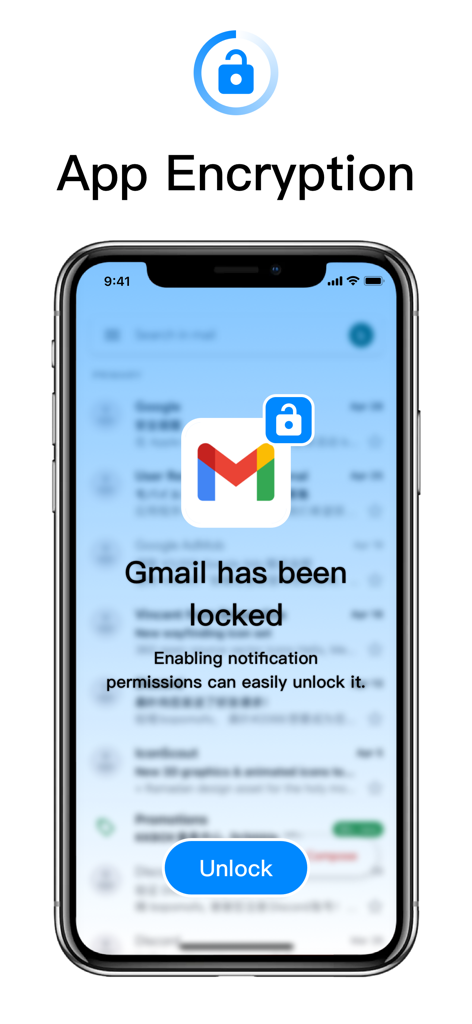
App Lock-Lock Apps, App Locker - 잠긴 Gmail 앱과 잠금 해제 버튼 및 앱 암호화 라벨이 표시된 스마트폰 화면.
잠긴 Gmail 앱과 잠금 해제 버튼 및 앱 암호화 라벨이 표시된 스마트폰 화면.

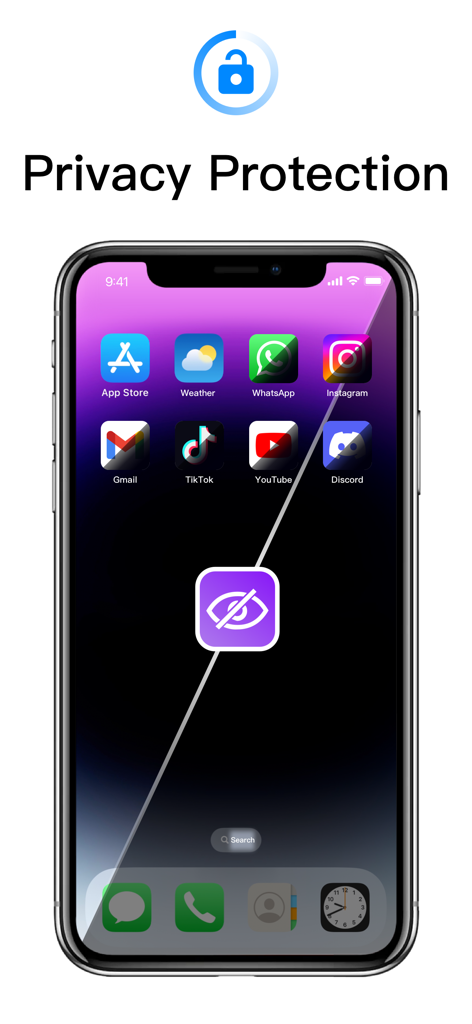
App Lock-Lock Apps, App Locker - 개인 정보 보호 및 앱 잠금 기능을 나타내는 중앙 숨겨진 눈 아이콘이 있는 여러 앱을 표시하는 스마트폰.
개인 정보 보호 및 앱 잠금 기능을 나타내는 중앙 숨겨진 눈 아이콘이 있는 여러 앱을 표시하는 스마트폰.

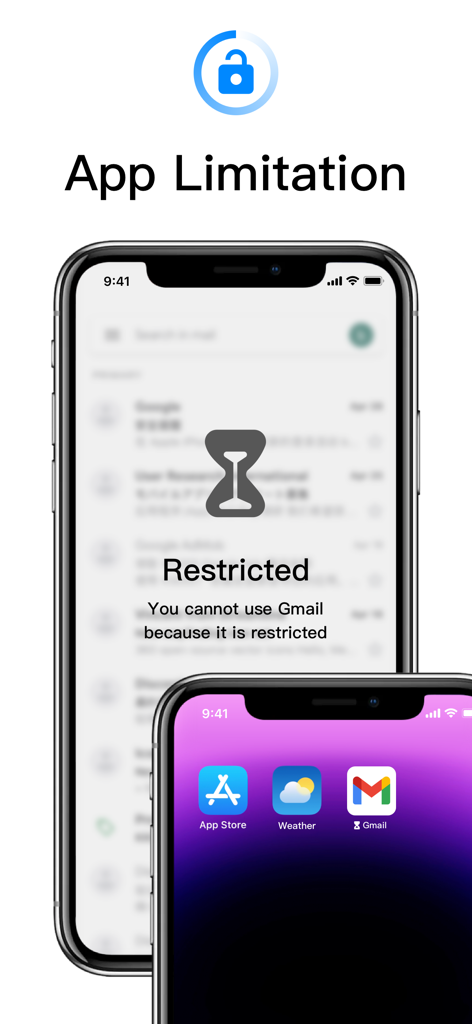
App Lock-Lock Apps, App Locker - 앱 제한에 대한 모래 시계 아이콘이 있는 제한된 앱 알림을 보여주는 iPhone 화면.
앱 제한에 대한 모래 시계 아이콘이 있는 제한된 앱 알림을 보여주는 iPhone 화면.

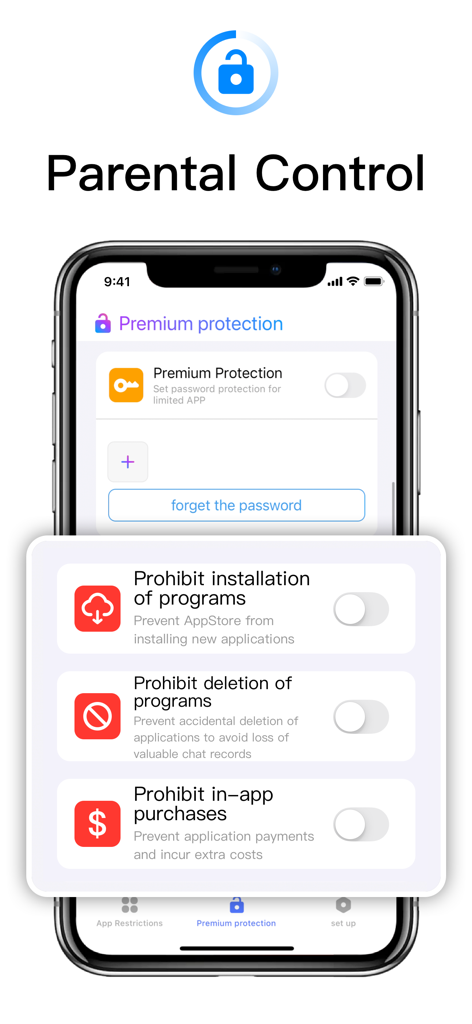
App Lock-Lock Apps, App Locker - 앱 설치 삭제 및 인앱 결제를 금지하는 토글을 보여주는 자녀 보호 제어 인터페이스
앱 설치 삭제 및 인앱 결제를 금지하는 토글을 보여주는 자녀 보호 제어 인터페이스

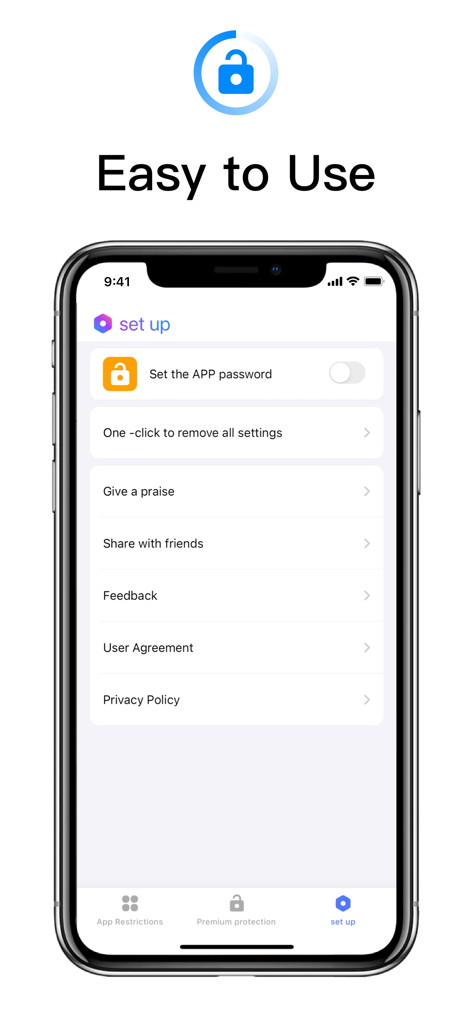
App Lock-Lock Apps, App Locker - 앱 잠금 및 개인 정보 보호 설정을 위한 쉬운 설정 메뉴를 보여주는 모바일 앱 인터페이스

앱 잠금 및 개인 정보 보호 설정을 위한 쉬운 설정 메뉴를 보여주는 모바일 앱 인터페이스

설명

Regardless of whether you're willing or not, electronic devices have become indispensable tools for children amidst the pandemic. At-home parenting has become reliant on electronic products, as they serve as productivity enhancers, but that doesn't mean parents can completely let go. To address this, we've introduced a powerful application aimed at providing comprehensive app protection and privacy management features. This application includes the following features: Password Protection: Users can set password protection for restricted applications, ensuring only authorized users can access them. Prevent Installation: This feature prevents the installation of new applications from the app store, effectively controlling the number and type of applications on the device. Prevent Deletion: Prevents accidental deletion of applications, particularly those containing important data like chat records, ensuring data security. In-App Purchase Blocking: Blocks in-app payments to prevent users from incurring additional costs unintentionally. Multiple Mode Switching and App Restriction Grouping: Users can customize app restriction modes for different scenarios such as learning, socializing, and gaming, and can also add custom groups to control screen time more flexibly. Set Application Password: Users can set a separate password for this application to protect its settings and features from unauthorized access. Face Unlock: In addition to passwords, users can use face unlock to quickly unlock applications, enhancing convenience and security. Subscription Services: Payment: Payments are deducted through the user's iTunes account immediately upon purchase confirmation, offering various subscription modes for users to choose from. Renewal: Apple iTunes accounts will be charged 24 hours before expiration, with the subscription period extending by 1 cycle upon successful payment. Cancel Subscription Renewal: To cancel subscription renewal, manually disable auto-renewal in Settings/Apple ID at least 24 hours before the current subscription expires.

Download

다운로드: App Store

이 페이지는 앱이나 개발자의 공식 페이지가 아니며, 정보 제공 및 논평을 목적으로 작성된 독립 편집 간행물입니다. 명시적으로 달리 언급되지 않는 한, 해당 앱이나 개발자는 MWM, Apple, Google Play, 앱 퍼블리셔 또는 앱 개발자와 제휴, 보증, 후원, 승인 또는 공식적으로 연결되어 있지 않으며, 이 페이지의 어떤 내용도 해당 앱이 MWM의 서비스를 사용하여 개발되었음을 의미하지 않습니다. 모든 상표, 로고, 스크린샷 및 기타 콘텐츠는 해당 소유자의 자산입니다.








