Artmator
Artmator
다운로드: App Store

이 페이지는 앱이나 개발자의 공식 페이지가 아니며, 정보 제공 및 논평을 목적으로 작성된 독립 편집 간행물입니다. 명시적으로 달리 언급되지 않는 한, 해당 앱이나 개발자는 MWM, Apple, Google Play, 앱 퍼블리셔 또는 앱 개발자와 제휴, 보증, 후원, 승인 또는 공식적으로 연결되어 있지 않으며, 이 페이지의 어떤 내용도 해당 앱이 MWM의 서비스를 사용하여 개발되었음을 의미하지 않습니다. 모든 상표, 로고, 스크린샷 및 기타 콘텐츠는 해당 소유자의 자산입니다.

로고: Artmator
다운로드: App Store

Artmator

태블릿을 데스크톱급 워크스테이션으로 바꿔보세요. Bezier 경로의 정밀도, 완전한 클라우드 통합, 원활한 벡터 워크플로를 통해 확장 가능한 로고, 기술 평면도 및 멋진 일러스트레이션을 제작하세요.

주요 수치

다운로드

50K+

사용자 평점

4.0/5

총 평가 수

0

개발사

AMIT CHAUDHARY

카테고리

Entertainment

지원 언어

10

최신 버전

2.42

크기

10.8 MB

출시일

2019년 8월 19일
기능

무한한 디자인

정밀도, 속도 및 원활한 이동성을 위해 설계된 데스크톱급 벡터 도구를 사용하여 iPad를 전문가 수준의 크리에이티브 스튜디오로 바꿔보세요.

전문가 수준의 벡터 정밀도

크기가 아무리 커도 품질 저하 없이 강력한 펜 도구와 Bezier 곡선을 사용하여 선명한 로고와 무한히 확장 가능한 그래픽을 제작하세요.

원활한 클라우드 워크플로

기본 iOS 파일 앱 통합을 사용하여 iCloud, Dropbox 또는 Box에서 직접 파일을 열고 자동 저장하여 어디서든 작업하세요.

다음 스크린샷과 설명은 앱의 공식 스토어 목록에서 직접 가져온 것이며 앱 개발자의 자산입니다.

앱 스토어

스크린샷
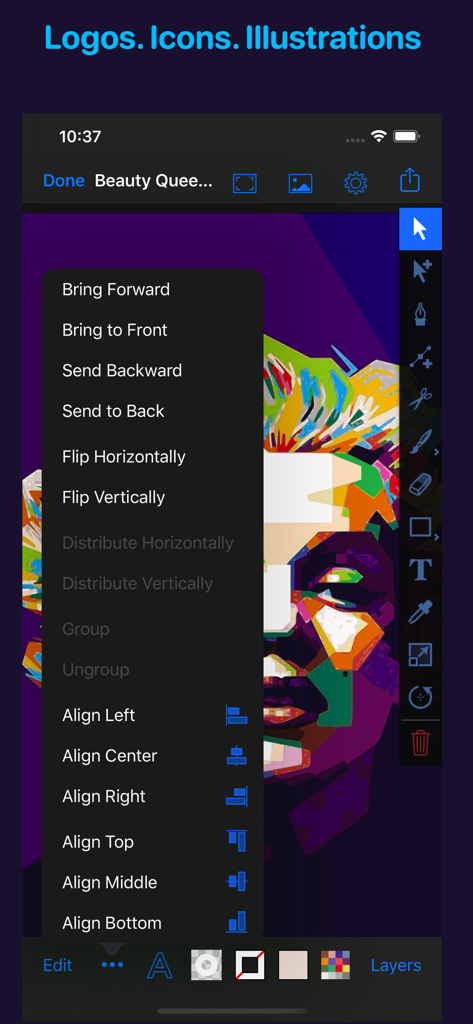
Artmator - 화려한 벡터 초상화와 개체 정렬 및 배열 메뉴를 보여주는 Artmator 앱 인터페이스
화려한 벡터 초상화와 개체 정렬 및 배열 메뉴를 보여주는 Artmator 앱 인터페이스

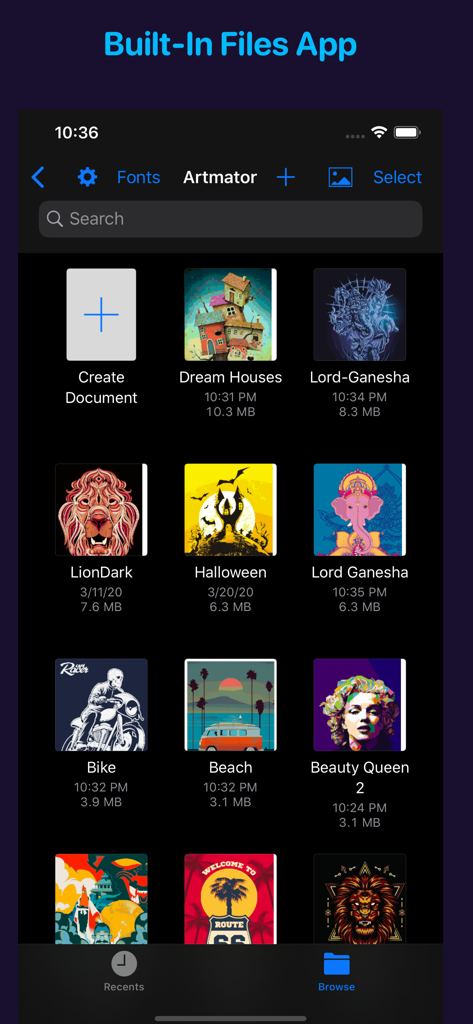
Artmator - 벡터 일러스트레이션 프로젝트와 다크 모드의 통합 파일 앱 관리를 보여주는 Artmator 앱 갤러리 보기
벡터 일러스트레이션 프로젝트와 다크 모드의 통합 파일 앱 관리를 보여주는 Artmator 앱 갤러리 보기

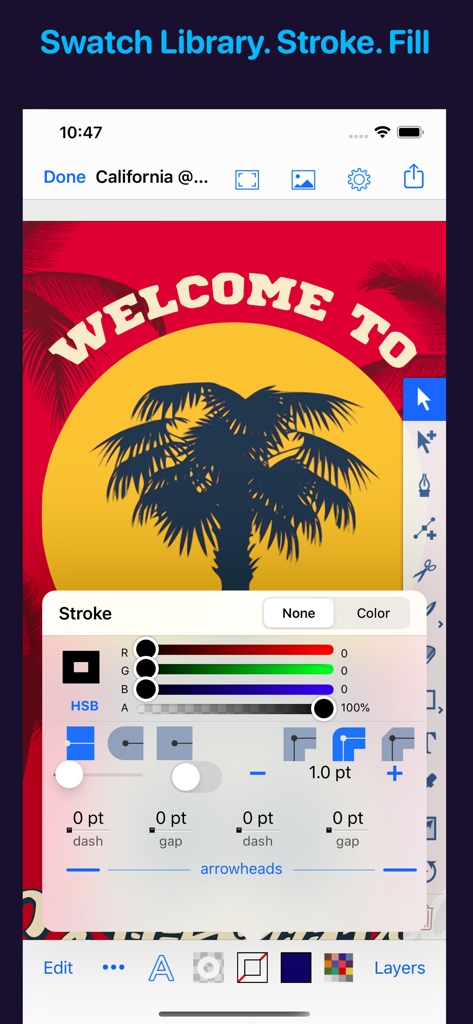
Artmator - 고급 획 설정과 벡터 야자수 일러스트레이션을 보여주는 Artmator 모바일 인터페이스
고급 획 설정과 벡터 야자수 일러스트레이션을 보여주는 Artmator 모바일 인터페이스

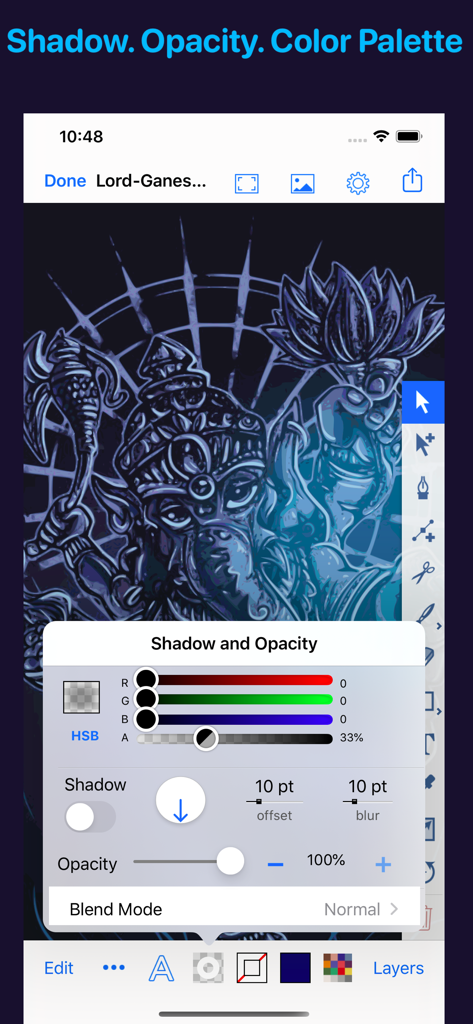
Artmator - 그림자 및 불투명도 조정 컨트롤을 보여주는 Artmator 벡터 앱 인터페이스
그림자 및 불투명도 조정 컨트롤을 보여주는 Artmator 벡터 앱 인터페이스

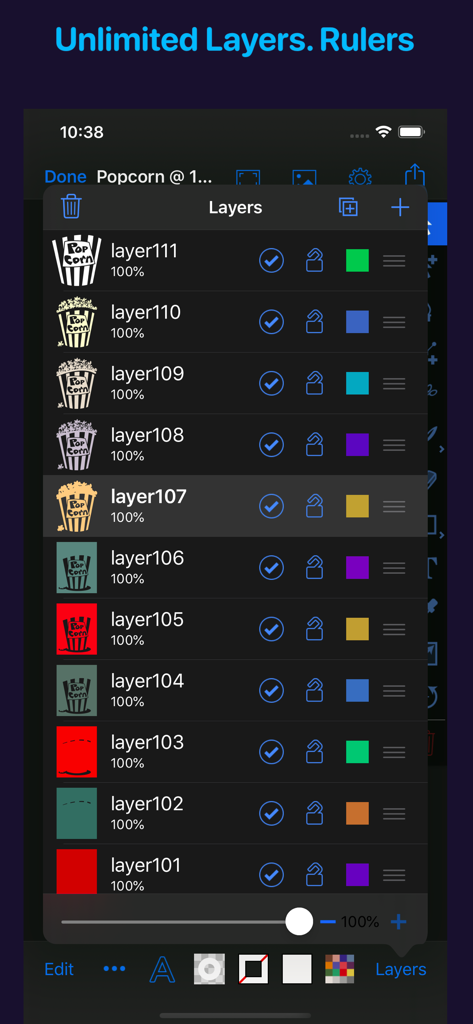
Artmator - 다양한 일러스트레이션 구성 요소가 있는 무제한 레이어 패널을 보여주는 Artmator 벡터 드로잉 앱 스크린샷
다양한 일러스트레이션 구성 요소가 있는 무제한 레이어 패널을 보여주는 Artmator 벡터 드로잉 앱 스크린샷

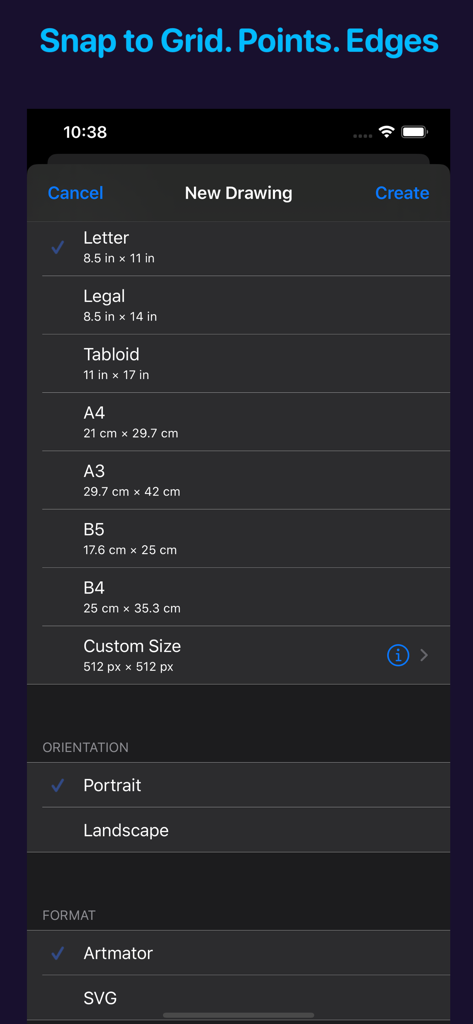
Artmator - 다양한 페이지 크기와 벡터 형식을 사용하여 새 그림 설정을 위한 Artmator 앱 인터페이스
다양한 페이지 크기와 벡터 형식을 사용하여 새 그림 설정을 위한 Artmator 앱 인터페이스

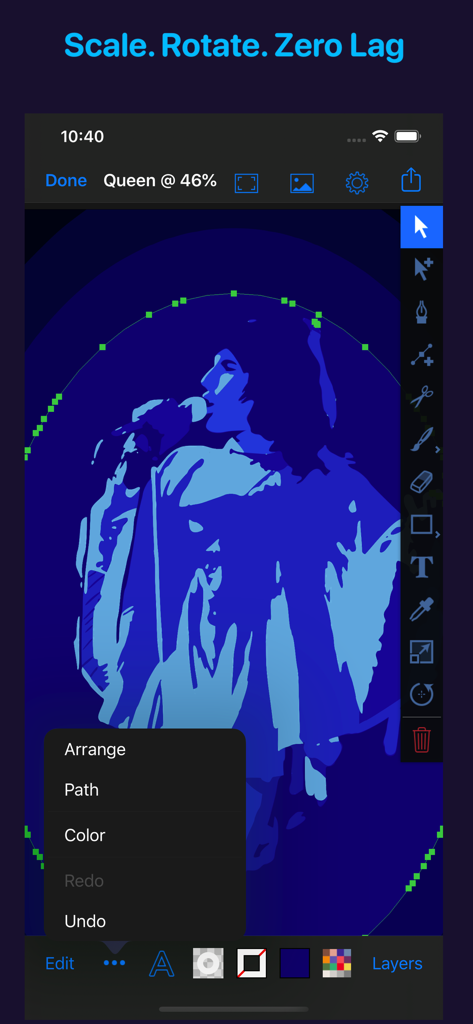
Artmator - 선택한 전문 디자인 도구와 열린 편집 메뉴가 있는 파란색 벡터 인물 일러스트레이션을 보여주는 Artmator 앱 인터페이스
선택한 전문 디자인 도구와 열린 편집 메뉴가 있는 파란색 벡터 인물 일러스트레이션을 보여주는 Artmator 앱 인터페이스

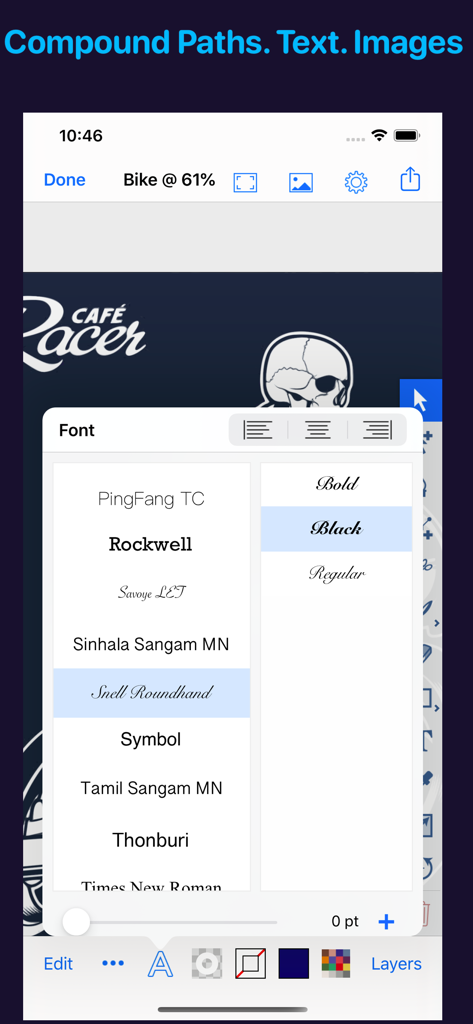
Artmator - iPhone에서 벡터 로고 디자인 위에 Artmator 앱 글꼴 선택 메뉴
iPhone에서 벡터 로고 디자인 위에 Artmator 앱 글꼴 선택 메뉴

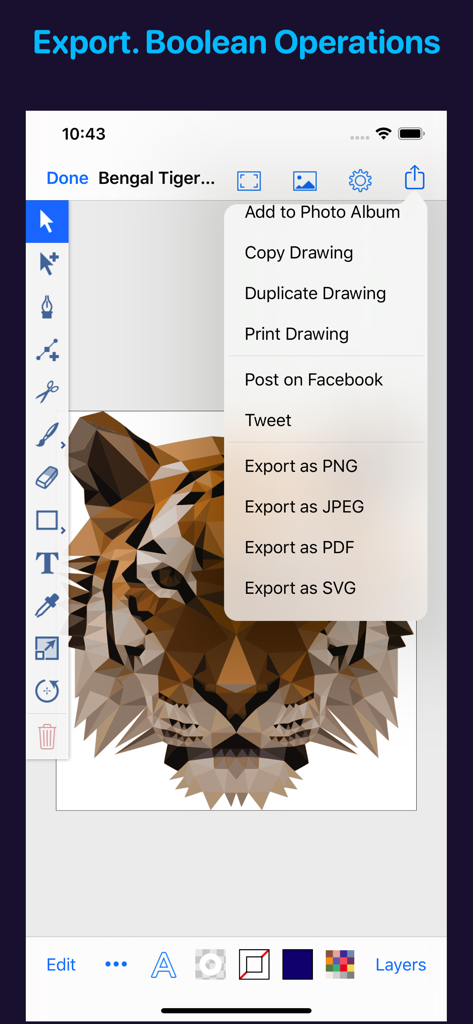
Artmator - 로우 폴리 호랑이 벡터 일러스트레이션과 SVG 및 PDF 옵션이 있는 열린 내보내기 메뉴를 보여주는 Artmator 앱 인터페이스
로우 폴리 호랑이 벡터 일러스트레이션과 SVG 및 PDF 옵션이 있는 열린 내보내기 메뉴를 보여주는 Artmator 앱 인터페이스

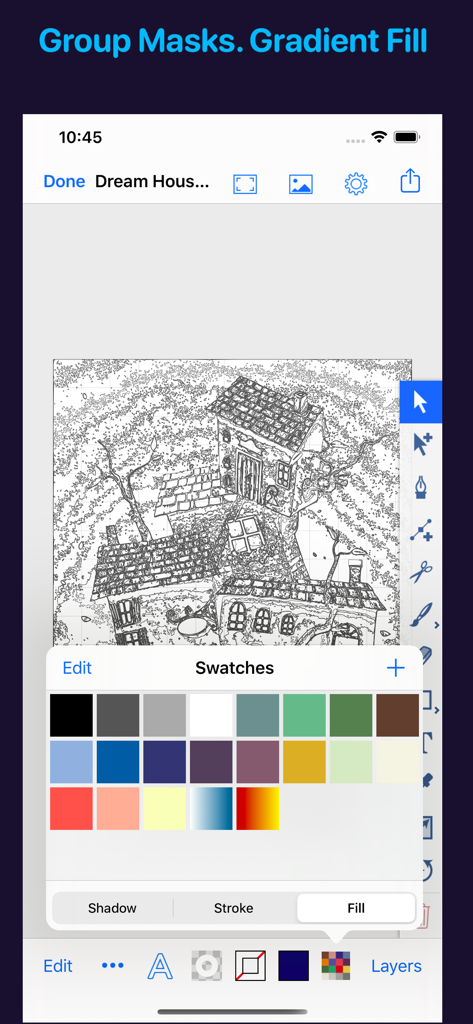
Artmator - 집의 벡터 선 그림과 열린 색상 견본 팔레트를 보여주는 Artmator 모바일 앱 인터페이스

집의 벡터 선 그림과 열린 색상 견본 팔레트를 보여주는 Artmator 모바일 앱 인터페이스

설명

Artmator is the most powerful and connected vector drawing and illustration app available on the iPad and on the iPhone with built-in iOS/ iPadOS Files app support. • Design logos, posters, floor plans, technical drawings, fun fashions, web graphics, illustrations, and many more. • Built-In iOS/ iPadOS files app integration. Open or create, edit, auto-save vector files from any cloud service provider like dropbox, iCloud, box, etc. • Multiple Window Support for iPadOS • System Dark Mode. • Draw with fabulous shapes, flowing curves, and beautifully rendered text. • Select, scale, sketch and rotate thousands of objects with zero lag. • Create arbitrary bezier paths with the Pen tool. • Create compound paths, masks and groups. • Create text objects. • More than 60 keyboard shortcuts for drawing in the editor. • UI elements respond to the cursor on iPadOS 13.4 when connecting a mouse or trackpad. • Place photos from your albums. • Boolean operators on paths (Unite, Intersect, Exclude, Subtract Front, etc.). • Powerful scale and rotate tools. Gradient fills with interactive editing on canvas. • Arbitrary stroke dash patterns. • Swatch library. • Unlimited layers per drawing. • Rename, duplicate, rearrange, delete, hide and lock layers. • Adjust layer transparency or opacity. Snap to grid, points, and path edges. • Isolate the active layer for easy editing. •. Create new drawings in SVG (.svg) or in Artmator (.inkpad) format. • Email drawings as SVG, PDF, PNG and JPEG. • Duplicate in place. • Anchor tool and scissors tool (path splitting). • Outline editing mode. • Increase maximum zoom to 6400%. • Maximum font size 200 pt available. • Accurate and responsive freehand tool. • Reverse gradients (swipe left or right on the gradient bar in the fill panel). • Evenly distribute gradient stops (double tap on the gradient bar in the fill panel). • Custom drawing sizes, rulers and units are available. • Convert text to editable paths. • Use text objects also to create masks. • Shape libraries (rounded rectangles, stars, polygons, oval, lines, etc.). • Apply strokes to text. • Dimension lines. • Canvas scale, Rulers, and Units (mm, cm, inches). • Brush and Pencil tools for fluid dawning and sketching. • Color Balance panel, Hue and Saturation panel. • Start a drawing with a photo from the built-in cameras. • Distribute objects horizontally and vertically. • Spiral ToolObject blending modes (Multiply, Overlay, Screen, etc.). •. Touch ID/ Face ID Support. • Tweet drawings, Post drawings to Facebook • Desaturate colors, Invert colors • Comprehensive help documentation. If you have any questions/ issues/suggestions then please contact me via email (artmatorapp@gmail.com) or on twitter (@Artmatorapp)

Download

다운로드: App Store

이 페이지는 앱이나 개발자의 공식 페이지가 아니며, 정보 제공 및 논평을 목적으로 작성된 독립 편집 간행물입니다. 명시적으로 달리 언급되지 않는 한, 해당 앱이나 개발자는 MWM, Apple, Google Play, 앱 퍼블리셔 또는 앱 개발자와 제휴, 보증, 후원, 승인 또는 공식적으로 연결되어 있지 않으며, 이 페이지의 어떤 내용도 해당 앱이 MWM의 서비스를 사용하여 개발되었음을 의미하지 않습니다. 모든 상표, 로고, 스크린샷 및 기타 콘텐츠는 해당 소유자의 자산입니다.








