AstroVizor
AstroVizor
다운로드: App Store

이 페이지는 앱이나 개발자의 공식 페이지가 아니며, 정보 제공 및 논평을 목적으로 작성된 독립 편집 간행물입니다. 명시적으로 달리 언급되지 않는 한, 해당 앱이나 개발자는 MWM, Apple, Google Play, 앱 퍼블리셔 또는 앱 개발자와 제휴, 보증, 후원, 승인 또는 공식적으로 연결되어 있지 않으며, 이 페이지의 어떤 내용도 해당 앱이 MWM의 서비스를 사용하여 개발되었음을 의미하지 않습니다. 모든 상표, 로고, 스크린샷 및 기타 콘텐츠는 해당 소유자의 자산입니다.


로고: AstroVizor
다운로드: App Store

AstroVizor

숙련된 전문가를 위한 최고의 모바일 워크스테이션입니다. 16개의 하우스 시스템, 복잡한 프로그레션, NASA 제공 천문 데이터에 액세스하여 타협 없는 전문가 수준의 정확도를 경험하세요.

주요 수치

다운로드

36K+

사용자 평점

4.2/5

총 평가 수

100

개발사

Andrey Semenov

카테고리

Lifestyle

지원 언어

2

최신 버전

4.3

크기

10.3 MB

출시일

2017년 2월 9일
기능

전문 점성술을 위한 고급 도구

모바일 기기에서 데스크톱 워크스테이션급의 정밀함을 경험해 보세요. AstroVizor는 전문가 수준의 리딩과 심층 연구에 필요한 원시 데이터와 기술적 깊이를 제공합니다.

NASA 제공 데이터의 정밀함

16개의 하우스 시스템과 소행성, 센타우르스, 항성에 대한 방대한 데이터베이스를 사용하여 절대적인 정확도로 차트를 계산합니다.

고급 분석 도구

사용자 정의 가능한 오브(Orb)와 상세한 기술 표가 포함된 시나스트리, 프로그레션, 리턴용 듀얼 휠 차트를 사용해 보세요.

다음 스크린샷과 설명은 앱의 공식 스토어 목록에서 직접 가져온 것이며 앱 개발자의 자산입니다.

앱 스토어

스크린샷
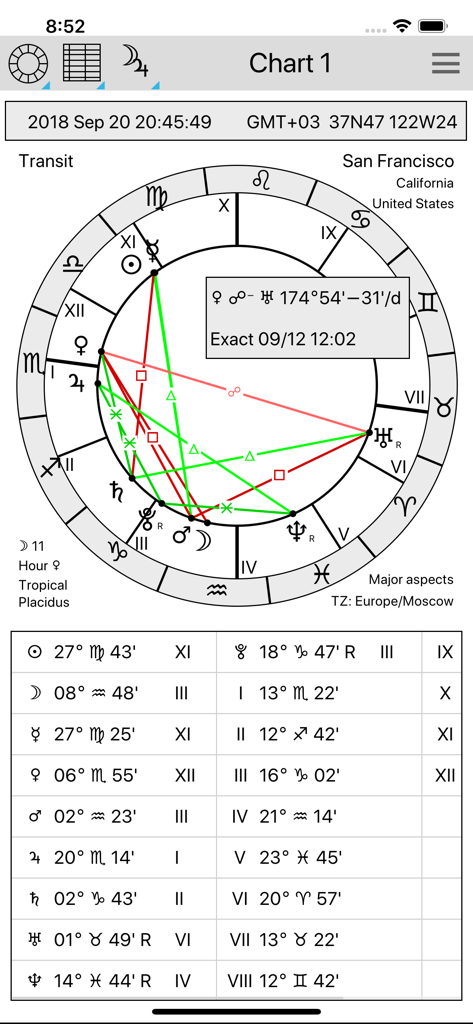
AstroVizor - AstroVizor 앱의 기술 점성술 트랜짓 차트 휠 및 행성 위치 표
AstroVizor 앱의 기술 점성술 트랜짓 차트 휠 및 행성 위치 표

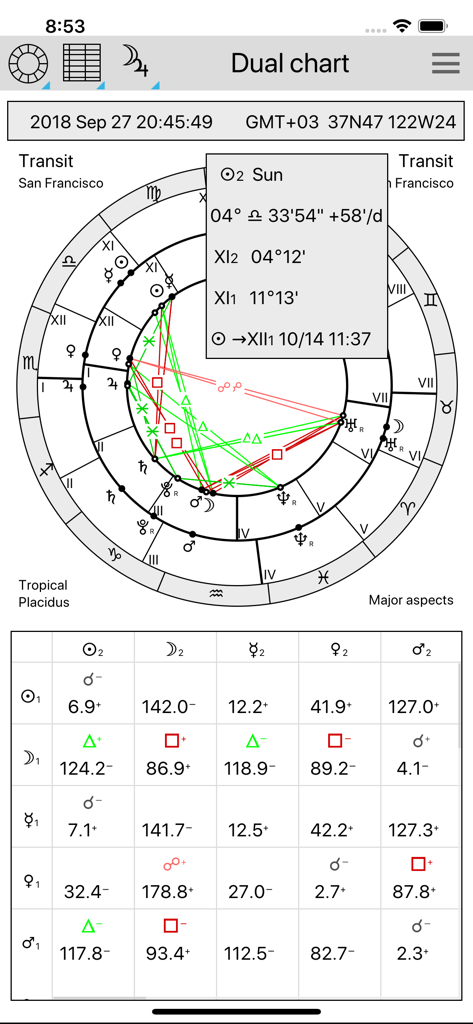
AstroVizor - 전문가용 듀얼 점성술 휠과 기술적 애스펙트 그리드를 보여주는 AstroVizor 앱 인터페이스
전문가용 듀얼 점성술 휠과 기술적 애스펙트 그리드를 보여주는 AstroVizor 앱 인터페이스

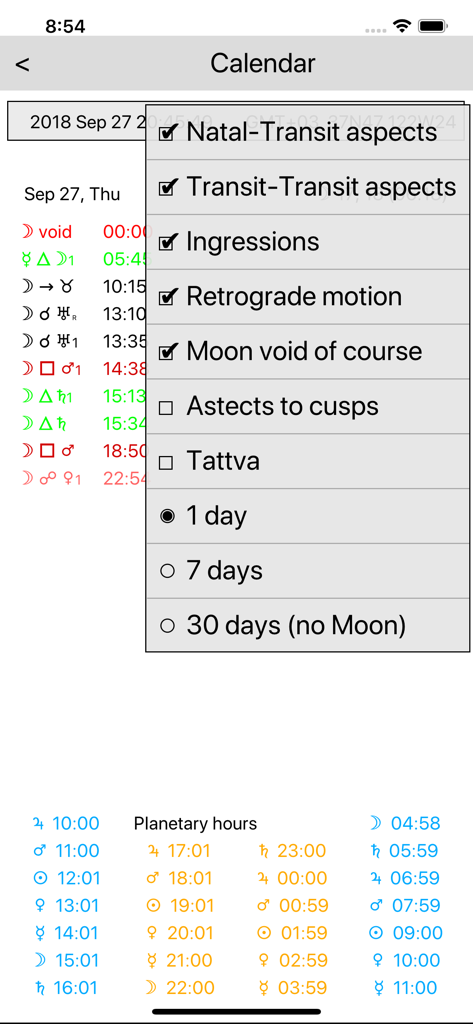
AstroVizor - 행성 애스펙트 및 행성 시간을 보여주는 AstroVizor 점성술 캘린더 보기
행성 애스펙트 및 행성 시간을 보여주는 AstroVizor 점성술 캘린더 보기

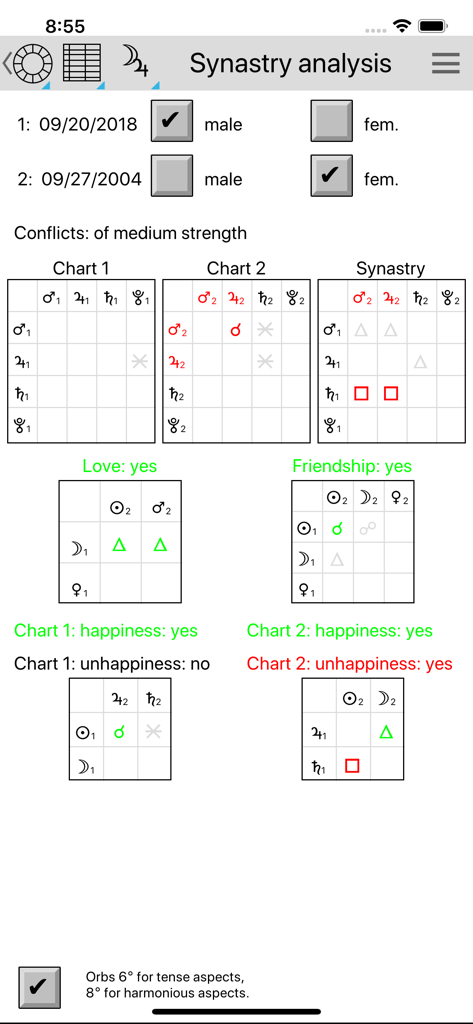
AstroVizor - 두 개인 간의 점성술 궁합 표와 애스펙트 그리드를 보여주는 AstroVizor 시나스트리 분석 화면
두 개인 간의 점성술 궁합 표와 애스펙트 그리드를 보여주는 AstroVizor 시나스트리 분석 화면

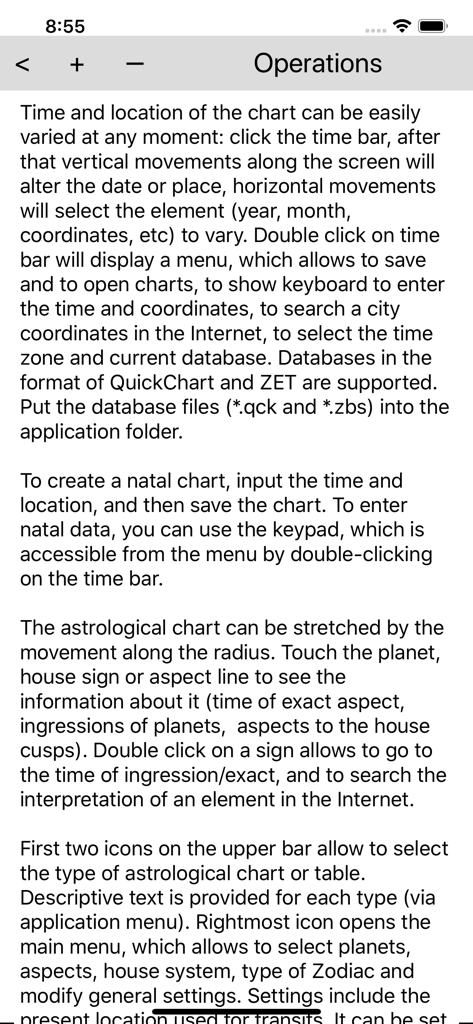
AstroVizor - 점성술 차트 및 설정 관리 지침을 자세히 설명하는 AstroVizor 앱의 기술 도움말 화면

점성술 차트 및 설정 관리 지침을 자세히 설명하는 AstroVizor 앱의 기술 도움말 화면

설명

AstroVizor is the application for astrologers. It can create natal or transit chart, display tables of planets and aspects, search for interpretations in the Internet. Descriptive text is provided for each type of astrological chart or table (see Help section of the application menu). The free version can display only a single chart. It includes: - Single charts (natal chart or transit chart). To create a natal chart, input the time and location, and then save the chart. - Charts and tables can be scaled (with 2-finger gesture); - It is possible to save and to open charts. - Tropical and sidereal zodiac; - Asteroids Ceres, Pallas, Juno, Vesta, Chiron; - Lunar nodes and Lilith (Dark Moon), mean and true; - Ingressions of planets, time of exact aspects (touch the planet sign or aspect line); - Search for interpretations in the Internet (on the double click on the planet sign or aspect line). - Lunar days and planetary hours; Full version is activated by subscription with monthly payment (7 days free trial period), or yearly payment (no trial period). Full version can work with two charts, the core chart (Chart 1) which is a natal chart or an arbitrary time, and background chart (Chart 2) which could be natal (synastry), transit, return, direction/progression chart. Full version has the following capacities: - Single and dual (bewheel) charts; - 17 centaurs (asteroids between Saturn and Neptune), 23 transneptunian asteroids, more asteroids and comets from NASA server; - 16 house systems; - 19 aspects, orbs can be set for single and dual charts independently; - Table of the planets can be customized to display astronomical data and the rulers of the zodiac sign and its subdivisions (decan, term, degree); - Midpoints, uranian wheel; - Fixed stars; - Antiscia, parallels of declination; - Firdaria, vimshottari dasha; - Synastry analysis; - Arabic points: Fortune, others can be defined by a user; - Directions (zodiacal and equatorial), progressions. Set the natal data in Chart 1, then go to Chart 2 and double click on the time bar. Choose Derived chart in the menu; - Solar and Lunar returns; - Planetary returns, partial returns to another planet of to house cusp; - Heliocentric, planetocentric charts; - Harmonic charts with any coefficient; - Composite charts, Davison charts for groups of people. Double click on time box to modify the list of persons. It is possible to copy this chart into Chart 1 and study it's compatibility with other natal or transit chart. - Calendar of aspects and ingressions for the period of 1 day, 1 week, 1 month. It works also for directions and progressions. IN-APP PURCHASE DETAILS - Full version subscription price is US$2.49/month or US$14.99/year. - Payment will be charged to your iTunes account at confirmation of purchase. – Subscription automatically renews unless auto-renew is turned off at least 24-hours before the end of the current period. - Auto-renewal may be turned off by going to the user's Account Settings after purchase. - Privacy policy can be found at https://astrovizor.ru/en/ppi.html - Terms of use can be found at https://astrovizor.ru/en/tui.html

Download

다운로드: App Store

이 페이지는 앱이나 개발자의 공식 페이지가 아니며, 정보 제공 및 논평을 목적으로 작성된 독립 편집 간행물입니다. 명시적으로 달리 언급되지 않는 한, 해당 앱이나 개발자는 MWM, Apple, Google Play, 앱 퍼블리셔 또는 앱 개발자와 제휴, 보증, 후원, 승인 또는 공식적으로 연결되어 있지 않으며, 이 페이지의 어떤 내용도 해당 앱이 MWM의 서비스를 사용하여 개발되었음을 의미하지 않습니다. 모든 상표, 로고, 스크린샷 및 기타 콘텐츠는 해당 소유자의 자산입니다.








