Audio Editor & Music Editor
다운로드: App Store

이 페이지는 앱이나 개발자의 공식 페이지가 아니며, 정보 제공 및 논평을 목적으로 작성된 독립 편집 간행물입니다. 명시적으로 달리 언급되지 않는 한, 해당 앱이나 개발자는 MWM, Apple, Google Play, 앱 퍼블리셔 또는 앱 개발자와 제휴, 보증, 후원, 승인 또는 공식적으로 연결되어 있지 않으며, 이 페이지의 어떤 내용도 해당 앱이 MWM의 서비스를 사용하여 개발되었음을 의미하지 않습니다. 모든 상표, 로고, 스크린샷 및 기타 콘텐츠는 해당 소유자의 자산입니다.


로고: Audio Editor & Music Editor
다운로드: App Store

Audio Editor & Music Editor

오디오를 쉽게 다듬고, 병합하고, 향상시키세요. 몇 초 만에 iPhone에서 직접 맞춤 벨소리를 만들거나 소셜 미디어용 바이럴 클립을 편집하세요.

주요 수치

다운로드

100

사용자 평점

1.0/5

총 평가 수

0

개발사

Gautam Naiya

카테고리

Music

지원 언어

18

최신 버전

1.0

크기

61.6 MB

출시일

2024년 12월 13일
기능

몇 초 안에 사운드를 마스터하세요

주머니 속 프로급 오디오 스튜디오. 콘텐츠 크리에이터든 단순히 iPhone을 개인화하는 사람이든, 저희 올인원 툴박스를 사용하면 오디오 편집이 손쉬워집니다.

맞춤 벨소리 및 알람

데스크톱의 번거로움은 잊으세요. 어떤 노래든 정밀하게 다듬어 기기에서 바로 독특한 벨소리, 알림음 또는 아침 알람을 만드세요.

비디오를 오디오로 변환

비디오 라이브러리에서 고품질 MP3를 쉽게 추출하거나 완전한 파일 호환성을 위해 AAC, M4A, WAV와 같은 형식 간에 변환하세요.

다음 스크린샷과 설명은 앱의 공식 스토어 목록에서 직접 가져온 것이며 앱 개발자의 자산입니다.

앱 스토어

스크린샷
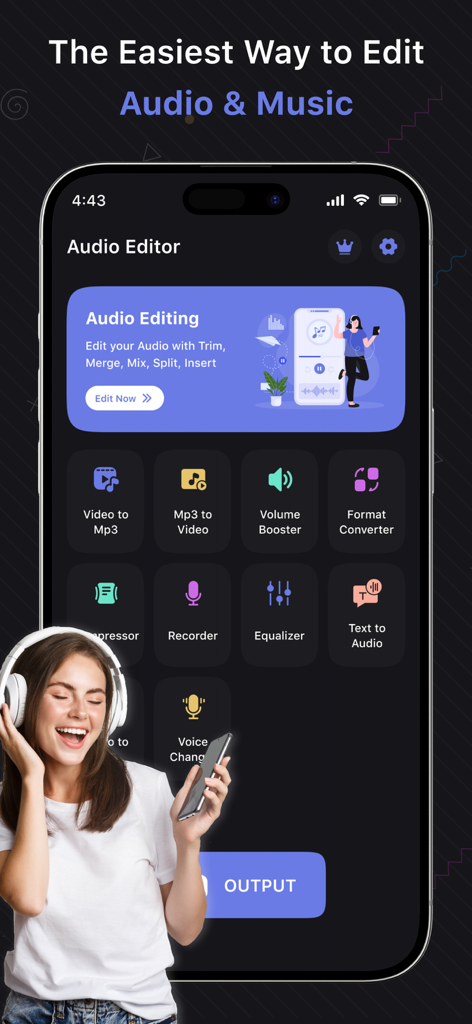
Audio Editor & Music Editor - Video to Mp3 및 Volume Booster와 같은 다양한 도구가 포함된 Audio Editor 및 Music Editor 앱의 기본 인터페이스
Video to Mp3 및 Volume Booster와 같은 다양한 도구가 포함된 Audio Editor 및 Music Editor 앱의 기본 인터페이스

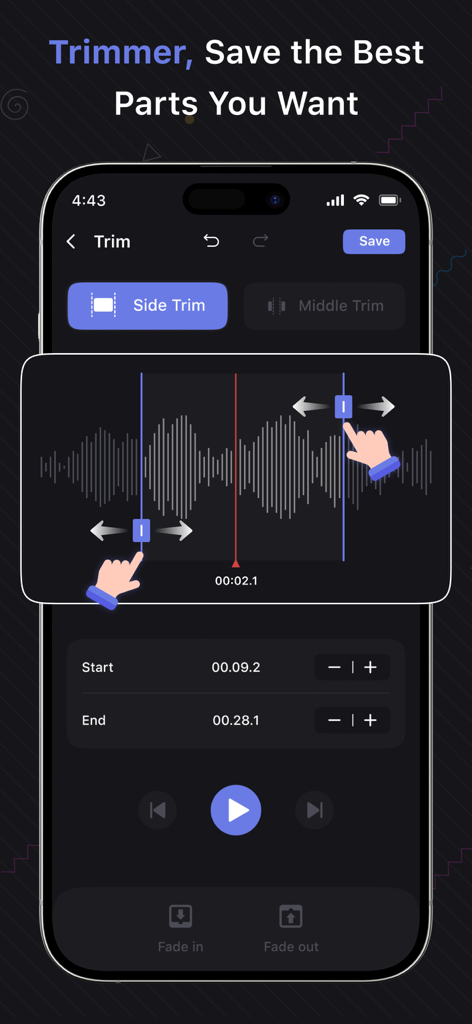
Audio Editor & Music Editor - 파형과 슬라이더를 사용하여 특정 오디오 부분을 선택하는 트리머 도구를 보여주는 Audio Editor 앱의 인터페이스
파형과 슬라이더를 사용하여 특정 오디오 부분을 선택하는 트리머 도구를 보여주는 Audio Editor 앱의 인터페이스

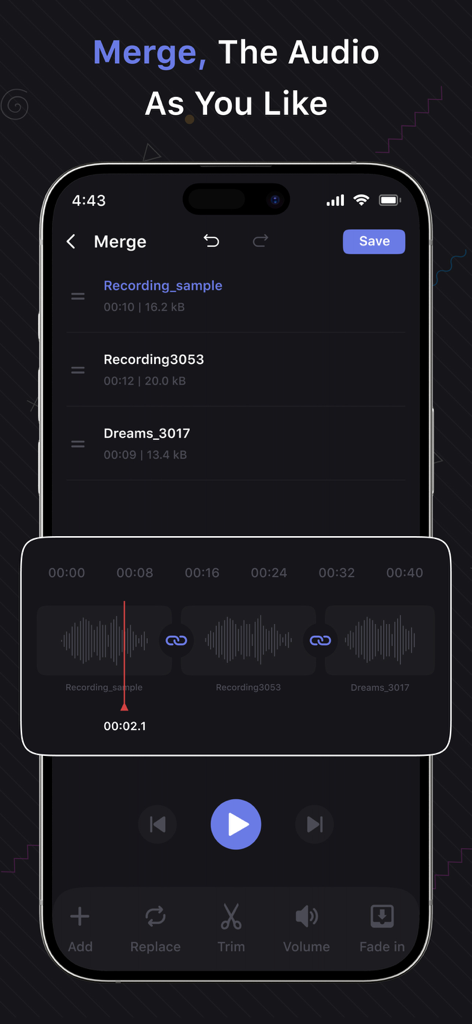
Audio Editor & Music Editor - 여러 녹음 트랙과 파형 시각화가 있는 오디오 병합 기능을 보여주는 스마트폰 화면
여러 녹음 트랙과 파형 시각화가 있는 오디오 병합 기능을 보여주는 스마트폰 화면

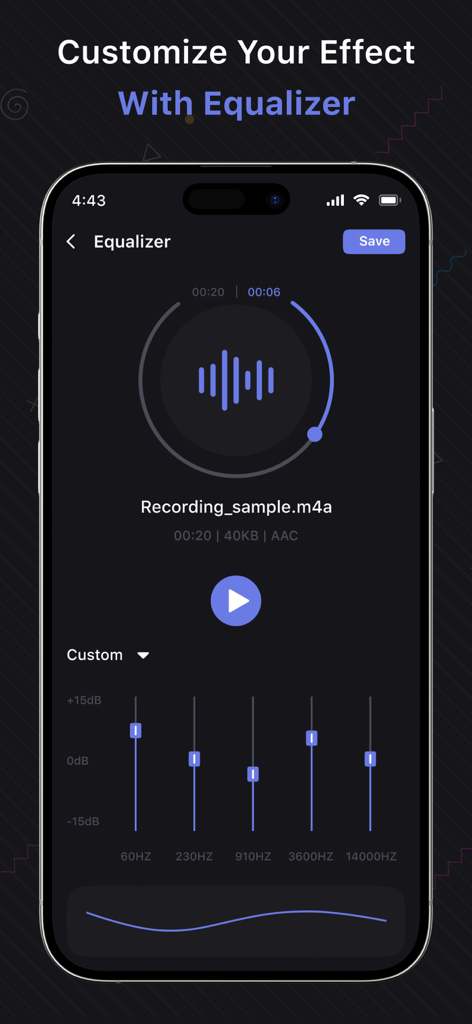
Audio Editor & Music Editor - 녹음에서 사운드 효과를 사용자 정의하기 위한 5밴드 이퀄라이저를 보여주는 Audio Editor 앱의 인터페이스
녹음에서 사운드 효과를 사용자 정의하기 위한 5밴드 이퀄라이저를 보여주는 Audio Editor 앱의 인터페이스

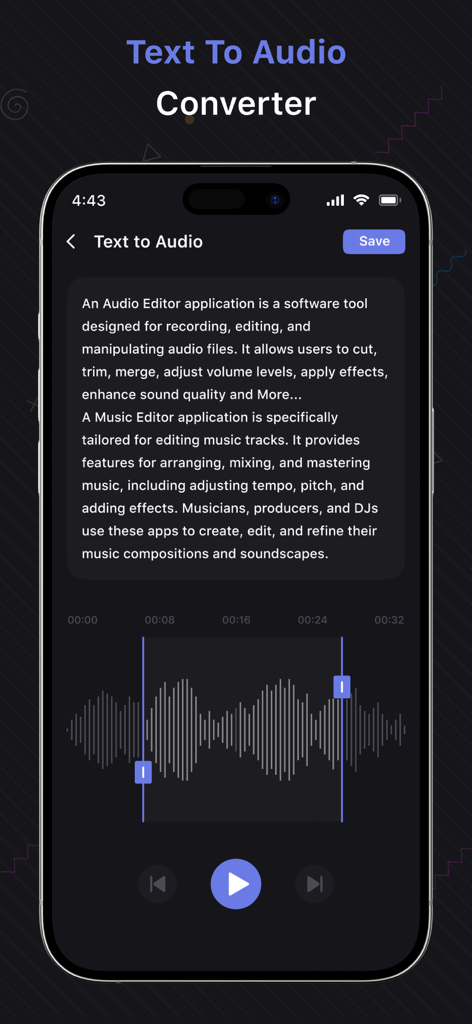
Audio Editor & Music Editor - 텍스트 입력 필드와 오디오 파형이 있는 텍스트 음성 변환 기능이 표시된 모바일 앱 화면

텍스트 입력 필드와 오디오 파형이 있는 텍스트 음성 변환 기능이 표시된 모바일 앱 화면

설명

Audio Editor & Music Editor Music Editor is a very useful Audio Editor, MP3 Cutter, Ringtone Maker, Song Editor. With Music Editor, you can cut out a certain part of music as a ringtone, alarm tone, and notification tone. In addition to trim audio feature, you can also use Music Editor to connect multiple audio files into one, convert audio formats, convert video to audio, compress the quality of audio, and edit audio metadata, you can also change the volume level of the audio, and more. The most powerful and complete MP3 Editor, It has all the features you would ever want in a Music Editor. The main features of the Audio Editor: - Trim Audio: Crop a part of the audio as a ringtone, alarm, and notification tone. - Merge Audio: Connect multiple audio files into one. - Convert Audio: Change one music format to another, such as: AAC to MP3, M4A to MP3, MP3 to WAV and so on. - My Creations: All processed audio files will be displayed here, you can re-edit, delete or share them. - Mix Audio: You can mix two music into one, and you can also adjust the volume level of the music. - Compress Audio: You can compress audio by changing the channel, sample rate and bit rate. - Tag Editor: You can change metadata of audio, such as: title, album, composer, year, and cover. - Split Audio: If you need to split an audio into two parts, you can use this feature. - Reverse Audio: Reverse the audio and plays it in reverse. - Speed ​​Editor: Edit audio speed, fast forward, slow down. - Remove Part: Remove a part of the audio. - Mute Part: Part of the audio can be muted. - Volume Booster:You can change the volume level of audio. With just the best Music Editing tool, you can do all of the above, and it's completely free, It's an excellent Audio Editor. SUBSCRIPTION AND TERMS: You may purchase an auto-renewing subscription through an In-App Purchase to enjoy all App Features without Ads: • Auto-renewable subscription • Weekly, 1 month and 1-year durations • Your subscription will be charged to your iTunes account at confirmation of purchase and will automatically renew (at the duration selected) unless auto-renew is turned off at least 24 hours before the end of the current period. • Current subscription may not be canceled during the active subscription period; however, you can manage your subscription and/or turn off auto-renewal by visiting your iTunes Account Settings after purchase. * Link to Privacy Policy: https://audioeditorandmusiceditor.blogspot.com/2024/12/privacy-policy.html * Link to Terms of use: https://audioeditorandmusiceditor.blogspot.com/2024/12/terms-conditions.html * Link to EULA: https://audioeditorandmusiceditor.blogspot.com/2024/12/eula.html

Download

다운로드: App Store

이 페이지는 앱이나 개발자의 공식 페이지가 아니며, 정보 제공 및 논평을 목적으로 작성된 독립 편집 간행물입니다. 명시적으로 달리 언급되지 않는 한, 해당 앱이나 개발자는 MWM, Apple, Google Play, 앱 퍼블리셔 또는 앱 개발자와 제휴, 보증, 후원, 승인 또는 공식적으로 연결되어 있지 않으며, 이 페이지의 어떤 내용도 해당 앱이 MWM의 서비스를 사용하여 개발되었음을 의미하지 않습니다. 모든 상표, 로고, 스크린샷 및 기타 콘텐츠는 해당 소유자의 자산입니다.







