Audio Extractor &MP3 Converter
다운로드: App Store

이 페이지는 앱이나 개발자의 공식 페이지가 아니며, 정보 제공 및 논평을 목적으로 작성된 독립 편집 간행물입니다. 명시적으로 달리 언급되지 않는 한, 해당 앱이나 개발자는 MWM, Apple, Google Play, 앱 퍼블리셔 또는 앱 개발자와 제휴, 보증, 후원, 승인 또는 공식적으로 연결되어 있지 않으며, 이 페이지의 어떤 내용도 해당 앱이 MWM의 서비스를 사용하여 개발되었음을 의미하지 않습니다. 모든 상표, 로고, 스크린샷 및 기타 콘텐츠는 해당 소유자의 자산입니다.


로고: Audio Extractor &MP3 Converter
다운로드: App Store

Audio Extractor &MP3 Converter

동영상을 몇 초 만에 고품질 MP3로 변환하세요. 추출, 자르기, 맞춤 벨소리 만들기 또는 다음 바이럴 틱톡 및 릴을 위한 오디오 일괄 처리가 가능합니다.

주요 수치

다운로드

111K+

사용자 평점

4.6/5

총 평가 수

400

개발사

宝锋 吴

카테고리

Music

지원 언어

13

최신 버전

2.0.0

크기

11.3 MB

출시일

2022년 10월 26일
기능

크리에이터를 위한 최고의 오디오 툴킷

오디오를 추출, 편집, 변환하는 강력한 도구. 프로젝트, 학습 세션 또는 개인화를 위해 동영상을 유용한 사운드로 변환하는 데 필요한 모든 것.

원탭 오디오 추출

틱톡, 릴 또는 화면 녹화에서 사운드를 쉽게 추출하세요. 갤러리의 모든 동영상을 즉시 고품질 MP3로 변환하여 다음 바이럴 프로젝트에 사용하세요.

정밀 편집 및 자르기

전문적인 제어로 볼륨을 잘라내고, 붙이고, 조정하세요. 맞춤 벨소리, 독특한 알림음 또는 강의 녹음 정리 작업에 완벽합니다.

다음 스크린샷과 설명은 앱의 공식 스토어 목록에서 직접 가져온 것이며 앱 개발자의 자산입니다.

앱 스토어

스크린샷
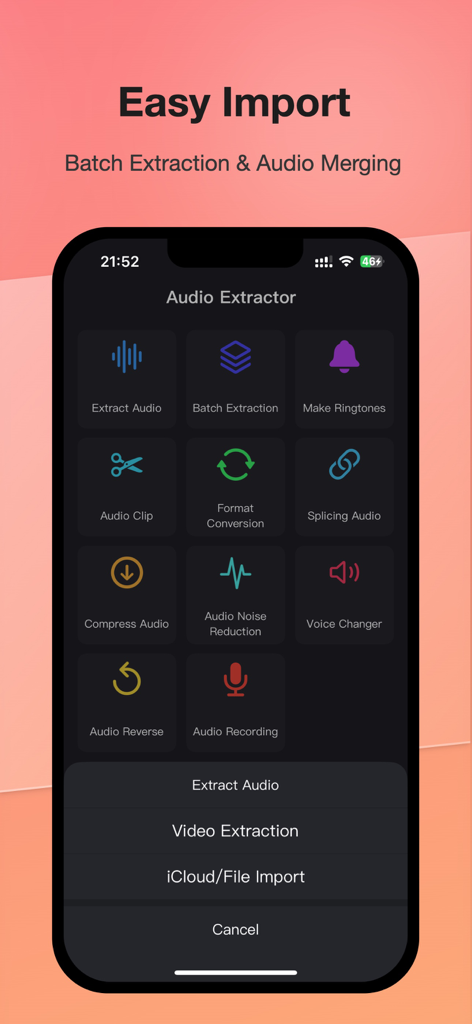
Audio Extractor &MP3 Converter - 오디오 추출기 앱의 메인 대시보드, 오디오 추출, 일괄 처리, 벨소리 만들기 기능 표시
오디오 추출기 앱의 메인 대시보드, 오디오 추출, 일괄 처리, 벨소리 만들기 기능 표시

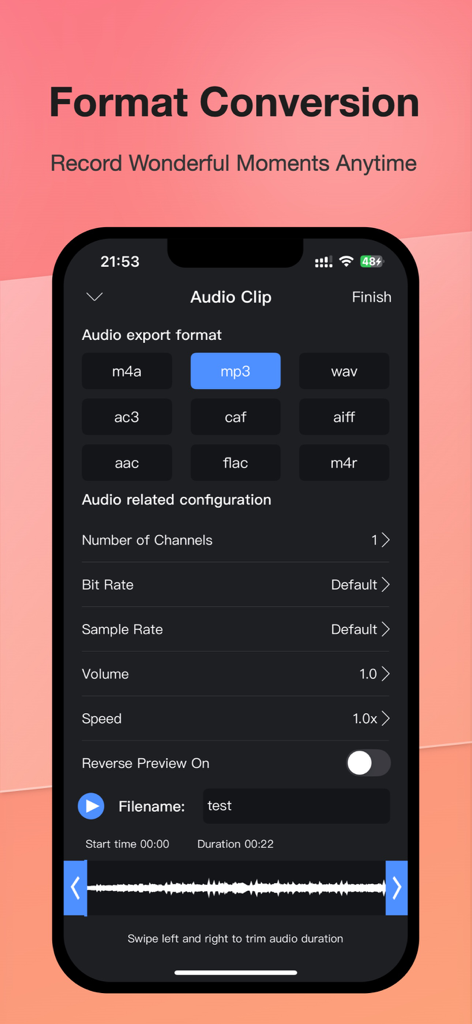
Audio Extractor &MP3 Converter - MP3 내보내기 및 기술 설정 표시, 오디오 형식 변환 화면

MP3 내보내기 및 기술 설정 표시, 오디오 형식 변환 화면

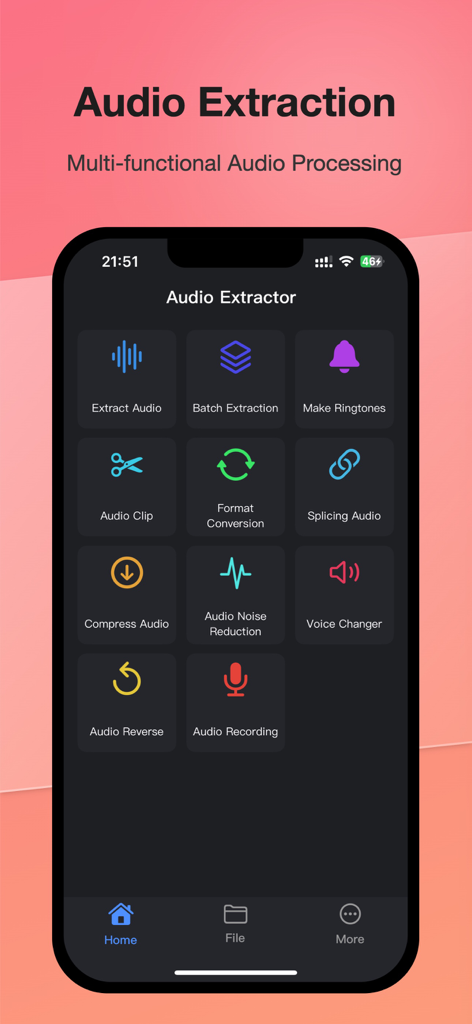
Audio Extractor &MP3 Converter - 일괄 추출, 벨소리 만들기, 오디오 편집 도구가 포함된 오디오 추출기 앱의 메인 대시보드
일괄 추출, 벨소리 만들기, 오디오 편집 도구가 포함된 오디오 추출기 앱의 메인 대시보드

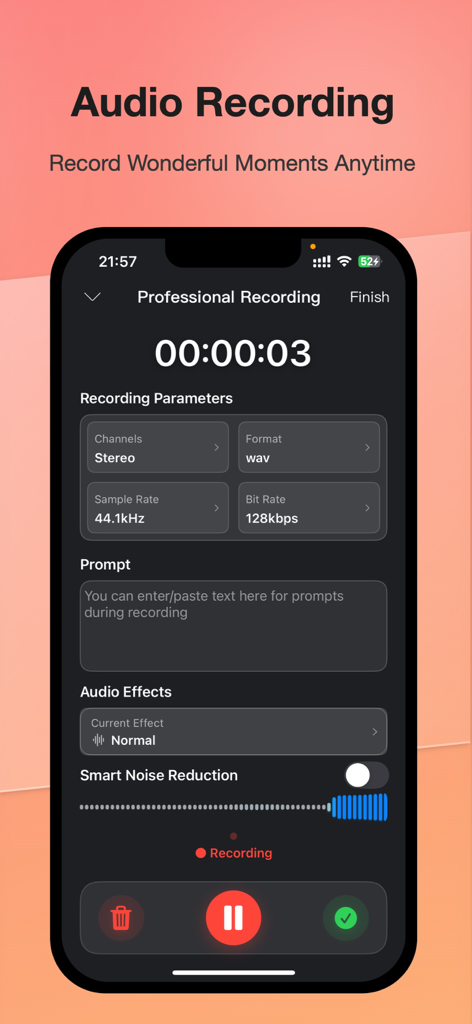
Audio Extractor &MP3 Converter - 전문 오디오 녹음 설정 및 노이즈 감소 토글 표시 스마트폰 화면

전문 오디오 녹음 설정 및 노이즈 감소 토글 표시 스마트폰 화면

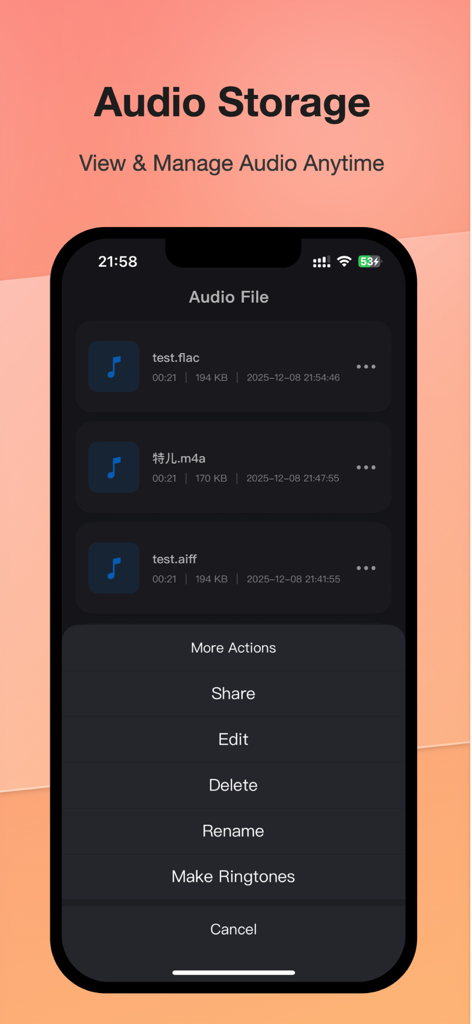
Audio Extractor &MP3 Converter - 추출된 오디오 파일 목록과 편집 및 벨소리 만들기 옵션 메뉴를 보여주는 iPhone 인터페이스
추출된 오디오 파일 목록과 편집 및 벨소리 만들기 옵션 메뉴를 보여주는 iPhone 인터페이스

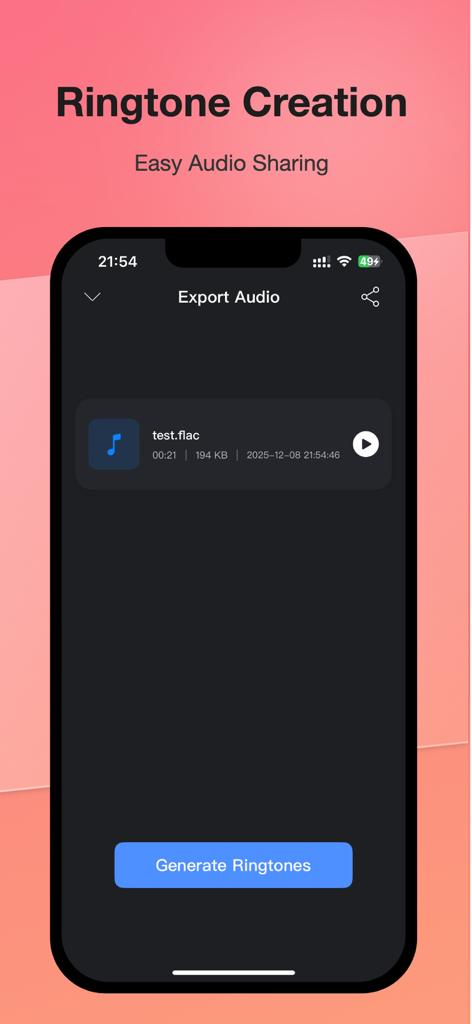
Audio Extractor &MP3 Converter - 벨소리 만들기 및 오디오 내보내기 화면을 보여주는 오디오 추출기 앱의 인터페이스.

벨소리 만들기 및 오디오 내보내기 화면을 보여주는 오디오 추출기 앱의 인터페이스.

설명

Audio Extractor allows you to quickly and easily extract audio files from videos, and can easily convert audio in various formats or make ringtones - Support to extract audio from various types of videos - Support audio cropping - Support audio splicing - Support audio to make ringtones - Support audio batch extraction - Support audio transcoding in multiple formats - Support audio volume adjustment - Support audio playback and export at double speed - Support custom sampling rate, number of channels, bit rate 【Audio Extractor VIP Subscription】 1. Subscribing to Audio Extractor VIP membership includes the following functions: Unlimited access to all advanced features, batch audio extraction, multi-speed editing, and removal of all ads. 2. Audio Extractor VIP members provide free use (renewed by annual fee) and monthly subscription. We also offer a one-time fee in addition to our existing subscription plans if needed. The price depends on the subscription package you choose. 3. Subscription automatically renews at the selected package price unless cancelled 24 hours in advance of the current subscription period. Subscription fees are charged to your iTunes Account at confirmation of purchase. You can manage subscriptions and turn off auto-renewal by going to your Account Settings after purchase. According to Apple's policy, the current subscription cannot be cancelled during the active subscription period. There will be no refunds for any unused portion after purchase. 4. If you are eligible for a free trial and subscribe before the end of the free trial period, the remaining free trial period will be cancelled after you confirm your purchase. Subscription starts immediately after free usage ends unless cancelled at least 24 hours before the end of the trial. Privacy Policy: https://sites.google.com/view/appaudio/audio/privacy User Agreement: https://sites.google.com/view/appaudio/audio/agreement Feedback Email: feedbackapp@126.com

Download

다운로드: App Store

이 페이지는 앱이나 개발자의 공식 페이지가 아니며, 정보 제공 및 논평을 목적으로 작성된 독립 편집 간행물입니다. 명시적으로 달리 언급되지 않는 한, 해당 앱이나 개발자는 MWM, Apple, Google Play, 앱 퍼블리셔 또는 앱 개발자와 제휴, 보증, 후원, 승인 또는 공식적으로 연결되어 있지 않으며, 이 페이지의 어떤 내용도 해당 앱이 MWM의 서비스를 사용하여 개발되었음을 의미하지 않습니다. 모든 상표, 로고, 스크린샷 및 기타 콘텐츠는 해당 소유자의 자산입니다.