Audio Recorder - WAV, M4A
다운로드: App Store

이 페이지는 앱이나 개발자의 공식 페이지가 아니며, 정보 제공 및 논평을 목적으로 작성된 독립 편집 간행물입니다. 명시적으로 달리 언급되지 않는 한, 해당 앱이나 개발자는 MWM, Apple, Google Play, 앱 퍼블리셔 또는 앱 개발자와 제휴, 보증, 후원, 승인 또는 공식적으로 연결되어 있지 않으며, 이 페이지의 어떤 내용도 해당 앱이 MWM의 서비스를 사용하여 개발되었음을 의미하지 않습니다. 모든 상표, 로고, 스크린샷 및 기타 콘텐츠는 해당 소유자의 자산입니다.

로고: Audio Recorder - WAV, M4A
다운로드: App Store

Audio Recorder - WAV, M4A

192kHz까지의 고음질 녹음, 고급 재생 효과, 10밴드 EQ, 원활한 클라우드 통합으로 음악가, 저널리스트, 크리에이터에게 최적화되었습니다.

주요 수치

다운로드

24K+

사용자 평점

4.6/5

총 평가 수

900

개발사

Loop-Sessions.LLC.

카테고리

Music

지원 언어

2

최신 버전

2.5.2

크기

4.8 MB

출시일

2019년 4월 12일
기능

깨끗한 오디오를 위한 전문가용 도구

고음질 캡처부터 고급 후반 작업까지, 스튜디오 수준의 정밀도로 음악, 인터뷰, 아이디어를 녹음하는 데 필요한 모든 제어 기능을 제공합니다.

스튜디오급 고음질

최대 192kHz 샘플링 속도와 32비트 심도 지원으로 모든 디테일을 캡처하세요. 전문 음악 프로덕션 및 고품질 아카이빙에 이상적입니다.

고급 재생 제어

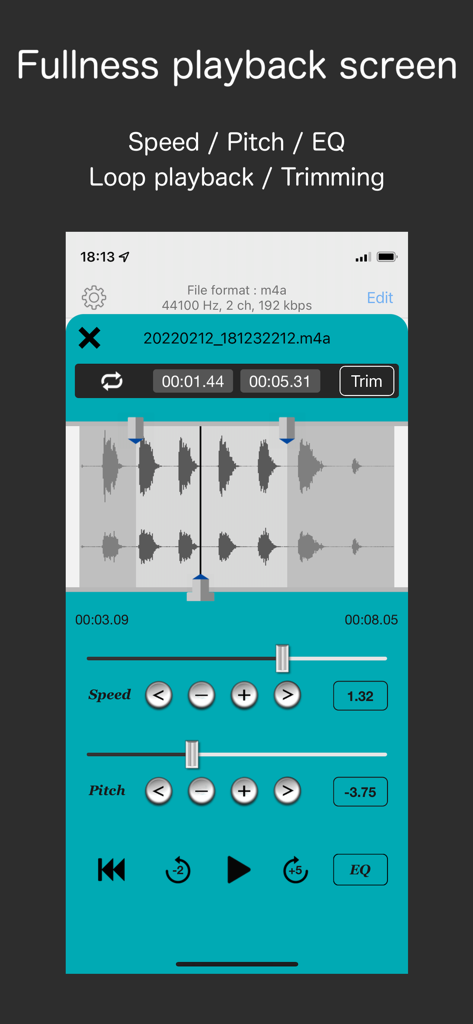
10밴드 이퀄라이저로 오디오를 미세 조정하고, 왜곡 없이 속도나 피치를 조절하세요. 강의를 쉽게 녹취하거나 음악을 분석할 수 있습니다.

다음 스크린샷과 설명은 앱의 공식 스토어 목록에서 직접 가져온 것이며 앱 개발자의 자산입니다.

앱 스토어

스크린샷
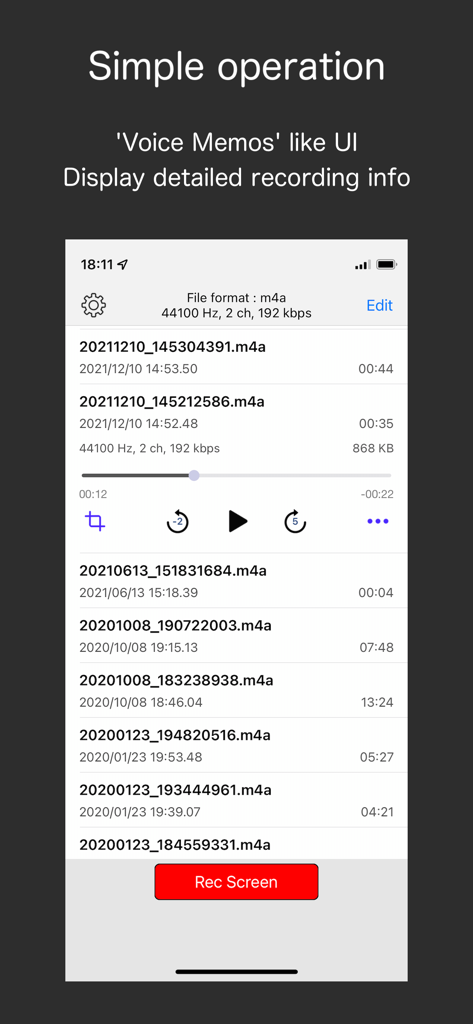
Audio Recorder - WAV, M4A - 오디오 파일 정보 및 재생 컨트롤이 표시된 녹음 목록 인터페이스

오디오 파일 정보 및 재생 컨트롤이 표시된 녹음 목록 인터페이스

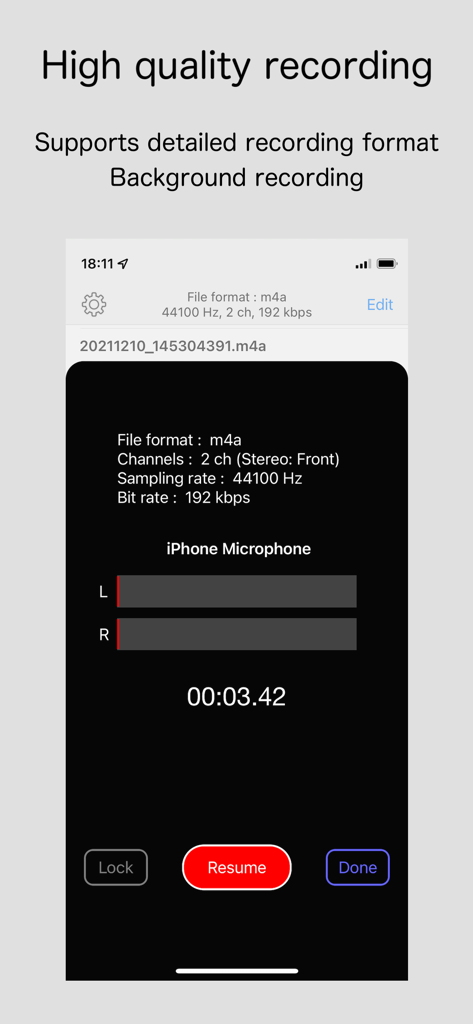
Audio Recorder - WAV, M4A - 고품질 스테레오 녹음 설정 및 기술 사양이 표시된 오디오 레코더 앱 인터페이스
고품질 스테레오 녹음 설정 및 기술 사양이 표시된 오디오 레코더 앱 인터페이스

Audio Recorder - WAV, M4A - 파형 편집 속도 및 피치 컨트롤을 보여주는 오디오 재생 화면

파형 편집 속도 및 피치 컨트롤을 보여주는 오디오 재생 화면

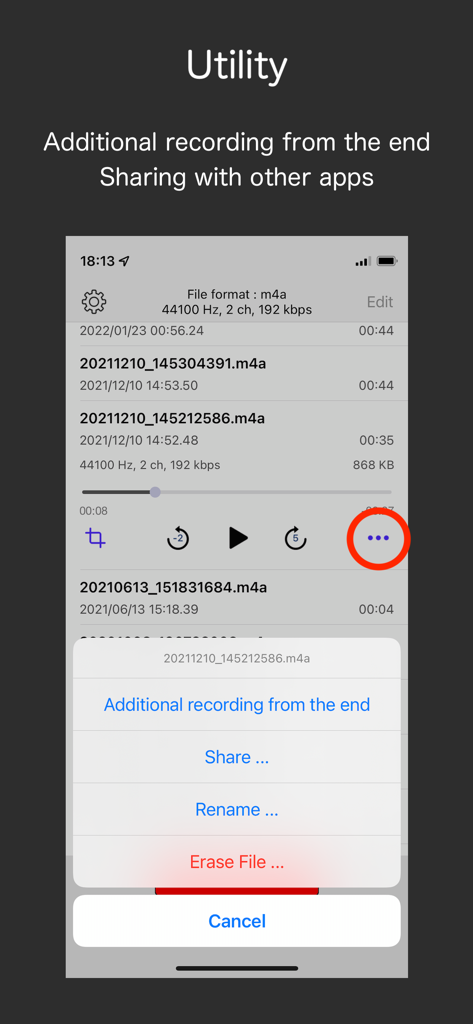
Audio Recorder - WAV, M4A - 공유 및 추가 녹음과 같은 오디오 파일 유틸리티 옵션을 보여주는 인터페이스
공유 및 추가 녹음과 같은 오디오 파일 유틸리티 옵션을 보여주는 인터페이스

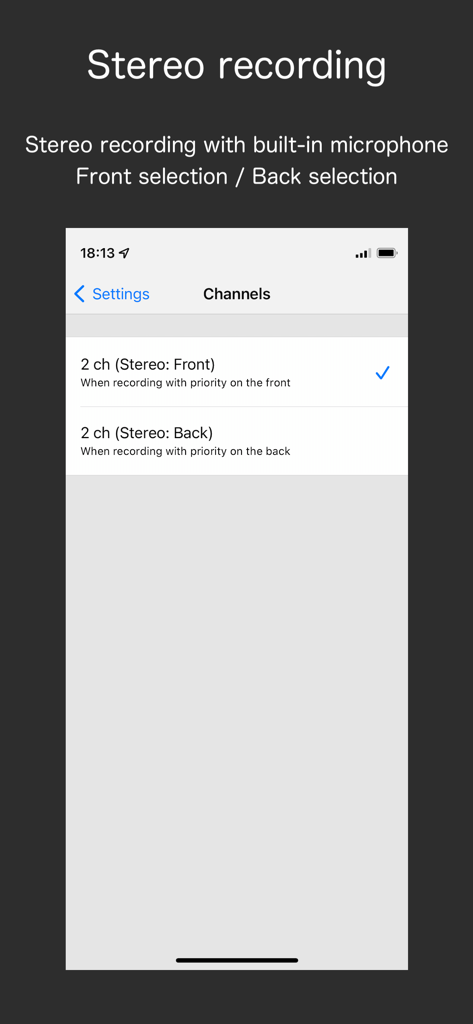
Audio Recorder - WAV, M4A - 오디오 레코더 앱에서 전면 및 후면 마이크에 대한 스테레오 녹음 채널 옵션을 보여주는 iPhone 화면

오디오 레코더 앱에서 전면 및 후면 마이크에 대한 스테레오 녹음 채널 옵션을 보여주는 iPhone 화면

설명

It is a recorder app developed in pursuit of simple operation, detailed recording format settings, enhancement of effects during playback. We can expect many uses such as business side such as meeting and entertainment system such as music. ※ Call recording is NOT supported. Recording : - File format: wav, m4a - Channels: Mono / Stereo - Supports microphone selection (Bottom / Back) for monoral recording with the built-in microphone. - Supports stereo recording (Front / Back) with the built-in microphone. (※ There are model restrictions.) - Supports a wide range of sampling rates.   - wav: 8 ~ 192 kHz   - m4a: 44.1, 48 kHz - Bit depth (wav): 16, 24, 32 bits - Bit rate (m4a): 64, 128, 192, 256, 320 kbps - Supports recording in the background. - Supports additional recording from the end. (save as a new file) Playback : - Graphical waveform display. - Quick jump back/forward of playback position. (Time can be set: 1 ~ 60 seconds) - Repeat playback in specified section. - Time effect ("Speed / Pitch" or "Varispeed") - Setting of playback speed. (0.5x ~ 2.0x) - Setting of pitch. (± 1 octave) ※ In-App Purchase required - Setting of varispeed. (0.5x ~ 2.0x) - 10 band equalizer. (32 Hz ~ 16 kHz) ※ In-App Purchase required - Supports playback in background. Trimming : - Supports trimming of the recording file on the playback screen. - The trimmed file reflect the values ​​set in "Speed/Pitch" or "Varispeed" and "EQ". Other : - Supports sharing the recording file to other apps. - Supports saving the recording file to iCloud Drive. - Supports change of the recording file name. - Supports filtering display of file names in recording list. (search bar) - Supports read recording files from iTunes. - Supports recording using Bluetooth HFP (Hands-Free Profile). - Supports Auto-Lock ON/OFF. Note: Stereo recording with the built-in microphone is limited to the following models (iOS 14~). iPhone XS/XR, iPhone SE (2nd), iPhone 11~, iPad Pro 11 (1st~), iPad Pro 12.9 (3rd~) If the model does not support it, the same sound will be recorded on Lch and Rch respectively.

Download

다운로드: App Store

이 페이지는 앱이나 개발자의 공식 페이지가 아니며, 정보 제공 및 논평을 목적으로 작성된 독립 편집 간행물입니다. 명시적으로 달리 언급되지 않는 한, 해당 앱이나 개발자는 MWM, Apple, Google Play, 앱 퍼블리셔 또는 앱 개발자와 제휴, 보증, 후원, 승인 또는 공식적으로 연결되어 있지 않으며, 이 페이지의 어떤 내용도 해당 앱이 MWM의 서비스를 사용하여 개발되었음을 의미하지 않습니다. 모든 상표, 로고, 스크린샷 및 기타 콘텐츠는 해당 소유자의 자산입니다.