Audio Unit Player
Audio Unit Player
다운로드: App Store

이 페이지는 앱이나 개발자의 공식 페이지가 아니며, 정보 제공 및 논평을 목적으로 작성된 독립 편집 간행물입니다. 명시적으로 달리 언급되지 않는 한, 해당 앱이나 개발자는 MWM, Apple, Google Play, 앱 퍼블리셔 또는 앱 개발자와 제휴, 보증, 후원, 승인 또는 공식적으로 연결되어 있지 않으며, 이 페이지의 어떤 내용도 해당 앱이 MWM의 서비스를 사용하여 개발되었음을 의미하지 않습니다. 모든 상표, 로고, 스크린샷 및 기타 콘텐츠는 해당 소유자의 자산입니다.

로고: Audio Unit Player
다운로드: App Store

Audio Unit Player

음악가 및 프로듀서를 위한 궁극의 유틸리티. 템포와 음정을 실시간으로 변경하고, 31밴드 EQ로 특정 주파수를 분리하고, 좋아하는 AUv3 효과를 모바일 워크플로우에 통합하세요.

주요 수치

다운로드

70K+

사용자 평점

4.0/5

총 평가 수

100

개발사

Loop-Sessions.LLC.

카테고리

Music

지원 언어

2

최신 버전

6.2.6

크기

1.7 MB

출시일

2013년 11월 15일
기능

궁극의 음악가 연습 도구 상자

단순 재생을 넘어서. 진지한 음악가 및 프로듀서를 위해 설계된 전문가 수준의 도구로 오디오 파일을 조작, 분리 및 향상하세요.

완벽한 음정 템포 조절

음정 변경 없이 복잡한 구간을 50% 속도로 늦추거나, 즉시 음정을 변경하여 음역대에 맞추세요. 솔로 마스터링 및 청음 훈련에 이상적입니다.

정밀한 31밴드 이퀄라이저

주파수 스펙트럼을 완벽하게 제어하세요. 특정 악기를 분리하거나 센터 캔슬 기능을 사용하여 보컬을 제거하여 즉시 노래방 연습을 하세요.

다음 스크린샷과 설명은 앱의 공식 스토어 목록에서 직접 가져온 것이며 앱 개발자의 자산입니다.

앱 스토어

스크린샷
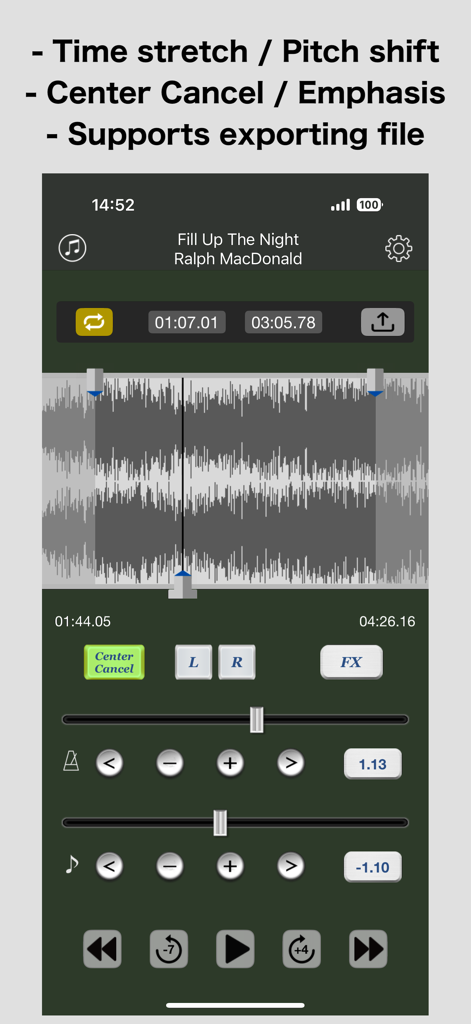
Audio Unit Player - 오디오 파형 보기 및 음정 조절 컨트롤이 있는 Audio Unit Player 모바일 인터페이스
오디오 파형 보기 및 음정 조절 컨트롤이 있는 Audio Unit Player 모바일 인터페이스

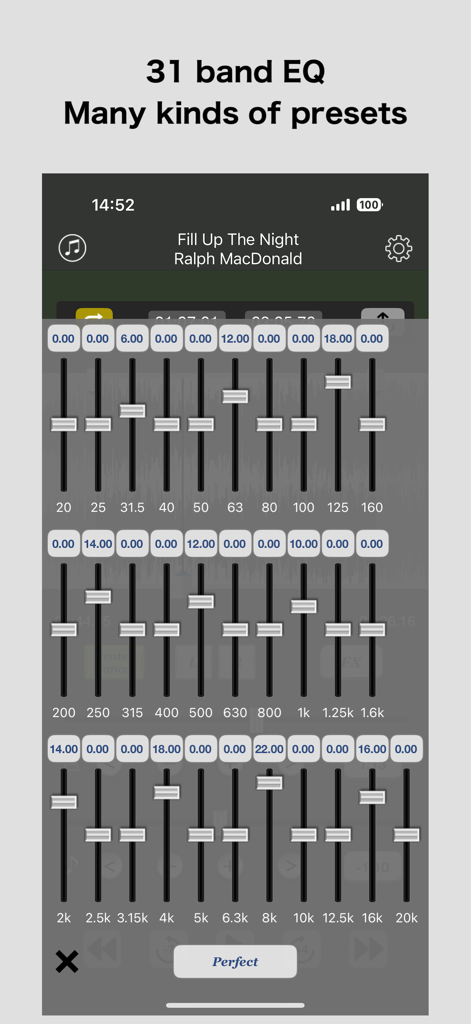
Audio Unit Player - 여러 주파수 슬라이더와 사전 설정이 있는 전문가용 31밴드 이퀄라이저 인터페이스
여러 주파수 슬라이더와 사전 설정이 있는 전문가용 31밴드 이퀄라이저 인터페이스

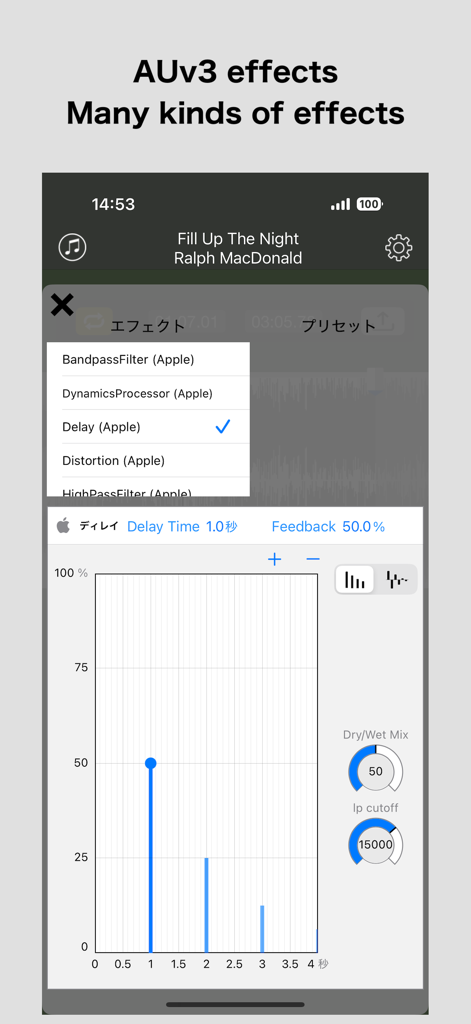
Audio Unit Player - AUv3 딜레이 효과 매개변수 및 오디오 유닛 선택 메뉴를 보여주는 Audio Unit Player 앱 인터페이스
AUv3 딜레이 효과 매개변수 및 오디오 유닛 선택 메뉴를 보여주는 Audio Unit Player 앱 인터페이스

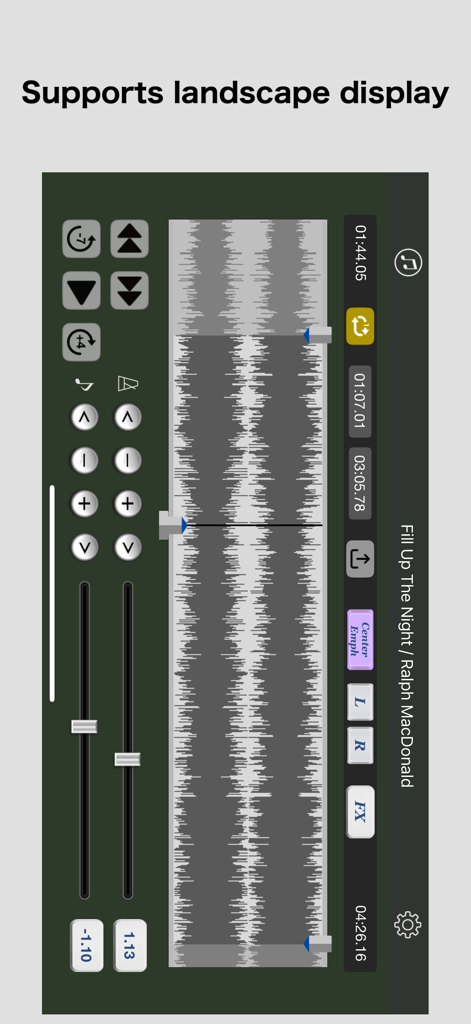
Audio Unit Player - 파형 보기 및 음정 조절 컨트롤을 보여주는 가로 모드의 Audio Unit Player 앱 인터페이스.

파형 보기 및 음정 조절 컨트롤을 보여주는 가로 모드의 Audio Unit Player 앱 인터페이스.

설명

This app is a music player that can process the following effects in real time. - Time stretch (0.5-2.0 double speed) - Pitch shift (-1 ~ +1 octave) - 31 band equalizer - AUv3 (Audio Unit v3) effects [Use cases] - Karaoke's training. (Can be changed speed units of 10%, pitch shift in semitones easily) - Can playback at reduced tempo to copy phrase for guitar or bass, the keyboard instrument. - Can playback by changing the pitch to play by changing the key in the band performance (Developer himself has experience). [Function] - Perform time stretch (50 - 200%) / pitch shift (-12 - +12) in real time. - 31 bands EQ (Hz: 20, 25, 31.5, 40, 50, 63, 80, 100, 125, 160, 200, 250, 315, 400, 500, 630, 800, 1k, 1.25k, 1.6k, 2k, 2.5k, 3.15k, 4k, 5k, 6.3k, 8k, 10k, 12.5k, 16k, 20k). - Abundance EQ preset. - Supports AUv3 (Audio Unit v3) effects - A-B loop playback. - Center Cancel / Center Emphasis. - Lch, Rch each mute. - Quick fast forward, rewind (specify the number of seconds). - Check and set current position graphically in wave view. - Supports Auto-Lock ON/OFF. - Supports background playback. - Supports export (file writing) function (Each effect (speed/pitch/EQ) value set for each song is also reflected. The range specified in the loop section is output.) In addition to loading "music" data included in the standard music app, it also supports the function to import audio files from other apps ("Voice Memos" etc.). [How to import from "Voice Memos"] 1. Start the app "Voice Memos" and tap the mark "..." of the file to be imported from the list. 2. Tap "Share" on the sheet displayed from the bottom. 3. Tap "More" found by scrolling the displayed list of sharing destination apps to the right. 4. Select "AU Player" if available. The file is copied to this app. ================================================ [Note 1] This application will not be able to read songs of the following formats. - Songs from Apple Music, iCloud, iTunes Match - Songs that are protected by digital copyright (DRM) [Note 2] Depending on the state of your device, your custom AUv3 effects may not appear in the list. As a solution, you can solve the problem by starting "GarageBand" once and restarting this app. ================================================

Download

다운로드: App Store

이 페이지는 앱이나 개발자의 공식 페이지가 아니며, 정보 제공 및 논평을 목적으로 작성된 독립 편집 간행물입니다. 명시적으로 달리 언급되지 않는 한, 해당 앱이나 개발자는 MWM, Apple, Google Play, 앱 퍼블리셔 또는 앱 개발자와 제휴, 보증, 후원, 승인 또는 공식적으로 연결되어 있지 않으며, 이 페이지의 어떤 내용도 해당 앱이 MWM의 서비스를 사용하여 개발되었음을 의미하지 않습니다. 모든 상표, 로고, 스크린샷 및 기타 콘텐츠는 해당 소유자의 자산입니다.







