AudioMaster: Audio Editor
다운로드: App Store

이 페이지는 앱이나 개발자의 공식 페이지가 아니며, 정보 제공 및 논평을 목적으로 작성된 독립 편집 간행물입니다. 명시적으로 달리 언급되지 않는 한, 해당 앱이나 개발자는 MWM, Apple, Google Play, 앱 퍼블리셔 또는 앱 개발자와 제휴, 보증, 후원, 승인 또는 공식적으로 연결되어 있지 않으며, 이 페이지의 어떤 내용도 해당 앱이 MWM의 서비스를 사용하여 개발되었음을 의미하지 않습니다. 모든 상표, 로고, 스크린샷 및 기타 콘텐츠는 해당 소유자의 자산입니다.


로고: AudioMaster: Audio Editor
다운로드: App Store

AudioMaster: Audio Editor

녹음물을 라디오 수준의 마스터로 변환하세요. 탭 한 번으로 전문적인 볼륨 부스팅과 AI 기반 사운드 보정을 통해 팟캐스트, 음악, 비디오를 자동으로 향상시킵니다.

주요 수치

다운로드

1M+

사용자 평점

4.5/5

총 평가 수

2K+

개발사

Future Moments LLC

카테고리

Music

지원 언어

23

최신 버전

3.11

크기

175.2 MB

출시일

2016년 7월 14일
기능

수초 만에 완성되는 전문적인 폴리싱

AudioMaster는 고급 알고리즘을 사용하여 모바일 녹음물을 Spotify, YouTube, Apple Podcasts에 바로 올릴 수 있는 스튜디오 품질의 마스터로 변환합니다.

탭 한 번으로 즉시 마스터링

전문적인 결과를 위해 설계된 39가지 장르별 프리셋을 사용하여 자동으로 볼륨을 극대화하고 사운드를 보정하세요.

AI 기반 노이즈 정리

음성 메모, 인터뷰 또는 집에서 녹음한 데모에서 배경 히스 노이즈와 소음을 즉시 제거하여 녹음물을 살려내세요.

FAQ

자주 묻는 질문

에 대해 알아야 할 모든 것 AudioMaster: Audio Editor

AudioMaster: 오디오 편집 앱이란 무엇인가요?

AudioMaster는 녹음의 볼륨을 즉시 최대화하고 음향 특성을 향상시키는 오디오 편집 앱입니다. 또한 AI 비디오와 Reels를 생성합니다.

AudioMaster는 오디오 마스터링 사전 설정을 제공하나요?

예, AudioMaster는 13개 장르에 걸쳐 39개의 사전 설정과 장르당 3개의 설정을 제공합니다. 또한 사용자 정의 사운드 조정을 위한 완전 조정 가능한 6밴드 이퀄라이저가 포함되어 있습니다.

AudioMaster를 비디오 편집 및 제작에 사용할 수 있나요?

예, AudioMaster는 AI 비디오 및 Reels 제작을 지원합니다. 비디오 오디오 분리기 MSV 리믹스 및 MAIVE AI 비디오 생성기와 같은 기능을 제공합니다.

다음 스크린샷과 설명은 앱의 공식 스토어 목록에서 직접 가져온 것이며 앱 개발자의 자산입니다.

앱 스토어

스크린샷
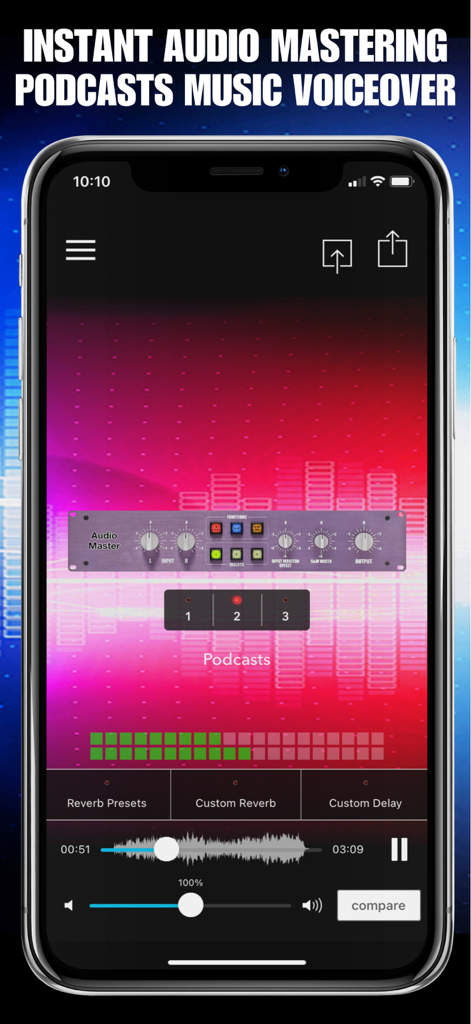
AudioMaster: Audio Editor - 팟캐스트 제작을 위한 전문 마스터링 컨트롤과 파형을 보여주는 AudioMaster의 모바일 앱 인터페이스
팟캐스트 제작을 위한 전문 마스터링 컨트롤과 파형을 보여주는 AudioMaster의 모바일 앱 인터페이스

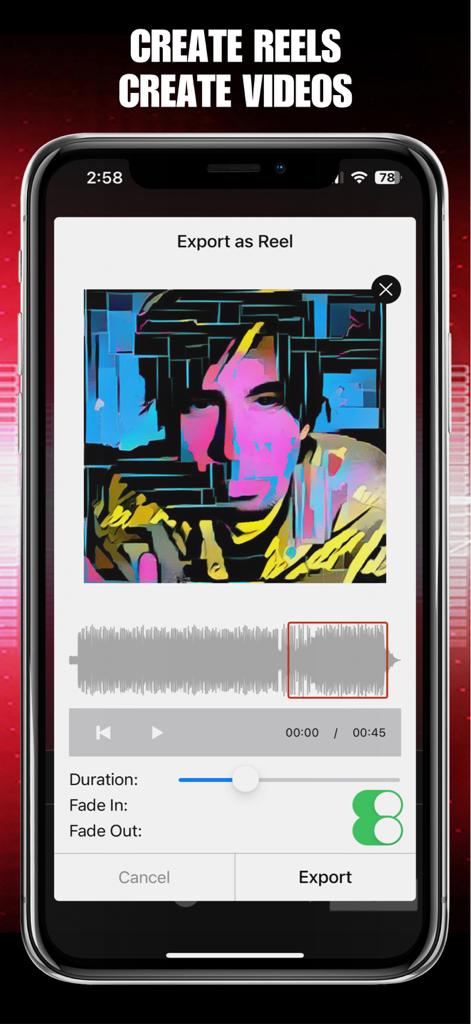
AudioMaster: Audio Editor - 오디오 파형 및 비주얼 설정과 함께 릴스로 내보내기 기능을 보여주는 AudioMaster 앱 인터페이스
오디오 파형 및 비주얼 설정과 함께 릴스로 내보내기 기능을 보여주는 AudioMaster 앱 인터페이스

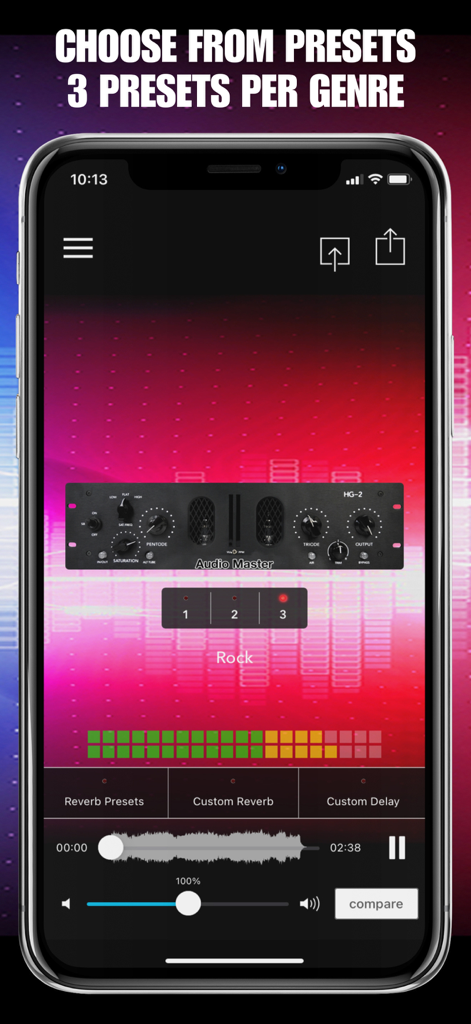
AudioMaster: Audio Editor - 락(Rock) 장르를 위한 세 가지 마스터링 프리셋이 있는 AudioMaster 앱 인터페이스를 보여주는 스마트폰 화면
락(Rock) 장르를 위한 세 가지 마스터링 프리셋이 있는 AudioMaster 앱 인터페이스를 보여주는 스마트폰 화면

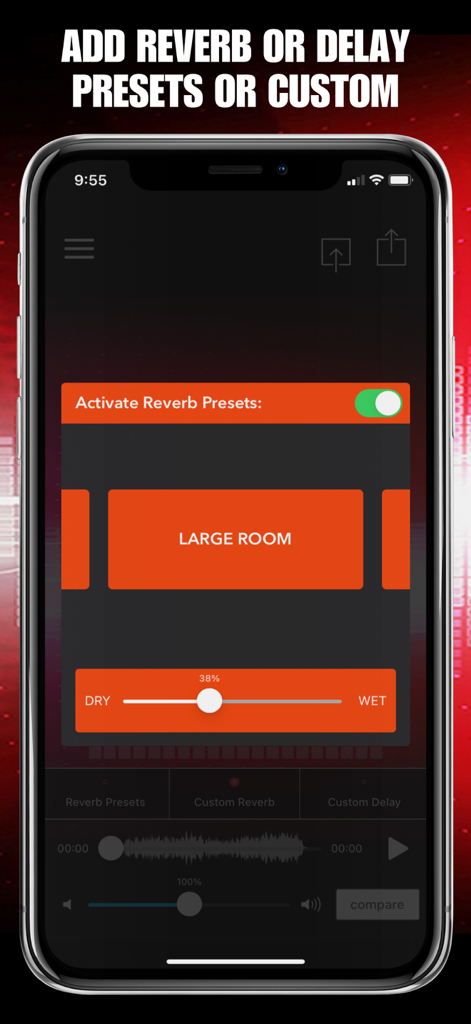
AudioMaster: Audio Editor - 리버브 프리셋 옵션과 오디오 깊이 조절 슬라이더가 특징인 AudioMaster 앱 인터페이스
리버브 프리셋 옵션과 오디오 깊이 조절 슬라이더가 특징인 AudioMaster 앱 인터페이스

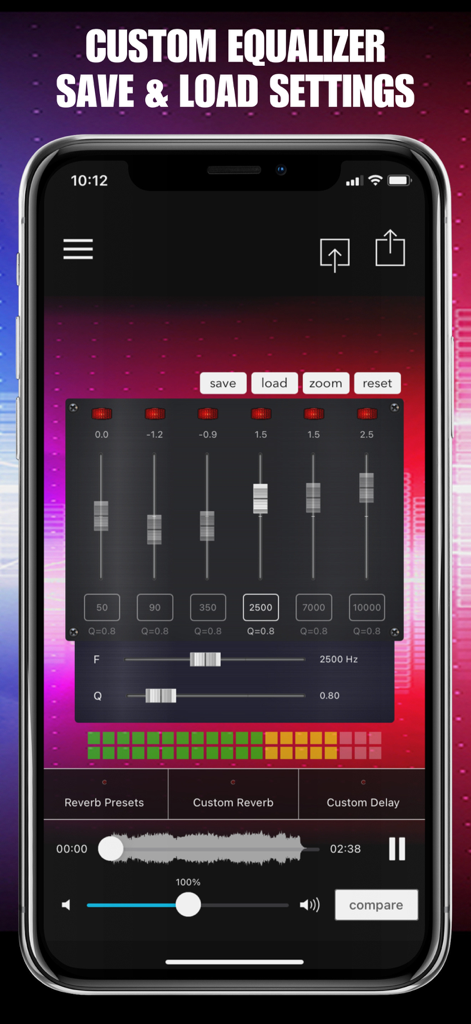
AudioMaster: Audio Editor - 6개 밴드 슬라이더와 저장 설정이 있는 AudioMaster 앱 커스텀 이퀄라이저 인터페이스
6개 밴드 슬라이더와 저장 설정이 있는 AudioMaster 앱 커스텀 이퀄라이저 인터페이스

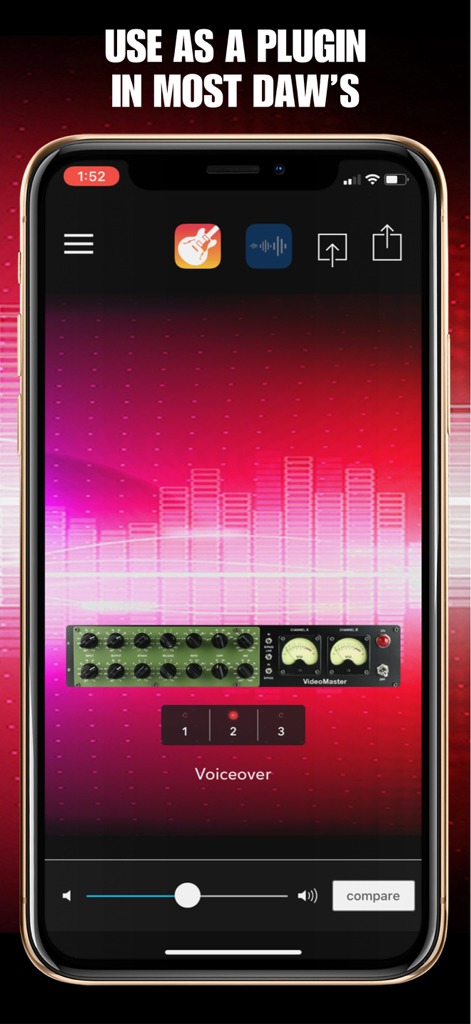
AudioMaster: Audio Editor - 전문 보이스오버 마스터링을 위해 모바일 디지털 오디오 워크스테이션(DAW) 내 플러그인으로 사용되는 AudioMaster 앱 인터페이스
전문 보이스오버 마스터링을 위해 모바일 디지털 오디오 워크스테이션(DAW) 내 플러그인으로 사용되는 AudioMaster 앱 인터페이스

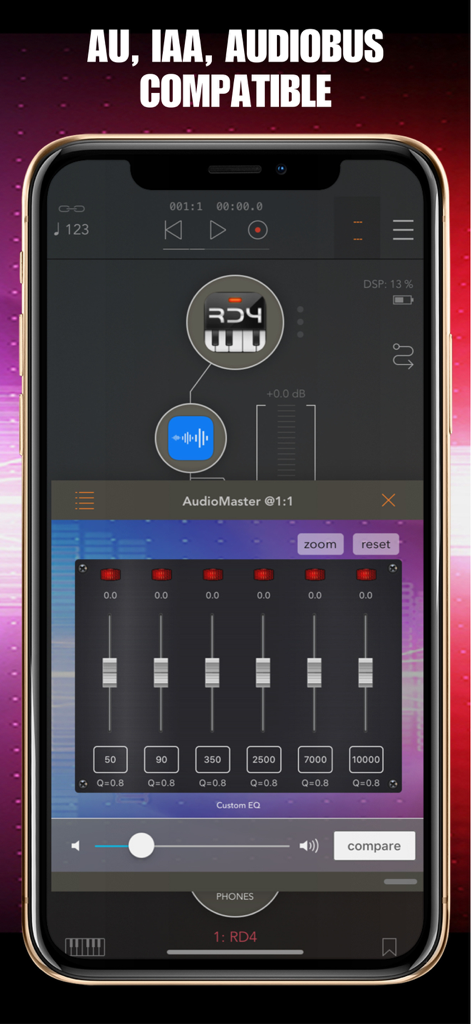
AudioMaster: Audio Editor - 6밴드 커스텀 이퀄라이저와 AU IAA Audiobus 호환성을 보여주는 AudioMaster 앱 인터페이스
6밴드 커스텀 이퀄라이저와 AU IAA Audiobus 호환성을 보여주는 AudioMaster 앱 인터페이스

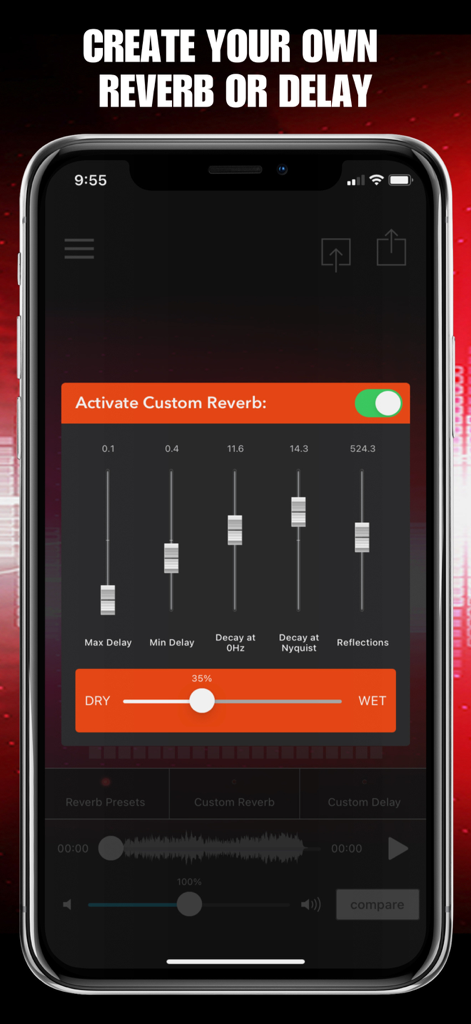
AudioMaster: Audio Editor - 조절 가능한 슬라이더가 있는 커스텀 리버브 및 딜레이 설정을 보여주는 AudioMaster 앱의 모바일 화면

조절 가능한 슬라이더가 있는 커스텀 리버브 및 딜레이 설정을 보여주는 AudioMaster 앱의 모바일 화면

설명

Musicians! Podcasters! Voiceover Artists! Let AudioMaster put the final touches on your audio. AudioMaster instantly maximizes the volume and enhances the sonic characteristics of your recording. Create AI Videos and Reels too! Our audio algorithm automatically adjusts levels and gives an overall sweetening of the sound. Think of it as the difference between a good sounding mix and a louder, professional sounding finished master. Choose between our fully adjustable 6 band equalizer or presets of 3 settings per genre. Export, save and share anywhere. Audiobus, IAA and AUv3 compatible. Free to download so you can try before you buy. Export in many different formats! Use for Podcasts, Music, Voiceover, Demos, Memos, etc. Voice Memo Cleaner Remove Noise from Audio Video Audio Splitter MSV Remix Remix the Audio of Your Video MicSwap Remix AI Audio Stem Separator Audio Cleaner AI Audio Cleanup Magic MAIVE Ai Video Generator VideoVerb Add Reverb to Your Videos Hear Boost Get Super Hearing & Recording MicSwap Mic Modeler & Recorder MicSwap MultiTrack Multitrack Mic Modeler & Recorder MicSwap Video Edit Video Audio with Mic Models & FX MicSwap Camera The Best Sounding Video Camera AudioFix Denoise & Clean the Sound of Your Video VideoMaster Instant Audio Post-Production for Videos AudioVerb Add Reverb & Delay to Your Audio AudioMaster Audio Mastering for Podcasts & Music Volume Booster Easily Boost the Sound of Your Audio or Video 39 PRESETS IN 13 GENRES • Flat EQ • Podcasts • Voiceover • Rock • Folk • Blues • Classical • Country • Hip Hop • Electronic • Jazz • Latin • New Age • Pop • R&B / Soul AudioMaster is free to download. We offer 3 subscription plans: Monthly Unlimited Use 6 Month Unlimited Use Yearly Unlimited Use If you choose to subscribe, your subscriptions will automatically renew at the end of the selected time and will charge your credit card through your iTunes account. You can turn off auto-renew at any time from your iTunes account settings. Payment will be charged to iTunes Account at confirmation of purchase.Subscription automatically renews unless auto-renew is turned off at least 24-hours before the end of the current period. Account will be charged for renewal within 24-hours prior to the end of the current period, and identify the cost of the renewal. Subscriptions may be managed by the user and auto-renewal may be turned off by going to the user's Account Settings after purchase. Any unused portion of a free trial period, if offered, will be forfeited when the user purchases a subscription to that publication, where applicable AudioMaster - Audio Master Future Moments LLC privacy policy: http://future-moments.com/faq Future Moments LLC terms of use: http://future-moments.com/faq

Download

다운로드: App Store
추천

비슷한 앱

유사한 기능과 사용자 경험을 가진 앱

이 페이지는 앱이나 개발자의 공식 페이지가 아니며, 정보 제공 및 논평을 목적으로 작성된 독립 편집 간행물입니다. 명시적으로 달리 언급되지 않는 한, 해당 앱이나 개발자는 MWM, Apple, Google Play, 앱 퍼블리셔 또는 앱 개발자와 제휴, 보증, 후원, 승인 또는 공식적으로 연결되어 있지 않으며, 이 페이지의 어떤 내용도 해당 앱이 MWM의 서비스를 사용하여 개발되었음을 의미하지 않습니다. 모든 상표, 로고, 스크린샷 및 기타 콘텐츠는 해당 소유자의 자산입니다.