Authenticator App : 2FA Secure

Authenticator App : 2FA Secure

다운로드: App Store
로고: Authenticator App : 2FA Secure

Authenticator App : 2FA Secure – 디지털 ID를 위한 전문가 수준의 보호

철통같은 다단계 인증으로 보안을 강화하세요. 고성능 iPhone 사용자를 위해 독점적으로 설계된 암호화된 OTP 코드와 원활한 백업으로 이메일, 클라우드 서비스 및 금융 계정을 보호하세요.

다운로드: App Store

개발사

PDF EXPERT LTD

카테고리

Business

다운로드

0

사용자 평점

1.0/5

총 평가 수

0

지원 언어

1

실행 중인 디지털 보호막

이 인터페이스를 사용하는 0 명의 사용자.

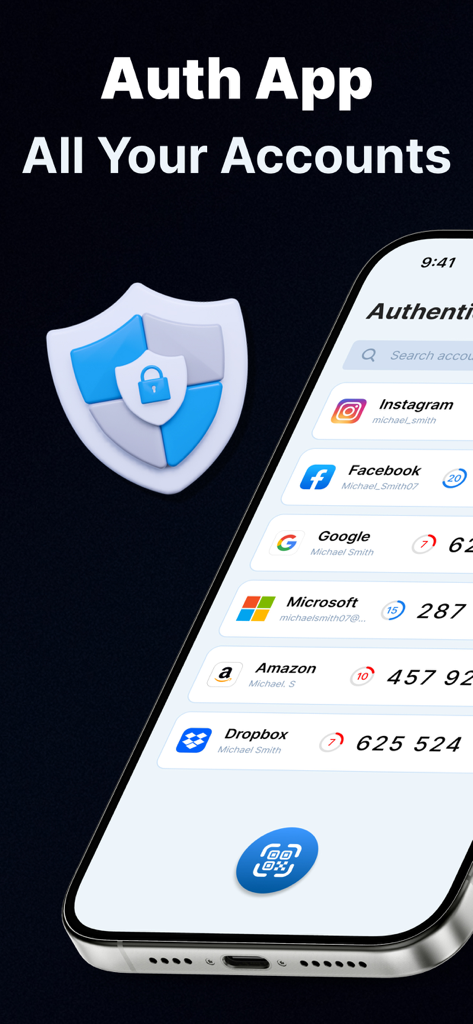
Google 및 Facebook과 같은 여러 계정에 대한 2FA 보안 코드를 보여주는 iPhone 화면
Google 및 Facebook과 같은 여러 계정에 대한 2FA 보안 코드를 보여주는 iPhone 화면

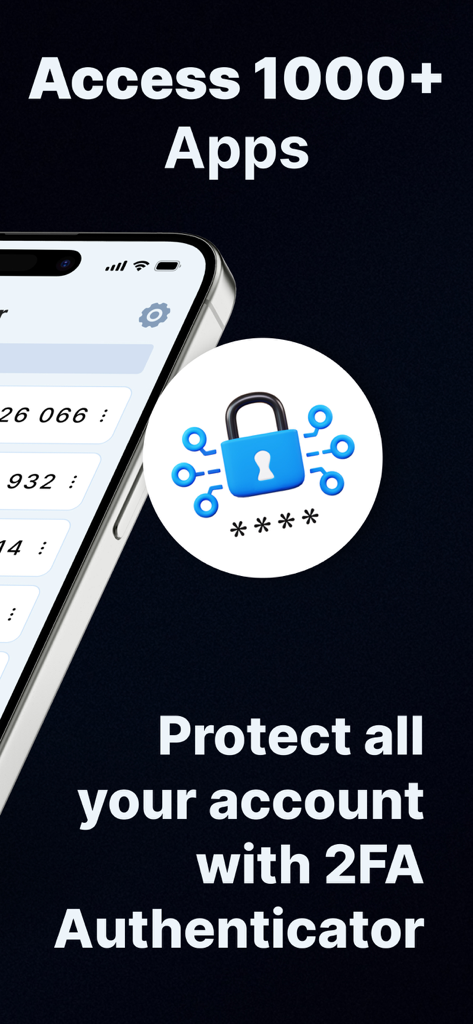
모바일 계정에 대한 2FA 인증기 보호를 표시하는 그래픽.
모바일 계정에 대한 2FA 인증기 보호를 표시하는 그래픽.

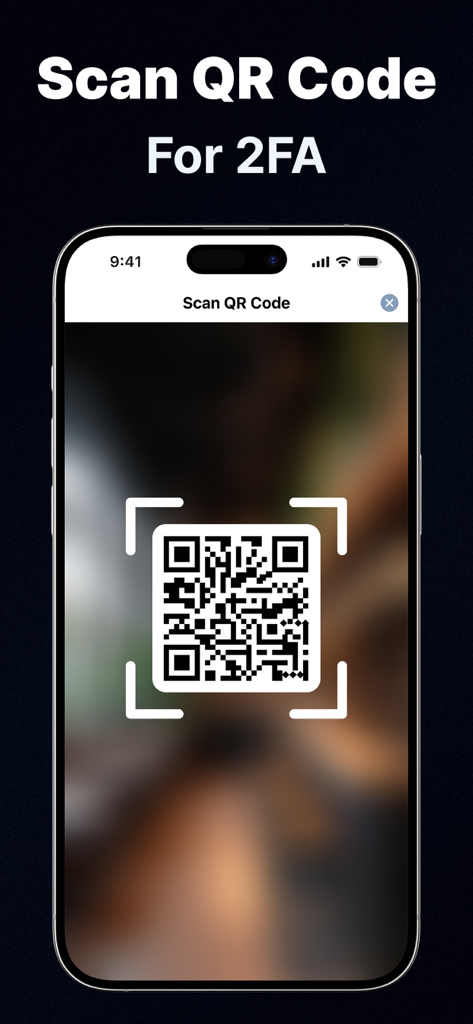
2단계 인증 설정을 위해 QR 코드를 스캔하는 iPhone
2단계 인증 설정을 위해 QR 코드를 스캔하는 iPhone

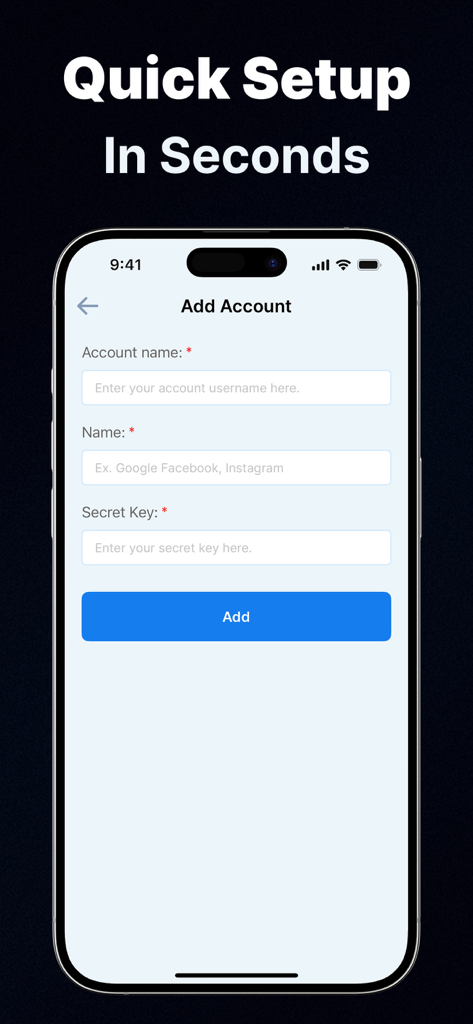
iPhone의 Authenticator App 2FA Secure 계정 추가 인터페이스
iPhone의 Authenticator App 2FA Secure 계정 추가 인터페이스

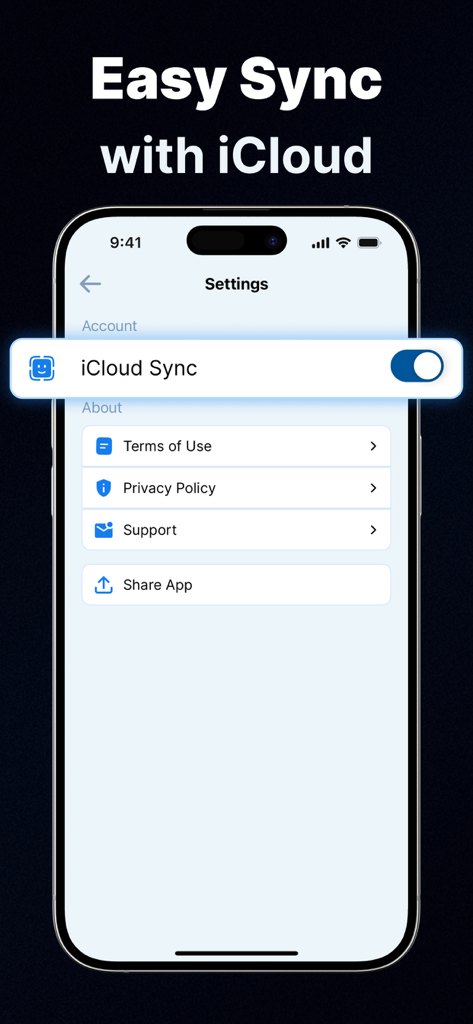
2FA Authenticator App 설정에서 iCloud 동기화 기능 활성화를 보여주는 iPhone 스크린샷

2FA Authenticator App 설정에서 iCloud 동기화 기능 활성화를 보여주는 iPhone 스크린샷

모든 로그인을 완벽하게 안전하게 보호하세요

이 앱을 돋보이게 하는 도구, 0 명의 사용자가 선택.

🔄

스트레스 없는 기기 마이그레이션

다시는 잠기는 것을 두려워하지 마세요. 2FA 데이터를 안전하게 백업하고 새 iPhone으로 업그레이드할 때 즉시 복원하세요.

🛡️

개인정보 우선 아키텍처

귀하의 보안은 개인적인 것입니다. 당사는 귀하의 민감한 데이터가 전적으로 귀하의 통제 하에 있도록 외부 서버에 키를 저장하지 않습니다.

✈️

안정적인 오프라인 액세스

인터넷 연결 없이도 전 세계 어디에서나 시간 기반 OTP 코드를 생성하여 중단 없는 전문가 액세스를 보장합니다.

앱 소개

에 대해 알아야 할 모든 것 Authenticator App : 2FA Secure.

설명

Stay secure and protect your online accounts with our powerful Authenticator App designed exclusively for iPhone users. With cutting-edge 2FA (Two-Factor Authentication) and MFA (Multi-Factor Authentication) support, our Auth App ensures maximum protection for your digital life. In today’s world, where data breaches and password leaks are common, relying on a single password is no longer safe. That’s why our Authentication App adds an extra layer of security with time-based OTP (One-Time Passwords) and secure verification codes that only you can access. Note: Some of the features are only available after taking paid subscription. Our Authenticator App is easy to set up and works with a wide range of online accounts. Whether you want to protect your email, social accounts, cloud services, or personal apps, our 2FA Authenticator makes it simple to generate and manage all your OTP codes in one secure place. The app uses industry-standard algorithms for TOTP (Time-based One-Time Password) and HOTP (HMAC-based One-Time Password), ensuring compatibility with virtually every service that supports two-factor authentication. Key Features of the Authenticator App: (Note: Some features are available only after taking premium subscription) Secure Authentication: Add a strong security layer to your accounts with 2FA and MFA, ensuring no unauthorized person can log in without your approval. OTP Generator: Generate highly secure, time-based one-time passwords (OTP) that refresh every few seconds for maximum protection. Offline Functionality: Works seamlessly even when your device is offline, so you can access your 2FA codes anytime, anywhere. Multiple Account Support: Manage all your authentication codes in one place, from email and social platforms to work accounts and online services. Backup & Restore: Safely back up your 2FA data and restore it if you switch devices. Advanced Security: The app uses strong encryption and secure storage to keep your OTP codes and sensitive data fully protected. User-Friendly Interface: A clean, intuitive design makes it simple to set up and manage two-factor authentication for any account. Why Choose This Authenticator App? Our app is built with a strong focus on privacy, security, and reliability. It doesn’t store your passwords or sensitive information on external servers, keeping your data fully private. By using MFA and 2FA authentication, you drastically reduce the risk of unauthorized access, phishing attacks, and account takeovers. How It Works: Enable two-factor authentication (2FA) or multi-factor authentication (MFA) on your online account. Scan the QR code provided by the service using the Authenticator App or manually enter the secret key. Use the generated OTP code to securely log in. No matter if you’re a casual user, a professional, or someone who values online security, this Authenticator App ensures that your accounts remain safe and secure at all times. It is the ultimate solution for anyone looking to implement two-factor authentication, multi-factor authentication, OTP codes, and advanced security measures in a single, easy-to-use application. Subscriptions: To unlock all premium features and content, you can either choose a subscription plan or make a one-time payment for lifetime access. The purchase amount will be charged to your iTunes account upon confirmation. Subscriptions are set to automatically renew based on the selected plan’s rate and duration. Your account will be charged for the renewal within 24 hours before the current subscription period ends. You can manage your subscription and disable auto-renewal at any time through your iTunes Account Settings after purchase. Please note that any unused portion of a free trial period, if offered, will be forfeited once you purchase a subscription. https://www.pdfexpert.top/terms-of-use-eula https://www.pdfexpert.top/privacy-policy-apps

최신 버전

1.0

크기

32.3 MB

출시일

2026년 1월 6일

오늘 디지털 ID를 안전하게 보호하세요

전체 계정 보호 및 마음의 평화를 위해 iPhone 전용 2FA를 신뢰하는 수천 명의 전문가와 함께하세요. 다시는 디지털 생활에서 잠기는 것에 대해 걱정하지 마세요.

다운로드: App Store
FAQ

자주 묻는 질문

에 대해 알아야 할 모든 것 Authenticator App : 2FA Secure

인증기 앱 : 2FA 보안 앱은 무엇인가요?

인증기 앱 : 2FA 보안 앱은 온라인 계정을 보호하기 위해 2단계 인증 및 다단계 인증을 지원하는 iPhone 애플리케이션입니다. 안전한 로그인을 위해 시간 기반 일회용 비밀번호(OTP)를 생성하여 유출 사고로부터 디지털 보안을 강화합니다.

인증기 앱은 2단계 인증(2FA)을 지원하나요?

예, 인증기 앱 : 2FA 보안 앱은 2단계 인증(2FA)을 완벽하게 지원합니다. 최첨단 2FA 및 MFA 솔루션을 제공하여 온라인 계정에 강력한 보안 계층을 추가하고 최대 보호를 보장합니다.

인증기 앱은 일회용 비밀번호(OTP)를 어떻게 생성하나요?

인증기 앱은 업계 표준 TOTP 및 HOTP 알고리즘을 사용하여 매우 안전한 시간 기반 일회용 비밀번호(OTP)를 생성합니다. 이러한 인증 코드는 최대 보호를 위해 몇 초마다 새로 고쳐집니다.

인증기 앱을 여러 온라인 계정에 사용할 수 있나요?

예, 인증기 앱은 여러 온라인 계정을 지원합니다. 사용자는 이메일, 소셜 플랫폼, 클라우드 서비스 및 업무용 계정의 인증 코드를 모두 하나의 안전한 장소에서 관리할 수 있습니다.

인증기 앱은 오프라인에서도 작동하나요?

예, 인증기 앱은 오프라인 기능을 제공합니다. 장치가 인터넷에 연결되지 않은 경우에도 원활하게 작동하여 언제 어디서나 2FA 코드에 액세스할 수 있습니다.

인증기 앱 : 2FA 보안 앱에서 새 계정을 설정하는 방법은 무엇인가요?

사용자는 온라인 서비스에서 2FA/MFA를 활성화한 다음 인증기 앱으로 제공된 QR 코드를 스캔하여 계정을 설정합니다. 빠른 설정을 위해 비밀 키를 수동으로 입력하는 것도 옵션입니다.

인증기 앱으로 2FA 데이터를 백업하고 복원할 수 있나요?

예, 인증기 앱은 백업 및 복원 기능을 제공합니다. 사용자는 2FA 데이터를 안전하게 백업하고 기기를 전환할 경우 복원할 수 있어 데이터 연속성을 보장합니다.

인증기 앱은 백업을 위해 iCloud 동기화를 제공하나요?

예, 인증기 앱은 iCloud와 쉽게 동기화됩니다. 사용자는 앱 설정에서 iCloud 동기화를 활성화하여 기기 간에 2FA 데이터를 편리하게 백업하고 복원할 수 있습니다.

인증기 앱은 내 비밀번호나 민감한 정보를 외부 서버에 저장하나요?

아니요, 인증기 앱은 비밀번호나 민감한 정보를 외부 서버에 저장하지 않습니다. 개인 정보 보호 및 보안에 중점을 두고 설계되어 데이터를 기기에서 완전히 보호합니다.

인증기 앱 : 2FA 보안 앱의 모든 기능은 무료로 사용할 수 있나요?

아니요, 인증기 앱의 일부 기능은 유료 구독 후에만 사용할 수 있습니다. 모든 프리미엄 기능과 콘텐츠를 이용하려면 구독 계획을 선택하거나 일회성 결제를 통해 평생 액세스할 수 있습니다.

인증기 앱 : 2FA 보안 앱의 구독은 어떻게 작동하나요?

인증기 앱의 구독은 선택한 요금제와 기간에 따라 자동으로 갱신됩니다. 구매 금액은 확인 시 iTunes 계정으로 청구되며, 현재 기간이 종료되기 24시간 이내에 갱신됩니다.

인증기 앱 : 2FA 보안 앱의 구독을 어떻게 관리하나요?

구매 후 iTunes 계정 설정을 통해 인증기 앱 구독을 관리하고 언제든지 자동 갱신을 비활성화할 수 있습니다. 이를 통해 구독 상태를 완전히 제어할 수 있습니다.

App information, icons, screenshots, and descriptions displayed on this page are sourced from the Apple App Store and are the property of their respective developers. Download estimates and rankings are based on MWM's proprietary models and may not reflect actual figures. This page is provided for informational and analytical purposes only.

Believe this page infringes your intellectual property? File a dispute