
이 페이지는 앱이나 개발자의 공식 페이지가 아니며, 정보 제공 및 논평을 목적으로 작성된 독립 편집 간행물입니다. 명시적으로 달리 언급되지 않는 한, 해당 앱이나 개발자는 MWM, Apple, Google Play, 앱 퍼블리셔 또는 앱 개발자와 제휴, 보증, 후원, 승인 또는 공식적으로 연결되어 있지 않으며, 이 페이지의 어떤 내용도 해당 앱이 MWM의 서비스를 사용하여 개발되었음을 의미하지 않습니다. 모든 상표, 로고, 스크린샷 및 기타 콘텐츠는 해당 소유자의 자산입니다.


Auto Caption Video Subtitles
전문적인 애니메이션 자막, 자동 무음 구간 제거, 내장형 프롬프터로 시청자 유지율을 극대화하세요. 워터마크 없이 100% 온디바이스 개인 정보 보호 기능으로 몇 초 만에 영향력 있는 바이럴 콘텐츠를 제작하세요.
다운로드
103K+사용자 평점
총 평가 수
4K+개발사
카테고리
Photo & Video지원 언어
1최신 버전
3.0크기
277.1 MB출시일
2023년 1월 11일피드를 사로잡는 전문가 수준의 콘텐츠
바이럴 스타일의 자막부터 AI 기반 편집까지, 수동 작업 없이 스크롤하는 사람들을 충성스러운 팔로워로 만들 수 있는 도구를 제공합니다.
바이럴 자막 스타일
유지율을 높이고 브랜드의 독특한 미학에 완벽하게 맞는 100개 이상의 애니메이션 템플릿 중에서 선택하세요.
원탭 무음 구간 제거
어색한 침묵과 끊김 현상을 즉시 제거하여 소셜 알고리즘이 선호하는 빠르고 에너지 넘치는 동영상을 만드세요.
자주 묻는 질문
에 대해 알아야 할 모든 것 Auto Caption Video Subtitles
자동 자막 동영상 자막이란 무엇인가요?
자동 자막 동영상 자막은 AI 기반 앱으로, 동영상에 정확한 폐쇄 자막과 자막을 생성합니다. YouTube Shorts, Instagram Reels, TikTok과 같은 플랫폼에서 콘텐츠 제작자가 더 많은 잠재고객에게 도달하도록 돕습니다.
자동 자막은 자막에 몇 개의 언어를 지원하나요?
자동 자막 동영상 자막은 AI 기반 정확한 폐쇄 자막을 위해 99가지 언어와 번역을 지원합니다. 이 기능을 통해 콘텐츠 제작자는 전 세계 잠재고객에게 효과적으로 도달할 수 있습니다.
자동 자막으로 동영상에서 무음을 제거할 수 있나요?
네, 자동 자막 동영상 자막은 자동 무음 제거 기능을 제공하여 사용자가 동영상에서 공백을 제거할 수 있습니다. 이는 동영상의 흐름과 전문성을 향상시키고 편집 시간을 절약합니다.
자동 자막에 텔레프롬프터 기능이 포함되어 있나요?
네, 자동 자막 동영상 자막에는 녹화를 위한 내장 텔레프롬프터가 포함되어 있습니다. 이 기능은 사용자가 자신감 있게 말하도록 돕고 동영상 제작 중에 메시지를 부드럽게 전달하도록 합니다.
자동 자막에서 자막에 사용할 수 있는 사용자 지정 옵션은 무엇인가요?
자동 자막은 100가지 이상의 고유한 자막 스타일, 사용자 지정 자막 색상, 특정 단어 강조 기능을 제공합니다. 사용자는 필요에 따라 타이밍을 조정하고 전사를 편집할 수도 있습니다.
자동 자막으로 동영상에 배경 음악을 추가할 수 있나요?
네, 자동 자막 동영상 자막을 사용하면 사용자가 동영상에 배경 음악을 추가할 수 있습니다. 큐레이션된 라이브러리에서 선택하거나 자신의 트랙을 가져와 동영상 콘텐츠를 향상시킬 수 있습니다.
자동 자막 동영상 자막에 대한 무료 체험판이 있나요?
네, 자동 자막 동영상 자막은 무료 체험 기간을 제공합니다. 체험 기간은 종료 최소 24시간 전에 취소하지 않으면 자동으로 유료 구독으로 전환됩니다.
자동 자막 구독을 어떻게 취소하나요?
iTunes 계정 설정을 조정하여 언제든지 자동 자막 구독의 자동 갱신을 비활성화할 수 있습니다. 취소는 현재 기간이 종료되기 최소 24시간 전에 이루어져야 합니다.
자동 자막은 개인 정보를 수집하거나 동영상을 클라우드에 업로드하나요?
아니요, 자동 자막 동영상 자막은 개인 정보를 요청하지 않으며, 동영상이 클라우드로 전송되지 않습니다. 이 앱은 사용자 개인 정보 보호 및 데이터 보안을 우선시합니다.
자동 자막은 동영상에 워터마크나 광고를 추가하나요?
아니요, 자동 자막 동영상 자막은 동영상에 워터마크나 광고를 추가하지 않습니다. 이는 콘텐츠 제작자에게 깔끔하고 전문적인 결과물을 보장합니다.
자동 자막은 어떤 동영상 플랫폼에 최적화되어 있나요?
자동 자막 동영상 자막은 YouTube Shorts, Instagram Reels, TikTok의 콘텐츠 제작자에 최적화되어 있습니다. 또한 소셜 미디어에 맞는 크기로 동영상을 자동으로 자릅니다.
다음 스크린샷과 설명은 앱의 공식 스토어 목록에서 직접 가져온 것이며 앱 개발자의 자산입니다.
앱 스토어
스크린샷
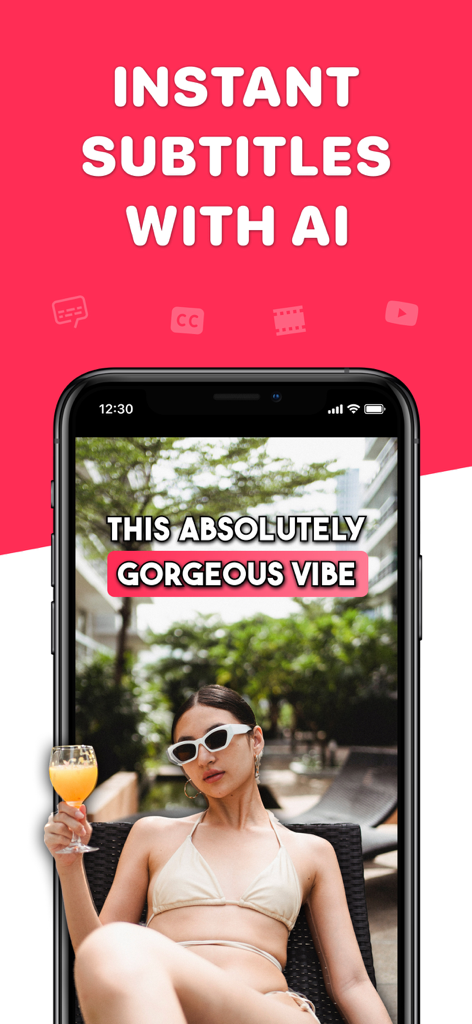
소셜 미디어를 위한 즉석 AI 생성 자막과 스타일화된 캡션이 포함된 동영상을 보여주는 스마트폰
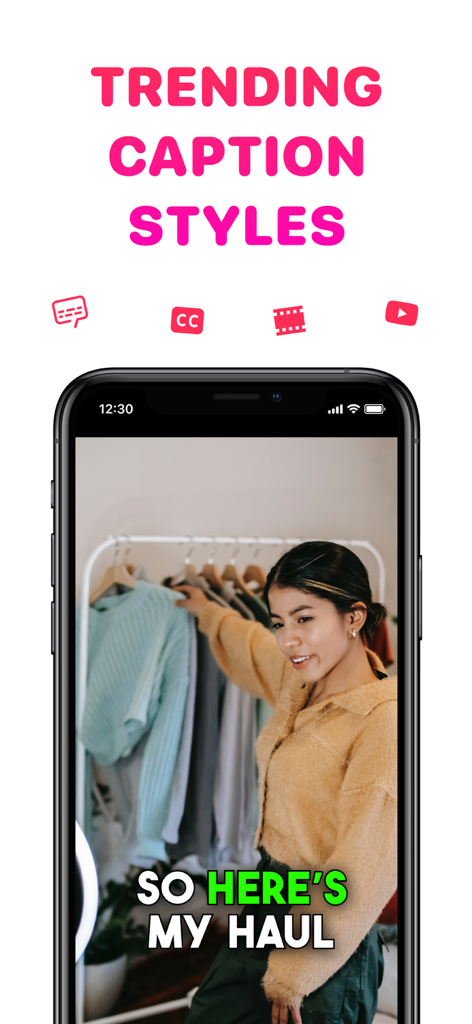
소셜 미디어 의류 쇼핑 콘텐츠를 위한 인기 있는 캡션이 포함된 동영상을 보여주는 스마트폰
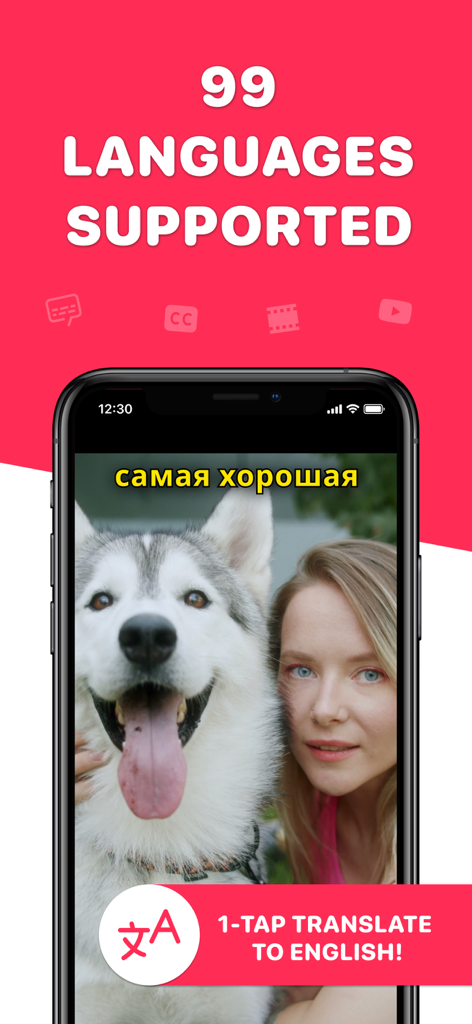
99개 언어에 대한 동영상 자막 번역 기능을 보여주는 스마트폰 화면
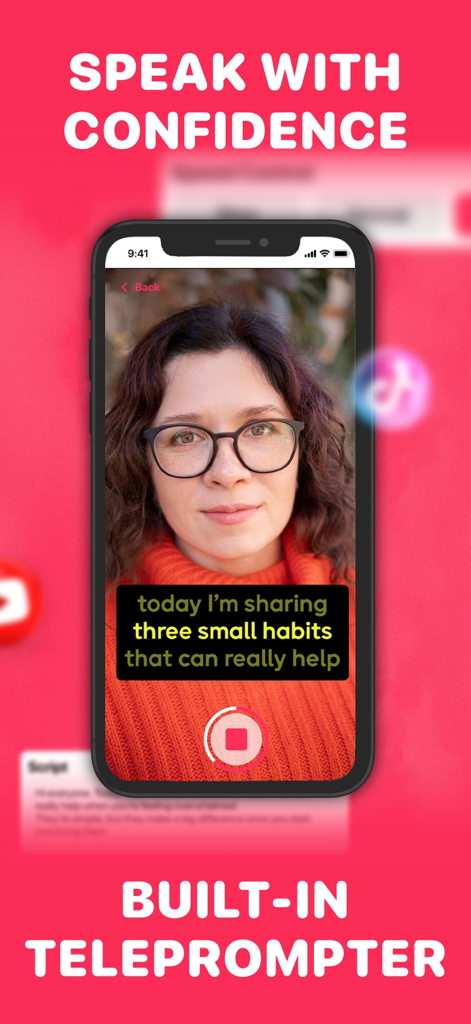
소셜 미디어 콘텐츠 녹화를 위해 Auto Caption 동영상 자막 앱의 내장형 프롬프터를 사용하는 여성
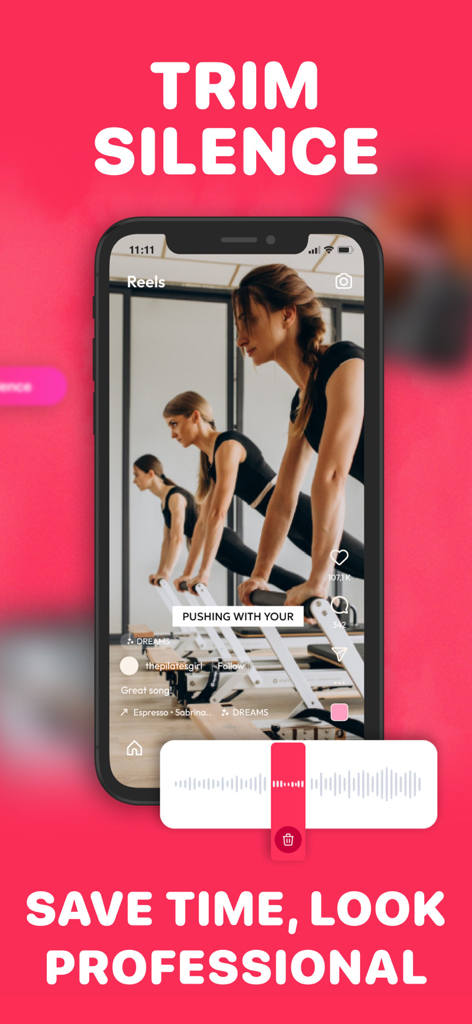
동영상 파형과 필라테스 동영상 미리보기가 있는 무음 구간 자르기 기능이 있는 모바일 앱 인터페이스
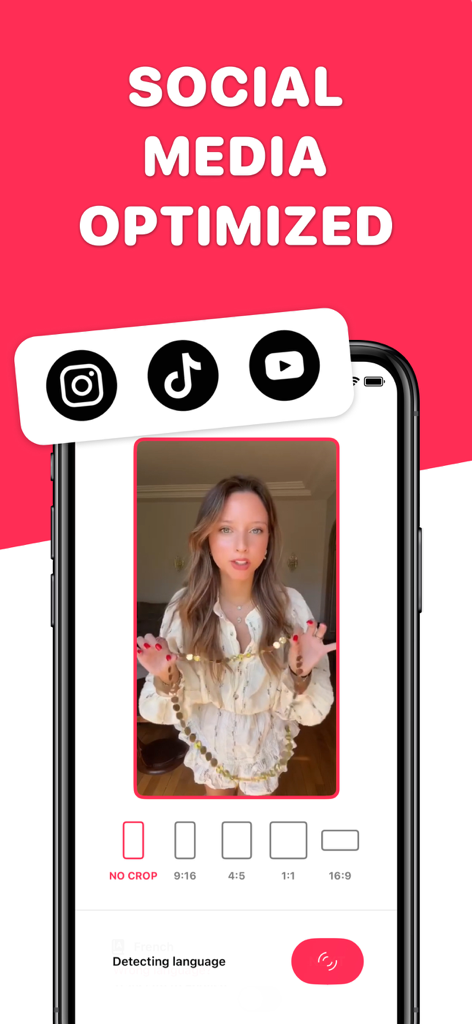
Instagram TikTok 및 YouTube 소셜 미디어 플랫폼에 대한 동영상 자르기 옵션을 보여주는 인터페이스
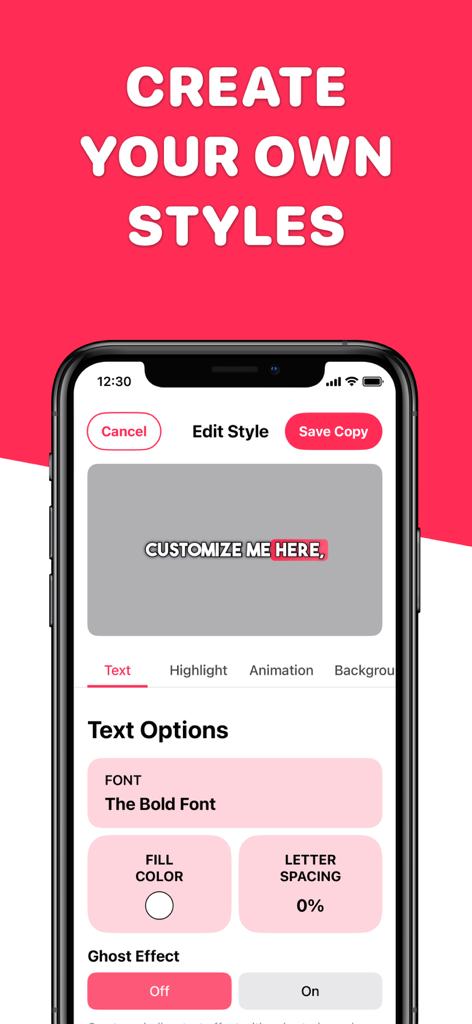
글꼴 및 색상 옵션으로 동영상 자막 스타일을 사용자 정의하는 모바일 앱 인터페이스
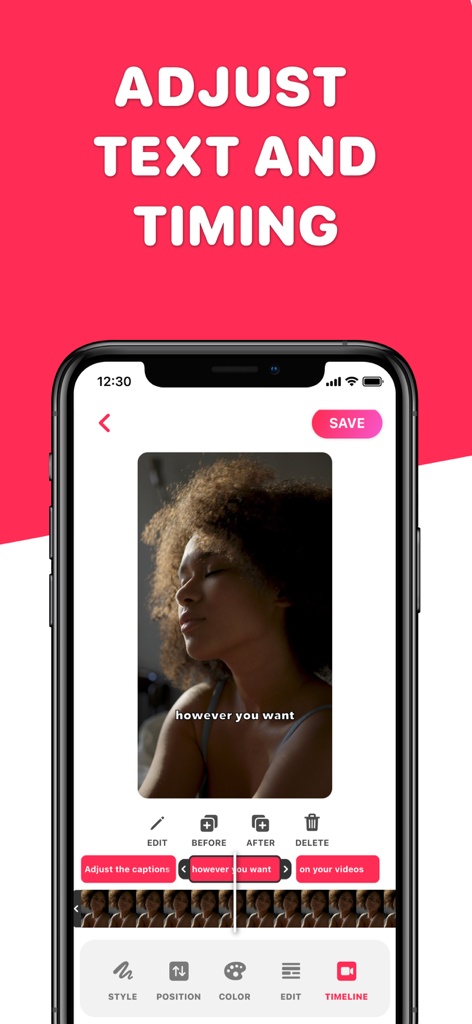
동영상 자막 텍스트 및 타이밍을 조정하는 인터페이스를 보여주는 휴대폰 화면
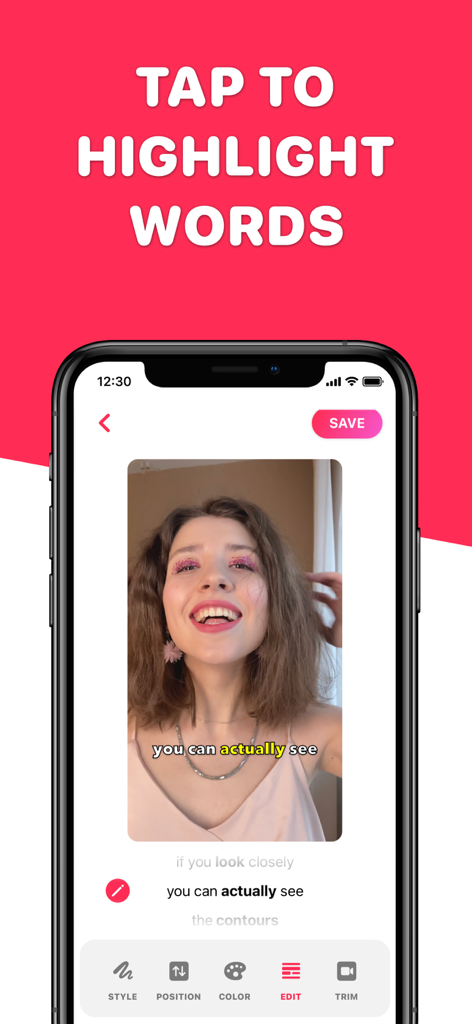
소셜 미디어 콘텐츠를 위해 동영상 자막에서 특정 단어를 강조 표시하는 사용자 인터페이스를 보여주는 모바일 앱
설명
Download
비슷한 앱
유사한 기능과 사용자 경험을 가진 앱
Vrew
VoyagerX, Inc.
Captions for Videos - SubMe AI
Polina Kravchenko

Capzy: AI Caption
unitedreams inc.
AI Captions for Videos: VidCap
Fadel.io OU
Subcap: Captions AI, Subtitles
RATEL BILISIM HIZMETLERI LTD STI

Captions & Filters – GARMASH
Top G Team FZ-LLC
Capti AI. Captions for videos.
Capti AI FZ-LLC
MixCaptions: Video Captions
Mixcord Inc.
Subtitles: Captions For Video
Mariia Abolnik
이 페이지는 앱이나 개발자의 공식 페이지가 아니며, 정보 제공 및 논평을 목적으로 작성된 독립 편집 간행물입니다. 명시적으로 달리 언급되지 않는 한, 해당 앱이나 개발자는 MWM, Apple, Google Play, 앱 퍼블리셔 또는 앱 개발자와 제휴, 보증, 후원, 승인 또는 공식적으로 연결되어 있지 않으며, 이 페이지의 어떤 내용도 해당 앱이 MWM의 서비스를 사용하여 개발되었음을 의미하지 않습니다. 모든 상표, 로고, 스크린샷 및 기타 콘텐츠는 해당 소유자의 자산입니다.