
이 페이지는 앱이나 개발자의 공식 페이지가 아니며, 정보 제공 및 논평을 목적으로 작성된 독립 편집 간행물입니다. 명시적으로 달리 언급되지 않는 한, 해당 앱이나 개발자는 MWM, Apple, Google Play, 앱 퍼블리셔 또는 앱 개발자와 제휴, 보증, 후원, 승인 또는 공식적으로 연결되어 있지 않으며, 이 페이지의 어떤 내용도 해당 앱이 MWM의 서비스를 사용하여 개발되었음을 의미하지 않습니다. 모든 상표, 로고, 스크린샷 및 기타 콘텐츠는 해당 소유자의 자산입니다.


Auto Clicker - Auto Click App
모바일 경험이 지루한가? 이 앱은 당신의 손가락을 쉬게 하고, 당신의 화면을 살아 움직이게 만든다. 탭 지옥에서 벗어나거나, 정적인 배경화면에 생명을 불어넣거나. 선택은 당신의 몫이다.
다운로드
1M+사용자 평점
총 평가 수
21.7K개발사
카테고리
Utilities지원 언어
6최신 버전
1.1.2크기
86.8 MB출시일
2023년 12월 14일모바일 중심 사용자들을 위한 효율성 및 개인화 도구 평가
앱 분석: Auto Clicker - Auto Click App 주요 기능
자동 클릭 기능
이 앱은 사용자가 내장된 웹 환경 내에서 자동 클릭 작업을 쉽게 설정하고 조정하여 반복적인 탭 작업으로부터 손가락을 자유롭게 해줍니다. 반복적인 클릭이 필요하거나 특정 워크플로우를 간소화하는 작업에 이상적입니다.
라이브 포토 변환
이 앱은 비디오를 라이브 포토로 변환하고 iOS 17 기기에서 동적인 잠금 화면 배경화면으로 설정하여 움직임과 개성을 더할 수 있습니다.
화면 확대 기능
이 도구는 수정처럼 맑은 선명도로 화면을 확대합니다. 사용자는 작은 텍스트를 읽거나 이미지를 검사하는 데 이상적인 세부 사항을 볼 수 있습니다.
플로팅 시계
이 앱은 사용자가 다른 앱 기능을 사용하는 동안 현재 시간을 표시하는 플로팅 시계를 통해 중단 없이 시간을 확인할 수 있도록 돕습니다.
자주 묻는 질문
에 대해 알아야 할 모든 것 Auto Clicker - Auto Click App
What is the main function of the Auto Clicker - Auto Click App?
The Auto Clicker - Auto Click App provides an auto-clicker tool to set and adjust repetitive clicking actions within its built-in web environment. This frees users from manual tapping.
Does the Auto Clicker - Auto Click App include a magnifier tool?
Yes, the Auto Clicker - Auto Click App includes a magnifier tool. It allows users to zoom in with crystal clarity to view fine details on their screen, aiding in reading small text.
Can I measure screen lengths with Auto Clicker - Auto Click App?
Yes, Auto Clicker - Auto Click App offers a practical ruler tool. Users can quickly measure lengths directly on their screen, which is useful for various size-related tasks.
What is the purpose of the Floating Clock feature in Auto Clicker - Auto Click App?
The Floating Clock feature in Auto Clicker - Auto Click App displays the current time. It stays visible while users operate other functions within the app, providing uninterrupted timekeeping.
Can Auto Clicker - Auto Click App convert videos to Live Photos?
Yes, Auto Clicker - Auto Click App converts videos into Live Photos. Users can then set these as dynamic lock screen wallpapers on iOS 17 devices, adding motion and personality.
How can I access VIP features in Auto Clicker - Auto Click App?
Access to VIP features in Auto Clicker - Auto Click App requires a basic membership. Subscriptions are billed automatically, granting unlimited access to all app features.
How do I manage my subscription for Auto Clicker - Auto Click App?
Users can control their Auto Clicker - Auto Click App subscription and disable auto-renewal in their iTunes account settings. Auto-renewal must be opted out at least 24 hours before the period ends.
Where can I find the Privacy Policy for Auto Clicker - Auto Click App?
The Privacy Policy for Auto Clicker - Auto Click App is available at https://www.qianduolai.com/privacyp/privacypolicycc.html. Users agree to this policy by using the app.
Where are the Terms of Use for Auto Clicker - Auto Click App located?
The Terms of Use for Auto Clicker - Auto Click App are located at https://www.qianduolai.com/privacyp/tremsofusecc.html. Agreement to these terms is implied by using the app.
다음 스크린샷과 설명은 앱의 공식 스토어 목록에서 직접 가져온 것이며 앱 개발자의 자산입니다.
앱 스토어
스크린샷
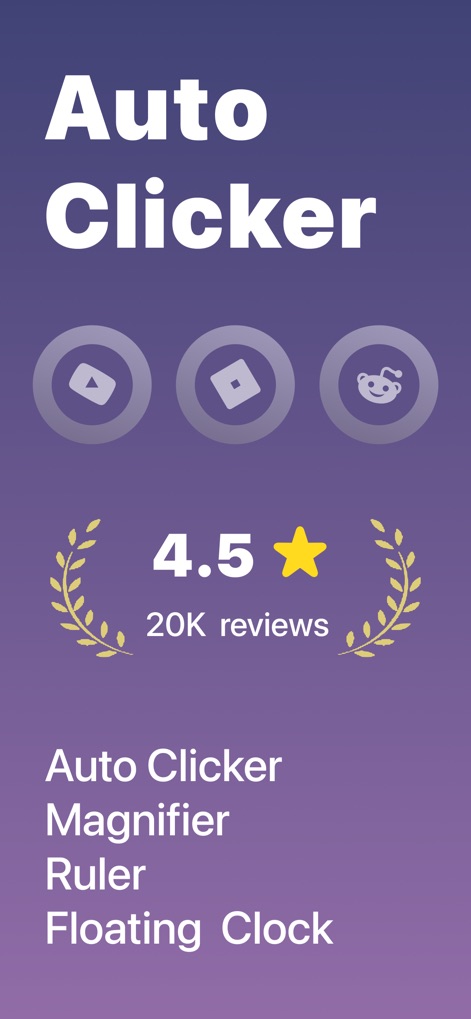
이 앱은 'Auto Clicker'라는 이름을 선보이며, '4.5점의 사용자 평가'와 '20K개의 리뷰'로 높은 신뢰도를 보여줍니다.
압도적 사용자 평가
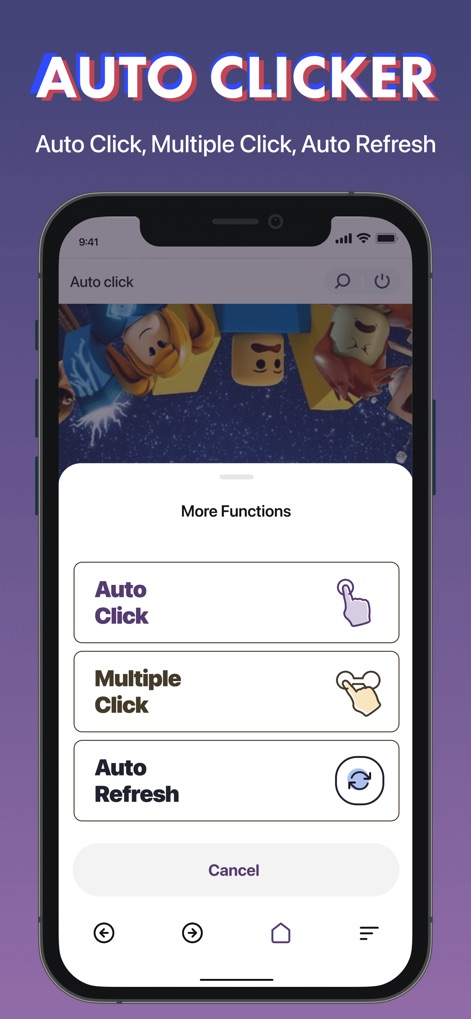
사용자는 이 화면에서 '자동 클릭' 또는 '다중 클릭' 옵션을 선택하여 반복적인 작업을 효율적으로 처리할 수 있습니다.
다양한 자동화 기능

이 도구는 '원형 확대 영역'으로 작은 글씨를 선명하게 보여주며, '줌 레벨 조절 바'를 통해 확대 정도를 정밀하게 제어합니다.
세밀한 확대 보기
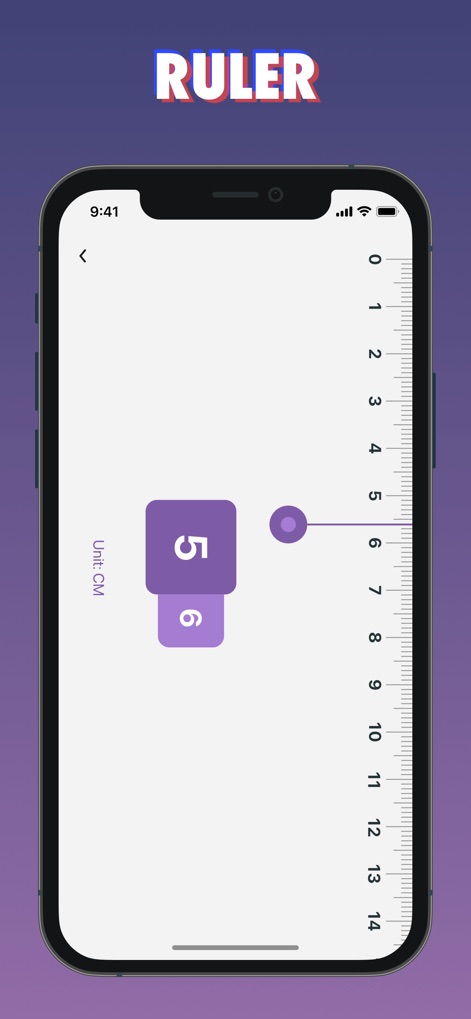
사용자는 '수직 눈금의 자'를 사용하여 화면 속 길이를 측정하며, 'CM 단위 표시'로 직관적인 측정이 가능합니다.
정확한 화면 측정

이 앱은 '새 프로젝트 버튼'으로 동영상을 라이브 포토로 변환하고, '변환된 이미지 목록'을 통해 결과물을 쉽게 관리합니다.
동영상 라이브 포토
설명
Download
비슷한 앱
유사한 기능과 사용자 경험을 가진 앱









이 페이지는 앱이나 개발자의 공식 페이지가 아니며, 정보 제공 및 논평을 목적으로 작성된 독립 편집 간행물입니다. 명시적으로 달리 언급되지 않는 한, 해당 앱이나 개발자는 MWM, Apple, Google Play, 앱 퍼블리셔 또는 앱 개발자와 제휴, 보증, 후원, 승인 또는 공식적으로 연결되어 있지 않으며, 이 페이지의 어떤 내용도 해당 앱이 MWM의 서비스를 사용하여 개발되었음을 의미하지 않습니다. 모든 상표, 로고, 스크린샷 및 기타 콘텐츠는 해당 소유자의 자산입니다.