
이 페이지는 앱이나 개발자의 공식 페이지가 아니며, 정보 제공 및 논평을 목적으로 작성된 독립 편집 간행물입니다. 명시적으로 달리 언급되지 않는 한, 해당 앱이나 개발자는 MWM, Apple, Google Play, 앱 퍼블리셔 또는 앱 개발자와 제휴, 보증, 후원, 승인 또는 공식적으로 연결되어 있지 않으며, 이 페이지의 어떤 내용도 해당 앱이 MWM의 서비스를 사용하여 개발되었음을 의미하지 않습니다. 모든 상표, 로고, 스크린샷 및 기타 콘텐츠는 해당 소유자의 자산입니다.

Autodesk Construction Cloud
3D 모델, 시트 및 중요 워크플로우를 현장으로 가져오세요. 재작업을 제거하고 가장 신뢰할 수 있는 건설 관리 모바일 플랫폼으로 고품질 프로젝트를 제시간에 완료하세요.
다운로드
1M+사용자 평점
총 평가 수
24K+개발사
카테고리
Business지원 언어
18최신 버전
7.69.0크기
638.9 MB출시일
2012년 2월 15일어디서든 현장 작업 마스터
업계 최고의 플랫폼으로 현장 팀에 문서 관리, 진행 상황 추적, 고품질 프로젝트를 제시간에 예산 내에서 완료할 수 있는 역량을 부여하세요.
BIM 및 2D 도면에 즉시 액세스
iPad에서 Revit 및 AutoCAD 모델을 직접 확인하세요. 버전을 비교하고 도면에 실시간으로 마크업하여 재작업을 제거하고 정확성을 보장하세요.
원활한 RFI 및 이슈 추적
실시간으로 책임을 할당하여 문제를 더 빨리 해결하세요. 사진 및 문서를 이슈에 연결하여 명확한 책임 추적을 유지하세요.
자주 묻는 질문
에 대해 알아야 할 모든 것 Autodesk Construction Cloud
Autodesk Construction Cloud 앱이란 무엇인가요?
Autodesk Construction Cloud 앱은 250만 개 이상의 프로젝트에서 팀을 위한 건설 관리 도구입니다. 포괄적인 프로젝트 관리를 위해 Autodesk Build, BIM Collaborate, Docs, PlanGrid를 통합합니다.
어떤 Autodesk 제품이 Autodesk Construction Cloud 모바일 앱과 통합되나요?
Autodesk Construction Cloud 모바일 앱은 Autodesk Build, BIM Collaborate, Autodesk Docs, Revit, Navisworks, PlanGrid, AutoCAD와 통합되어 현장에서 해당 기능을 제공합니다.
Autodesk Construction Cloud는 프로젝트 일정을 관리하는 데 어떻게 도움이 되나요?
Autodesk Construction Cloud 앱은 중앙 집중식 일정을 제공합니다. 사용자는 기간별로 일정을 확인하고, 중요 항목을 필터링하고, 종속성을 검토하고, 제안된 일정을 평가하여 프로젝트를 일정대로 진행할 수 있습니다.
사용자는 Autodesk Construction Cloud 앱을 사용하여 문제를 추적하고 해결할 수 있나요?
예, Autodesk Construction Cloud 앱을 사용하면 설계부터 인계까지의 문제를 추적할 수 있습니다. 마감일, 담당자, 사진, 파일 및 RFI를 추가하여 문제를 더 빠르게 해결할 수 있습니다.
Autodesk Construction Cloud 앱은 양식을 사용하여 품질 관리를 어떻게 촉진하나요?
Autodesk Construction Cloud 앱은 안전 프로그램 또는 일일 체크리스트와 같은 중요 정보를 수집하기 위한 유연한 양식을 제공합니다. 이를 통해 더 높은 품질의 프로젝트를 제공할 수 있습니다.
Autodesk Construction Cloud는 자산 수명 주기 관리를 지원하나요?
예, Autodesk Construction Cloud 앱은 설계부터 시운전 및 인계까지 프로젝트 자산의 수명 주기를 관리합니다. 자산은 앱 내에서 추적, 저장 및 다른 워크플로에 연결됩니다.
Autodesk Construction Cloud 모바일 앱에서 도면에 어떻게 액세스하나요?
Autodesk Construction Cloud 모바일 앱은 최신 도면 및 공유 계획에 빠르게 액세스할 수 있도록 합니다. 사용자는 현장에서 직접 시트를 다운로드, 검색, 비교, 공유 및 마크업할 수 있습니다.
Autodesk Construction Cloud 앱은 어떤 종류의 3D 모델을 지원하나요?
Autodesk Construction Cloud 앱은 Revit, AutoCAD의 3D 모델과 RVT, DWG, NWC, IFC, NWD를 포함한 기타 파일 형식을 지원하여 현장에서 더 빠르게 중요한 결정을 내릴 수 있도록 합니다.
Autodesk Construction Cloud 앱은 RFI를 어떻게 관리하나요?
Autodesk Construction Cloud 앱은 원활한 RFI 관리를 제공하여 프로젝트 수명 주기 전반에 걸쳐 RFI를 연결합니다. 이를 통해 중복 작업을 줄이고 더 큰 책임성을 보장합니다.
사용자는 Autodesk Construction Cloud 앱에서 제출 정보를 보거나 검색할 수 있나요?
예, Autodesk Construction Cloud 앱을 사용하면 모든 관련 제출 정보를 항상 가지고 있을 수 있습니다. 사용자는 제출 정보를 빠르게 검색하여 진행 상황과 다음 단계를 볼 수 있습니다.
Autodesk Construction Cloud 앱은 어떤 사진 기능을 제공하나요?
Autodesk Construction Cloud 앱을 사용하면 사진을 캡처, 태그, 참조 및 지리적 위치를 지정할 수 있습니다. 사진은 진행 상황을 추적하고 문제, RFI 및 일정 활동에 연결될 수 있습니다.
다음 스크린샷과 설명은 앱의 공식 스토어 목록에서 직접 가져온 것이며 앱 개발자의 자산입니다.
앱 스토어
스크린샷
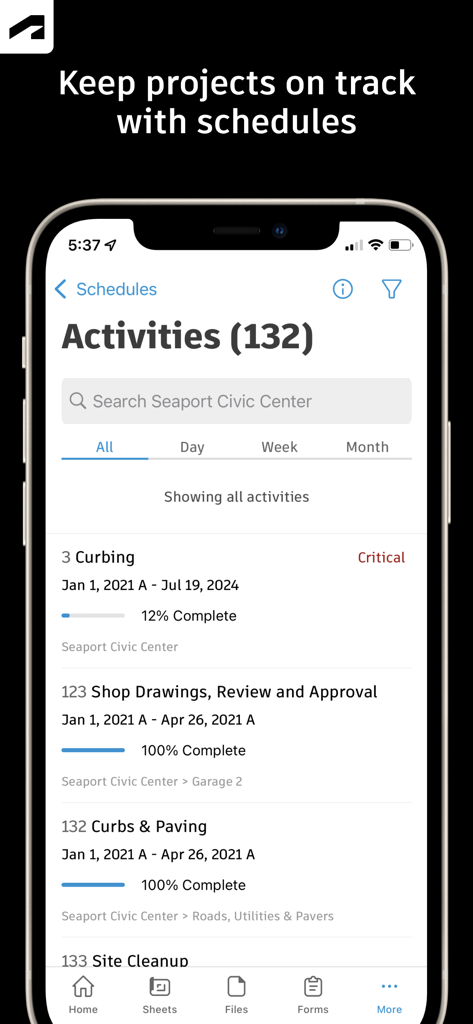
Autodesk Construction Cloud 모바일 앱이 프로젝트 활동 일정을 표시하고 진행 상황 추적 및 완료 백분율 표시
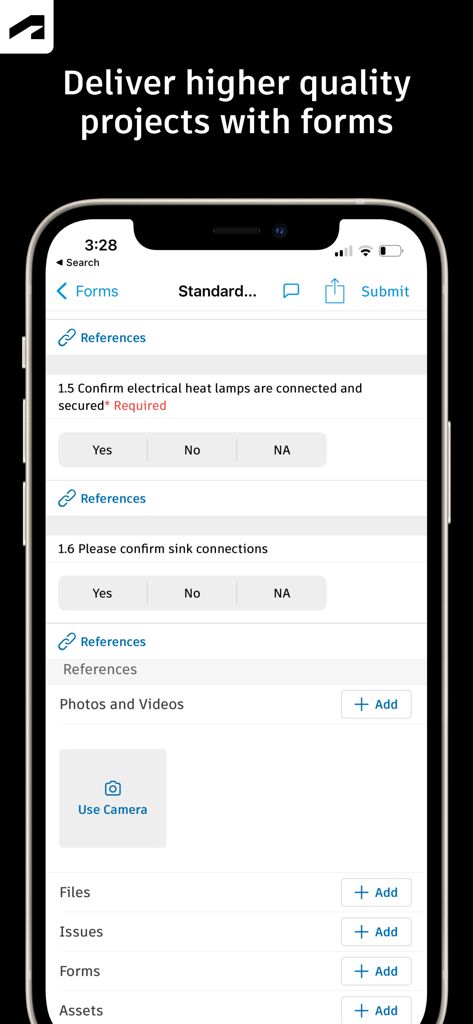
Autodesk Construction Cloud의 모바일 인터페이스가 프로젝트 품질 관리를 위한 체크리스트가 있는 건설 현장 검사 양식 표시
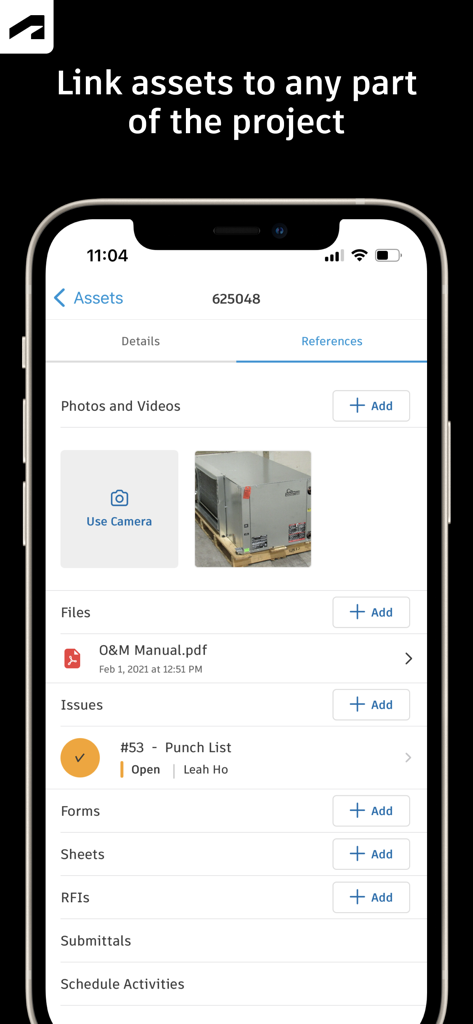
Autodesk Construction Cloud 모바일 앱 화면이 사진 파일 및 펀치 목록 이슈를 포함한 자산 참조 표시
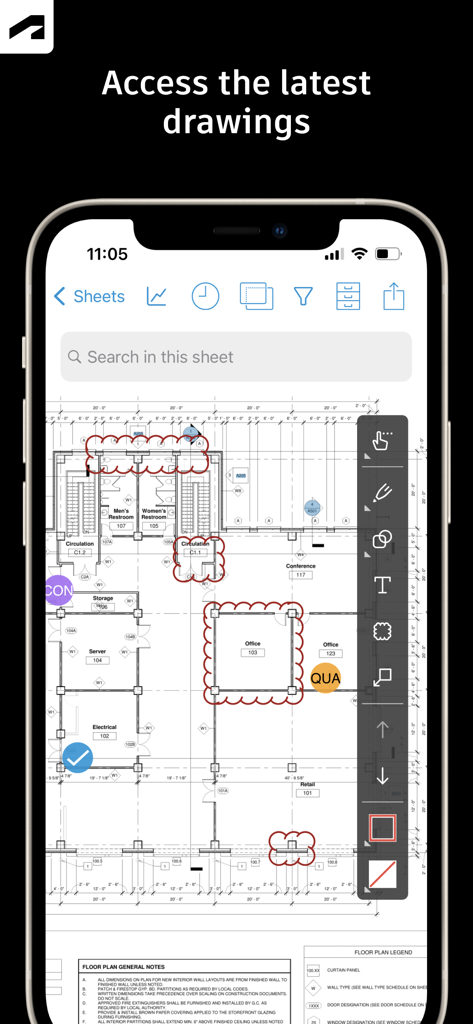
Autodesk Construction Cloud 앱이 스마트폰에서 건설 도면 및 마크업 도구 표시
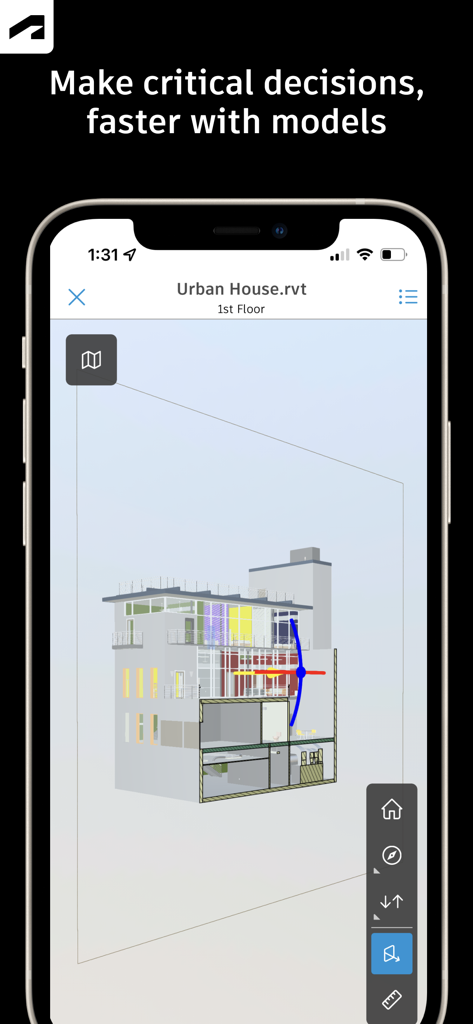
Autodesk Construction Cloud 앱을 사용하여 스마트폰에 표시되는 건물의 3D 건축 모델

Autodesk Construction Cloud 앱이 상태 및 검토자 정보가 있는 디자인 열 랩에 대한 RFI 세부 정보 화면 표시
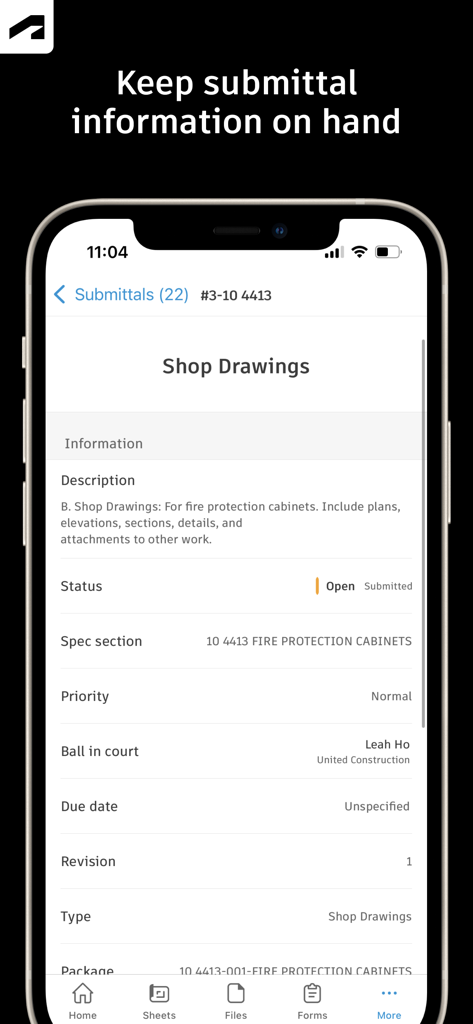
Autodesk Construction Cloud 앱이 모바일 장치에서 상점 도면에 대한 제출 세부 정보 표시
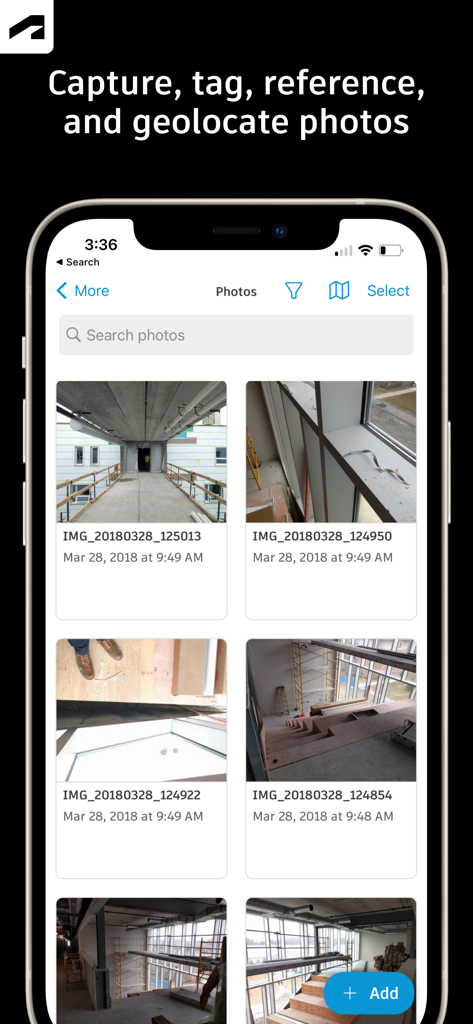
Autodesk Construction Cloud 모바일 앱의 인터페이스가 건설 현장 진행 사진 갤러리 표시
설명
Download
비슷한 앱
유사한 기능과 사용자 경험을 가진 앱

Doximity
Doximity

PrepWizard
CyberDynamite LLC

MaintainX Work Orders
MAINTAINX INC.

WAGO
WAGO Kontakttechnik GmbH & Co. KG

Flash.It
Structured Steel Pty Ltd

iCoder CPT RVU ICD10 HCPCS
StarInix Corporation

Summons Partner+
n.u. logistics

OneClick Code - Building Codes
One Click Reports

德馨ּּ维修
小东 何
이 페이지는 앱이나 개발자의 공식 페이지가 아니며, 정보 제공 및 논평을 목적으로 작성된 독립 편집 간행물입니다. 명시적으로 달리 언급되지 않는 한, 해당 앱이나 개발자는 MWM, Apple, Google Play, 앱 퍼블리셔 또는 앱 개발자와 제휴, 보증, 후원, 승인 또는 공식적으로 연결되어 있지 않으며, 이 페이지의 어떤 내용도 해당 앱이 MWM의 서비스를 사용하여 개발되었음을 의미하지 않습니다. 모든 상표, 로고, 스크린샷 및 기타 콘텐츠는 해당 소유자의 자산입니다.