
Autodesk Fusion


모바일 기기에서 바로 3D 디자인에 액세스하고, 100개 이상의 파일 형식을 검토하고, 팀과 실시간 피드백을 공유하세요.
개발사
카테고리
Productivity다운로드
1M+사용자 평점
총 평가 수
5K+지원 언어
12이 인터페이스를 사용하는 1M+ 명의 사용자.
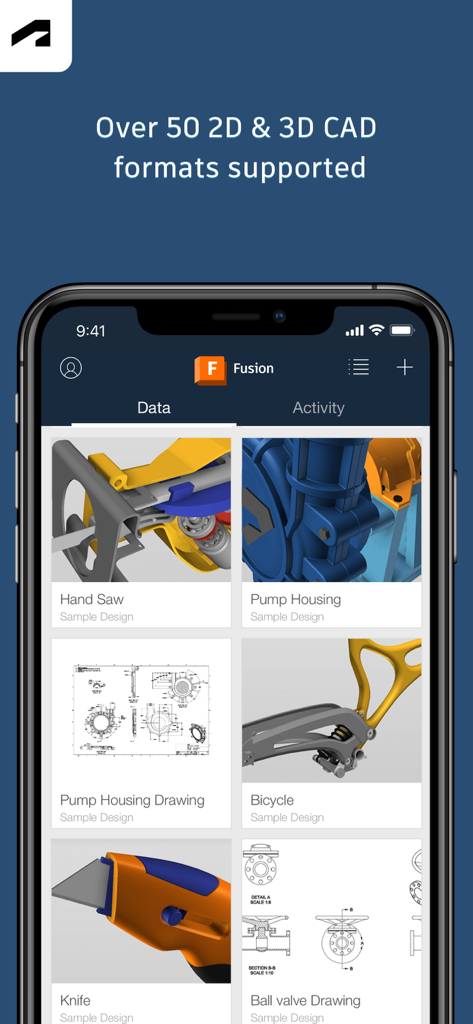
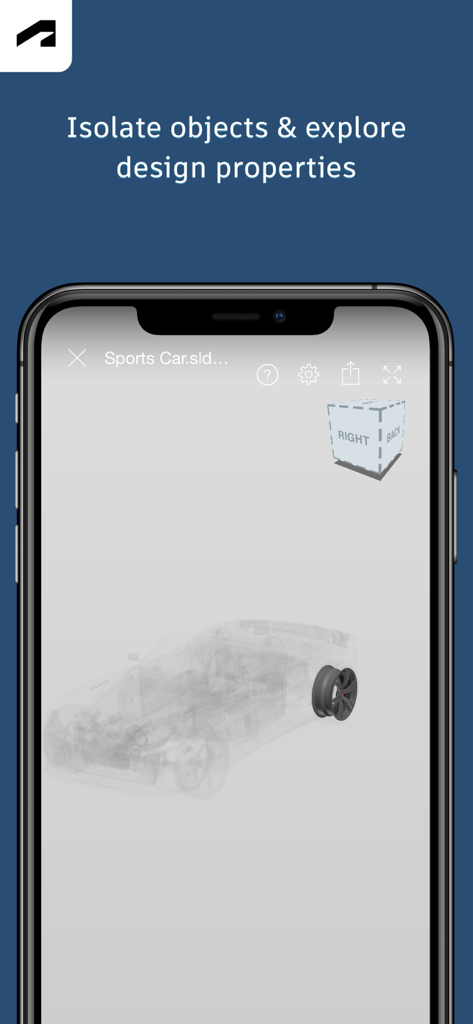
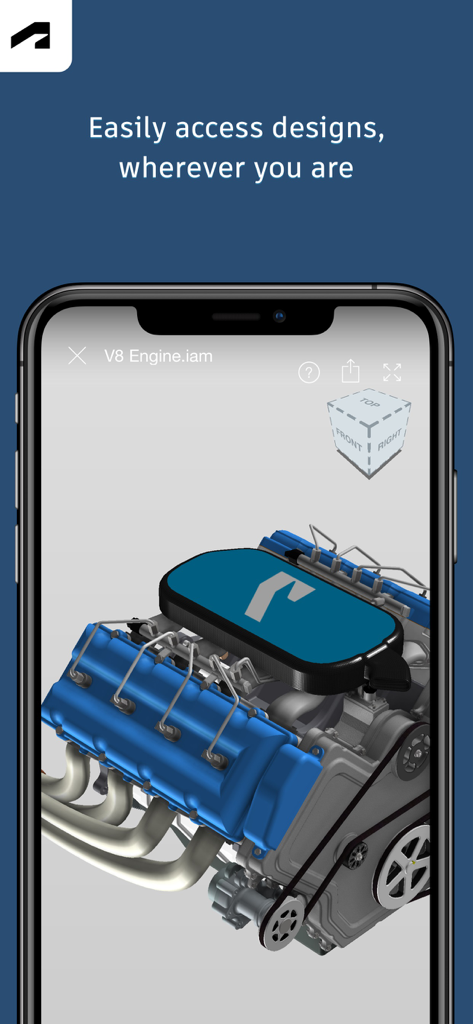
이 앱을 돋보이게 하는 도구, 1M+ 명의 사용자가 선택.
STEP, STL, DWG를 포함한 100개 이상의 파일 형식을 검토하세요. 여러 데스크톱 라이선스 없이 전체 프로젝트 라이브러리에 액세스할 수 있습니다.
사무실과 현장 간의 격차를 해소하세요. 댓글을 게시하고, 상태 사진을 업로드하고, 마크업된 스크린샷을 이해 관계자와 즉시 공유하세요.
정밀하게 복잡한 어셈블리를 탐색하세요. 구성 요소를 분리하고, 특정 부품을 검색하고, 직관적인 터치 제스처로 전체 속성 목록에 액세스하세요.
사용자 리뷰 인사이트.
감정 점수
요약
The app receives predominantly negative feedback, primarily due to its severely limited functionality, acting mostly as a 3D model viewer rather than a comprehensive CAD tool for creation or editing. Users frequently report significant issues including persistent login problems, crashing, and files failing to load or sync. Several users are frustrated by the app's poor performance, vague setup instructions, and numerous bugs, particularly affecting the measure tool across various versions (2.7.1 through 2.9.2) and specific iPad features such as the undo button placement.
주요 테마
에 대해 알아야 할 모든 것 Autodesk Fusion.
설명
최신 버전
2.9.3
크기
134.8 MB
출시일
2015년 5월 16일
100만 명 이상의 전문가 및 메이커와 함께하세요. 100개 이상의 파일 형식을 검토하고, 디자인에 마크업하고, 실시간으로 팀과 협업하세요. — 생산 현장에서 고객 미팅까지.
에 대해 알아야 할 모든 것 Autodesk Fusion
Autodesk Fusion은 iPhone 및 iPad용 무료 모바일 애플리케이션입니다. 사용자는 Autodesk Fusion의 클라우드 기반 데스크톱 제품과 함께 작동하는 이 애플리케이션을 통해 3D CAD 모델을 보고 협업할 수 있습니다.
Autodesk Fusion은 100개 이상의 파일 형식을 지원합니다. 여기에는 DWG, SLDPRT, IPT, IAM, CATPART, IGES, STEP, STL, OBJ, F3D, SMT 및 DFX가 포함됩니다. 이러한 광범위한 지원은 디자인 공유를 용이하게 합니다.
예, iPhone 및 iPad용 Autodesk Fusion을 사용하면 회사 내부 및 외부의 사람들과 3D 디자인을 협업할 수 있습니다. 프로젝트 활동에 댓글을 달고 스크린샷에 마크업을 추가하여 공유할 수 있습니다.
예, iPhone 및 iPad용 Autodesk Fusion 앱은 무료입니다. 디자인 보기 및 협업을 위해 클라우드 기반 데스크톱 제품인 Autodesk Fusion의 동반자 역할을 합니다.
Autodesk Fusion 앱의 주요 기능에는 100개 이상의 데이터 형식 보기, 3D 디자인 검토, 구성 요소 분리, 프로젝트 활동에 댓글 달기, 디자인 공유, 모델 내 부품 검색 등이 있습니다.
예, iPhone 및 iPad용 Autodesk Fusion을 사용하려면 사용자는 기존 Fusion 계정 정보로 로그인해야 합니다. 이를 통해 3D 디자인 협업 기능을 사용할 수 있습니다.
사용자는 지원되는 데이터 형식을 업로드하여 Autodesk Fusion에서 3D 모델을 볼 수 있습니다. 이 앱을 사용하면 디자인을 검토하고, 구성 요소를 분리 및 숨기고, 디자인 속성에 액세스하고, 확대/축소, 이동, 회전과 같은 터치 제스처로 탐색할 수 있습니다.
예, Autodesk Fusion 앱을 사용하면 사용자가 디자인을 공유할 수 있습니다. 회사 내부 및 외부의 이해 관계자와 공유할 수 있으며 앱에서 직접 마크업이 포함된 스크린샷을 공유할 수도 있습니다.
예, Autodesk Fusion은 오프라인 데이터에 대한 저장 액세스를 선택적으로 제공합니다. 이 기능을 사용하면 인터넷 연결 없이도 언제 어디서나 데이터를 볼 수 있습니다.
유사한 기능과 사용자 경험을 가진 앱
Figma, Inc.

永龙 王

CADMIO Korlatolt Felelossegu Tarsasag

Graphisoft SE

Nektony LLC

Wuhan New Dimension Systems Co. Ltd.

Bluefield GIS, Inc.

Dassault Systemes SolidWorks Corporation

Dassault Systemes SolidWorks Corporation
App information, icons, screenshots, and descriptions displayed on this page are sourced from the Apple App Store and are the property of their respective developers. Download estimates and rankings are based on MWM's proprietary models and may not reflect actual figures. This page is provided for informational and analytical purposes only.
Believe this page infringes your intellectual property? File a dispute