BABYMONSTER LIGHT STICK

BABYMONSTER LIGHT STICK

다운로드: App Store
로고: BABYMONSTER LIGHT STICK

BABYMONSTER 응원봉: 궁극의 MONSTIEZ 오션에 참여하세요

좌석 정보를 동기화하여 완벽한 조명 쇼를 연출하고, 셀프 모드에서 전체 색상환으로 나만의 빛을 맞춤 설정하여 콘서트 경험을 한 단계 업그레이드하세요.

개발사

FANLIGHT Co., Ltd

카테고리

Entertainment

다운로드

57K+

사용자 평점

4.7/5

총 평가 수

0

지원 언어

6

빛의 순간을 엿보세요

이 인터페이스를 사용하는 57K+ 명의 사용자.

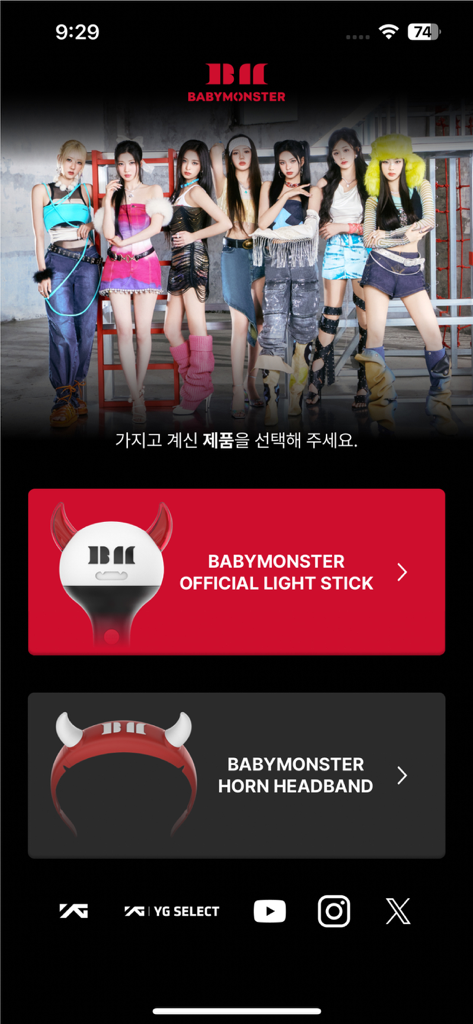
BABYMONSTER 앱 홈 화면, 공식 응원봉 또는 머리띠 선택 옵션 표시.
BABYMONSTER 앱 홈 화면, 공식 응원봉 또는 머리띠 선택 옵션 표시.

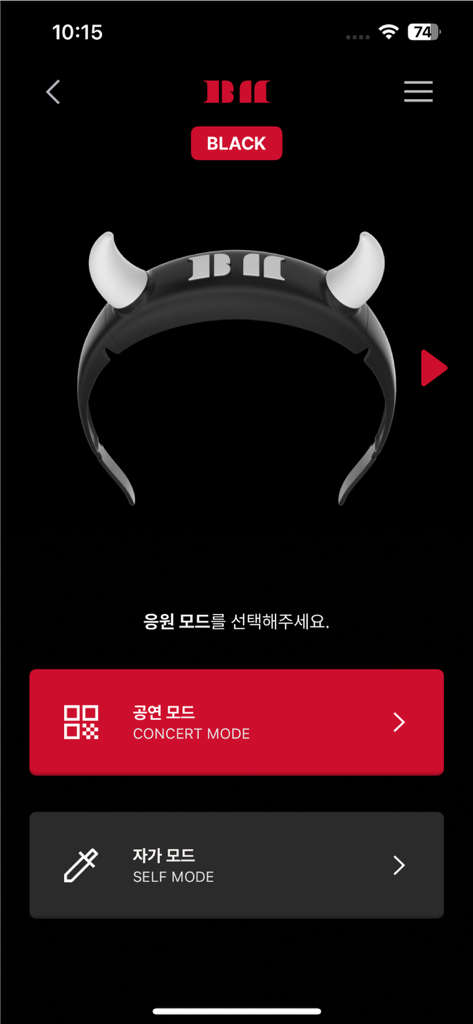
BABYMONSTER 응원봉 앱 인터페이스, 악마 머리띠 이미지와 함께 콘서트 모드 및 셀프 모드 옵션 표시.
BABYMONSTER 응원봉 앱 인터페이스, 악마 머리띠 이미지와 함께 콘서트 모드 및 셀프 모드 옵션 표시.

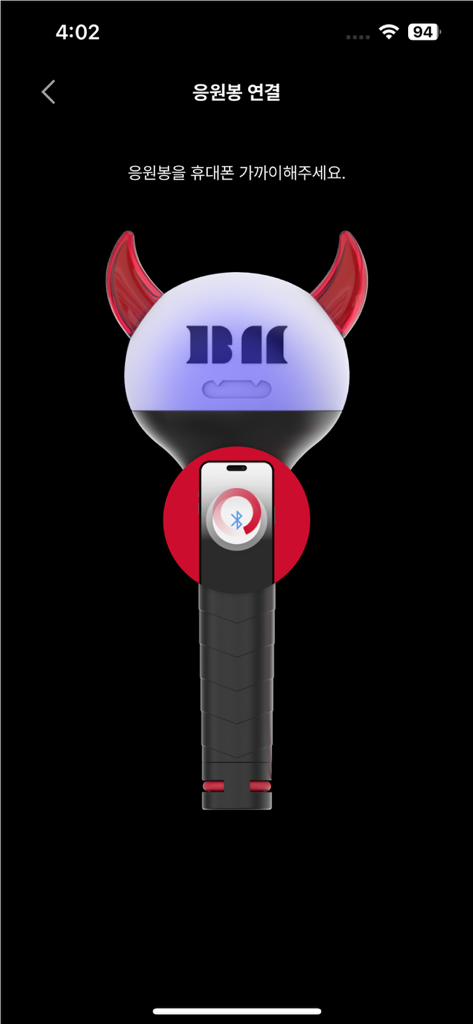
스마트폰과 Bluetooth 페어링을 위한 그래픽 튜토리얼을 보여주는 BABYMONSTER 응원봉 앱 인터페이스.
스마트폰과 Bluetooth 페어링을 위한 그래픽 튜토리얼을 보여주는 BABYMONSTER 응원봉 앱 인터페이스.

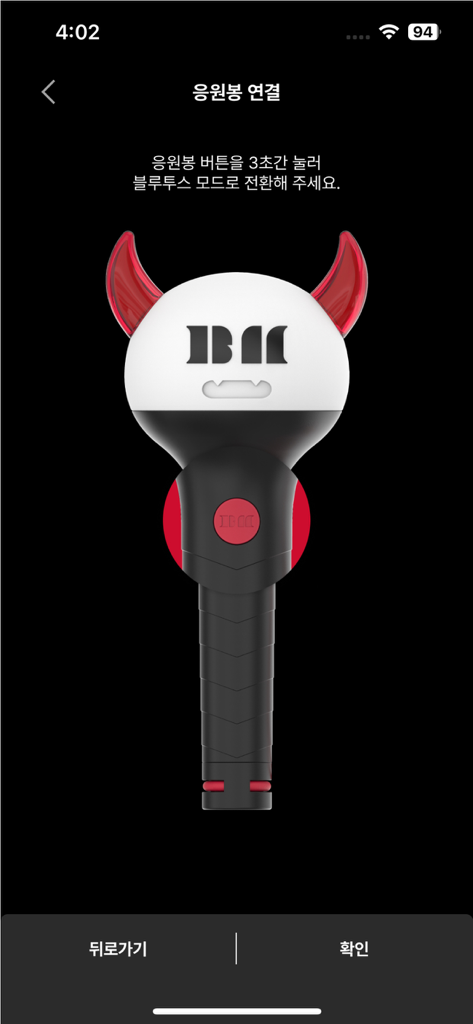
Bluetooth 연결 화면에 있는 BABYMONSTER 공식 응원봉 일러스트.
Bluetooth 연결 화면에 있는 BABYMONSTER 공식 응원봉 일러스트.

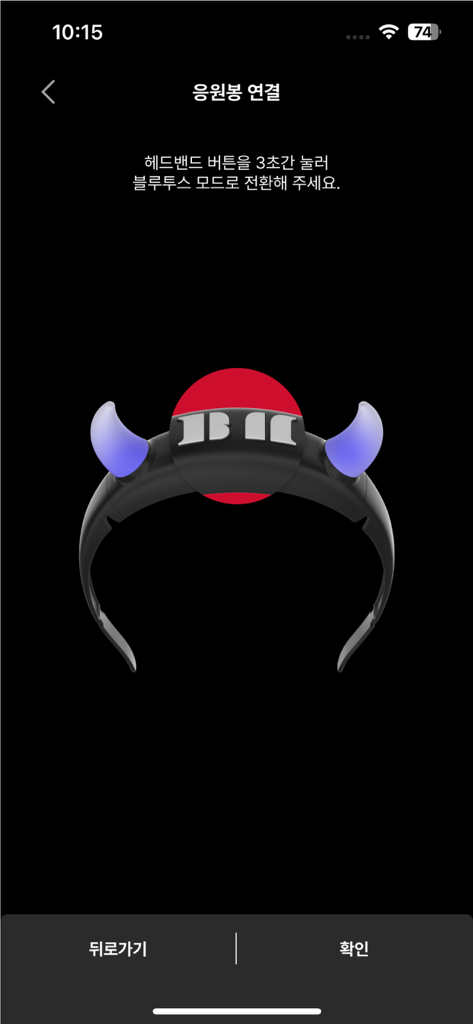
빛나는 머리띠 아이콘을 보여주는 BABYMONSTER 응원봉 앱용 Bluetooth 페어링 인터페이스.
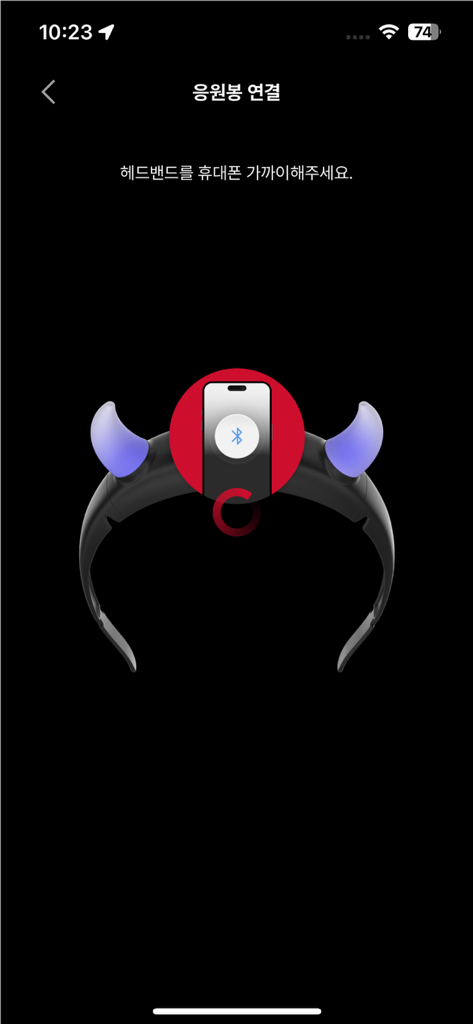
빛나는 머리띠 아이콘을 보여주는 BABYMONSTER 응원봉 앱용 Bluetooth 페어링 인터페이스.

BABYMONSTER 응원봉 머리띠 액세서리용 Bluetooth 페어링 프로세스를 보여주는 스마트폰 화면.
BABYMONSTER 응원봉 머리띠 액세서리용 Bluetooth 페어링 프로세스를 보여주는 스마트폰 화면.

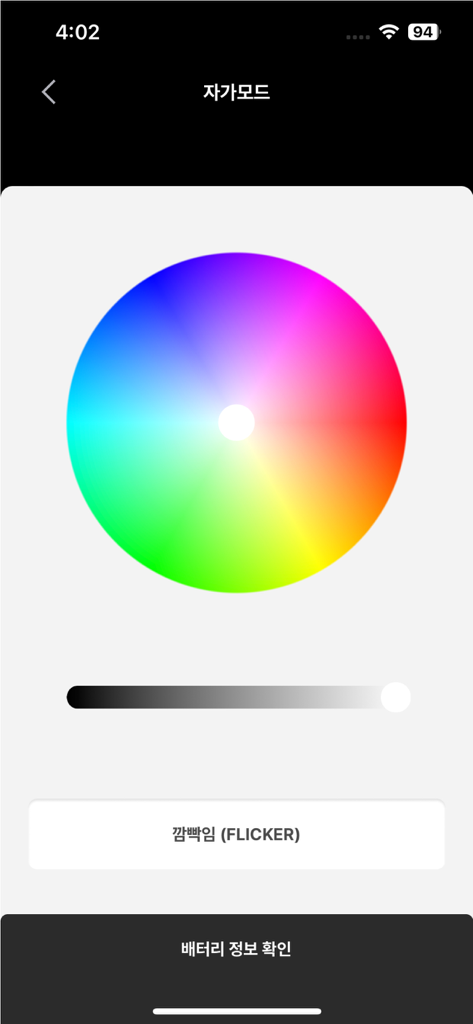
셀프 모드에서 맞춤 조명 효과를 위한 색상환을 표시하는 BABYMONSTER Light Stick 앱 인터페이스.
셀프 모드에서 맞춤 조명 효과를 위한 색상환을 표시하는 BABYMONSTER Light Stick 앱 인터페이스.

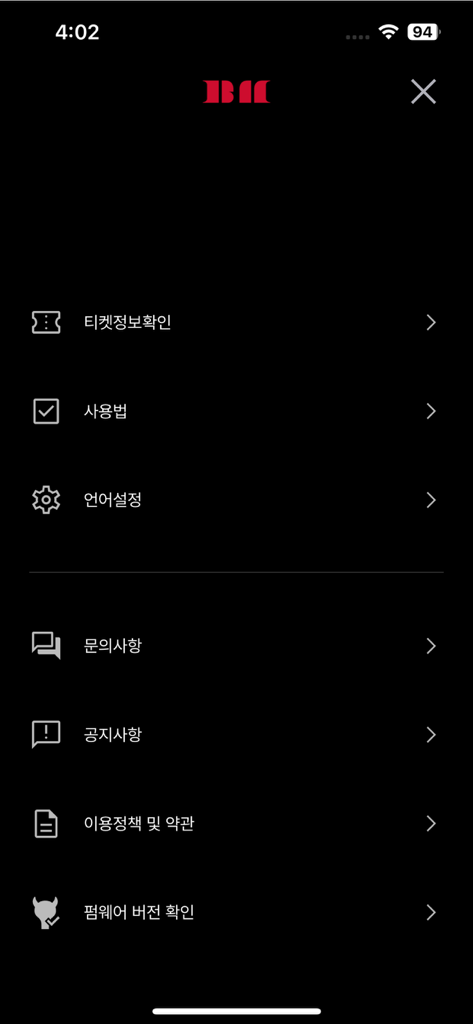
티켓 정보 및 기기 설정 옵션이 있는 BABYMONSTER LIGHT STICK 모바일 앱 설정 메뉴 화면.

티켓 정보 및 기기 설정 옵션이 있는 BABYMONSTER LIGHT STICK 모바일 앱 설정 메뉴 화면.

MONSTIEZ 정신을 밝히세요

이 앱을 돋보이게 하는 도구, 57K+ 명의 사용자가 선택.

🏟️

오션의 일부가 되세요

좌석 정보를 동기화하여 라이브 공연에 참여하세요. 응원봉이 음악과 수천 명의 팬들과 조화롭게 빛나는 에너지를 느껴보세요.

🎨

당신의 색깔, 당신의 분위기

셀프 모드로 창의적인 제어권을 가지세요. 디지털 색상환을 사용하여 미적 감각의 방 장식이나 바이럴 TikTok 콘텐츠를 위해 빛을 맞춤 설정하세요.

🔋

비트를 놓치지 마세요

실시간으로 배터리 상태를 확인하고 원활한 Bluetooth 페어링을 즐기며 앙코르 공연 동안 응원봉이 계속 켜져 있도록 하세요.

앱 소개

에 대해 알아야 할 모든 것 BABYMONSTER LIGHT STICK.

설명

This is the mobile app for the BABYMONSTER LIGHT STICK. The app supports BABYMONSTER official light stick. [MAIN FEATURES] 1. CONCERT MODE Pair your light stick with your concert seat information to enjoy various light stick performance during the concert. This menu will only be available during the concert period. 2. CONNECTING TO BLUETOOTH ON YOUR SMARTPHONE Press the button on the light stick for 3 seconds to set up the “Bluetooth mode”. Turn on the Bluetooth function of your smartphone and hold your smartphone close to the light stick to sync them together. Some smartphones require the GPS function to be turned on to enable Bluetooth connectivity. If you cannot connect to Bluetooth, please turn on the GPS function. 3. SELF MODE When your light stick is successfully connected to your smartphone, changing the color on the color wheel of the app will change your light stick color accordingly. 4. BATTERY LEVEL CHECK In the “SELF MODE” page of the app, click the “Check Battery Status” button at the bottom of the screen to check the battery level of your light stick and replace the battery if needed. ※ This function may differ ​​depending on battery performance and smartphone model. [NOTICE BEFORE CONCERT] - Check the seat information on your ticket before the concert and enter it into your light stick using the app. - To take part in the light stick performance, be sure to set the light stick to “Concert mode” by pressing its button for 3 seconds after pairing it with your seat information on the app. - If the light stick’s wireless performance does not work properly, it may be due to unsuccessful pairing or not completing the pairing process. Please complete the pairing process using the app. - Please be seated in the same seat you registered for your light stick. Moving to another seat may result in different light stick performance. - Check the battery level of your light stick in advance to ensure battery sufficiency during the concert. - There will be a Wireless Control Fanlight Support Center located at the venue. [REQUIRED ACCESS] To use the app and the light stick, the following accesses are required. ※ To grant access, please tap the [Allow] button when the pop-up appears. - DEVICE STORAGE: To store the QR/barcode, seat information, etc. - PHONE: To read the phone status and its identity - CAMERA: To read the QR/barcode - GPS: To connect to Bluetooth - BLUETOOTH: To connect the light stick

최신 버전

1.0.5

크기

85.0 MB

출시일

2024년 11월 7일

몬스터 오션에 참여할 준비가 되셨나요?

쇼의 일부가 될 기회를 놓치지 마세요. 지금 공식 앱을 다운로드하여 좌석을 동기화하고, 빛을 맞춤 설정하고, 다음 BABYMONSTER 공연을 위해 응원봉을 콘서트 준비 상태로 만드세요.

다운로드: App Store

App information, icons, screenshots, and descriptions displayed on this page are sourced from the Apple App Store and are the property of their respective developers. Download estimates and rankings are based on MWM's proprietary models and may not reflect actual figures. This page is provided for informational and analytical purposes only.

Believe this page infringes your intellectual property? File a dispute