
이 페이지는 앱이나 개발자의 공식 페이지가 아니며, 정보 제공 및 논평을 목적으로 작성된 독립 편집 간행물입니다. 명시적으로 달리 언급되지 않는 한, 해당 앱이나 개발자는 MWM, Apple, Google Play, 앱 퍼블리셔 또는 앱 개발자와 제휴, 보증, 후원, 승인 또는 공식적으로 연결되어 있지 않으며, 이 페이지의 어떤 내용도 해당 앱이 MWM의 서비스를 사용하여 개발되었음을 의미하지 않습니다. 모든 상표, 로고, 스크린샷 및 기타 콘텐츠는 해당 소유자의 자산입니다.


Banner Display App
당신은 더 이상 무시당하지 않습니다. 이 앱은 당신의 메시지를 빛으로 폭발시켜 어떤 소음 속에서도 시선을 강탈합니다.
다운로드
1M+사용자 평점
총 평가 수
18.1K개발사
카테고리
Utilities지원 언어
1최신 버전
4.6.9크기
339.4 MB출시일
2022년 6월 14일이 도구의 주요 기능 및 타겟 오디언스에 대한 영향력 평가
'Banner Display App' 기술 분석
전체 화면 글꼴 크기 조절
이 앱은 메시지의 가독성과 시각적 주목도를 극대화하기 위해 글꼴 크기를 화면 전체에 맞춰 표시할 수 있도록 합니다.
다양한 글꼴 색상 및 스타일 옵션
이 도구는 사용자가 메시지의 시각적 매력을 높이고 개인의 개성을 표현할 수 있도록 다채로운 글꼴 색상과 다양한 스타일을 제공합니다.
사용자 지정 배경 설정
사용자가 배너의 배경을 개인의 취향에 맞춰 단색으로 선택하거나, 갤러리에서 원하는 사진으로 설정할 수 있게 해줍니다.
자주 사용하는 문구 저장
이 앱은 사용자가 자주 쓰는 메시지를 미리 저장하여, 필요할 때마다 반복적인 입력 없이 빠르고 효율적으로 배너를 생성하고 표시할 수 있도록 돕습니다.
자주 묻는 질문
에 대해 알아야 할 모든 것 Banner Display App
What is the Banner Display App used for?
The Banner Display App creates custom LED banners to express messages, cheer for others, and share information. It features various font colors, custom backgrounds, and large font sizes.
Can users customize text appearance in Banner Display App?
Yes, the Banner Display App allows extensive text customization. Users can choose from various font colors, solid color options, and add custom common phrases for quick setup.
Does Banner Display App allow custom photo backgrounds?
Yes, the Banner Display App supports custom backgrounds. Users can set any favorite photo as the background for their LED banner displays.
Is a mirror mode available in Banner Display App?
Yes, the Banner Display App includes a mirror mode feature. This function is available to assist users when capturing the screen content.
How do subscriptions and auto-renewal work for Banner Display App?
Banner Display App subscriptions process payment through an iTunes account and automatically renew. Users manage subscriptions and turn off auto-renewal via Account Settings at least 24 hours before the period ends.
Does Banner Display App offer a free trial?
Yes, if applicable, the Banner Display App offers a free trial period. Any unused portion of this trial is forfeited upon the purchase of a subscription.
Can the Banner Display App show a digital clock?
Yes, the Banner Display App supports displaying a digital clock. Screenshot #4 illustrates a prominent digital clock with the date, featuring a customizable background.
Does Banner Display App support multiple languages?
Yes, the Banner Display App supports multiple languages for text translation. Screenshot #5 shows a language selection menu including English, Spanish, Portuguese, Japanese, Hindi, and others.
다음 스크린샷과 설명은 앱의 공식 스토어 목록에서 직접 가져온 것이며 앱 개발자의 자산입니다.
앱 스토어
스크린샷

사용자는 이 앱으로 어두운 환경에서도 눈에 띄는 빛나는 텍스트 효과를 활용하여 원하는 문구를 전체 화면에 선명하게 표시할 수 있습니다.
눈부신 메시지
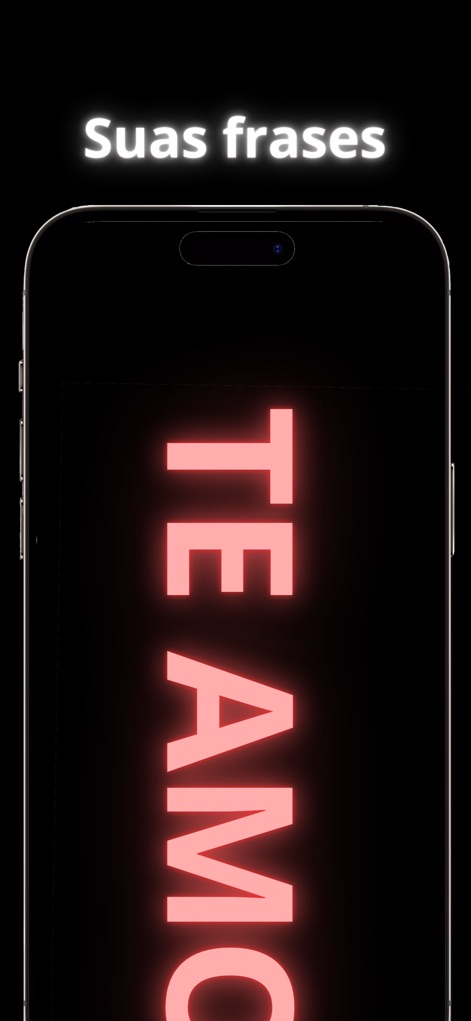
사랑하는 사람에게 다채로운 글꼴 색상을 사용하여 'TE AMO'와 같은 진심 어린 메시지를 선명한 발광 효과로 전달하는 모습을 보여줍니다.
마음을 전하세요
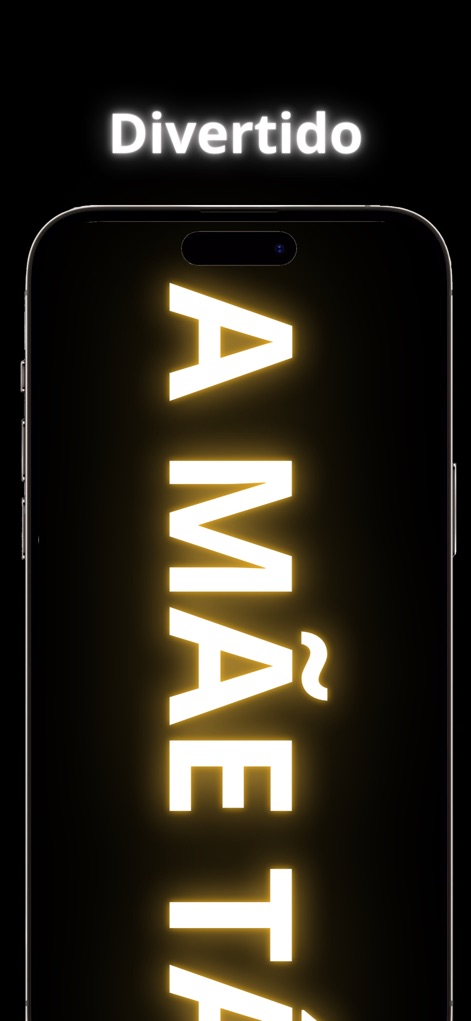
'A MÃE TÁ'와 같은 장난기 가득한 메시지를 통해 사용자의 개성을 표현할 수 있으며, 밝은 노란색 발광 텍스트로 시선을 사로잡습니다.
개성 넘치는 문구
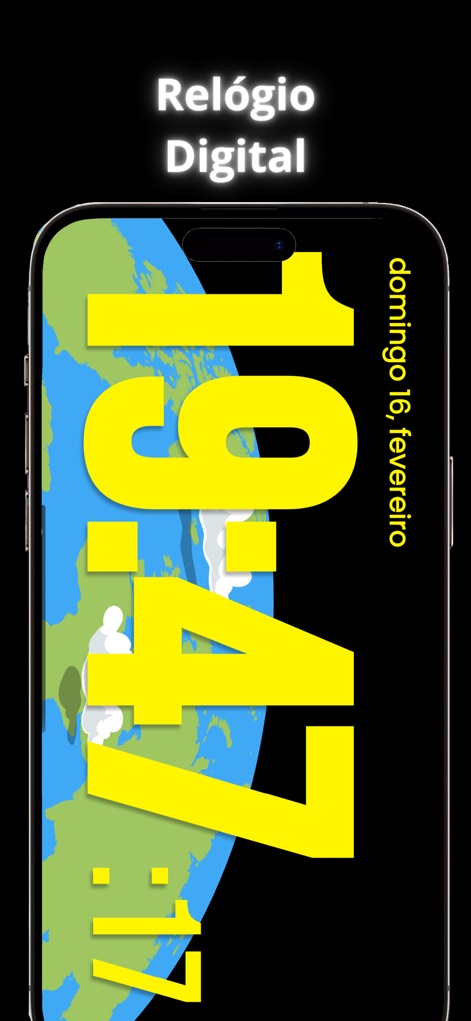
이 앱은 크고 선명한 디지털 시간 표시와 함께 사용자 지정 가능한 세계 지도 배경 위에서 날짜 정보를 보여주어, 실용성과 미적 요소를 결합합니다.
디지털 시계
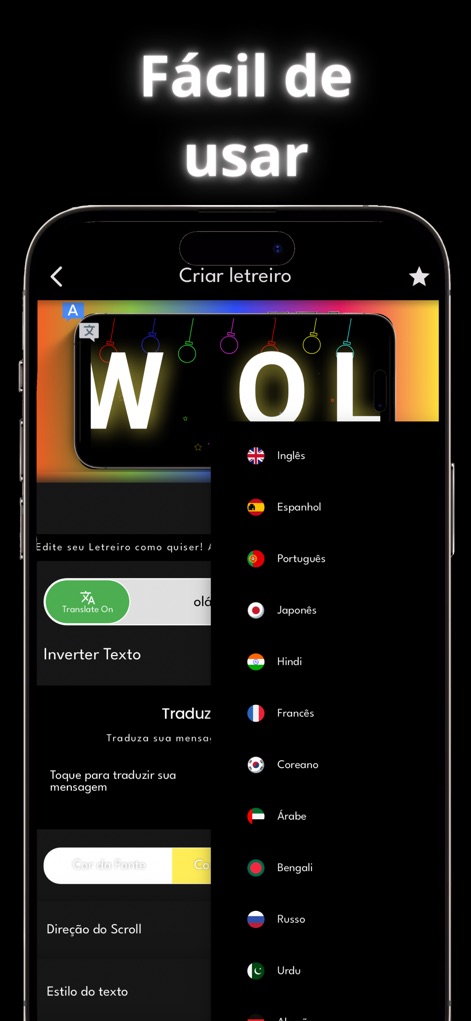
사용자는 다국어 지원 메뉴를 통해 언어를 선택하고, 실시간 텍스트 미리보기를 확인하며 메시지를 쉽고 빠르게 편집하여 배너를 만들 수 있습니다.
직관적인 편집
설명
Download
비슷한 앱
유사한 기능과 사용자 경험을 가진 앱
Led Board - Led Banner
Chuong Le
LED Banner-LED
西连 郑
LED Banner - Banner Display +
周桂 吴
Ledsy - LED Banner
Hoang Minh Thanh
Banner Led
Francisco Navarro Aguilar
LED Banner - Big Text Maker
琳 胡
LED Banner Marquee Maker
Guangdong Wuji Network Technology Co., Ltd.
LED Banner - Make It Big Text
Changsha Shenguangyuan Technology Co., Ltd.
LED Banner Pro: Marquee maker
Nico Schroeder
이 페이지는 앱이나 개발자의 공식 페이지가 아니며, 정보 제공 및 논평을 목적으로 작성된 독립 편집 간행물입니다. 명시적으로 달리 언급되지 않는 한, 해당 앱이나 개발자는 MWM, Apple, Google Play, 앱 퍼블리셔 또는 앱 개발자와 제휴, 보증, 후원, 승인 또는 공식적으로 연결되어 있지 않으며, 이 페이지의 어떤 내용도 해당 앱이 MWM의 서비스를 사용하여 개발되었음을 의미하지 않습니다. 모든 상표, 로고, 스크린샷 및 기타 콘텐츠는 해당 소유자의 자산입니다.