Basic Calculator with History
다운로드: App Store

이 페이지는 앱이나 개발자의 공식 페이지가 아니며, 정보 제공 및 논평을 목적으로 작성된 독립 편집 간행물입니다. 명시적으로 달리 언급되지 않는 한, 해당 앱이나 개발자는 MWM, Apple, Google Play, 앱 퍼블리셔 또는 앱 개발자와 제휴, 보증, 후원, 승인 또는 공식적으로 연결되어 있지 않으며, 이 페이지의 어떤 내용도 해당 앱이 MWM의 서비스를 사용하여 개발되었음을 의미하지 않습니다. 모든 상표, 로고, 스크린샷 및 기타 콘텐츠는 해당 소유자의 자산입니다.

로고: Basic Calculator with History
다운로드: App Store

Basic Calculator with History

촉각적 현실감과 세련된 기능의 완벽한 조화를 경험하세요. 내장된 기록 로그로 모든 입력을 추적하고 프리미엄, 광고 없는 환경에서 디자이너 스킨으로 스타일을 표현하세요.

주요 수치

다운로드

274K+

사용자 평점

4.6/5

총 평가 수

12K+

개발사

Alenrom sp. z o.o.

카테고리

Utilities

지원 언어

23

최신 버전

1.7.4

크기

175.6 MB

출시일

2024년 8월 6일
기능

일상 수학을 향상시키세요

미적 감각과 일치하고 생산성을 높이는 촉각적, 광고 없는 경험을 위해 지루한 기본 앱을 버리세요.

숫자를 잃지 마세요

전체 계산 기록에 액세스하고 프로세스의 모든 단계를 확인하여 항목을 쉽게 검토하거나 재사용하세요.

미적 감각에 맞추세요

기본 유틸리티를 세련된 액세서리로 바꾸는 독점 디자이너 스킨으로 작업 공간을 개인화하세요.

다음 스크린샷과 설명은 앱의 공식 스토어 목록에서 직접 가져온 것이며 앱 개발자의 자산입니다.

앱 스토어

스크린샷
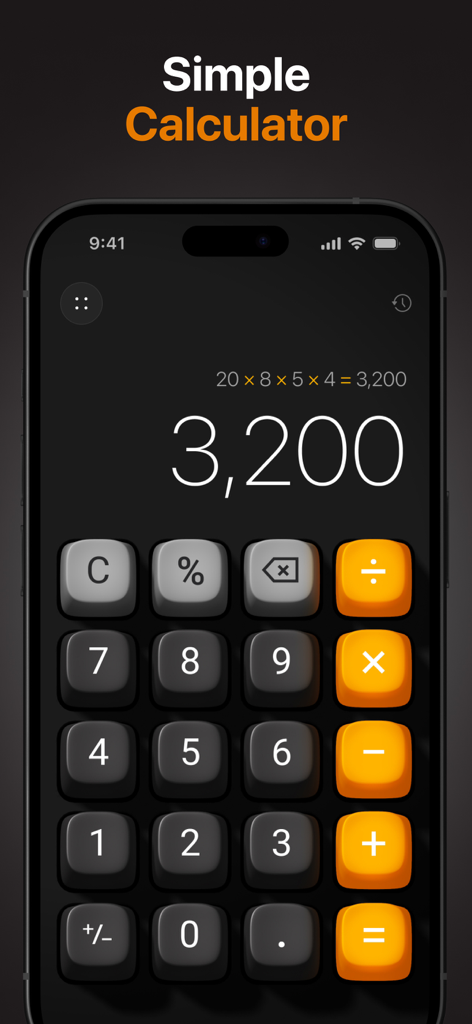
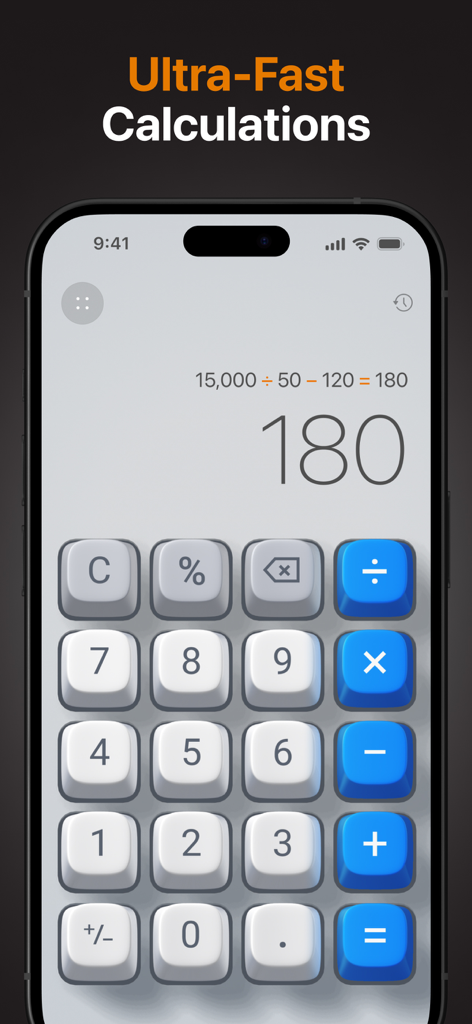
Basic Calculator with History - 어두운 iPhone 화면의 미적 3D 계산기 (기록 기능 포함)

어두운 iPhone 화면의 미적 3D 계산기 (기록 기능 포함)

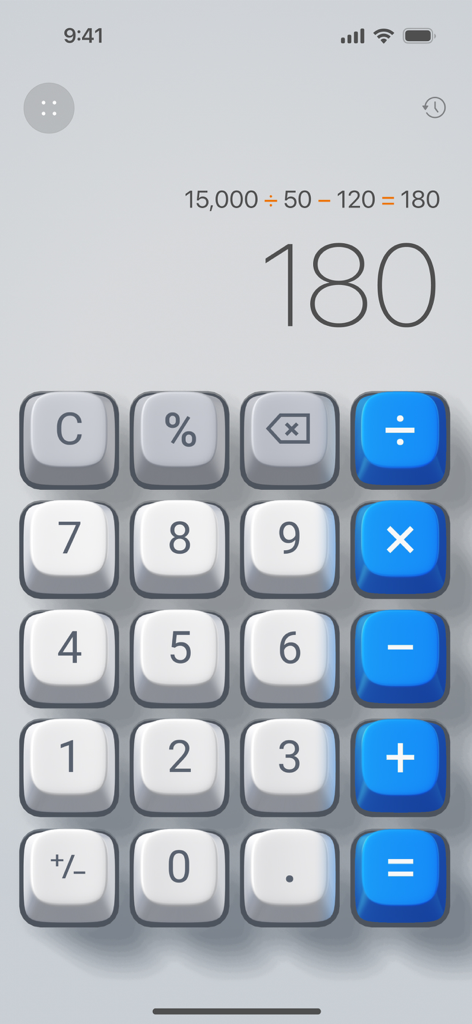
Basic Calculator with History - 기본 계산기 (기록 기능 포함) 앱 인터페이스, 3D 버튼 및 계산 결과 표시
기본 계산기 (기록 기능 포함) 앱 인터페이스, 3D 버튼 및 계산 결과 표시

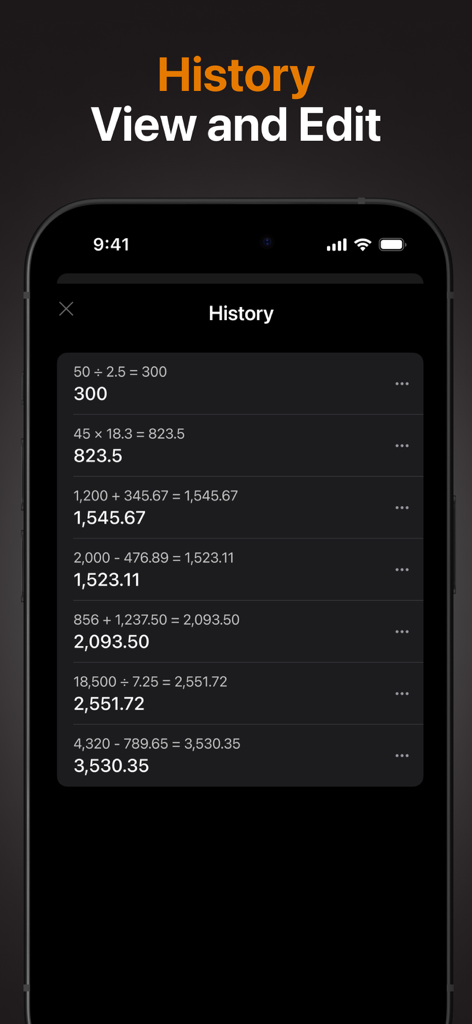
Basic Calculator with History - 어두운 모드 인터페이스에서 과거 수학 방정식 및 결과가 포함된 자세한 계산 기록 목록을 보여주는 스마트폰 화면.
어두운 모드 인터페이스에서 과거 수학 방정식 및 결과가 포함된 자세한 계산 기록 목록을 보여주는 스마트폰 화면.

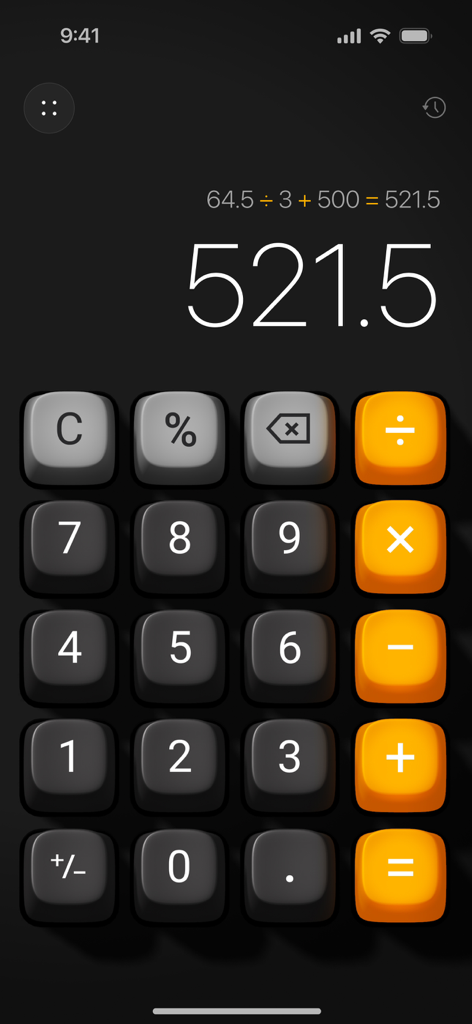
Basic Calculator with History - 사실적인 3D 버튼과 표시된 계산 기록 프로세스가 있는 미적 iOS 계산기 인터페이스
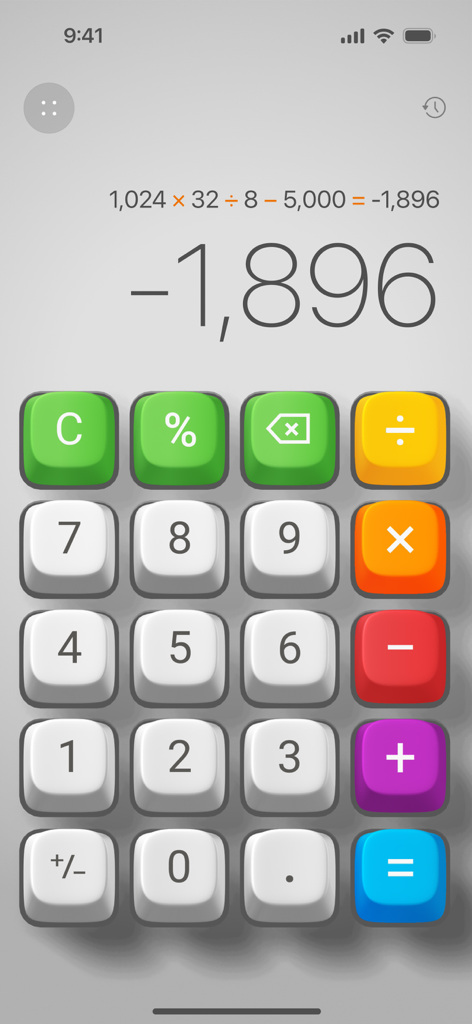
사실적인 3D 버튼과 표시된 계산 기록 프로세스가 있는 미적 iOS 계산기 인터페이스

Basic Calculator with History - 3D 화려한 버튼과 표시된 계산 프로세스가 특징인 기본 계산기 (기록 기능 포함) 앱 인터페이스.
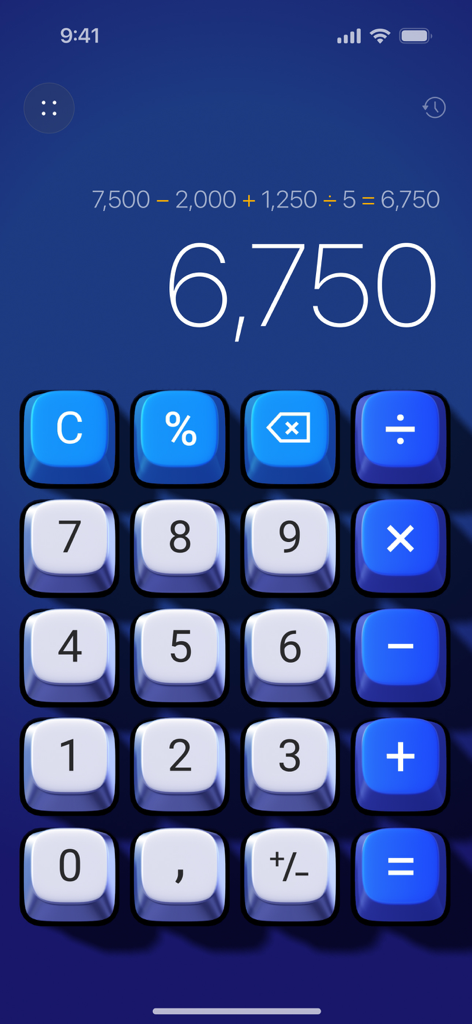
3D 화려한 버튼과 표시된 계산 프로세스가 특징인 기본 계산기 (기록 기능 포함) 앱 인터페이스.

Basic Calculator with History - 화면에 계산 기록이 표시된 파란색 버튼이 있는 기본 계산기 3D 앱
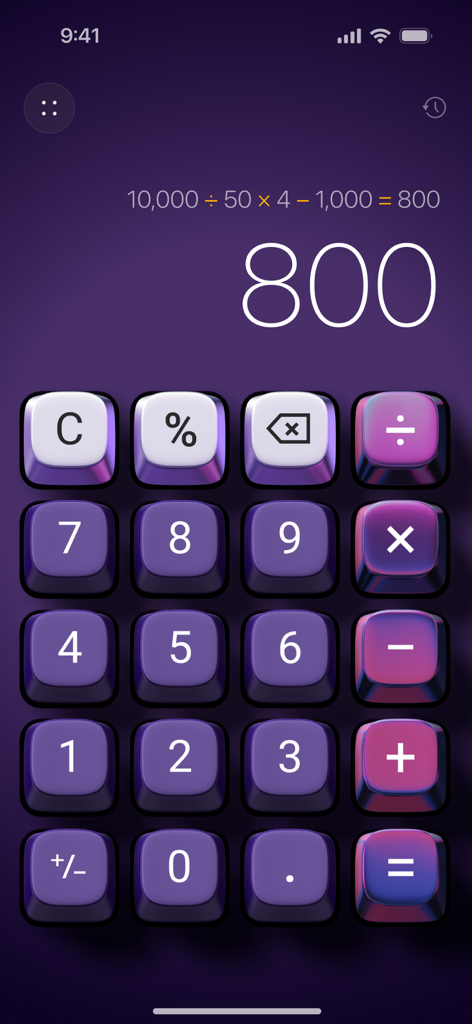
화면에 계산 기록이 표시된 파란색 버튼이 있는 기본 계산기 3D 앱

Basic Calculator with History - 계산 기록 표시가 있는 미적 보라색 3D 계산기 인터페이스

계산 기록 표시가 있는 미적 보라색 3D 계산기 인터페이스

Basic Calculator with History - 계산 프로세스와 기록 아이콘을 보여주는 촉각 3D 계산기 인터페이스
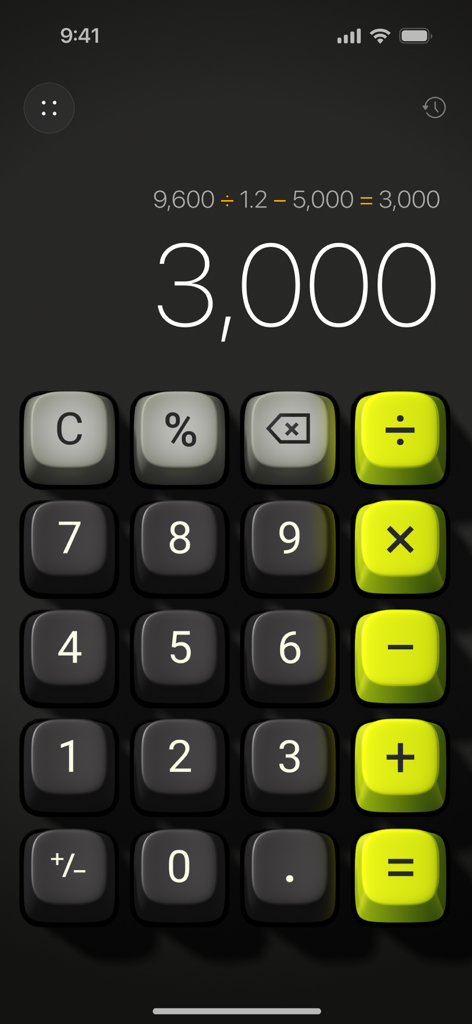
계산 프로세스와 기록 아이콘을 보여주는 촉각 3D 계산기 인터페이스

Basic Calculator with History - 계산 결과가 표시된 촉각 라임 녹색 및 어두운 회색 버튼이 있는 3D 계산기 인터페이스
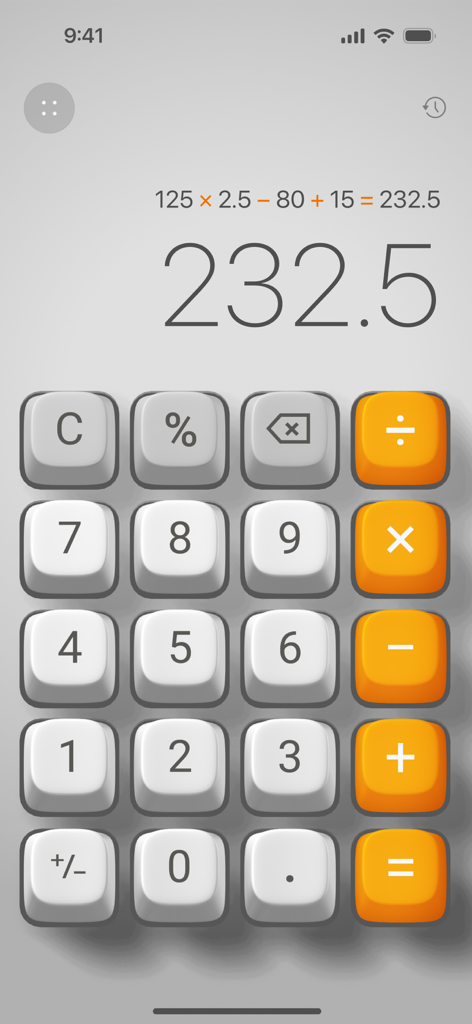
계산 결과가 표시된 촉각 라임 녹색 및 어두운 회색 버튼이 있는 3D 계산기 인터페이스

Basic Calculator with History - iOS에서 계산 프로세스와 결과를 보여주는 기본 3D 계산기 인터페이스

iOS에서 계산 프로세스와 결과를 보여주는 기본 3D 계산기 인터페이스

설명

A Better Everyday Calculator • Do the math with Calculator 3D Simple - a perfect blend of functionality and elegance, designed to enhance your daily calculations. Key Features: • Elegant Design: Enjoy a sleek calculator with realistic 3D button press effects, bringing a tactile, immersive experience. • Plays Like a Game, Works Like an App: Experience a next-generation user interface with 3D animations and sounds, making calculations fun and interactive. • Custom Skins: Transform the entire look of the app with unique designer skins, allowing you to personalize your calculator to match your style. • Calculation History: Keep track of your past calculations with the new history feature, enabling you to review and reuse previous entries effortlessly. • Ad-Free Experience: Focus on your work without interruptions. Calculator 3D Simple is completely ad-free. • Show the Calculation Process: Each step is clearly displayed, ensuring transparency and accuracy in your calculations. • Backspace Key: Easily correct mistakes with the dedicated backspace key, providing a seamless and hassle-free experience. • One-Handed Use: Designed for convenience, the app can be easily operated with one hand. Why Choose Calculator 3D Simple? • User-Friendly: Perfect for everyday use, our calculator is designed with simplicity and efficiency in mind. • Enhanced Visuals and Interactivity: The 3D buttons and animations provide a unique and engaging experience, unlike any other calculator. • Customization: Stand out with exclusive skins that reflect your personal style. • No Distractions: Our ad-free environment lets you focus solely on your calculations. • Calculation History: Access and revisit your past calculations whenever you need them. SUBSCRIPTION PLANS: Calculator offers 3 types of subscriptions to choose from 1. Week plan with 3-day trial period 2. Monthly plan 3. Annual plan More Subscription Information: - Payment will be charged to your Apple ID account at confirmation of purchase. - Subscription automatically renews unless auto-renew is turned off at least 24 hours before the end of the current period. - Within 24-hours prior to the end of the current period, the account will be charged for the renewal of the subscription, indicating the cost of the renewal. - You can manage subscriptions and turn off auto-renewal after purchase by going to your App Store account settings. - Any unused portion of a free trial period, if offered, will be forfeited when purchasing a subscription. - The offer is limited to a 3-day trial for a weekly subscription. At the end of the 3-day trial period, the subscription will automatically renew according to the tariff, unless it is canceled at least 24 hours before the end of the 3-day trial. Privacy Policy https://appalenrom.eu/privacy.html Terms of Use https://appalenrom.eu/terms.html

Download

다운로드: App Store

이 페이지는 앱이나 개발자의 공식 페이지가 아니며, 정보 제공 및 논평을 목적으로 작성된 독립 편집 간행물입니다. 명시적으로 달리 언급되지 않는 한, 해당 앱이나 개발자는 MWM, Apple, Google Play, 앱 퍼블리셔 또는 앱 개발자와 제휴, 보증, 후원, 승인 또는 공식적으로 연결되어 있지 않으며, 이 페이지의 어떤 내용도 해당 앱이 MWM의 서비스를 사용하여 개발되었음을 의미하지 않습니다. 모든 상표, 로고, 스크린샷 및 기타 콘텐츠는 해당 소유자의 자산입니다.