
이 페이지는 앱이나 개발자의 공식 페이지가 아니며, 정보 제공 및 논평을 목적으로 작성된 독립 편집 간행물입니다. 명시적으로 달리 언급되지 않는 한, 해당 앱이나 개발자는 MWM, Apple, Google Play, 앱 퍼블리셔 또는 앱 개발자와 제휴, 보증, 후원, 승인 또는 공식적으로 연결되어 있지 않으며, 이 페이지의 어떤 내용도 해당 앱이 MWM의 서비스를 사용하여 개발되었음을 의미하지 않습니다. 모든 상표, 로고, 스크린샷 및 기타 콘텐츠는 해당 소유자의 자산입니다.


Bear - Markdown Notes
집중을 중시하는 크리에이티브 전문가를 위한 수상 경력의 마크다운 앱입니다. 모든 Apple 기기에서 아이디어를 포착하고, 개인 위키를 구축하며, 방해 없이 글을 쓰세요.
다운로드
4M+사용자 평점
총 평가 수
31K+개발사
카테고리
Productivity지원 언어
11최신 버전
2.6.4크기
143.5 MB출시일
2016년 11월 2일디지털 작업의 수준을 높이세요
창의적인 미니멀리스트를 위해 설계된 Bear는 우아한 디자인과 강력한 마크다운 도구를 결합하여 복잡함 없이 최고의 작업에 집중할 수 있도록 도와줍니다.
방해 없는 글쓰기
기술적인 마크다운 문법을 숨겨주는 아름답고 깨끗한 캔버스로, 멋진 타이포그래피와 테마를 통해 몰입 상태에 들어갈 수 있게 해줍니다.
유연한 태그 기반 정리
경직된 폴더 구조를 유연한 중첩 태그와 위키링크로 대체하여 아이디어와 함께 성장하는 개인 지식 베이스를 구축하세요.
자주 묻는 질문
에 대해 알아야 할 모든 것 Bear - Markdown Notes
Bear - Markdown Notes란 무엇인가요?
Bear는 삶을 기록하고, 쓰고, 정리하는 데 사용되는 강력하면서도 간단한 마크다운 앱입니다. 사용자는 메모를 작성하고, 계획을 세우고, 일기를 쓰고, 목록을 만들고, 아이디어를 스케치하고, 노트를 연결할 수 있습니다.
Bear 앱을 사용하기 위해 계정이 필요한가요?
아니요, Bear는 가입이나 계정이 필요하지 않습니다. 사용자는 초기 설정 단계 없이 즉시 앱을 열고 글쓰기를 시작할 수 있습니다.
Bear에서 Apple Pencil로 아이디어를 스케치할 수 있나요?
네, Bear는 iPad에서 Apple Pencil 및 기타 스타일러스를 사용하여 확장 가능한 캔버스로 아이디어를 스케치하는 것을 지원합니다.
Bear 앱은 서식 지정을 위해 마크다운을 사용하나요?
네, Bear는 유연한 마크다운을 활용합니다. 사용자는 일반 텍스트로 작업하고 굵게, 기울임꼴, 취소선, 링크 및 표와 같은 서식을 적용할 수 있습니다. 마크다운은 깔끔한 읽기 경험을 위해 숨겨집니다.
Bear 앱에서 노트를 어떻게 정리할 수 있나요?
Bear는 #태그, #여러 단어 태그# 및 #중첩/태그#를 사용하여 정리를 할 수 있습니다. 사용자는 중요한 태그를 고정하고 쉽게 관리를 위해 직접 메모에 작업을 추가할 수도 있습니다.
Bear - Markdown Notes 앱은 개인 정보 보호에 신경 쓰나요?
네, Bear는 본질적으로 개인 정보 보호를 최우선으로 합니다. 개발자는 사용자의 노트, 태그 또는 기타 콘텐츠를 볼 수 없으며 사용자 개인 정보를 보장한다고 확인합니다.
Bear Pro의 가격 옵션은 무엇인가요?
Bear Pro는 월 $2.99 또는 연 $29.99입니다. 가격은 위치에 따라 다를 수 있으며 App Store 계정을 통해 청구됩니다.
Bear Pro는 무료 평가판을 제공하나요?
네, Bear Pro에는 14일 무료 평가판이 포함됩니다. 사용자가 구독을 구매하면 사용하지 않은 평가판 부분은 무효가 됩니다.
Bear Pro는 여러 기기에서 노트를 동기화할 수 있나요?
네, Bear Pro는 iCloud를 통해 iPhone, iPad 및 Mac 간의 노트 동기화를 가능하게 하여 모든 기기에서 노트에 액세스할 수 있도록 보장합니다.
Bear 앱에서 개별 노트를 잠글 수 있나요?
Bear Pro를 사용하면 사용자는 개인 비밀번호로 개별 노트를 암호화할 수 있습니다. 또한 향상된 보안을 위해 Face ID 또는 Touch ID로 전체 Bear 앱을 잠글 수 있습니다.
Bear Pro에서 사용할 수 있는 내보내기 형식은 무엇인가요?
Bear Pro는 노트를 HTML, DocX, PDF, JPG 및 ePub 형식으로 내보내기를 지원합니다. 무료 버전은 일반 텍스트, 마크다운, TextBundle, Bear 노트 및 서식 있는 텍스트로 내보냅니다.
Bear 앱은 이미지와 PDF 내에서 텍스트를 검색할 수 있나요?
네, Bear Pro는 Bear 노트 내의 사진과 PDF 내에서 텍스트를 검색할 수 있습니다. 이 고급 검색 기능은 Bear Pro 구독이 필요합니다.
Bear Pro 구독을 어떻게 취소하나요?
사용자는 구매 후 App Store 계정 설정에서 Bear Pro 구독을 관리합니다. 자동 갱신은 현재 기간이 끝나기 최소 24시간 전에 취소해야 합니다.
Bear 앱은 오른쪽에서 왼쪽으로 쓰는 언어(RTL)를 지원하나요?
네, Bear는 아랍어, 히브리어, 페르시아어와 같은 오른쪽에서 왼쪽으로 쓰는 언어를 포함한 모든 스크립트를 지원하여 폭넓은 언어 호환성을 보장합니다.
Bear에서 테마와 앱 아이콘을 사용자 정의할 수 있나요?
네, Bear Pro는 라이트 모드 및 다크 모드 모두에서 글쓰기 공간에 대한 거의 30개의 테마를 제공하며, 사용자가 앱 아이콘을 선택하여 경험을 개인화할 수 있도록 합니다.
다음 스크린샷과 설명은 앱의 공식 스토어 목록에서 직접 가져온 것이며 앱 개발자의 자산입니다.
앱 스토어
스크린샷
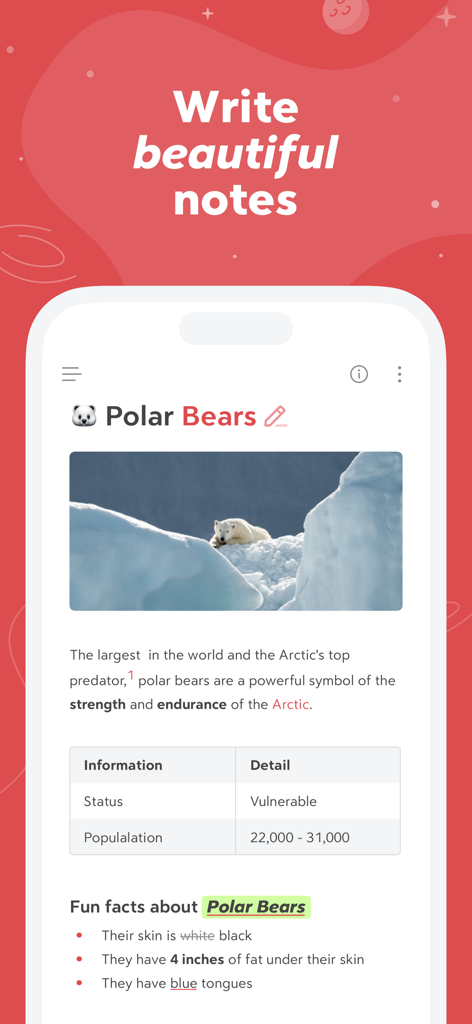
이미지와 표가 포함된 북극곰에 대한 서식 있는 메모가 표시된 Bear 앱의 스마트폰 화면
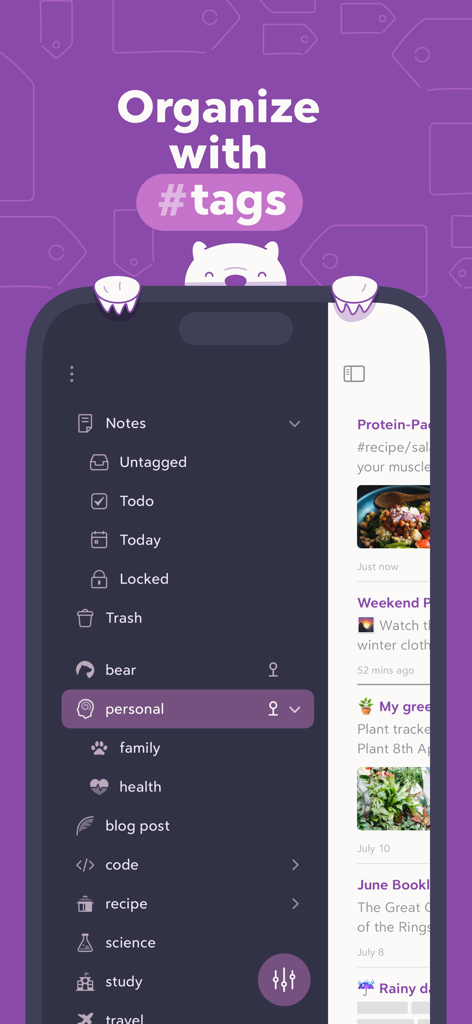
다크 모드 사이드바에서 중첩된 해시태그를 사용한 메모 정리를 보여주는 Bear 앱 인터페이스
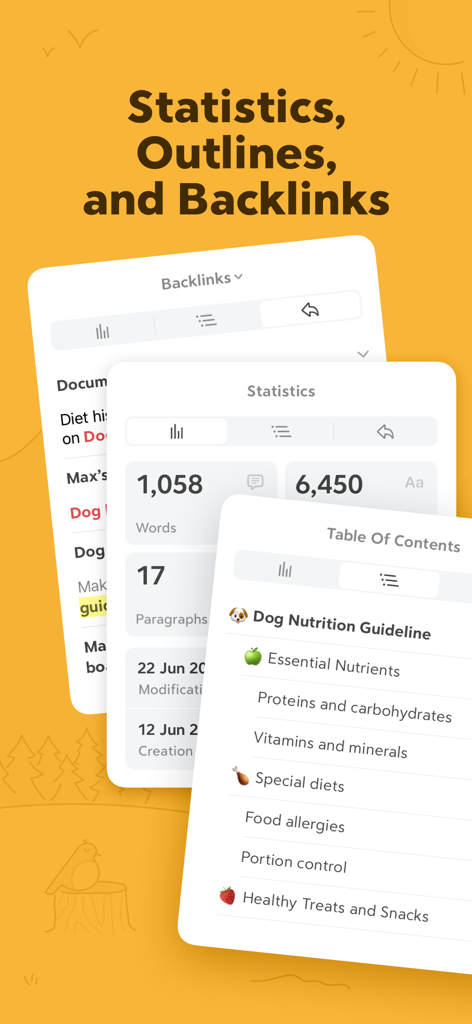
단어 수 통계, 목차 및 백링크 패널을 보여주는 Bear 앱 인터페이스
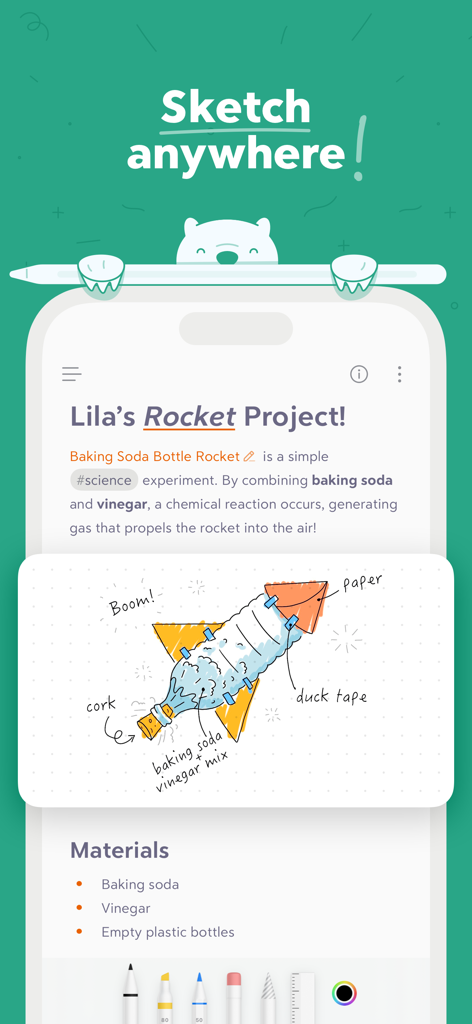
손으로 그린 로켓 일러스트가 포함된 과학 프로젝트 메모를 보여주는 Bear 앱 인터페이스
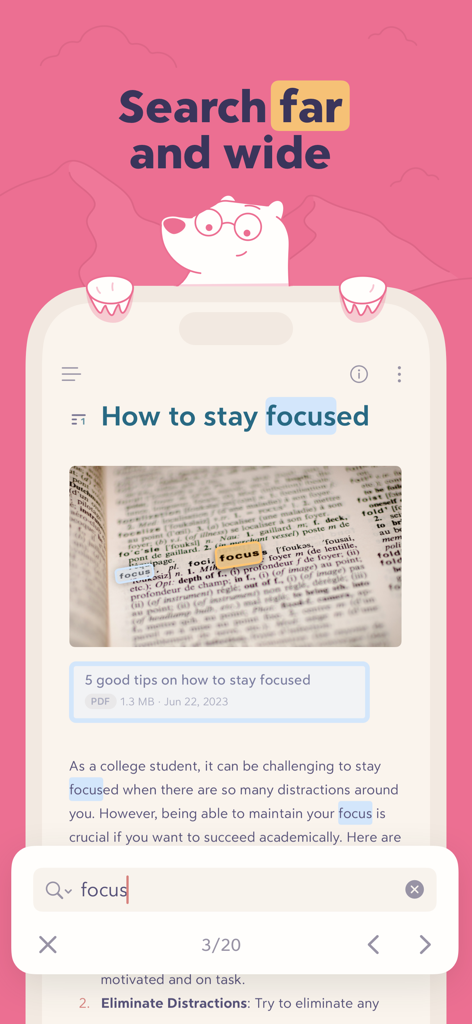
텍스트와 이미지 내에서 강조 표시된 'focus' 단어에 대한 검색 결과를 보여주는 Bear 앱 인터페이스
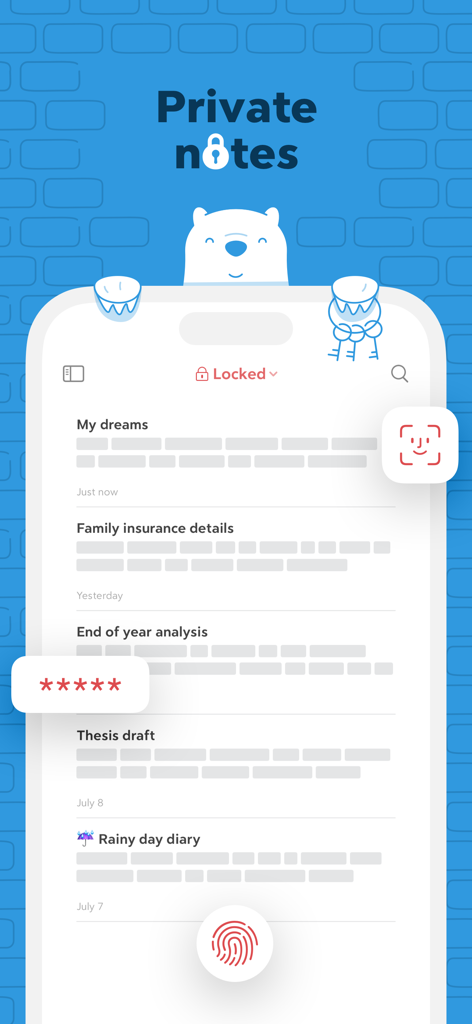
Face ID, Touch ID 및 비밀번호 암호화로 보호되는 비공개 메모를 보여주는 Bear 앱 인터페이스
설명
Download
비슷한 앱
유사한 기능과 사용자 경험을 가진 앱

Notion: Notes, Tasks, AI
Notion Labs, Incorporated

Freenotes®: AI Notes Taking
Hangzhou Free Notes Technology Co., Ltd

Structured - Daily Planner
unorderly GmbH

Google Tasks: Get Things Done
Google LLC

TickTick:To-Do List & Calendar
Appest Limited

Noteful: Notes & PDF Markup
Noteful Technologies Ltd

Todoist: To Do List & Calendar
Doist Inc.

To do list MinimaList & Widget
Inner Grow Limited

monday.com - Work Platform
monday.com Ltd.
이 페이지는 앱이나 개발자의 공식 페이지가 아니며, 정보 제공 및 논평을 목적으로 작성된 독립 편집 간행물입니다. 명시적으로 달리 언급되지 않는 한, 해당 앱이나 개발자는 MWM, Apple, Google Play, 앱 퍼블리셔 또는 앱 개발자와 제휴, 보증, 후원, 승인 또는 공식적으로 연결되어 있지 않으며, 이 페이지의 어떤 내용도 해당 앱이 MWM의 서비스를 사용하여 개발되었음을 의미하지 않습니다. 모든 상표, 로고, 스크린샷 및 기타 콘텐츠는 해당 소유자의 자산입니다.