BeatCutter
BeatCutter
다운로드: App Store

이 페이지는 앱이나 개발자의 공식 페이지가 아니며, 정보 제공 및 논평을 목적으로 작성된 독립 편집 간행물입니다. 명시적으로 달리 언급되지 않는 한, 해당 앱이나 개발자는 MWM, Apple, Google Play, 앱 퍼블리셔 또는 앱 개발자와 제휴, 보증, 후원, 승인 또는 공식적으로 연결되어 있지 않으며, 이 페이지의 어떤 내용도 해당 앱이 MWM의 서비스를 사용하여 개발되었음을 의미하지 않습니다. 모든 상표, 로고, 스크린샷 및 기타 콘텐츠는 해당 소유자의 자산입니다.


로고: BeatCutter
다운로드: App Store

BeatCutter

모든 오디오를 혼돈의 프랙탈과 진화하는 소리의 추상화로 변환하세요. 사운드 탐험가를 위해 설계된 BeatCutter는 강력한 AUv3 플러그인으로 iPad 및 macOS 스튜디오에 산업적인 글리치, 사이버펑크 질감, 프랙탈 피드백을 제공합니다.

주요 수치

다운로드

5K+

사용자 평점

4.6/5

총 평가 수

100

개발사

Igor Vasiliev

카테고리

Music

지원 언어

1

최신 버전

1.9.2

크기

13.7 MB

출시일

2021년 4월 2일
기능

사운드 혼돈을 해방시키세요

현대 사운드 탐험가를 위해 설계된 실험적인 멀티채널 매트릭스를 사용하여 모든 오디오 소스를 미래 지향적인 사운드스케이프와 복잡한 리듬으로 변환하세요.

멀티채널 슬라이싱 매트릭스

8개의 재구성 가능한 버스를 사용하여 오디오를 즉시 슬라이스하고 고유한 리듬 기반 패턴으로 재결합하여 프로듀서의 막힘을 극복하세요.

생성적 프랙탈 피드백

단순한 루프를 넘어 복잡하고 영화적인 추상화 및 산업적 질감으로 움직이는 살아있는, 자체 진화하는 사운드 구조를 디자인하세요.

다음 스크린샷과 설명은 앱의 공식 스토어 목록에서 직접 가져온 것이며 앱 개발자의 자산입니다.

앱 스토어

스크린샷
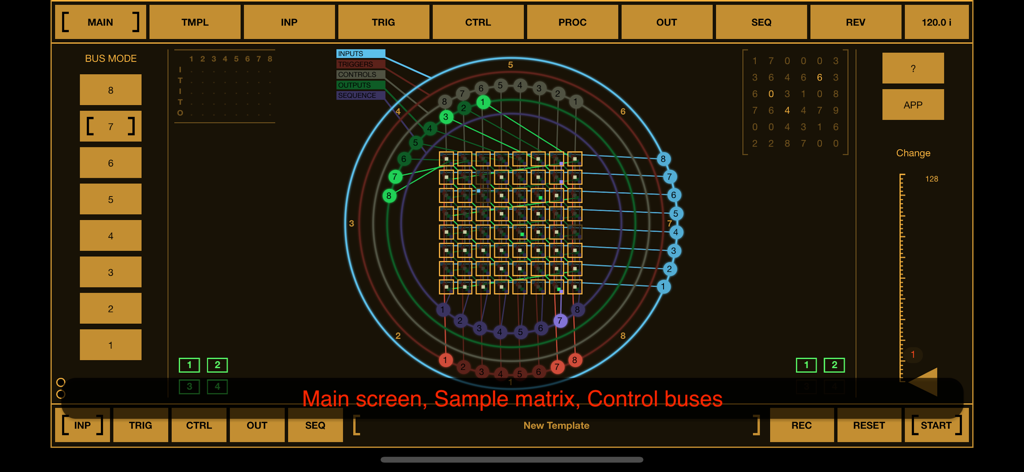
BeatCutter - BeatCutter 앱 인터페이스가 사이버펑크 스타일로 메인 샘플 매트릭스와 원형 제어 버스를 보여줍니다.
BeatCutter 앱 인터페이스가 사이버펑크 스타일로 메인 샘플 매트릭스와 원형 제어 버스를 보여줍니다.

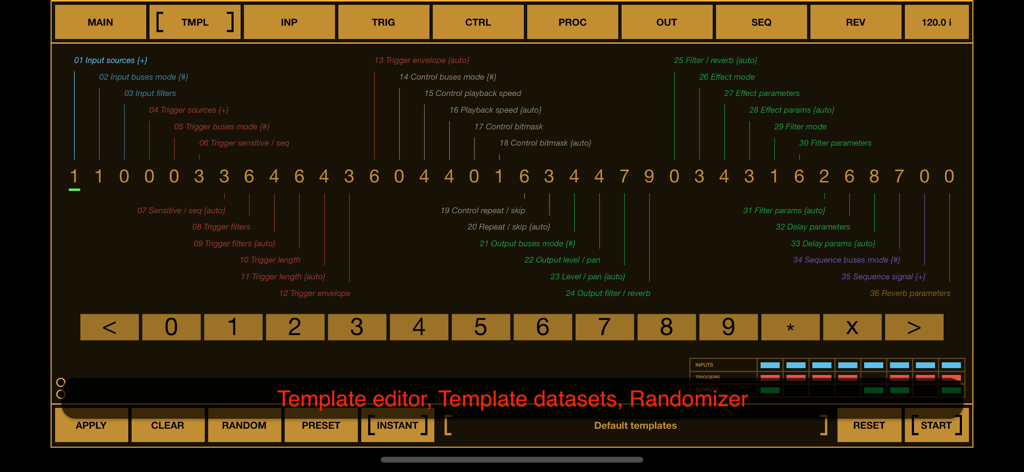
BeatCutter - BeatCutter 앱 템플릿 편집기 인터페이스가 사운드 디자인을 위한 숫자 매개변수와 랜덤화 컨트롤을 보여줍니다.
BeatCutter 앱 템플릿 편집기 인터페이스가 사운드 디자인을 위한 숫자 매개변수와 랜덤화 컨트롤을 보여줍니다.

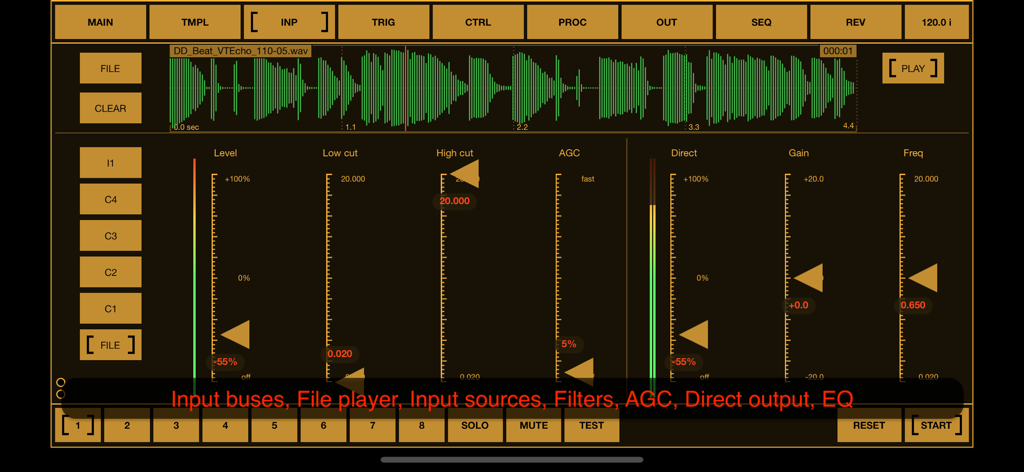
BeatCutter - BeatCutter 앱 인터페이스가 파형 디스플레이와 오디오 처리 컨트롤이 있는 입력 탭을 보여줍니다.
BeatCutter 앱 인터페이스가 파형 디스플레이와 오디오 처리 컨트롤이 있는 입력 탭을 보여줍니다.

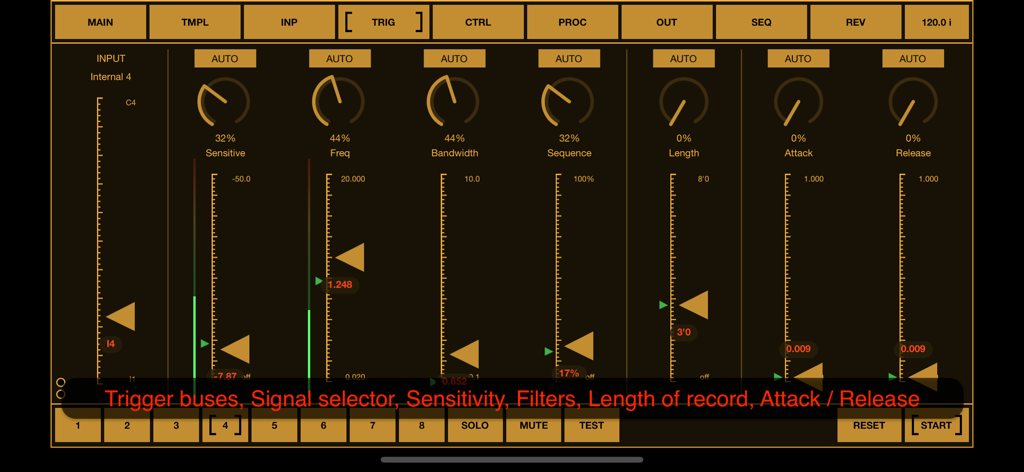
BeatCutter - BeatCutter 앱의 트리거 설정 화면이 산업적인 주황색 인터페이스에서 민감도 및 주파수와 같은 오디오 제어 매개변수를 보여줍니다.
BeatCutter 앱의 트리거 설정 화면이 산업적인 주황색 인터페이스에서 민감도 및 주파수와 같은 오디오 제어 매개변수를 보여줍니다.

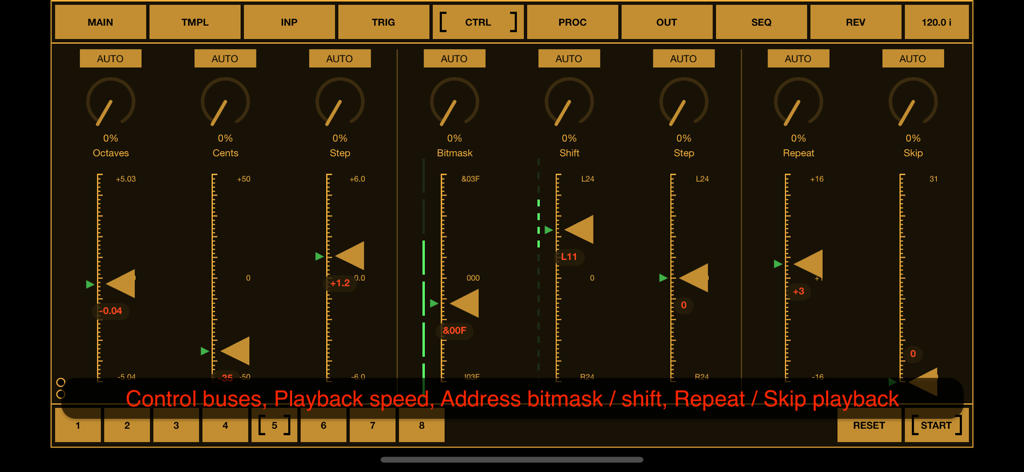
BeatCutter - BeatCutter 앱 화면이 옥타브 비트마스크 및 재생 매개변수에 대한 제어 슬라이더를 보여줍니다.
BeatCutter 앱 화면이 옥타브 비트마스크 및 재생 매개변수에 대한 제어 슬라이더를 보여줍니다.

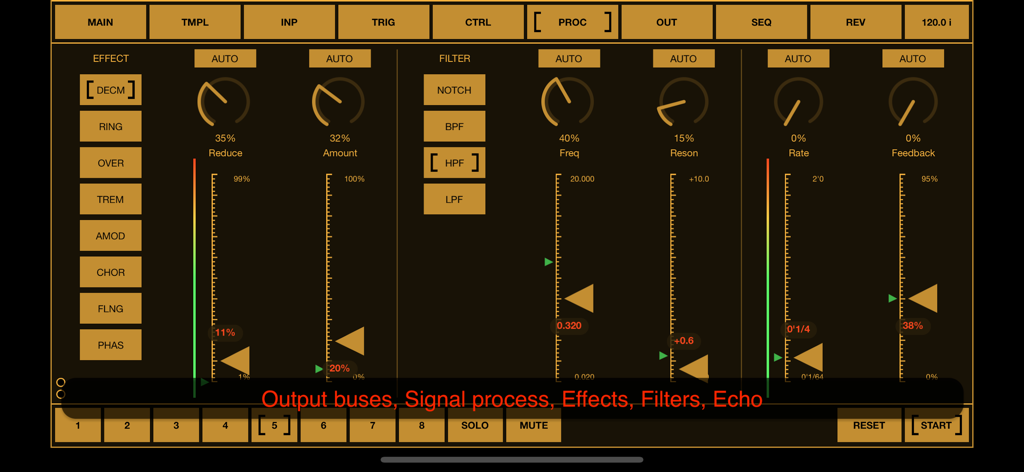
BeatCutter - BeatCutter 앱 신호 처리 화면이 황갈색 사이버펑크 인터페이스의 오디오 효과 및 필터 컨트롤을 특징으로 합니다.
BeatCutter 앱 신호 처리 화면이 황갈색 사이버펑크 인터페이스의 오디오 효과 및 필터 컨트롤을 특징으로 합니다.

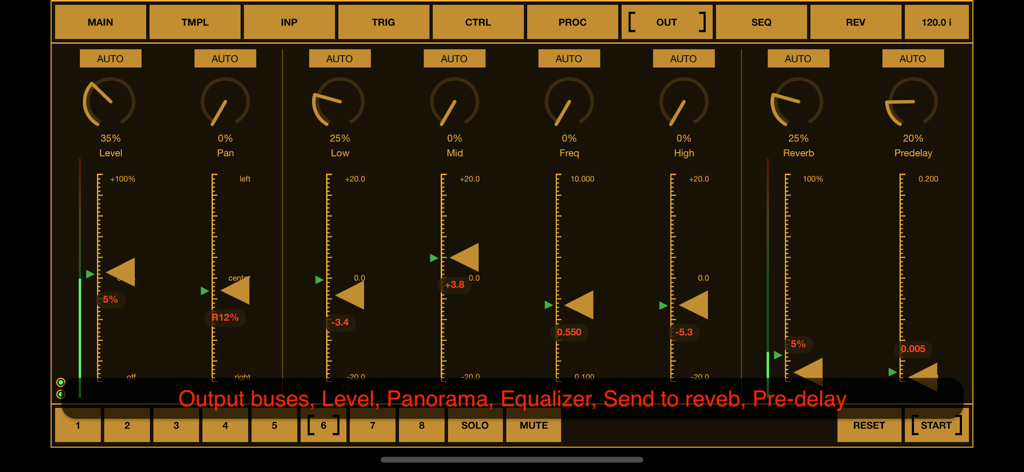
BeatCutter - BeatCutter 앱 인터페이스가 레벨 패너라마 이퀄라이저 및 리버브에 대한 출력 컨트롤을 표시합니다.
BeatCutter 앱 인터페이스가 레벨 패너라마 이퀄라이저 및 리버브에 대한 출력 컨트롤을 표시합니다.

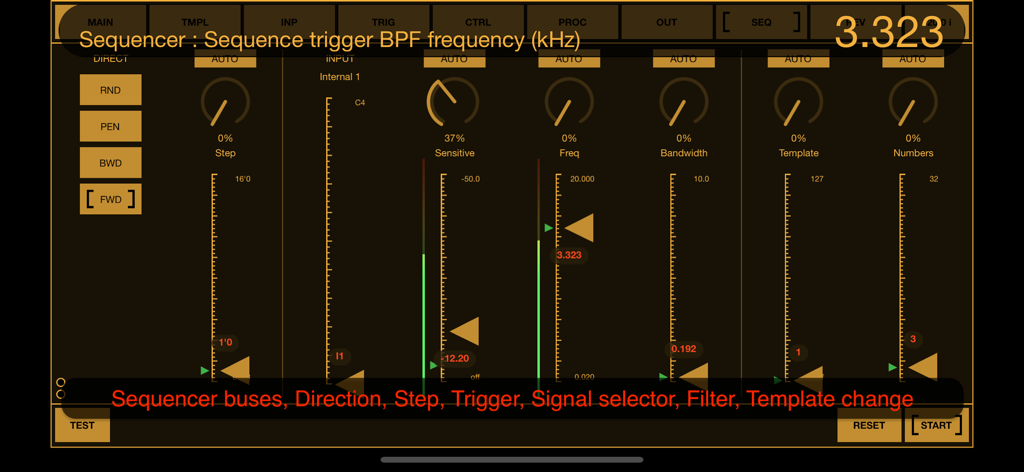
BeatCutter - BeatCutter 앱 시퀀서 인터페이스가 어두운 배경에 주황색 페이더와 함께 주파수 필터 및 템플릿 컨트롤을 보여줍니다.
BeatCutter 앱 시퀀서 인터페이스가 어두운 배경에 주황색 페이더와 함께 주파수 필터 및 템플릿 컨트롤을 보여줍니다.

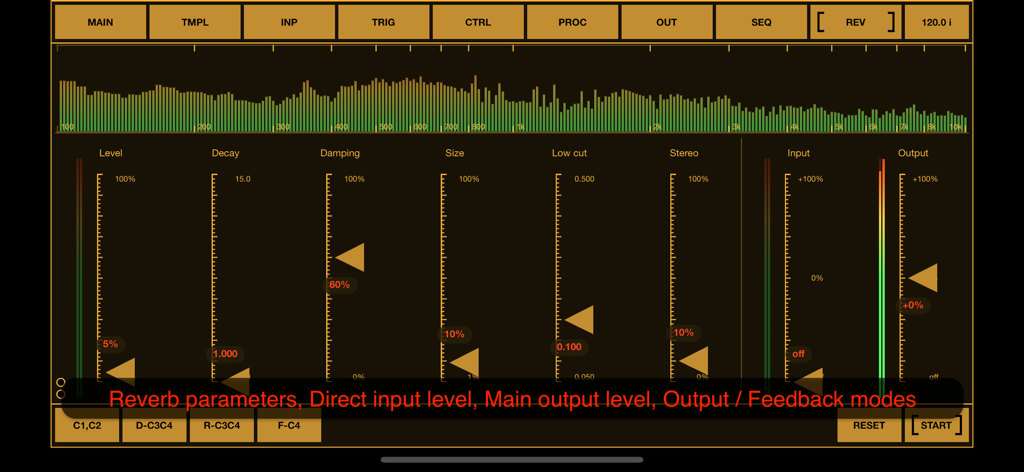
BeatCutter - BeatCutter 앱의 인터페이스가 리버브 매개변수, 감쇠 및 댐핑 슬라이더, 실시간 오디오 스펙트럼 시각화 도구를 보여줍니다.

BeatCutter 앱의 인터페이스가 리버브 매개변수, 감쇠 및 댐핑 슬라이더, 실시간 오디오 스펙트럼 시각화 도구를 보여줍니다.

설명

BeatCutter is an experimental multi-channel application for slicing and recombining sound based on rhythm. In the center of the application is a matrix of sample cells with smoothly reconfigurable recording, playback and control busses. This application is best for those who would like to experiment with large audio files or live instruments, creating chaotic constructions and patterns from sliced rhythm-driven samples. With BeatCutter you can create sound textures and abstractions with the atmosphere of cyberpunk, industrial ambience or alien jungle. This application has an almost unlimited range of options for transformation of source audio. The kind of original sound does not really matter. It can be any tracks, external musical instruments or sound from other applications. The content of the source material and your settings will define the final result, which can range from futuristic IDM to abstract music for fill the living space and soundscapes for relaxation and meditation. Please note that BeatCutter does not contain exact presets for a specific result. It has a large set of parameters that are adjusted by experiment depending on the source material. But for a quick start and search for ideas, this application has a convenient template editor, which consists of a set of numbers, where each number defines values for a group of parameters. You can change numbers in the template and listen to the result, or use the randomizer for the entire template, then change some specific parameters and save the current state as a preset. One of the most interesting and experimental features of this application is the feedback mode. This is not like analog feedback when positive loop gain occurs at some more or less stable resonant frequency. It looks more like fractals when the next level is similar to the whole structure, but in this case with constantly changes. We can say that it works like a sound structure that evolves and changes itself. This is an incredible ability to create perfect sound abstractions, unrelated to any external samples or signals and it opens up a huge potential for experimentation and inspiration. BeatCutter supports up to 4 external input and output channels, playback up to 8 files at once, works as a multi-channel audio unit. With DAWs and hosts, you can use this application as an effect plugin. The application interface is designed for convenient work with the most common MIDI controllers containing 8 faders and 8 knobs. BeatCutter is a universal application for iOS and macOS. It can work on iPhone and iPad as well as Mac / MacBook with M1 chip (and later). BeatCutter works on iPhone and iPad standalone, as an Audio Unit or Inter-App Audio module, and supports Audiobus and Ableton Link. On macOS, BeatCutter can works both as a standalone application and as an Audio unit with DAWs and audio unit hosts like Ableton Live, Logic Pro, GarageBand, MainStage, Cockos Reaper, Plogue Bidule, Hosting AU, and other hosts that support AUv3 plugins. All application features are available on iOS and macOS, including MIDI support (with a midi learn option), audio unit parameters and importing samples from any directory on device. BeatCutter has a built-in detailed description of all parameters also available as PDF file on application site. Quick start demo: https://youtu.be/nhwOK4tXFvQ https://youtu.be/_OekZzgAmCw https://youtu.be/Kt5rb8KtNs4 https://youtu.be/89H4l-0Es70 You can find more information on BeatCutter and other experimental and audio processing applications at: https://motion-soundscape.blogspot.com

Download

다운로드: App Store

이 페이지는 앱이나 개발자의 공식 페이지가 아니며, 정보 제공 및 논평을 목적으로 작성된 독립 편집 간행물입니다. 명시적으로 달리 언급되지 않는 한, 해당 앱이나 개발자는 MWM, Apple, Google Play, 앱 퍼블리셔 또는 앱 개발자와 제휴, 보증, 후원, 승인 또는 공식적으로 연결되어 있지 않으며, 이 페이지의 어떤 내용도 해당 앱이 MWM의 서비스를 사용하여 개발되었음을 의미하지 않습니다. 모든 상표, 로고, 스크린샷 및 기타 콘텐츠는 해당 소유자의 자산입니다.







