BedrockConnect

BedrockConnect

다운로드: App Store
로고: BedrockConnect

BedrockConnect: 콘솔에서 모든 Minecraft 서버에 참여하세요

Xbox, PlayStation 및 Switch 플레이어가 타사 서버에 참여하고 제한 없이 사용자 정의 텍스처 팩을 사용할 수 있는 최고의 연결 도구입니다.

개발사

GKM Interactive UG haftungsbeschraenkt

카테고리

Utilities

다운로드

76K+

사용자 평점

4.4/5

총 평가 수

4K+

지원 언어

9

잠금 해제된 콘솔

이 인터페이스를 사용하는 76K+ 명의 사용자.

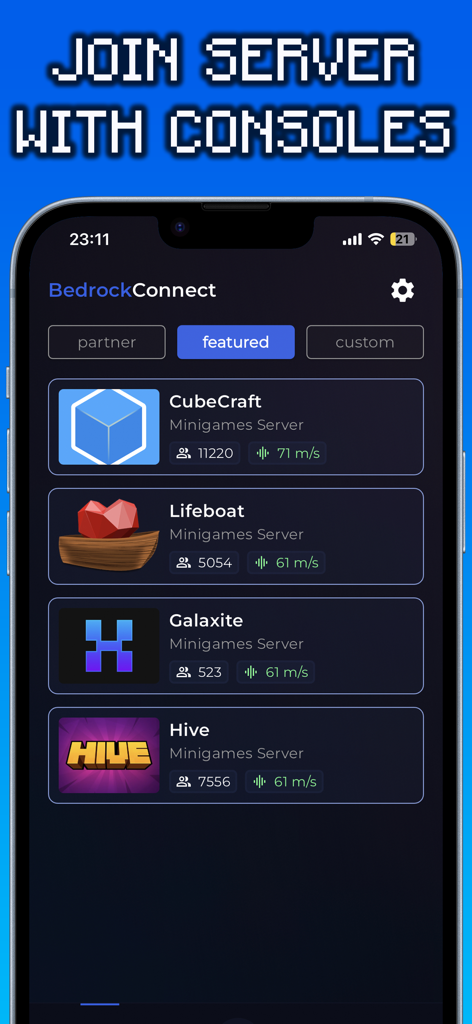
CubeCraft 및 Hive를 포함한 추천 Minecraft 서버 목록을 보여주는 BedrockConnect 앱 인터페이스
CubeCraft 및 Hive를 포함한 추천 Minecraft 서버 목록을 보여주는 BedrockConnect 앱 인터페이스

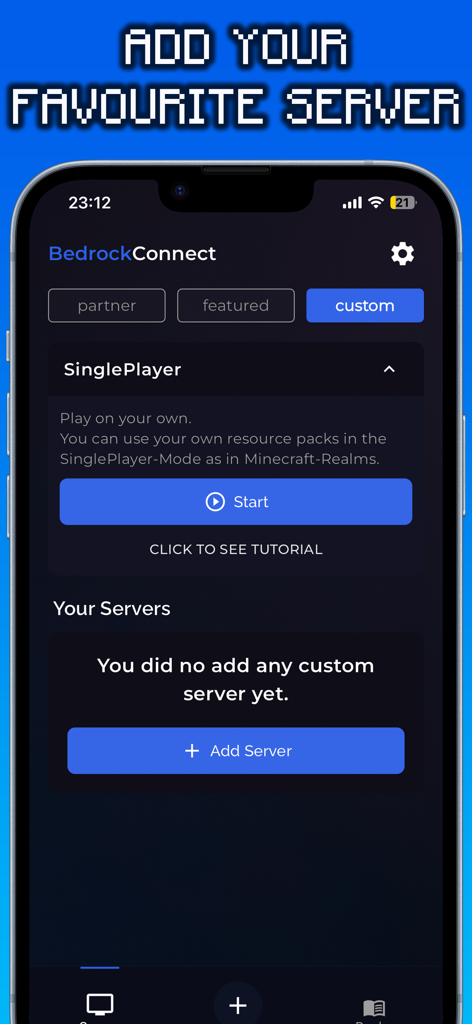
사용자 정의 Minecraft 서버를 추가하는 화면을 보여주는 BedrockConnect 앱 인터페이스
사용자 정의 Minecraft 서버를 추가하는 화면을 보여주는 BedrockConnect 앱 인터페이스

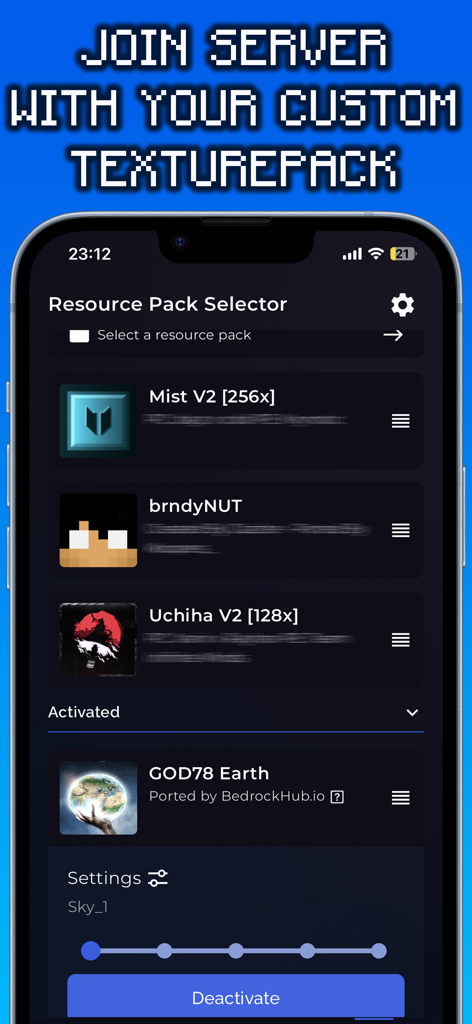
사용자 정의 Minecraft 텍스처 팩용 리소스 팩 선택기를 보여주는 BedrockConnect 앱 인터페이스.

사용자 정의 Minecraft 텍스처 팩용 리소스 팩 선택기를 보여주는 BedrockConnect 앱 인터페이스.

콘솔 경험을 한 단계 업그레이드하세요

이 앱을 돋보이게 하는 도구, 76K+ 명의 사용자가 선택.

🌐

모든 타사 서버에 참여하세요

기본 목록에서 벗어나세요. 휴대폰에서 IP 주소만 입력하면 모든 Minecraft Bedrock 서버에 연결할 수 있습니다.

🎨

무료 사용자 정의 텍스처 팩

마켓플레이스 비용을 건너뛰세요. 좋아하는 커뮤니티 제작 리소스 팩을 사용하여 게임 세계를 무료로 개인화하세요.

🎮

원활한 콘솔 지원

복잡한 기술 문제 없이 완벽한 Minecraft 경험을 원하는 Xbox, PlayStation 및 Switch 플레이어를 위해 특별히 설계되었습니다.

앱 소개

에 대해 알아야 할 모든 것 BedrockConnect.

설명

The BedrockConnect app is a revolutionary multiplayer connection solution for the popular video game Minecraft Bedrock Edition. With this app, players can seamlessly play together on third-party servers across different platforms like PlayStation, Xbox, and Switch. Especially for console players, the BedrockConnect app provides a great opportunity to use free custom texture packs/resource packs on supported servers using the serverpacks method. This allows them to personalize the game and customize their gaming environment. Using the BedrockConnect app is easy. Make sure that all the devices involved, including the console and mobile phone, are connected to the same Wi-Fi network. Avoid using VPN services or ad blockers, as these can affect the functionality of the app. Also, note that Wi-Fi boosters or repeaters can have an impact on the app. BedrockConnect has proven to be an essential tool for Minecraft players who want to play with friends on different third-party servers. Here are the basic steps to use the app for PlayStation and Xbox: 1. Open the app and confirm all the important information. 2. Swipe right and click on the "+" symbol. 3. Enter the IP address and port of the desired Bedrock server. The server must be online and compatible with the Bedrock Edition. 4. Click on "Start & show ads". 5. The server should now appear in the Minecraft friends list. Click on it to join. 6. Join the server on the console! Done! You will be redirected to the desired server. To use a Texture Pack / Resource Packs on a server, follow these steps: 1. Go to the app settings and enable "Serverpacks". 2. Select a valid Minecraft Bedrock-compatible Texture Pack. 3. Start a supported server (a list can be found at https://serverlist.bedrockhub.io). 4. Open Minecraft, go to settings, and navigate to "Storage" -> "Cached Data". 5. Delete any existing "Serverpacks". 6. Start the supported server in the BedrockConnect app. 7. Join the server on the console! Done! The pack will be downloaded, and you will be redirected to the desired server. Visit our Discord server at https://discord.bedrockhub.io for further support and information. There you can also find a list of servers we support with serverpacks: https://serverlist.bedrockhub.io. Key Features Summary: - Server list for a compact overview of all servers with player count, ping, MOTD, and version. - "Featured Server" category for special recommendations. - Serverpacks feature for using custom Texture Packs on supported servers. - Automatic updates for supported serverpacks. - Support for the Switch console (available for Apple users only). - Modern and user-friendly design. Avoiding Common Issues: - Ensure that all devices, including console and mobile phone, are connected to the same Wi-Fi network. - Avoid using VPN services or ad blockers, as they can affect the app's functionality. - Avoid using Wi-Fi boosters or repeaters, as they can impact the app. - Check firewall settings and router configurations as they can cause issues. - For iOS devices, make sure the "Local Network" setting is enabled for the app. - Make sure ads are shown, as the app relies on ad display for free users. - Note that shaders, modpacks, addons, clients, or skin packs will not work. The app only supports resource packs / texture packs, using only the "Front", "Textures", "Sounds", and "Particles" folders from the texture pack while ignoring the rest. Disclaimer: BedrockConnect is a third-party application and is not affiliated with Mojang AB or Minecraft. BedrockConnect is not an extension of Minecraft or Mojang AB and is not affiliated with them. It is a third-party solution created by the community to enable cross-platform connections in the Bedrock Edition. Terms of Use (EULA): https://www.apple.com/legal/internet-services/itunes/dev/stdeula/

최신 버전

2.0.91

크기

97.0 MB

출시일

2022년 11월 2일

콘솔의 한계를 뛰어넘을 준비가 되셨나요?

Xbox, PlayStation 및 Switch에서 맞춤형 서버에 연결하고 무료 텍스처 팩을 사용하는 76,000명 이상의 플레이어와 함께하세요. 지금 BedrockConnect를 다운로드하고 경계 없는 Minecraft를 플레이하세요.

다운로드: App Store
추천

비슷한 앱

유사한 기능과 사용자 경험을 가진 앱

App information, icons, screenshots, and descriptions displayed on this page are sourced from the Apple App Store and are the property of their respective developers. Download estimates and rankings are based on MWM's proprietary models and may not reflect actual figures. This page is provided for informational and analytical purposes only.

Believe this page infringes your intellectual property? File a dispute