Best Clock Radio & Podcast
다운로드: App Store

이 페이지는 앱이나 개발자의 공식 페이지가 아니며, 정보 제공 및 논평을 목적으로 작성된 독립 편집 간행물입니다. 명시적으로 달리 언급되지 않는 한, 해당 앱이나 개발자는 MWM, Apple, Google Play, 앱 퍼블리셔 또는 앱 개발자와 제휴, 보증, 후원, 승인 또는 공식적으로 연결되어 있지 않으며, 이 페이지의 어떤 내용도 해당 앱이 MWM의 서비스를 사용하여 개발되었음을 의미하지 않습니다. 모든 상표, 로고, 스크린샷 및 기타 콘텐츠는 해당 소유자의 자산입니다.

로고: Best Clock Radio & Podcast
다운로드: App Store

Best Clock Radio & Podcast

하나의 안정적인 앱에서 40,000개 이상의 라디오 방송국을 스트리밍하고, 좋아하는 팟캐스트를 즐기고, 5일간의 일기 예보를 확인하세요. AutoDim 기술과 9개의 프로그래밍하기 쉬운 사전 설정 버튼으로 완벽한 루틴을 위해 설계되었습니다.

주요 수치

다운로드

52K+

사용자 평점

3.3/5

총 평가 수

0

개발사

Mark Linthicum

카테고리

Music

지원 언어

1

최신 버전

8.9.4

크기

216.8 MB

출시일

2012년 4월 12일
기능

궁극의 침대 옆 동반자

클래식 시계 라디오의 안정성과 최신 스트리밍의 강력함이 만났습니다. 하나의 간단한 인터페이스에서 전 세계 라디오, 팟캐스트, 날씨로 아침 루틴을 제어하세요.

원터치 라디오 사전 설정

클래식 자동차 스테레오처럼, 최대 9개의 즐겨찾기 버튼에 전 세계 방송국, 지역 뉴스 또는 맞춤 음악 스트림을 프로그래밍하여 즉시 액세스하세요.

편안한 AutoDim 디스플레이

더 이상 눈부신 밤 조명은 없습니다. 화면이 잠잘 때는 자동으로 어두워지고 깨어날 때는 밝아져 완벽한 전용 침대 옆 시계 역할을 합니다.

다음 스크린샷과 설명은 앱의 공식 스토어 목록에서 직접 가져온 것이며 앱 개발자의 자산입니다.

앱 스토어

스크린샷
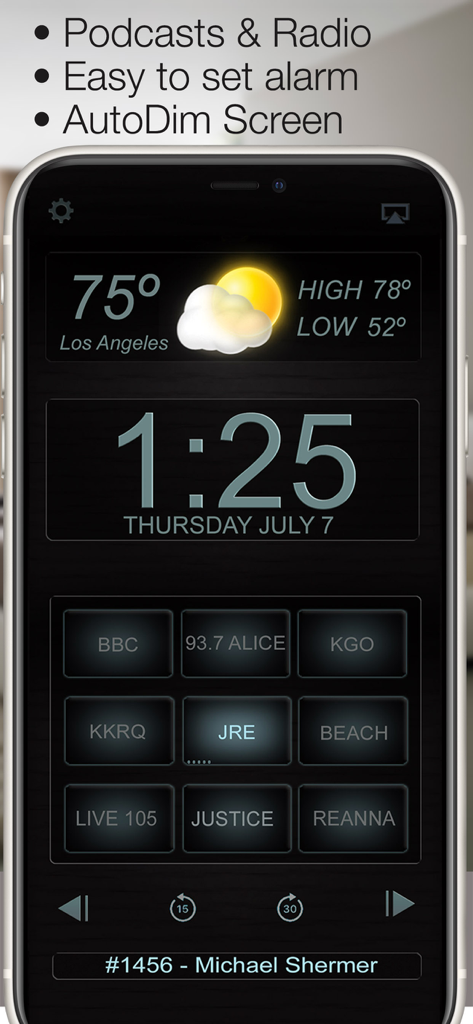
Best Clock Radio & Podcast - 로스앤젤레스 날씨와 프로그래밍 가능한 방송국 사전 설정이 표시된 디지털 시계 라디오 앱 화면
로스앤젤레스 날씨와 프로그래밍 가능한 방송국 사전 설정이 표시된 디지털 시계 라디오 앱 화면

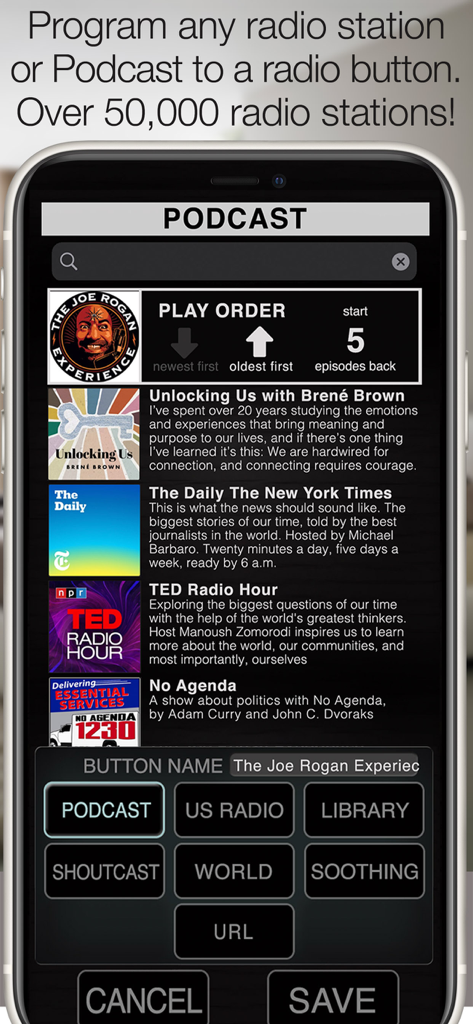
Best Clock Radio & Podcast - Best Clock Radio 앱에서 사전 설정 버튼에 팟캐스트와 라디오 방송국을 프로그래밍하는 인터페이스.
Best Clock Radio 앱에서 사전 설정 버튼에 팟캐스트와 라디오 방송국을 프로그래밍하는 인터페이스.

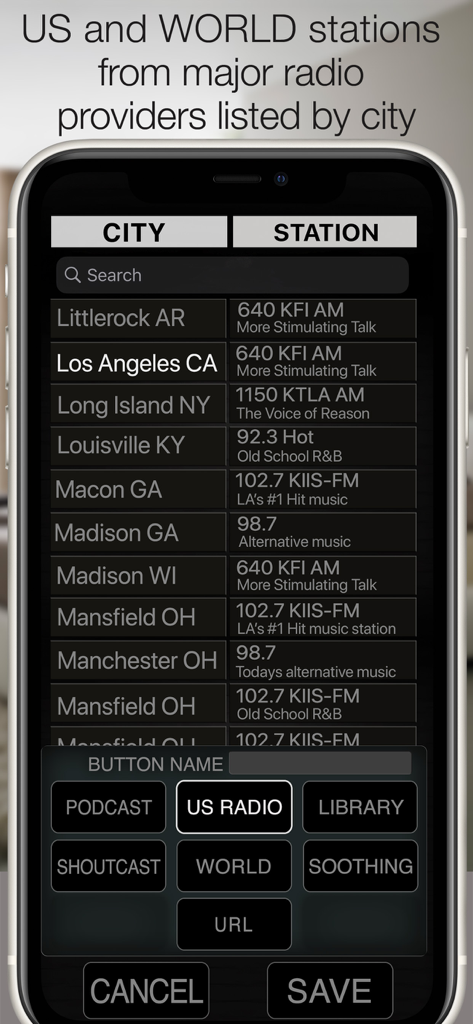
Best Clock Radio & Podcast - 수동 프로그래밍을 위해 도시별로 정렬된 미국 및 전 세계 라디오 방송국 목록을 보여주는 Best Clock Radio 앱 인터페이스
수동 프로그래밍을 위해 도시별로 정렬된 미국 및 전 세계 라디오 방송국 목록을 보여주는 Best Clock Radio 앱 인터페이스

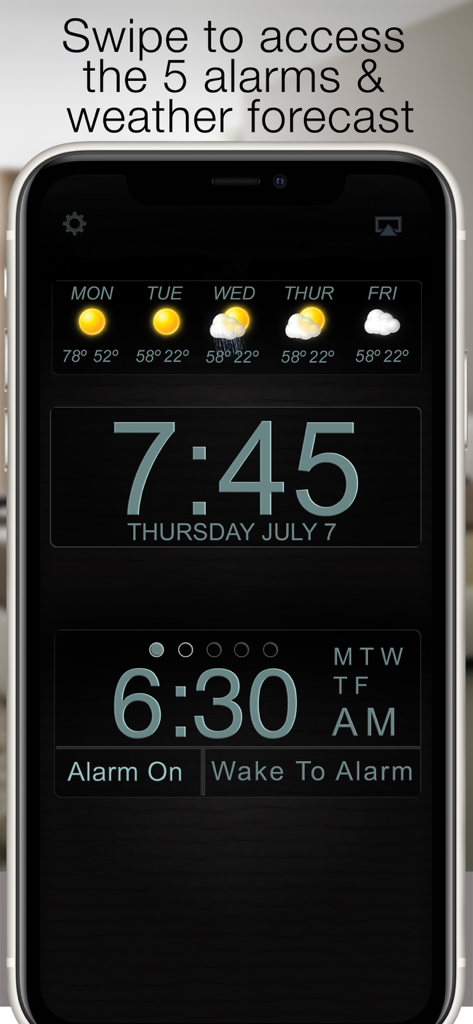
Best Clock Radio & Podcast - Best Clock Radio 앱 인터페이스: 디지털 시간, 5일간의 일기 예보 및 알람 설정 표시
Best Clock Radio 앱 인터페이스: 디지털 시간, 5일간의 일기 예보 및 알람 설정 표시

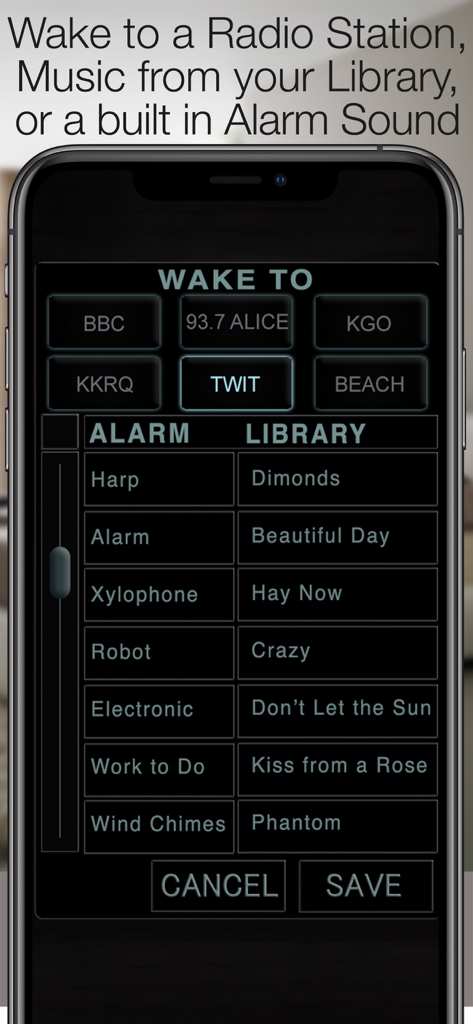
Best Clock Radio & Podcast - 기상 시 라디오 방송국, 알람 소리 및 음악 라이브러리 트랙을 선택하는 인터페이스.
기상 시 라디오 방송국, 알람 소리 및 음악 라이브러리 트랙을 선택하는 인터페이스.

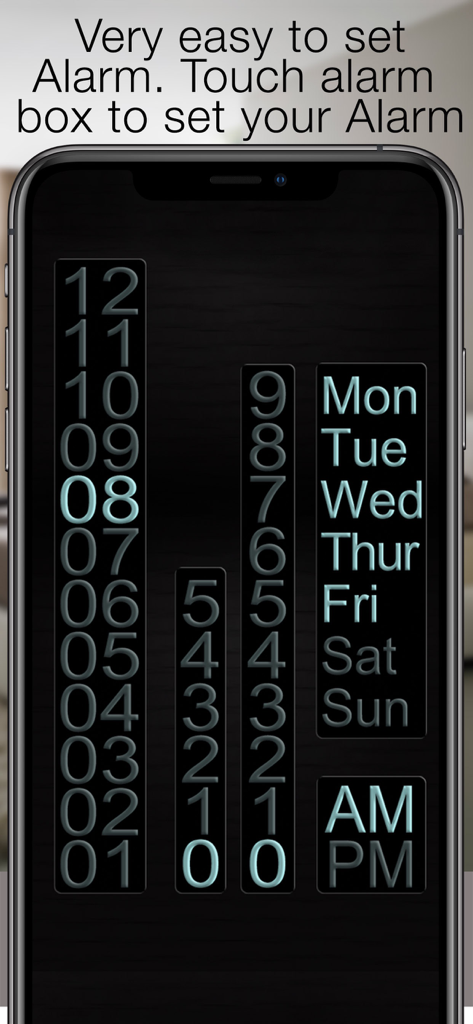
Best Clock Radio & Podcast - 알람 시간 설정 및 요일 반복 선택을 위한 사용자 인터페이스

알람 시간 설정 및 요일 반복 선택을 위한 사용자 인터페이스

설명

“Your app is outstanding - by far the best radio alarm clock app available!” - David Riviello “By far the most usable clock radio available anywhere” - Jay Adams New in version 8, program a Podcast to a radio button. Press and hold the radio button to bring up the radio sources, Select a Podcast and scroll through the top 100 or use the search bar to search for your favorite podcast. After saving to the radio button, play the podcast and touch the info bar below the radio buttons to bring up the episode list, here you can select the play order and mark podcasts as played or unplayed so they can be skipped or played again. Use the arrows on the top to set the order in which the episodes are played. Available episodes are represented by little ticks on the radio button, 5 ticks mean there are 5 or more available episodes. 3 ticks mean there are 3 available episodes. For the alarm to work properly you must allow notifications to be sent from the app, For Radio to be used as an alarm Best Clock Radio must be open, closing the app will cause a backup alarm to sound. AutoDim feature dims the screen automatically at night so it is not too bright and brightens it up again in the morning. 9 programmable radio buttons (8 on the iPad) to store your favorite Radio Stations, Music Library Playlists or Soothing Sound. See our website for demo videos www.BeautifulClockRadio.com Radio stations from all over the world, US, UK, Australia, Dutch, Netherlands, Norway, New Zealand, Switzerland, Germany, Ireland, Canada, Spain, South Africa, Germany, Serbia, Sweden, Ukraine. 5 Alarms allow you to program 5 different alarm times and sounds, With this feature you can trigger the radio to turn on when your favorite show starts. Radio, touch and hold a radio button to program it to your favorite Playlist, Soothing sound, or internet streaming radio station. There are over 40,000 stations available, or you add your own URL. It takes mere seconds to program a button and you can continue to listen to your music in the background when the app is closed. The weather shows the current weather forecast, swipe to the left and you get a 6-day forecast. swipe again to contact support. Swipe to the right and turn the weather display off. Best Clock Radio is stable and reliable and very easy to use. Best Clock Radio features: • Powerful podcast player • Plays any radio station in the world! • 5 easy to set alarms • One-touch radio • Weather Current Temp, High, Low, & 5 Day forecast • AutoDim • Support link in the Weather Panel • Very easy to use, stable and reliable • Wake up to radio, music or one of the 32 included alarm sounds • AutoSleep button turns the radio off after a set time • Select from 12-hour and 24-hour mode • 9 programmable buttons for internet streaming radio station (8 programmable buttons iPad) • Thousands of Shoutcast, U.S., and World Radio stations. • Soothing sounds to help you sleep. • URL option Allows you to program a streaming radio URL to a button •Contact support for any questions or help

Download

다운로드: App Store

이 페이지는 앱이나 개발자의 공식 페이지가 아니며, 정보 제공 및 논평을 목적으로 작성된 독립 편집 간행물입니다. 명시적으로 달리 언급되지 않는 한, 해당 앱이나 개발자는 MWM, Apple, Google Play, 앱 퍼블리셔 또는 앱 개발자와 제휴, 보증, 후원, 승인 또는 공식적으로 연결되어 있지 않으며, 이 페이지의 어떤 내용도 해당 앱이 MWM의 서비스를 사용하여 개발되었음을 의미하지 않습니다. 모든 상표, 로고, 스크린샷 및 기타 콘텐츠는 해당 소유자의 자산입니다.







