Bill Organizer

Bill Organizer

다운로드: App Store
로고: Bill Organizer

Bill Organizer: 모든 결제를 관리하고 예측하는 가장 스마트한 방법

자동화된 미리 알림, 공동 청구서 공유, 현대적인 가계 재무 책임자를 위해 설계된 강력한 통찰력으로 가계 재정을 완전히 제어하세요.

다운로드: App Store

개발사

Space-O Digicom Private Limited

카테고리

Finance

다운로드

301K+

사용자 평점

4.3/5

총 평가 수

5K+

지원 언어

1

귀하의 재정 제어 센터

이 인터페이스를 사용하는 301K+ 명의 사용자.

Bill Organizer 앱의 스크린샷으로, 지불됨, 연체됨, 예정된 상태에 대한 레이블이 있는 청구서 목록 표시
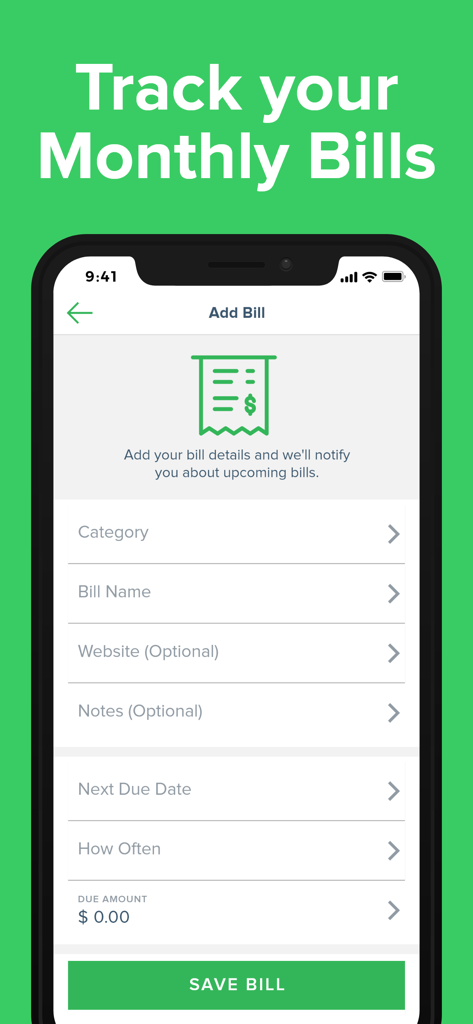
Bill Organizer 앱의 스크린샷으로, 지불됨, 연체됨, 예정된 상태에 대한 레이블이 있는 청구서 목록 표시

Bill Organizer 앱에서 청구서 추가 양식을 보여주는 스마트폰 화면
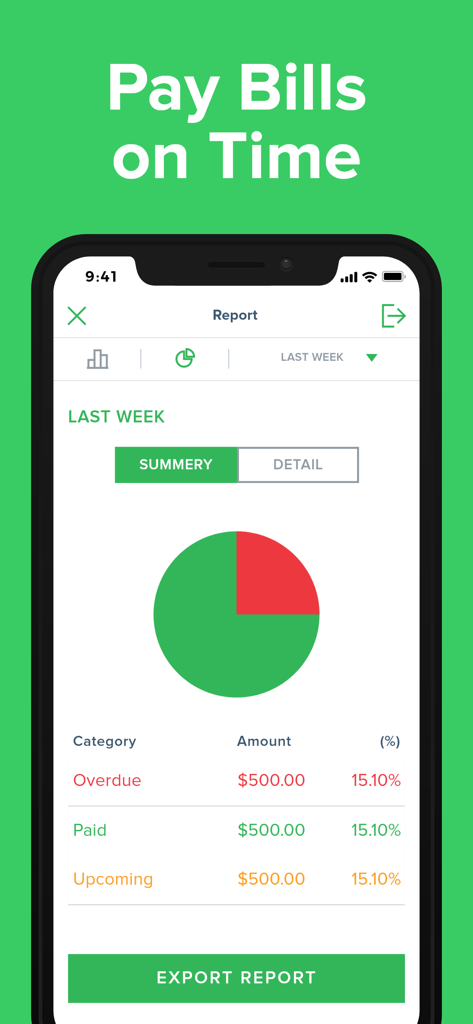
Bill Organizer 앱에서 청구서 추가 양식을 보여주는 스마트폰 화면

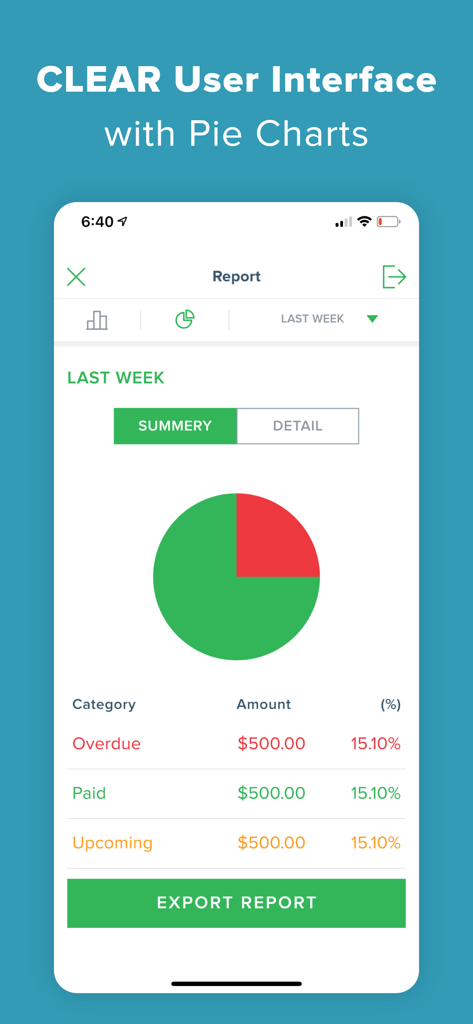
연체, 지불됨, 예정된 청구서의 요약 파이 차트와 보고서 내보내기 버튼을 보여주는 모바일 앱 화면
연체, 지불됨, 예정된 청구서의 요약 파이 차트와 보고서 내보내기 버튼을 보여주는 모바일 앱 화면

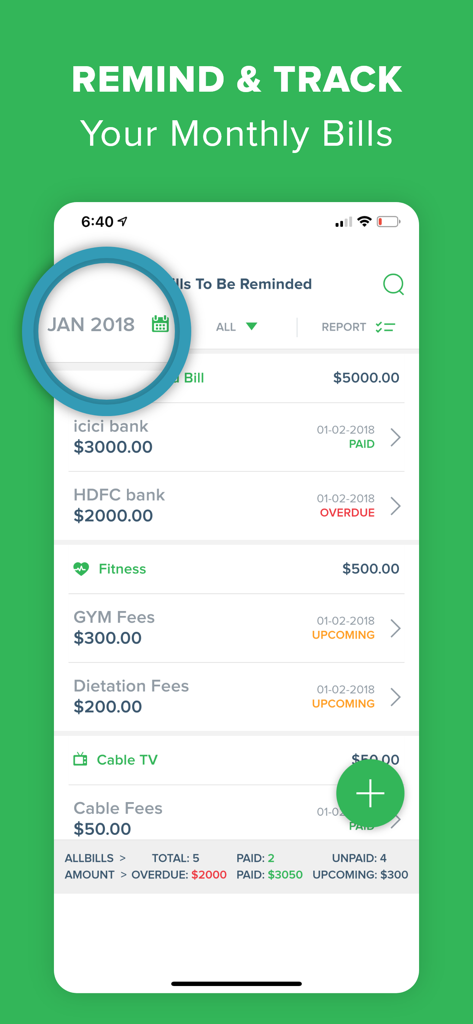
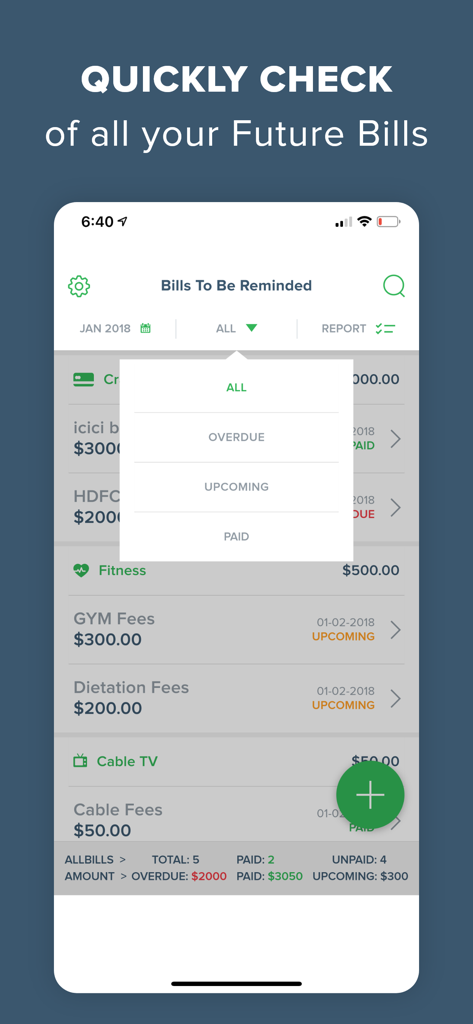
Bill Organizer 앱 인터페이스로, 지불됨, 연체됨, 예정된 상태 레이블이 있는 월별 청구서 목록 표시
Bill Organizer 앱 인터페이스로, 지불됨, 연체됨, 예정된 상태 레이블이 있는 월별 청구서 목록 표시

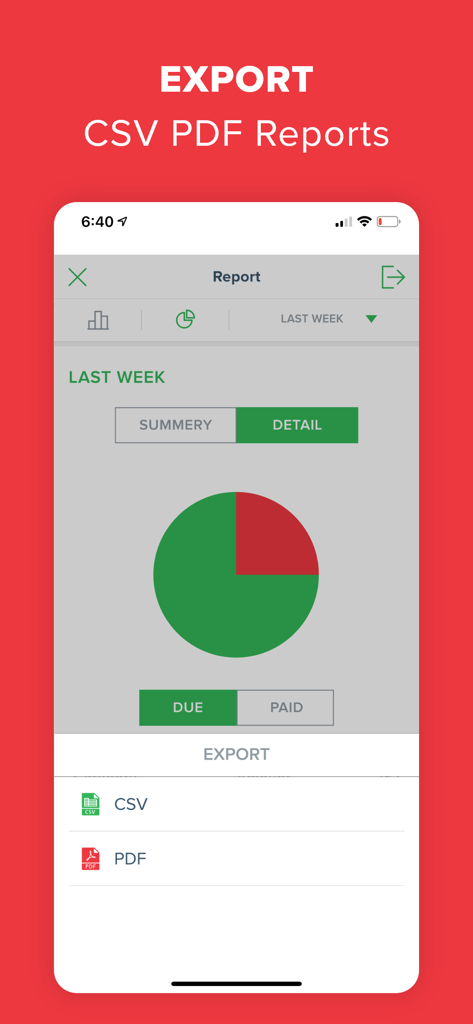
CSV 및 PDF 보고서 옵션을 보여주는 Bill Organizer 앱 내보내기 화면
CSV 및 PDF 보고서 옵션을 보여주는 Bill Organizer 앱 내보내기 화면

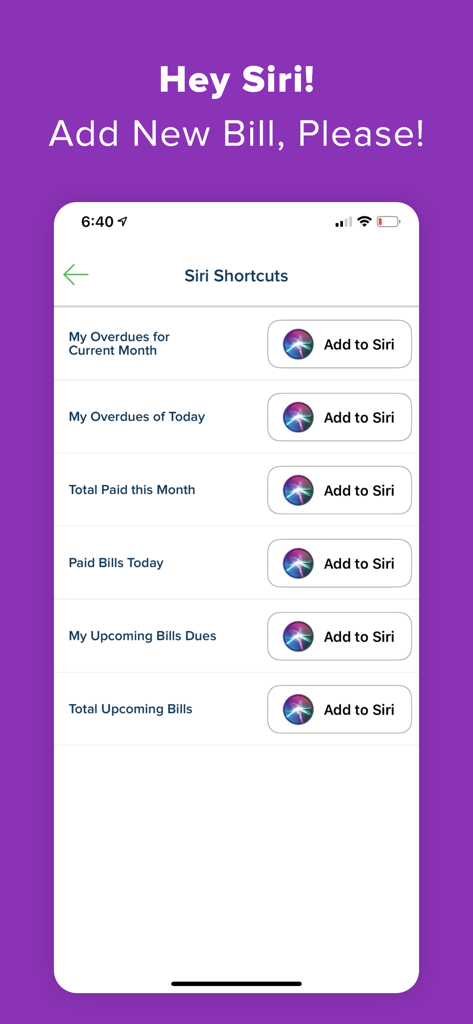
음성 제어 금융 관리를 위한 Siri 바로 가기를 Bill Organizer 앱에 추가하는 인터페이스.
음성 제어 금융 관리를 위한 Siri 바로 가기를 Bill Organizer 앱에 추가하는 인터페이스.

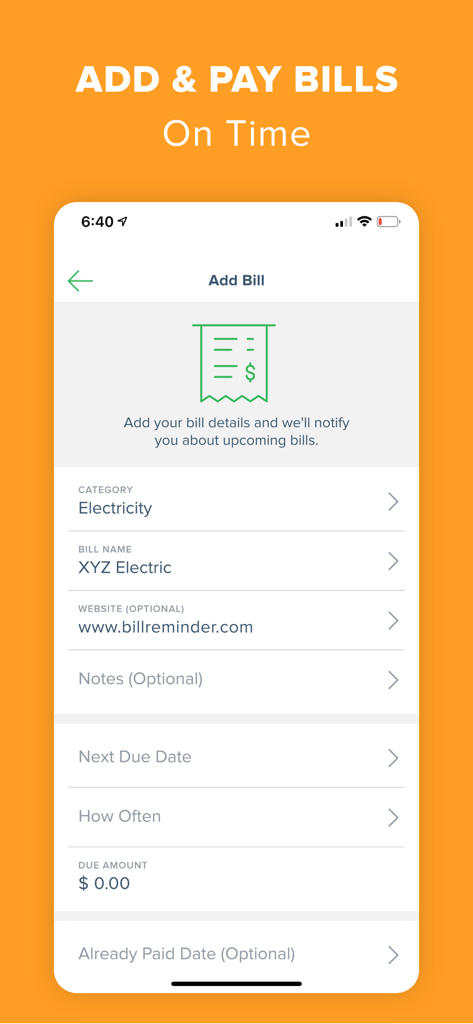
전기, 범주 및 청구서 이름 필드를 보여주는 Bill Organizer 앱의 청구서 추가 화면 스크린샷
전기, 범주 및 청구서 이름 필드를 보여주는 Bill Organizer 앱의 청구서 추가 화면 스크린샷

연체 및 지불된 청구서의 파이 차트를 보여주는 Bill Organizer 앱 보고서 화면
연체 및 지불된 청구서의 파이 차트를 보여주는 Bill Organizer 앱 보고서 화면

연체 및 예정된 결제에 대한 상태 필터가 있는 청구서 목록을 보여주는 Bill Organizer 앱 인터페이스
연체 및 예정된 결제에 대한 상태 필터가 있는 청구서 목록을 보여주는 Bill Organizer 앱 인터페이스

1위 순위와 현금을 쥔 손 주위에 세금, 쇼핑, 공과금 아이콘이 표시된 Bill Organizer 앱 프로모션 그래픽.

1위 순위와 현금을 쥔 손 주위에 세금, 쇼핑, 공과금 아이콘이 표시된 Bill Organizer 앱 프로모션 그래픽.

가계 재정 관리

이 앱을 돋보이게 하는 도구, 301K+ 명의 사용자가 선택.

스마트 알림 및 예측

맞춤형 미리 알림과 몇 주 앞서 현금 흐름을 예측하는 시각적 캘린더로 정신적 부담을 없애세요.

👥

공동 청구서 공유

특정 청구서에 가족 또는 룸메이트를 추가하세요. 실시간으로 결제를 추적하고 누가 얼마를 지불했는지 궁금해하는 마찰을 끝내세요.

📊

심층 재정 통찰력

그래프 보고서로 지출 추세를 분석하고 세금 및 장기 계획을 위한 전문 PDF 또는 CSV 요약본을 내보내세요.

앱 소개

에 대해 알아야 할 모든 것 Bill Organizer.

설명

*** Bill Reminder which can remind/manage/forecast your monthly bills - all this and much more in the easiest way *** New Feature Added : ** Add Members to the Bill ** - Now you can add members to the particular bills. - Filter the bills that are shared with you - Get notified when you are added to any bill - Keep track of all the activities related to bills and members Invest some time in feeding your monthly pay bills with Easy Bill Reminder and get assured that you will have a companion on your device, which will not allow you to forget to pay bills (provided you have money to pay your bills) The app will help you to manage/plan your payment schedule and budget with intuitive graphical reports and smart statistical analysis. Yes, we are improving the lookout for new features soon…. Features: * Pre-define expense categories to manage expenses category-wise. Such as household, loan, insurance, commercial, taxes, credit card bills, etc. * You can create as many new categories as you want. * Provision for adding your monthly recurring bills. (no need to add the repeating bills, again and again, every month) * Different types of graphical reports, which will help you to manage/plan your budget. * Set alert time, that will remind you to pay your dues. * Multiple currency support * Calendar that will provide you on hand details for over due, plan, and paid expenses. * Export reports with charts via email in .csv and .pdf format. * Passcode function to protect your info and Intruder Detection * Search your bills by keywords of name, note, category * Post your Bills into your device calendar automatically. * Customizable upcoming Tab (see overdue bills * Different set of Ringtones for the local notification alert * Schedule repeat alert notification to remind you of your bill's due date * Impressive user interface that makes you paying & reminder bills less painful About Subscription Plan: • Name of Subscriptions: Bill Pay Reminder Premium • Price of Auto-renewal begins: Yearly : $8.99 for 1 month, then $49.99/year Monthly : $14.99 per month * All Prices are in USD • Payment will be charged to iTunes Account at confirmation of purchase • Subscription automatically renews unless auto-renew is turned off at least 24-hours before the end of the current period. You can turn off the auto-renew subscription from the iPhone setting • The account will be charged for renewal within 24-hours prior to the end of the current period, and identify the cost of the renewal • Subscriptions may be managed by the user and auto-renewal may be turned off by going to the user's Account Settings after purchase • Any unused portion of a free trial period, if offered, will be forfeited when the user purchases a subscription to that publication, where applicable Bill Pay Reminder adds the great features above and are available through an auto-renewing subscription. Subscriptions will be charged to your credit card through your iTunes account. Your subscription will automatically renew unless canceled at least 24 hours before the end of your current subscription, and you can cancel a subscription during the active period. You can manage your subscription at any time, either by viewing your account in iTunes from your Mac or PC or Account Settings on your device after purchase. • Privacy Policy: https://upsquaresolutions.com/bill-organizer/privacy-policy.html • Terms of use: https://upsquaresolutions.com/bill-organizer/terms-of-use.html • Contact Support : https://upsquaresolutions.com/bill-organizer/index.html#support

최신 버전

6.6.5

크기

60.1 MB

출시일

2012년 4월 13일

가계 재정 관리를 시작할 준비가 되셨나요?

연체료를 없애고 마음의 평화를 되찾은 30만 명 이상의 사용자와 함께하세요. 지금 Bill Organizer를 다운로드하고 청구서 관리를 잘 관리되는 시스템으로 전환하세요.

다운로드: App Store

App information, icons, screenshots, and descriptions displayed on this page are sourced from the Apple App Store and are the property of their respective developers. Download estimates and rankings are based on MWM's proprietary models and may not reflect actual figures. This page is provided for informational and analytical purposes only.

Believe this page infringes your intellectual property? File a dispute