Billiard Shot Studio
다운로드: App Store

이 페이지는 앱이나 개발자의 공식 페이지가 아니며, 정보 제공 및 논평을 목적으로 작성된 독립 편집 간행물입니다. 명시적으로 달리 언급되지 않는 한, 해당 앱이나 개발자는 MWM, Apple, Google Play, 앱 퍼블리셔 또는 앱 개발자와 제휴, 보증, 후원, 승인 또는 공식적으로 연결되어 있지 않으며, 이 페이지의 어떤 내용도 해당 앱이 MWM의 서비스를 사용하여 개발되었음을 의미하지 않습니다. 모든 상표, 로고, 스크린샷 및 기타 콘텐츠는 해당 소유자의 자산입니다.

로고: Billiard Shot Studio
다운로드: App Store

Billiard Shot Studio

진지한 플레이어를 위한 궁극의 시뮬레이터. 복잡한 레이아웃을 디자인하고, 실제 물리학을 분석하며, 다음 리그 경기를 지배할 프로 샷 라이브러리를 구축하세요.

주요 수치

다운로드

16K+

사용자 평점

4.9/5

총 평가 수

0

개발사

Razor Pool, LLC

카테고리

Sports

지원 언어

1

최신 버전

2.0.0

크기

35.8 MB

출시일

2024년 9월 22일
기능

진지한 플레이어를 위한 정밀 도구

큐볼 컨트롤, 복잡한 전략 및 레이아웃 분석을 마스터하도록 설계된 물리학 기반 시뮬레이터로 리그 플레이를 향상시키세요.

고급 물리학 시뮬레이션

팁 위치와 속도가 테이블의 모든 샷에 미치는 영향을 마스터하기 위해 실시간으로 접선 라인과 볼 편향을 시각화하세요.

예측 경로 찾기

다음 위치에 대한 목표를 설정하고 엔진이 큐볼을 셰이프 존에 착지시키는 데 필요한 정확한 조준과 파워를 계산하도록 하세요.

다음 스크린샷과 설명은 앱의 공식 스토어 목록에서 직접 가져온 것이며 앱 개발자의 자산입니다.

앱 스토어

스크린샷
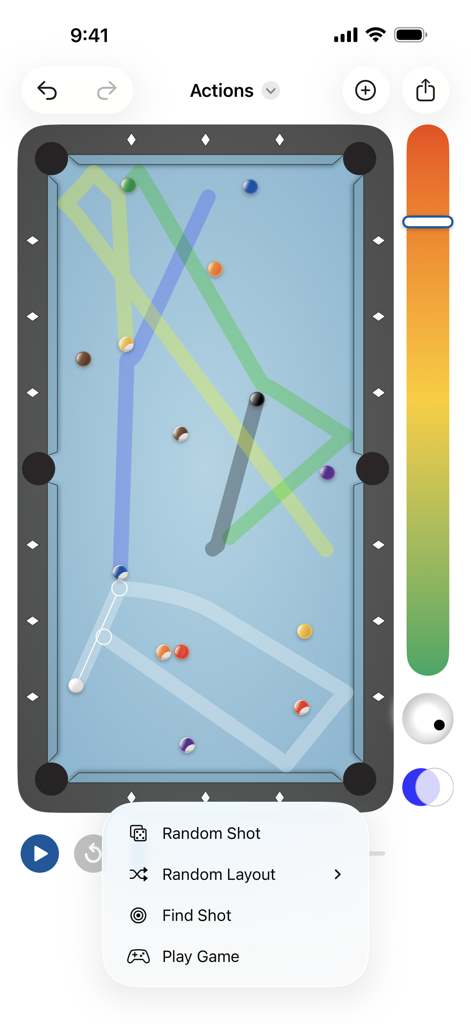
Billiard Shot Studio - 당구 샷 스튜디오 앱 인터페이스, 풀 테이블 시뮬레이션 샷 경로 및 열린 액션 메뉴 표시
당구 샷 스튜디오 앱 인터페이스, 풀 테이블 시뮬레이션 샷 경로 및 열린 액션 메뉴 표시

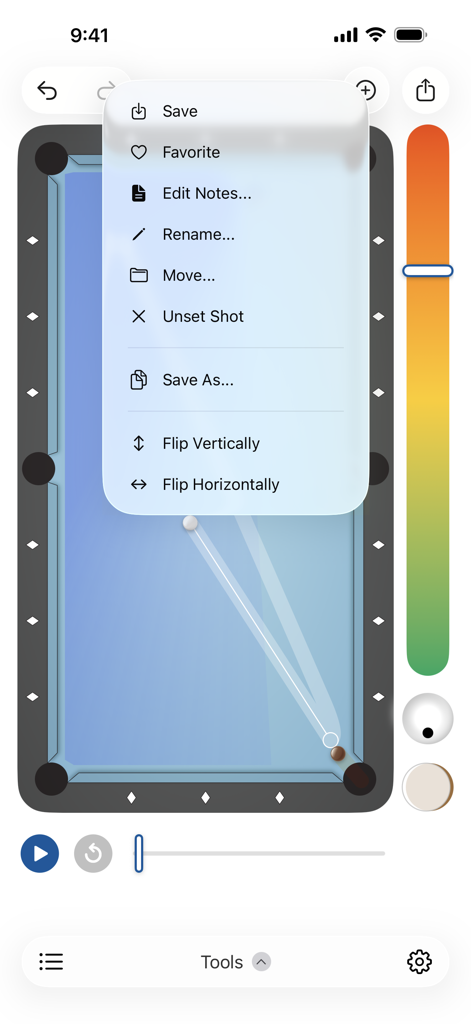
Billiard Shot Studio - 당구 샷 스튜디오 앱 메뉴, 풀 테이블 시뮬레이션 저장 및 뒤집기와 같은 샷 관리 옵션 표시
당구 샷 스튜디오 앱 메뉴, 풀 테이블 시뮬레이션 저장 및 뒤집기와 같은 샷 관리 옵션 표시

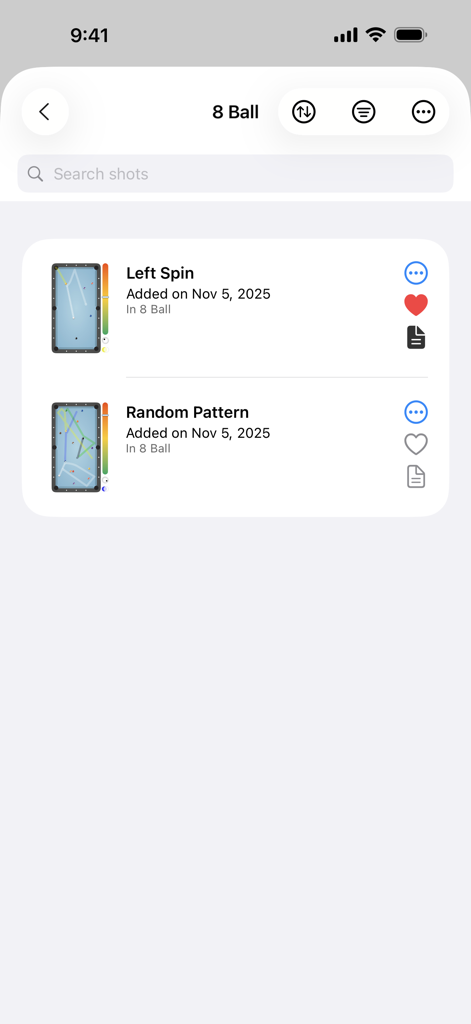
Billiard Shot Studio - 미리보기 썸네일과 기술 노트가 있는 저장된 8볼 샷 목록을 보여주는 당구 샷 스튜디오 앱
미리보기 썸네일과 기술 노트가 있는 저장된 8볼 샷 목록을 보여주는 당구 샷 스튜디오 앱

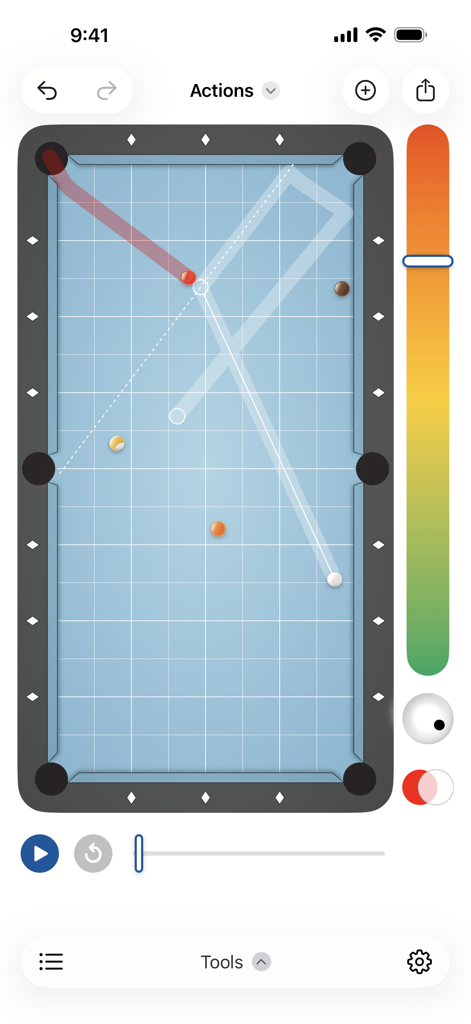
Billiard Shot Studio - 볼 궤적 및 샷 경로 시각화가 있는 디지털 풀 테이블을 보여주는 당구 샷 스튜디오 앱 인터페이스
볼 궤적 및 샷 경로 시각화가 있는 디지털 풀 테이블을 보여주는 당구 샷 스튜디오 앱 인터페이스

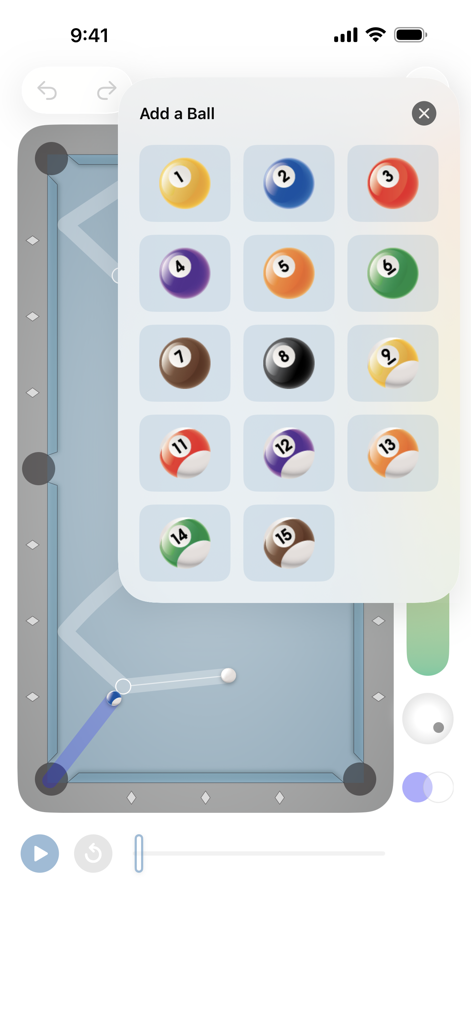
Billiard Shot Studio - 샷 디자이너에서 맞춤형 레이아웃에 번호가 매겨진 당구공 추가

샷 디자이너에서 맞춤형 레이아웃에 번호가 매겨진 당구공 추가

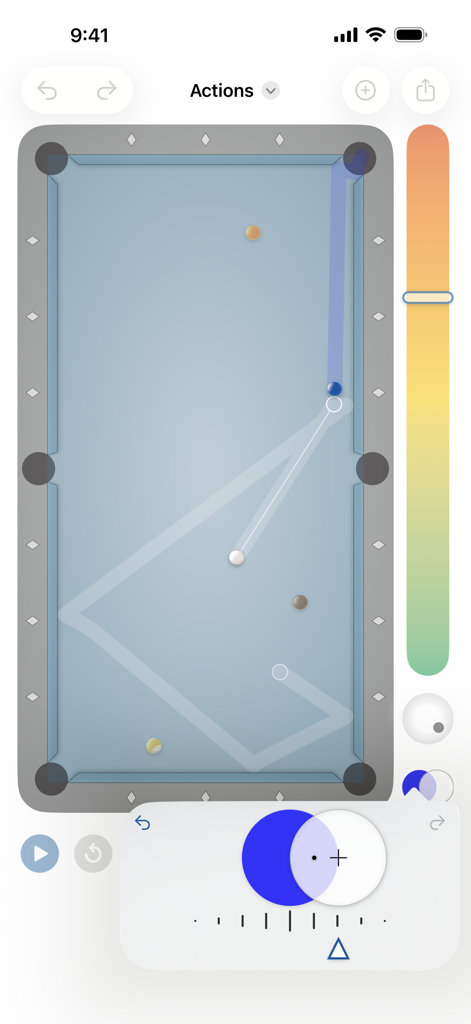
Billiard Shot Studio - 예측된 볼 경로와 기술 스핀 컨트롤을 보여주는 당구 테이블의 탑다운 뷰
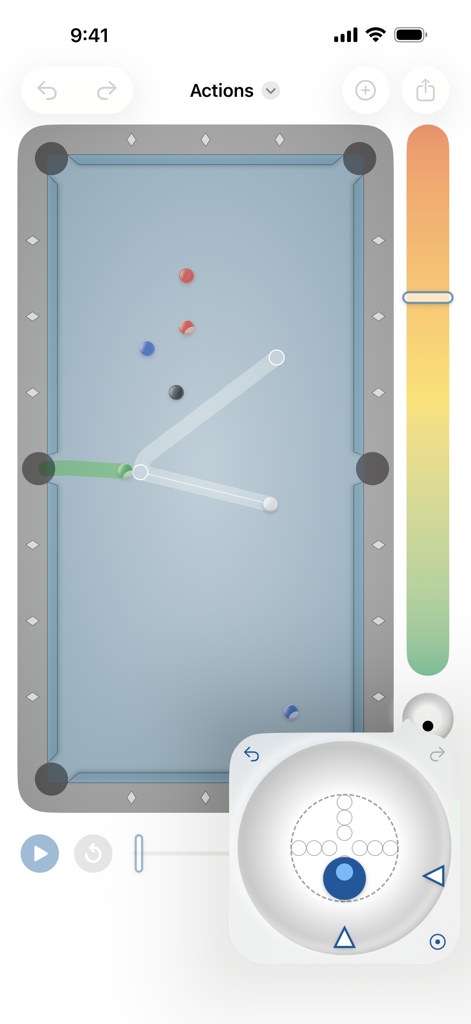
예측된 볼 경로와 기술 스핀 컨트롤을 보여주는 당구 테이블의 탑다운 뷰

Billiard Shot Studio - 샷 시뮬레이션과 큐볼 팁 위치 컨트롤을 보여주는 당구 샷 스튜디오 인터페이스
샷 시뮬레이션과 큐볼 팁 위치 컨트롤을 보여주는 당구 샷 스튜디오 인터페이스

Billiard Shot Studio - 볼 궤적과 큐볼 배치를 보여주는 디지털 풀 테이블 인터페이스.

볼 궤적과 큐볼 배치를 보여주는 디지털 풀 테이블 인터페이스.

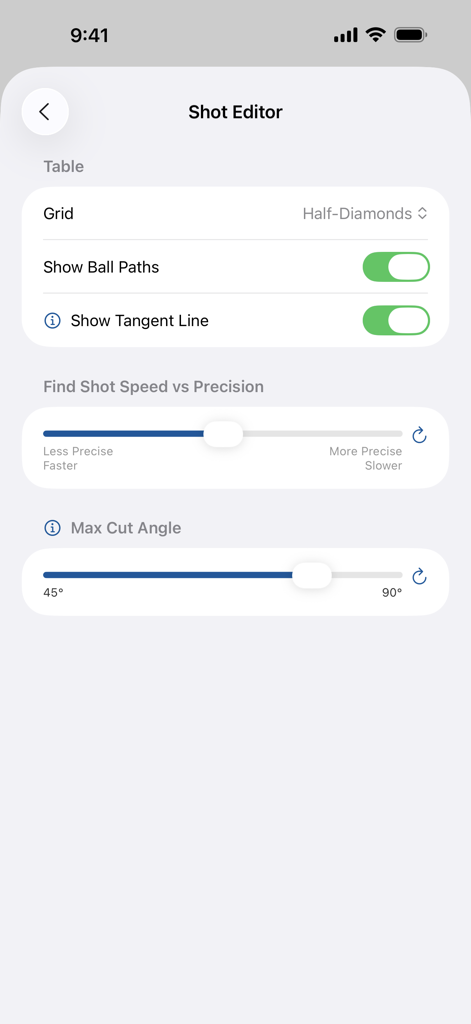
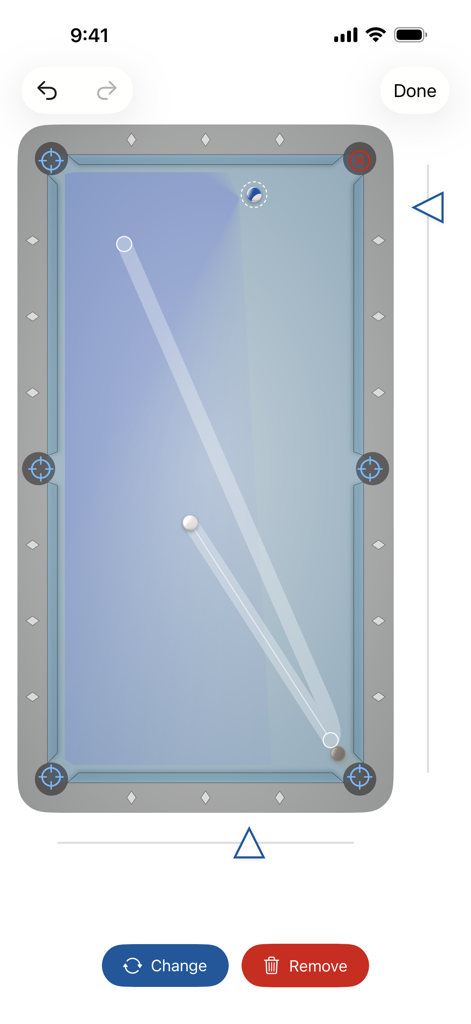
Billiard Shot Studio - 그리드, 볼 경로, 접선 라인 및 정밀 슬라이더 옵션을 보여주는 당구 샷 스튜디오의 샷 편집기 설정 화면.
그리드, 볼 경로, 접선 라인 및 정밀 슬라이더 옵션을 보여주는 당구 샷 스튜디오의 샷 편집기 설정 화면.

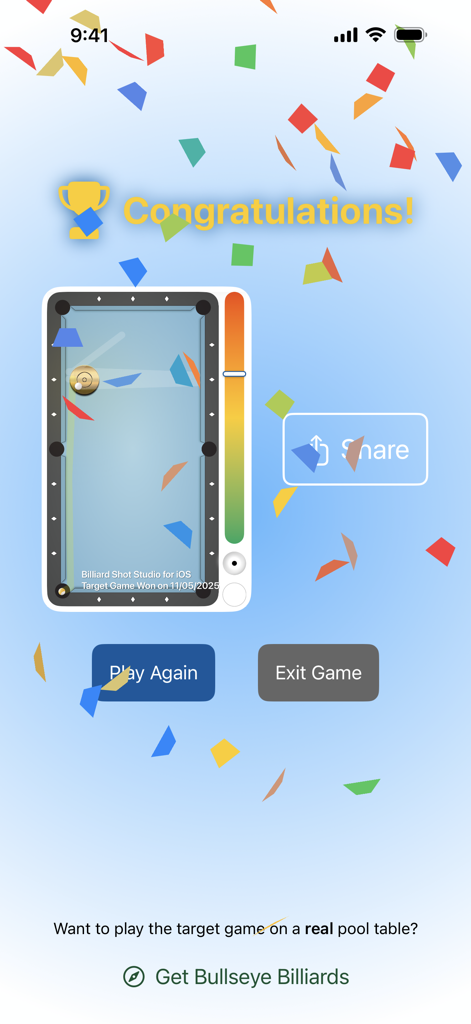
Billiard Shot Studio - 타겟 게임 당구 훈련 드릴에서 승리한 후 당구 샷 스튜디오 앱의 성공 화면

타겟 게임 당구 훈련 드릴에서 승리한 후 당구 샷 스튜디오 앱의 성공 화면

설명

Billiard Shot Studio is your ultimate tool for designing and simulating pool and billiard shots, helping you refine your skills and discover new strategies. Interactively adjust your aim, speed, and tip position to see what's possible in real-time! Use the Find a Shot feature to aid your cue ball positioning and the Target Game to test your skills. Our shot simulation engine has been rigorously tested and validated, ensuring a realistic experience of ball movement on the table—perfect for real-world practice and applications. 5 Powerful Features: Pool Simulator, Shot Designer, Shot Library, Find a Shot, and Target Game 1. Pool Simulator Master the intricacies of pool with the simulator. Learn how to: • Aim shots with precision • Control cue ball positioning with speed adjustments • Understand the impact of tip position on aim and cue ball behavior • Generate random 8-ball, 9-ball, and 10-ball layouts • Analyze how different ball positions affect shot angles • Animate and play shots step by step • Continue with the next shot at the end of an animation 2. Shot Designer Create and refine your perfect shot setup with powerful design tools: • Add multiple balls including solids, stripes, and an 8-ball • Flip shots to see them from different perspectives • Undo and redo actions effortlessly • Visualize the "shape zone" (where it's possible to make a ball into a pocket) • Export shots as images to share with others 3. Shot Library Keep your shots neatly organized and easily accessible: • Add shots to personalized collections • Favorite, rename, move, copy, and delete shots • Add personalized notes to each shot for easy reference and improvement tracking • Manage your collections—create, rename, and delete as needed • View and sort all shots to find what you need quickly 4. Find a Shot Discover the perfect shot to pocket a ball and position the cue ball: • Place a target anywhere on the table • Let the app calculate the best shot to land the cue ball on the target 5. Target Game Put your skills to the test with the Target Game. Each game generates a random shot, challenging you to: • Aim to pocket the ball • Control speed and tip position to land the cue ball on the target Other advanced settings include: • Enable tangent line visualization • Hide the ball paths • Change the table grid to full diamonds, half-diamonds, or off • Adjust speed vs precision for Find a Shot • Change the max cut angle for the shape zone Terms of use: https://www.apple.com/legal/internet-services/itunes/dev/stdeula/

Download

다운로드: App Store

이 페이지는 앱이나 개발자의 공식 페이지가 아니며, 정보 제공 및 논평을 목적으로 작성된 독립 편집 간행물입니다. 명시적으로 달리 언급되지 않는 한, 해당 앱이나 개발자는 MWM, Apple, Google Play, 앱 퍼블리셔 또는 앱 개발자와 제휴, 보증, 후원, 승인 또는 공식적으로 연결되어 있지 않으며, 이 페이지의 어떤 내용도 해당 앱이 MWM의 서비스를 사용하여 개발되었음을 의미하지 않습니다. 모든 상표, 로고, 스크린샷 및 기타 콘텐츠는 해당 소유자의 자산입니다.