Bluink eID-Me Digital ID
다운로드: App Store

이 페이지는 앱이나 개발자의 공식 페이지가 아니며, 정보 제공 및 논평을 목적으로 작성된 독립 편집 간행물입니다. 명시적으로 달리 언급되지 않는 한, 해당 앱이나 개발자는 MWM, Apple, Google Play, 앱 퍼블리셔 또는 앱 개발자와 제휴, 보증, 후원, 승인 또는 공식적으로 연결되어 있지 않으며, 이 페이지의 어떤 내용도 해당 앱이 MWM의 서비스를 사용하여 개발되었음을 의미하지 않습니다. 모든 상표, 로고, 스크린샷 및 기타 콘텐츠는 해당 소유자의 자산입니다.


로고: Bluink eID-Me Digital ID
다운로드: App Store

Bluink eID-Me Digital ID

클라우드 스토리지를 전혀 사용하지 않는 유일한 디지털 지갑으로 정부 신분증을 디지털화하세요. 신원에 대한 완벽한 통제권을 가지고 iPhone의 하드웨어 보안을 사용하여 온라인 확인을 간소화하세요.

주요 수치

다운로드

137K+

사용자 평점

4.8/5

총 평가 수

7K+

개발사

Bluink Ltd.

카테고리

Productivity

지원 언어

2

최신 버전

2.18.7

크기

31.5 MB

출시일

2020년 3월 9일
기능

되찾고 안전하게 보호된 당신의 신원

iPhone에 보관되고 클라우드 스토리지가 필요 없으며 온라인 생활을 단순화하는 검증된 신원으로 디지털 지갑 혁명에 동참하세요.

프라이버시 우선 아키텍처

중앙 서버에 작별을 고하세요. 신원 데이터는 오직 iPhone에만 저장되어, 접근하거나 공유할 수 있는 사람은 당신뿐입니다.

하드웨어 기반 보안

iPhone의 하드웨어 보안을 활용하여 자격 증명을 보호하세요. 모든 거래는 Face ID, Touch ID 또는 개인 PIN을 통해 인증됩니다.

다음 스크린샷과 설명은 앱의 공식 스토어 목록에서 직접 가져온 것이며 앱 개발자의 자산입니다.

앱 스토어

스크린샷
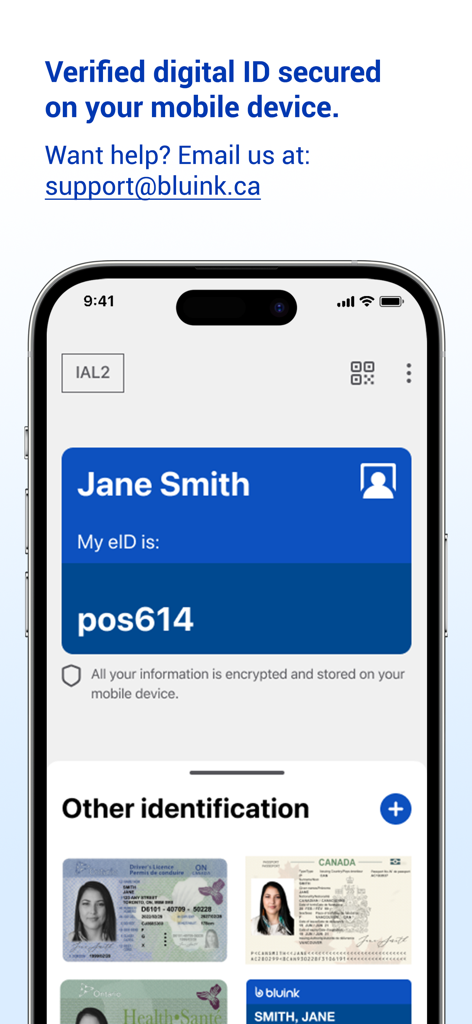
Bluink eID-Me Digital ID - Bluink eID-Me 앱이 iPhone에 디지털 신분증과 운전면허증 및 여권과 같은 저장된 신분증을 표시하는 스크린샷
Bluink eID-Me 앱이 iPhone에 디지털 신분증과 운전면허증 및 여권과 같은 저장된 신분증을 표시하는 스크린샷

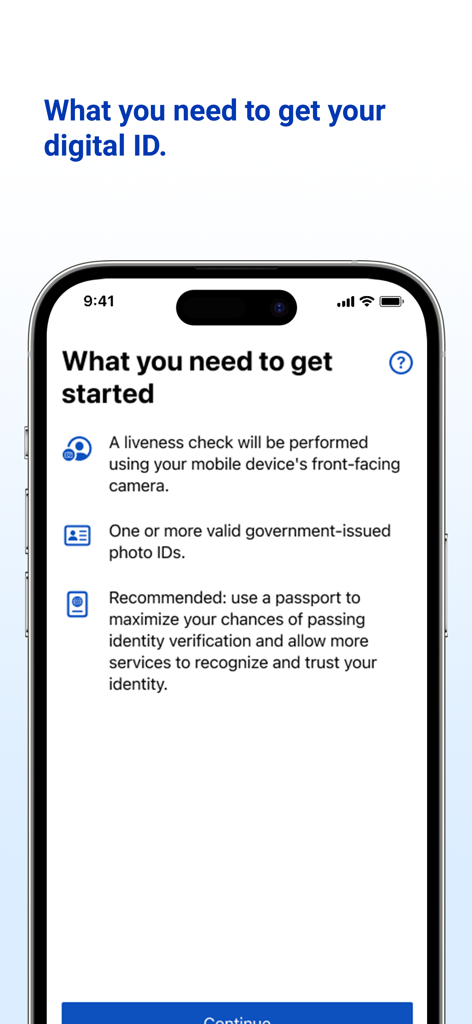
Bluink eID-Me Digital ID - eID-Me 앱의 온보딩 화면에서 신원 확인 요구 사항을 나열함

eID-Me 앱의 온보딩 화면에서 신원 확인 요구 사항을 나열함

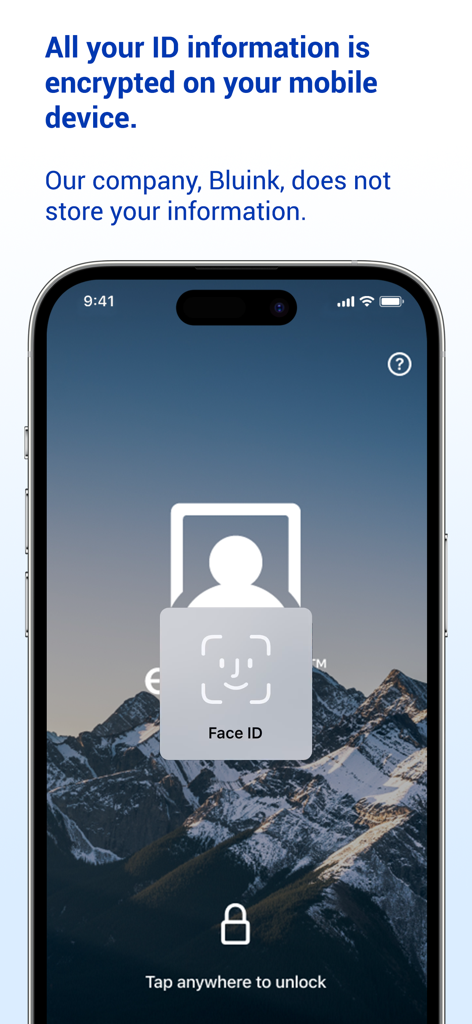
Bluink eID-Me Digital ID - Face ID 잠금 해제 및 암호화된 데이터 프라이버시 메시지를 표시하는 Bluink eID-Me 앱이 있는 스마트폰
Face ID 잠금 해제 및 암호화된 데이터 프라이버시 메시지를 표시하는 Bluink eID-Me 앱이 있는 스마트폰

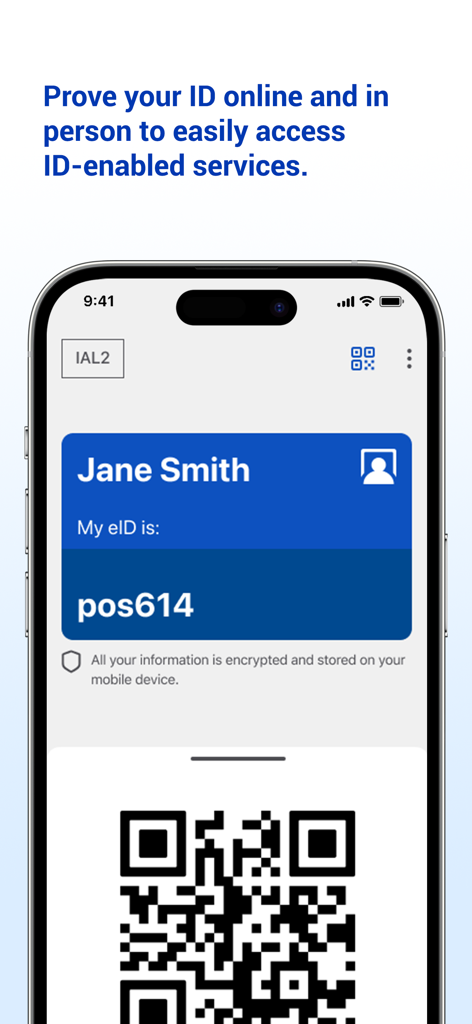
Bluink eID-Me Digital ID - Bluink eID Me 앱에서 Jane Smith의 디지털 신분증과 확인을 위한 QR 코드를 표시하는 휴대폰 화면
Bluink eID Me 앱에서 Jane Smith의 디지털 신분증과 확인을 위한 QR 코드를 표시하는 휴대폰 화면

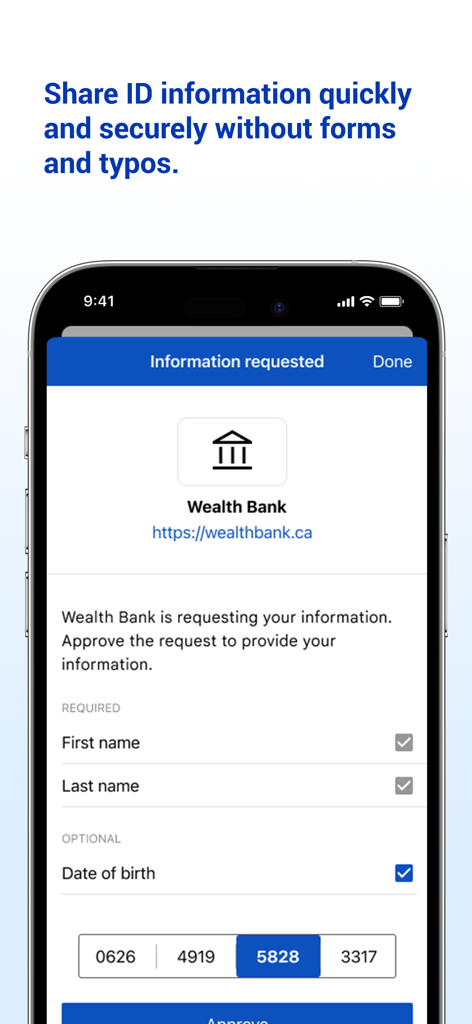
Bluink eID-Me Digital ID - Bluink eID-Me 앱 인터페이스가 Wealth Bank로부터 개인 정보를 안전하게 공유해달라는 요청을 보여줌
Bluink eID-Me 앱 인터페이스가 Wealth Bank로부터 개인 정보를 안전하게 공유해달라는 요청을 보여줌

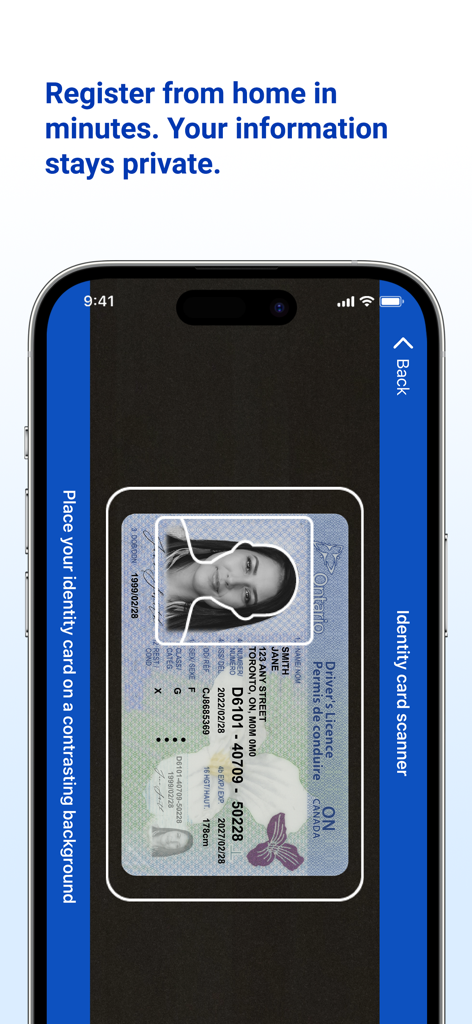
Bluink eID-Me Digital ID - Bluink eID-Me 앱을 사용하여 디지털 ID 등록을 위해 운전면허증을 스캔하는 스마트폰
Bluink eID-Me 앱을 사용하여 디지털 ID 등록을 위해 운전면허증을 스캔하는 스마트폰

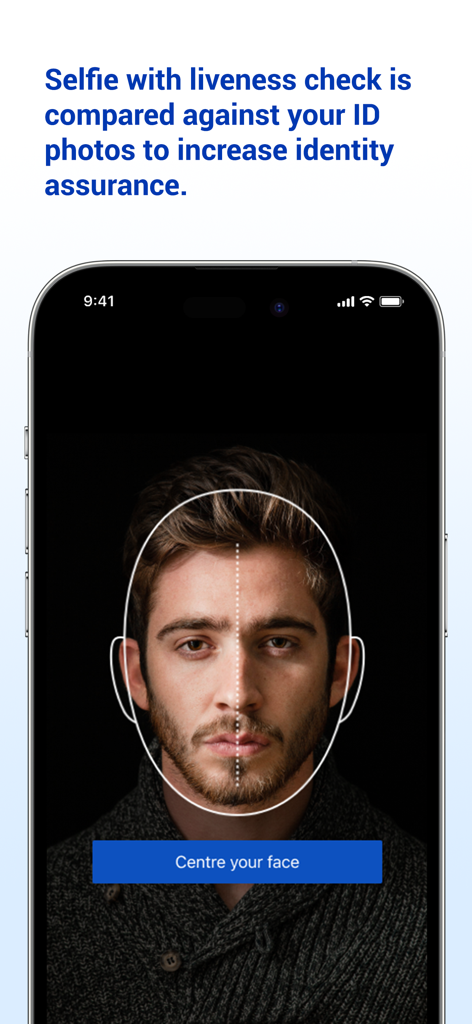
Bluink eID-Me Digital ID - eID-Me 앱에서 신원 확인을 위한 셀카 실황 확인을 보여주는 스마트폰 화면

eID-Me 앱에서 신원 확인을 위한 셀카 실황 확인을 보여주는 스마트폰 화면

설명

Digital ID and identity verification. REGISTRATION REQUIREMENTS 1. An iPhone (with iOS 15 or later). 2. An email address. 3. A liveness check will be performed using your mobile device's front-facing camera. 4. One or more valid government-issued photo IDs. 5. Recommended: use a passport to maximize your chances of passing identity verification and allow more services to recognize and trust your identity. REGISTRATION TUTORIAL: https://www.youtube.com/watch?v=EvR0j9ulNnA Please email us at support@bluink.ca if you have questions or need assistance. INTRODUCTION eID-Me is a secure digital identity app. eID-Me digitizes and securely stores government-issued identity and self-managed identity information on your iPhone. eID-Me makes online identity verification quicker, easier, and more secure by eliminating passwords and strengthening privacy. eID-Me cannot currently be used as a substitute for legal identification. Our goal is to improve access to services that require verified identity, including government, financial, health care, and more. If you want to help speed up eID-Me integrations, spread the word. Share eID-Me content on social media. Show eID-Me to friends. Learn more at: eid-me.com/share. HOW IT WORKS During registration, use your iPhone to prove your identity by taking a selfie with liveness check, and scanning your government-issued photo identity documents (e.g., driver’s licence, passport). Your iPhone is then issued a unique eID-Me digital identity, which includes a digital certificate with identity claims (verified pieces of information about you). You can then use your eID-Me digital identity to easily access services and securely share identity information in identity transactions both online and offline (in person). PRIVACY AND SECURITY Your identity information is always in your possession on your iPhone. It is never hosted by a centralized service or third-party provider or stored in the cloud. Once your identity information is verified, a secure certificate is installed on your iPhone. That information is not accessible to anyone but you, until you choose to share it in a transaction. eID-Me’s digital wallet is protected on the iPhone with strong encryption, leveraging its hardware security mechanisms, and is bound to your authentication method (e.g., Face ID, Touch ID, PIN). BENEFITS AND FEATURES • Secure digital ID on your iPhone. • Secure digital wallet on your iPhone containing your identity with verified ID information. • No cloud storage of your identity information. • Strong encryption and certificate-based authentication. • eID-Me identity is bound to your iPhone’s authentication method (e.g., Face ID, Touch ID, PIN). • Strong privacy protection with complete control over your identity and information.

Download

다운로드: App Store

이 페이지는 앱이나 개발자의 공식 페이지가 아니며, 정보 제공 및 논평을 목적으로 작성된 독립 편집 간행물입니다. 명시적으로 달리 언급되지 않는 한, 해당 앱이나 개발자는 MWM, Apple, Google Play, 앱 퍼블리셔 또는 앱 개발자와 제휴, 보증, 후원, 승인 또는 공식적으로 연결되어 있지 않으며, 이 페이지의 어떤 내용도 해당 앱이 MWM의 서비스를 사용하여 개발되었음을 의미하지 않습니다. 모든 상표, 로고, 스크린샷 및 기타 콘텐츠는 해당 소유자의 자산입니다.