
이 페이지는 앱이나 개발자의 공식 페이지가 아니며, 정보 제공 및 논평을 목적으로 작성된 독립 편집 간행물입니다. 명시적으로 달리 언급되지 않는 한, 해당 앱이나 개발자는 MWM, Apple, Google Play, 앱 퍼블리셔 또는 앱 개발자와 제휴, 보증, 후원, 승인 또는 공식적으로 연결되어 있지 않으며, 이 페이지의 어떤 내용도 해당 앱이 MWM의 서비스를 사용하여 개발되었음을 의미하지 않습니다. 모든 상표, 로고, 스크린샷 및 기타 콘텐츠는 해당 소유자의 자산입니다.


Blur Photo Editor
소셜 피드를 위한 DSLR 품질의 보케 효과를 얻거나 AI 기반의 얼굴 및 물체 블러 처리로 민감한 정보를 즉시 검열하세요. 이 모든 것이 하나의 강력한 앱에서 가능합니다.
다운로드
4M+사용자 평점
총 평가 수
43K+개발사
카테고리
Photo & Video지원 언어
33최신 버전
5.8.7크기
244.3 MB출시일
2015년 11월 13일개인 정보와 스타일을 완벽하게 관리하세요
미적 감각을 중시하는 크리에이터와 개인 정보를 중요하게 생각하는 사용자를 위한 궁극의 툴킷으로, 전문가 수준의 정밀함으로 사진을 편집, 블러 처리 및 보호할 수 있습니다.
시네마틱 DSLR 효과
고급 보케, 모션, 렌즈 블러 도구를 사용하여 평범한 사진을 전문가 수준의 인물 사진으로 변신시키세요.
스마트 개인 정보 보호막
AI 기반 픽셀화로 얼굴, 번호판, 개인 정보를 즉시 검열하여 민감한 데이터를 안전하게 보호하세요.
자주 묻는 질문
에 대해 알아야 할 모든 것 Blur Photo Editor
블러 사진 편집기란 무엇인가요?
블러 사진 편집기는 배경을 흐리게 하고, 얼굴을 픽셀화하고, 개체를 숨기고, 사진에 다양한 흐림 효과와 필터를 적용하는 iOS 앱입니다. iPhone 및 iPad에서 정밀한 사진 편집을 위해 설계되었습니다.
블러 사진 편집기로 이미지의 특정 부분을 흐리게 할 수 있나요?
네, 블러 사진 편집기를 사용하면 배경, 얼굴, 번호판 또는 신용카드 번호와 같이 특정 영역을 정밀하게 흐리게 할 수 있습니다. 터치 흐림 및 AI 기반 도구와 같은 기능이 포함되어 있어 대상 편집을 할 수 있습니다.
블러 사진 편집기에는 AI 기능이 있나요?
네, 블러 사진 편집기에는 AI 기반 기능이 있습니다. 여기에는 AI 기반 얼굴 검열 및 원탭 배경 흐림 기능이 포함되어 있어 사용자의 사진 편집 과정을 단순화하고 향상시킵니다.
블러 사진 편집기 앱을 사용하여 사진을 흐리게 하려면 어떻게 해야 하나요?
사진을 흐리게 하려면 블러 사진 편집기를 열고 (+) 버튼을 탭하여 사진을 선택한 다음, 흐림을 탭하고, 사진 위로 손가락을 스와이프하고, 효과를 선택하고, 강도를 조절한 다음, 사진을 저장하세요.
블러 사진 편집기에는 어떤 종류의 흐림 효과를 사용할 수 있나요?
블러 사진 편집기에는 가우시안, 보케, 모션, 모자이크, 물, 유리, 왜곡 및 페인트 흐림 효과를 포함한 다양한 효과가 있습니다. 원형 및 선형과 같은 렌즈 흐림 옵션과 모양 흐림 효과도 제공합니다.
블러 사진 편집기로 사진에 텍스트와 필터를 추가할 수 있나요?
네, 블러 사진 편집기를 사용하면 흑백, 세피아, 빈티지와 같은 다양한 사진 필터를 적용할 수 있습니다. 또한 다양한 글꼴, 색상 및 스타일로 사진에 사용자 지정 텍스트를 추가할 수도 있습니다.
블러 사진 편집기는 무료 앱인가요?
아니요, 블러 사진 편집기는 무료로 다운로드할 수 있지만, 앱의 모든 기능과 고급 기능에 액세스하려면 자동 갱신 구독이 필요합니다.
블러 사진 편집기에는 어떤 구독 옵션이 제공되나요?
블러 사진 편집기는 주간 및 연간 자동 갱신 구독 옵션을 제공합니다. 이러한 구독에는 무료 평가판 기간이 포함되며, 24시간 전에 취소하지 않으면 자동으로 유료 요금제로 전환됩니다.
블러 사진 편집기에서 이미지의 일부를 흐리게 해제할 수 있나요?
네, 블러 사진 편집기에는 흐림 해제 기능이 있습니다. 이 도구를 사용하면 사용자가 편집 중에 실수로 흐리게 된 이미지의 특정 부분을 정확하게 복원하거나 흐리게 해제할 수 있습니다.
블러 사진 편집기는 사진 콜라주 제작을 지원하나요?
네, 블러 사진 편집기에는 사진 콜라주 메이커가 있습니다. 여러 개의 레이아웃을 제공하여 사용자가 애플리케이션 내에서 바로 다양한 이미지를 하나의 콜라주로 결합할 수 있습니다.
다음 스크린샷과 설명은 앱의 공식 스토어 목록에서 직접 가져온 것이며 앱 개발자의 자산입니다.
앱 스토어
스크린샷
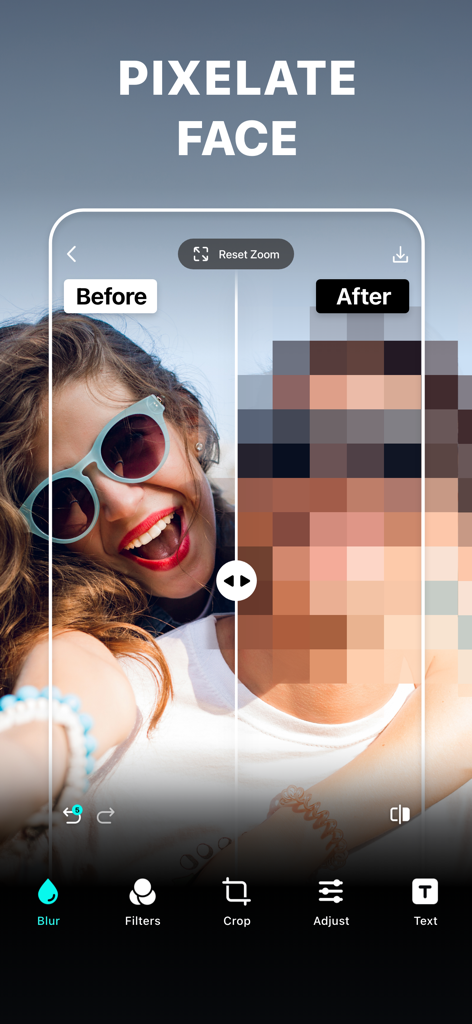
블러 사진 편집기 앱에서 개인 정보 보호를 위해 픽셀화된 얼굴을 보여주는 전후 비교
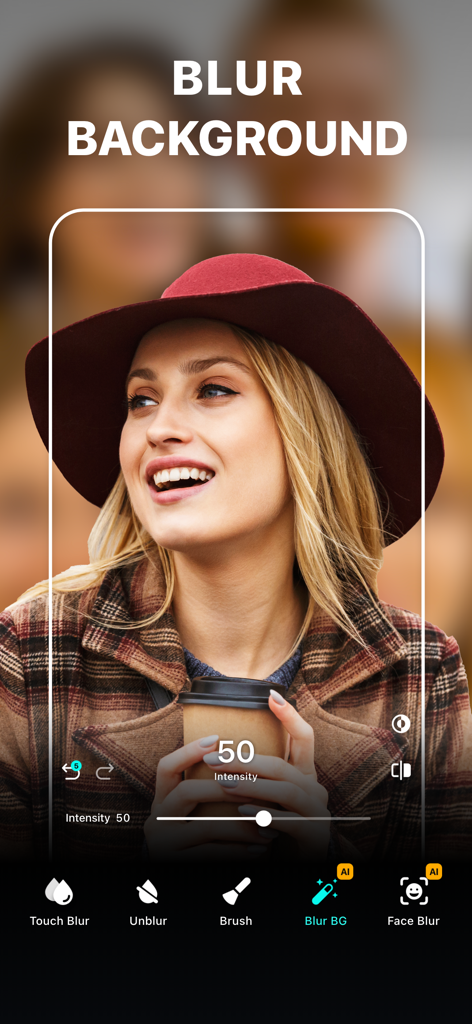
모자를 쓴 여성의 인물 사진에 배경 블러 도구가 적용된 블러 사진 편집기 앱의 인터페이스
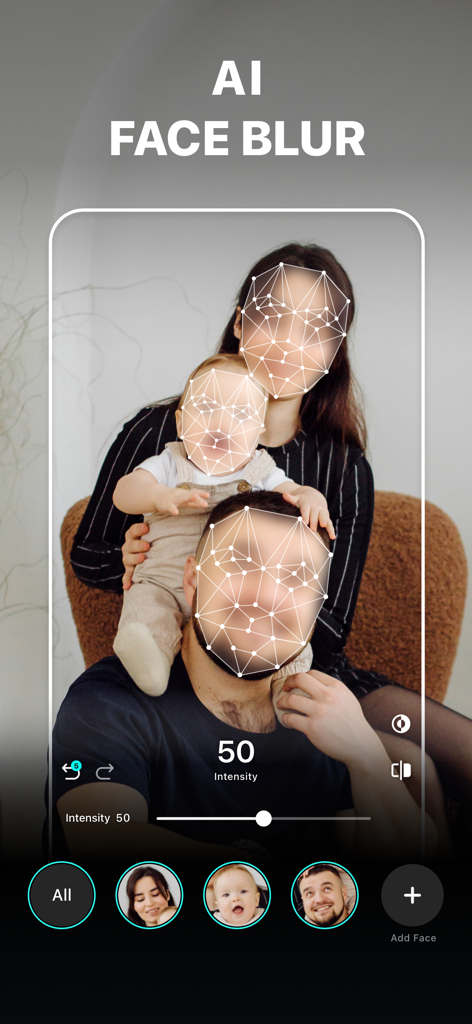
개인 정보 보호를 위해 가족사진을 검열하는 AI 얼굴 블러 기능을 보여주는 블러 사진 편집기 앱 인터페이스
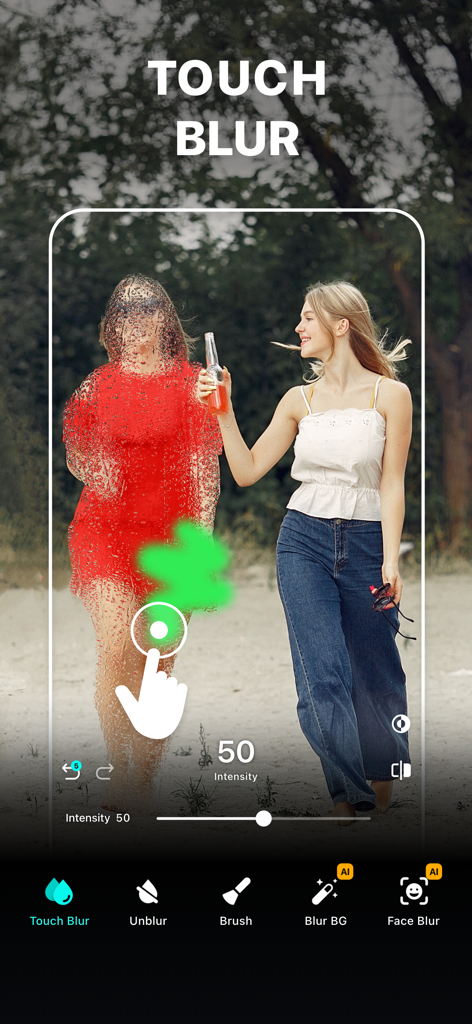
블러 사진 편집기 앱에서 터치 블러 도구를 사용하여 사진 속 인물을 수동으로 검열하는 모습
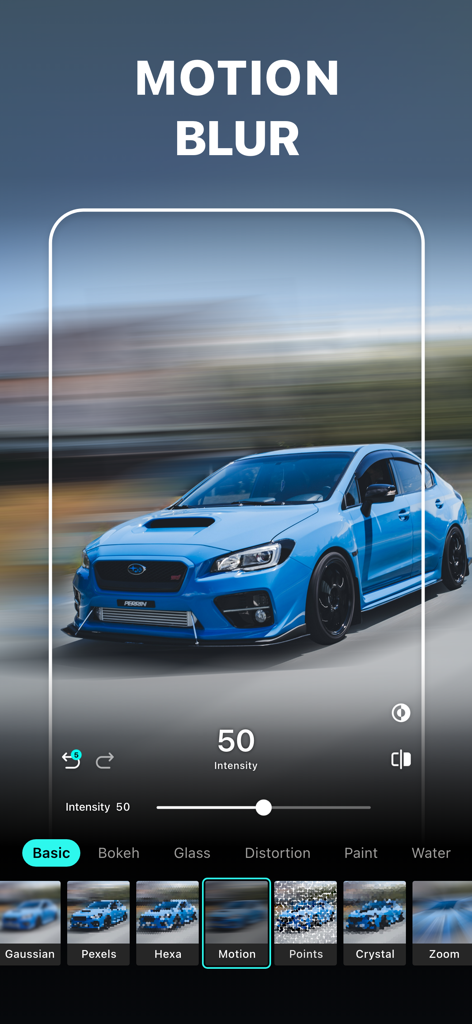
블러 사진 편집기 앱 인터페이스에서 모션 블러 효과가 적용된 파란색 스포츠카
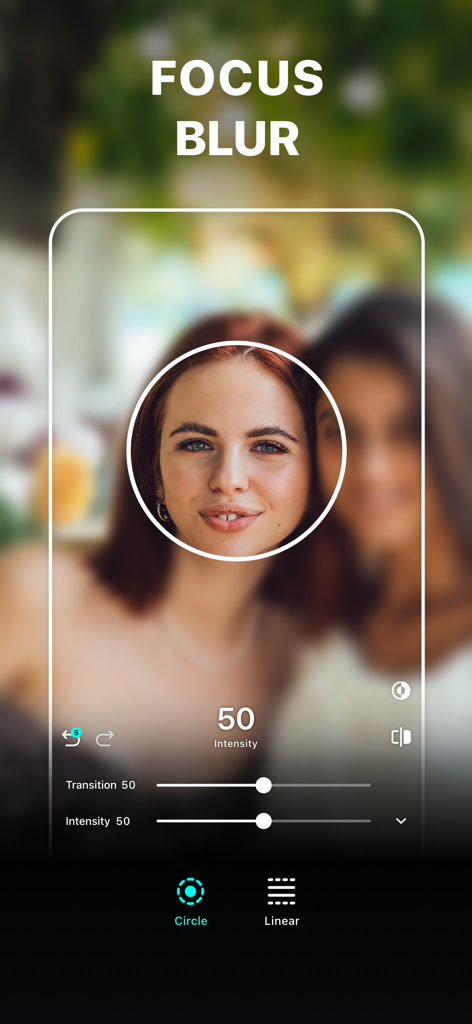
여성 인물 사진에 원형 초점 영역이 있는 포커스 블러 도구
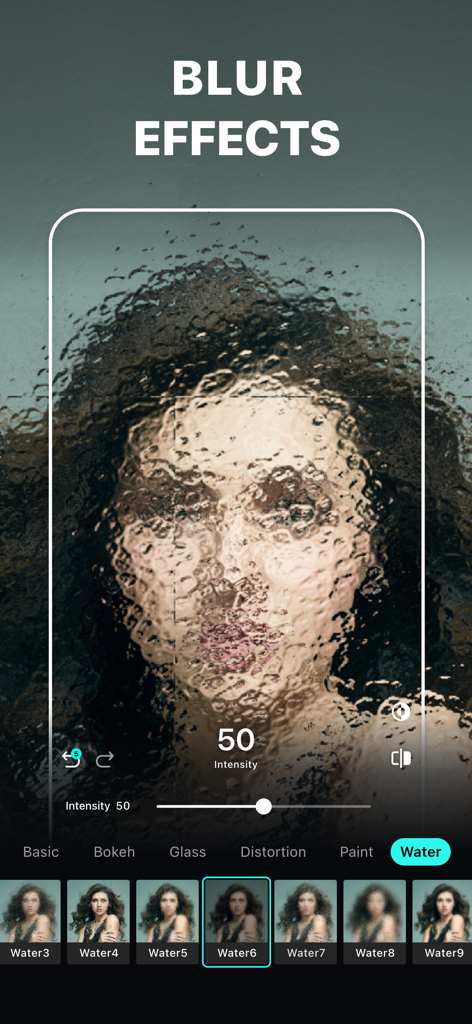
인물 사진에 예술적인 워터 블러 효과가 적용된 블러 사진 편집기 앱 인터페이스
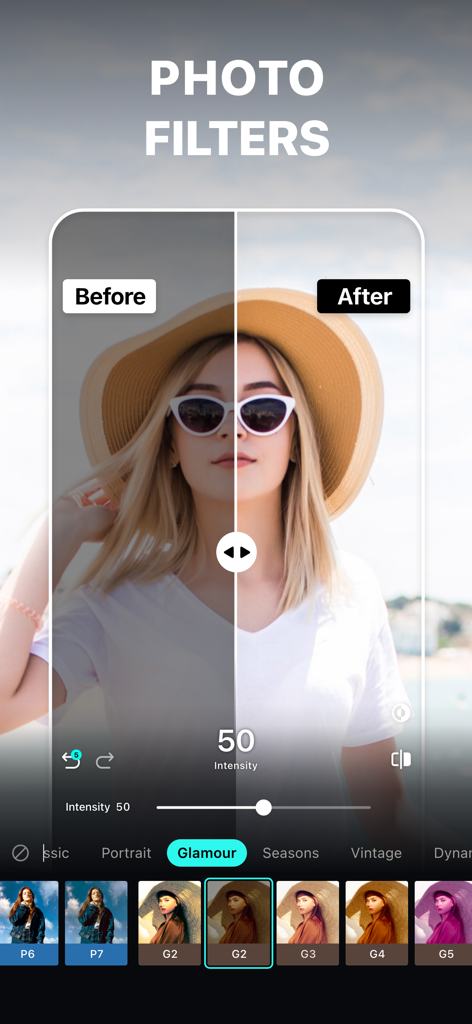
모자를 쓴 여성을 보여주는 블러 사진 편집기 앱의 사진 필터 전후 비교
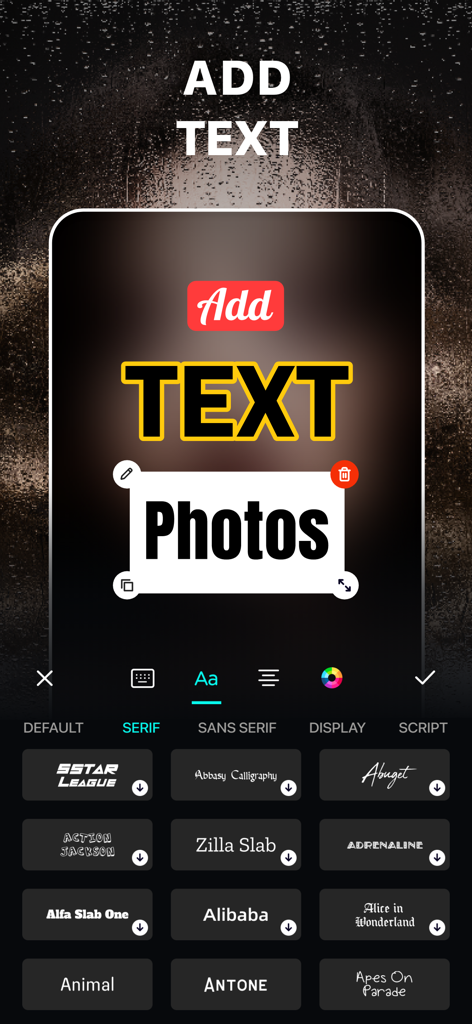
다양한 폰트 옵션으로 사진에 텍스트를 추가하고 사용자 정의하는 방법을 보여주는 블러 사진 편집기 앱 인터페이스
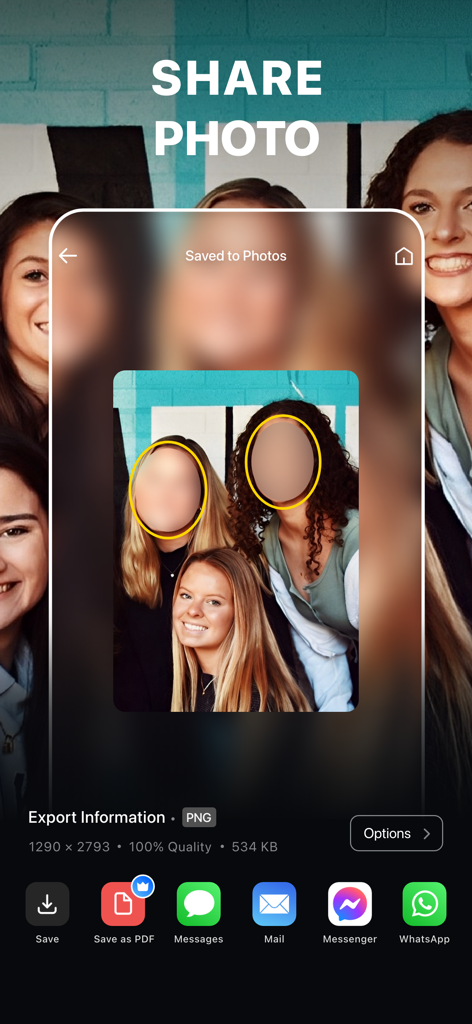
검열된 얼굴이 포함된 사진을 다양한 플랫폼으로 내보내는 옵션이 있는 공유 화면을 보여주는 모바일 앱 인터페이스
설명
Download
비슷한 앱
유사한 기능과 사용자 경험을 가진 앱

Blur Background Photo Effect
Shiho Sadamizu

Blur Photo Effect Background
Honk Honk Punch Pty Ltd

Blur Photo - Background & Face
Alenrom sp. z o.o.

Blur Photo Editor: blur effect
Ryoichi Fukugawa

Motion Blur Photo Editor
Daria Khalitova

Blurr: Motion Blur Effect Pro
Viacheslav Khakhulin
Blurry Photo Aрр
AI Photo Editor Lab SRL
Blur Photo Background
SUNWOONG JANG

Blur Photo - Effect Editor
Appenvision Ltd
이 페이지는 앱이나 개발자의 공식 페이지가 아니며, 정보 제공 및 논평을 목적으로 작성된 독립 편집 간행물입니다. 명시적으로 달리 언급되지 않는 한, 해당 앱이나 개발자는 MWM, Apple, Google Play, 앱 퍼블리셔 또는 앱 개발자와 제휴, 보증, 후원, 승인 또는 공식적으로 연결되어 있지 않으며, 이 페이지의 어떤 내용도 해당 앱이 MWM의 서비스를 사용하여 개발되었음을 의미하지 않습니다. 모든 상표, 로고, 스크린샷 및 기타 콘텐츠는 해당 소유자의 자산입니다.