Blur Video - AI Blur Maker
다운로드: App Store

이 페이지는 앱이나 개발자의 공식 페이지가 아니며, 정보 제공 및 논평을 목적으로 작성된 독립 편집 간행물입니다. 명시적으로 달리 언급되지 않는 한, 해당 앱이나 개발자는 MWM, Apple, Google Play, 앱 퍼블리셔 또는 앱 개발자와 제휴, 보증, 후원, 승인 또는 공식적으로 연결되어 있지 않으며, 이 페이지의 어떤 내용도 해당 앱이 MWM의 서비스를 사용하여 개발되었음을 의미하지 않습니다. 모든 상표, 로고, 스크린샷 및 기타 콘텐츠는 해당 소유자의 자산입니다.


로고: Blur Video - AI Blur Maker
다운로드: App Store

Blur Video - AI Blur Maker

지능형 AI 추적 기능으로 얼굴, 번호판, 민감한 객체를 자동으로 흐리게 처리하세요. 단 한 번의 탭으로 TikTok 및 Instagram을 위한 안전하고 고품질의 4K 동영상을 만드세요.

주요 수치

다운로드

742K+

사용자 평점

4.6/5

총 평가 수

11K+

개발사

Sohel Ibna Saad

카테고리

Photo & Video

지원 언어

16

최신 버전

2.0.0

크기

167.0 MB

출시일

2021년 9월 12일
기능

AI 기반 전문가 수준의 개인 정보 보호

iPhone을 위한 가장 진보된 비디오 블러링 도구를 사용하여 민감한 세부 정보를 숨기고, 신원을 보호하며, 콘텐츠를 안전하게 유지하세요.

원탭 AI 얼굴 블러

전체 동영상에서 얼굴을 즉시 감지하고 흐리게 처리합니다. 수동 작업 없이 개인 정보를 보호하려는 부모 및 브이로거에게 완벽합니다.

스마트 모션 추적

움직이는 자동차, 번호판 또는 로고를 자동으로 추적합니다. 당사의 고급 AI는 고속 장면에서도 블러를 대상에 고정시킵니다.

FAQ

자주 묻는 질문

에 대해 알아야 할 모든 것 Blur Video - AI Blur Maker

Blur Video - AI Blur Maker 앱은 무엇인가요?

Blur Video는 iPhone용 무료 동영상 흐림 앱입니다. AI 기반 흐림 기능을 사용하여 동영상에서 사람, 얼굴, 텍스트, 로고, 개체 및 번호판을 숨기고 추가 동영상 편집 도구를 제공합니다.

Blur Video - AI Blur Maker는 자동으로 얼굴을 흐리게 처리하나요?

예, Blur Video - AI Blur Maker는 지능형 AI 감지를 사용하여 동영상에서 자동으로 얼굴을 흐리게 처리합니다. 이 앱은 클립 전체에서 얼굴을 식별하고 추적하여 일관되고 매끄러운 흐림 효과를 제공합니다.

Blur Video는 여러 개의 움직이는 개체를 흐리게 처리할 수 있나요?

예, Blur Video는 동영상에서 여러 개의 움직이는 개체를 흐리게 처리합니다. AI 기반 추적을 사용하여 움직이는 요소를 자동으로 추적하거나 수동 키프레임 추적을 통해 완벽하게 제어하여 정확한 결과를 얻을 수 있습니다.

다음 스크린샷과 설명은 앱의 공식 스토어 목록에서 직접 가져온 것이며 앱 개발자의 자산입니다.

앱 스토어

스크린샷
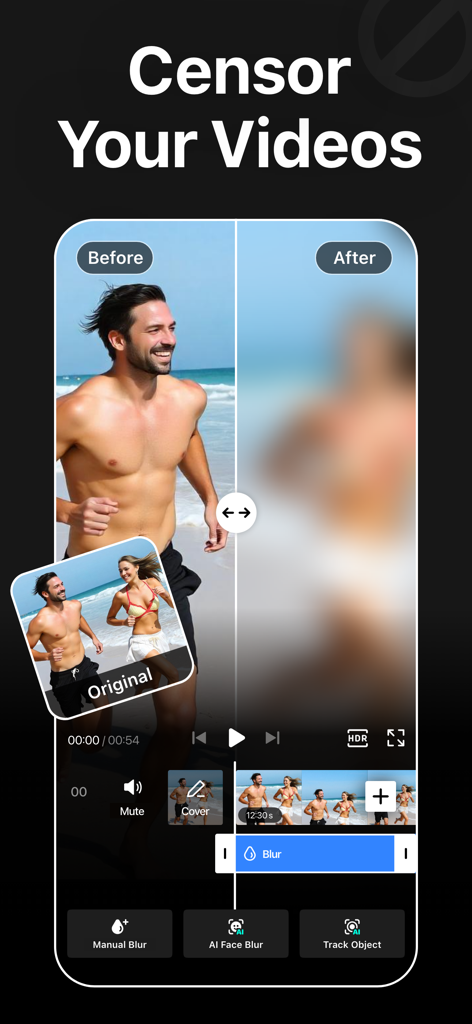
Blur Video - AI Blur Maker - 사람에게 AI 블러 효과를 적용한 동영상 전후 비교

사람에게 AI 블러 효과를 적용한 동영상 전후 비교

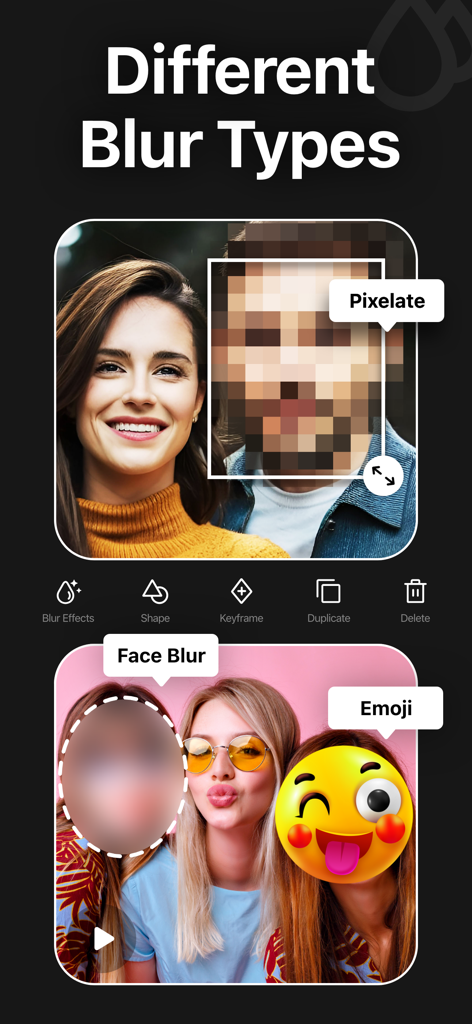
Blur Video - AI Blur Maker - 비디오 편집 앱에서 픽셀화, 얼굴 블러, 이모티콘과 같은 다양한 블러 효과 쇼케이스
비디오 편집 앱에서 픽셀화, 얼굴 블러, 이모티콘과 같은 다양한 블러 효과 쇼케이스

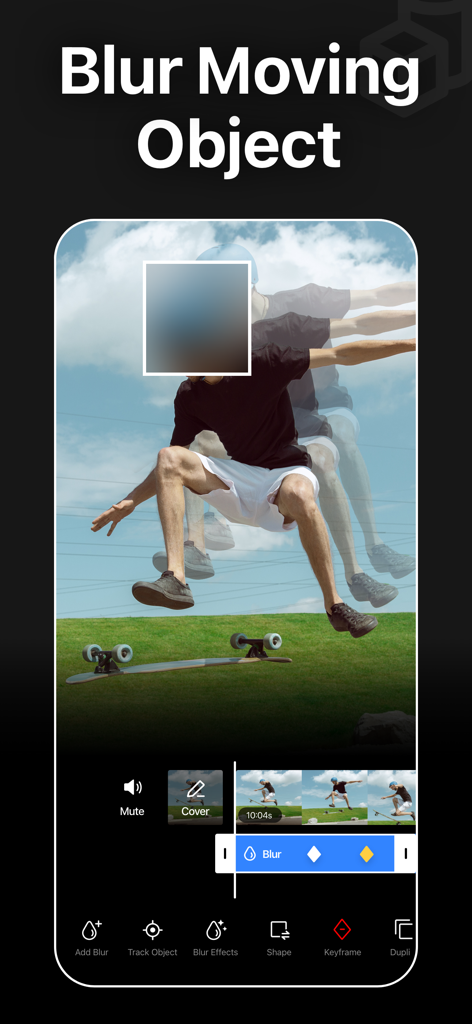
Blur Video - AI Blur Maker - 동영상에서 움직이는 사람을 AI 추적하고 흐리게 처리하는 모바일 앱 인터페이스
동영상에서 움직이는 사람을 AI 추적하고 흐리게 처리하는 모바일 앱 인터페이스

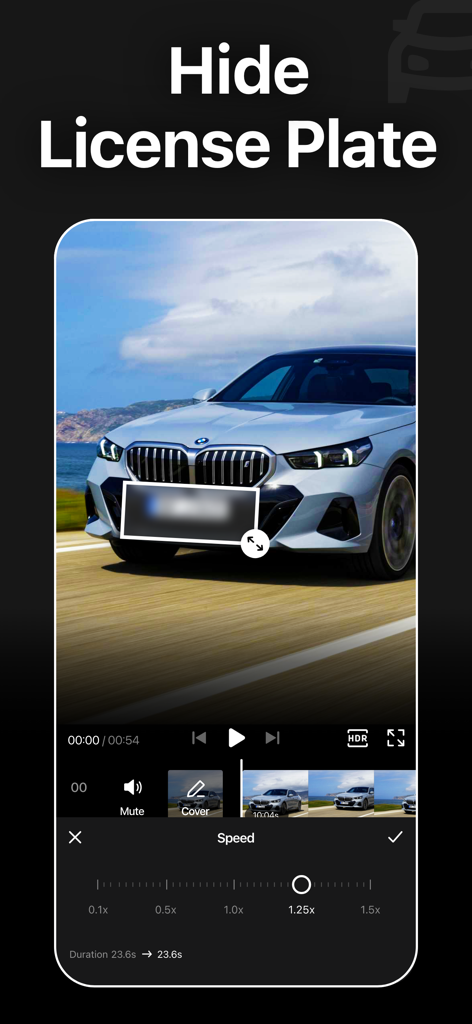
Blur Video - AI Blur Maker - 비디오 편집 도구와 함께 자동차의 흐릿한 번호판을 보여주는 Blur Video 앱 인터페이스
비디오 편집 도구와 함께 자동차의 흐릿한 번호판을 보여주는 Blur Video 앱 인터페이스

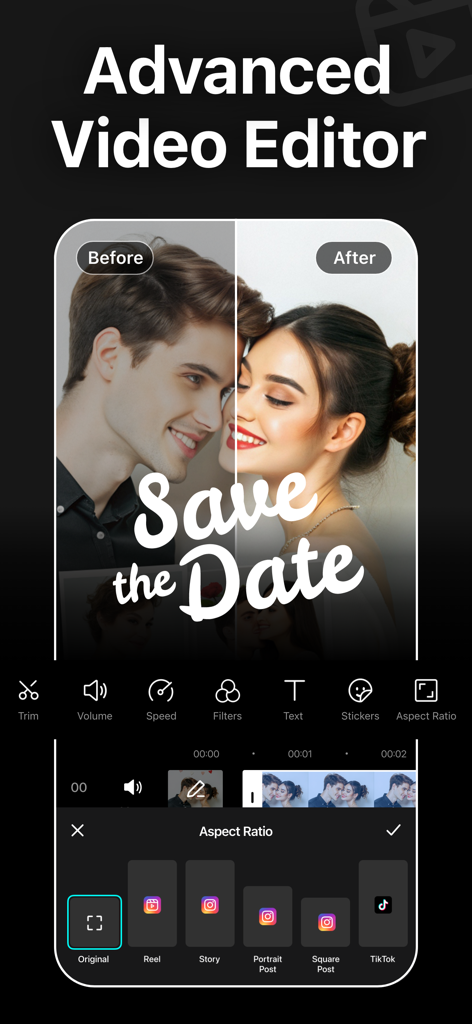
Blur Video - AI Blur Maker - TikTok 및 Instagram과 같은 소셜 미디어 플랫폼용 화면 비율 사전 설정을 표시하는 고급 비디오 편집기 인터페이스
TikTok 및 Instagram과 같은 소셜 미디어 플랫폼용 화면 비율 사전 설정을 표시하는 고급 비디오 편집기 인터페이스

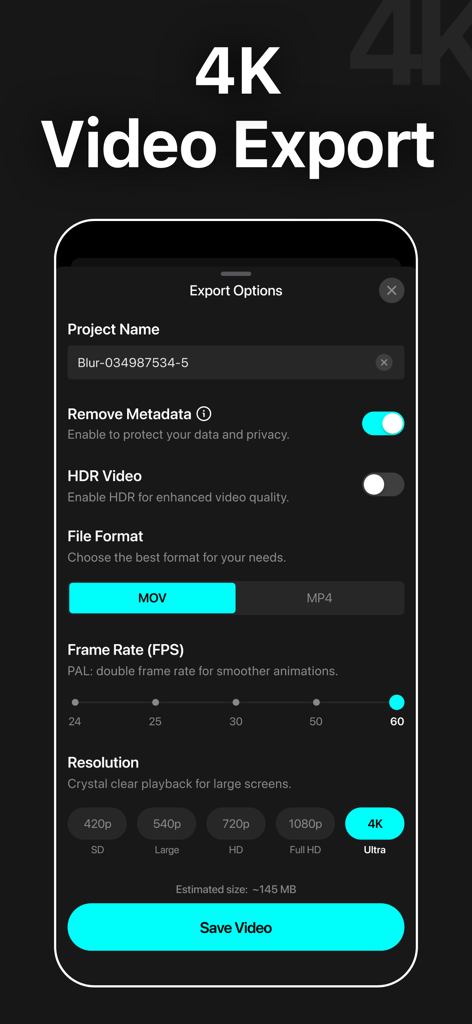
Blur Video - AI Blur Maker - 4K 해상도 및 메타데이터 제거 개인 정보 설정을 보여주는 Blur Video 앱의 비디오 내보내기 옵션 스크린샷
4K 해상도 및 메타데이터 제거 개인 정보 설정을 보여주는 Blur Video 앱의 비디오 내보내기 옵션 스크린샷

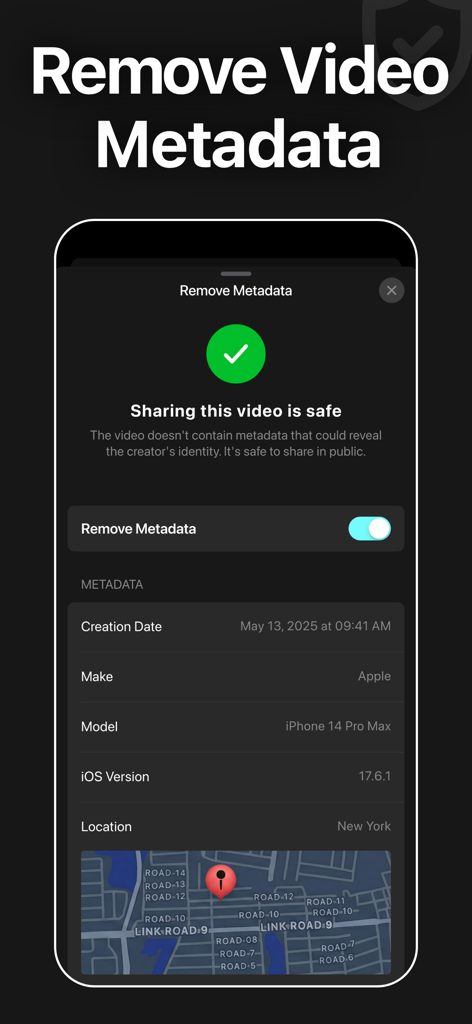
Blur Video - AI Blur Maker - 안전한 공유를 위해 비디오 메타데이터 및 위치 정보를 제거하는 기능을 보여주는 Blur Video 앱 인터페이스
안전한 공유를 위해 비디오 메타데이터 및 위치 정보를 제거하는 기능을 보여주는 Blur Video 앱 인터페이스

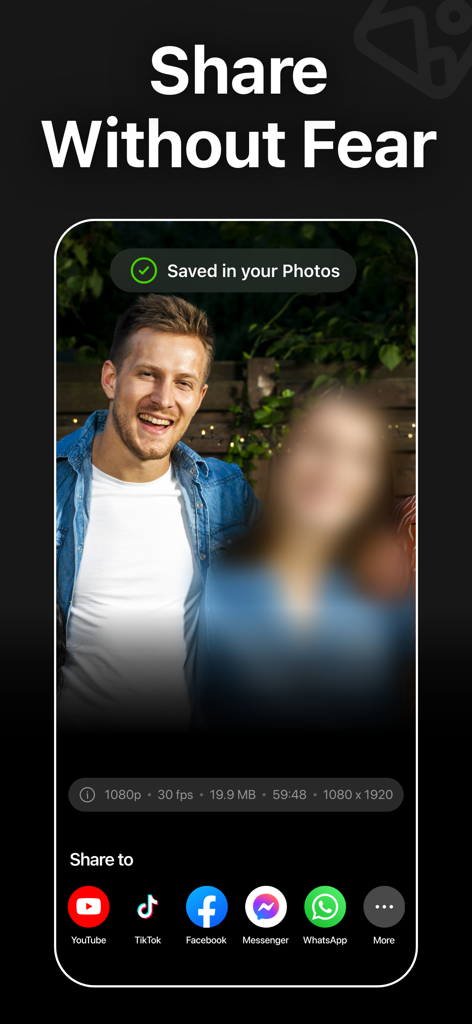
Blur Video - AI Blur Maker - TikTok 및 YouTube와 같은 소셜 미디어 플랫폼에 공유하는 옵션과 동영상에서 흐릿한 얼굴을 보여주는 Blur Video 앱의 인터페이스.

TikTok 및 YouTube와 같은 소셜 미디어 플랫폼에 공유하는 옵션과 동영상에서 흐릿한 얼굴을 보여주는 Blur Video 앱의 인터페이스.

설명

Blur Video is one of the best free video blurring apps for iPhone to quickly hide persons, faces, texts, logos, objects, and license plates in videos like a pro. This powerful video blur app can pixelate unwanted objects or obscure any parts of a video. You can also apply various filters, add stickers, add texts, and draw to enhance your videos. Key Features of Blur Video Background: - Gaussian and Pixelate blur effects - Blur faces in videos quickly and intelligently - Detect and track moving objects using AI - Rectangle and oval blur shapes - Use color, emoji, or photos to censor - Change the intensity of the blur - Use video keyframes to blur moving objects manually - Apply multiple stickers over your video - Add custom texts over video - Export videos in 480p, 540p, 720p, 1080p and Ultra HD - 4K resolution - Save in MP4 or MOV video format - HDR export for enhanced video quality - Remove metadata to protect data and privacy - Share videos to Instagram, TikTok, Facebook, YouTube, and other apps Robust Video Blurring Blur Video app simplifies the whole blurring process. Censor faces or track objects in your videos with advanced artificial intelligence. Getting blurry faces or censored videos has never been this simple. AI Face Blur Automatically blur faces in your videos using intelligent AI detection. The app instantly identifies faces and keeps them accurately tracked throughout the entire clip, ensuring consistent, seamless blurring without any manual effort or setup. Blur Multiple Moving Objects Blur multiple objects in your videos with ease. Use AI-powered tracking to automatically follow moving elements, or take full control with manual keyframe tracking. Simply place keyframes where you want to hide content and fine-tune the position as the video plays for precise, professional results. How to blur faces in a video using the Blur Video app? With this app, you can get censored faces in videos without any hassle. Just follow the steps below to know how to blur faces in videos easily. - Open the app - Select a video from Photos - Tap the AI Face Blur button, and the app instantly detects and automatically blurs all faces in your video - Select the blur for more control - Choose the blur shape: rectangular or oval - Change the blur effects to Gaussian or Pixelate - Adjust the intensity of your blur with the slider - After getting the desired output, tap on the Export button to save the video Auto-Renewable Subscription Terms: Subscribe to get unrestricted access to all the features outlined above. • Subscription Length: Weekly, Yearly • Subscription with a free trial period will automatically renew to a paid subscription unless it is canceled at least 24 hours before the end of the trial period. • Payment will be charged to iTunes Account at confirmation of purchase. • Your Apple ID account will be charged for renewal within 24 hours before the end of the trial period. • Manage and cancel your subscriptions by going to your account settings on the App Store. • Any unused portion of a free trial period, if offered, will be forfeited when the user purchases a subscription to that publication, where applicable. • By signing up for this subscription, you agree to our Terms of Use and Privacy Policy. Terms of Use: https://pixeltouch.net/blurvideo/legal/terms.html Privacy Policy: https://pixeltouch.net/blurvideo/legal/privacy.html

Download

다운로드: App Store

이 페이지는 앱이나 개발자의 공식 페이지가 아니며, 정보 제공 및 논평을 목적으로 작성된 독립 편집 간행물입니다. 명시적으로 달리 언급되지 않는 한, 해당 앱이나 개발자는 MWM, Apple, Google Play, 앱 퍼블리셔 또는 앱 개발자와 제휴, 보증, 후원, 승인 또는 공식적으로 연결되어 있지 않으며, 이 페이지의 어떤 내용도 해당 앱이 MWM의 서비스를 사용하여 개발되었음을 의미하지 않습니다. 모든 상표, 로고, 스크린샷 및 기타 콘텐츠는 해당 소유자의 자산입니다.