BT Basketball Shotclock
다운로드: App Store

이 페이지는 앱이나 개발자의 공식 페이지가 아니며, 정보 제공 및 논평을 목적으로 작성된 독립 편집 간행물입니다. 명시적으로 달리 언급되지 않는 한, 해당 앱이나 개발자는 MWM, Apple, Google Play, 앱 퍼블리셔 또는 앱 개발자와 제휴, 보증, 후원, 승인 또는 공식적으로 연결되어 있지 않으며, 이 페이지의 어떤 내용도 해당 앱이 MWM의 서비스를 사용하여 개발되었음을 의미하지 않습니다. 모든 상표, 로고, 스크린샷 및 기타 콘텐츠는 해당 소유자의 자산입니다.

로고: BT Basketball Shotclock
다운로드: App Store

BT Basketball Shotclock

시중에서 가장 깔끔하고 광고 없는 샷클락 앱으로 값비싼 하드웨어에 대한 수천 달러를 절약하세요. 코치와 리그 디렉터를 위해 설계되었으며, 고등학교, NCAA 및 프로 경기를 위한 맞춤형 사전 설정을 제공합니다.

주요 수치

다운로드

12K+

사용자 평점

1.0/5

총 평가 수

0

개발사

The Basketball Temple LLC

카테고리

Sports

지원 언어

1

최신 버전

1124

크기

116.4 MB

출시일

2020년 8월 8일
기능

프로 가격 없이 프로 게임 기술을

지역 체육관에 엘리트 경기장 분위기를 연출하세요. BT 샷클락은 최고의 농구 아카데미에서 사용하는 것과 동일한 기능을 갖춘 깔끔하고 광고 없는 경험을 제공합니다.

무선 원격 제어

사이드라인 테이블은 잊으세요. 무료 BT 컨트롤러 앱을 사용하여 WiFi 또는 Bluetooth를 통해 체육관 어디에서나 샷 클락을 관리하세요.

미국 리그 사전 설정

NFHS(고등학교), NCAA 및 NBA 공식 규칙 간에 즉시 전환하거나 3x3 및 연습을 위해 사용자 지정하세요.

다음 스크린샷과 설명은 앱의 공식 스토어 목록에서 직접 가져온 것이며 앱 개발자의 자산입니다.

앱 스토어

스크린샷
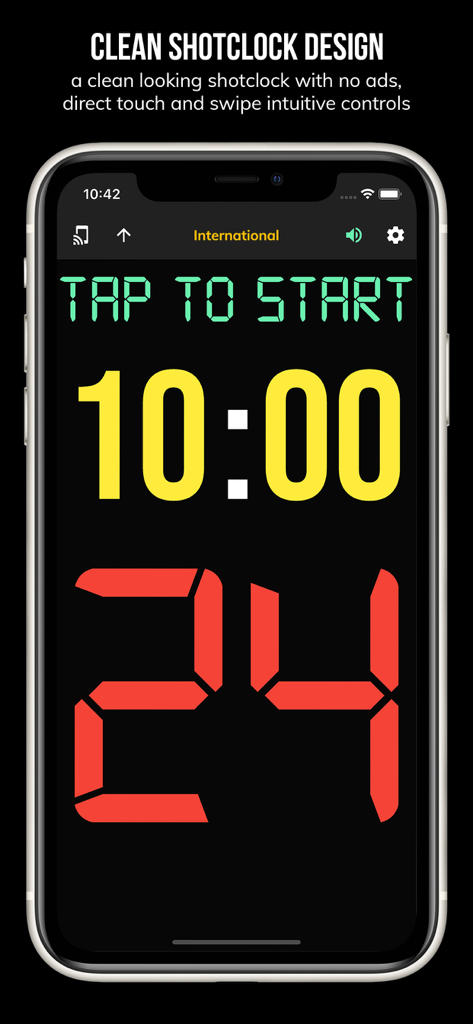
BT Basketball Shotclock - 24초 타이머와 10분 게임 클락이 표시된 BT 농구 샷클락 앱을 보여주는 모바일 화면
24초 타이머와 10분 게임 클락이 표시된 BT 농구 샷클락 앱을 보여주는 모바일 화면

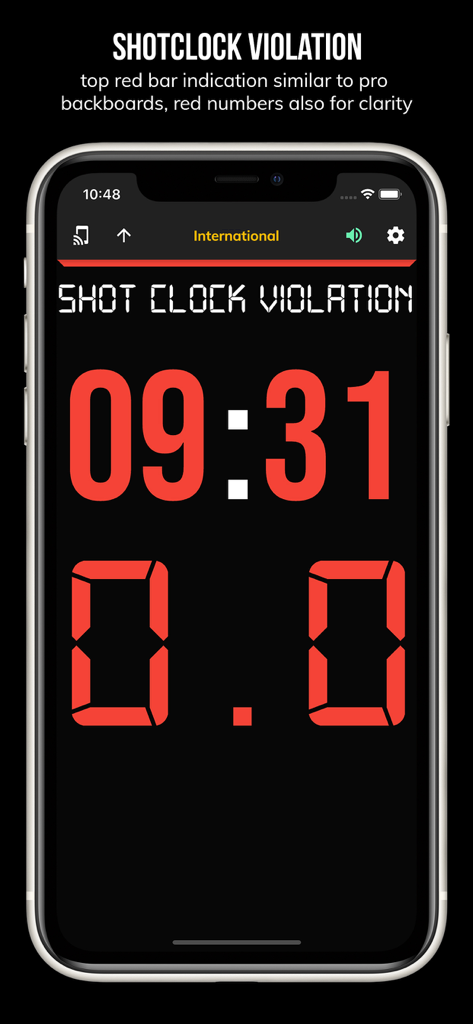
BT Basketball Shotclock - 어두운 배경에 빨간색 디지털 숫자로 샷 클락 바이얼레이션이 표시된 BT 농구 샷클락 앱 화면
어두운 배경에 빨간색 디지털 숫자로 샷 클락 바이얼레이션이 표시된 BT 농구 샷클락 앱 화면

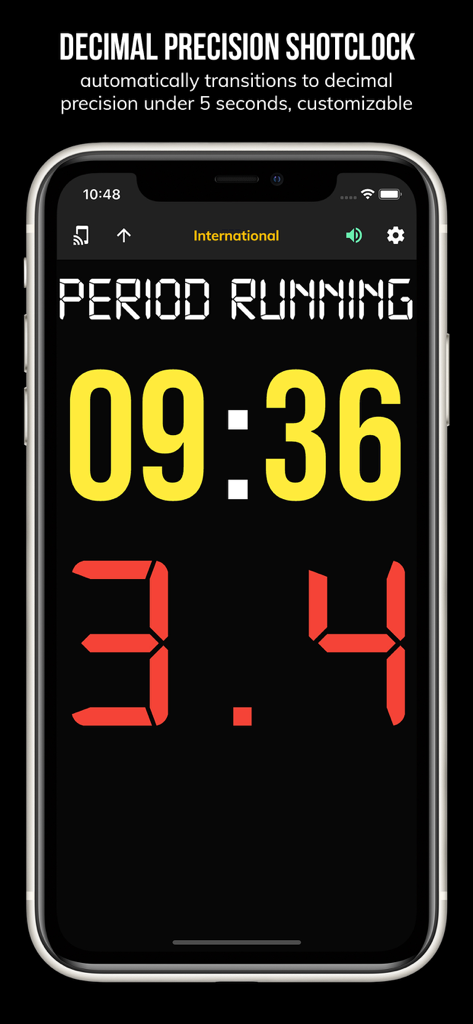
BT Basketball Shotclock - BT 농구 샷클락 앱 인터페이스에 소수점 정밀도 타이머 표시

BT 농구 샷클락 앱 인터페이스에 소수점 정밀도 타이머 표시

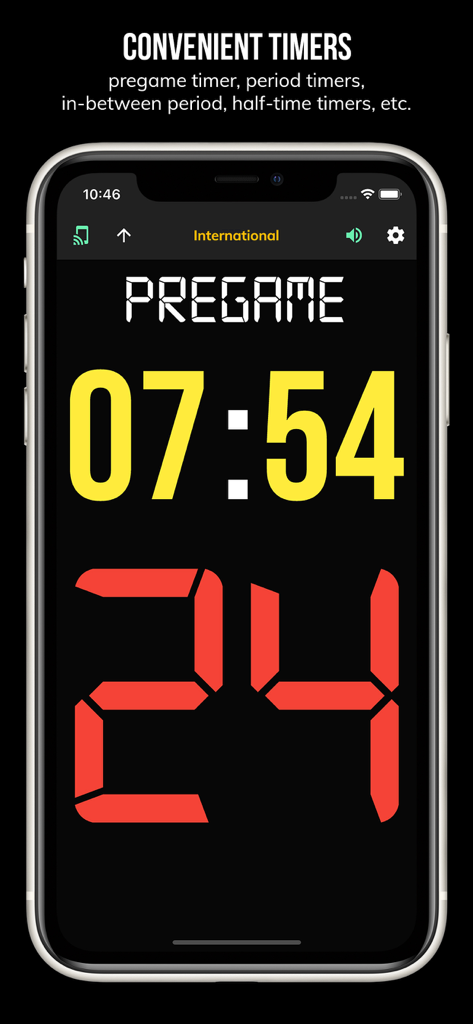
BT Basketball Shotclock - BT 농구 샷클락 앱 인터페이스에 사전 게임 카운트다운 타이머와 24초 샷 클락 표시
BT 농구 샷클락 앱 인터페이스에 사전 게임 카운트다운 타이머와 24초 샷 클락 표시

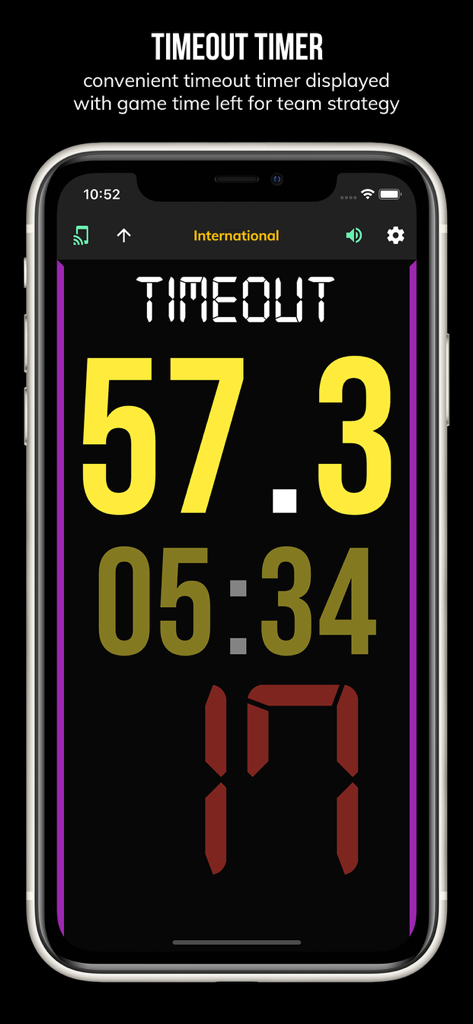
BT Basketball Shotclock - 57초 남은 타임아웃 타이머를 표시하는 BT 농구 샷클락 앱 화면

57초 남은 타임아웃 타이머를 표시하는 BT 농구 샷클락 앱 화면

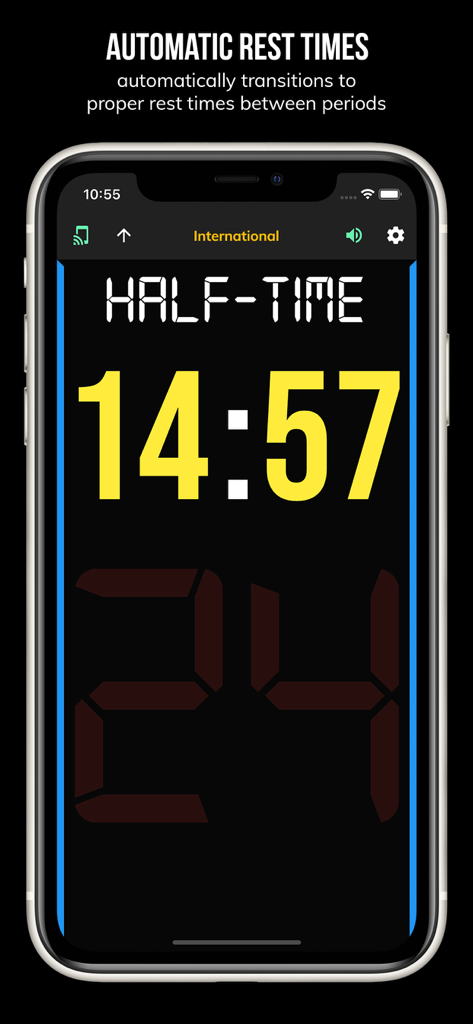
BT Basketball Shotclock - 14분 남은 자동 하프타임 휴식 타이머를 표시하는 BT 농구 샷클락 앱 인터페이스
14분 남은 자동 하프타임 휴식 타이머를 표시하는 BT 농구 샷클락 앱 인터페이스

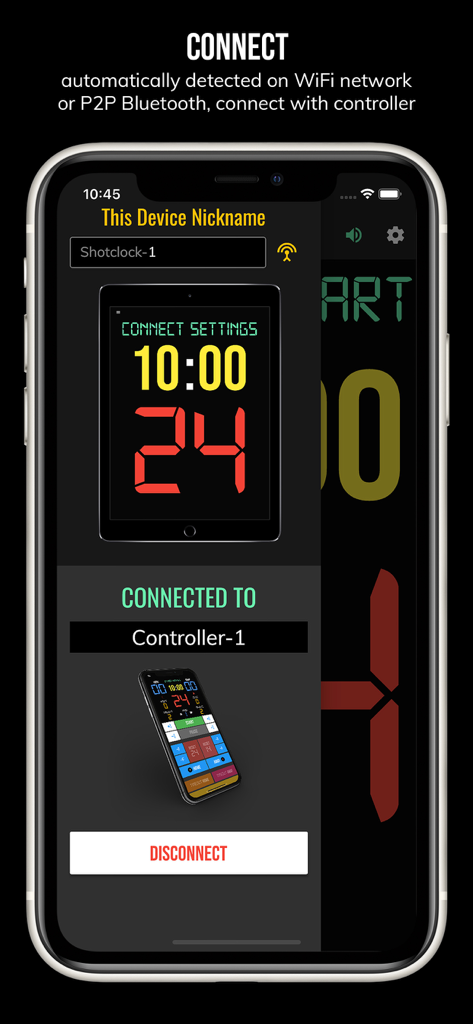
BT Basketball Shotclock - WiFi 또는 Bluetooth를 통해 페어링된 원격 컨트롤러 장치를 보여주는 BT 농구 샷클락 앱의 연결 화면
WiFi 또는 Bluetooth를 통해 페어링된 원격 컨트롤러 장치를 보여주는 BT 농구 샷클락 앱의 연결 화면

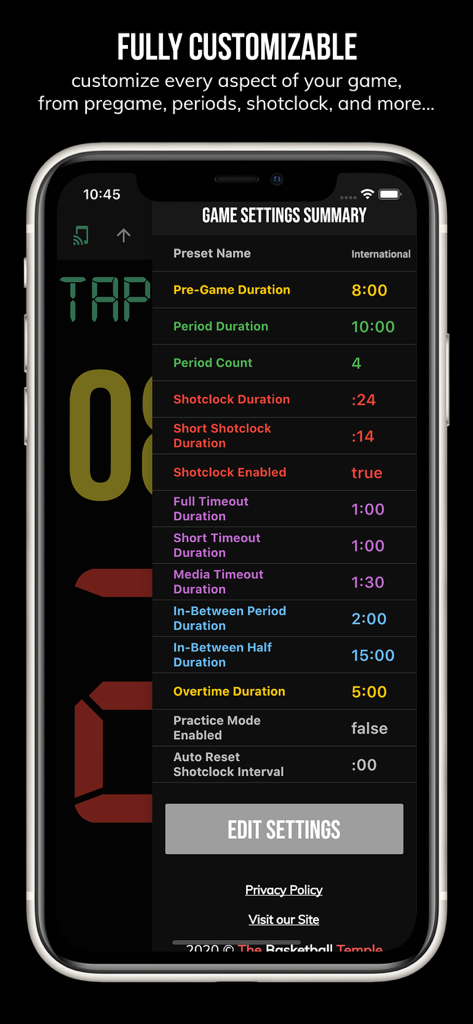
BT Basketball Shotclock - 사용자 지정 가능한 게임 규칙 및 기간을 보여주는 BT 농구 샷클락의 게임 설정 요약 화면
사용자 지정 가능한 게임 규칙 및 기간을 보여주는 BT 농구 샷클락의 게임 설정 요약 화면

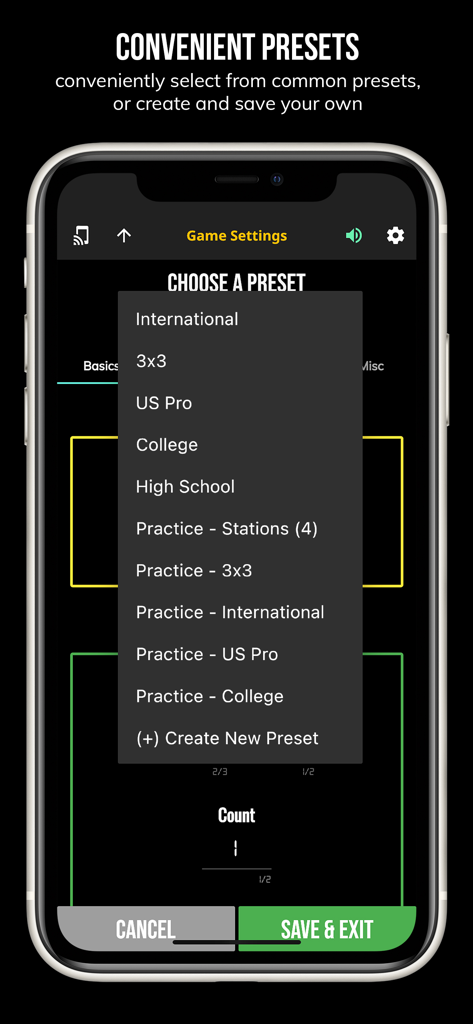
BT Basketball Shotclock - 미국 프로 대학 및 고등학교와 같은 일반적인 게임 사전 설정을 보여주는 BT 농구 샷클락 앱의 메뉴
미국 프로 대학 및 고등학교와 같은 일반적인 게임 사전 설정을 보여주는 BT 농구 샷클락 앱의 메뉴

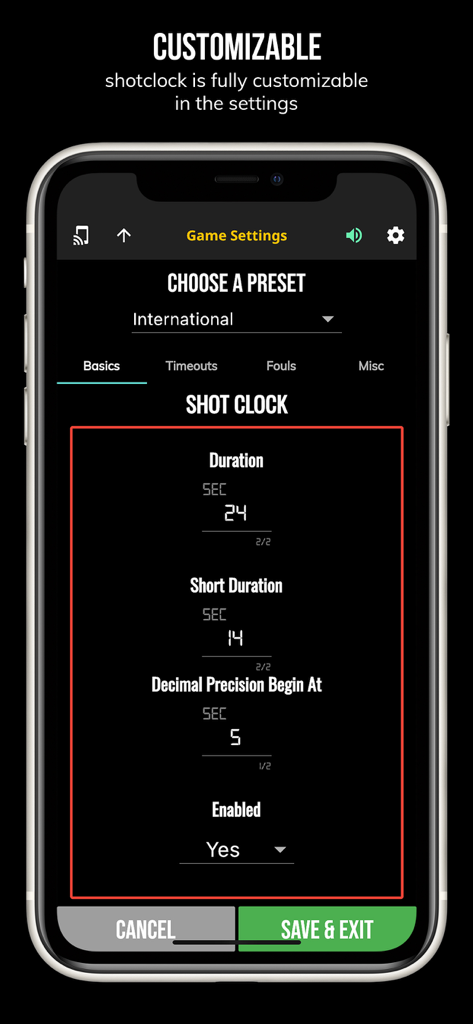
BT Basketball Shotclock - 사용자 지정 가능한 게임 규칙 및 샷 클락 지속 시간 사전 설정을 보여주는 BT 농구 샷클락 앱의 설정 화면

사용자 지정 가능한 게임 규칙 및 샷 클락 지속 시간 사전 설정을 보여주는 BT 농구 샷클락 앱의 설정 화면

설명

One of the cleanest shotclock apps on the market. The BT Shotclock app, developed by and for a basketball company that runs it's own basketball leagues, is the next best option to investing in an expensive professional grade shotclock. Shotclock and Scoreboard equipment which can cost you thousands is now available and affordable to everyone in the basketball community. In-depth Tutorial: https://youtu.be/fopYwQPOZ2k Use the shotclock by itself or download the free BT Controller app to remotely control the shotclock or multiple shotclocks simultaneously. Open the connect menu on the BT Controller app, the shotclock is automatically detected, hit the WiFi or Bluetooth button next to the shotclock name on the BT Controller app to connect. BT Shotclock Features: - Clean design, no ads - Can use as a stand alone shotclock with intuitive direct tap and swipe controls - Remotely control shotclock with WiFi or Bluetooth using free BT Controller App - Convenient Presets (International, 3x3, US Pro, College, High School, and more...) - Convenient timers: pregame timer, period timer, rest timer, timeout timer, overtime, etc. - Fully customizable game in the settings - Practice modes configured in settings is great for running practices - Audio buzzers for shotclock violation, end of period, substitutions, etc. - Warning beep near end of pregame, timeout, or rest times (customizable) - Quick Start Documentation below For the best experience, use the application on a large tablet, or hook your phone/tablet up to a large display or video projector. You'll feel like you have just bought a professional shotclock! The BT Shotclock app was created by The Basketball Temple Company. The Basketball Temple Company focuses on high quality basketball academies, basketball leagues, and technologies that are used to support those academies and leagues. We open our technology to the public so everyone in the basketball community can experience the same technologies that we use within our institutions. # Quick Start Documentation: Exiting Game and Reseting Times: - Click top right settings icon (if top bar is hidden, click top left hamburger icon to open top app bar) - Scroll down and hit "Exit Game" button Time Controls: - Tap period timer to start/pause - Tap pregame, timeout, rest timers to early transition to next stage Shotclock Controls: - Tap shotclock to reset/go - Swipe shotclock up/down to reset/go to short shotclock Connect and Remote Control: - Start the BT Controller app on a different device - In the BT Controller app, open the connect menu on the top left - The Shotclock should automatically discovered - Click on the Wifi/Bluetooth icon next to the Shotclock name to connect - If unable to connect or having connection errors try one of the following: 1) please ensure all devices are on the same WiFi network 2) please ensure bluetooth is turned ON on all devices 3) lastly, try to restart the app on all devices Time and Game Settings: - Tap on top-right icon (or swipe right-to-left on the right edge) to open settings menu - Edit and save the many settings available

Download

다운로드: App Store

이 페이지는 앱이나 개발자의 공식 페이지가 아니며, 정보 제공 및 논평을 목적으로 작성된 독립 편집 간행물입니다. 명시적으로 달리 언급되지 않는 한, 해당 앱이나 개발자는 MWM, Apple, Google Play, 앱 퍼블리셔 또는 앱 개발자와 제휴, 보증, 후원, 승인 또는 공식적으로 연결되어 있지 않으며, 이 페이지의 어떤 내용도 해당 앱이 MWM의 서비스를 사용하여 개발되었음을 의미하지 않습니다. 모든 상표, 로고, 스크린샷 및 기타 콘텐츠는 해당 소유자의 자산입니다.