
이 페이지는 앱이나 개발자의 공식 페이지가 아니며, 정보 제공 및 논평을 목적으로 작성된 독립 편집 간행물입니다. 명시적으로 달리 언급되지 않는 한, 해당 앱이나 개발자는 MWM, Apple, Google Play, 앱 퍼블리셔 또는 앱 개발자와 제휴, 보증, 후원, 승인 또는 공식적으로 연결되어 있지 않으며, 이 페이지의 어떤 내용도 해당 앱이 MWM의 서비스를 사용하여 개발되었음을 의미하지 않습니다. 모든 상표, 로고, 스크린샷 및 기타 콘텐츠는 해당 소유자의 자산입니다.

Call Recorder ™ Record Phone
상대방과의 논의에 집중하는 동안 저희가 세부 사항을 관리해 드립니다. 정확성과 책임감을 요구하는 전문가를 위한 무제한 녹음, 안전한 클라우드 저장 공간, 즉시 공유 기능을 이용하세요.
다운로드
4M+사용자 평점
총 평가 수
210K+개발사
카테고리
Business지원 언어
22최신 버전
1.5.3크기
393.7 MB출시일
2019년 9월 2일현대 전문가를 위한 설계
업무 효율성과 책임감을 위해 맞춤 제작된 안정적이고 고음질의 통화 녹음 제품군으로 모든 구두 합의 및 인터뷰 세부 정보를 캡처하세요.
무제한 통화 녹음
필요한 만큼 수신 및 발신 통화를 녹음하세요. 통화 시간 제한이나 사용량 기반 요금이 없어 장시간의 증언이나 고객 브리핑에 완벽합니다.
안전한 클라우드 보관
안전한 클라우드 저장 공간으로 전문 기록을 보호하세요. 언제든지 구두 '영수증'에 액세스하고 기기 공간을 확보하세요.
자주 묻는 질문
에 대해 알아야 할 모든 것 Call Recorder ™ Record Phone
Call Recorder ™ Record Phone은 무엇인가요?
Call Recorder ™ Record Phone은 들어오고 나가는 전화를 모두 녹음하는 애플리케이션입니다. 녹음된 내용을 클라우드에 안전하게 저장하고 녹음된 대화를 쉽게 공유할 수 있도록 합니다.
Call Recorder ™ Record Phone으로 들어오고 나가는 전화를 녹음할 수 있나요?
네, Call Recorder ™ Record Phone은 들어오고 나가는 전화를 모두 녹음합니다. 이 앱은 iOS 기기에서 대화를 녹음하기 위해 녹음 라인을 이용한 3자 통화 병합 방식을 활용합니다.
Call Recorder ™ Record Phone에는 녹음 제한이 있나요?
아니요, Call Recorder ™ Record Phone 구독자는 녹음 길이 또는 횟수에 제한이 없습니다. 이 앱은 숨겨진 사용량 기반 요금 없이 간단하고 고정된 요금을 제공합니다.
Call Recorder ™를 사용하여 발신 통화를 녹음하려면 어떻게 해야 하나요?
발신 통화를 녹음하려면 Call Recorder ™를 열고 'RECORD'를 누른 다음 원하는 연락처를 다이얼하세요. 'Merge'를 탭하여 앱의 녹음 라인과 3자 통화를 만드세요.
Call Recorder ™를 사용하여 수신 통화를 녹음하려면 어떻게 해야 하나요?
수신 통화를 녹음하려면 전화를 받고 홈 화면에서 Call Recorder ™ 앱을 엽니다. 'Record'를 탭하고 연결되면 앱의 녹음 번호와 통화를 병합하세요.
Call Recorder ™ Record Phone은 3자 통화가 필요한가요?
네, Call Recorder ™ Record Phone은 기능이 작동하려면 이동통신사에서 3자 통화를 지원해야 합니다. SimpleTalk 및 H2o Wireless와 같은 일부 통신사는 미국에서 이를 제공하지 않습니다.
Call Recorder ™ Record Phone의 구독 옵션은 무엇인가요?
Call Recorder ™ Record Phone은 주간, 월간 또는 연간 옵션을 포함하는 자동 갱신 구독을 제공합니다. 이러한 구독은 앱의 모든 기능을 잠금 해제합니다.
Call Recorder ™ 전화 통화 녹음은 어디에 저장되나요?
Call Recorder ™ Record Phone의 녹음 내용은 클라우드에 안전하게 저장됩니다. 전화 통화가 끝나면 앱에서 즉시 사용할 수 있습니다.
Call Recorder ™ Record Phone 구독을 어떻게 관리하나요?
초기 구매 후 App Store의 Apple ID 계정 설정에서 Call Recorder ™ Record Phone 구독을 관리하고 취소할 수 있습니다.
다음 스크린샷과 설명은 앱의 공식 스토어 목록에서 직접 가져온 것이며 앱 개발자의 자산입니다.
앱 스토어
스크린샷
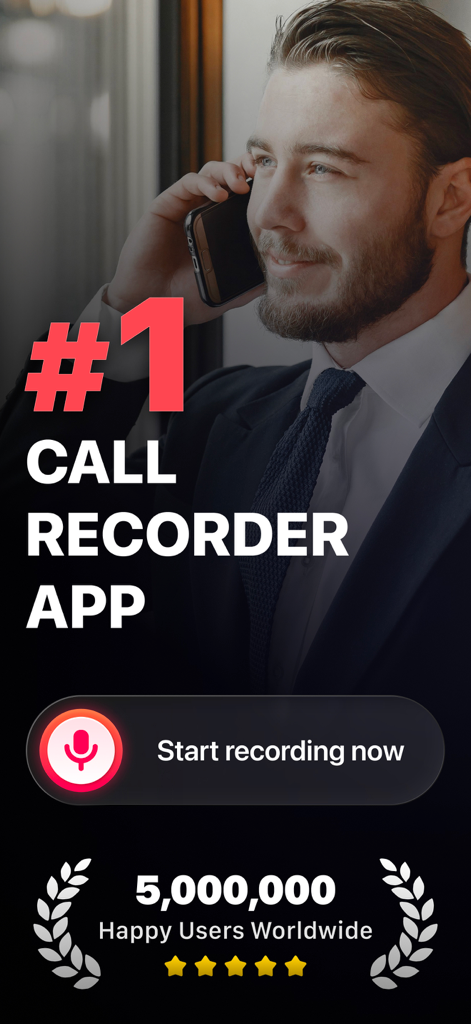
전문적인 남성이 iPhone에서 비즈니스용 최고 등급 통화 녹음 앱을 사용하는 모습
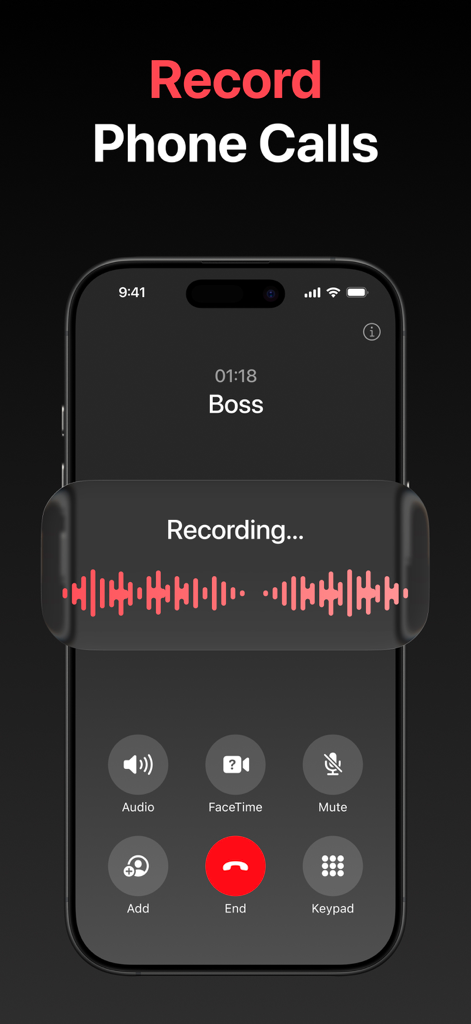
녹음 파형 오버레이와 함께 통화 중 활성 상태인 Call Recorder 앱을 보여주는 iPhone 스크린샷
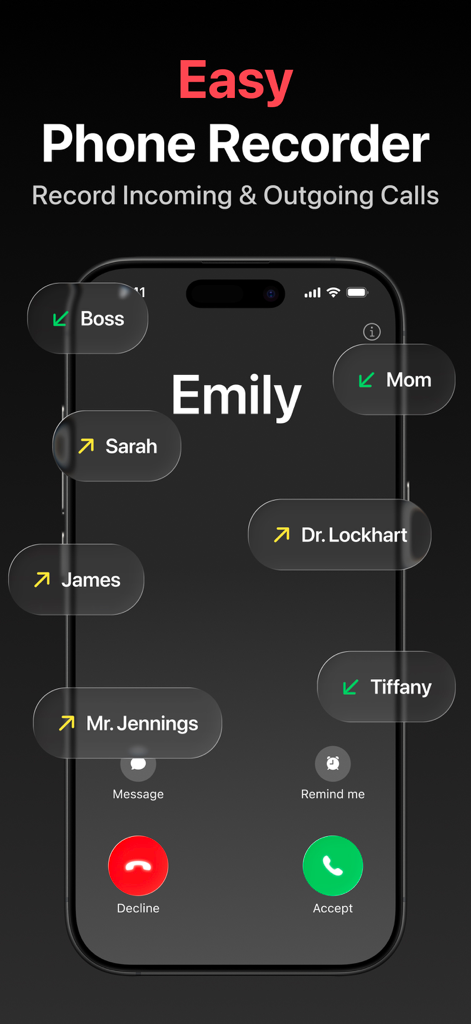
iPhone에서 수신 및 발신 전화 통화를 녹음하기 위한 Call Recorder 앱 인터페이스
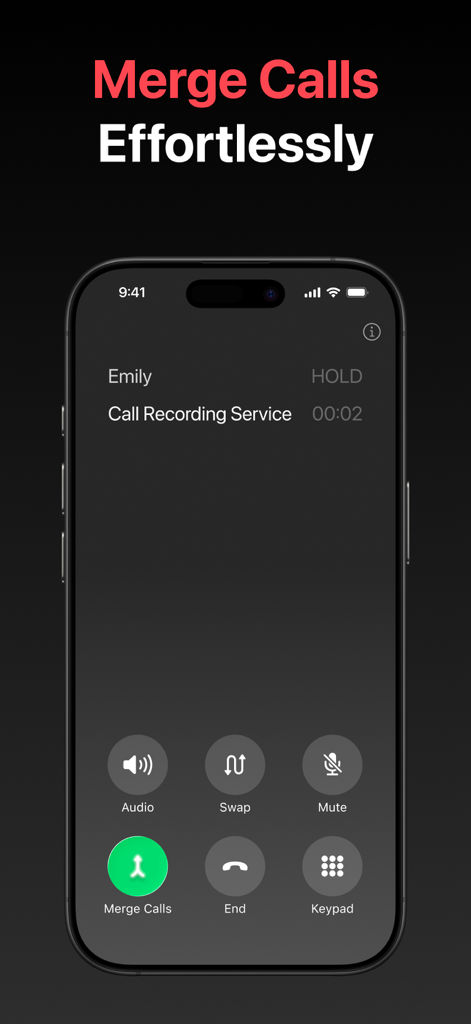
통화를 녹음하기 위해 통화 병합 버튼을 보여주는 iPhone 인터페이스
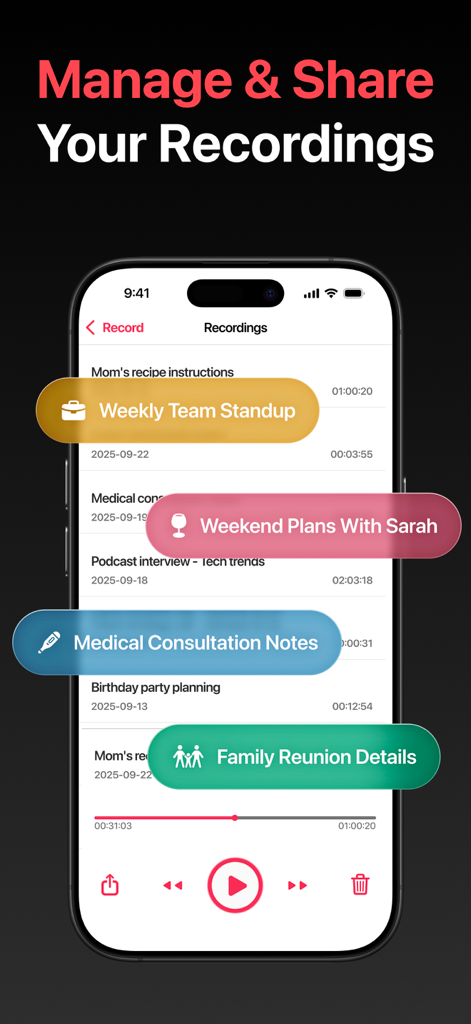
오디오 파일을 관리하고 공유할 수 있는 옵션과 함께 녹음 목록을 표시하는 Call Recorder 앱의 모바일 인터페이스
설명
Download
비슷한 앱
유사한 기능과 사용자 경험을 가진 앱

Beside (M1): AI Receptionist
Interface, Inc.
Call Recorder for iPhone.
JatApp LLC

Voice Recorder & Audio Editor
TapMedia Ltd

Call Recorder App ◉ACR MyCalls
AppAmore Limited

Switch - Call recording app
Atlas Guide, Inc.

Call Recorder App-Voice Record
WindTalking LLC

TeleMe – Record on 2nd Number
Gelenk Networks Inc.

Call Recorder: Record All
Henrieta Jaworski

Record Phone Calls App - Auto
Henning Christensen Bonde Søgaard
이 페이지는 앱이나 개발자의 공식 페이지가 아니며, 정보 제공 및 논평을 목적으로 작성된 독립 편집 간행물입니다. 명시적으로 달리 언급되지 않는 한, 해당 앱이나 개발자는 MWM, Apple, Google Play, 앱 퍼블리셔 또는 앱 개발자와 제휴, 보증, 후원, 승인 또는 공식적으로 연결되어 있지 않으며, 이 페이지의 어떤 내용도 해당 앱이 MWM의 서비스를 사용하여 개발되었음을 의미하지 않습니다. 모든 상표, 로고, 스크린샷 및 기타 콘텐츠는 해당 소유자의 자산입니다.