
이 페이지는 앱이나 개발자의 공식 페이지가 아니며, 정보 제공 및 논평을 목적으로 작성된 독립 편집 간행물입니다. 명시적으로 달리 언급되지 않는 한, 해당 앱이나 개발자는 MWM, Apple, Google Play, 앱 퍼블리셔 또는 앱 개발자와 제휴, 보증, 후원, 승인 또는 공식적으로 연결되어 있지 않으며, 이 페이지의 어떤 내용도 해당 앱이 MWM의 서비스를 사용하여 개발되었음을 의미하지 않습니다. 모든 상표, 로고, 스크린샷 및 기타 콘텐츠는 해당 소유자의 자산입니다.

Calligraphy Practice · Cursive
펜 글씨를 예술 작품으로 바꿔보세요. AR 트레이싱을 사용하여 종이에 우아한 글씨를 연습하고, 맞춤 문신을 디자인하고, 모든 경우에 맞는 Pinterest 완벽 문구류를 만드세요.
다운로드
229K+사용자 평점
총 평가 수
1K+개발사
카테고리
Graphics & Design지원 언어
1최신 버전
8.9크기
103.6 MB출시일
2021년 8월 2일아름다운 글쓰기의 기술 마스터하기
정신을 집중하는 일상 연습부터 전문적인 DIY 프로젝트까지, 저희 도구를 사용하면 필기 실력을 멋진 예술 작품으로 바꿀 수 있습니다.
매직 AR 트레이싱
카메라를 사용하여 모든 폰트를 종이에 직접 투사하여 완벽한 근육 기억을 구축하고 노력을 들이지 않고 획을 배우세요.
100가지 이상의 미적 스타일
다음 Pinterest에 올릴 만한 작품을 위해 엄선된 브러시 글씨, 현대 필기체, 우아한 스크립트의 방대한 라이브러리를 탐색하세요.
자주 묻는 질문
에 대해 알아야 할 모든 것 Calligraphy Practice · Cursive
캘리그라피 연습 앱은 무엇인가요?
캘리그라피 연습 앱은 캘리그라피, 손글씨, 필기체 연습을 향상시키는 강력한 도구입니다. 사용자는 다양한 글꼴과 알파벳을 탐색, 사용자 정의, 따라 쓰기 할 수 있습니다.
캘리그라피 연습 앱에서 사용자 정의 텍스트를 따라 쓸 수 있나요?
예, 캘리그라피 연습 앱에서는 사용자 정의 글자, 문구, 이름 또는 문신 아이디어를 위해 자신만의 텍스트를 추가할 수 있습니다. 이 텍스트는 글꼴 편집기 내에서 조절 가능합니다.
캘리그라피 연습에 AR 따라 쓰기 모드가 있나요?
예, 캘리그라피 연습 앱에는 AR 따라 쓰기 모드가 포함되어 있습니다. 사용자는 장치를 종이 위에 놓고 선을 따라 캘리그라피 획, 모양, 글자 형태를 직접 연습합니다.
캘리그라피 연습 앱의 프로 버전에는 어떤 기능이 포함되어 있나요?
캘리그라피 연습 앱의 프로 버전은 모든 캘리그라피 글꼴과 스타일을 잠금 해제하고, 무제한 사용자 정의 단어와 텍스트를 활성화하며, 애플리케이션에서 광고를 제거합니다.
캘리그라피 연습 앱은 어떤 종류의 글꼴과 스타일을 지원하나요?
캘리그라피 연습 앱은 다양한 필기체 스타일, 손글씨 글꼴, 필기체 필기 예시 라이브러리를 지원합니다. 여기에는 붓글씨, 장식체, 현대체, 전통 필기체 스타일이 포함됩니다.
사용자는 캘리그라피 연습에서 자신의 워드 아트 디자인을 사용자 정의할 수 있나요?
예, 사용자는 캘리그라피 연습 앱 내에서 워드 아트 디자인을 사용자 정의할 수 있습니다. 옵션에는 크기, 간격, 회전, 레이아웃, 색상, 배경 조정 및 고유한 구성을 위한 이미지 가져오기가 포함됩니다.
캘리그라피 연습은 개별 글자 학습에 도움이 되나요?
예, 캘리그라피 연습은 사용자가 개별 글자를 배우는 데 도움이 됩니다. 연습을 위한 전체 알파벳 따라 쓰기(A-Z)와 단계별로 획을 가르치는 애니메이션 글자 따라 쓰기 튜토리얼을 제공합니다.
캘리그라피 연습 앱을 사용하여 장식적인 타이포그래피를 어떻게 만들 수 있나요?
캘리그라피 연습 앱은 장식적인 타이포그래피를 만드는 데 사용할 수 있습니다. 사용자는 고유한 글자 구성, 워드 아트, 문구, 문신 아이디어 및 타이포그래피 포스터를 디자인할 수 있습니다.
다음 스크린샷과 설명은 앱의 공식 스토어 목록에서 직접 가져온 것이며 앱 개발자의 자산입니다.
앱 스토어
스크린샷
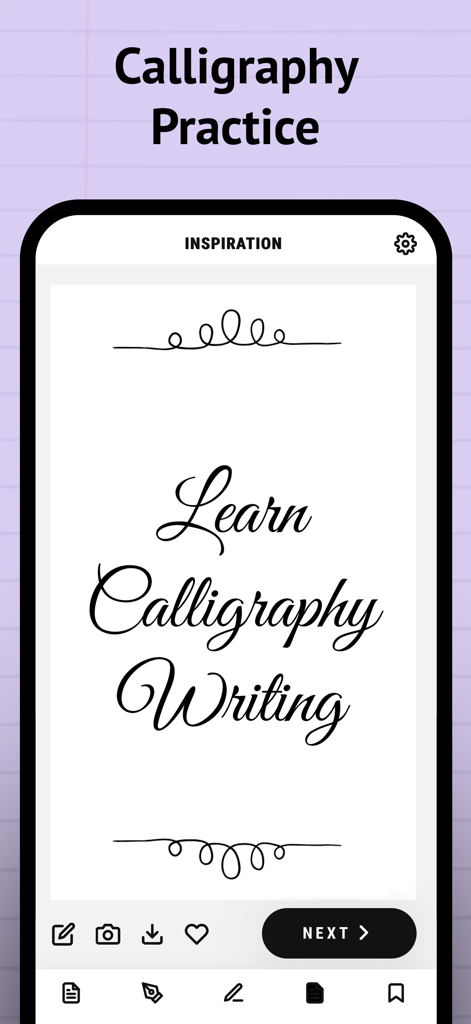
캘리그라피 연습 앱의 영감 화면으로, 필기체 글쓰기 스타일을 보여줍니다.
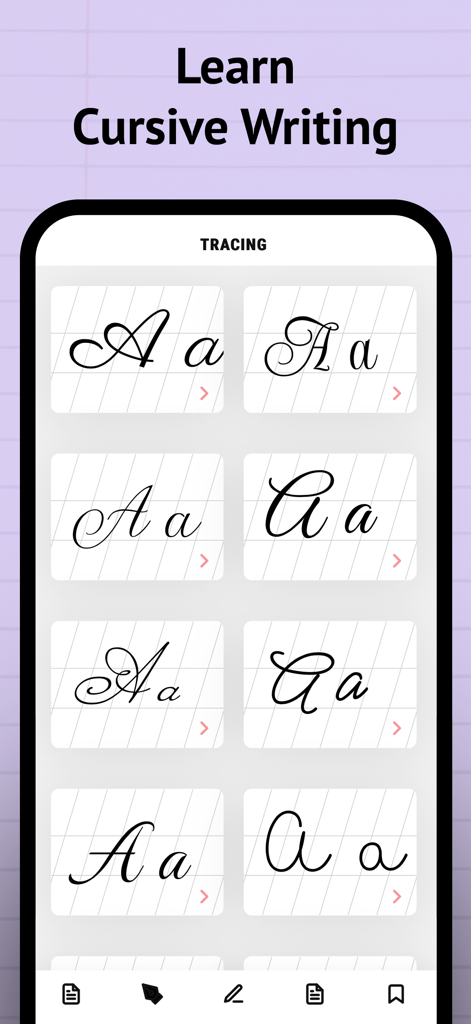
필기 연습 및 트레이싱을 위한 다양한 필기체 글자 스타일을 표시하는 스마트폰 화면.
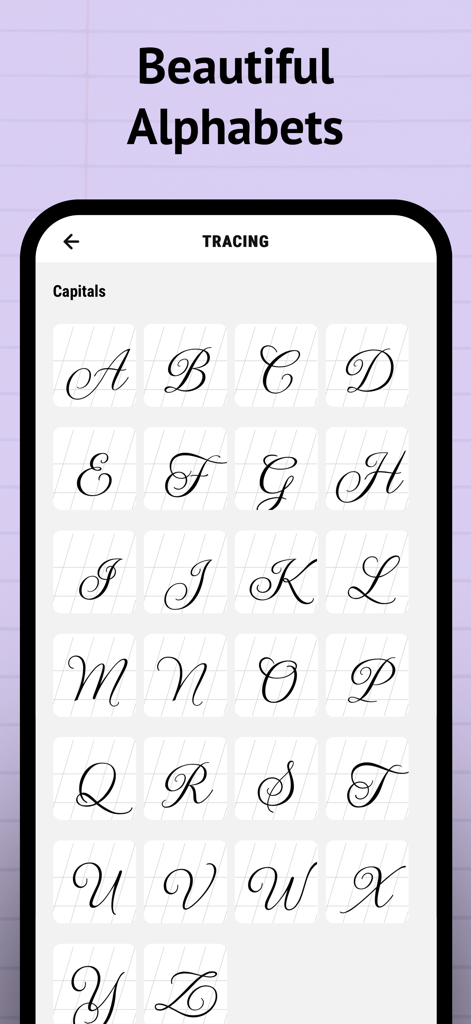
캘리그라피 트레이싱 연습을 위한 우아한 대문자 필기체 그리드.
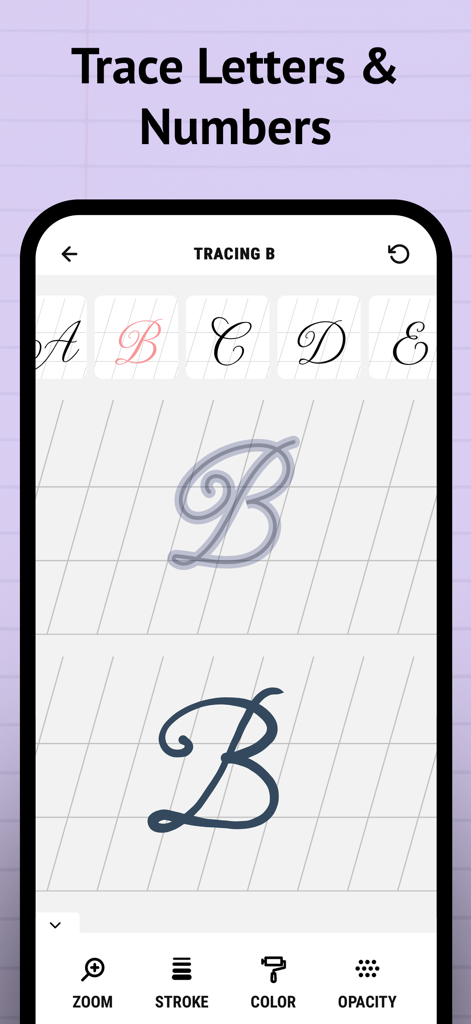
캘리그라피 연습 앱의 인터페이스로, 필기체 글자 B가 획 색상 및 불투명도 도구와 함께 트레이싱되는 것을 보여줍니다.
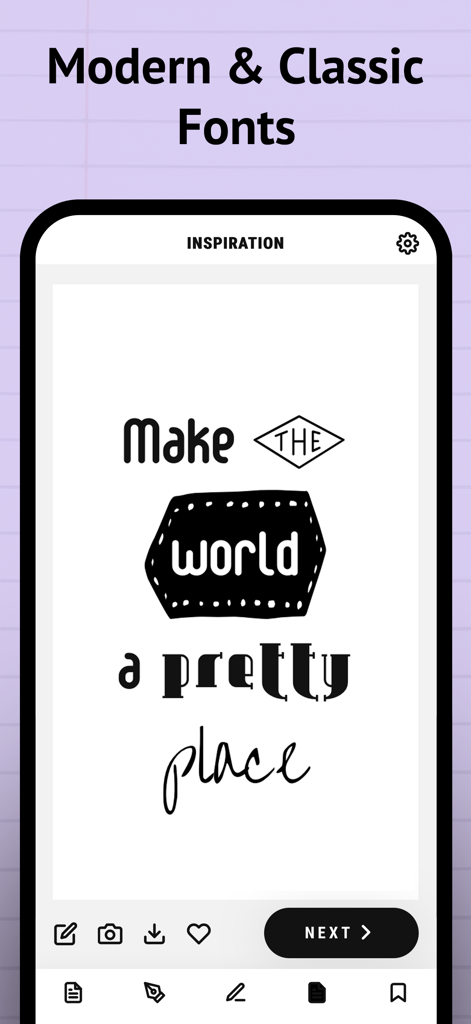
다양한 캘리그라피 폰트 스타일과 글자 디자인 예시를 보여주는 모바일 앱 화면.
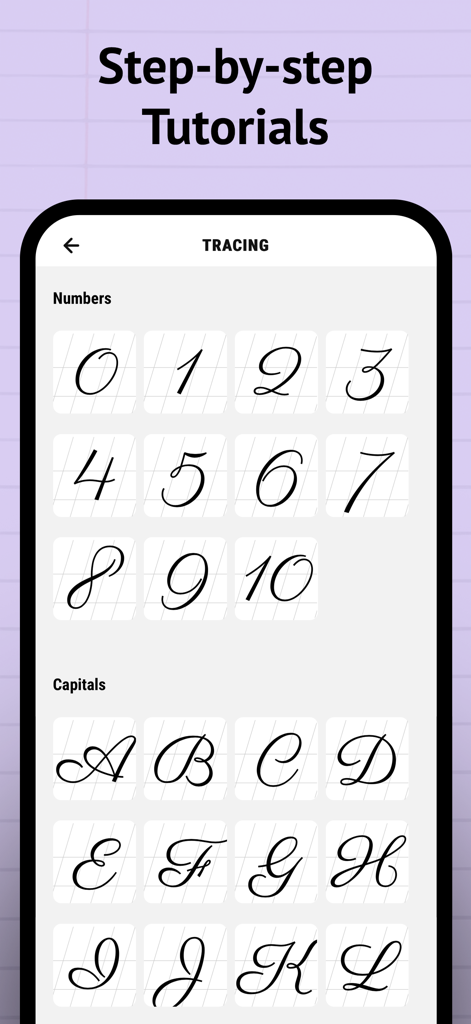
필기체 숫자 및 대문자에 대한 트레이싱 튜토리얼을 보여주는 캘리그라피 연습 앱의 스크린샷.
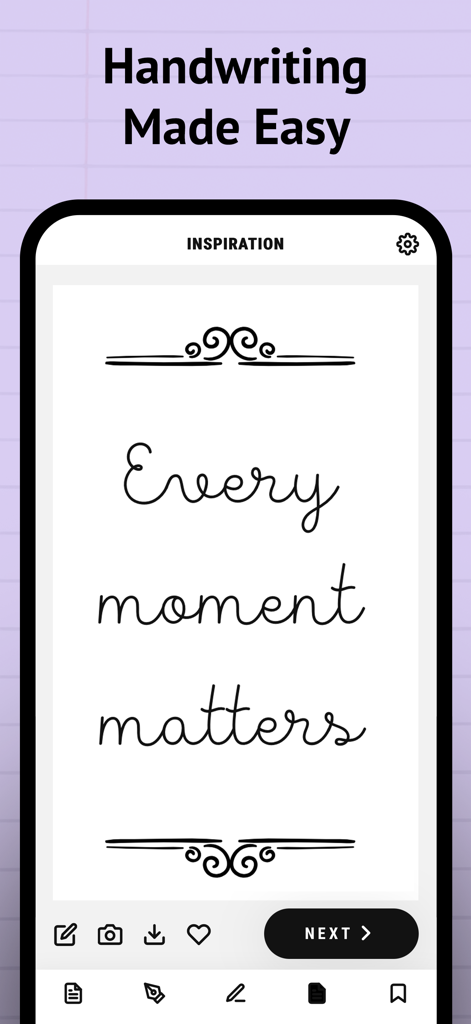
모바일 앱 스크린샷으로, '모든 순간이 소중하다'는 필기체 텍스트와 '필기 실력이 쉬워졌습니다'라는 헤드라인 아래 장식적인 꾸밈을 보여줍니다.
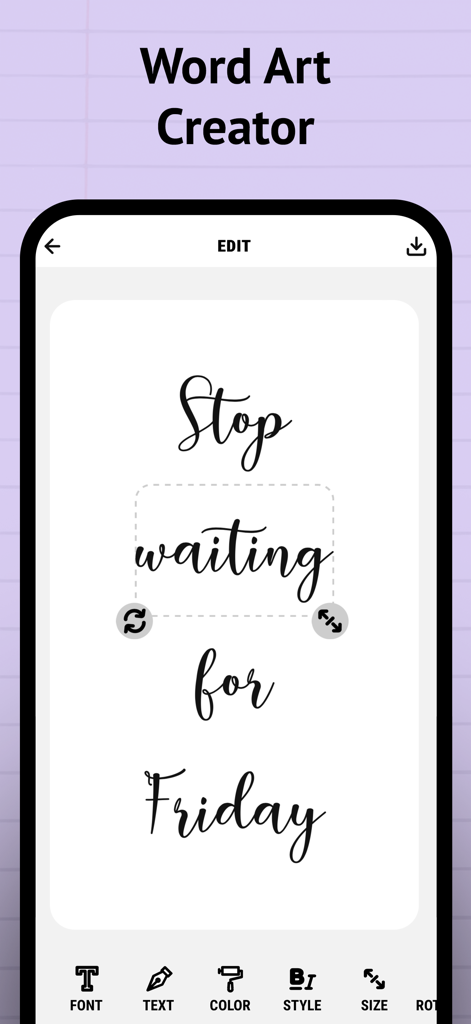
금요일을 기다리지 마세요'라는 필기체 캘리그라피 텍스트와 함께 워드 아트 편집기를 보여주는 모바일 앱 인터페이스.
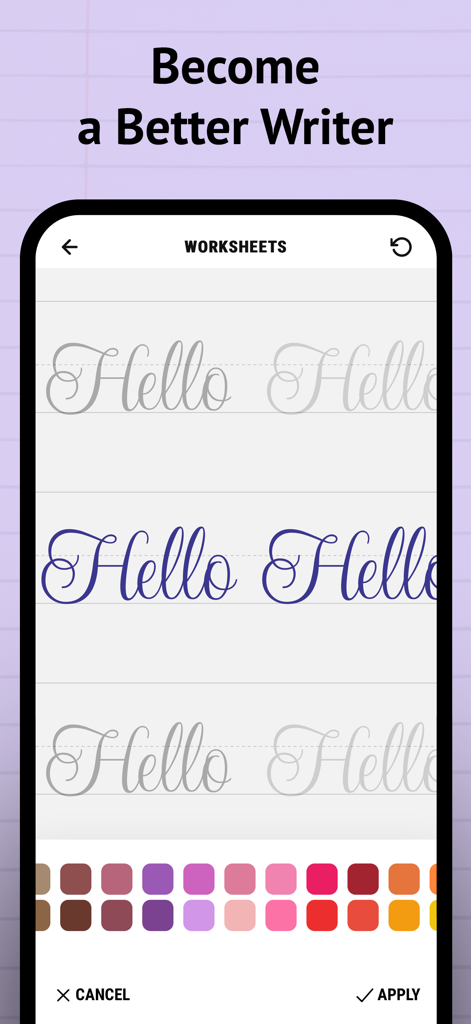
모바일 화면으로, '안녕하세요'라는 필기체 글자와 함께 색상 선택기가 있는 필기체 글쓰기 워크시트를 보여줍니다.
설명
Download
비슷한 앱
유사한 기능과 사용자 경험을 가진 앱

Write It! Korean
Jernung, LLC

MOJiKana: Hiragana & Katakana
Hugecore Information Technology (Guangzhou) Co.,Ltd.
Writey Cursive Handwriting
Writey B.V.
Cursive: Learn Cursive
enoiu
Cursively Handwriting Practice
ASVETA CZ s.r.o.
宝宝学写字硬笔书法-小学生字典词典工具
森 袁
Dynamilis Handwriting Practice
School Rebound SA
LetraKid: Kids Writing Letters
Parkel Soft SRL
Calligraphy Master: Cursive
Hangzhou Good Play Network Technology Co., Ltd
이 페이지는 앱이나 개발자의 공식 페이지가 아니며, 정보 제공 및 논평을 목적으로 작성된 독립 편집 간행물입니다. 명시적으로 달리 언급되지 않는 한, 해당 앱이나 개발자는 MWM, Apple, Google Play, 앱 퍼블리셔 또는 앱 개발자와 제휴, 보증, 후원, 승인 또는 공식적으로 연결되어 있지 않으며, 이 페이지의 어떤 내용도 해당 앱이 MWM의 서비스를 사용하여 개발되었음을 의미하지 않습니다. 모든 상표, 로고, 스크린샷 및 기타 콘텐츠는 해당 소유자의 자산입니다.