Capture 365 Journal
Capture 365 Journal
다운로드: App Store

이 페이지는 앱이나 개발자의 공식 페이지가 아니며, 정보 제공 및 논평을 목적으로 작성된 독립 편집 간행물입니다. 명시적으로 달리 언급되지 않는 한, 해당 앱이나 개발자는 MWM, Apple, Google Play, 앱 퍼블리셔 또는 앱 개발자와 제휴, 보증, 후원, 승인 또는 공식적으로 연결되어 있지 않으며, 이 페이지의 어떤 내용도 해당 앱이 MWM의 서비스를 사용하여 개발되었음을 의미하지 않습니다. 모든 상표, 로고, 스크린샷 및 기타 콘텐츠는 해당 소유자의 자산입니다.


로고: Capture 365 Journal
다운로드: App Store

Capture 365 Journal

전문가급 자동화, 멀티 디바이스 동기화 및 보안 암호화를 통해 당신의 세상을 원활하게 기록하세요. 소셜 미디어 피드부터 사적인 성찰에 이르기까지, iPhone, iPad, Mac에서 모든 이정표를 보존하세요.

주요 수치

다운로드

212K+

사용자 평점

4.0/5

총 평가 수

300

개발사

Sockii Pty Ltd

카테고리

Lifestyle

지원 언어

2

최신 버전

3.7.10

크기

78.0 MB

출시일

2015년 9월 23일
기능

손쉽게 인생의 여정을 기록하세요

Apple 생태계를 위해 설계된 올인원 디지털 아카이브입니다. 자동화가 세부 사항을 처리하는 동안 생각, 미디어, 이정표를 모든 기기에서 안전하게 동기화하세요.

스마트 자동화

소셜 미디어 게시물, 캘린더 이벤트, 위치를 비공개 타임라인으로 직접 자동 가져와 '백지 문제'를 해결하세요.

원활한 Apple 생태계

파워 유저를 위해 설계되었습니다. iPhone에서 작성을 시작하고, Apple Watch에서 사진을 추가하고, 즉각적인 iCloud 동기화를 통해 Mac에서 생각을 마무리하세요.

다음 스크린샷과 설명은 앱의 공식 스토어 목록에서 직접 가져온 것이며 앱 개발자의 자산입니다.

앱 스토어

스크린샷
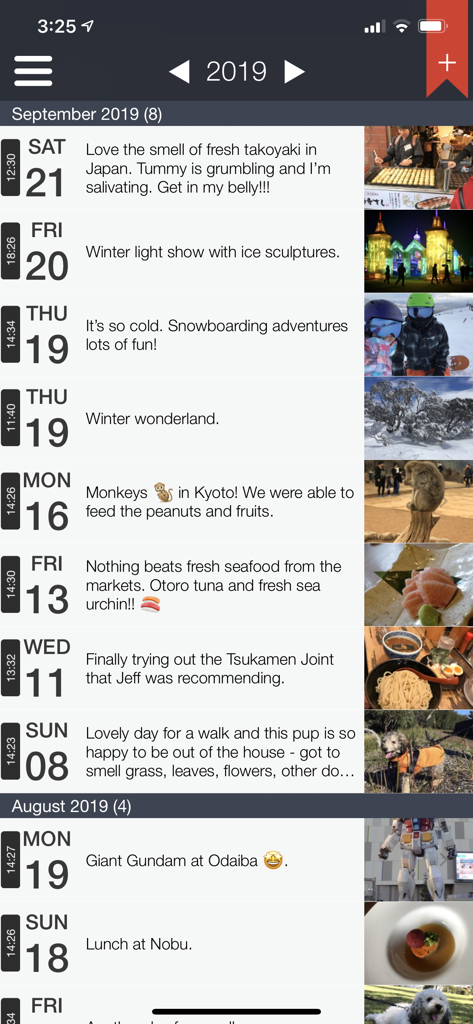
Capture 365 Journal - 여행 추억과 사진을 보여주는 Capture 365 Journal 항목의 타임라인 보기
여행 추억과 사진을 보여주는 Capture 365 Journal 항목의 타임라인 보기

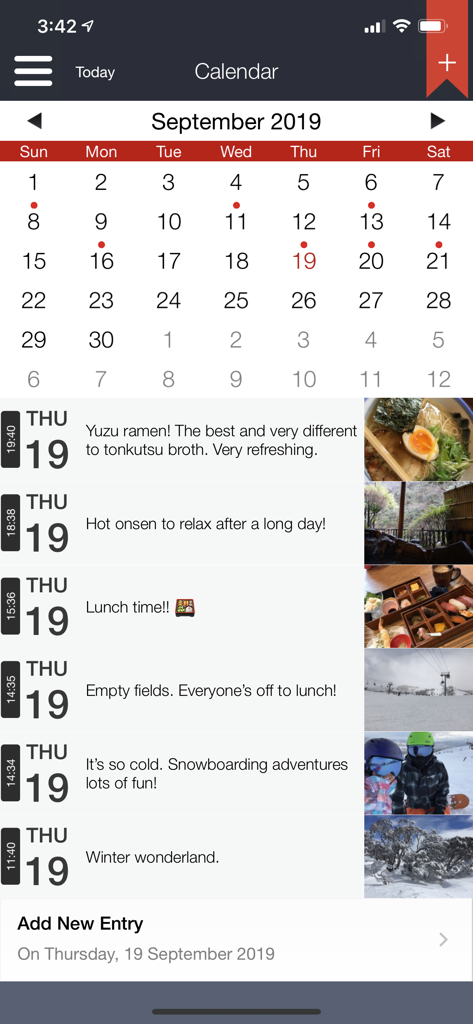
Capture 365 Journal - 사진과 설명이 포함된 캘린더 보기 및 일일 타임라인 항목을 보여주는 Capture 365 Journal 앱
사진과 설명이 포함된 캘린더 보기 및 일일 타임라인 항목을 보여주는 Capture 365 Journal 앱

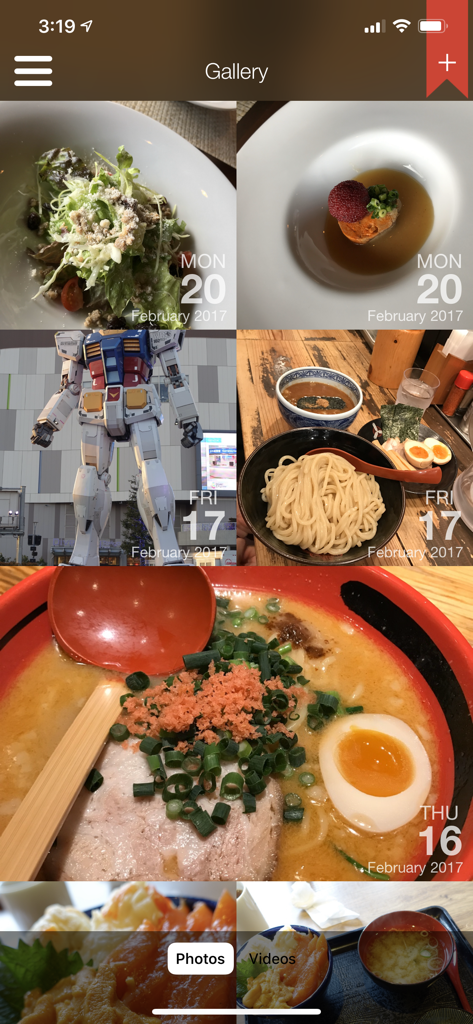
Capture 365 Journal - 날짜와 함께 추억이 격자 형태로 표시된 Capture 365 Journal 앱의 사진 갤러리 보기
날짜와 함께 추억이 격자 형태로 표시된 Capture 365 Journal 앱의 사진 갤러리 보기

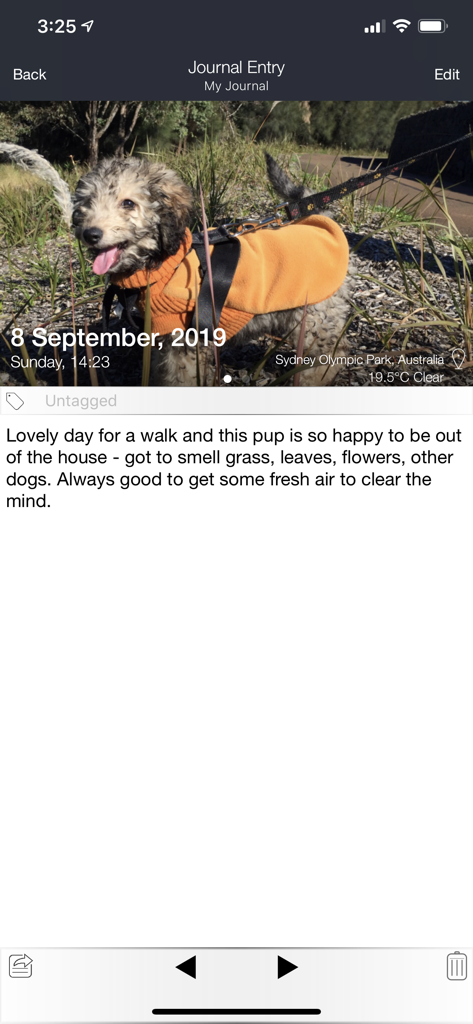
Capture 365 Journal - 자동 날씨 및 위치 태깅이 포함된 사진 항목을 보여주는 Capture 365 Journal의 모바일 보기
자동 날씨 및 위치 태깅이 포함된 사진 항목을 보여주는 Capture 365 Journal의 모바일 보기

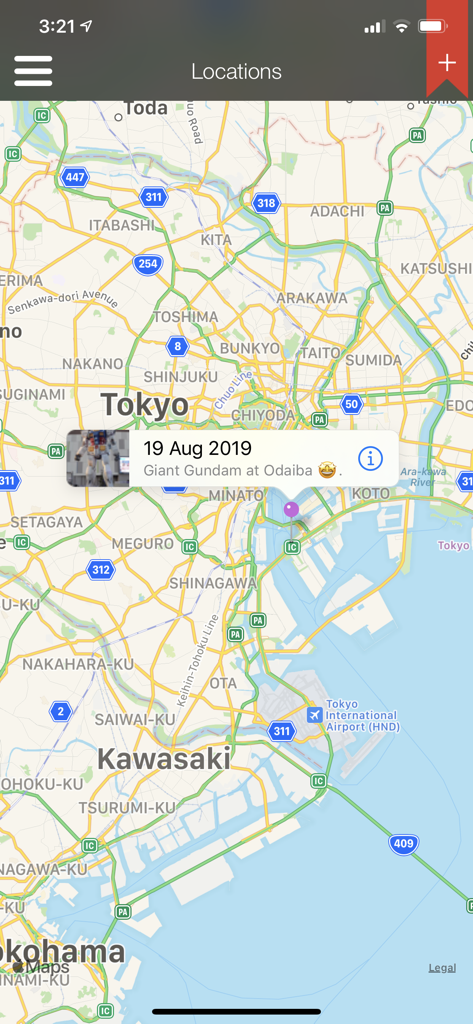
Capture 365 Journal - 일본 도쿄에 사진이 고정된 여행 일기 항목을 보여주는 Capture 365 Journal 지도 보기

일본 도쿄에 사진이 고정된 여행 일기 항목을 보여주는 Capture 365 Journal 지도 보기

설명

Capture 365 Journal is a beautiful and easy to use diary/journal. You will have complete access to your journals all the time, allowing you capture your thoughts and special moments throughout the day. KEY FEATURES - Sync with iCloud, Dropbox or 365 Direct Sync. - Sync with Capture 365 Journal Mac. - Shared Syncing with other people.* - Cloud Sync service data encryption. - Location and Weather. - Multiple photos and videos. - Add multiple journal entries each day - Multiple journal tags per entry. - Automatically import events and social media posts* to your journals. - Passcode & Touch ID protection. - Automated backups. - Export your journals as email, PDF or RTF by dates and tags. - Custom font style and sizing. - Search and view your journals by tags and locations. - Reminders. - Supports right to left writing direction. - User customisable templates. - Rich text support. - Multiple journal support. - 365+ Automation (Automatic Journaling)* Sync Support Sync and store your data on cloud services such as iCloud or Dropbox. Alternatively, sync using 365 Direct Sync. 365 Direct Sync will transmit directly to your other devices over your local network. Keep your journals in sync - no matter if you're on the Mac, iPad or iPhone. Shared Syncing* Create, edit, view and sync your journal entries with your family and friends. Multiple Photos and Videos Attach multiple photos and videos to each of your journal entries. Location and Weather Add a location to your journal entry, so you will always remember where the event took place. Records weather conditions for the location as well. 365+ Automation (Automatic Journaling)* Automatically create entries based on places you have visited throughout your day. Photos taken will be imported into corresponding entries. Feed Support Automatically import Calendar events and posts from Facebook*, Twitter*, Flickr* and Instagram* into your journal. *feature requires in-app purchase Exporting Export journals - filtered by date and tags - as a beautifully generated PDF or RTF document, which can be emailed out. Backups Automated system that handles the data backups for you, which can be stored on iCloud. SUPPORT Please write to us instead of submitting bugs or questions in an App Store review. Visit us at www.sockii.com Contact us at support@sockii.com *The 365+ Automation feature includes access to all Feeds and shared syncing. This feature is subscription based. The duration of this subscription is for 1 year (US$4.49). Payment will be charged to iTunes Account at confirmation of purchase. Subscription automatically renews unless auto-renew is turned off at least 24-hours before the end of the current period. Account will be charged for renewal within 24-hours prior to the end of the current period, and identify the cost of the renewal. Subscriptions may be managed by the user and auto-renewal may be turned off by going to the user's Account Settings after purchase. No cancellation of the current subscription is allowed during active subscription period. Privacy Policy: http://capture365journal.com/privacy.html Terms of Use: http://capture365journal.com/terms.html

Download

다운로드: App Store

이 페이지는 앱이나 개발자의 공식 페이지가 아니며, 정보 제공 및 논평을 목적으로 작성된 독립 편집 간행물입니다. 명시적으로 달리 언급되지 않는 한, 해당 앱이나 개발자는 MWM, Apple, Google Play, 앱 퍼블리셔 또는 앱 개발자와 제휴, 보증, 후원, 승인 또는 공식적으로 연결되어 있지 않으며, 이 페이지의 어떤 내용도 해당 앱이 MWM의 서비스를 사용하여 개발되었음을 의미하지 않습니다. 모든 상표, 로고, 스크린샷 및 기타 콘텐츠는 해당 소유자의 자산입니다.








