ccTimer - Camera Cube Timer

ccTimer - Camera Cube Timer

다운로드: App Store
로고: ccTimer - Camera Cube Timer

ccTimer - 스피드큐버를 위한 스마트 카메라 타이머

지능형 카메라 자동 시작 타이밍, 내장 화면 녹화 및 경쟁력 있는 솔버와 콘텐츠 제작자를 위해 설계된 프로 수준의 통계를 통해 모든 개인 최고 기록을 포착하세요.

다운로드: App Store

개발사

Shanghai Qingge Technology Co., Ltd.

카테고리

Sports

다운로드

1K+

사용자 평점

1.0/5

총 평가 수

0

지원 언어

2

당신의 진행 상황, 시각화

이 인터페이스를 사용하는 1K+ 명의 사용자.

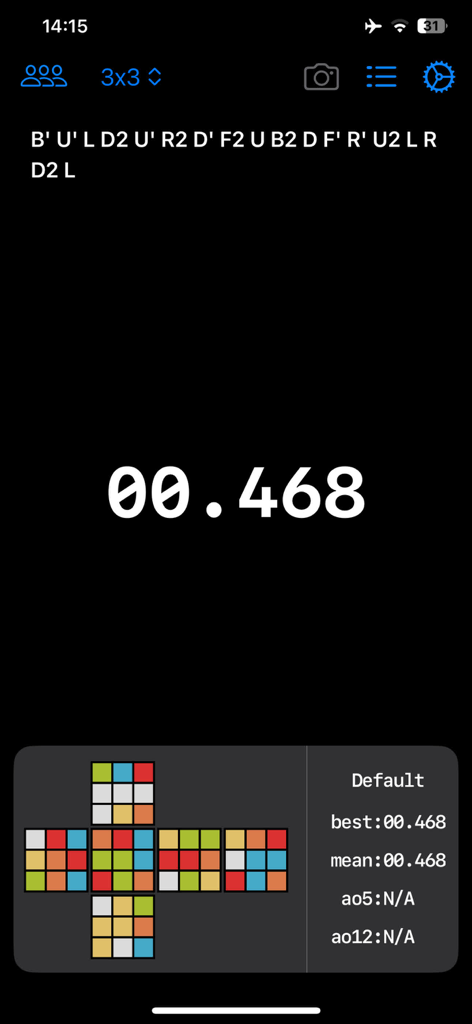
ccTimer 앱 화면에 3x3 루빅스 큐브 섞기 코드, 0.468초의 디지털 타이머 및 상세한 솔브 통계가 표시됩니다.
ccTimer 앱 화면에 3x3 루빅스 큐브 섞기 코드, 0.468초의 디지털 타이머 및 상세한 솔브 통계가 표시됩니다.

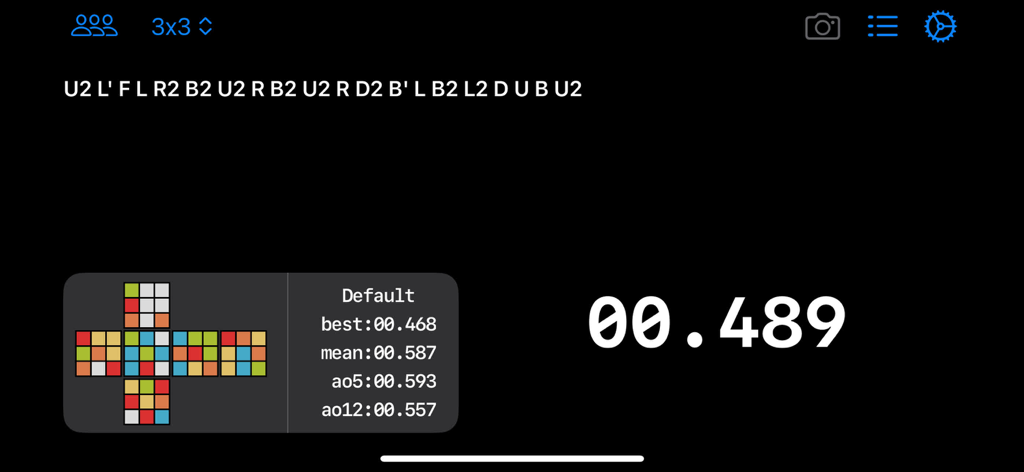
ccTimer 앱 인터페이스에 3x3 큐브 섞기 및 솔브 통계가 표시됩니다.
ccTimer 앱 인터페이스에 3x3 큐브 섞기 및 솔브 통계가 표시됩니다.

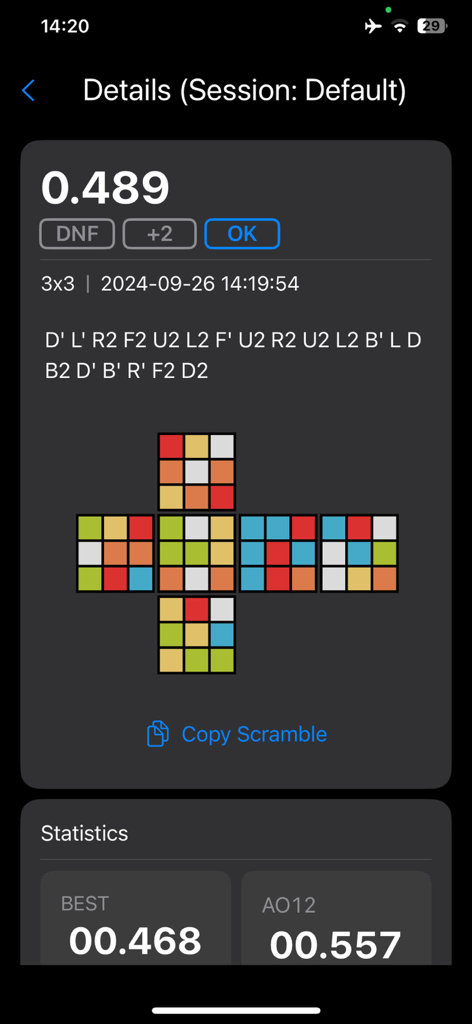
ccTimer에서 섞기 시각화 및 세션 통계와 함께 루빅스 큐브 솔브 시간의 상세 보기.
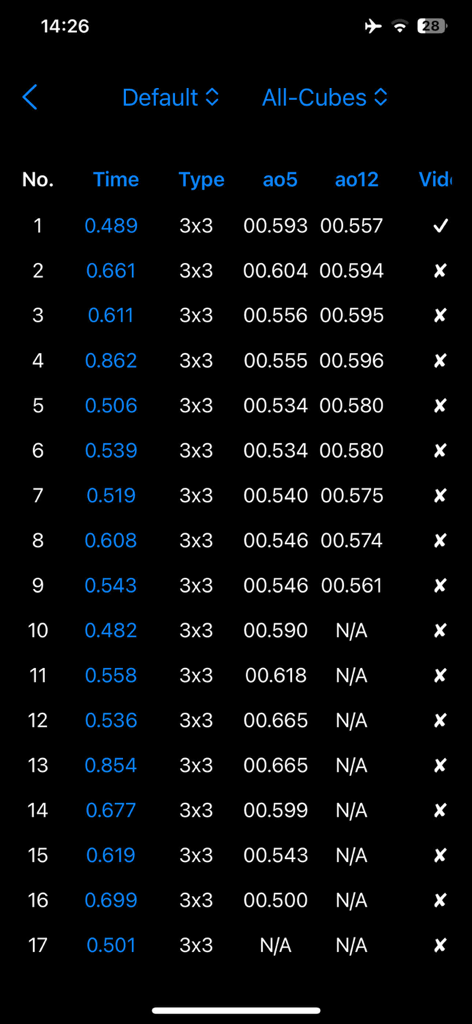
ccTimer에서 섞기 시각화 및 세션 통계와 함께 루빅스 큐브 솔브 시간의 상세 보기.

ccTimer의 솔브 시간 및 평균을 보여주는 상세한 스피드큐빙 통계.
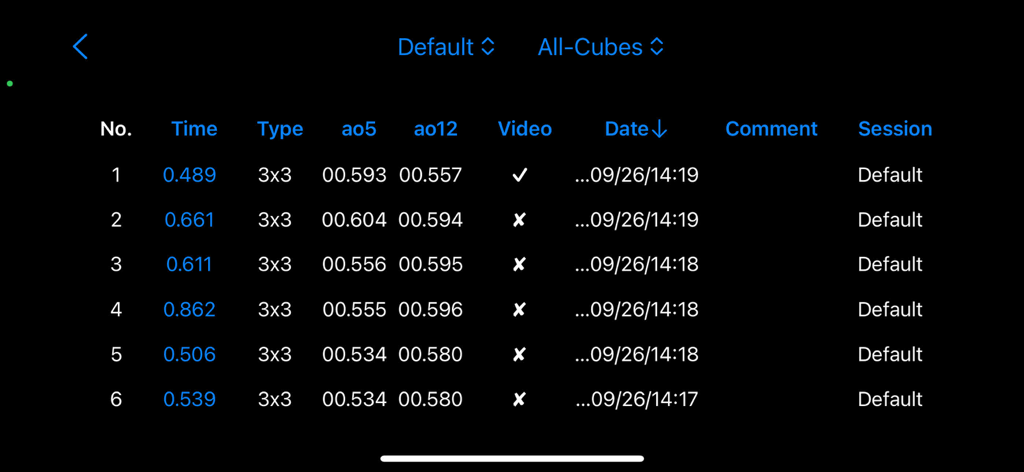
ccTimer의 솔브 시간 및 평균을 보여주는 상세한 스피드큐빙 통계.

ccTimer 앱의 상세한 루빅 큐브 솔브 시간 및 통계 평균 목록.
ccTimer 앱의 상세한 루빅 큐브 솔브 시간 및 통계 평균 목록.

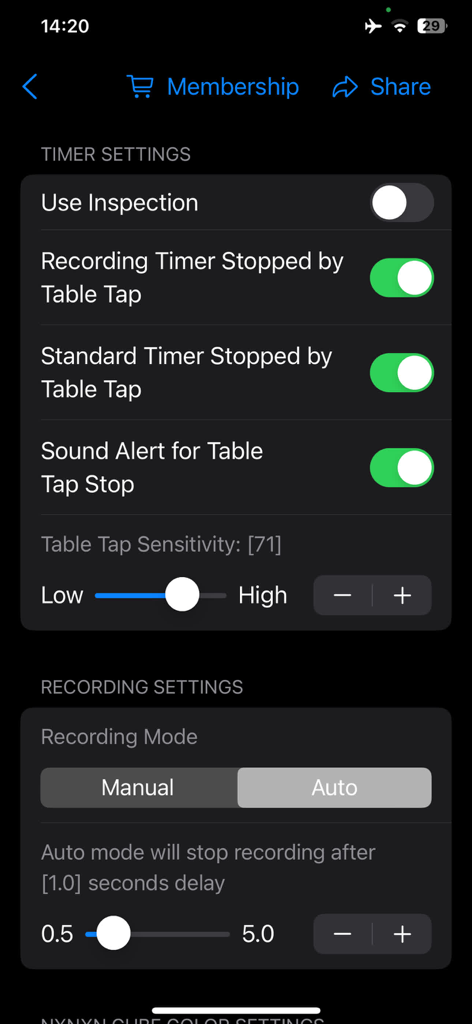
ccTimer 앱 설정 화면에 스피드큐빙을 위한 타이머 및 녹화 구성 옵션이 표시됩니다.

ccTimer 앱 설정 화면에 스피드큐빙을 위한 타이머 및 녹화 구성 옵션이 표시됩니다.

스피드큐빙을 향상시키세요

이 앱을 돋보이게 하는 도구, 1K+ 명의 사용자가 선택.

📱

콘텐츠 준비 녹화

내장 타이머 오버레이로 솔브를 자동 녹화하세요. TikTok, YouTube 또는 Discord에서 새로운 PB를 즉시 공유할 수 있습니다.

⏱️

프로급 스마트 타이밍

카메라 기반 자동 시작 및 정밀한 탭 감지를 통해 공식 대회 조건을 시뮬레이션하여 완벽한 정확도를 제공합니다.

📈

심층 성능 분석

데이터 기반 개선을 위해 설계된 고급 그룹화 및 필터링 도구를 사용하여 5개 평균 및 세션 진행 상황을 추적하세요.

앱 소개

에 대해 알아야 할 모든 것 ccTimer - Camera Cube Timer.

설명

ccTimer is a powerful yet simple and elegant timer specifically designed for Rubik's Cube enthusiasts, fully meeting your various needs. Here are the key features of ccTimer: 1. Simple and beautiful interface: The intuitive design and easy operation allow you to focus on cube timing and recording. 2. Smart auto-timer: Equipped with an intelligent algorithm to automatically start (camera) and stop timing (tap detection). 3. Synchronized timing and recording: Supports simultaneous timing and screen recording, making it easy to review your solving process and capture every exciting moment. 4. Observation countdown progress bar: Displays observation time visually, helping you to manage every second precisely and improve practice efficiency. 5. Multi-purpose timer: Camera mode can be turned off, transforming it into a regular timer, suitable for both practice and competitions. 6. Convenient scramble operations: Long-press the scramble formula to easily copy, paste, or lock it. 7. Custom cube colors: Personalize colors for different cube types, creating a unique experience. 8. Various recording modes: Manually or automatically record videos, capturing exciting moments has never been easier. 9. Optimized tap detection: Ensures accurate timing by reducing false stops or missed taps, with adjustable sensitivity. 10. Group management: Easily manage your practice sessions into groups, increasing training efficiency and helping you improve faster. 11. Sorted and filtered result lists: Sort and filter results based on multiple dimensions, making it easy to find data and track your progress. 12. Quick gesture controls: Swipe up, down, left, or right to quickly access related functions for more convenient operation. 13. Custom backgrounds: Supports custom backgrounds in solid color, gradient, or images for a personalized interface. Whether you're a beginner or a seasoned cuber, ccTimer is an essential tool for recording and timing your solves! Download now to enhance your cubing experience and push your limits! By using this app, you agree to the standard Apple End User License Agreement, available at: https://www.apple.com/legal/internet-services/itunes/dev/stdeula/

최신 버전

2.0.1

크기

6.9 MB

출시일

2024년 10월 2일

새로운 PB를 경신할 준비가 되셨나요?

기록, 분석 및 모든 솔브를 마스터하기 위해 ccTimer를 사용하는 수천 명의 스피드큐버와 함께하세요. 지금 다운로드하고 한계를 뛰어넘으세요.

다운로드: App Store

App information, icons, screenshots, and descriptions displayed on this page are sourced from the Apple App Store and are the property of their respective developers. Download estimates and rankings are based on MWM's proprietary models and may not reflect actual figures. This page is provided for informational and analytical purposes only.

Believe this page infringes your intellectual property? File a dispute