CDM+ Mobile

CDM+ Mobile

다운로드: App Store
로고: CDM+ Mobile

CDM+ 모바일: 어디서든 사역을 강화하세요

이동 중에도 교인 기록에 액세스하고, 안전한 체크인을 관리하며, 출석을 추적하세요. 목회자와 관리자가 지역사회와 계속 연결될 수 있도록 돕는 필수 모바일 동반자입니다.

다운로드: App Store

개발사

Suran Systems, Inc.

카테고리

Business

다운로드

1K+

사용자 평점

3.7/5

총 평가 수

0

지원 언어

1

움직이는 사역

이 인터페이스를 사용하는 1K+ 명의 사용자.

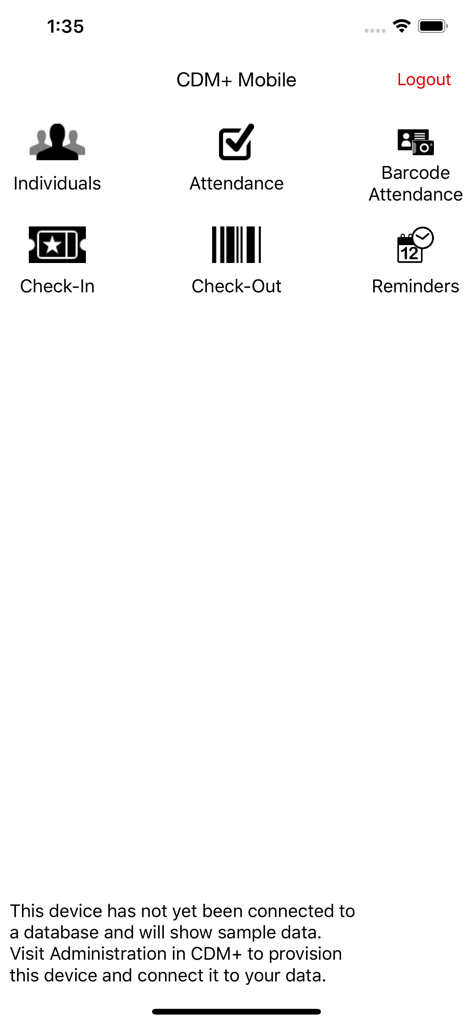
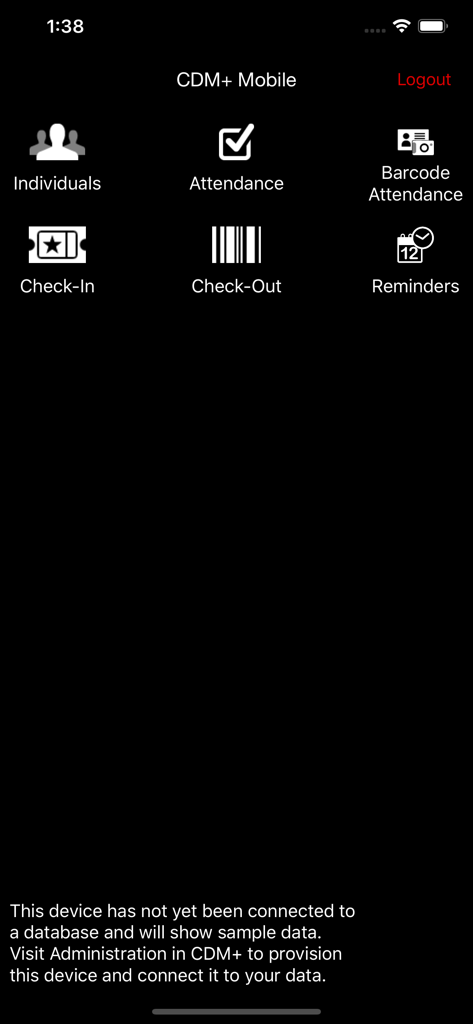
CDM plus 모바일 앱의 메인 메뉴로, 개인, 출석 및 체크인 기능 아이콘 표시

CDM plus 모바일 앱의 메인 메뉴로, 개인, 출석 및 체크인 기능 아이콘 표시

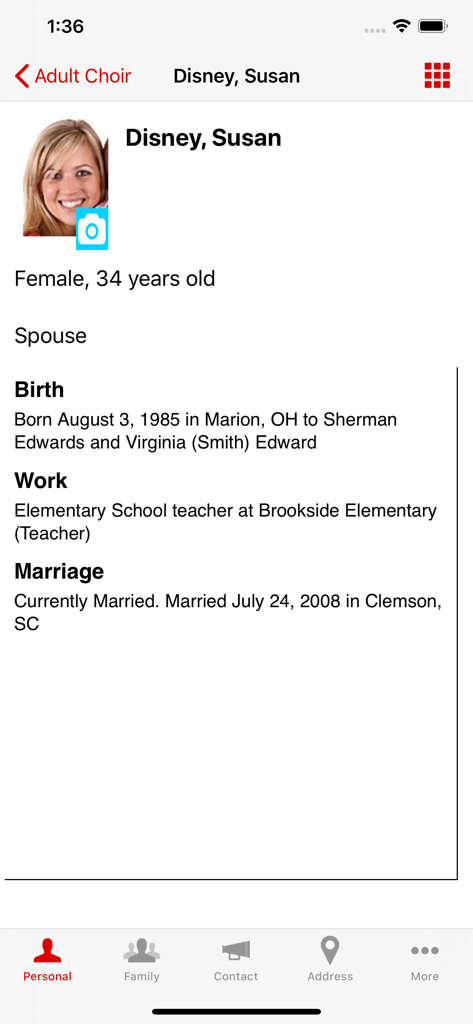
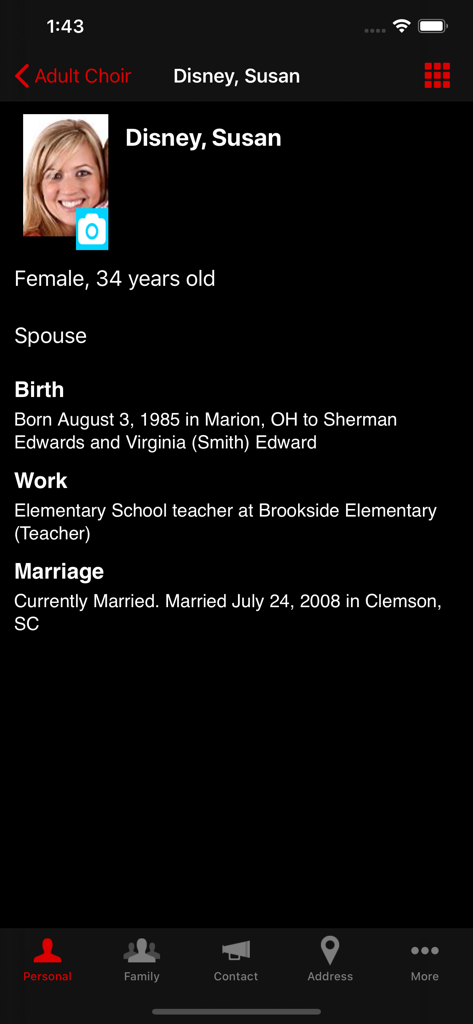
CDM Plus 모바일 앱의 프로필 화면으로, 사진, 생년월일, 직업 및 결혼 정보 등 개별 교인의 개인 정보 표시

CDM Plus 모바일 앱의 프로필 화면으로, 사진, 생년월일, 직업 및 결혼 정보 등 개별 교인의 개인 정보 표시

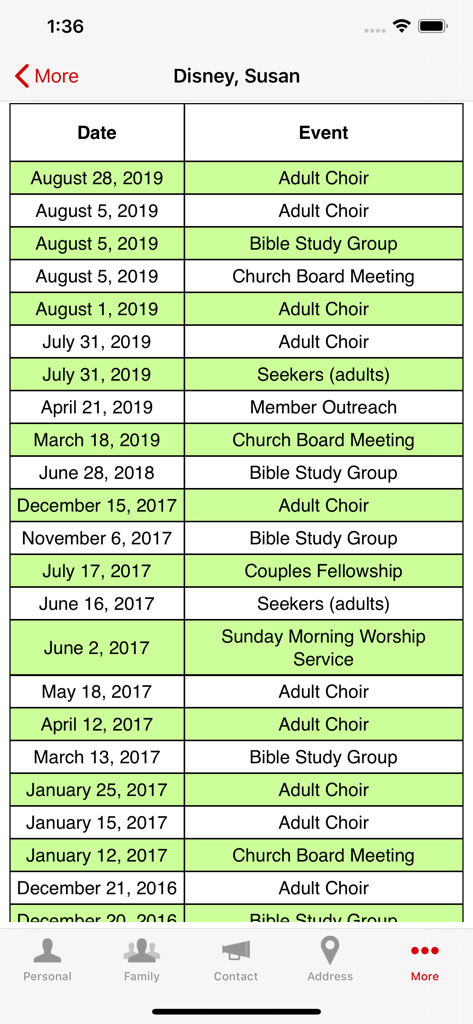
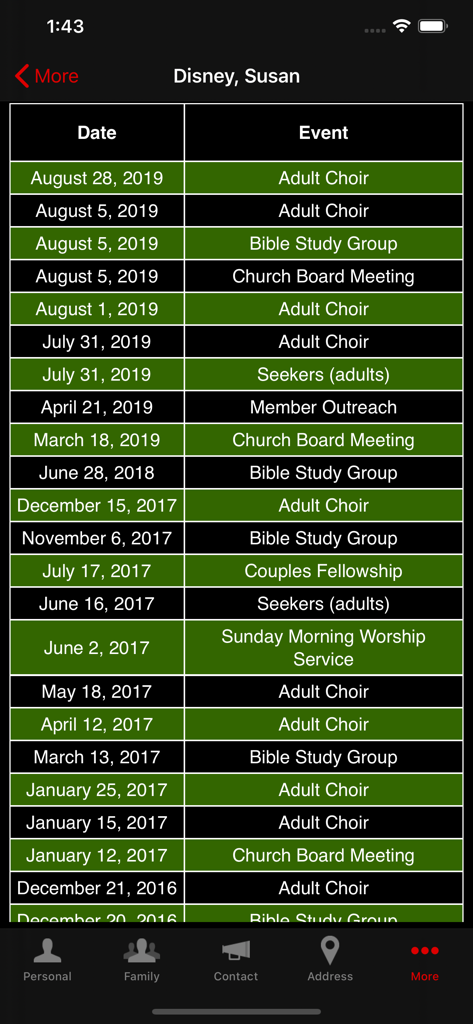
성경 공부 및 성가대와 같은 날짜 및 이벤트 이름이 포함된 교회 교인 출석 기록을 표시하는 화면

성경 공부 및 성가대와 같은 날짜 및 이벤트 이름이 포함된 교회 교인 출석 기록을 표시하는 화면

개인, 출석 및 체크인 기능 메뉴 옵션을 표시하는 CDM Plus 모바일 앱의 메인 대시보드

개인, 출석 및 체크인 기능 메뉴 옵션을 표시하는 CDM Plus 모바일 앱의 메인 대시보드

CDM plus 모바일 앱의 개인 정보 및 직업 배경을 보여주는 상세한 교회 교인 프로필 화면

CDM plus 모바일 앱의 개인 정보 및 직업 배경을 보여주는 상세한 교회 교인 프로필 화면

날짜 및 활동이 포함된 교인 이벤트 출석 기록을 표시하는 CDM+ 모바일 화면

날짜 및 활동이 포함된 교인 이벤트 출석 기록을 표시하는 CDM+ 모바일 화면

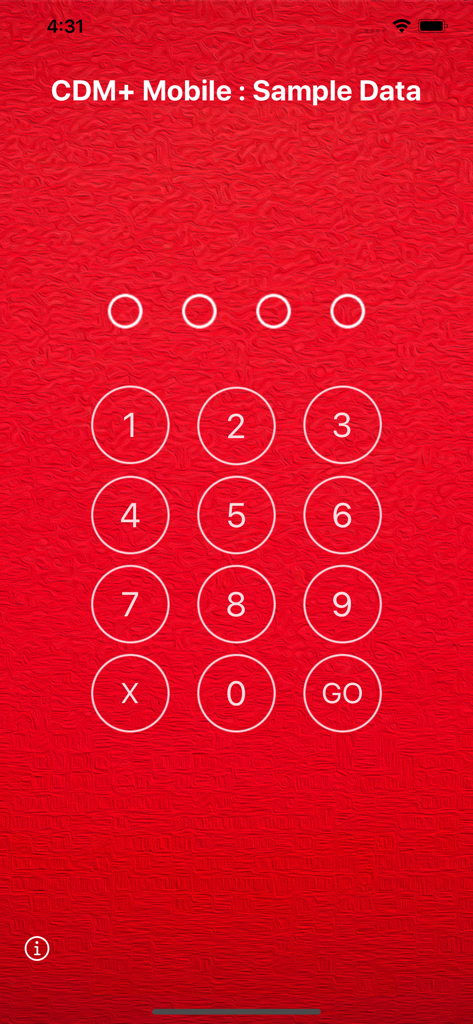
CDM Plus 모바일 앱에서 교회 관리 데이터를 보호하기 위한 숫자 PIN 입력 화면

CDM Plus 모바일 앱에서 교회 관리 데이터를 보호하기 위한 숫자 PIN 입력 화면

이동 중에도 사역을 강화하세요

이 앱을 돋보이게 하는 도구, 1K+ 명의 사용자가 선택.

🤝

맞춤형 목회 돌봄

가정 또는 병원 방문 중에 교구민에게 더 잘 봉사할 수 있도록 교인 프로필, 헌금 기록에 즉시 액세스하고 방문 메모를 기록하세요.

🛡️

안전한 주일 운영

가장 바쁜 예배 시간에 안전과 정확성을 보장하기 위해 빠른 바코드 스캔으로 어린이 체크인을 단순화하고 출석을 추적하세요.

즉각적인 데이터베이스 동기화

기기에서 이루어진 업데이트는 CDM+ 시스템에 즉시 반영되어 모든 직원이 실시간으로 정렬되고 정보를 얻을 수 있도록 보장합니다.

앱 소개

에 대해 알아야 할 모든 것 CDM+ Mobile.

설명

DESCRIPTION: CDM+ Mobile is a companion app to CDM+, a powerful data management system for churches and non-profit organizations. CDM+ Mobile connects you to your data in meaningful and useful ways wherever you are. NOTE: By default, CDM+ Mobile shows sample, fictitious data and will accept any PIN. Once you configure CDM+ Mobile with a provisioning code, you will see data from your CDM+ database and will be required to enter the PIN for your provision. FEATURES CDM+ Mobile offers six main features: viewing information on individuals in your CDM+ database, tracking attendance, running barcode attendance, running check-in, running check-out and for regional users, viewing church information. Individuals allows you to mass e-mail individuals, display the name, family members, photos, birth date and place, school, marriage date and place, work location and death information of individuals in your CDM+ database. Phone numbers and e-mail addresses are listed, and an interactive map to the primary street address is displayed. In addition, all attendance history for an individual is available, along with contributions over the past year for an individual. Finally, you have ability to add, view, edit and delete visitation and pastoral notes on the fly. Attendance lets you take attendance for classes, groups and events for any date. Tap an individual to mark or un-mark their attendance, and your change is filed instantly in your database and will appear in standard CDM+ windows and reports. Barcode Attendance lets you scan individual barcodes using your device's camera to mark attendance, The app can operate in a hand-held or kiosk mode and is designed for rapid attendance entry. Check-In lets you search families and check them into their respective classes and groups all at once. Check-In complements staffed and self check-in in the desktop version of CDM+. When paired with a desktop software running the name badge print server, CDM+ Mobile will send badge print job requests to the desktop version for printing. Check-Out lets you scan barcodes, or enter check-in codes manually, to check-out individuals from their respective classes, events or groups. For regional users, the Churches feature will allow you to mass e-mail churches and view a church’s photo, contact information, current and past members, physical and mailing addresses, and church service times. PROVISIONING In CDM+, access User Management to create a provision for each device you’d like to connect to your database. You can control exactly what functions are allowed on the device. For example, create a provision that only allows attendance entry. Use the devices on Sunday Morning to instantly update attendance records. Or give the youth pastor access to demographic data for members of the youth group only. SECURITY CDM+ Mobile requires that a PIN must be entered before data can be accessed. This PIN is unique to each provision, and each provision is locked to a specific device once it is accessed on that device. You can remotely grant or revoke access to features through CDM+ even after a device is set up. And if you need to disable a device at any time, CDM+ provides a master switch to do just that. ACCESSING CDM+ MOBILE CDM+ Mobile can be used with any CDM+ database running CDM+ 9.2 or later and hosted through our Data Hosting service. Visit our website for more information about data hosting and getting updated to the most recent version of CDM+.

최신 버전

2.7.6

크기

112.8 MB

출시일

2012년 3월 20일

사무실 밖에서도 사역을 강화하세요

CDM+ 모바일을 다운로드하여 사역이 어디로 향하든 교인 기록에 액세스하고, 안전한 체크인을 관리하며, 목회자 메모를 기록하세요.

다운로드: App Store

App information, icons, screenshots, and descriptions displayed on this page are sourced from the Apple App Store and are the property of their respective developers. Download estimates and rankings are based on MWM's proprietary models and may not reflect actual figures. This page is provided for informational and analytical purposes only.

Believe this page infringes your intellectual property? File a dispute